
If you've spent any time configuring user authentication on... Full Story
By Manny Fernandez
November 10, 2026
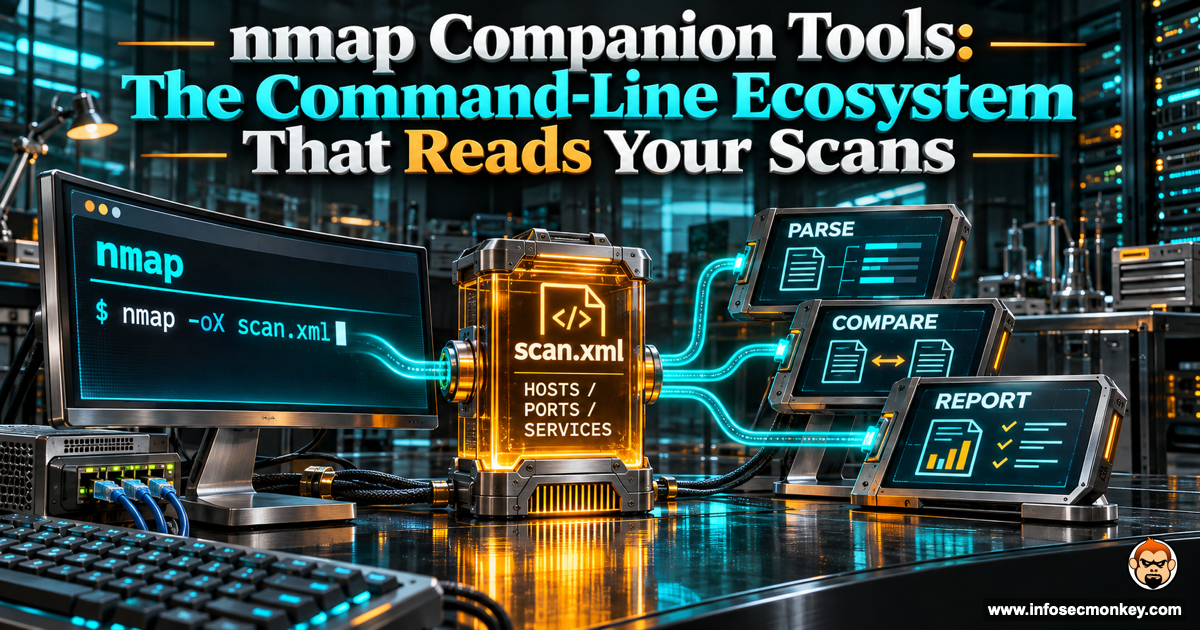
nmap Companion Tools: The Command-Line Ecosystem That Reads Your Scans
nmap Companion Tools: The Command-Line Ecosystem That Reads Your Scans
No fluff. Just the config that works.
Executive Summary
nmap is the start of a workflow, not the end of one. Its real power on the command line is that almost every other recon tool can read what it produces. Save one scan as XML or greppable output and a whole chain of tools picks it up: exploit lookups, service brute forcing, web screenshots, TLS audits, and database import, with no manual copy and paste.
This post catalogs the companion tools that pair with nmap from the command line, grouped by the job they do. It starts from a short list a reader sent in (searchsploit, brutespray, gowitness, ssl-enum, ndiff, metasploit) and expands it into the full ecosystem, then shows the one flag that ties it all together.
Audience: penetration testers, red teamers, and network and security engineers who already run nmap and want to get more out of each scan.
Prerequisites and Architecture
You should already be comfortable running nmap with service detection (-sV), the default script set (-sC), and writing output to a file. Everything below assumes Kali, Parrot, or a Linux box with the tools installed; most ship in Kali or install from a package manager, Go, or Cargo.
The connective tissue is nmap output. Three formats matter:
| Flag | Output | Who reads it |
|---|---|---|
-oN |
Normal (human readable) | You, in a terminal or editor |
-oX |
XML | searchsploit, metasploit, gowitness, ndiff, xsltproc |
-oG |
Greppable | brutespray, quick grep and awk pipelines |
-oA |
All three at once | Everything above, from one scan |
Save the scan once with -oA and every tool in this post can consume the result.
The nmap Suite Itself
Several of these ship with nmap and read nmap targets natively.
- ncat rewrites netcat for banner grabbing and connecting to the ports nmap flags.
- nping crafts packets and probes paths, useful for confirming what a scan reported.
- ndiff diffs two XML scans and shows exactly what changed between runs. This was on the starting list and it is the cleanest way to track drift on a target over time.
- ncrack is the nmap team’s own network authentication brute forcer, and it reads nmap-style targets naturally.
- NSE scripts are the engine behind a lot of this.
ssl-enum-ciphers(the “ssl-enum” from the starting list) grades a server’s TLS config. Others worth keeping close:vulners,vulscan,http-enum, and thesmb-vuln-*family. Run them withnmap --script.
nmap --script ssl-enum-ciphers -p 443 198.18.0.10Feed Faster Scanners Into nmap
For large ranges, discover open ports at speed first, then hand the hits to nmap for the slow, detailed work.
- RustScan finds open ports fast and pipes them straight into nmap. End the command with
--and everything after it goes to nmap. - masscan does internet-scale SYN scanning. Run it first, collect the open ports, then run
nmap -sVagainst only those.
rustscan -a 198.18.0.0/24 -- -sV -sCRustScan runs nmap -vvv -p <discovered ports> <target> under the hood, so you keep nmap’s fingerprinting while cutting discovery time from minutes to seconds.
Vulnerability Correlation
Once nmap identifies service versions, match them against known exploits.
- searchsploit parses nmap XML and checks every detected service against the local Exploit-DB archive. This was on the starting list and it turns a port scan into a candidate-exploit list in one command.
- nmap-vulners and vulscan are NSE scripts that do CVE lookups inline during the scan itself, no second tool required.
searchsploit --nmap scan.xmlThe --nmap option needs xmllint (the libxml2-utils package on Debian-based systems), so install that if the parse fails.
Web Services Found by nmap
When a scan flags HTTP or HTTPS ports, these take the web enumeration further.
- gowitness, EyeWitness, and aquatone screenshot every web port nmap found, so you can eyeball dozens of hosts at once. gowitness was on the starting list and reads nmap XML directly.
- httpx probes and fingerprints web ports from an nmap target list.
- nikto, whatweb, and feroxbuster go deeper once nmap identifies a web server: known issues, tech stack, and content discovery.
Brute Forcing From nmap Results
Turn discovered services into credential attacks.
- brutespray reads nmap greppable or XML output and auto-launches credential attacks against the services it found, across 40-plus protocols in parallel. This was on the starting list. Use
-sVin your nmap scan so brutespray catches services on non-standard ports. - hydra and medusa are the brute engines that brutespray and similar tools drive.
brutespray -f scan.gnmap -u admin -p passwordFramework and Workflow Import
Load scan results into a database or platform to work them as a team.
- Metasploit imports a scan with
db_import, loading every host and service into the MSF database so modules can target them. This was on the starting list. - Faraday and Legion are collaborative pentest platforms that ingest nmap XML into a shared workspace.
msf6 > db_import scan.xmlOutput Conversion and Reporting
Reshape nmap XML into something readable or pipeline-friendly.
- xsltproc turns nmap XML into a clean HTML report.
- nmaptocsv and nmap-parse-output reshape results for spreadsheets or grep and awk pipelines.
xsltproc scan.xml -o scan.htmlTLS Deep Dives
When ssl-enum-ciphers is not enough, these give fuller cipher, protocol, and certificate analysis.
- sslscan and testssl.sh inspect TLS and SSL in far more depth than the built-in NSE script: protocol support, cipher strength, certificate issues, and known flaws.
testssl.sh 198.18.0.10:443Orchestrators That Wrap the Whole Chain
If you would rather not wire the steps by hand, these run nmap and then fire the right follow-on tools based on which ports come back.
- AutoRecon, nmapAutomator, and Sn1per chain nmap with service-specific enumeration automatically, so a single command produces a full recon tree.
Verification and Validation
The whole ecosystem hinges on one habit: save output in a machine-readable format once, then feed it everywhere. The command that does this:
nmap -sV -sC -oA scan 198.18.0.0/24That writes scan.nmap (normal), scan.xml (XML), and scan.gnmap (greppable) in one pass. From there:
searchsploit --nmap scan.xmlfor exploit matchesbrutespray -f scan.gnmap -u admin -p passwordfor credential attacksgowitnessagainst the web ports inscan.xmlmsfconsolethendb_import scan.xmlto load Metasploitndiff scan.xml rescan.xmlto see what changed on the next run
If each of those tools reads the file without complaint, the chain is wired correctly.
Troubleshooting and Gotchas
searchsploit –nmap throws a parse error. It needs xmllint from the libxml2-utils package. Install it, then re-run. Confirm the XML is valid first with xmllint --noout scan.xml; a truncated scan file (from a cancelled run) will fail here.
brutespray finds nothing to attack. It only sees services nmap actually identified. If you scanned without -sV, the greppable file has open ports but no service names, so brutespray has nothing to match. Re-scan with -sV -oA and point brutespray at the fresh .gnmap.
RustScan hands nmap the wrong flags. Everything after -- goes to nmap verbatim, and RustScan always prepends -p <ports>. If a scan behaves oddly, print the exact nmap command RustScan built (it echoes it before running) and check that your flags are not colliding with the ports it injected.
Sources
- Nmap Reference Guide: Output Formats (-oN, -oX, -oG, -oA)
- RustScan on GitHub (fast port discovery that pipes into nmap)
- SearchSploit Manual, Exploit-DB (–nmap XML option)
- BruteSpray on GitHub (parses nmap GNMAP/XML for credential attacks)
- gowitness on GitHub (web screenshotting, reads nmap XML)
- testssl.sh on GitHub (command-line TLS/SSL testing)
Recent posts
-

-

DNS is one of those technologies that quietly underpins... Full Story
-

BGP issues on FortiGate firewalls usually trace back to... Full Story
-

Every time your laptop talks to your router, a... Full Story
-

If you've spent any time configuring NAT on a... Full Story
-

If you have spent any time configuring firewall policies... Full Story
-

High availability on FortiGate is one of those features... Full Story
-

If you've configured SD-WAN on a FortiGate, you've almost... Full Story
-

FortiLink is the management protocol that turns a FortiSwitch... Full Story
-

FortiSwitches are pretty rock solid from Mean Time Between... Full Story
-

This is a quicky tip. Have you ever gone... Full Story
-

DNS is one of those quiet pieces of internet... Full Story
-

This article is an updated version of the previous... Full Story
-

You will add ns2 as a secondary (slave) BIND9... Full Story
-

In the process of deploying my lab, I needed... Full Story
-

RFC 8805, used to be known as Self-Correcting IP... Full Story
-

Years back, I wrote an article about certificate pinning. ... Full Story
-

FortiGates have the ability to send alerts to Microsoft... Full Story
-

In this post, I am going to walk through... Full Story
-

Troubleshooting VoIP on a FortiGate can feel like trying... Full Story
-

Prior to FortiOS 7.0, there were three commands to... Full Story
-

In this post, I am going to go over... Full Story
-

What we are going to do: We are going... Full Story
-

Choosing between FGCP (FortiGate Clustering Protocol) and FGSP (FortiGate... Full Story
-

Creating a VLAN on macOS (The "Pro" Move) A... Full Story
-

This blog post explores the logic behind how macOS... Full Story
-

Pretty Fly for a Wi-Fi Tell My Wi-Fi Love... Full Story
-

Part of my daily gig is creating BoMs (Bill-of-Materials)... Full Story
-

ICMP introduces several security risks, but careful filtering, rate... Full Story
-

The command diag debug application dhcps -1 enables full... Full Story
-

In the world of FortiOS, execute tac report is... Full Story
-

LLDP; What is it The Link Layer Discovery Protocol... Full Story
-

What it actually does When you run diagnose fdsm... Full Story
-

Monkey Bites are bite-sized, high-impact security insights designed for... Full Story
-

I have run macOS in macOS with Parallels but... Full Story
-

Don't be confused with my other FortiNAC posts where... Full Story
-

This is the third session in a multi-part article... Full Story
-

Today I was configuring key-based authentication on a FortiGate... Full Story
-

Netcat, often called the "Swiss Army knife" of networking,... Full Story
-

At its core, IEEE 802.1X is a network layer... Full Story
-

In case you did not see the previous FortiNAC... Full Story
-

This is our 5th session where we are going... Full Story
-

Now that we have Wireshark installed and somewhat configured,... Full Story
-

The Philosophy of Packet Analysis Troubleshooting isn't about looking... Full Story
-

nmap Companion Tools: The Command-Line Ecosystem That Reads Your... Full Story
-

CVE-2026-19868: SonicWall SAML MFA Bypass on SSLVPN, Patch and... Full Story
-

No fluff. Just the config that works. Objective: The... Full Story