26 March, 2026
Monkey Bites – Auto Move Shortcut for macOS
Create a macOS Shortcut to auto move files from your Downloads folder into organized subfolders based on file extension. Includes automation setup.
Read More

Create a macOS Shortcut to auto move files from your Downloads folder into organized subfolders based on file extension. Includes automation setup.
Read More
Learn how to create a VLAN interface on macOS using networksetup. Configure 802.1Q tagging for persistent network segmentation that survives reboots.
Read More
Understand macOS network interface naming conventions like en0 and lo0. Learn to map BSD names to hardware using networksetup and scutil commands.
Read More
Automate macOS file comments using an AppleScript Quick Action. Assign a keyboard shortcut to add metadata to files in Finder without manual clicks.
Read More
Configure Apple Shortcuts for gym automation. Set up GPS triggers to switch Focus modes, play music, and open apps when you arrive at Planet...
Read More
Create a macOS Shortcut to copy text from images to your clipboard. Follow this guide to set up an interactive screenshot action for quick...
Read More
Fix the GoToMeeting emoji shortcut issue on macOS. Remap the Option Command E key to stop the emoji popup from appearing during screen sharing...
Read More
Configure the Parcel app for macOS and iOS to track deliveries. Set up email forwarding rules and Amazon account login for automatic shipment updates.
Read More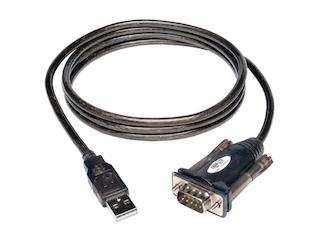
Install the Tripp Lite USB to Serial driver on macOS. Download the Prolific chipset package, bypass Gatekeeper restrictions, and verify the connection in System...
Read More
Learn how to automate AppleScript with Automator on macOS. Create a Quick Action and assign a keyboard shortcut to instantly generate organized job folders.
Read MoreSwitch default shell to bash macOS using System Preferences or chsh. Remove the ZSH warning and customize your prompt on a new MacBook Pro.
Read More
Learn how to create a macOS app from a bash script using ScriptToApp. Convert scripts to clickable .app files for easy Spotlight launch and...
Read More
Learn how to add sites to Safari Top Sites. Pin your favorite URLs to the new tab page for quick access on macOS. No...
Read More
Run Unetbootin on macOS Catalina using this terminal workaround. Bypass Gatekeeper errors to create bootable USB drives with Unetbootin on modern Macs.
Read More
Learn how to create a bootable USB stick using balenaEtcher. This guide covers ISO conversion, flashing steps, and validation on Windows, Mac, and Linux.
Read More
Encrypt a USB thumb drive on macOS using diskutil CLI commands or Disk Utility GUI. Secure your data with full volume encryption in minutes.
Read More
Securely wipe a drive in macOS using the diskutil secureErase command. Learn how to identify disks and execute multi-pass erasures from the terminal.
Read More
Learn how to create a bootable Windows 10 USB on macOS Catalina using the dd command. Step-by-step CLI instructions to write the ISO to...
Read More