
If you've spent any time configuring user authentication on... Full Story
By Manny Fernandez
July 15, 2026
Using host file equivalent on the FortiGate Firewall
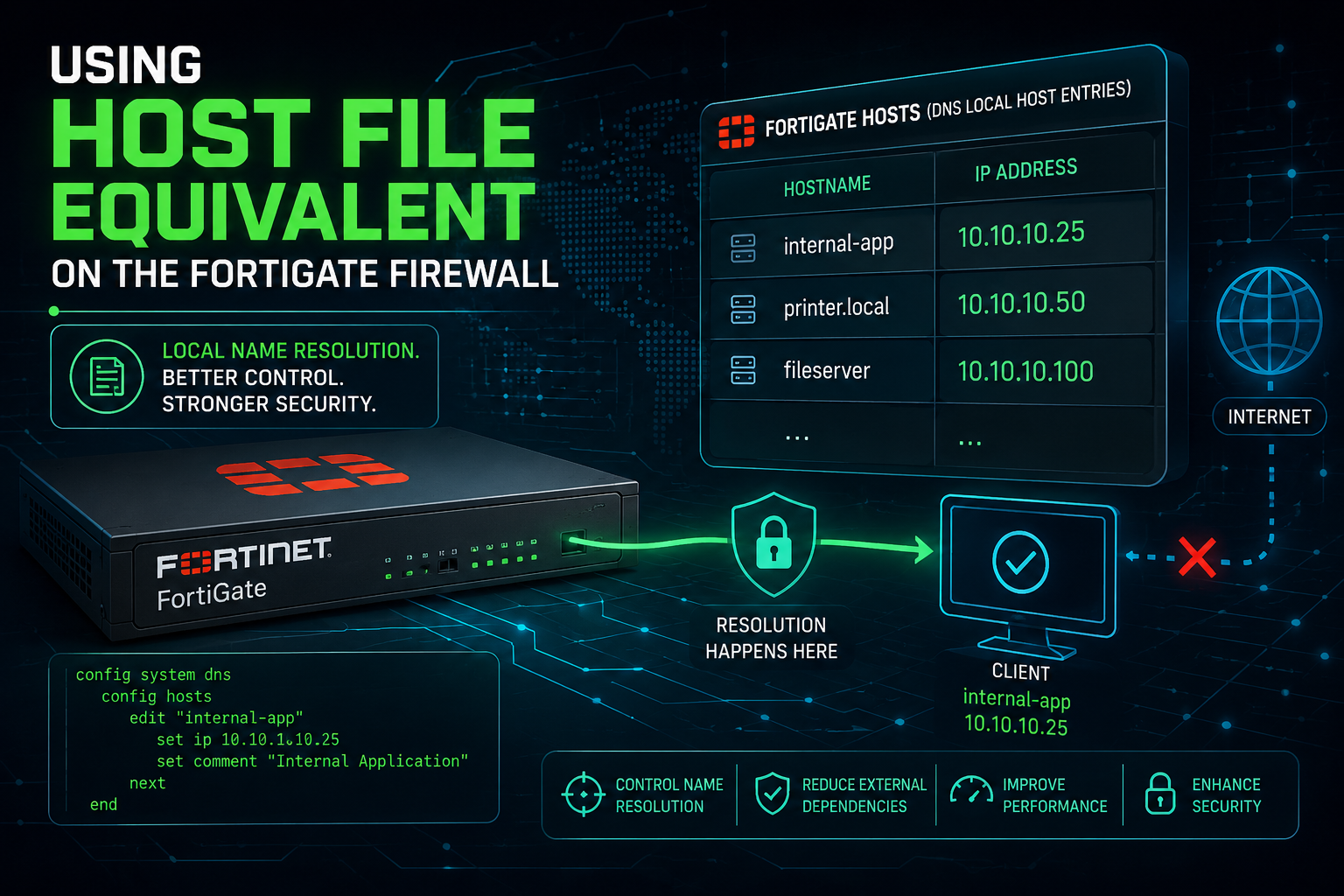
Have you ever wanted to do some testing on a FortiGate using an FQDN verses an IP address? While FortiOS doesn’t expose a raw /etc/hosts text file, adding a master DNS zone directly on the FortiGate forces the device to look at its own local table first before querying any upstream DNS servers.
Here is how you set it up via the CLI and the GUI.
Method 1: The CLI Way (Quickest)
This is the closest equivalent to Cisco’s ip host command. You create a local zone (like local or matching the specific domain) and map the hostname to the IP.
config system dns-database
edit "local_hosts"
set domain "infosecmonkey.net"
set authoritative disable
config dns-entry
edit 1
set hostname "fac01"
set ip 10.1.106.128
next
end
next
end
> Note: Setting set authoritative disable is key. It tells the FortiGate that if it doesn’t find the specific hostname in this local list, it should still go ahead and ask your regular upstream DNS servers rather than giving up.
Method 2: The GUI Way
If you prefer the web interface, you can manage this visually, though you may need to toggle the feature visibility first.
1. Enable the DNS Database Feature: System Settings.
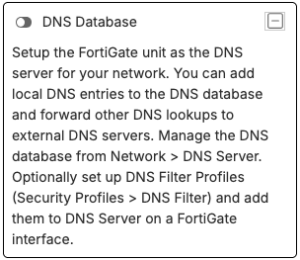
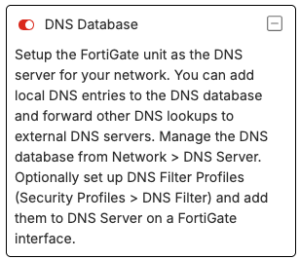
Go to System > Feature Visibility. Scroll down to Additional Features, toggle on DNS Database, and click Apply.
2. Create a New DNS Zone: Network Settings.
Navigate to Network > DNS Servers. Under theDNS Database section, click Create New.
3. Configure the Zone Zone Properties: Matching Cisco/Hosts setup.
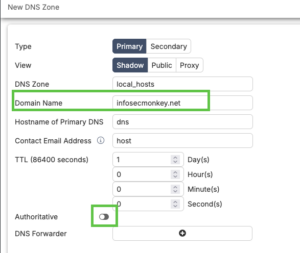
Set the Type to Primary, give it a zone name, and enter the Domain Name (e.g., local or the actual domain you are overriding). Ensure Authoritative is turned off so unresolved queries still forward to the internet.
4. Add your IP Mappings: DNS Entries.
In the DNS Entries table at the bottom of that window, click Create New. Set the type to A (or AAAA for IPv6), type your hostname (e.g., fac01), enter the IP address, and hit OK.
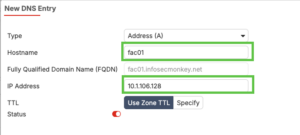
One important catch for FortiGate traffic
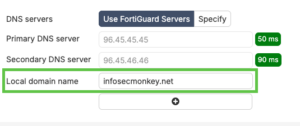
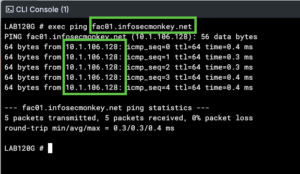
By default, when you type a command like exec ping fac01.infosecmonkey.net directly into the FortiGate CLI, it uses the system DNS settings. To ensure the local FortiGate processes its own local DNS database for its own generated traffic, make sure your system DNS (config system dns) includes 127.0.0.1 or the FortiGate’s own interface IP as one of its servers, or ensure a local DNS service is running on the interface you are managing it from.
Recent posts
-

-

DNS is one of those technologies that quietly underpins... Full Story
-

BGP issues on FortiGate firewalls usually trace back to... Full Story
-

Every time your laptop talks to your router, a... Full Story
-

If you've spent any time configuring NAT on a... Full Story
-

If you have spent any time configuring firewall policies... Full Story
-

High availability on FortiGate is one of those features... Full Story
-

If you've configured SD-WAN on a FortiGate, you've almost... Full Story
-

FortiLink is the management protocol that turns a FortiSwitch... Full Story
-

FortiSwitches are pretty rock solid from Mean Time Between... Full Story
-

This is a quicky tip. Have you ever gone... Full Story
-

DNS is one of those quiet pieces of internet... Full Story
-

This article is an updated version of the previous... Full Story
-

You will add ns2 as a secondary (slave) BIND9... Full Story
-

In the process of deploying my lab, I needed... Full Story
-

RFC 8805, used to be known as Self-Correcting IP... Full Story
-

Years back, I wrote an article about certificate pinning. ... Full Story
-

FortiGates have the ability to send alerts to Microsoft... Full Story
-

In this post, I am going to walk through... Full Story
-

Troubleshooting VoIP on a FortiGate can feel like trying... Full Story
-

Prior to FortiOS 7.0, there were three commands to... Full Story
-

In this post, I am going to go over... Full Story
-

What we are going to do: We are going... Full Story
-

Choosing between FGCP (FortiGate Clustering Protocol) and FGSP (FortiGate... Full Story
-

Creating a VLAN on macOS (The "Pro" Move) A... Full Story
-

This blog post explores the logic behind how macOS... Full Story
-

Pretty Fly for a Wi-Fi Tell My Wi-Fi Love... Full Story
-

Part of my daily gig is creating BoMs (Bill-of-Materials)... Full Story
-

ICMP introduces several security risks, but careful filtering, rate... Full Story
-

The command diag debug application dhcps -1 enables full... Full Story
-

In the world of FortiOS, execute tac report is... Full Story
-

LLDP; What is it The Link Layer Discovery Protocol... Full Story
-

What it actually does When you run diagnose fdsm... Full Story
-

Monkey Bites are bite-sized, high-impact security insights designed for... Full Story
-

I have run macOS in macOS with Parallels but... Full Story
-

Don't be confused with my other FortiNAC posts where... Full Story
-

This is the third session in a multi-part article... Full Story
-

Today I was configuring key-based authentication on a FortiGate... Full Story
-

Netcat, often called the "Swiss Army knife" of networking,... Full Story
-

At its core, IEEE 802.1X is a network layer... Full Story
-

In case you did not see the previous FortiNAC... Full Story
-

This is our 5th session where we are going... Full Story
-

Now that we have Wireshark installed and somewhat configured,... Full Story
-

The Philosophy of Packet Analysis Troubleshooting isn't about looking... Full Story
-

InfoSecMonkey Threat Response October 24, 2026 | No fluff.... Full Story
-

InfoSecMonkey Threat Response October 24, 2026 | No fluff.... Full Story
-

Plus what you actually get with FortiCare Essential, Premium... Full Story