And so the journey begins. I received my server today. I have not physically mounted it yet, but I am already preparing for the journey of my new lab. First thing I am doing is creating a bootable ProxMox USB drive. The instructions for this USB creation is based on macOS.
First, lets download ProxMox. The latest version during this writing was 9.1.1 and the download link is here.
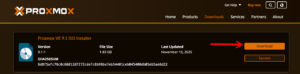
The size of the download is about 2GB.
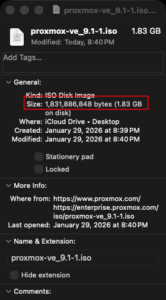
Once you have the ISO downloaded, we are going to convert the ISO into a DMG file for macOS
hdiutil convert proxmox-ve_9.1-1.iso -format UDRW -o proxmox-ve_9.1-1.dm
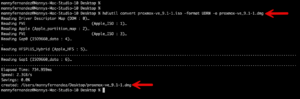
Now we can see that the .dmg file has been created.
Next step, we will insert the USB stick into your machine. NOTE: If you have similar disks sizes on your machine, I would run the following commands without the USB inserted, make note and then insert the USB and run the command again making note of the changes.
The command to run is diskutil list
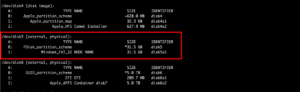
In my case, the disk is disk5 (see above). I am using a Fortinet 32GB USB drive.
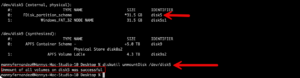
You will need to unmount it now. You do this by running
diskutil unmountDisk /dev/disk5 (remember to replace disk5 with whatever disk your USB stick is in)
Now its time to write the .dmg image to the USB stick.
sudo dd if=proxmox-ve_9.1-1.dmg bs=1M of=/dev/rdisk5
The bs=1M is the block size which we set to 1M. This improves data transfer speeds by reducing the number of read/write operations compared to the default value of 512-byte block size.

Note: If you are wondering why we used rdisk instead of disk in the dd command, this forces dd to use raw mode where the data goes directly to the hardware instead of being buffered.
Now we are ready for action….
Make sure that your server is configured to boot from USB or you will not be able to use this USB.
Hope this helps.