
If you've spent any time configuring user authentication on... Full Story
By Manny Fernandez
July 31, 2026
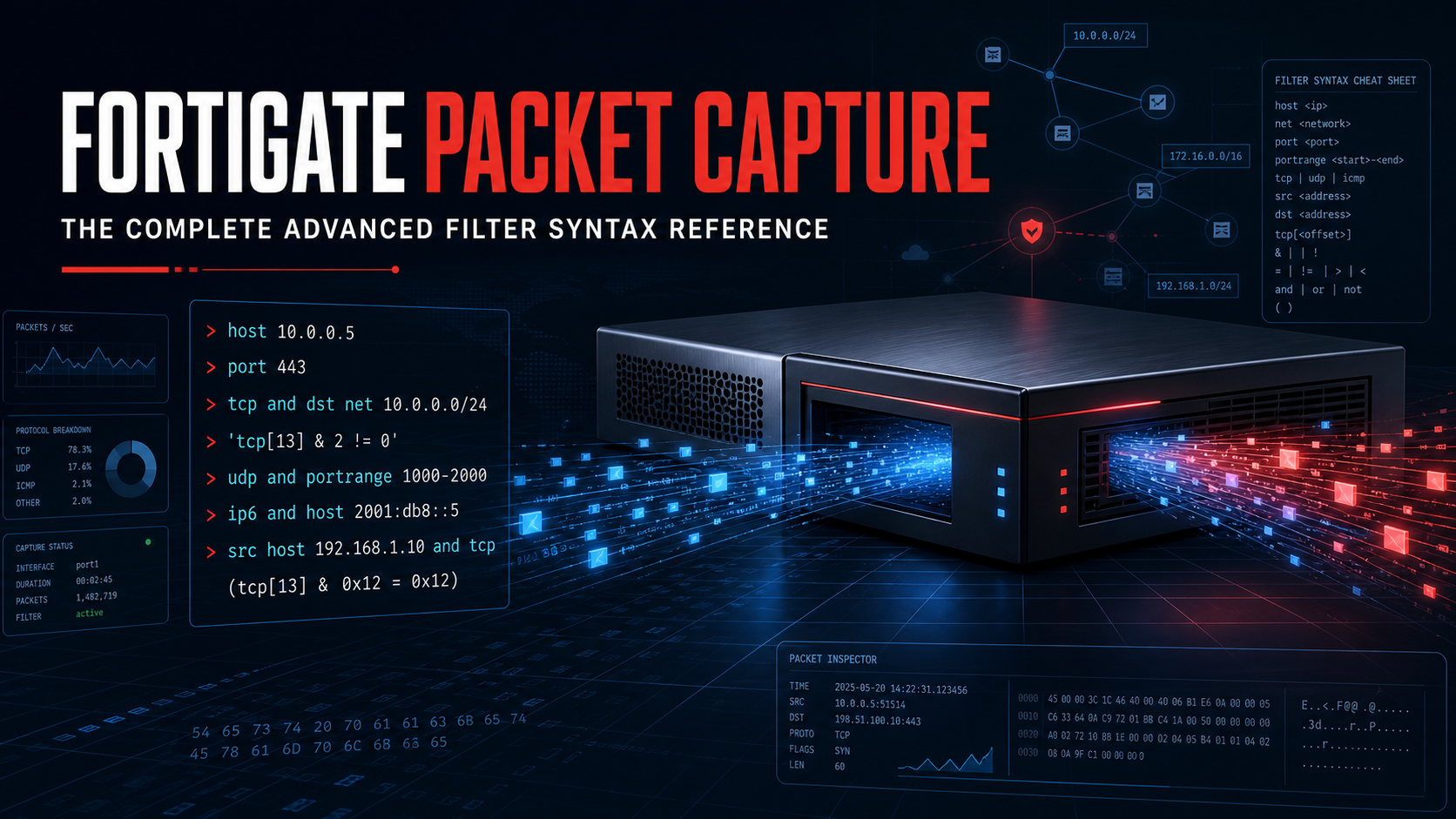
FortiGate Packet Capture: The Complete Advanced Filter Syntax Reference
Every filter you can type into the Advanced field is standard BPF, the same syntax tcpdump and diagnose sniffer packet use under the hood. Learn it once and it works in the GUI, the CLI sniffer, and any pcap tool you touch for the rest of your career.
This is the reference we wish we’d had the first time we needed to isolate one conversation out of a saturated uplink. No theory, just the syntax that works.
Where This Applies
Network > Diagnostics > Packet Capture (Network > Packet Capture on older firmware). Enable Filters, set Filtering syntax to Advanced, and type a filter string into the box. Everything below works there, and it also works as the <filter> argument to diagnose sniffer packet <interface> '<filter>' <verbose> <count> in the CLI. If you already know one, you know both.
Filter Basics
A filter is built from primitives (host, port, proto, and so on) joined with logical operators.
| Operator | Meaning |
|---|---|
and (or &&) |
Both conditions must match |
or (or ||) |
Either condition matches |
not (or !) |
Negate the condition |
( ) |
Group conditions to control evaluation order |
Wrap the whole filter string in quotes. If an interface name has a space in it (like a VLAN alias), quote the interface name too.
diagnose sniffer packet any 'host 10.1.23.5 and port 443' 4 20
Host and Network Filters
| Filter | Matches | Example |
|---|---|---|
host <ip> |
Traffic to or from a single address | host 10.1.23.5 |
src host <ip> |
Only where that address is the source | src host 10.1.23.5 |
dst host <ip> |
Only where that address is the destination | dst host 10.1.23.5 |
net <cidr> |
Traffic to or from any address in the subnet | net 10.1.23.0/24 |
src net <cidr> |
Only where the source falls in that subnet | src net 10.192.0.0/16 |
dst net <cidr> |
Only where the destination falls in that subnet | dst net 10.1.23.0/24 |
Netmask notation works too if you prefer it over CIDR: net 10.1.23.0 mask 255.255.255.0.
The trick for two networks talking to each other: net A and net B matches any packet where one endpoint falls in A and the other falls in B, regardless of which one is the source. That gives you the full two-way conversation in one filter, without needing separate src/dst rules.
net 10.192.0.0/16 and net 10.1.23.0/24
Port Filters
| Filter | Matches | Example |
|---|---|---|
port <n> |
Either source or destination port equals n | port 443 |
src port <n> |
Only the source port | src port 51820 |
dst port <n> |
Only the destination port | dst port 22 |
portrange <n1>-<n2> |
Source or destination port falls in the range | portrange 80-443 |
Port filters have no idea which protocol they belong to unless you tell them. port 53 alone matches TCP or UDP port 53. Pair it with a protocol keyword if you only want one.
Protocol Filters
| Filter | Matches |
|---|---|
tcp |
TCP packets only |
udp |
UDP packets only |
icmp |
ICMPv4 only |
icmp6 |
ICMPv6 only |
arp |
ARP only |
ip |
Any IPv4 packet |
ip6 |
Any IPv6 packet |
gre |
GRE-encapsulated traffic |
esp |
IPsec ESP traffic |
ah |
IPsec AH traffic |
Chain a protocol directly in front of port to scope the port to that protocol specifically:
tcp port 443
udp port 53
That is the difference between “show me anything on port 53” and “show me only DNS-over-UDP, not a TCP fallback query riding the same port number.”
VLAN and Ethernet-Level Filters
| Filter | Matches | Example |
|---|---|---|
vlan <id> |
Traffic tagged with that 802.1Q VLAN ID | vlan 100 |
ether host <mac> |
Traffic to or from a specific MAC address | ether host 00:0c:29:aa:bb:cc |
ether proto <hex> |
Traffic of a specific EtherType | ether proto 0x8890 (Fortinet HA heartbeat) |
ether[<offset>] |
Raw byte match at a given offset into the Ethernet header | ether[0x90]=23 |
The ether-level filters are the ones you reach for when the problem lives below IP: HA heartbeat storms, unexpected tagged traffic on an access port, or a non-IP protocol you need to isolate by EtherType.
Packet Length Filters
| Filter | Matches | Example |
|---|---|---|
less <n> |
Packets smaller than n bytes | less 64 |
greater <n> |
Packets larger than n bytes | greater 1500 |
Useful for spotting fragmentation, MTU mismatches, or runt frames without wading through a full capture by eye.
TCP Flag Filters
TCP flags live in a specific byte of the TCP header (offset 13), so you match them with a byte-and-mask expression rather than a keyword. The syntax is tcp[13] & <mask> != 0 for “this flag is set among possibly others,” or tcp[13] = <value> for an exact match.
| Flag | Mask value | Filter for “this flag is set” |
|---|---|---|
| FIN | 1 | tcp[13] & 1 != 0 |
| SYN | 2 | tcp[13] & 2 != 0 |
| RST | 4 | tcp[13] & 4 != 0 |
| PSH | 8 | tcp[13] & 8 != 0 |
| ACK | 16 | tcp[13] & 16 != 0 |
| URG | 32 | tcp[13] & 32 != 0 |
For an exact combination, add the values and use = instead of &. SYN+ACK is 2 + 16 = 18:
tcp[13] = 18
This is the filter you want when you’re chasing a specific phase of the TCP handshake: SYN floods, connections that never complete, or a client that keeps resetting instead of closing cleanly.
Combining Filters
Everything above is a building block. String them together with and, or, not, and parentheses to pinpoint exactly the traffic you care about.
# Two-way traffic between one host and one subnet, HTTPS only
host 10.1.23.5 and net 10.192.0.0/16 and tcp port 443

# TCP or ICMP to/from a host, excluding a noisy management session
host 10.109.16.137 and (tcp or icmp) and not port 22

# Anything except your own SSH session and HTTPS management access
not port 22 and not dst port 443

# SYN packets only, to isolate connection attempts during a flood investigation
tcp port 80 and tcp[13] & 2 != 0

# Traffic in or out of a specific VLAN, high ports only
vlan 100 and portrange 1024-65535
Verbosity and Count, Since You’ll Want Them Too
The Advanced filter box controls what gets captured. Two more settings control how much you see:
- Max Packet Count: stop after this many packets. Keep it tight (50 to 200) when you’re actively narrowing down a filter, then raise it once you know exactly what you’re isolating.
- Verbosity (CLI only, via the trailing argument on
diagnose sniffer packet): level 1 is headers only, level 4 adds interface names (the level most engineers default to), level 6 adds the most detail. The GUI capture is roughly equivalent to verbose level 3 to 4 worth of detail, viewable per-packet after the capture completes.
Quick Reference
| Goal | Filter |
|---|---|
| One host, both directions | host 10.1.23.5 |
| One host, inbound only | dst host 10.1.23.5 |
| One subnet | net 10.1.23.0/24 |
| Two subnets talking to each other | net 10.192.0.0/16 and net 10.1.23.0/24 |
| One port, any protocol | port 443 |
| One port, TCP only | tcp port 443 |
| A port range | portrange 80-443 |
| Exclude your own SSH session | not port 22 |
| ICMP only | icmp |
| A specific VLAN | vlan 100 |
| Runt frames | less 64 |
| Oversized frames | greater 1500 |
| SYN packets only | tcp[13] & 2 != 0 |
| SYN-ACK only | tcp[13] = 18 |
| Non-IP heartbeat traffic | ether proto 0x8890 |
Gotchas
portmatches both directions and both protocols by default. If you get more results than expected, scope it:tcp port 443instead ofport 443, orsrc port/dst portinstead of plainport.- VLAN interface names hide the underlying physical interface in the capture output. If you need to see which physical port traffic actually entered on, sniff the physical interface with a
vlan <id>filter instead of sniffing the VLAN interface directly. - np-acceleration and auto-asic-offload can hide packets from the sniffer on hardware-accelerated FortiGate models, since offloaded flows bypass the CPU path the sniffer taps into. Disable them on the relevant firewall policy if a session looks like it’s dropping packets that are actually just invisible to the capture.
- Interface names with spaces need quotes of their own, separate from the filter string:
diagnose sniffer packet "My VLAN" "ether proto 0x8890". - The GUI Basic mode ORs multiple hosts together. If you need traffic specifically between two hosts or two ranges rather than traffic touching either one, switch to Advanced and use
and, not the Basic Host list.
Recent posts
-

-

DNS is one of those technologies that quietly underpins... Full Story
-

BGP issues on FortiGate firewalls usually trace back to... Full Story
-

Every time your laptop talks to your router, a... Full Story
-

If you've spent any time configuring NAT on a... Full Story
-

If you have spent any time configuring firewall policies... Full Story
-

High availability on FortiGate is one of those features... Full Story
-

If you've configured SD-WAN on a FortiGate, you've almost... Full Story
-

FortiLink is the management protocol that turns a FortiSwitch... Full Story
-

FortiSwitches are pretty rock solid from Mean Time Between... Full Story
-

This is a quicky tip. Have you ever gone... Full Story
-

DNS is one of those quiet pieces of internet... Full Story
-

This article is an updated version of the previous... Full Story
-

You will add ns2 as a secondary (slave) BIND9... Full Story
-

In the process of deploying my lab, I needed... Full Story
-

RFC 8805, used to be known as Self-Correcting IP... Full Story
-

Years back, I wrote an article about certificate pinning. ... Full Story
-

FortiGates have the ability to send alerts to Microsoft... Full Story
-

In this post, I am going to walk through... Full Story
-

Troubleshooting VoIP on a FortiGate can feel like trying... Full Story
-

Prior to FortiOS 7.0, there were three commands to... Full Story
-

In this post, I am going to go over... Full Story
-

What we are going to do: We are going... Full Story
-

Choosing between FGCP (FortiGate Clustering Protocol) and FGSP (FortiGate... Full Story
-

Creating a VLAN on macOS (The "Pro" Move) A... Full Story
-

This blog post explores the logic behind how macOS... Full Story
-

Pretty Fly for a Wi-Fi Tell My Wi-Fi Love... Full Story
-

Part of my daily gig is creating BoMs (Bill-of-Materials)... Full Story
-

ICMP introduces several security risks, but careful filtering, rate... Full Story
-

The command diag debug application dhcps -1 enables full... Full Story
-

In the world of FortiOS, execute tac report is... Full Story
-

LLDP; What is it The Link Layer Discovery Protocol... Full Story
-

What it actually does When you run diagnose fdsm... Full Story
-

Monkey Bites are bite-sized, high-impact security insights designed for... Full Story
-

I have run macOS in macOS with Parallels but... Full Story
-

Don't be confused with my other FortiNAC posts where... Full Story
-

This is the third session in a multi-part article... Full Story
-

Today I was configuring key-based authentication on a FortiGate... Full Story
-

Netcat, often called the "Swiss Army knife" of networking,... Full Story
-

At its core, IEEE 802.1X is a network layer... Full Story
-

In case you did not see the previous FortiNAC... Full Story
-

This is our 5th session where we are going... Full Story
-

Now that we have Wireshark installed and somewhat configured,... Full Story
-

The Philosophy of Packet Analysis Troubleshooting isn't about looking... Full Story
-

InfoSecMonkey Threat Response October 24, 2026 | No fluff.... Full Story
-

InfoSecMonkey Threat Response October 24, 2026 | No fluff.... Full Story
-

Plus what you actually get with FortiCare Essential, Premium... Full Story