
If you've spent any time configuring user authentication on... Full Story
By Manny Fernandez
September 14, 2026
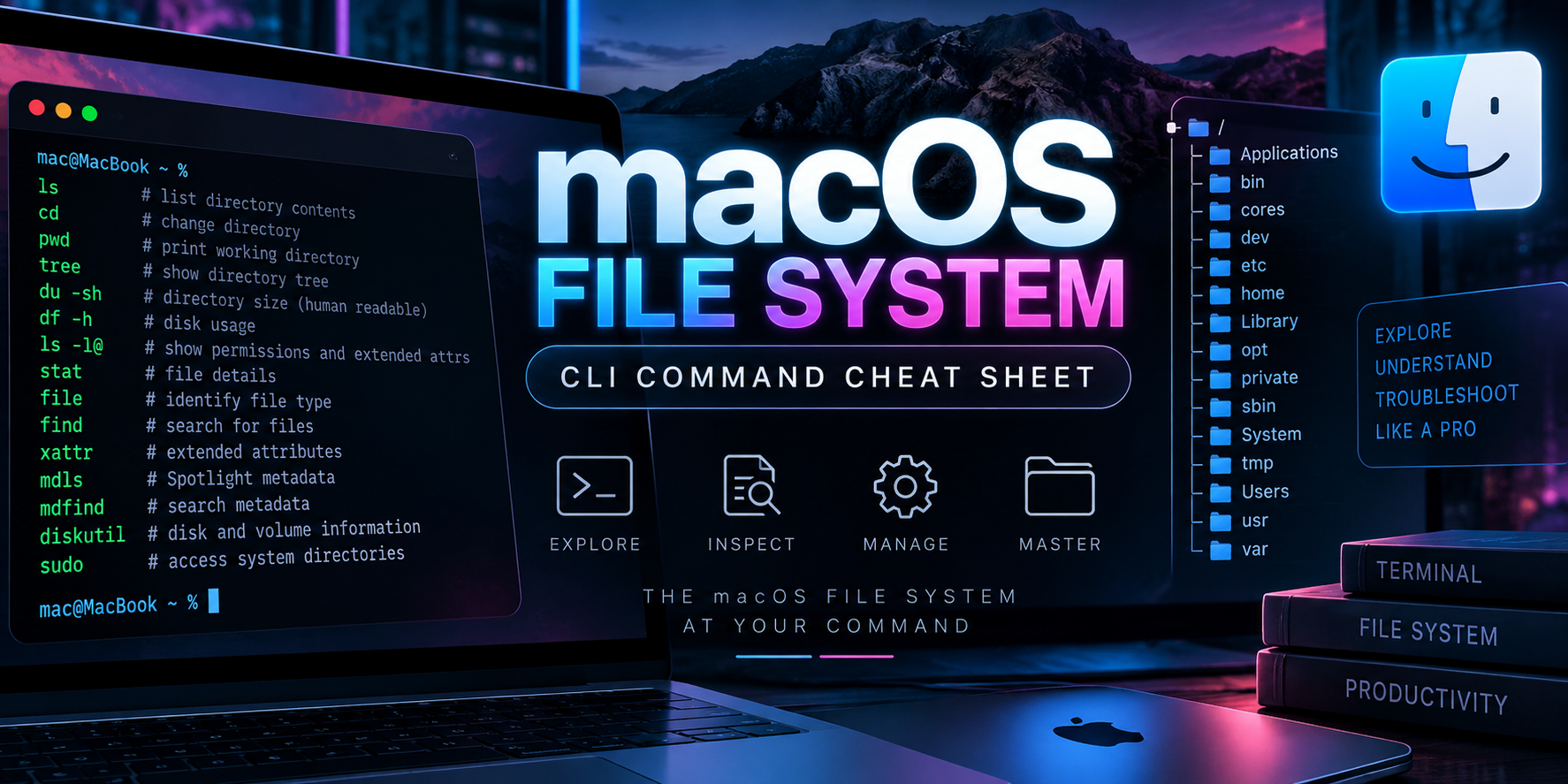
macOS File System CLI Command Cheat Sheet
macOS file management runs on BSD userland tools sitting on top of APFS, so a lot of syntax looks like Linux but behaves differently at the edges: resource forks, extended attributes, ACLs, System Integrity Protection, and Apple-only tools like ditto and diskutil don’t have clean Linux equivalents. This is the practitioner reference for the commands that actually come up: navigation, permissions, disk and volume management, metadata, and the handful of macOS-specific gotchas that catch people coming from Linux.
1. Navigation and Directory Listing
| Command | What it does | Example |
|---|---|---|
pwd |
Print working directory | pwd |
cd |
Change directory (cd - returns to the previous directory, cd ~ goes home) |
cd ~/Downloads |
ls -la |
List all contents including hidden files, long format | ls -la |
ls -G |
Force colorized output (macOS ls doesn’t auto-color like GNU ls) |
ls -G |
ls -l@ |
Show an @ marker on files carrying extended attributes |
ls -l@ |
ls -le |
Append ACL entries to the listing | ls -le |
ls -lO |
Show the BSD file flags column | ls -lO |
tree |
Recursive directory tree, not built in (brew install tree) |
tree -L 2 |
2. Creating, Moving, and Deleting
| Command | What it does | Example |
|---|---|---|
mkdir -p |
Create nested directories in one call | mkdir -p project/src/lib |
touch |
Create an empty file, or update its modification time | touch notes.txt |
cp -Rp |
Recursive copy that preserves permissions and timestamps (BSD cp has no -a) |
cp -Rp src/ dst/ |
mv |
Move or rename a file or directory | mv old.txt new.txt |
rm -rf |
Remove recursively and force, no confirmation, no Trash | rm -rf build/ |
rmdir |
Remove a directory, but only if it’s empty | rmdir emptydir |
ln -s |
Create a symbolic link | ln -s /usr/local/bin/foo foo |
ln |
Create a hard link (same volume only) | ln original.txt hardlink.txt |
realpath |
Print the canonicalized absolute path, resolving symlinks | realpath ../config.yml |
3. Copying With Metadata Intact: ditto
Plain cp is not reliable for resource forks, extended attributes, and ACLs across every filesystem combination. ditto is Apple’s own copy tool and is the safe choice for app bundles, installer payloads, and anything carrying quarantine or xattr metadata.
| Command | What it does | Example |
|---|---|---|
ditto -V |
Verbose recursive copy that preserves resource forks, xattrs, and ACLs | ditto -V ~/Documents/App.app /Volumes/Backup/App.app |
ditto --hfsCompression |
Copy while preserving HFS+/APFS compression | ditto --hfsCompression src dst |
ditto -c -k --sequesterRsrc --keepParent |
Create a zip archive the Apple way (what Xcode and notarization tooling use) | ditto -c -k --sequesterRsrc --keepParent MyApp.app MyApp.zip |
ditto -x -k |
Expand a ditto-style zip archive | ditto -x -k MyApp.zip . |
4. Permissions, Ownership, and ACLs
| Command | What it does | Example |
|---|---|---|
chmod |
Change POSIX permissions, numeric or symbolic | chmod 755 script.sh |
chmod -R |
Recursive permission change | chmod -R go-w shared/ |
chown |
Change owner, and optionally group with user:group |
sudo chown manny:staff file.txt |
chgrp |
Change group only | chgrp staff file.txt |
umask |
Show or set the default permission mask for new files | umask 022 |
chmod +a |
Add a macOS ACL entry (native ACL syntax, distinct from Linux setfacl) |
chmod +a "staff allow read,write" file.txt |
chmod -a |
Remove a specific ACL entry | chmod -a "staff allow read,write" file.txt |
chmod -N |
Strip every ACL entry from a file | chmod -N file.txt |
stat -f |
Print file metadata using a custom format string | stat -f "%Sp %N" file.txt |
5. Extended Attributes and BSD Flags
| Command | What it does | Example |
|---|---|---|
xattr -l |
List every extended attribute on a file | xattr -l ~/Downloads/app.dmg |
xattr -p |
Print the value of one attribute | xattr -p com.apple.quarantine file |
xattr -d |
Delete a specific attribute, the classic “remove quarantine” fix | xattr -d com.apple.quarantine /Applications/App.app |
xattr -cr |
Clear every extended attribute, recursively | xattr -cr /Applications/App.app |
chflags uchg |
Set the user-immutable flag; blocks edits and deletes, even for the owner | chflags uchg important.txt |
chflags nouchg |
Clear the immutable flag before you can edit or delete the file | chflags nouchg important.txt |
chflags hidden |
Hide a file from Finder without a dot-prefix rename | chflags hidden .config |
6. Disk and Volume Management: diskutil
| Command | What it does | Example |
|---|---|---|
diskutil list |
Show every disk, container, and volume with identifiers | diskutil list |
diskutil info |
Show detailed info for one disk or volume: UUID, filesystem, free space | diskutil info /dev/disk1s1 |
diskutil unmount |
Unmount one volume without ejecting the whole disk | diskutil unmount /Volumes/Backup |
diskutil eject |
Unmount and eject an entire physical disk | diskutil eject /dev/disk4 |
diskutil apfs list |
Show APFS containers and every volume inside each | diskutil apfs list |
diskutil apfs addVolume |
Add a new APFS volume to an existing container, thin-provisioned and sharing free space | diskutil apfs addVolume disk1 APFS "Data2" |
diskutil eraseDisk |
Erase and reformat an entire physical disk | diskutil eraseDisk APFS "Scratch" /dev/disk4 |
diskutil verifyVolume |
Check a volume for filesystem errors without repairing | diskutil verifyVolume / |
diskutil repairVolume |
Repair a filesystem (the boot volume must be repaired from Recovery) | diskutil repairVolume /dev/disk1s1 |
diskutil apfs resizeContainer |
Grow or shrink an APFS container | diskutil apfs resizeContainer disk1 0 |
7. Disk Images and Archives
| Command | What it does | Example |
|---|---|---|
hdiutil create |
Create a new disk image: sparse, read-write, or read-only | hdiutil create -size 2g -fs APFS -volname Scratch scratch.dmg |
hdiutil attach |
Mount a disk image | hdiutil attach image.dmg |
hdiutil detach |
Unmount a disk image by its device node | hdiutil detach /dev/disk5 |
hdiutil convert |
Convert between image formats, e.g. sparse to compressed read-only | hdiutil convert scratch.dmg -format UDZO -o release.dmg |
tar -czvf |
Create a gzip-compressed tar archive (BSD tar, flag behavior differs slightly from GNU tar) | tar -czvf backup.tar.gz project/ |
tar -xzvf |
Extract a gzip-compressed tar archive | tar -xzvf backup.tar.gz |
zip -r |
Create a zip archive recursively | zip -r site.zip public/ |
unzip |
Extract a zip archive | unzip site.zip -d dest/ |
rsync -avz |
Sync in archive mode, verbose, with compression (macOS ships an old rsync 2.6.9; brew install rsync for a modern build) |
rsync -avz --delete src/ user@host:/dest/ |
8. Searching and Spotlight Metadata
| Command | What it does | Example |
|---|---|---|
find |
Classic recursive file search by name, type, size, or time | find . -name "*.log" -mtime -7 |
find -exec |
Run a command against every match | find . -name "*.tmp" -exec rm {} \; |
mdfind |
Query the Spotlight index from the command line | mdfind -name "invoice" |
mdfind -onlyin |
Restrict a Spotlight query to one directory | mdfind -onlyin ~/Documents "kind:pdf budget" |
mdls |
Show every Spotlight metadata attribute for a single file | mdls file.pdf |
mdutil -s |
Check whether Spotlight indexing is enabled for a volume | mdutil -s / |
mdutil -i off |
Disable Spotlight indexing for a volume | sudo mdutil -i off /Volumes/Scratch |
locate |
Fast filename search from a prebuilt database (the database is off by default) | locate httpd.conf |
9. File Info and Checksums
| Command | What it does | Example |
|---|---|---|
file |
Identify a file’s type from its content, not its extension | file unknown.bin |
stat |
Show inode-level metadata: size, timestamps, permissions | stat document.pdf |
shasum -a 256 |
Generate a SHA-256 checksum | shasum -a 256 install.pkg |
md5 |
Generate an MD5 checksum (integrity only, not a security control) | md5 install.pkg |
du -sh |
Show total size of a directory, human-readable | du -sh ~/Downloads |
df -h |
Show free space per mounted volume, human-readable | df -h |
10. Monitoring Open Files and Activity
| Command | What it does | Example |
|---|---|---|
lsof |
List open files and the processes holding them | lsof /Volumes/Backup |
lsof -i |
List open network sockets | sudo lsof -i :443 |
fs_usage |
Live trace of file system and process activity, requires sudo | sudo fs_usage -w -f filesys |
opensnoop |
DTrace-based trace of every open() call system-wide |
sudo opensnoop |
tmutil status |
Check whether a Time Machine backup is currently running | tmutil status |
tmutil listlocalsnapshots |
List local Time Machine snapshots for a volume | tmutil listlocalsnapshots / |
11. Practitioner Gotchas
- Default APFS volumes are case-insensitive but case-preserving.
File.txtandfile.txtare the same file unless the volume was deliberately formatted “APFS (Case-sensitive).” - System Integrity Protection blocks writes to protected system paths even for root. Check status with
csrutil statusbefore assuming achmod/chownwill get you past it. rmnever touches the Trash. Deleted files bypass Finder’s Trash entirely and are not easily recoverable.- Terminal needs Full Disk Access (System Settings > Privacy & Security) before scripts can read protected folders like
~/Desktop,~/Documents,~/Downloads, or Mail data, even for the logged-in user. - Use
cpfor plain data anddittofor anything Apple-flavored: app bundles, installer payloads, quarantine-tagged downloads. A plaincp -Rcan silently drop resource forks and xattrs on some destinations, like non-APFS network shares. - Disk identifiers such as
/dev/disk2s1can shift across reboots on multi-disk Macs. Reference the Volume UUID fromdiskutil infoin scripts instead of hardcoding disk numbers.
Quick Copy-Paste Reference
Remove the quarantine flag from a downloaded app that macOS refuses to open:
sudo xattr -cr /Applications/SomeApp.appFull-fidelity backup copy that keeps resource forks and metadata intact:
ditto -V ~/Projects/MyApp ~/Backups/MyApp-$(date +%Y%m%d)Create and mount a 2 GB APFS scratch disk image:
hdiutil create -size 2g -fs APFS -volname Scratch ~/scratch.dmg
hdiutil attach ~/scratch.dmg
Find every file over 500 MB modified in the last 7 days:
find ~ -size +500M -mtime -7 -type fList every APFS container and volume with free space detail:
diskutil apfs listRecent posts
-

-

DNS is one of those technologies that quietly underpins... Full Story
-

BGP issues on FortiGate firewalls usually trace back to... Full Story
-

Every time your laptop talks to your router, a... Full Story
-

If you've spent any time configuring NAT on a... Full Story
-

If you have spent any time configuring firewall policies... Full Story
-

High availability on FortiGate is one of those features... Full Story
-

If you've configured SD-WAN on a FortiGate, you've almost... Full Story
-

FortiLink is the management protocol that turns a FortiSwitch... Full Story
-

FortiSwitches are pretty rock solid from Mean Time Between... Full Story
-

This is a quicky tip. Have you ever gone... Full Story
-

DNS is one of those quiet pieces of internet... Full Story
-

This article is an updated version of the previous... Full Story
-

You will add ns2 as a secondary (slave) BIND9... Full Story
-

In the process of deploying my lab, I needed... Full Story
-

RFC 8805, used to be known as Self-Correcting IP... Full Story
-

Years back, I wrote an article about certificate pinning. ... Full Story
-

FortiGates have the ability to send alerts to Microsoft... Full Story
-

In this post, I am going to walk through... Full Story
-

Troubleshooting VoIP on a FortiGate can feel like trying... Full Story
-

Prior to FortiOS 7.0, there were three commands to... Full Story
-

In this post, I am going to go over... Full Story
-

What we are going to do: We are going... Full Story
-

Choosing between FGCP (FortiGate Clustering Protocol) and FGSP (FortiGate... Full Story
-

Creating a VLAN on macOS (The "Pro" Move) A... Full Story
-

This blog post explores the logic behind how macOS... Full Story
-

Pretty Fly for a Wi-Fi Tell My Wi-Fi Love... Full Story
-

Part of my daily gig is creating BoMs (Bill-of-Materials)... Full Story
-

ICMP introduces several security risks, but careful filtering, rate... Full Story
-

The command diag debug application dhcps -1 enables full... Full Story
-

In the world of FortiOS, execute tac report is... Full Story
-

LLDP; What is it The Link Layer Discovery Protocol... Full Story
-

What it actually does When you run diagnose fdsm... Full Story
-

Monkey Bites are bite-sized, high-impact security insights designed for... Full Story
-

I have run macOS in macOS with Parallels but... Full Story
-

Don't be confused with my other FortiNAC posts where... Full Story
-

This is the third session in a multi-part article... Full Story
-

Today I was configuring key-based authentication on a FortiGate... Full Story
-

Netcat, often called the "Swiss Army knife" of networking,... Full Story
-

At its core, IEEE 802.1X is a network layer... Full Story
-

In case you did not see the previous FortiNAC... Full Story
-

This is our 5th session where we are going... Full Story
-

Now that we have Wireshark installed and somewhat configured,... Full Story
-

The Philosophy of Packet Analysis Troubleshooting isn't about looking... Full Story
-

InfoSecMonkey Threat Response October 24, 2026 | No fluff.... Full Story
-

InfoSecMonkey Threat Response October 24, 2026 | No fluff.... Full Story
-

Plus what you actually get with FortiCare Essential, Premium... Full Story