
If you've spent any time configuring user authentication on... Full Story
By Manny Fernandez
October 5, 2026
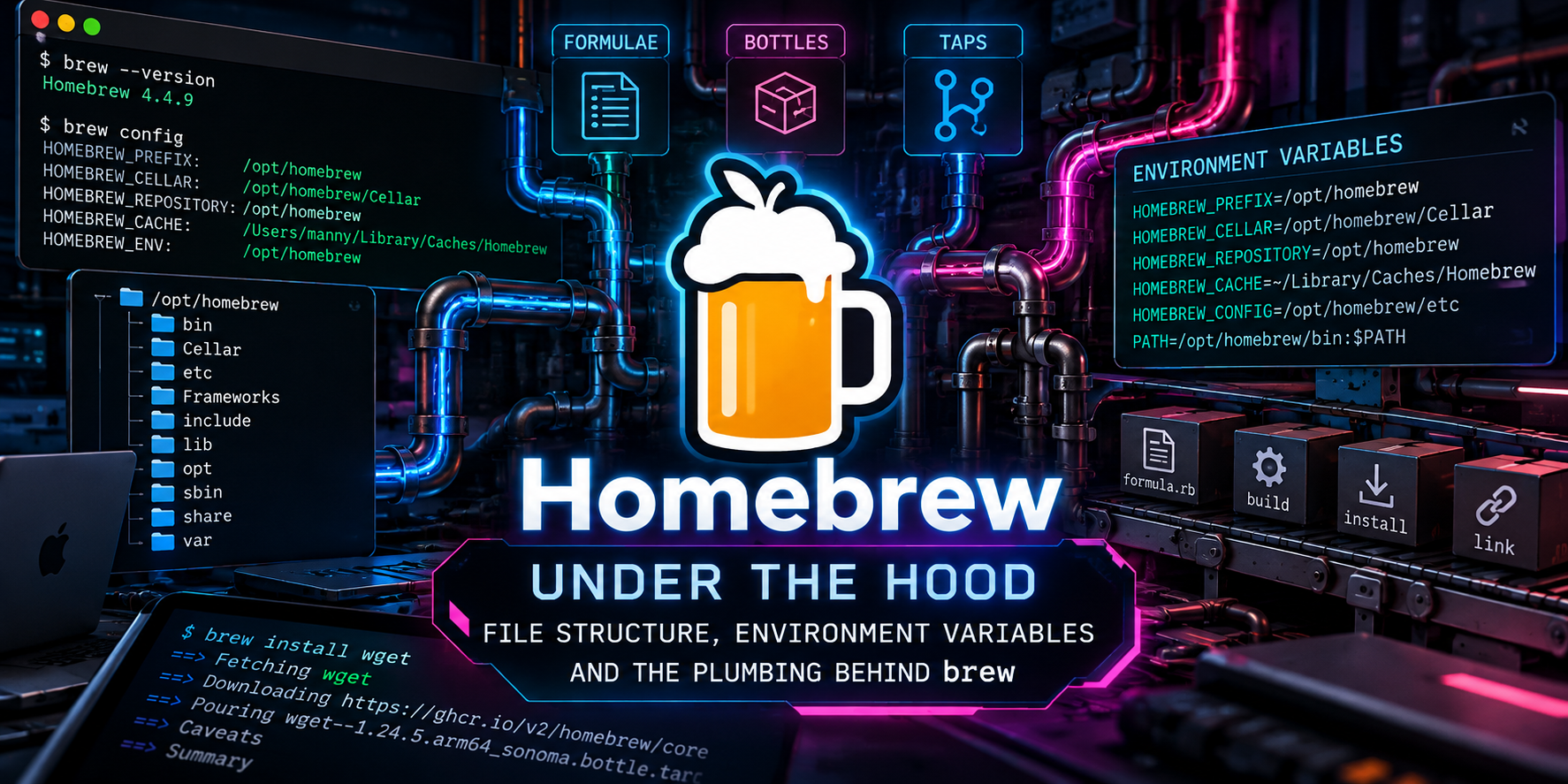
Homebrew Under the Hood: File Structure, Environment Variables and the Plumbing Behind brew
Executive Summary
Objective: map every directory Homebrew writes to, show which environment variables steer it, and trace a brew install from the metadata lookup all the way to the symlink that lands in your PATH. When you know where each byte lives, you stop guessing and start fixing.
Target audience: macOS and Linux practitioners, security engineers who audit developer endpoints, and anyone who has ever typed sudo chown -R at Homebrew in frustration.
Version baseline: written against Homebrew 7.0.x, released September 13, 2026. Behavior that changed in 6.0 (June 2026) or 7.0 is called out inline, because several long-standing assumptions (cloned core taps, path_helper, Linux Bubblewrap, homebrew.mxcl service labels) no longer hold.
Prerequisites and Architecture
Assumed knowledge
- Comfort with symlinks,
PATHordering and readingls -loutput. - Basic shell startup file knowledge (
~/.zprofile,~/.bash_profile). - Optional but handy:
jqandtree(both installable withbrew install jq tree).
Lab requirements
- Homebrew 7.0.x on Apple Silicon macOS 12 or later. Sequoia 15, Tahoe 26 and Golden Gate 27 are Tier 1 on Apple Silicon.
- Intel Macs work but are Tier 3 as of 7.0 (no new bottles, support ends September 2027). Paths differ, so the table below covers both.
- Linux hosts need a Tier 1 baseline (glibc 2.39 or newer, for example Ubuntu 24.04) to receive bottles.
The three layers
Homebrew is easiest to reason about as three layers that live in different places on disk:
- The program: the
brewBash entry point plus a Ruby codebase underLibrary/Homebrew, run by a bundled Portable Ruby. This is a Git repository. - The metadata: signed JSON API data (the default since 4.0, consolidated into one internal API download in 6.0) plus any third-party taps you add.
- The payload: versioned install directories (kegs) in the
CellarandCaskroom, surfaced to your shell through symlinks in the prefix.
Component locations by platform
| Component | Apple Silicon macOS | Intel macOS | Linux |
|---|---|---|---|
| Prefix | /opt/homebrew |
/usr/local |
/home/linuxbrew/.linuxbrew |
| Repository | /opt/homebrew |
/usr/local/Homebrew |
<prefix>/Homebrew |
| Cellar | <prefix>/Cellar |
<prefix>/Cellar |
<prefix>/Cellar |
| Caskroom | <prefix>/Caskroom |
<prefix>/Caskroom |
<prefix>/Caskroom |
| Cache | ~/Library/Caches/Homebrew |
~/Library/Caches/Homebrew |
~/.cache/Homebrew |
| Logs | ~/Library/Logs/Homebrew |
~/Library/Logs/Homebrew |
~/.cache/Homebrew/Logs |
On Apple Silicon the prefix and the repository are the same directory, so /opt/homebrew is both a Git checkout and the root your packages link into. On Intel the repository is tucked into /usr/local/Homebrew so it does not collide with the rest of /usr/local. The separate Apple Silicon prefix is also what lets an Intel (Rosetta) install and a native install coexist on one Mac, which is a double-edged sword covered in Troubleshooting.
Step 1: Locate the Anchor Paths
Goal: Stop hardcoding paths. Ask brew where everything lives on this machine.
Action: Run the built-in path resolvers. Every script you write should call these instead of assuming /opt/homebrew.
brew --prefix        # where symlinks land
brew --repository    # the Git checkout of brew itself
brew --cellar        # formula kegs
brew --caskroom      # cask records and payloads
brew --cache         # downloads and API data
brew --prefix tree   # per-formula opt path
Verification: on Apple Silicon you should see output like this (your username will differ):
/opt/homebrew
/opt/homebrew
/opt/homebrew/Cellar
/opt/homebrew/Caskroom
/Users/<you>/Library/Caches/Homebrew
/opt/homebrew/opt/tree
Note that brew --prefix <formula> returns the opt path, not the versioned Cellar path. That distinction is the key to the whole linking model, as Step 3 shows. For a full dump of versions, paths and toolchain details, run brew config.
Step 2: Walk the Prefix Tree
Goal: Understand what each top-level directory under the prefix is for.
Action: List the prefix and compare against the table.
ls -1 "$(brew --prefix)"| Directory | What lives there |
|---|---|
bin, sbin |
Symlinks to executables from linked kegs. On Apple Silicon bin/brew is the real entry script because prefix and repository are the same. |
lib, include |
Symlinked libraries and headers so other builds can find them. |
share |
Man pages, docs and shell completions (share/zsh/site-functions, etc/bash_completion.d for Bash). |
etc |
Configuration files. Copied in (not symlinked) so your edits survive upgrades. |
var |
Persistent state: logs, databases (for example PostgreSQL data) and Homebrew bookkeeping in var/homebrew. |
opt |
One stable symlink per installed formula, pointing at the current keg version. |
Cellar |
Real, versioned formula installs (kegs). |
Caskroom |
Cask install records, metadata snapshots and some payloads. |
Frameworks |
Symlinked macOS frameworks (for example Python framework builds). |
Library |
The Ruby program (Library/Homebrew) and third-party taps (Library/Taps). |
Verification: pick any executable and follow the symlink back to its keg.
readlink "$(brew --prefix)/bin/tree"
# ../Cellar/tree/<version>/bin/tree
Step 3: Anatomy of a Keg
Goal: See exactly what a formula install puts on disk and how Homebrew tracks it.
Action: Install a tiny formula, inspect its keg, then read its install receipt.
brew install tree
find "$(brew --cellar)/tree" -maxdepth 3 | sort
Expected layout (versions vary):
Cellar/tree/<version>/
|-- .brew/tree.rb            snapshot of the formula used at install time
|-- INSTALL_RECEIPT.json     the install record (the "tab")
|-- bin/tree                 the actual binary
|-- share/man/man1/tree.1    man page
`-- README.md, LICENSE ...   upstream docs
The receipt is the source of truth for how a keg got there. It records whether it was poured from a bottle or built from source, whether you asked for it or it arrived as a dependency, and its runtime dependency graph.
jq '{poured_from_bottle, installed_on_request,
     installed_as_dependency, time, arch}' \
  "$(brew --prefix tree)/INSTALL_RECEIPT.json"
Why the opt symlink matters
Every formula gets $(brew --prefix)/opt/<name> pointing at its current version. Dependents are built against the opt path, not the versioned Cellar path, so upgrading OpenSSL does not break every binary that links to it. You can prove it on macOS with otool:
ls -l "$(brew --prefix)/opt/tree"
# opt/tree -> ../Cellar/tree/<version>

brew install wget
otool -L "$(brew --prefix)/bin/wget" | grep opt
# /opt/homebrew/opt/openssl@3/lib/libssl.3.dylib ...
On Linux, use ldd or readelf -d instead of otool -L.
Keg-only formulae
Some formulae are keg-only: they are installed into the Cellar and get an opt symlink, but are never linked into bin or lib, usually because macOS ships its own copy (curl, sqlite) or because linking would shadow something important (libpq). brew info <formula> states this explicitly, and the fix is to reference the opt path, not to force-link.
Bookkeeping under var/homebrew
| Path | Purpose |
|---|---|
var/homebrew/linked/<name> |
Symlink per linked keg. This is how brew knows what is currently linked. |
var/homebrew/pinned/<name> |
Present when a formula is pinned (brew pin), which blocks upgrades. |
var/homebrew/locks/ |
Lock files that stop two brew processes from mangling the same keg. |
Step 4: Anatomy of the Caskroom
Goal: Understand how GUI apps and other casks are tracked, since the app itself does not live in the Caskroom.
Action: Install a cask and inspect both the Caskroom record and the artifact location.
brew install --cask iterm2
ls -la "$(brew --caskroom)/iterm2"
ls -la "$(brew --caskroom)/iterm2/.metadata"
ls -d /Applications/iTerm.appCaskroom/<token>/<version>/is the versioned record. Forappartifacts it is often nearly empty because the bundle was moved into/Applications.Caskroom/<token>/.metadata/<version>/<timestamp>/holds a snapshot of the cask definition used, whichbrew uninstallandzaprely on later.- Casks have their own
INSTALL_RECEIPT.json(added in 4.4), mirroring the formula receipt. binaryartifacts (CLI tools shipped inside apps) are symlinked into$(brew --prefix)/bin. As of 7.0, when a formula and a cask provide the same command, the formula link wins and brew warns you.
To send apps to a per-user folder instead of /Applications, set HOMEBREW_CASK_OPTS="--appdir=~/Applications" (see Step 8).
Step 5: The brew Program Itself
Goal: Know what actually runs when you type brew, so debug output and errors make sense.
Action: Inspect the entry script, the Ruby tree and the bundled interpreter.
file "$(brew --repository)/bin/brew"
ls "$(brew --repository)/Library/Homebrew" | head -40
ls "$(brew --repository)/Library/Homebrew/vendor/portable-ruby"
git -C "$(brew --repository)" log -1 --oneline
The boot sequence runs in three hops:
| Hop | File | What it does |
|---|---|---|
| 1 | bin/brew (Bash) |
Locates itself, loads brew.env files, and re-executes with a filtered environment so stray shell variables cannot leak into builds. |
| 2 | Library/Homebrew/brew.sh |
Exports the core HOMEBREW_* paths, answers fast-path commands (--prefix, --cellar, shellenv) directly in Bash, and runs the auto-update check. |
| 3 | Library/Homebrew/brew.rb |
Started by Portable Ruby. Dispatches to cmd/ (user commands), dev-cmd/ (developer commands) or external commands. |
Other directories worth knowing inside Library/Homebrew: extend/os/ (per-OS overrides), shims/ (the superenv compiler wrappers used for source builds) and vendor/ (Portable Ruby and gems). External commands are any executable named brew-<name> on your PATH, or a cmd/ directory inside a trusted tap.
Pro Tip: If brew --prefix returns instantly but brew info takes a second, that is hop 2 versus hop 3. The Bash fast path never starts Ruby.
Step 6: Metadata, the JSON API and Taps
Goal: Understand where package definitions come from now that homebrew/core is no longer cloned by default.
Action: Inspect the API cache and your installed taps, including their trust status.
ls -la "$(brew --cache)/api"
brew tap
brew tap-info --installed --json=v1 | jq -r '.[] | "\(.name) trusted=\(.trusted)"'- 4.0 (2023): formulae and casks from
homebrew/coreandhomebrew/caskcome from hosted JSON rather than local Git clones.brew updategot dramatically faster. - 6.0 (June 2026): the smaller internal JSON API became the default, combining metadata into a single download.
HOMEBREW_USE_INTERNAL_APIis now deprecated because it is on for everyone. - 7.0 (September 2026): parsed API data is reused on warm runs, but signatures are verified on every load, so speed does not cost authenticity checks.
Third-party taps still live as Git clones under Library/Taps/<user>/homebrew-<repo>. Since 6.0, tap trust requires a third-party tap to be explicitly trusted before Homebrew evaluates or runs its Ruby, and untrusted taps are no longer auto-tapped. Official taps are trusted by default. Run brew trust --help to see the trust subcommands in your build.
Warning: Formula developers who need the old Ruby-evaluation path can set HOMEBREW_NO_INSTALL_FROM_API=1 and tap homebrew/core locally. Do not leave that on for daily use; it is slower and bypasses the signed API path.
Step 7: Caches, Logs, Temp and User Config
Goal: Know where transient and per-user data accumulates, so you can reclaim space and find logs fast.
Action: Size the cache, locate a specific download, and dry-run a cleanup.
du -sh "$(brew --cache)"
brew --cache tree                 # exact path of the cached bottle
brew cleanup --prune=all --dry-run
ls ~/Library/Logs/Homebrew # macOS build logs, per formula| Location | Purpose | Override |
|---|---|---|
<cache>/downloads/ |
Content-addressed bottles, source tarballs and cask payloads. Top-level names are symlinks into here. | HOMEBREW_CACHE |
<cache>/api/ |
Signed JSON API data. | HOMEBREW_CACHE |
~/Library/Logs/Homebrew/<name>/ |
Numbered build logs from source builds (01.configure, 02.make). |
HOMEBREW_LOGS |
/private/tmp (macOS) |
Build staging directories. | HOMEBREW_TEMP |
~/Library/LaunchAgents/ |
brew services plists. New label sh.brew.<name> as of 7.0; legacy homebrew.mxcl.<name> is recognized until restart. |
n/a |
<user config>/services/<name>.env |
Persistent per-service overrides that survive upgrades (7.0). | HOMEBREW_USER_CONFIG_HOME |
The user config directory is $XDG_CONFIG_HOME/homebrew when XDG_CONFIG_HOME is set, and ~/.homebrew otherwise. Since 5.0, the global Brewfile also defaults to this user configuration directory.
Step 8: Environment Variables
Goal: Configure Homebrew deliberately instead of accumulating mystery exports in your shell profile.
Action: Install shellenv correctly, move behavior flags into brew.env, and learn which variables actually reach brew.
8a. shellenv: the only exports your profile needs
# ~/.zprofile (Apple Silicon)
eval "$(/opt/homebrew/bin/brew shellenv)"
Run brew shellenv by itself to see what it emits. You will get exports for HOMEBREW_PREFIX, HOMEBREW_CELLAR, HOMEBREW_REPOSITORY, plus prepends to PATH, MANPATH and INFOPATH. As of 7.0 it sets PATH directly instead of calling macOS path_helper, which removes a subprocess from every shell start. Representative output:
export HOMEBREW_PREFIX="/opt/homebrew";
export HOMEBREW_CELLAR="/opt/homebrew/Cellar";
export HOMEBREW_REPOSITORY="/opt/homebrew";
export PATH="/opt/homebrew/bin:/opt/homebrew/sbin:$PATH";
Put it in ~/.zprofile (login shells), not ~/.zshrc, so it runs once per session rather than on every subshell and does not keep re-prepending PATH.
8b. brew.env: persistent config without polluting your shell
Homebrew reads KEY=value lines from three files, applied in order so later files win: /etc/homebrew/brew.env (system), $HOMEBREW_PREFIX/etc/homebrew/brew.env (prefix), then the user file in your user config directory. Variables exported in your shell override all three unless HOMEBREW_SYSTEM_ENV_TAKES_PRIORITY is set in the system file, which is how fleet admins lock settings.
mkdir -p ~/.homebrew
cat > ~/.homebrew/brew.env <<'EOF'
HOMEBREW_NO_ANALYTICS=1
HOMEBREW_NO_ENV_HINTS=1
HOMEBREW_CLEANUP_MAX_AGE_DAYS=30
HOMEBREW_CASK_OPTS=--require-sha
EOF
brew config | grep -E 'NO_ANALYTICS|CLEANUP|CASK_OPTS'
8c. The variables worth knowing
| Variable | Group | Effect |
|---|---|---|
HOMEBREW_PREFIX, _CELLAR, _REPOSITORY |
Location | Set by shellenv for scripts to read. Changing them does not move an install. |
HOMEBREW_CACHE, _LOGS, _TEMP |
Location | Relocate downloads, build logs and staging (useful on small boot volumes). |
HOMEBREW_NO_AUTO_UPDATE |
Update | Skip the automatic brew update before install and upgrade. |
HOMEBREW_AUTO_UPDATE_SECS |
Update | Minimum seconds between auto-updates (default 86400 with the API). |
HOMEBREW_AUTO_UPDATE_QUIET |
Update | New in 7.0. Keeps auto-update package details out of command output. |
HOMEBREW_NO_INSTALL_CLEANUP |
Cleanup | Disable the cleanup that runs after install, upgrade and reinstall. |
HOMEBREW_CLEANUP_MAX_AGE_DAYS |
Cleanup | Age threshold for pruning cached downloads (default 120). |
HOMEBREW_DOWNLOAD_CONCURRENCY |
Performance | Parallel download count. Concurrency is on by default since 5.0. |
HOMEBREW_NO_ANALYTICS |
Privacy | Opt out of anonymous analytics. |
HOMEBREW_NO_INSECURE_REDIRECT |
Security | Refuse HTTPS to HTTP redirects during downloads. |
HOMEBREW_CASK_OPTS |
Security | Default cask flags such as --appdir= or --require-sha. |
HOMEBREW_CASK_OPTS_REQUIRE_SHA |
Security | Added in 6.0. Refuse casks without a checksum. |
HOMEBREW_SBOM |
Security | Opt-in (since 6.0) SBOM generation for installed kegs. |
HOMEBREW_GITHUB_API_TOKEN |
Access | Raises GitHub API rate limits for search and some tap operations. |
HOMEBREW_API_DOMAIN, _BOTTLE_DOMAIN, _ARTIFACT_DOMAIN |
Mirror | Point the API, bottles or all artifacts at an internal mirror or proxy. |
HOMEBREW_BREW_GIT_REMOTE, _CORE_GIT_REMOTE |
Mirror | Alternate Git remotes for brew itself and core. |
HOMEBREW_NO_INSTALL_FROM_API |
Developer | Evaluate local Ruby taps instead of the API (formula development). |
HOMEBREW_VERBOSE, HOMEBREW_DEBUG |
Debug | Equivalent to --verbose and --debug on every command. |
Deprecated or disabled in 6.0 and 7.0
| Variable | Status | What to do |
|---|---|---|
HOMEBREW_USE_INTERNAL_API |
Deprecated (6.0) | Remove it. The internal API is the default. |
HOMEBREW_BUNDLE_NO_SECRETS |
Deprecated (6.0) | Remove it. The behavior is now the default. |
HOMEBREW_SANDBOX_LINUX |
Disabled (7.0) | Remove it. Landlock is used automatically where the kernel supports it. |
HOMEBREW_NO_SANDBOX_LINUX |
Deprecated (7.0) | No replacement opt-out; removal scheduled for December 2027. |
HOMEBREW_ARCH |
Deprecated (7.0) | Remove it. Native CPU optimization is the default. |
8d. Environment filtering: why your CFLAGS are ignored
Since 1.4, bin/brew rebuilds its environment from scratch. Only HOMEBREW_* variables and a short allowlist (such as PATH, HOME, SHELL, TERM and proxy variables like https_proxy) make it through. That means exporting CFLAGS or PKG_CONFIG_PATH in your shell has no effect on a formula build. Since 6.0, Homebrew also filters sensitive variables during Ruby evaluation and defers HOMEBREW_* secrets until download time, so a malicious formula has less to read.
export CFLAGS="-O0"                 # has no effect on brew builds
brew --env | grep -E '^(CC|CFLAGS|PATH)'
Step 9: The Plumbing, Stage by Stage
Goal: Trace a brew install through every stage and know which command exposes each one.
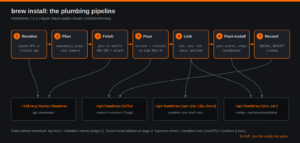
Action: Walk the pipeline in the diagram above using wget as the test subject.
| Stage | What happens | Where it lands |
|---|---|---|
| 1. Resolve | Name mapped to metadata from the signed API, or from Ruby in a trusted tap. Tap trust and forbidden checks run here, before any download. | <cache>/api/ |
| 2. Plan | Dependency graph built; outdated dependencies queued. --ask or HOMEBREW_ASK=1 shows the plan and waits for confirmation. |
memory |
| 3. Fetch | Bottle manifest and blob pulled from ghcr.io (or your mirror), SHA-256 verified, attestations checked. Downloads run concurrently. | <cache>/downloads/ |
| 4. Pour | Bottle extracted into the Cellar. Placeholders like @@HOMEBREW_PREFIX@@ are rewritten to your real paths; on Apple Silicon, rewritten Mach-O files are re-signed. |
Cellar/<name>/<ver>/ |
| 5. Link | opt symlink updated, then files symlinked into bin, lib, share and friends. Keg-only formulae stop at opt. |
<prefix>/opt, bin, var/homebrew/linked |
| 6. Post-install | Declarative post_install_steps (or legacy sandboxed post_install Ruby) create directories and config. |
<prefix>/etc, var |
| 7. Record | INSTALL_RECEIPT.json written, caveats printed, periodic cleanup considered. |
keg root |
Observe each stage directly:
brew install --dry-run wget                   # 1-2: resolve and plan
brew deps --tree wget                         # 2: dependency graph
brew fetch wget && brew --cache wget          # 3: download and cache path
brew install --verbose wget                   # 3-7: full pour and link
brew linkage wget                             # 5: verify dylib linkage
brew link --dry-run wget                      # 5: preview the symlinks
When there is no bottle: the source build path
If no bottle exists for your OS and architecture (increasingly common on Intel after 7.0), stage 4 becomes a source build. Homebrew drops the compiler into superenv: CC points at shims in Library/Homebrew/shims/super that inject the right flags and strip unsafe ones. The build runs sandboxed: sandbox-exec on macOS (which in 7.0 also blocks reads of your home directory by default) and Landlock on Linux, replacing 6.0’s Bubblewrap. Build logs land in HOMEBREW_LOGS.
Porcelain versus plumbing commands
| Command | Layer it inspects |
|---|---|
brew --prefix / --cellar / --cache / --repository |
Path resolution |
brew info --json=v2 <name> |
Metadata as brew sees it (bottles, deps, caveats) |
brew deps --tree and brew uses --installed |
Dependency graph in both directions |
brew leaves and brew list --versions |
Top-level installs and full inventory |
brew list --no-installed-on-request |
Formulae that arrived only as dependencies (7.0) |
brew link, brew unlink, brew pin |
The symlink layer and upgrade freezes |
brew linkage, brew missing |
Integrity of installed kegs |
brew doctor --json |
Machine-readable diagnostics (7.0) |
brew vulns |
Built-in vulnerability check against OSV.dev (7.0) |
Verification and Validation
Run this sequence after any structural change (new prefix, brew.env edits, mirror settings):
brew doctor
brew config | grep -E 'HOMEBREW_(VERSION|PREFIX|CACHE)'
brew missing
brew linkage --test
brew vulns --severity=high
Expected success indicators:
brew doctorprintsYour system is ready to brew.brew configshows the prefix and cache paths you expect, and a 7.0.x version.brew missingandbrew linkage --testproduce no output and exit with status 0.brew vulnsreports no high-severity findings, or a list you can remediate withbrew upgrade.
For endpoint audits, this one-liner produces a clean name and version inventory you can ship to a CMDB or SIEM:
brew info --json=v2 --installed | jq -r \
  '.formulae[] | "\(.name) \(.installed[0].version)"'
Troubleshooting and Gotchas
Gotcha 1: Two Homebrews on one Mac
Symptom: packages install as the wrong architecture, brew doctor warns about another brew shadowing the current one, or you see an error about installing to the Intel default prefix on an ARM processor. This happens when a Rosetta install in /usr/local coexists with the native /opt/homebrew.
which -a brew
arch
brew config | grep -E 'HOMEBREW_PREFIX|Rosetta'
Resolution: keep only the native shellenv line in ~/.zprofile, and retire the Intel install. With Intel at Tier 3 in 7.0 and support ending September 2027, there is no reason to keep one on Apple Silicon.
Gotcha 2: Installed, but command not found
Symptom: brew install succeeds but the command is missing or macOS’s older copy runs instead. The formula is keg-only or unlinked.
brew info curl | grep -i keg-only
ls "$(brew --prefix)/var/homebrew/linked" | grep curl
echo 'export PATH="$(brew --prefix curl)/bin:$PATH"' >> ~/.zprofile
Resolution: reference the opt path as shown. Avoid brew link --force on keg-only formulae; it can shadow system libraries and break unrelated builds.
Gotcha 3: Permission errors and sudo
Symptom: Error: <path> is not writable or files owned by root inside the prefix, usually from someone once running sudo brew.
ls -ld "$(brew --prefix)"/*
find "$(brew --prefix)" -user root -maxdepth 2 | head
sudo chown -R "$(whoami)" "$(brew --prefix)"
Resolution: fix ownership on the prefix only, never on /usr/local wholesale on Intel. Never run brew with sudo. As of 7.0, setuid wrappers with mismatched real and effective user IDs are rejected outright; MDM and root automation should use brew as-console-user (added in 6.0).
Gotcha 4: A third-party tap stops working after upgrading
Symptom: formulae from a tap you have used for years will not install or upgrade after moving to 6.0 or later. The tap is not trusted.
brew tap-info --installed --json=v1 | jq -r '.[] | "\(.name) \(.trusted)"'
brew trust --help
Resolution: review the tap before trusting it, because trusting it means allowing its Ruby to run on your machine. Then trust it with the subcommand shown in brew trust --help, or remove it with brew untap, which in 7.0 offers to uninstall the tap’s packages first.
Key Takeaways
- Always resolve paths with
brew --prefixand friends; never hardcode/opt/homebrewin scripts that might run on Intel or Linux. - The Cellar holds reality,
optholds stable pointers, andbinandlibhold convenience symlinks. Upgrades swap pointers, not dependents. - Put
shellenvin~/.zprofileand everything else inbrew.env. - Your shell environment mostly does not reach brew. Use
HOMEBREW_*variables or they are ignored. - On 7.0, the security surface moved: tap trust, signed API data, sandboxed builds and
brew vulnsare the controls to audit.
Recent posts
-

-

DNS is one of those technologies that quietly underpins... Full Story
-

BGP issues on FortiGate firewalls usually trace back to... Full Story
-

Every time your laptop talks to your router, a... Full Story
-

If you've spent any time configuring NAT on a... Full Story
-

If you have spent any time configuring firewall policies... Full Story
-

High availability on FortiGate is one of those features... Full Story
-

If you've configured SD-WAN on a FortiGate, you've almost... Full Story
-

FortiLink is the management protocol that turns a FortiSwitch... Full Story
-

FortiSwitches are pretty rock solid from Mean Time Between... Full Story
-

This is a quicky tip. Have you ever gone... Full Story
-

DNS is one of those quiet pieces of internet... Full Story
-

This article is an updated version of the previous... Full Story
-

You will add ns2 as a secondary (slave) BIND9... Full Story
-

In the process of deploying my lab, I needed... Full Story
-

RFC 8805, used to be known as Self-Correcting IP... Full Story
-

Years back, I wrote an article about certificate pinning. ... Full Story
-

FortiGates have the ability to send alerts to Microsoft... Full Story
-

In this post, I am going to walk through... Full Story
-

Troubleshooting VoIP on a FortiGate can feel like trying... Full Story
-

Prior to FortiOS 7.0, there were three commands to... Full Story
-

In this post, I am going to go over... Full Story
-

What we are going to do: We are going... Full Story
-

Choosing between FGCP (FortiGate Clustering Protocol) and FGSP (FortiGate... Full Story
-

Creating a VLAN on macOS (The "Pro" Move) A... Full Story
-

This blog post explores the logic behind how macOS... Full Story
-

Pretty Fly for a Wi-Fi Tell My Wi-Fi Love... Full Story
-

Part of my daily gig is creating BoMs (Bill-of-Materials)... Full Story
-

ICMP introduces several security risks, but careful filtering, rate... Full Story
-

The command diag debug application dhcps -1 enables full... Full Story
-

In the world of FortiOS, execute tac report is... Full Story
-

LLDP; What is it The Link Layer Discovery Protocol... Full Story
-

What it actually does When you run diagnose fdsm... Full Story
-

Monkey Bites are bite-sized, high-impact security insights designed for... Full Story
-

I have run macOS in macOS with Parallels but... Full Story
-

Don't be confused with my other FortiNAC posts where... Full Story
-

This is the third session in a multi-part article... Full Story
-

Today I was configuring key-based authentication on a FortiGate... Full Story
-

Netcat, often called the "Swiss Army knife" of networking,... Full Story
-

At its core, IEEE 802.1X is a network layer... Full Story
-

In case you did not see the previous FortiNAC... Full Story
-

This is our 5th session where we are going... Full Story
-

Now that we have Wireshark installed and somewhat configured,... Full Story
-

The Philosophy of Packet Analysis Troubleshooting isn't about looking... Full Story
-

InfoSecMonkey Threat Response October 24, 2026 | No fluff.... Full Story
-

InfoSecMonkey Threat Response October 24, 2026 | No fluff.... Full Story
-

Plus what you actually get with FortiCare Essential, Premium... Full Story