1 January, 2026
Sublime Text Cheat Sheet
Master Sublime Text with this cheat sheet. Learn keyboard shortcuts, regex tricks, and how to create FortiOS config snippets for faster firewall management.
Read More

Master Sublime Text with this cheat sheet. Learn keyboard shortcuts, regex tricks, and how to create FortiOS config snippets for faster firewall management.
Read More
Optimize your macOS productivity workflow with Apple Shortcuts, Text Expander, and Apple Notes. See the exact tools and scripts I use for daily tasks.
Read More
Auto save mail attachments on macOS using Mail rules, Automator, and Hazel. Learn to filter, rename, and archive files automatically for daily reports.
Read More
Learn how to automate AppleScript with Automator on macOS. Create a Quick Action and assign a keyboard shortcut to instantly generate organized job folders.
Read More
Configure Hazel macOS automation to rename, tag, and move PDF bills. Learn to use triggers, custom fields, and AppleScript for daily workflow efficiency.
Read More
Configure Reminisce Journal on macOS and iOS to track work activities. Learn how to use tags, contacts, and iCloud sync for daily logging.
Read More
Fix PopClip in UltraEdit and SecureCRT on macOS. Hold caps lock to trigger the Learn button and restore text selection popups instantly.
Read More
Use QuickHash GUI file hashing to verify downloads and baseline folders. Learn to compute SHA-256 checksums and validate integrity on Windows, macOS, and Linux.
Read More
Configure Carbon Copy Cloner on Mac for automated backups to encrypted VeraCrypt volumes. Set up run-on-mount triggers and email validation reports.
Read More
Configure MailTags in macOS Sierra for email tagging, ticklers, and OmniFocus integration. Learn the exact workflow to manage threads and follow-ups efficiently.
Read More
Optimize your macOS productivity workflow with OmniFocus, TextExpander, and AppleScript. Automate project setup, manage tasks, and streamline daily operations.
Read More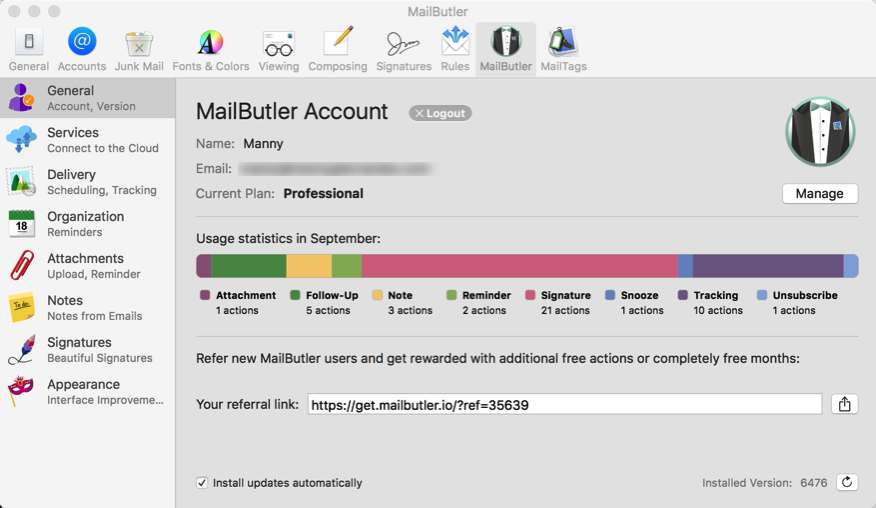
Configure MailButler on macOS Sierra after plugin failures. Learn to set up read receipts, reminders, and cloud attachments for Apple Mail.
Read More