
If you've spent any time configuring user authentication on... Full Story
By Manny Fernandez
May 16, 2026
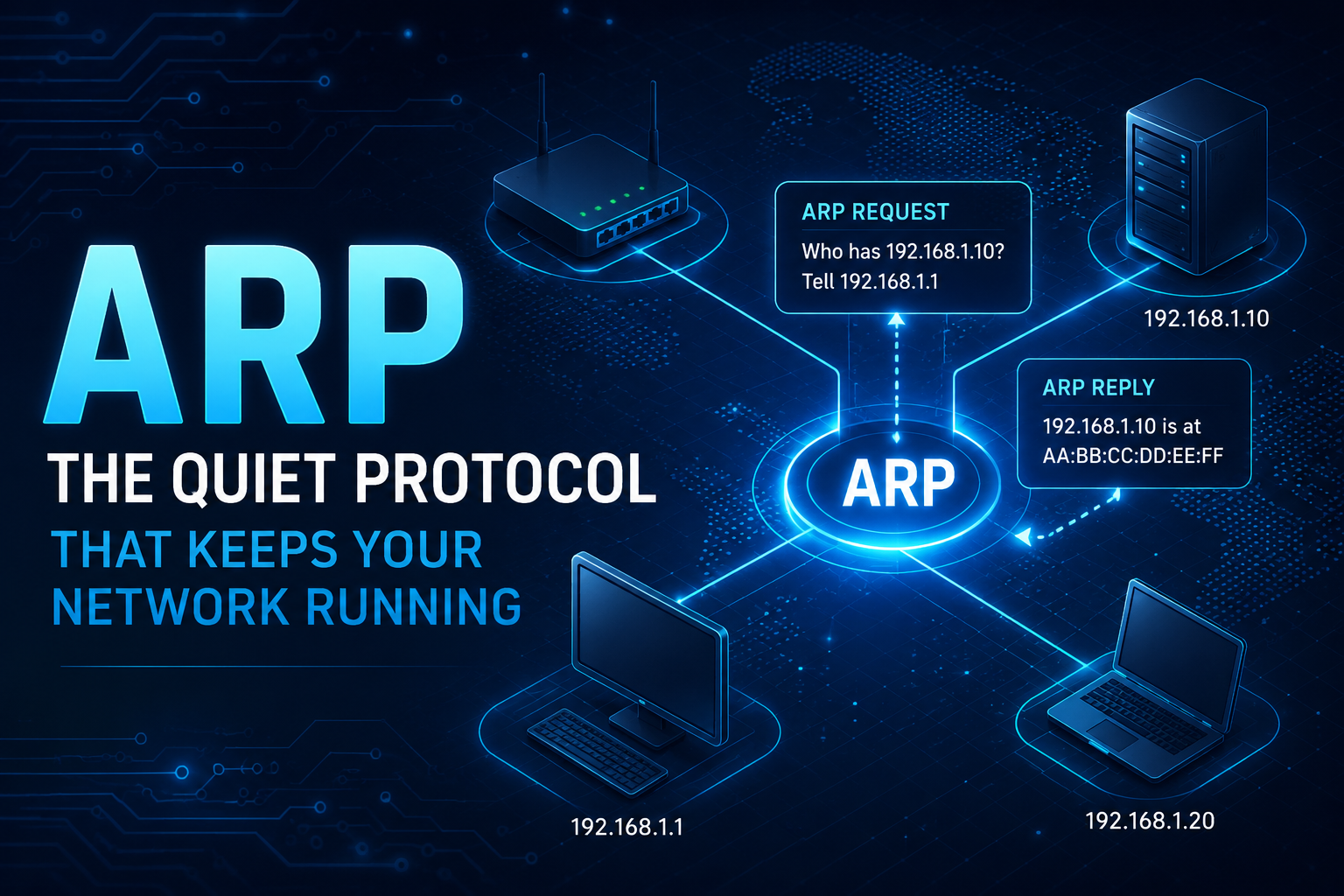
ARP: The Quiet Protocol That Keeps Your Network Running
Every time your laptop talks to your router, a small but essential protocol runs in the background to make it possible. That protocol is ARP, the Address Resolution Protocol. It bridges the gap between two completely different addressing systems that computers use to find each other on a network.
The Problem ARP Solves
Computers on a local network actually have two addresses. The first is the IP address, which is logical, routable, and assigned by software (often via DHCP). The second is the MAC address, a 48-bit hardware identifier burned into the network interface card by the manufacturer.
When you send data across the internet, applications and routers think in terms of IP addresses. But once a packet arrives on your local network segment, switches and network cards only understand MAC addresses. Something has to translate between the two. That something is ARP.
How ARP Works
The process is refreshingly simple. Suppose your computer (IP 192.168.1.10) wants to send a packet to 192.168.1.1, your router. Your machine checks its ARP cache first, a small table that stores recently learned IP-to-MAC mappings. If the entry is missing, ARP springs into action.
Your computer broadcasts an ARP request to every device on the local segment, essentially shouting, “Who has 192.168.1.1? Tell 192.168.1.10.” Every device receives this broadcast, but only the device with that IP responds. The router replies with a unicast ARP reply containing its MAC address. Your computer caches the mapping, typically for a few minutes, and sends the actual packet.
The exchange is just two small frames, yet it happens constantly behind the scenes.
The ARP Cache
Broadcasting a request for every single packet would flood the network and waste time, so every device keeps an ARP cache: a local table of IP-to-MAC mappings it has already learned. Before sending anything, a device checks this cache first. A hit means the packet goes out immediately. A miss triggers the request-reply exchange, and the result is stored for next time.
You can inspect the cache yourself. On Windows or older Linux systems, arp -a lists the current entries. On modern Linux, ip neigh shows the same information with more detail about entry states.
Entries do not live forever. Each one carries a timeout, commonly somewhere between 30 seconds and a few minutes depending on the operating system. Expiry matters because hardware changes: a device may swap network cards, an IP may be reassigned to a different machine, or a failover may move an address to new hardware. Letting stale entries age out forces the cache to relearn the current truth.
The cache holds two kinds of entries. Dynamic entries are learned automatically through ARP and expire on their own. Static entries are configured manually, never expire, and override dynamic learning. Static entries can pin critical mappings such as a default gateway, which also provides modest protection against spoofing, though they add maintenance overhead and are impractical at scale.
Linux additionally tracks entry states that are useful when troubleshooting. An entry marked REACHABLE was confirmed recently and is trusted. STALE means the mapping is still cached but unverified, and the kernel will revalidate it before relying on it. FAILED indicates that no reply ever arrived, which usually points to an offline host or a deeper connectivity problem.
The cache is also where a lot of ARP trouble shows up. A poisoned cache entry is the visible symptom of an ARP spoofing attack, and a duplicate or incorrect mapping is a frequent cause of mysterious connectivity failures. When a network behaves strangely, clearing the cache (for example with ip neigh flush all) and watching how it repopulates is often a fast way to isolate the problem.
CAUTION: When replacing a router, switch, or Firewall, you can experience issues with devices that hold the ARP cache longer than they should even when configured dynamically. In the past, I have “accidentally” kicked the power cord of the carrier’s router which would in fact clear the ARP cache, however today where circuit are regularly delivered to a meet-me-room where the Ciena or Canoga Perkins box sits. You may want to open a case with the carrier and have them on standby during your cut. They can clear it in seconds. The work around is change the IP of the FW to another IP in the range, but know that your DNS records etc. can be affected.
ARP Packet Structure
An ARP packet is compact. It contains hardware and protocol type fields (specifying Ethernet and IPv4 in most cases), an operation code (1 for request, 2 for reply), and four address fields: sender hardware address, sender protocol address, target hardware address, and target protocol address. In a request, the target hardware address is left blank because that is exactly what the sender is trying to discover.
Variants Worth Knowing
Gratuitous ARP is when a device announces its own IP-to-MAC mapping unsolicited, usually right after coming online or changing its IP. It helps update neighbors’ caches and detect IP conflicts.
Proxy ARP lets a router answer ARP requests on behalf of hosts on another segment, making distant devices appear local. It is rare in modern networks but still surfaces in some VPN and legacy setups.
Reverse ARP (RARP) was an early protocol for diskless workstations to discover their own IP from their MAC. It has been replaced by DHCP and BOOTP.
The Security Catch
ARP was designed in 1982 with zero authentication. Any device on the network can claim any IP address simply by sending forged ARP replies. This attack, called ARP spoofing or ARP poisoning, lets an attacker insert themselves between two hosts and intercept traffic. It remains one of the most common techniques for man-in-the-middle attacks on local networks.
Mitigations exist. Dynamic ARP Inspection on managed switches validates ARP packets against trusted DHCP bindings. Static ARP entries can pin critical mappings. Encrypted protocols like TLS make intercepted traffic far less useful to attackers. Still, raw ARP itself remains trust-based.
ARP and IPv6
IPv6 abandoned ARP entirely. In its place, IPv6 uses the Neighbor Discovery Protocol (NDP), which runs over ICMPv6 and offers richer features including router discovery, address autoconfiguration, and optional cryptographic authentication via SEND (Secure Neighbor Discovery). The job is the same, but the design reflects decades of lessons learned.
Why It Matters
ARP is one of those protocols you never think about until something breaks. A stale cache entry, a duplicate IP, or a spoofing attack can bring a network to its knees. Understanding ARP gives you a sharper mental model of how local networks actually function, and it makes troubleshooting commands like arp -a, ip neigh, and Wireshark captures far more useful.
It is a forty-year-old protocol doing quiet, essential work on virtually every Ethernet and Wi-Fi network in the world. Not bad for nine fields and two packets.
Recent posts
-

-

DNS is one of those technologies that quietly underpins... Full Story
-

BGP issues on FortiGate firewalls usually trace back to... Full Story
-

Every time your laptop talks to your router, a... Full Story
-

If you've spent any time configuring NAT on a... Full Story
-

If you have spent any time configuring firewall policies... Full Story
-

High availability on FortiGate is one of those features... Full Story
-

If you've configured SD-WAN on a FortiGate, you've almost... Full Story
-

FortiLink is the management protocol that turns a FortiSwitch... Full Story
-

FortiSwitches are pretty rock solid from Mean Time Between... Full Story
-

This is a quicky tip. Have you ever gone... Full Story
-

DNS is one of those quiet pieces of internet... Full Story
-

This article is an updated version of the previous... Full Story
-

You will add ns2 as a secondary (slave) BIND9... Full Story
-

In the process of deploying my lab, I needed... Full Story
-

RFC 8805, used to be known as Self-Correcting IP... Full Story
-

Years back, I wrote an article about certificate pinning. ... Full Story
-

FortiGates have the ability to send alerts to Microsoft... Full Story
-

In this post, I am going to walk through... Full Story
-

Troubleshooting VoIP on a FortiGate can feel like trying... Full Story
-

Prior to FortiOS 7.0, there were three commands to... Full Story
-

In this post, I am going to go over... Full Story
-

What we are going to do: We are going... Full Story
-

Choosing between FGCP (FortiGate Clustering Protocol) and FGSP (FortiGate... Full Story
-

Creating a VLAN on macOS (The "Pro" Move) A... Full Story
-

This blog post explores the logic behind how macOS... Full Story
-

Pretty Fly for a Wi-Fi Tell My Wi-Fi Love... Full Story
-

Part of my daily gig is creating BoMs (Bill-of-Materials)... Full Story
-

ICMP introduces several security risks, but careful filtering, rate... Full Story
-

The command diag debug application dhcps -1 enables full... Full Story
-

In the world of FortiOS, execute tac report is... Full Story
-

LLDP; What is it The Link Layer Discovery Protocol... Full Story
-

What it actually does When you run diagnose fdsm... Full Story
-

Monkey Bites are bite-sized, high-impact security insights designed for... Full Story
-

I have run macOS in macOS with Parallels but... Full Story
-

Don't be confused with my other FortiNAC posts where... Full Story
-

This is the third session in a multi-part article... Full Story
-

Today I was configuring key-based authentication on a FortiGate... Full Story
-

Netcat, often called the "Swiss Army knife" of networking,... Full Story
-

At its core, IEEE 802.1X is a network layer... Full Story
-

In case you did not see the previous FortiNAC... Full Story
-

This is our 5th session where we are going... Full Story
-

Now that we have Wireshark installed and somewhat configured,... Full Story
-

The Philosophy of Packet Analysis Troubleshooting isn't about looking... Full Story
-

For those that may not know, Fortinet has a... Full Story
-

Executive Summary Objective: Deploy logcheck on a Debian or... Full Story
-

Ettercap in 2026: ARP Poisoning, DNS Spoofing, and Content... Full Story