
At its core, IEEE 802.1X is a network layer... Full Story
By Manny Fernandez
February 16, 2022
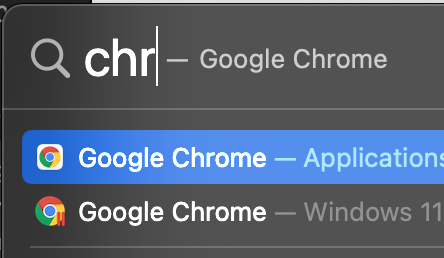
Removing Parallels VM Apps from macOS Spotlight
I use Parallels on my MacBook Pro, mostly to run Visio and some other WinDoze apps. However sometimes when I use Spotlight to find, lets say Chrome browser, Spotlight gives me the Windows version on my Parallels too. This is annoying because it will launch the Parallels VM and then I have to shut it down, etc. etc.
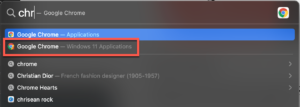
As you can see above, Spotlight found Chrome in my macOS Applications folder but also in my Windows 11 VM as well. This can occur with many apps such as Calculator and others.
Here is what you need to do to disable that from happening. First thing to do is shut down you VM if not already done so.
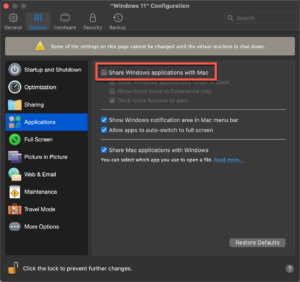
Launch your Parallels Control Center . Choose the cog icon, then choose Options on the top bar. Then choose Applications and finally shut the Share Windows Applications with Mac button.
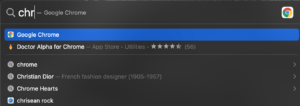
Now when you use Spotlight you will no longer see the Chrome for WinDoze.
Recent posts
-

-

In case you did not see the previous FortiNAC... Full Story
-

This is our 5th session where we are going... Full Story
-

Now that we have Wireshark installed and somewhat configured,... Full Story
-

The Philosophy of Packet Analysis Troubleshooting isn't about looking... Full Story