
I have run macOS in macOS with Parallels but... Full Story
By Manny Fernandez
August 4, 2025
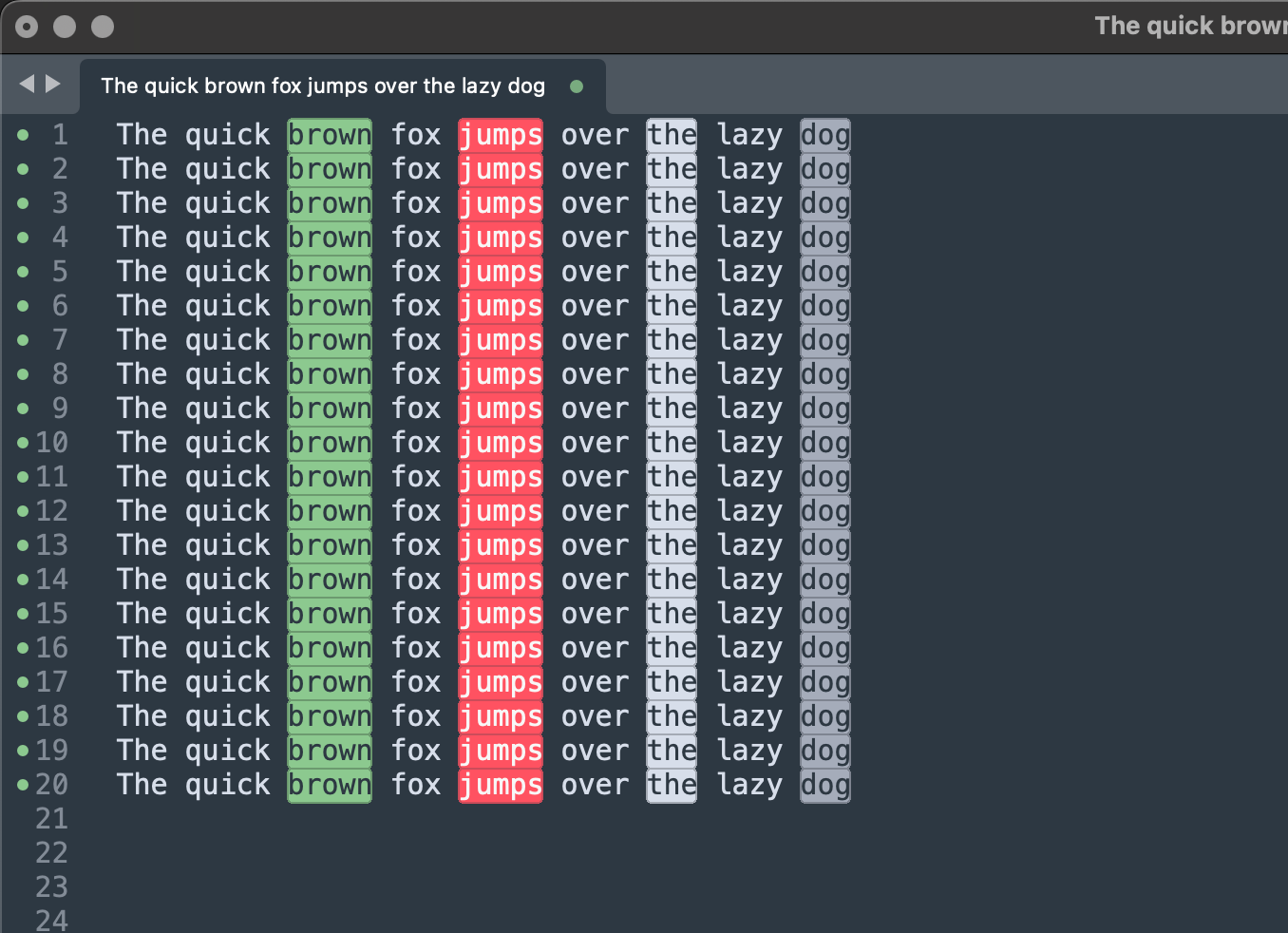
Style All Occurrences of Tokens in Sublime Text
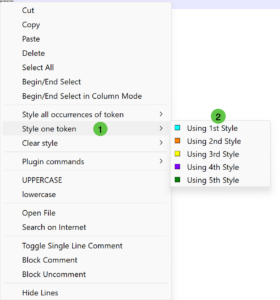
Probably the only thing I envy from the Windows world is NotePad++. There is a particular feature I like about it when searching through logs. That feature is the Style all occurrences of token which lets you highlight all the instances of the data you selected. So lets say you are troubleshooting something and you grab the log file, sometimes its a hot mess and searching for every instance is a pain. In NotePad++ you can select the text (e.g. 192.168.1.99) and right click and choose Style all occurrences of token and then select the style you want. Since NotePad++ does not run on macOS, and I love SublimeText I wanted to figure out how to do it in Sublime.
Sublime Text
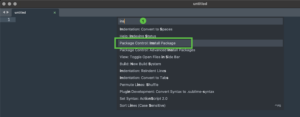
As with most things Sublime, there is a package for it. In the case of the token, we used StyleToken. To install it, you need to go to the command palette by typing ⌘ ⇧ P and search for install package. Once there, search for StyleToken and hit enter.

Now when you have your data file, highlight the text you want, right click and choose the style number (by default they have 5 but it supports 10. See below)
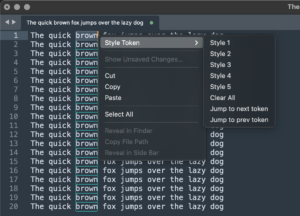
You can continue to highlight up to 5 (10 if you modify) and it will pick pre-loaded colors.
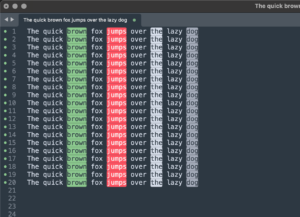
Now you can look through the log and quickly identify matches.
Hope this helps
Recent posts
-

-

Don't be confused with my other FortiNAC posts where... Full Story
-

This is the third session in a multi-part article... Full Story
-

Today I was configuring key-based authentication on a FortiGate... Full Story
-

Netcat, often called the "Swiss Army knife" of networking,... Full Story
-

At its core, IEEE 802.1X is a network layer... Full Story
-

In case you did not see the previous FortiNAC... Full Story
-

This is our 5th session where we are going... Full Story
-

Now that we have Wireshark installed and somewhat configured,... Full Story
-

The Philosophy of Packet Analysis Troubleshooting isn't about looking... Full Story