
At its core, IEEE 802.1X is a network layer... Full Story
By Manny Fernandez
July 15, 2019

Web Content Quota on Fortigate
Sometime, you may want to block the amount of a particular web content by either time or bandwidth used. Here is an example of that.
What you will need:
- Fortigate Firewall
- Active Web Content Subscription
In this example, I am going to limit Youtube to 2MB just so I can trigger the quota faster.
Step 1 – SSL/SSH Inspection Profile
You will more than likely need Deep Packet Inspection configured so that you can identify the traffic.
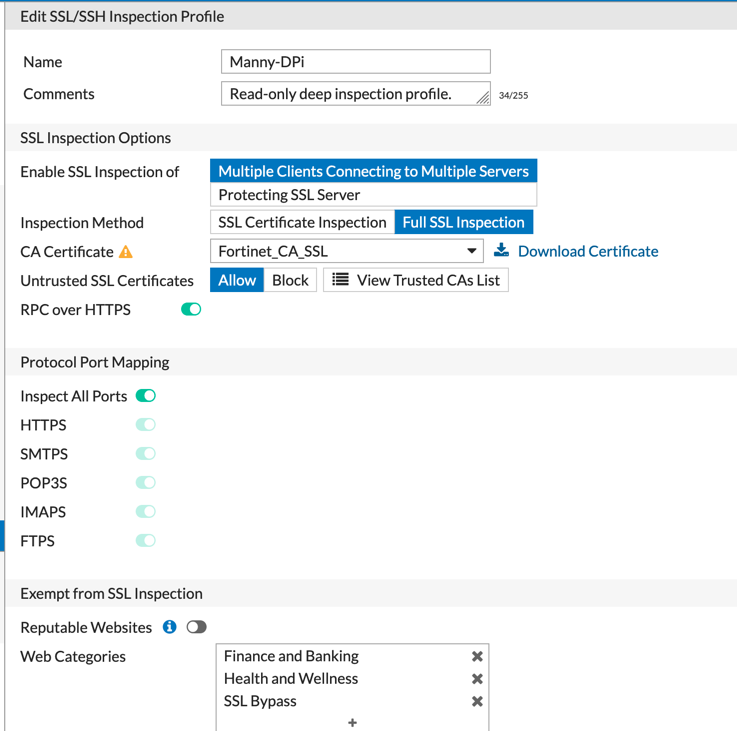
You will need to make sure you have a SSL/SSH Inspection Profile configured. Ensure you set it to Full SSL Inspection. Make note of the CA Certificate . If you have not set up SSL Decryption using either the Fortinet CA Certificate (from factory….not recommended), Microsoft CA or OpenSSL, look for my other blog post on the subject.
I am going to use the Fortinet factory one (I know… do as I say, not as I do).
Step 2 – Downloading CA Certificate
Go to System then Certificates and look for the CA Certificate from Step1.
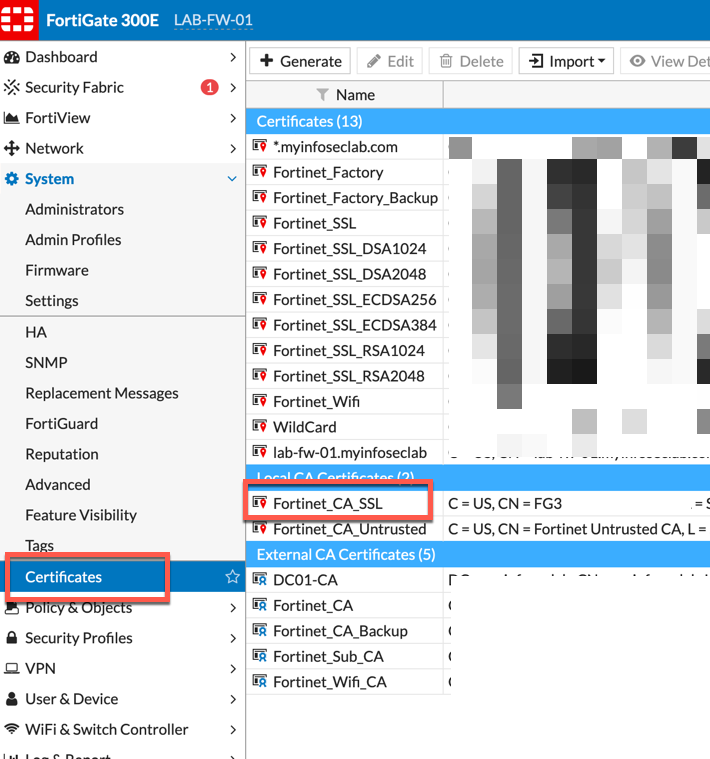
Right click the Fortinet_CA_SSL or whatever the name of your certificate is and choose Download
Step 3 – Importing Certificate
On a macOS laptop, you will import it into the Keychain app.
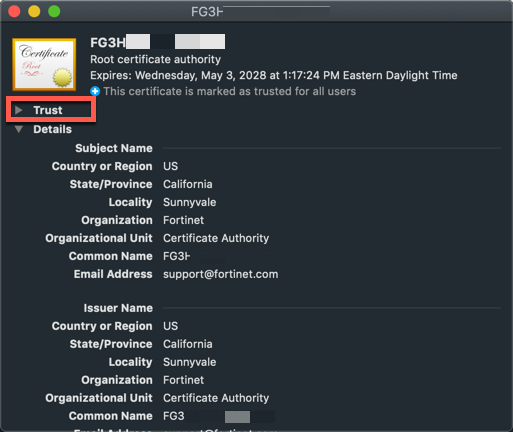
Ensure that you tick the Trust drop down and change it to Always Trust
Step 4 – Creating the Web Filter Profile
Now we are going to create a Web Filtering Profile
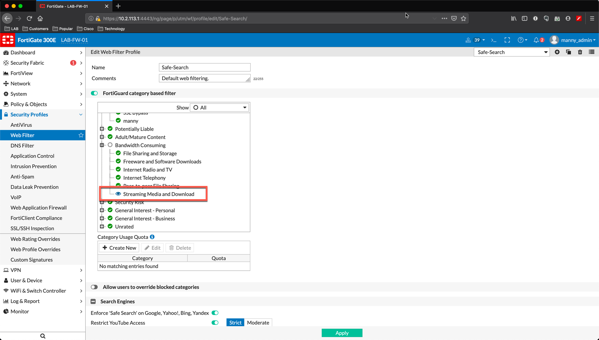
Here we see a Duplicate of a Web Filter Profile. In order to use quotas, you will need to have Monitor, Warning or Authenticate as the category permission.
Step 5 – Creating the quota
Choose Create New on the Category Usage Quota section. You will be able to choose which category you want to use as well as time or bandwidth. As I stated, I created a low threshold so I can trigger it easily.
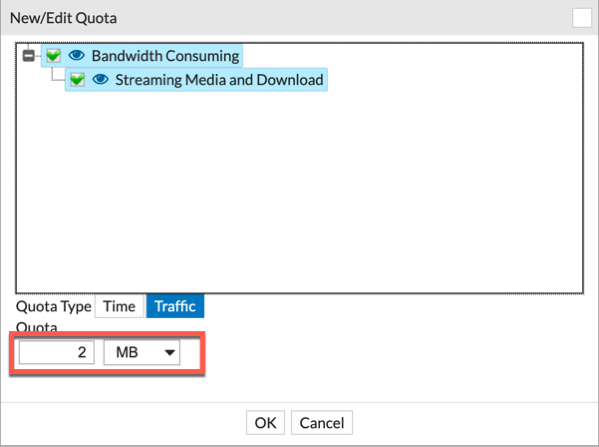
As you can see, I set up the Streaming Media and Download category for 2MB.
Step 6 – Putting it all together
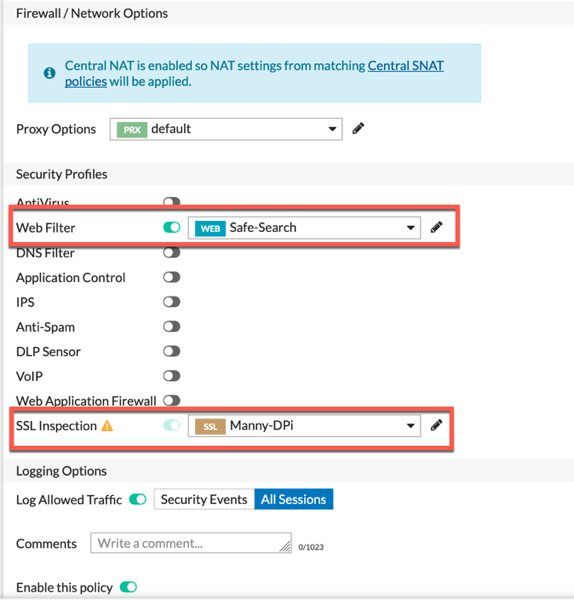
Here we see the policy I am going to use to trigger the quota. My Manny-DPi SSL inspection profile is selected as well as my Safe-Search Web Filter Profile
Step 7 – Getting Triggered
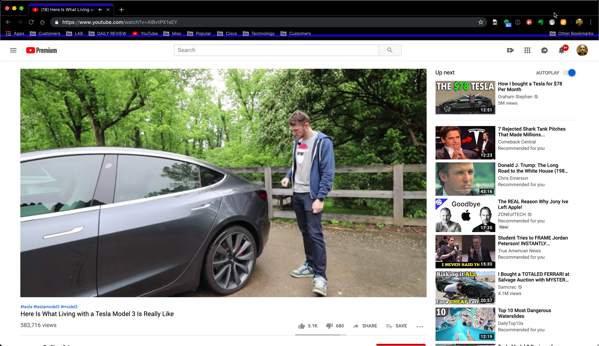
Started up a Youtube video and it stopped. Went into the Web Filter logs …..
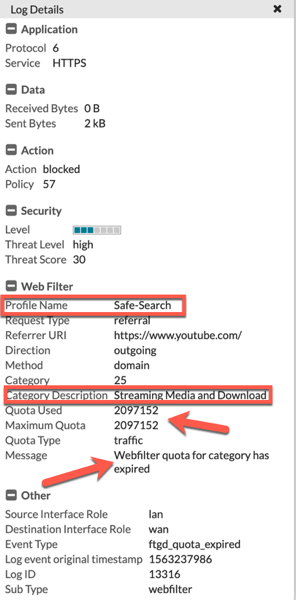
We can clearly see that the action is now set to Block and we can see the Profile Name, Category and finally, the Webfilter quota for category has expired
I use this for my kids, from a time perspective.
Hope this helps.
Recent posts
-

-

In case you did not see the previous FortiNAC... Full Story
-

This is our 5th session where we are going... Full Story
-

Now that we have Wireshark installed and somewhat configured,... Full Story
-

The Philosophy of Packet Analysis Troubleshooting isn't about looking... Full Story