
If you've spent any time configuring user authentication on... Full Story
By Manny Fernandez
May 16, 2026
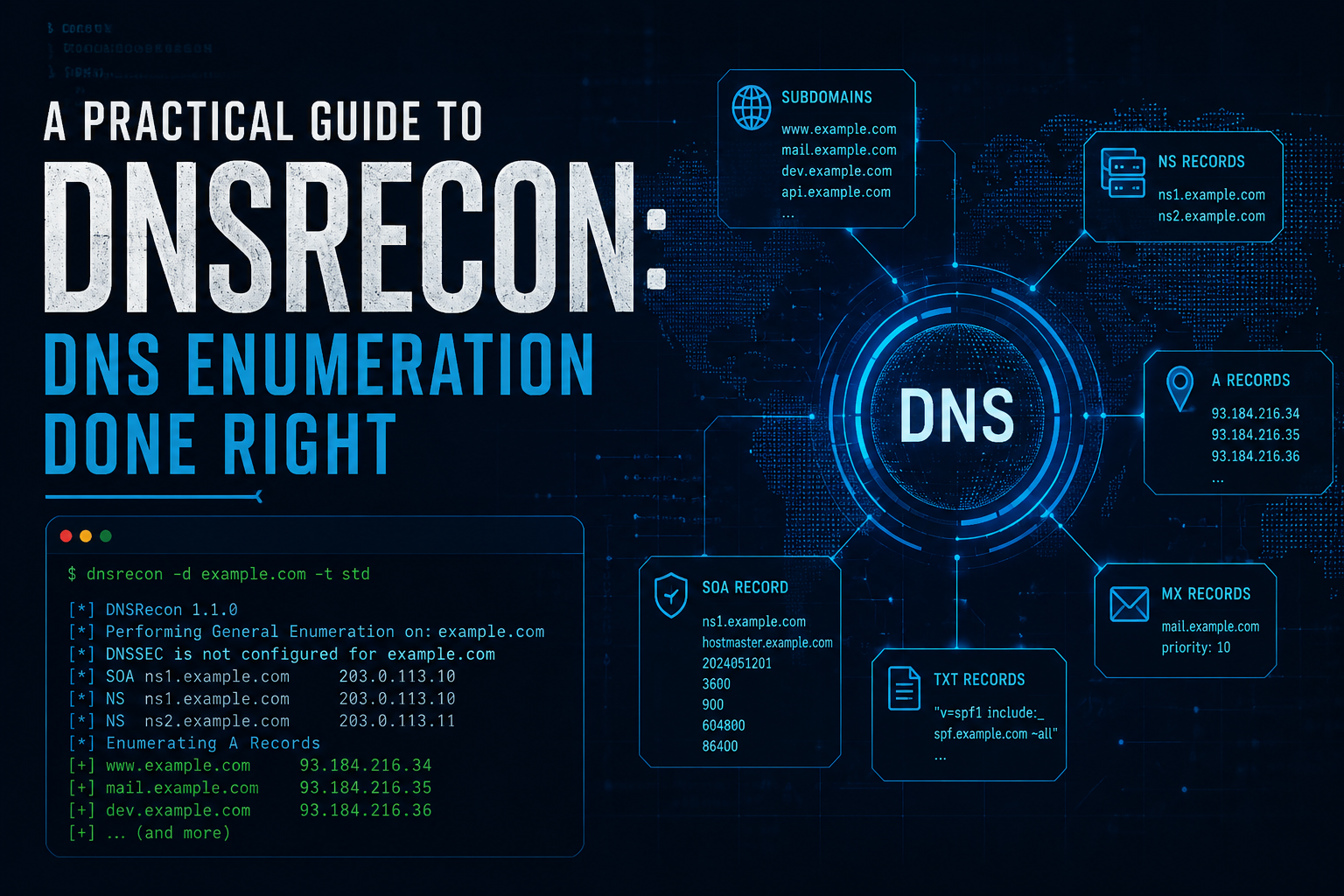
A Practical Guide to DNSRecon: DNS Enumeration Done Right
DNS is one of the loudest, most underappreciated sources of intelligence about an organization’s infrastructure. Before anyone touches a port scanner, the Domain Name System has already quietly published a map of mail servers, subdomains, cloud providers, and naming conventions to anyone who knows how to ask. dnsrecon is the tool that asks.
This post walks through what dnsrecon actually does, how to use it without shooting yourself in the foot, how to interpret the output, and the gotchas that trip up people who treat its results as gospel.
What DNSRecon Is
dnsrecon is a Python-based DNS reconnaissance and enumeration tool, originally written by Carlos Perez. It ships by default in Kali Linux, Parrot OS, and most security-focused distributions, and it consolidates a dozen separate DNS tricks into one command-line utility. Rather than running dig, host, and a pile of shell loops, you point dnsrecon at a domain and it handles record retrieval, zone transfer attempts, brute forcing, reverse lookups, cache snooping, and more.
It is worth being clear up front about the legal and ethical frame: DNS enumeration touches infrastructure you may not own. Standard record lookups are passive and unremarkable, but brute forcing and zone transfer attempts generate traffic and log entries on the target’s resolvers. Only run dnsrecon against domains you own or have explicit written authorization to test.
Installation
On Kali or Parrot it is almost certainly already installed:
dnsrecon -h
If you need to install it manually:
# Debian / Ubuntu / Kali
sudo apt update && sudo apt install dnsrecon

# Via pip (gets you the latest release)
pip install dnsrecon

# From source
git clone https://github.com/darkoperator/dnsrecon.git
cd dnsrecon
pip install -r requirements.txt
python dnsrecon.py -h
The pip and source installs tend to be more current than the distro package, which matters because DNS behavior and provider quirks change over time.
The Core Modes
dnsrecon is organized around enumeration types, selected with the -t flag. Understanding these is the whole game.
std — Standard enumeration. Pulls the obvious records: A, AAAA, SOA, NS, MX, TXT, and SPF. This is the safe, quiet starting point and is the default if you do not specify a type.
axfr — Attempts a DNS zone transfer against every name server for the domain. When it works, this is the single most valuable result you can get, because it hands you the entire zone file at once.
brt — Brute force. Takes a wordlist and tries each entry as a subdomain (www, mail, vpn, dev, and so on), keeping the ones that resolve.
rvl — Reverse lookup. Given an IP range, performs PTR lookups across it to discover what hostnames live on those addresses.
srv — Enumerates SRV records, which reveal services like SIP, LDAP, XMPP, and Active Directory components.
tld — Top-level domain expansion. Takes the base name and tries it across many TLDs and ccTLDs (example.com, example.net, example.org, example.co.uk…).
zonewalk — Walks a DNSSEC-signed zone by following NSEC records, effectively enumerating the zone without a zone transfer.
goo / bing / crt — Passive subdomain discovery using search engines and certificate transparency logs (availability of these has shifted across versions; crt for crt.sh is the most reliable).
Basic Usage Walkthrough
Standard enumeration
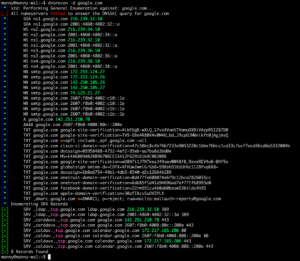
dnsrecon -d example.com
With no -t, this runs the standard set. You will see the name servers, mail servers, the SOA record, any A/AAAA records for the apex, and TXT/SPF entries. This single command often tells you the hosting provider, the email provider, and which third-party services the organization uses (SPF and TXT records frequently name SaaS vendors).
Zone transfer attempt
dnsrecon -d example.com -t axfr
dnsrecon finds every NS record for the domain and asks each one for the full zone. A correctly configured server refuses. A misconfigured one hands over everything. Always run this — it costs one request per name server and the payoff when it succeeds is enormous.
Subdomain brute forcing
dnsrecon -d example.com -t brt -D /usr/share/dnsrecon/namelist.txt
The -D flag points at a wordlist. dnsrecon ships with namelist.txt; larger lists from SecLists (e.g. subdomains-top1million-5000.txt) find more but take longer and make more noise. You can tune concurrency with --threads and add delay between requests if you want to stay quiet.
Reverse lookups across a range
dnsrecon -r 192.0.2.0/24
dnsrecon -r 192.0.2.1-192.0.2.50
Both CIDR and explicit ranges work. This is how you map what else lives on a netblock once standard enumeration has pointed you at an IP.
Combining type selection and output
dnsrecon -d example.com -t std,brt,axfr -D /usr/share/seclists/Discovery/DNS/subdomains-top1million-5000.txt -j results.json
You can chain types with commas. The -j flag writes structured JSON; -c writes CSV; --xml writes XML; -x is the older XML flag depending on version. Always save output — re-running enumeration to recover results you forgot to capture is wasteful and noisy.
Useful flags worth knowing
-n <nameserver>— force lookups through a specific resolver instead of the system default. Essential when you want consistent results or need to query an authoritative server directly.-a— perform an AXFR as part of standard enumeration.-y,-k,-b— enable Yandex, crt.sh, and Bing passive sources respectively (flags vary by version; check-h).--lifetime— timeout per request; raise it for slow or rate-limited resolvers.--threads— concurrency for brute force and reverse lookups.--db— write results to a SQLite database for later querying.
Reading the Output
dnsrecon prefixes every line with a bracketed tag that tells you what kind of message it is. Learning to read these at a glance is most of the skill.
[*]— informational. Progress messages, what the tool is about to do.[+]— a positive result. A record was found, a transfer succeeded, a subdomain resolved.[-]— a negative or failure. A zone transfer was refused, a lookup returned nothing.[!]— a warning or error. Something went wrong with the tool itself or the query.
A typical standard run looks roughly like this:
[*] std: Performing General Enumeration of Domain: example.com
[+] SOA ns1.example.com 192.0.2.10
[+] NS ns1.example.com 192.0.2.10
[+] NS ns2.example.com 192.0.2.11
[+] MX mail.example.com 192.0.2.20 10
[+] A example.com 192.0.2.5
[+] TXT example.com v=spf1 include:_spf.google.com ~all
[*] Enumerating SRV Records
[+] 0 Records Found
Each record type maps to actionable intelligence:
- SOA / NS tells you who is authoritative. If the name servers belong to a managed DNS provider (Cloudflare, Route 53, Akamai), that shapes everything else you do.
- MX reveals the mail path.
mail.protection.outlook.commeans Microsoft 365;aspmx.l.google.commeans Google Workspace. This is a strong signal for the rest of an engagement. - TXT and SPF are an inventory of third-party services. SPF
include:statements name every vendor allowed to send mail for the domain — often a dozen SaaS products an attacker would otherwise have to guess. - A / AAAA records and brute-forced subdomains give you the actual targets. Look for naming patterns: if
dev.example.comandstaging.example.comexist, tryqa,uat,test.
For brute force results, each successful resolution appears as a [+] A subdomain.example.com <ip> line. For reverse lookups, you get [+] PTR hostname <ip> lines. Zone transfers, when they succeed, dump the entire zone with every record type, which is why they are so prized.
When you export to JSON, the structure is a list of objects each with a type field (A, MX, NS, info, etc.) and the relevant data fields. This is far easier to parse programmatically and to feed into other tools than the console output.
Gotchas and False Positives
This is the part most guides skip, and it is where careless analysts produce wrong conclusions.
Wildcard DNS records
The single biggest source of false positives. If a domain has a wildcard record (*.example.com), then every subdomain you brute force will “resolve” — asdfqwerty.example.com will return an IP just like www does. A naive brute force against a wildcard domain produces a list of hundreds of “discovered” subdomains that do not actually exist as distinct hosts.
Good news: modern dnsrecon detects wildcards. It queries a random, almost-certainly-nonexistent subdomain first; if that resolves, it knows a wildcard is in play and filters brute force results that point to the same wildcard IP. But this detection is not perfect. If a wildcard points to a load balancer that also serves real subdomains, or if there are multiple wildcards, you can still get noise. Always sanity check brute force results by asking: does this subdomain return a distinct IP, or the wildcard IP? Treat anything matching the wildcard address with suspicion.
Stale and orphaned records
DNS records outlive the infrastructure they point to. A brute-forced [+] A old-app.example.com 192.0.2.99 may be a real DNS record pointing at an IP the organization decommissioned years ago. The record is genuine; the host is gone. This matters in both directions — it is a false positive for “live services,” but a stale record pointing at a now-unclaimed cloud IP is itself a finding (subdomain takeover risk).
CDN and cloud IPs are shared
When an A record resolves to a Cloudflare, Fastly, or AWS IP, that IP is shared by thousands of unrelated domains. Reverse lookups (rvl) against such ranges will return a flood of hostnames that have nothing to do with your target. Do not assume co-located IPs mean co-located ownership behind a CDN.
Zone transfer “successes” that are not
Occasionally an axfr attempt returns partial data or a single SOA record rather than the full zone. That is not a successful transfer — it is the server returning the minimum. A real AXFR success dumps many records of varied types. One lonely SOA is a refusal in disguise.
Resolver-dependent and inconsistent results
Different resolvers return different answers. Geo-aware DNS, split-horizon configurations, anycast, and aggressive caching mean that running dnsrecon twice against the same domain through different resolvers can yield different IPs or even different record sets. If results matter, pin the resolver with -n and query authoritative name servers directly. Internal split-horizon views are invisible from outside entirely — the records you see are only the external view.
Rate limiting and silent truncation
Large brute force runs trip rate limiting on the target’s resolvers or your own upstream resolver. The symptom is insidious: lookups start timing out rather than returning NXDOMAIN, so real subdomains get silently skipped and recorded as non-existent. This is a false negative. If a big run finishes suspiciously fast or returns far fewer hits than expected, slow down with delay flags, lower --threads, and re-run. Consistency across runs is your signal that you are not being throttled.
Search engine and CT source decay
The passive modes that depend on Google or Bing scraping have been unreliable for years — search engines block automated queries, and these features break between releases. Certificate transparency (crt.sh) is far more dependable. If a passive mode returns nothing, do not conclude the domain has no subdomains; the source itself may simply be broken. Cross-check with a dedicated tool.
NXDOMAIN versus NOERROR with no answer
A name that returns NOERROR but no records is not the same as NXDOMAIN. The name exists in the zone (perhaps it has only an MX or TXT record, not an A record) but has nothing of the type you asked for. Depending on version, dnsrecon may or may not surface this distinction clearly. If you care about whether a name exists versus whether it has an A record, verify with dig directly.
IDN and encoding edge cases
Internationalized domain names and Punycode (xn--) can produce confusing output. The console may show the encoded form while you expected the Unicode form, or vice versa. Not a bug, but a source of “missing” results if you are searching output for the wrong representation.
A Sensible Workflow
Putting it together, a measured approach looks like:
- Start passive and quiet. Run
dnsrecon -d example.comfor standard records. Read the SOA, NS, MX, and TXT/SPF carefully — they frame everything. - Always try the zone transfer.
-t axfris one request per name server and occasionally wins the whole game. - Check for a wildcard before brute forcing. Manually resolve a random subdomain. If it resolves, expect noise and plan to filter on the wildcard IP.
- Brute force deliberately. Begin with a modest wordlist, pin your resolver with
-n, keep--threadsreasonable, and add delay if accuracy matters more than speed. - Save everything. Use
-jor--dbfrom the start so you never re-run enumeration just to recover results. - Cross-check the interesting findings. Verify surprising results with
dig, and corroborate subdomain lists against certificate transparency and a second tool. Treat any single tool’s output as a lead, not a fact.
Closing Thoughts
dnsrecon is fast, comprehensive, and genuinely useful — but its output is only as good as the analyst reading it. The console tags, the wildcard problem, resolver inconsistency, and stale records are the difference between a report that holds up and one that embarrasses you. Run it thoughtfully, save your output, verify what surprises you, and remember that everything here applies only to domains you are authorized to test.
Recent posts
-

-

DNS is one of those technologies that quietly underpins... Full Story
-

BGP issues on FortiGate firewalls usually trace back to... Full Story
-

Every time your laptop talks to your router, a... Full Story
-

If you've spent any time configuring NAT on a... Full Story
-

If you have spent any time configuring firewall policies... Full Story
-

High availability on FortiGate is one of those features... Full Story
-

If you've configured SD-WAN on a FortiGate, you've almost... Full Story
-

FortiLink is the management protocol that turns a FortiSwitch... Full Story
-

FortiSwitches are pretty rock solid from Mean Time Between... Full Story
-

This is a quicky tip. Have you ever gone... Full Story
-

DNS is one of those quiet pieces of internet... Full Story
-

This article is an updated version of the previous... Full Story
-

You will add ns2 as a secondary (slave) BIND9... Full Story
-

In the process of deploying my lab, I needed... Full Story
-

RFC 8805, used to be known as Self-Correcting IP... Full Story
-

Years back, I wrote an article about certificate pinning. ... Full Story
-

FortiGates have the ability to send alerts to Microsoft... Full Story
-

In this post, I am going to walk through... Full Story
-

Troubleshooting VoIP on a FortiGate can feel like trying... Full Story
-

Prior to FortiOS 7.0, there were three commands to... Full Story
-

In this post, I am going to go over... Full Story
-

What we are going to do: We are going... Full Story
-

Choosing between FGCP (FortiGate Clustering Protocol) and FGSP (FortiGate... Full Story
-

Creating a VLAN on macOS (The "Pro" Move) A... Full Story
-

This blog post explores the logic behind how macOS... Full Story
-

Pretty Fly for a Wi-Fi Tell My Wi-Fi Love... Full Story
-

Part of my daily gig is creating BoMs (Bill-of-Materials)... Full Story
-

ICMP introduces several security risks, but careful filtering, rate... Full Story
-

The command diag debug application dhcps -1 enables full... Full Story
-

In the world of FortiOS, execute tac report is... Full Story
-

LLDP; What is it The Link Layer Discovery Protocol... Full Story
-

What it actually does When you run diagnose fdsm... Full Story
-

Monkey Bites are bite-sized, high-impact security insights designed for... Full Story
-

I have run macOS in macOS with Parallels but... Full Story
-

Don't be confused with my other FortiNAC posts where... Full Story
-

This is the third session in a multi-part article... Full Story
-

Today I was configuring key-based authentication on a FortiGate... Full Story
-

Netcat, often called the "Swiss Army knife" of networking,... Full Story
-

At its core, IEEE 802.1X is a network layer... Full Story
-

In case you did not see the previous FortiNAC... Full Story
-

This is our 5th session where we are going... Full Story
-

Now that we have Wireshark installed and somewhat configured,... Full Story
-

The Philosophy of Packet Analysis Troubleshooting isn't about looking... Full Story
-

In this guide Executive Summary Prerequisites: Which vi Do... Full Story
-

Objective: Strip blank and whitespace-only lines out of config... Full Story
-

In this guide Executive Summary Prerequisites and Architecture How... Full Story