
If you've spent any time configuring user authentication on... Full Story
By Manny Fernandez
June 23, 2026
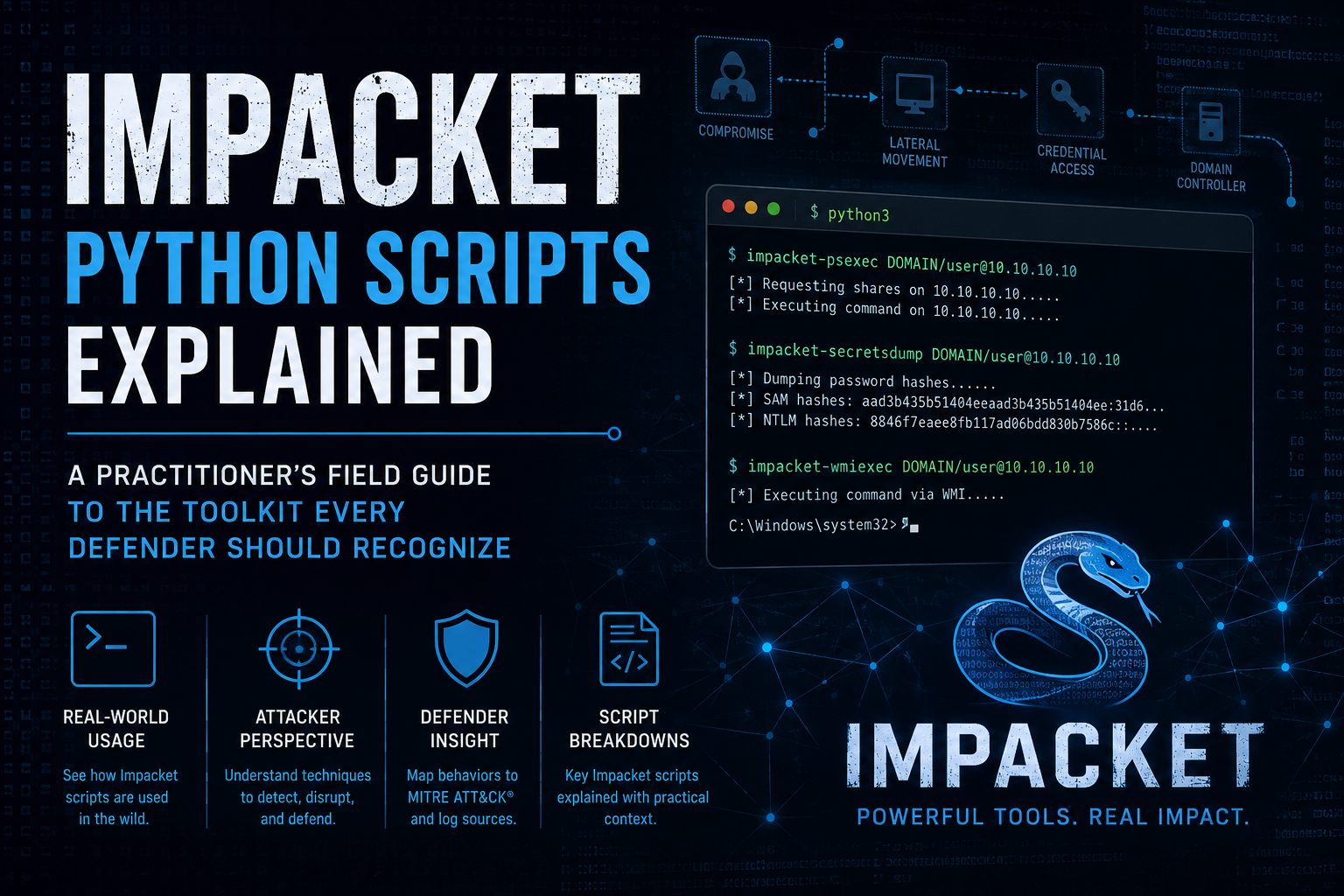
Impacket Scripts Explained: A Practitioner’s Field Guide to the Toolkit Every Defender Should Recognize
If you have spent any time in a SOC, on a red team, or staring at a packet capture trying to figure out how an attacker moved sideways through a Windows estate, you have run into Impacket. It is the quiet backbone of a huge slice of Windows network tooling. Penetration testers love it because it speaks the protocols natively. Defenders need to understand it because almost every credible attack against Active Directory leaves Impacket-shaped fingerprints somewhere in the logs.
This post is a reference catalog. The goal is not to teach you how to run an engagement. The goal is to make sure that when you see one of these script names in an alert, a process tree, or a colleague’s report, you know exactly what it does, what protocol it touches, and why it matters. Everything here is documented in the project’s own repository and ships in Kali by default, so none of it is secret. What is genuinely useful, and what most cheat sheets skip, is the defender’s view: what each tool actually puts on the wire and in the event log.
What Impacket Actually Is
Impacket is a Python library, not a single program. It is a collection of classes for working with network protocols, with a heavy emphasis on the Microsoft stack: SMB, MSRPC and the whole DCERPC family, NTLM and Kerberos, LDAP, TDS (the SQL Server protocol), and lower-level building blocks like IP, TCP, and UDP. Because the library implements these protocols from scratch in Python, the tooling built on top of it does not depend on the host operating system’s SMB or RPC stack. That is the single most important fact to internalize. A Linux box with no Windows components can speak fluent Active Directory because Impacket reimplements the conversation end to end.
The scripts that ship alongside the library, historically in an examples/ directory, are reference implementations. They were written to demonstrate what the library can do. Over time they became standard operational tooling in their own right. When people say “Impacket” in a security context, they usually mean these scripts.
A few cross-cutting concepts make the whole suite easier to read:
The tools generally accept the same authentication shapes. A username and password is the obvious one, but they also accept NT hashes directly (pass-the-hash), Kerberos tickets from a credential cache (pass-the-ticket), and AES keys. This flexibility is exactly why the toolkit is so central to post-exploitation: once an attacker has any credential material, Impacket can usually do something with it.
The naming is reasonably honest about function. Scripts ending in exec run commands on remote hosts. Scripts starting with Get retrieve something, usually credential-related. Scripts ending in relayx or containing relay are about NTLM relaying. Once you know the verbs, the catalog reads quickly.
Remote Execution and Lateral Movement
This family is the reason Impacket shows up in so many incident reports. Each script gives an authenticated user the ability to run commands on a remote Windows host, but they differ in how, and those differences are precisely what a defender keys on.
psexec.py is the loud one. It mirrors the classic Sysinternals PsExec approach: it writes an executable to the target’s ADMIN$ share, creates a Windows service to launch it, and communicates over a named pipe for input and output. It typically lands you a SYSTEM-level shell. From a detection standpoint this is the easiest of the family to catch, because it generates service creation events (Windows Event ID 7045) and drops an artifact on disk. If you are writing detections, the ephemeral service with a randomized name plus the file write to ADMIN$ is a strong signal.
smbexec.py was designed to be quieter than psexec. Rather than dropping a binary, it creates a service that runs a command interpreter, captures the output to a file on the share, reads it back, and cleans up. It is semi-interactive and avoids writing a full executable, but it still touches service creation, so it is not invisible. The classic tell is a service whose command line contains a cmd.exe /c redirection writing output to a temp file.
wmiexec.py moves away from services entirely and uses Windows Management Instrumentation (WMI) over DCERPC to spawn processes, retrieving output through an SMB share. Because it does not create a service, it sidesteps the 7045 signal that flags psexec and smbexec. Defenders watch instead for WMI process-creation activity, specifically wmiprvse.exe spawning command shells. It is one of the more popular choices precisely because it is a step stealthier.
atexec.py uses the Task Scheduler service over DCERPC to register and run a scheduled task that executes your command. The detection pivot here is task registration events and the Task Scheduler operational log.
dcomexec.py abuses DCOM objects (such as MMC20.Application or ShellWindows) to achieve execution. It is the most esoteric of the group and exists largely to give an option when the more common channels are blocked or monitored.
The pattern to recognize across all of these: an authenticated SMB or DCERPC connection from an unexpected source, followed by process creation under an unusual parent (services.exe, wmiprvse.exe, taskeng.exe, or a DCOM host). The transport varies; the goal, remote command execution, does not.
Credential Access
This is the family that turns a single compromised account into a domain-wide problem, and it is where defenders should focus the most attention.
secretsdump.py is the marquee tool. It extracts credential material from Windows systems through several techniques, none of which require dropping a tool on the target. Against a single host it can pull the local SAM database and LSA secrets remotely. Against a domain controller it can perform a DCSync, using the directory replication protocol (DRSUAPI) to ask the DC for password hashes as though it were another domain controller. That last capability is the dangerous one: with the right replication rights, an attacker retrieves the hash of every account in the domain, including krbtgt, without ever logging into the DC interactively. The defining detection for DCSync is replication requests (specifically DRSGetNCChanges) originating from a host that is not a domain controller. If you monitor one thing from this entire post, make it that.
GetUserSPNs.py performs Kerberoasting. It queries LDAP for accounts that have a Service Principal Name set, then requests Kerberos service tickets for them. Because the service ticket is encrypted with the service account’s password hash, an attacker can take those tickets offline and brute-force weak service-account passwords without any further interaction with the domain. The detection angle is a single account requesting an unusual volume of service tickets (Event ID 4769) for many different SPNs in a short window.
GetNPUsers.py performs AS-REP roasting. It hunts for accounts that have Kerberos pre-authentication disabled, a misconfiguration that lets anyone request authentication data that is, again, crackable offline. The fix on the blue side is structural: pre-authentication should be enabled everywhere, and accounts without it should be treated as findings.
mimikatz.py and related GPP tooling round out the credential family in various Impacket versions, but the three above are the ones you will see named in real reports.
Kerberos Manipulation
These scripts work directly with Kerberos tickets and are the machinery behind some of the most discussed Active Directory attacks.
getTGT.py and getST.py request a Ticket Granting Ticket and a Service Ticket respectively, given valid credential material. On their own they are unremarkable, the same thing every Windows logon does, but they are the plumbing for pass-the-ticket workflows.
ticketer.py forges tickets. With the krbtgt account’s hash it can mint a Golden Ticket, an arbitrary TGT that grants the holder near-unlimited domain access and survives most password-reset responses because krbtgt is rarely rotated. With a service account’s hash it can mint a Silver Ticket, forged access to a specific service. Forged tickets are notoriously hard to catch because they are cryptographically valid; the practical defenses are rotating krbtgt (twice) when compromise is suspected, and watching for tickets with anomalous lifetimes or accounts that do not exist in the directory.
raiseChild.py automates a child-domain to parent-domain (forest root) privilege escalation by chaining the trust relationship and ticket forgery. It exists to demonstrate that a forest is a single security boundary, not the per-domain boundary administrators sometimes assume.
ticketConverter.py simply converts ticket formats between the Windows .kirbi format and the Linux credential cache format, which is glue rather than an attack in itself.
NTLM Relaying and Coercion
ntlmrelayx.py is among the most powerful tools in the entire suite. It does not crack anything. Instead it takes an NTLM authentication that it has captured or been handed and relays it, live, to another service that will accept it, authenticating as the victim without ever knowing the victim’s password. Relay targets are wide-ranging: SMB on another host, LDAP on a domain controller (which can be abused to grant rights or add computer accounts), Active Directory Certificate Services web endpoints, and more. It is the engine behind a long list of named attack chains.
Relaying needs authentication to relay, which is where coercion tooling comes in. Scripts and companion tools that force a target to authenticate (often by triggering the Print Spooler, EFSRPC, or similar RPC interfaces) feed the relay. The defender’s playbook here is well established: enable SMB signing, enable LDAP signing and channel binding, enforce EPA on certificate services, and disable the coercion vectors you do not need. Each of those mitigations breaks a specific link in the relay chain.
Reconnaissance and Protocol Utilities
Not everything in the suite is an attack. A large portion is straightforward protocol tooling that is just as useful for administration and research.
GetADUsers.py, lookupsid.py, and samrdump.py enumerate domain users and groups through LDAP and the SAMR interface. rpcdump.py lists the RPC endpoints a host exposes, which is genuinely handy for understanding a machine’s attack surface. smbclient.py is a full interactive SMB client, comparable to the standard smbclient but Impacket-native. mssqlclient.py connects to Microsoft SQL Server over TDS and is a legitimate database client that happens to also expose the features an attacker would want. wmiquery.py runs WQL queries over WMI. ping.py and the various sniffer examples are educational demonstrations of the raw-packet classes.
mqtt_check.py, rpcmap.py, and a handful of others are niche utilities that demonstrate specific protocol classes. They round out the picture: Impacket is, at heart, a protocol library, and many of its scripts are simply clean clients for protocols that are otherwise awkward to script.
Why This Matters for Defenders
The throughline across the entire toolkit is that Impacket attacks live in legitimate protocols. There is no exotic exploit here. SMB, RPC, WMI, Kerberos, and LDAP are the same protocols your environment depends on every second of every day. That is what makes this tooling effective and what makes naive detection (block the bad protocol) impossible.
The realistic defensive posture is layered. Reduce what is possible: enforce SMB and LDAP signing, rotate krbtgt, tier your administrative accounts, and remove unnecessary SPNs and pre-auth exceptions. Then instrument for the residue these tools cannot avoid leaving: service creation events for the exec family, replication requests from non-DC hosts for DCSync, abnormal service-ticket request volume for Kerberoasting, and authentication coming from the wrong place at the wrong time for relaying. None of these signals is perfect on its own. Together, mapped against the specific behaviors above, they turn an invisible attacker into a noisy one.
The core thing to know: Impacket is a Python package. Every install method ultimately gets you the same library plus the example scripts, the differences are just packaging and where the scripts land.
“Installing”
pip (the canonical method, works everywhere)
The project’s own recommended path. Works on Linux, macOS, and Windows identically since it’s pure Python.
python3 -m pip install impacket
The catch with a plain pip install impacket is that the example scripts (secretsdump.py, psexec.py, etc.) get installed as console entry points, so they end up on your PATH but the naming and discoverability can be confusing. If you want the scripts laid out as files you can read and reference, clone and install from source instead:
git clone https://github.com/fortra/impacket.git
cd impacket
python3 -m pip install
(The project moved from SecureAuth to Fortra’s GitHub org a while back, so github.com/fortra/impacket is the current canonical repo.)
pipx (the cleaner modern approach)
Strongly recommended over bare pip these days. pipx installs the package into its own isolated virtualenv and exposes the scripts globally, which avoids polluting your system Python and sidesteps the “externally-managed-environment” errors newer distros throw at you.
pipx install impacket
Works on macOS and Linux. On macOS you get pipx via brew install pipx.
macOS / Homebrew
There is no dedicated impacket formula in Homebrew core. The supported route on a Mac is one of:
– pipx install impacket (cleanest)
– Homebrew to get Python, then pip/pipx for Impacket itself
So Homebrew is involved only as the Python provider, not as the package source. If someone points you at a tap claiming to package Impacket, treat it with the usual caution you’d apply to any third-party tap.
Windows
Pure-Python, so it installs fine natively:
py -m pip install impacket
A couple of Windows-specific notes worth knowing. Some example scripts pull in dependencies like pcapy/pcapy-ng for raw packet work, and those need a C build toolchain (Visual C++ build tools) or a prebuilt wheel, which is historically the most common Windows install snag. The non-packet scripts (the SMB/RPC/Kerberos ones) generally don’t hit that. Many people on Windows just run it under WSL to get the Linux experience without the build friction.
Other Linux (non-Kali)
– Debian/Ubuntu have a python3-impacket apt package, though it tends to lag the upstream version.
– Most other security distros (Parrot, BlackArch, etc.) package it the same way Kali does.
– For current versions, pipx-from-upstream beats the distro package.
Quick verification
After any method, confirm it landed:
pip show impacket# version + install location`
secretsdump.py -h# or wherever your PATH put the scripts
If the scripts aren’t on your PATH after a pip install, they’re sitting in your Python environment’s Scripts/ (Windows) or bin/ (Unix) directory, or under the examples/ folder if you installed from a clone.
One practical recommendation regardless of OS: use a virtualenv or pipx rather than installing into system Python. Impacket pins specific versions of cryptography and other libraries, and it’ll fight with other tooling if you dump it into a shared environment.
If you take one thing away, let it be this: knowing the toolset is a defensive capability. You cannot write a detection for behavior you do not understand, and you cannot scope an incident if you do not recognize the tool in the timeline. That is the whole reason a catalog like this belongs on a practitioner’s blog.
Recent posts
-

-

DNS is one of those technologies that quietly underpins... Full Story
-

BGP issues on FortiGate firewalls usually trace back to... Full Story
-

Every time your laptop talks to your router, a... Full Story
-

If you've spent any time configuring NAT on a... Full Story
-

If you have spent any time configuring firewall policies... Full Story
-

High availability on FortiGate is one of those features... Full Story
-

If you've configured SD-WAN on a FortiGate, you've almost... Full Story
-

FortiLink is the management protocol that turns a FortiSwitch... Full Story
-

FortiSwitches are pretty rock solid from Mean Time Between... Full Story
-

This is a quicky tip. Have you ever gone... Full Story
-

DNS is one of those quiet pieces of internet... Full Story
-

This article is an updated version of the previous... Full Story
-

You will add ns2 as a secondary (slave) BIND9... Full Story
-

In the process of deploying my lab, I needed... Full Story
-

RFC 8805, used to be known as Self-Correcting IP... Full Story
-

Years back, I wrote an article about certificate pinning. ... Full Story
-

FortiGates have the ability to send alerts to Microsoft... Full Story
-

In this post, I am going to walk through... Full Story
-

Troubleshooting VoIP on a FortiGate can feel like trying... Full Story
-

Prior to FortiOS 7.0, there were three commands to... Full Story
-

In this post, I am going to go over... Full Story
-

What we are going to do: We are going... Full Story
-

Choosing between FGCP (FortiGate Clustering Protocol) and FGSP (FortiGate... Full Story
-

Creating a VLAN on macOS (The "Pro" Move) A... Full Story
-

This blog post explores the logic behind how macOS... Full Story
-

Pretty Fly for a Wi-Fi Tell My Wi-Fi Love... Full Story
-

Part of my daily gig is creating BoMs (Bill-of-Materials)... Full Story
-

ICMP introduces several security risks, but careful filtering, rate... Full Story
-

The command diag debug application dhcps -1 enables full... Full Story
-

In the world of FortiOS, execute tac report is... Full Story
-

LLDP; What is it The Link Layer Discovery Protocol... Full Story
-

What it actually does When you run diagnose fdsm... Full Story
-

Monkey Bites are bite-sized, high-impact security insights designed for... Full Story
-

I have run macOS in macOS with Parallels but... Full Story
-

Don't be confused with my other FortiNAC posts where... Full Story
-

This is the third session in a multi-part article... Full Story
-

Today I was configuring key-based authentication on a FortiGate... Full Story
-

Netcat, often called the "Swiss Army knife" of networking,... Full Story
-

At its core, IEEE 802.1X is a network layer... Full Story
-

In case you did not see the previous FortiNAC... Full Story
-

This is our 5th session where we are going... Full Story
-

Now that we have Wireshark installed and somewhat configured,... Full Story
-

The Philosophy of Packet Analysis Troubleshooting isn't about looking... Full Story
-

InfoSecMonkey Threat Response October 24, 2026 | No fluff.... Full Story
-

InfoSecMonkey Threat Response October 24, 2026 | No fluff.... Full Story
-

Plus what you actually get with FortiCare Essential, Premium... Full Story