
If you've spent any time configuring user authentication on... Full Story
By Manny Fernandez
July 23, 2026
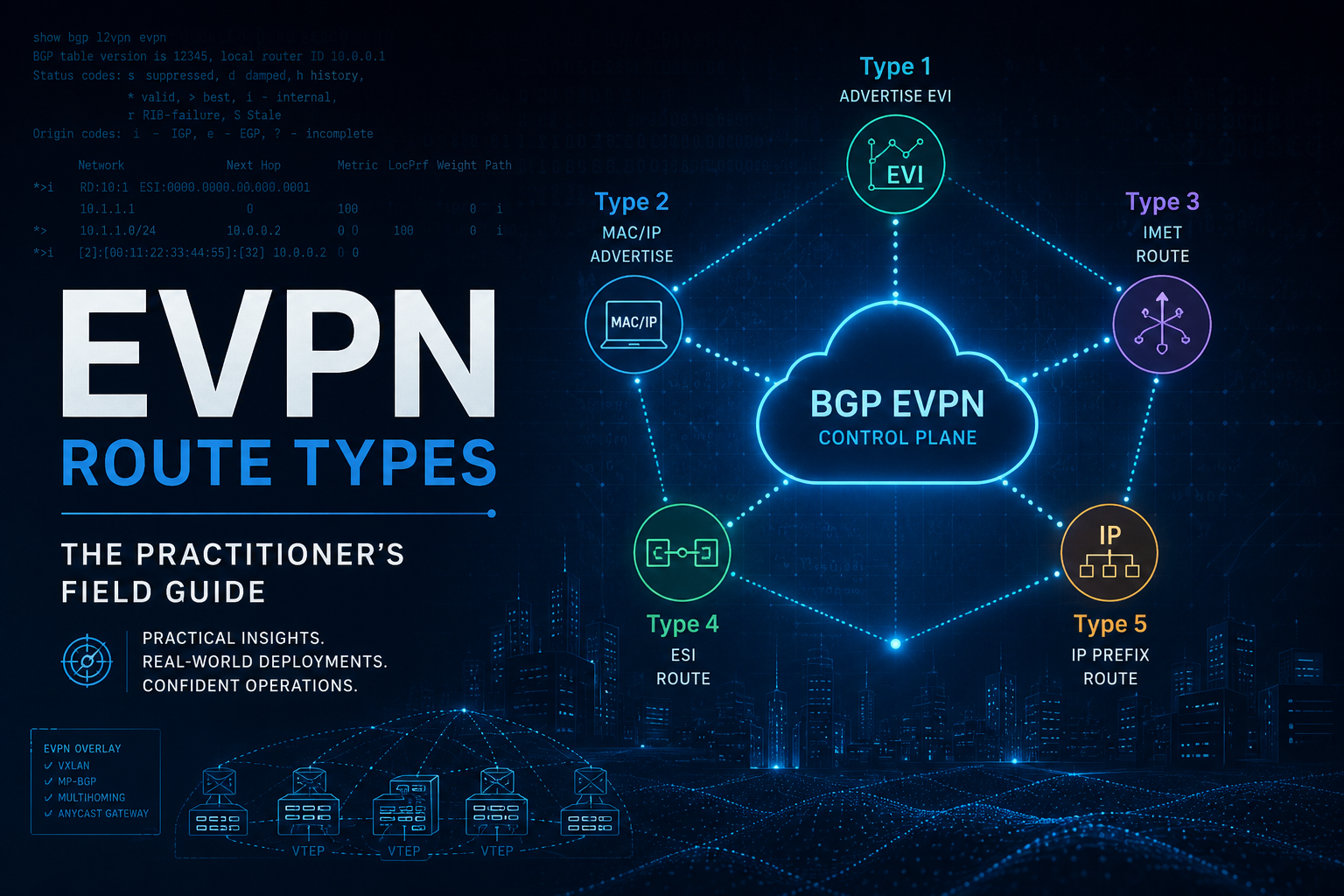
EVPN Route Types: The Practitioner’s Field Guide
Everyone learns EVPN as “type 2 carries MACs and type 5 carries prefixes,” then gets wrecked the first time a multihomed server duplicates broadcast frames or a silent host goes unreachable across the fabric. The route types are not trivia. Each one exists because a specific failure mode had to be solved, and if you can read the NLRI you can name the broken thing in about ninety seconds. This guide walks all eleven assigned types, the fields inside them, what breaks when they are missing, and the show commands that expose them on FRR, NX-OS, EOS, Junos, and FortiOS.
Start with the NLRI, not the route type
EVPN is carried in MP-BGP under AFI 25 (L2VPN) and SAFI 70 (EVPN). Every EVPN advertisement uses the same three byte header, and everything that makes a type interesting lives in the variable payload after it.
+-----------------------------------+
|  Route Type          (1 octet)    |   1 through 11 today, 0 reserved
+-----------------------------------+
|  Length              (1 octet)    |   length of the payload below
+-----------------------------------+
|  Route Type Specific (variable)   |   the part you actually care about
+-----------------------------------+
Five building blocks show up again and again inside that payload. Learn these once and every route type becomes readable:
| Field | Size | What it does |
|---|---|---|
| Route Distinguisher | 8 octets | Makes an otherwise identical MAC or prefix unique per originating device and per EVI. Usually auto-derived as router-id:VNI-index. It does not control import. Ever. |
| Ethernet Segment ID (ESI) | 10 octets | Identifies the link or LAG bundle a CE uses to attach to one or more PEs. All zeros means single homed. Non zero means multihoming logic engages. |
| Ethernet Tag ID | 4 octets | Broadcast domain selector inside an EVI. Zero in VLAN based service (the common VXLAN case), the VLAN ID in VLAN aware bundle, and 0xFFFFFFFF (4294967295) as the MAX-ET wildcard in per-ES routes. |
| MPLS Label / VNI | 3 octets | In MPLS EVPN this is a real label. In VXLAN the 24 bit field carries the VNI directly, which is why label and VNI get used interchangeably in show output. |
| Extended communities | 8 octets each | Where the real behavior hides: Route Target, Encapsulation, Router MAC, MAC Mobility, ESI Label, DF Election, Default Gateway, Multicast Flags. |
Practitioner note: import is driven entirely by Route Target, never by RD. When a leaf receives EVPN routes but installs nothing, the first two checks are always RT import policy and whether the next hop is resolvable in the underlay. Mismatched RDs are ugly but harmless. Mismatched RTs are silent and fatal.
All eleven route types at a glance
| Type | Name | Reference | Job in one line |
|---|---|---|---|
| 1 | Ethernet Auto-Discovery | RFC 7432 | Fast convergence (mass withdrawal), aliasing and backup path, and the split horizon label for multihoming. |
| 2 | MAC/IP Advertisement | RFC 7432, RFC 9135 | Advertises a host MAC, optionally its IP, and the L2VNI plus L3VNI used to reach it. |
| 3 | Inclusive Multicast Ethernet Tag | RFC 7432 | Builds the BUM flood list. Who else has this VNI, and how do I replicate to them. |
| 4 | Ethernet Segment | RFC 7432, RFC 8584 | Discovers the other PEs on the same segment and elects the Designated Forwarder. |
| 5 | IP Prefix | RFC 9136 | Carries an IP prefix with no MAC attached: external routes, summaries, silent hosts, firewall segments. |
| 6 | Selective Multicast Ethernet Tag (SMET) | RFC 9251 | Tells the fabric which multicast groups a VTEP actually wants, so BUM stops being all or nothing. |
| 7 | Multicast Membership Report Synch | RFC 9251 | Syncs IGMP joins between PEs on the same multihomed segment. |
| 8 | Multicast Leave Synch | RFC 9251 | Syncs IGMP leaves so the non-DF does not tear state down early. |
| 9 | Per-Region I-PMSI A-D | RFC 9572 | Inclusive BUM tree per region for segmented, inter-AS or inter-area deployments. |
| 10 | S-PMSI A-D | RFC 9572 | Selective tree binding for a specific flow instead of the inclusive tree. |
| 11 | Leaf A-D | RFC 9572 | Leaf tracking so the root knows who to graft onto a P2MP tree. |
Values 12 through 255 are unassigned. In a typical VXLAN data center fabric you will live inside types 2, 3, and 5, add 1 and 4 the moment anything is multihomed, and only meet 6 through 8 if you turn on IGMP proxy for multicast tenants. Types 9 through 11 belong to segmented service provider designs, not to a leaf-spine pod.
Type 1: Ethernet Auto-Discovery
Type 1 is the least understood and the most operationally important route in a multihomed fabric. It exists in two flavors that look nearly identical on the wire and do completely different jobs.
Type 1 NLRI
+-----------------------------------+
|  RD                    (8 octets) |
+-----------------------------------+
|  Ethernet Segment ID  (10 octets) |
+-----------------------------------+
|  Ethernet Tag ID       (4 octets) |  0xFFFFFFFF = per-ES, else per-EVI
+-----------------------------------+
|  MPLS Label            (3 octets) |  ESI label context / aliasing label
+-----------------------------------+
Per-ES (Ethernet Tag = 0xFFFFFFFF)
One route per Ethernet Segment, advertised with the MAX-ET wildcard and carrying the ESI Label extended community. It does two things:
- Mass withdrawal. When the link to the CE fails, the PE withdraws one route and every remote PE instantly invalidates every MAC it learned from that PE on that segment. Without it, convergence is a per-MAC withdrawal storm that scales with host count instead of segment count.
- Split horizon label. In MPLS EVPN the ESI label lets a peer PE recognize BUM traffic that originated from the shared segment and drop it before it loops back to the CE. In VXLAN there is no room for that label in the header, so implementations use local bias instead: the receiving PE drops BUM sourced from a VTEP it knows shares the segment.
Per-EVI (Ethernet Tag = the EVI or 0)
One route per Ethernet Segment per EVI, and this is what makes aliasing work. In an all-active pair, a host MAC may only ever be learned by one of the two PEs, because the CE hashed its traffic that way. Without aliasing, remote VTEPs would send all return traffic to that single PE and half your bandwidth would sit idle. The per-EVI type 1 route tells remote VTEPs “this ESI is reachable through me for this EVI too,” so they can install both next hops as ECMP even though only one advertised the type 2. The same mechanism provides backup path signaling in single-active mode.
# FRR: both flavors in one view
leaf01# show bgp l2vpn evpn route type ead

*> [1]:[0]:[03:44:38:39:be:ef:00:00:01]:[4294967295]   <-- per-ES, MAX-ET
                    10.0.0.11                     0 65001 i
                    RT:65001:10 ESI-label:20 (all-active)

*> [1]:[0]:[03:44:38:39:be:ef:00:00:01]:[0]            <-- per-EVI, aliasing
                    10.0.0.11                     0 65001 i
                    RT:65001:10010 ET:8
Field symptom: a multihomed server sees roughly half its inbound sessions land on one leaf and the other half blackhole after a MAC ages out. That is missing or unimported per-EVI type 1. Aliasing is not a nice to have, it is the reason all-active works at all.
Type 2: MAC/IP Advertisement
The workhorse. Type 2 replaces flood and learn with a control plane advertisement, and in a routed fabric it also does the ARP suppression and the symmetric IRB lookup.
Type 2 NLRI
+-----------------------------------+
|  RD                    (8 octets) |
+-----------------------------------+
|  Ethernet Segment ID  (10 octets) |  zeros = single homed
+-----------------------------------+
|  Ethernet Tag ID       (4 octets) |
+-----------------------------------+
|  MAC Address Length    (1 octet)  |  always 48
+-----------------------------------+
|  MAC Address           (6 octets) |
+-----------------------------------+
|  IP Address Length     (1 octet)  |  0, 32, or 128
+-----------------------------------+
|  IP Address        (0/4/16 octet) |  optional, enables ARP/ND suppression
+-----------------------------------+
|  MPLS Label1           (3 octets) |  L2VNI, bridging
+-----------------------------------+
|  MPLS Label2      (0 or 3 octets) |  L3VNI, symmetric IRB routing
+-----------------------------------+
The two labels are the whole story
Label1 carries the L2VNI and answers “which bridge domain do I drop this frame into.” Label2 carries the L3VNI and only appears when the advertising device does symmetric IRB. When a remote leaf routes toward that host, it encapsulates with the L3VNI, sets the inner destination MAC to the value in the Router MAC extended community, and the egress leaf does a lookup in the matching tenant VRF. No L3VNI and no Router MAC means no symmetric routing, only bridging.
MAC mobility and the sequence number
When a VM moves, the new leaf advertises the same MAC with a MAC Mobility extended community whose sequence number is one higher than what it saw. Highest sequence wins, the old leaf withdraws, done. That same field also carries the sticky bit for statically pinned MACs, which tells the fabric to reject moves entirely.
Duplicate address detection watches that sequence number climb. Most platforms default to a threshold in the neighborhood of five moves inside 180 seconds before they freeze the entry and log it. If you see a MAC frozen in a fabric with no VM mobility, you are usually looking at one of three things: the same MAC configured on two hosts, a loop bridging two leaves outside the fabric, or a multihomed CE whose two links carry mismatched ESI values so each leaf believes the host just moved.
# NX-OS: a single type 2 with everything that matters
leaf01# show bgp l2vpn evpn 0050.56a1.3c9f

Route Distinguisher: 10.0.0.11:32777    (L2VNI 10010)
BGP routing table entry for [2]:[0]:[0]:[48]:[0050.56a1.3c9f]:[32]:[10.10.10.51]/272
Paths: (1 available, best #1)
  Path type: local, path is valid, is best path
  AS-Path: NONE, path locally originated
    10.0.0.11 (metric 0) from 0.0.0.0 (10.0.0.11)
      Origin IGP, MED not set, localpref 100, weight 32768
      Received label 10010 50000
      Extcommunity: RT:65001:10010 RT:65001:50000 ENCAP:8
                    Router MAC:0c29.1234.5678 MAC Mobility Sequence:00:3
Read that entry left to right: MAC length 48, the MAC, IP length 32, the host IP, then two labels (10010 = L2VNI, 50000 = L3VNI), two Route Targets (one for the MAC-VRF, one for the IP-VRF), encapsulation type 8 for VXLAN, the Router MAC for symmetric IRB, and a mobility sequence of 3 telling you this host has moved.
ARP suppression: the MAC-plus-IP form is what populates the local ARP cache proxy. Enable it and the leaf answers ARP locally instead of flooding into the VNI. Disable it, or advertise MAC-only type 2 routes, and every ARP becomes a fabric wide broadcast. On FortiOS this is set arp-suppression enable under the EVPN instance.
Type 3: Inclusive Multicast Ethernet Tag
Type 3 is how a VTEP says “I have VNI 10010, and here is how to send me broadcast, unknown unicast, and multicast.” Every VTEP with a given L2VNI originates exactly one of these per VNI, and every receiver uses them to build its replication list.
Type 3 NLRI                          Plus the PMSI Tunnel attribute
+-----------------------------------+  +--------------------------------+
|  RD                    (8 octets) |  |  Flags            (1 octet)    |
+-----------------------------------+  +--------------------------------+
|  Ethernet Tag ID       (4 octets) |  |  Tunnel Type      (1 octet)    | 6 = ingress replication
+-----------------------------------+  +--------------------------------+
|  IP Address Length     (1 octet)  |  |  MPLS Label       (3 octets)   | the VNI
+-----------------------------------+  +--------------------------------+
|  Originating Router IP (4 or 16)  |  |  Tunnel Identifier (variable)  | the VTEP IP
+-----------------------------------+  +--------------------------------+
The NLRI itself is thin. The behavior lives in the PMSI Tunnel attribute. Tunnel type 6 means ingress replication, which is what nearly every VXLAN fabric uses: the ingress VTEP makes N copies and unicasts one to each peer. Tunnel type 3 (PIM-SSM), 4 (PIM-SM), and 5 (BIDIR-PIM) push replication into the underlay instead, which scales better for heavy BUM but requires underlay multicast you have to operate.
# FRR: the flood list, straight from type 3
leaf01# show bgp l2vpn evpn route type multicast

*> [3]:[0]:[32]:[10.0.0.11]   10.0.0.11   32768 i   RT:65001:10010 ET:8
*>i[3]:[0]:[32]:[10.0.0.12]   10.0.0.12       0 i   RT:65001:10010 ET:8
*>i[3]:[0]:[32]:[10.0.0.13]   10.0.0.13       0 i   RT:65001:10010 ET:8

# and the resulting replication list in the data plane
leaf01# show evpn vni 10010
VNI: 10010  type: L2  VxLAN IF: vxlan10010
Remote VTEPs for this VNI:
  10.0.0.12 flood: HER
  10.0.0.13 flood: HER
Field symptom: unicast between two known hosts works, but DHCP, ARP for unknown hosts, and anything broadcast fails. Check type 3. A missing or unimported type 3 means the remote VTEP never made it onto the flood list, and only preexisting control plane state saves you.
Type 4: Ethernet Segment
Type 4 only appears when something is multihomed. Its two jobs are discovering which PEs share an Ethernet Segment and running the Designated Forwarder election so exactly one of them forwards BUM toward the CE.
Type 4 NLRI
+-----------------------------------+
|  RD                    (8 octets) |
+-----------------------------------+
|  Ethernet Segment ID  (10 octets) |
+-----------------------------------+
|  IP Address Length     (1 octet)  |
+-----------------------------------+
|  Originating Router IP (4 or 16)  |
+-----------------------------------+
The ES-Import Route Target trick
Type 4 routes carry an ES-Import Route Target that is auto-derived from the middle six bytes of the ESI. Only PEs configured with that exact ESI will import the route, which means ES discovery works without any RT configuration and without leaking segment state to the rest of the fabric. It also means a single mistyped digit in an ESI produces two segments of one member each, both of which happily elect themselves DF, and your CE gets every broadcast frame twice.
ESI formats worth knowing
| Type | Derivation | Practical use |
|---|---|---|
| T0 | Manually configured | Most common in data centers. Deterministic, auditable, and the one that gets typo’d. |
| T1 | LACP system MAC plus key | Auto-derives from the CE’s LACP identity. Great until someone rebuilds the bond and the ESI changes underneath you. |
| T3 | System MAC plus local discriminator | Common auto-generation scheme on modern NOS releases. |
| T5 | AS number plus local discriminator | Used where the segment is a routed attachment rather than a LAG. |
DF election, and why the default is bad for you
The RFC 7432 default is service carving by modulo: sort the originating router IPs of all PEs on the segment, then for each Ethernet Tag i = V mod N picks the winner. It is simple, and it is disruptive: add or remove one PE and N changes, which reshuffles the DF role for every VLAN on the segment, not just the affected ones.
RFC 8584 fixes this with the DF Election extended community and two better algorithms: highest random weight (HRW), which keeps most assignments stable when membership changes, and preference-based election, which lets you deterministically pin the DF to the leaf you want. RFC 8584 also adds non-revertive behavior, so a recovering leaf does not steal the role back and cause a second outage. If your platform supports it, use preference-based or HRW and stop pretending modulo carving is fine.
# FRR: is the segment actually formed, and who is DF
leaf01# show evpn es
ESI                            Type  ES-IF     VTEPs
03:44:38:39:be:ef:00:00:01     LO    bond1     10.0.0.11,10.0.0.12

leaf01# show evpn es 03:44:38:39:be:ef:00:00:01
 ESI: 03:44:38:39:be:ef:00:00:01
 Type: Local
 Interface: bond1
 VTEPs: 10.0.0.11(DF),10.0.0.12

# Arista EOS equivalent
leaf01# show bgp evpn route-type ethernet-segment
leaf01# show evpn instance detail
Field symptom: the multihomed host receives every broadcast twice, or the switch below the fabric reports MAC flapping between two uplinks. Both leaves believe they are DF. Verify the ESI matches byte for byte on both sides, then verify the type 4 route is actually being received and imported.
Type 5: IP Prefix
Type 5 decouples IP reachability from MAC reachability. There is no MAC in the NLRI at all, which is exactly the point: you can advertise a prefix into a tenant VRF without any host in the fabric owning it.
Type 5 NLRI
+-----------------------------------+
|  RD                    (8 octets) |
+-----------------------------------+
|  Ethernet Segment ID  (10 octets) |  overlay index option
+-----------------------------------+
|  Ethernet Tag ID       (4 octets) |
+-----------------------------------+
|  IP Prefix Length      (1 octet)  |  0 to 32, or 0 to 128
+-----------------------------------+
|  IP Prefix        (4 or 16 octet) |
+-----------------------------------+
|  GW IP Address    (4 or 16 octet) |  overlay index option
+-----------------------------------+
|  MPLS Label            (3 octets) |  L3VNI
+-----------------------------------+
Overlay index models
RFC 9136 defines several ways to resolve the next hop for a type 5 prefix, and the one you will see in almost every VXLAN fabric is the interface-less model: GW IP set to zero, the L3VNI in the label field, and the egress leaf’s router MAC in the Router MAC extended community. The ingress leaf encapsulates with that L3VNI, sets the inner destination MAC to the router MAC, and the egress leaf routes in the tenant VRF. Nothing else needs to be resolved.
The interface-ful models use a real GW IP or an ESI as an overlay index, which then has to be recursively resolved through a type 2 route. They exist for service provider designs and for prefixes reachable behind a specific attachment circuit. If you are debugging a DC fabric and you see a non-zero GW IP, ask why before you assume it is correct.
When to use type 5 instead of type 2
| Scenario | Why type 5 |
|---|---|
| Silent hosts | A host that never sources traffic is never learned, so no type 2 exists. A subnet prefix advertised as type 5 keeps it reachable and lets the local leaf ARP for it. |
| External and WAN routes | A border leaf injects a default route or WAN summaries into the tenant VRF with no MAC semantics attached. |
| Firewall or service segments | Networks living behind a FortiGate or load balancer are routed to, not bridged to. Type 5 advertises them cleanly into the VRF. |
| Scale control | One /24 replaces 254 host routes in remote leaf hardware tables. On merchant silicon with tight route scale this is the difference between working and not. |
| DCI without stretching L2 | Routed interconnect between sites where you deliberately do not want a shared broadcast domain. |
# NX-OS: interface-less type 5, the shape you want to see
leaf01# show bgp l2vpn evpn route-type 5

Route Distinguisher: 10.0.0.21:3    (L3VNI 50000)
BGP routing table entry for [5]:[0]:[0]:[24]:[192.168.50.0]/224
  Path type: internal, path is valid, is best path
    10.0.0.21 (metric 81) from 10.0.0.1 (10.0.0.1)
      Origin IGP, localpref 100, weight 0
      Received label 50000
      Extcommunity: RT:65001:50000 ENCAP:8 Router MAC:0c29.aabb.ccdd

# the resulting VRF route
leaf01# show ip route vrf TENANT-A 192.168.50.0/24
192.168.50.0/24, ubest/mbest: 1/0
    *via 10.0.0.21%default, [200/0], 00:04:11, bgp-65001, internal,
         tag 65001, segid 50000 tunnelid 0x0a000015 encap VXLAN
Field symptom: the type 5 route is in the BGP table but traffic blackholes. Ninety percent of the time the L3VNI is not configured or not up on the ingress leaf, or the Router MAC extended community is missing, so the ingress device cannot build a valid inner header. Confirm the L3VNI exists on both ends before you touch anything else.
Types 6, 7, and 8: making multicast selective
RFC 9251 adds IGMP and MLD proxy to EVPN. Without it, a multicast stream inside a VNI is just BUM traffic: it goes to every VTEP in the flood list whether or not a receiver exists there. In a fabric carrying video, market data, or industrial telemetry, that is a lot of wasted fabric bandwidth and a lot of wasted host NIC interrupts.
| Type | Name | Behavior |
|---|---|---|
| 6 | SMET | The VTEP snoops local IGMP joins and advertises the (S,G) or (*,G) it wants. Senders replicate only to VTEPs that asked. Carries the Multicast Flags extended community with the IGMP version bits. |
| 7 | Join Synch | On a multihomed segment only one PE sees the IGMP report, because the CE hashes it to one uplink. Type 7 syncs that membership to the peer PE so the DF can forward correctly. |
| 8 | Leave Synch | Same problem in reverse. It coordinates the leave and the last member query timing so state is not torn down while a receiver on the peer still wants the group. |
Types 7 and 8 only exist because of multihoming. If nothing in your fabric is multihomed you will see type 6 and never the other two.
Types 9, 10, and 11: segmented BUM
RFC 9572 covers EVPN BUM delivery when the network is split into regions or autonomous systems and you do not want one flat inclusive tree spanning everything. Type 9 (Per-Region I-PMSI A-D) advertises the inclusive tree for a region, type 10 (S-PMSI A-D) binds a specific flow to a selective tree, and type 11 (Leaf A-D) provides explicit leaf tracking so the root knows exactly who to graft.
If you run a leaf-spine pod with ingress replication, you will never see these. They matter for carriers stitching EVPN across ASBRs and for large segmented cores. Recognize them so that a packet capture or a BMP feed does not send you down a rabbit hole.
The order things actually happen
Bring-up order is a diagnostic tool. If you know what should appear when, a missing stage tells you where to look.
| Step | Route | What has to be true first |
|---|---|---|
| 1 | None | Underlay routing converged, loopbacks reachable, EVPN address family negotiated on the BGP session. |
| 2 | Type 3 | L2VNI configured and up. Flood lists build here, before any host exists. |
| 3 | Type 4 | Only if an ESI is configured. DF election completes before the segment forwards BUM. |
| 4 | Type 1 | Per-ES and per-EVI follow segment formation. Split horizon and aliasing come online here. |
| 5 | Type 2 | A host has to actually speak. MAC-only first, MAC plus IP once ARP or ND is seen. |
| 6 | Type 5 | L3VNI and tenant VRF up, plus a redistribution or network statement that injects the prefix. |
| 7 | Types 6-8 | IGMP snooping and EVPN multicast proxy enabled, plus a receiver that actually joins a group. |
One packet, three route types
Host A in VNI 10010 on leaf01 sends to Host B in VNI 10020 on leaf03, symmetric IRB, tenant VRF with L3VNI 50000. Here is which route type does what at each hop.
Host A                 leaf01                  spine                 leaf03            Host B
  |                      |                        |                     |                 |
  |-- ARP for GW ------> |  answered locally (anycast GW, same MAC everywhere)
  |-- frame to GW MAC -->|
  |                      | route lookup in VRF:
  |                      |   dst host route from TYPE 2 (or prefix from TYPE 5)
  |                      |   next hop = 10.0.0.13, L3VNI 50000 from Label2
  |                      |   inner dst MAC = Router MAC extcomm
  |                      |-- VXLAN VNI 50000 --->|-- underlay ECMP --->|
  |                      |                        |                     | decap, VRF lookup
  |                      |                        |                     | ARP entry from TYPE 2
  |                      |                        |                     |-- frame --->|
BUM path instead:        | flood list from TYPE 3, DF check from TYPE 4,
                         | split horizon from TYPE 1 per-ES
Show commands by platform
FRRouting
show bgp l2vpn evpn summary
show bgp l2vpn evpn route type ead
show bgp l2vpn evpn route type macip
show bgp l2vpn evpn route type multicast
show bgp l2vpn evpn route type es
show bgp l2vpn evpn route type prefix
show bgp l2vpn evpn vni
show evpn vni detail
show evpn mac vni 10010
show evpn arp-cache vni 10010
show evpn es
show evpn next-hops vni all
Cisco NX-OS
show bgp l2vpn evpn summary
show bgp l2vpn evpn route-type 1
show bgp l2vpn evpn route-type 2
show bgp l2vpn evpn route-type 3
show bgp l2vpn evpn route-type 4
show bgp l2vpn evpn route-type 5
show bgp l2vpn evpn 0050.56a1.3c9f
show l2route evpn mac all
show l2route evpn mac-ip all
show nve peers
show nve vni
show fabric forwarding ip local-host-db vrf TENANT-A
Arista EOS
show bgp evpn summary
show bgp evpn route-type auto-discovery
show bgp evpn route-type mac-ip
show bgp evpn route-type imet
show bgp evpn route-type ethernet-segment
show bgp evpn route-type ip-prefix ipv4
show vxlan vtep
show vxlan address-table
show evpn instance detail
Junos
show route table bgp.evpn.0
show route table bgp.evpn.0 match-prefix 2:*
show route table bgp.evpn.0 match-prefix 5:*
show evpn database
show evpn instance extensive
show evpn multicast-snooping
FortiOS
FortiGate participates as a VTEP using the EVPN instance, VXLAN interface, and BGP configuration below. Note that the EVPN instance holds the RD and RTs, the VXLAN interface binds the VNI to it, and the BGP neighbor needs the EVPN soft reconfiguration knob.
config system evpn
    edit 100
        set rd "100:100"
        set import-rt "1:1"
        set export-rt "1:1"
        set ip-local-learning enable
        set arp-suppression enable
    next
end

config system vxlan
    edit "vxlan1"
        set interface "loopback2"
        set vni 1000
        set evpn-id 100
    next
end

config router bgp
    set as 65001
    set router-id 2.2.2.2
    set ibgp-multipath enable
    set recursive-next-hop enable
    set graceful-restart enable
    config neighbor
        edit "172.25.160.100"
            set remote-as 65001
            set ebgp-enforce-multihop enable
            set next-hop-self enable
            set next-hop-self-vpnv4 enable
            set soft-reconfiguration enable
            set soft-reconfiguration-evpn enable
        next
    end
    config network
        edit 1
            set prefix 2.2.2.2 255.255.255.255
        next
    end
end
# Verify the EVPN instance is bound and the RTs are what you think
FGT # get router info bgp evpn context

L2VPN EVPN context for VRF 0
ID 100 vlan-based, RD is [100:100]
  Import RT: RT:1:1
  Export RT: RT:1:1
  Bridge domain 0 VNI 1000
  Encapsulation 8(VXLAN)
  Source interface loopback1
  Source address 1.1.1.1

# Confirm learned entries landed in the VXLAN forwarding database
FGT # diagnose sys vxlan fdb list vxlan1
Failure signatures, mapped to route types
| What the user reports | Suspect | First three checks |
|---|---|---|
| DHCP and ARP fail, established flows keep working | Type 3 | Is the remote type 3 received, is the RT imported, is the L2VNI up on both ends. |
| Host unreachable from remote leaves only | Type 2 | Does the type 2 exist locally, is it advertised, is the next hop resolvable in the underlay. |
| Duplicate broadcast frames at a multihomed CE | Type 4 | Compare ESI on both leaves byte for byte, confirm type 4 import, confirm a single DF per Ethernet Tag. |
| BUM echoes back onto the segment it came from | Type 1 per-ES | Is the per-ES route present with an ESI Label community, is local bias supported and enabled on this platform. |
| Half the return traffic to an all-active host blackholes | Type 1 per-EVI | Are per-EVI routes present from both leaves, is multipath enabled, does the remote install both next hops. |
| MAC frozen or flapping with no VM mobility | Type 2 mobility | Read the mobility sequence, look for a duplicate MAC or a loop, verify ESI consistency on the multihomed pair. |
| Prefix in BGP, traffic blackholed | Type 5 | Is the L3VNI configured and up on the ingress leaf, is the Router MAC community present, is the VRF RT imported. |
| Silent host unreachable until you ping from it | Type 2 vs 5 | No type 2 exists because nothing was learned. Advertise the subnet as a type 5, or enable ARP probing for the segment. |
| Multicast reaching leaves with no receivers | Type 6 | Is IGMP snooping on, is EVPN multicast proxy enabled, are SMET routes actually being originated. |
Six things worth keeping
- Route Target controls import. RD only provides uniqueness. When routes are present but nothing installs, look at RT first, next hop resolution second.
- Type 3 builds the flood list before a single host exists. Its absence looks like a broadcast problem, not a routing problem.
- Type 1 per-ES and per-EVI are different routes with different jobs. Mass withdrawal and split horizon versus aliasing and backup path.
- In symmetric IRB, Label2 plus the Router MAC extended community are what make routing work. Missing either one turns a valid looking type 2 or type 5 into a blackhole.
- Type 5 is not just for external routes. It is your answer to silent hosts and to hardware route scale on merchant silicon.
- If your platform supports RFC 8584, move off modulo DF election. Preference-based or HRW with non-revertive behavior will save you an outage you would otherwise schedule for yourself.
References worth bookmarking: RFC 7432 (BGP MPLS-Based Ethernet VPN), RFC 8365 (network virtualization overlay solution), RFC 9135 (integrated routing and bridging), RFC 9136 (IP prefix advertisement), RFC 8584 (framework for EVPN DF election), RFC 9251 (IGMP and MLD proxy for EVPN), RFC 9572 (updates on EVPN BUM procedures), and the IANA EVPN Route Types registry for anything assigned after this was written.
Recent posts
-

-

DNS is one of those technologies that quietly underpins... Full Story
-

BGP issues on FortiGate firewalls usually trace back to... Full Story
-

Every time your laptop talks to your router, a... Full Story
-

If you've spent any time configuring NAT on a... Full Story
-

If you have spent any time configuring firewall policies... Full Story
-

High availability on FortiGate is one of those features... Full Story
-

If you've configured SD-WAN on a FortiGate, you've almost... Full Story
-

FortiLink is the management protocol that turns a FortiSwitch... Full Story
-

FortiSwitches are pretty rock solid from Mean Time Between... Full Story
-

This is a quicky tip. Have you ever gone... Full Story
-

DNS is one of those quiet pieces of internet... Full Story
-

This article is an updated version of the previous... Full Story
-

You will add ns2 as a secondary (slave) BIND9... Full Story
-

In the process of deploying my lab, I needed... Full Story
-

RFC 8805, used to be known as Self-Correcting IP... Full Story
-

Years back, I wrote an article about certificate pinning. ... Full Story
-

FortiGates have the ability to send alerts to Microsoft... Full Story
-

In this post, I am going to walk through... Full Story
-

Troubleshooting VoIP on a FortiGate can feel like trying... Full Story
-

Prior to FortiOS 7.0, there were three commands to... Full Story
-

In this post, I am going to go over... Full Story
-

What we are going to do: We are going... Full Story
-

Choosing between FGCP (FortiGate Clustering Protocol) and FGSP (FortiGate... Full Story
-

Creating a VLAN on macOS (The "Pro" Move) A... Full Story
-

This blog post explores the logic behind how macOS... Full Story
-

Pretty Fly for a Wi-Fi Tell My Wi-Fi Love... Full Story
-

Part of my daily gig is creating BoMs (Bill-of-Materials)... Full Story
-

ICMP introduces several security risks, but careful filtering, rate... Full Story
-

The command diag debug application dhcps -1 enables full... Full Story
-

In the world of FortiOS, execute tac report is... Full Story
-

LLDP; What is it The Link Layer Discovery Protocol... Full Story
-

What it actually does When you run diagnose fdsm... Full Story
-

Monkey Bites are bite-sized, high-impact security insights designed for... Full Story
-

I have run macOS in macOS with Parallels but... Full Story
-

Don't be confused with my other FortiNAC posts where... Full Story
-

This is the third session in a multi-part article... Full Story
-

Today I was configuring key-based authentication on a FortiGate... Full Story
-

Netcat, often called the "Swiss Army knife" of networking,... Full Story
-

At its core, IEEE 802.1X is a network layer... Full Story
-

In case you did not see the previous FortiNAC... Full Story
-

This is our 5th session where we are going... Full Story
-

Now that we have Wireshark installed and somewhat configured,... Full Story
-

The Philosophy of Packet Analysis Troubleshooting isn't about looking... Full Story
-

Here is a quick article on running lldp on... Full Story
-

If you have ever stared at a Terminal window... Full Story
-

The Problem This Solves FortiGate matches policies referencing a... Full Story