
If you've spent any time configuring user authentication on... Full Story
By Manny Fernandez
September 7, 2026
RFC 6598 Explained: The Shared Address Space Behind Carrier-Grade NAT
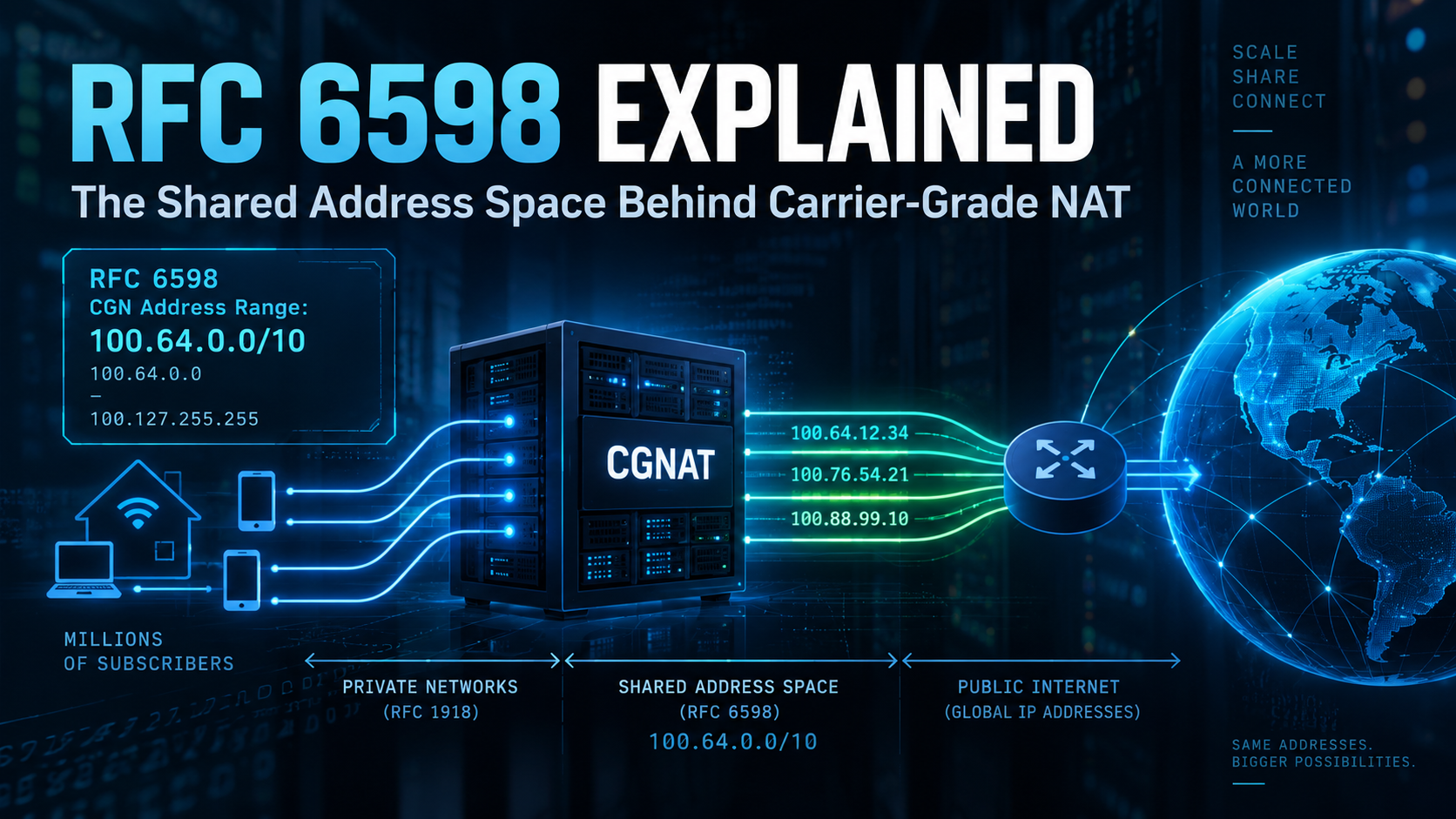
If you have ever run a traceroute on a customer connection and seen a hop sitting at 100.64.x.x, you have already met RFC 6598. It is not a typo, not a misconfigured private network, and not a security incident. It is the Shared Address Space, a purpose built IPv4 block that keeps Carrier Grade NAT (CGN) running without stepping on the private addressing every subscriber already has behind their own router. This post breaks down what the RFC actually says, why the block exists, and what it means day to day for anyone running firewalls, building blocklists, or troubleshooting connectivity behind a provider that uses CGN.
Quick Reference
| Field | Value |
|---|---|
| RFC | 6598 |
| Title | IANA Reserved IPv4 Prefix for Shared Address Space |
| BCP | 153 |
| Published | April 2012 |
| Authors | J. Weil (Time Warner Cable), V. Kuarsingh (Rogers Communications), C. Donley (CableLabs), C. Liljenstolpe (Telstra), M. Azinger (Frontier Communications) |
| Updates | RFC 5735, Special Use IPv4 Addresses |
| Address range | 100.64.0.0 through 100.127.255.255 |
| CIDR block | 100.64.0.0/10 |
| Size | 4,194,304 addresses |
| Primary use | Carrier Grade NAT links between CPE and provider NAT devices |
The Problem RFC 6598 Was Written to Solve
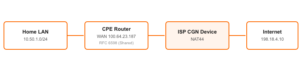
IPv4 exhaustion left plenty of providers without enough public addresses to hand one to every subscriber. The common fix is Carrier Grade NAT, also called Large Scale NAT (LSN), where hundreds or thousands of subscribers share a much smaller pool of public IPv4 addresses. That adds a second NAT hop between the subscriber’s own router and the internet, an architecture often called NAT444: private address on the home LAN, shared address on the CPE to CGN link, public address once traffic reaches the CGN device.
That middle hop still needs an IP address on both ends, on the CPE’s WAN interface and on the CGN device’s inside interface. Handing out real public addresses for that link defeats the entire point of CGN. That gap between the customer’s private LAN and the provider’s public edge is exactly what RFC 6598 was written to fill.
Why Not Just Use RFC 1918?
Before RFC 6598 existed, some providers used RFC 1918 space (10.0.0.0/8, 172.16.0.0/12, 192.168.0.0/16) for exactly this CPE to CGN link. The problem is that subscribers are already running RFC 1918 addressing on their own home or office LAN. If the provider’s CGN infrastructure and a customer’s LAN both land in, say, 192.168.1.0/24, routing and filtering on the customer side gets ambiguous fast, since the same prefix now means two different things depending on which side of the CPE you are looking from. Site to site VPNs, static routes, and ACLs written against 1918 space can all misfire.
Shared Address Space solves that by being a block that is guaranteed not to show up on a subscriber’s own LAN, because it is reserved specifically for provider infrastructure rather than general private networking. RFC 6598 is explicit that this space is distinct from RFC 1918 for that reason, even though it behaves in a similar non globally routable way.
The Address Block Itself
100.64.0.0/10 covers everything from 100.64.0.0 through 100.127.255.255. A /10 leaves 22 host bits, which works out to 4,194,304 addresses, more than enough room for a large provider’s CPE to CGN links without overlapping any address space the provider routes elsewhere on its own network.
What the RFC Actually Requires
- Shared Address Space must not be advertised into the global BGP table. It has no meaning outside a provider’s own network, and leaking it is a routing hygiene problem as much as an addressing one.
- Reverse DNS lookups for addresses in this block must not be forwarded to the public DNS hierarchy. RFC 7793, published in 2016, followed up on this by formally adding the corresponding in-addr.arpa zones to the locally served DNS zone registry, so resolvers stop leaking those PTR queries upstream by default.
- The block is intended specifically for CGN to CPE links, not as a general substitute for RFC 1918 inside an enterprise or home network, even though it behaves like private space on paper.
- A provider can reuse the same 100.64.x.x address across unrelated customer facing links, the same way RFC 1918 space gets reused across unrelated private networks, as long as translation is handled correctly at each boundary.
Where This Bites Practitioners in Practice
Traceroute and connectivity diagnostics
Seeing a 100.64.x.x hop on a customer’s path tells you immediately that you are dealing with CGN, and that the subscriber does not have a routable public address of their own. Certain fixes, inbound port forwarding, self hosted services, some VPN modes, are off the table without the provider’s cooperation, no matter how the customer’s own router is configured.
Bogon and blocklist gaps
Security tooling, firewalls, and libraries built before April 2012 sometimes still ship without 100.64.0.0/10 in their private or reserved address lists. That gap is not hypothetical. A 2024 security advisory for the Python requests-hardened library documented an SSRF filter that correctly blocked RFC 1918 ranges but missed 100.64.0.0/10 entirely, letting an attacker supplied URL reach internal services sitting in that block. That gap is especially relevant because AWS EKS uses 100.64.0.0/10 as its default pod CIDR, so plenty of real internal services live right there. Any allow or deny list you maintain for internal, non-routable address space needs this block sitting right next to RFC 1918, not treated as ordinary public space.
Enterprise and VPN misuse
Because 100.64.0.0/10 is non globally routable, some organizations and VPN products, Tailscale is a commonly cited example, have used it internally to dodge RFC 1918 exhaustion or address collisions across sites. That works fine right up until a device on that network also sits behind a CGN provider using the same block for its own infrastructure. At that point routing gets ambiguous and traffic can silently take the wrong path. If you inherit a network already using 100.64.0.0/10 internally, treat it as a flag to check for CGN conflicts before troubleshooting anything else.
FortiGate and Fortinet Specific Notes
Recognizing it in packet captures and logs
If diagnose sniffer packet or FortiView shows traffic sourced from or destined to 100.64.0.0/10 on a WAN facing interface, that is CGN infrastructure talking to the customer’s CPE, not a misconfigured internal host. Do not chase it as a rogue device on the LAN.
diagnose sniffer packet wan1 'host 100.64.23.187' 4 0 l
interfaces=[wan1]
filters=[host 100.64.23.187]
12.884561 100.64.23.187.51422 -> 198.18.4.10.443: syn 2884013822
12.885102 198.18.4.10.443 -> 100.64.23.187.51422: syn 3910442091 ack 2884013823
12.885390 100.64.23.187.51422 -> 198.18.4.10.443: ack 3910442092
A FortiGate sitting behind CGN
If FortiGate’s own WAN1 interface, on an LTE failover circuit or a residential grade cable or fiber hand off for example, pulls an address from 100.64.0.0/10 via DHCP, that is the provider telling you plainly that you are behind CGN. Inbound access, port forwards, VIPs expecting a public destination, some IPsec or SSL VPN listener configurations, will not work without cooperation from the provider: a routed public block, a DMZ host, or a NAT64, DS-Lite, or MAP-T handoff instead. Check the interface output before you burn time on a firewall policy that was never going to fix a CGN problem.
get system interface physical
== [ wan1 ]
name: wan1  mode: dhcp  ip: 100.64.23.187 255.255.255.252  status: up
Defining an address object for filtering and logging
This space will not typically appear on an ordinary internal FortiGate deployment, but if you run FortiGate as part of provider infrastructure, or you want log correlation for the SSRF style blind spot above, define it explicitly rather than relying only on your RFC 1918 objects.
config firewall address
    edit "rfc6598-shared-address-space"
        set subnet 100.64.0.0 255.192.0.0
        set comment "RFC 6598 Shared Address Space (CGN uplink range), treat as non-routable alongside RFC 1918"
    next
end
For an explicit proxy or reverse proxy policy where you are enforcing a no internal address rule to stop SSRF, group it with your existing RFC 1918 objects so the same gap that hit the requests-hardened advisory does not exist in your own environment.
config firewall addrgrp
    edit "internal-and-cgn-non-routable"
        set member "RFC1918-10.0.0.0/8" "RFC1918-172.16.0.0/12" "RFC1918-192.168.0.0/16" "rfc6598-shared-address-space"
    next
end
Common Misconceptions
“It’s basically RFC 1918.” Not quite. RFC 6598 explicitly separates itself from 1918 because it is provider only address space, not general purpose private networking address space, even though both are non globally routable.
“If I see it, something is broken.” Usually the opposite. Seeing 100.64.x.x on a WAN interface or in a traceroute is CGN working exactly as designed. The actual problem is whatever you were trying to do, inbound access or certain VPN modes, that assumed a routable public address existed where it does not.
“My firewall already blocks all private ranges, so I’m covered.” Only if RFC 6598 was explicitly added to that list. Plenty of bogon and private address lists built before 2012, or built from a checklist that only names RFC 1918, still miss it entirely.
Key Takeaways
- 100.64.0.0/10 is reserved specifically for CGN to CPE links, not as a general RFC 1918 substitute.
- It must never be advertised on the public BGP table or forwarded through public reverse DNS.
- Update bogon lists, blocklists, and SSRF filters to include it explicitly, since many predate the 2012 allocation.
- Seeing it on a WAN interface or in a traceroute confirms CGN is in play, and explains why inbound access needs provider cooperation.
- Watch for it in enterprise and VPN designs too, since it can quietly collide with an ISP’s own CGN infrastructure.
CGN and RFC 6598 are a stopgap, not a destination. As long as IPv4 exhaustion keeps CGN in the picture, the Shared Address Space will keep showing up in traceroutes, packet captures, and blocklists. Knowing what it is, and updating your tooling to treat it correctly, saves time chasing phantom problems and closes a filtering gap attackers already know how to use. IPv6 remains the actual long term fix. RFC 6598 is what keeps IPv4 limping along until enough of the internet gets there.
Recent posts
-

-

DNS is one of those technologies that quietly underpins... Full Story
-

BGP issues on FortiGate firewalls usually trace back to... Full Story
-

Every time your laptop talks to your router, a... Full Story
-

If you've spent any time configuring NAT on a... Full Story
-

If you have spent any time configuring firewall policies... Full Story
-

High availability on FortiGate is one of those features... Full Story
-

If you've configured SD-WAN on a FortiGate, you've almost... Full Story
-

FortiLink is the management protocol that turns a FortiSwitch... Full Story
-

FortiSwitches are pretty rock solid from Mean Time Between... Full Story
-

This is a quicky tip. Have you ever gone... Full Story
-

DNS is one of those quiet pieces of internet... Full Story
-

This article is an updated version of the previous... Full Story
-

You will add ns2 as a secondary (slave) BIND9... Full Story
-

In the process of deploying my lab, I needed... Full Story
-

RFC 8805, used to be known as Self-Correcting IP... Full Story
-

Years back, I wrote an article about certificate pinning. ... Full Story
-

FortiGates have the ability to send alerts to Microsoft... Full Story
-

In this post, I am going to walk through... Full Story
-

Troubleshooting VoIP on a FortiGate can feel like trying... Full Story
-

Prior to FortiOS 7.0, there were three commands to... Full Story
-

In this post, I am going to go over... Full Story
-

What we are going to do: We are going... Full Story
-

Choosing between FGCP (FortiGate Clustering Protocol) and FGSP (FortiGate... Full Story
-

Creating a VLAN on macOS (The "Pro" Move) A... Full Story
-

This blog post explores the logic behind how macOS... Full Story
-

Pretty Fly for a Wi-Fi Tell My Wi-Fi Love... Full Story
-

Part of my daily gig is creating BoMs (Bill-of-Materials)... Full Story
-

ICMP introduces several security risks, but careful filtering, rate... Full Story
-

The command diag debug application dhcps -1 enables full... Full Story
-

In the world of FortiOS, execute tac report is... Full Story
-

LLDP; What is it The Link Layer Discovery Protocol... Full Story
-

What it actually does When you run diagnose fdsm... Full Story
-

Monkey Bites are bite-sized, high-impact security insights designed for... Full Story
-

I have run macOS in macOS with Parallels but... Full Story
-

Don't be confused with my other FortiNAC posts where... Full Story
-

This is the third session in a multi-part article... Full Story
-

Today I was configuring key-based authentication on a FortiGate... Full Story
-

Netcat, often called the "Swiss Army knife" of networking,... Full Story
-

At its core, IEEE 802.1X is a network layer... Full Story
-

In case you did not see the previous FortiNAC... Full Story
-

This is our 5th session where we are going... Full Story
-

Now that we have Wireshark installed and somewhat configured,... Full Story
-

The Philosophy of Packet Analysis Troubleshooting isn't about looking... Full Story
-

If you have ever run a traceroute on a... Full Story
-

Executive Summary Objective: Give a practitioner-level walkthrough of the... Full Story
-

Ran into a scenario where one of my customers... Full Story