
If you've spent any time configuring user authentication on... Full Story
By Manny Fernandez
September 24, 2026
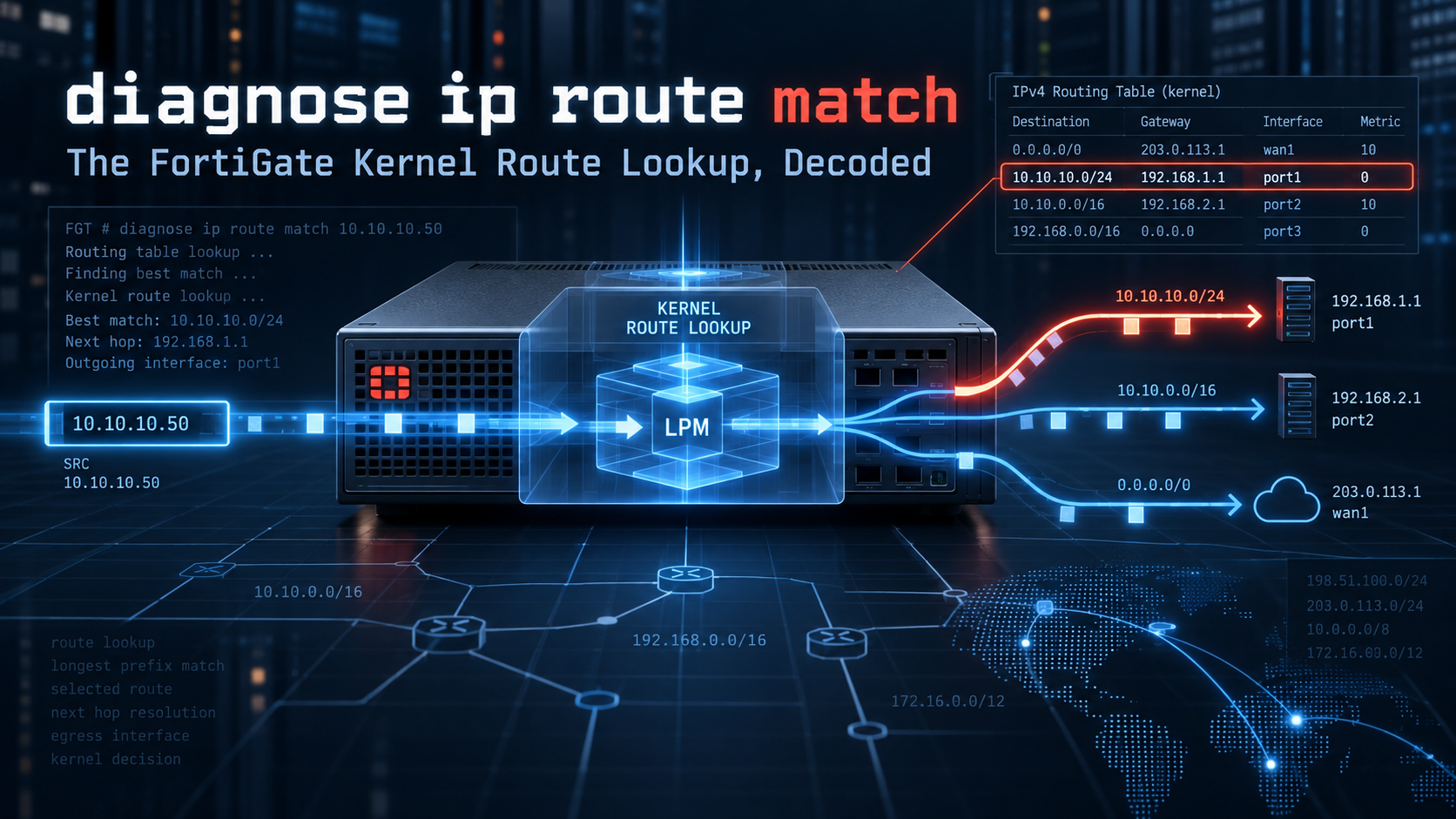
“diagnose ip route match”: The FortiGate Kernel Route Lookup, Decoded
Executive Summary
get router info routing-table all tells you what the routing daemon believes. diagnose ip route match tells you what the kernel forwarding table (FIB) will actually do with a specific destination, optionally scoped by source address, egress interface, ingress interface, and VRF. It returns exactly one route or nothing at all, which makes it the fastest yes/no answer on a FortiGate to the question: “if a packet for this address showed up right now, where would it leave?”
| Item | Detail |
|---|---|
| Objective | Master every argument and output field of diagnose ip route match, know exactly what it does and does not evaluate, and fold it into a repeatable routing triage workflow. |
| Target audience | FortiGate administrators, NSE 4 to NSE 7 candidates, SEs and MSSP engineers who troubleshoot routing, SD-WAN, VRF and IPsec designs. |
| Availability | FortiOS 7.2.x and later (IPv4 and IPv6 variants). Still present in the 7.4, 7.6 and 8.0 CLI references. |
| Command class | Read-only diagnostic. Safe to run in production. No debug enable, no CPU impact worth mentioning. |
The one-line version
diagnose ip route match <dst> <src> <oif> <iif> <vrf> is a single FIB lookup. It does not evaluate policy routes, SD-WAN rules or ISDB routes. Check those first with diagnose ip proute match, then use this command for the kernel answer.
Prerequisites and Lab Architecture
Assumed knowledge
- Static route attributes on FortiOS: distance, priority, and how they interact.
- The difference between the RIB (routing daemon view) and the FIB (kernel forwarding view).
- Basic VDOM and VRF concepts, and how policy routes and SD-WAN rules sit in front of the routing table.
Lab components
Addressing follows the InfoSecMonkey lab convention: 198.18.0.0/15 stands in for public and transit space, 10.0.0.0/16 for internal LANs. Interface index numbers shown in outputs (the value in parentheses) are illustrative and will differ on your hardware.
| Component | Interface | Addressing / Role |
|---|---|---|
| Primary ISP | wan1 | 198.18.1.2/30, next hop 198.18.1.1 |
| Secondary ISP | wan2 | 198.18.2.2/30, next hop 198.18.2.1 |
| User LAN | port3 | 10.0.10.1/24 |
| HQ IPsec tunnel | to-hq | Route to 10.0.100.0/24 |
| OT segment in VRF 10 | port5 | 10.0.50.1/24, static 10.0.60.0/24 via 10.0.50.254 |
| Test destination | n/a | 198.18.200.10 (simulated Internet host) |
Baseline routing configuration
Lab static routes and VRF binding
config system interface
    edit "port5"
        set vrf 10
    next
end
config router static
    edit 1
        set gateway 198.18.1.1
        set device "wan1"
        set distance 10
        set priority 1
    next
    edit 2
        set gateway 198.18.2.1
        set device "wan2"
        set distance 10
        set priority 10
    next
    edit 3
        set dst 10.0.100.0 255.255.255.0
        set device "to-hq"
    next
    edit 4
        set dst 10.0.60.0 255.255.255.0
        set gateway 10.0.50.254
        set device "port5"
    next
end
Routes 1 and 2 share distance 10, so both are installed in the FIB. Priority decides which one wins for a normal lookup. That detail is the key to several of the tests below.
Where the Command Sits: RIB, FIB and Policy Routes
A FortiGate makes a forwarding decision in layers. Knowing which layer each command reads is the difference between a five-minute fix and an afternoon of chasing the wrong table.
| Layer | What lives there | Read it with | Seen by route match? |
|---|---|---|---|
| Policy routes / SD-WAN rules / ISDB routes | Source, service, application and SLA based steering. Evaluated first. | diagnose firewall proute list, diagnose ip proute match |
No |
| RIB | Every route from every source, active and inactive, with distance and priority. | get router info routing-table all | database | details <ip> |
Indirectly |
| FIB (kernel) | Only the routes the kernel will forward with. Best distance per prefix, all priorities. | get router info kernel, diagnose ip route list |
Yes, this is what it queries |
The trap
If a policy route or SD-WAN rule matches the traffic, the packet never consults the table this command reads. A clean route match result proves the FIB is right. It does not prove the packet takes that path.
Syntax and Arguments
IPv4 syntax (FortiOS 7.2 and later)
diagnose ip route match <dst-ip> <src-ip> <outgoing-intf> <incoming-intf> <vrf>| # | Argument | Accepted values | Unset value | What it changes |
|---|---|---|---|---|
| 1 | dst-ip | IPv4 address | Required | The destination being looked up. Longest prefix match applies. |
| 2 | src-ip | IPv4 address | 0.0.0.0 |
Source used in the lookup. Matters for ECMP hashing and for the returned preferred source. |
| 3 | outgoing-intf | Interface name | - |
Restricts the result to routes out of that interface. Lets you test a lower priority path that is in the FIB but not currently preferred. |
| 4 | incoming-intf | Interface name | - |
Simulates a transit packet arriving on that interface instead of a locally generated one. |
| 5 | vrf | 0 to 511 (CLI range) | 0 |
Which VRF table to search. Use the VRF bound to the interfaces you care about. |
Always type all five
The arguments are positional. Supply every one, using 0.0.0.0 and - as placeholders, so a value never lands in the wrong slot. Example: diagnose ip route match 198.18.200.10 0.0.0.0 - - 0.
IPv6 counterpart
diagnose ipv6 route match <dst-ipv6> <interface-name>
# '-' means unset for the interface
Output Field Reference
Representative output
dst=198.18.200.10 src=0.0.0.0 psrc=198.18.1.2 gwy=198.18.1.1 oif=wan1(5) iif=-(0) vrf=0 local=0| Field | Meaning | Practitioner read |
|---|---|---|
| dst | Destination you asked about, echoed back. | Confirms no typo made it into the query. |
| src | Source you supplied, 0.0.0.0 when unset. |
Echo only. It is an input, not a decision. |
| psrc | Preferred source address the kernel would use for traffic it originates toward this destination. | Usually the egress interface IP. On unnumbered tunnels it tells you why local-out traffic (syslog, RADIUS, FortiGuard) arrives with an unexpected source. |
| gwy | Next hop gateway. 0.0.0.0 means directly connected (or a point to point interface). |
A connected result for a destination you expected to route is a classic overlapping subnet or wrong mask finding. |
| oif | Egress interface name with the kernel ifindex in parentheses. | Cross reference the index with diagnose netlink interface list if names are ambiguous. |
| iif | Ingress interface you supplied. -(0) when unset. |
Echo only. |
| vrf | VRF table the lookup ran in. | If this is not the VRF you meant, nothing else on the line matters. |
| local | 1 if the destination is an address owned by this FortiGate (in this VDOM), otherwise 0. |
local=1 means the packet terminates on the box, so firewall local-in policy and admin access apply instead of forwarding. |
No output at all is also an answer: the kernel has no route that satisfies the constraints you gave. For a destination-only query, that means the traffic is unroutable in that VRF and will be dropped.
Step-by-Step Workflow
Step 1: Enter the correct context
Goal: make sure you are querying the right forwarding table. Action: each VDOM has its own kernel tables, so on a multi-VDOM unit move into the VDOM that owns the interfaces first.
Set the VDOM context (multi-VDOM units only)
config vdom
    edit <vdom-name>
diagnose ip route match 198.18.200.10 0.0.0.0 - - 0
Verification: get system status shows the current virtual domain. A result that looks “wrong” on a VDOM unit is most often a query run from the wrong VDOM.
Step 2: Baseline destination-only lookup
Goal: get the kernel’s unconstrained answer. Action: supply only the destination and leave everything else unset.
Unconstrained lookup
diagnose ip route match 198.18.200.10 0.0.0.0 - - 0
dst=198.18.200.10 src=0.0.0.0 psrc=198.18.1.2 gwy=198.18.1.1 oif=wan1(5) iif=-(0) vrf=0 local=0
wan1 wins because route 1 has priority 1 against priority 10 on route 2. A connected destination returns gwy=0.0.0.0:
Connected destination
diagnose ip route match 10.0.10.25 0.0.0.0 - - 0
dst=10.0.10.25 src=0.0.0.0 psrc=10.0.10.1 gwy=0.0.0.0 oif=port3(7) iif=-(0) vrf=0 local=0
GUI Verification: the Routing Monitor route lookup tool (Dashboard > Network > Routing on recent releases, exact path varies by version) should agree. Note that the GUI lookup also evaluates policy routes, so if the GUI and CLI disagree, suspect a policy route or SD-WAN rule.
Step 3: Constrain the egress interface
Goal: prove the backup path is armed in the FIB before you need it. Action: pin the outgoing interface to wan2.
Is the wan2 path installed?
diagnose ip route match 198.18.200.10 0.0.0.0 wan2 - 0
dst=198.18.200.10 src=0.0.0.0 psrc=198.18.2.2 gwy=198.18.2.1 oif=wan2(6) iif=-(0) vrf=0 local=0
Verification: a result here means route 2 is present in the kernel, ready to take over the moment route 1 is withdrawn (for example by link-monitor). This is also how you validate the return path for a specific interface when troubleshooting asymmetric designs.
Step 4: Prove a floating static is not in the FIB
Goal: understand why distance and priority behave differently. Action: convert route 2 into a classic floating static by raising its distance, then repeat the Step 3 query.
Make route 2 a floating static
config router static
    edit 2
        set distance 20
    next
end
diagnose ip route match 198.18.200.10 0.0.0.0 wan2 - 0
(no output)
Verification: no output is correct. A route with a worse distance stays in the RIB as inactive (visible in get router info routing-table database) and is only pushed to the kernel if the better route disappears. Priority keeps both routes in the FIB. Distance does not. Revert with set distance 10 if you want the rest of the lab to match.
Step 5: Add a source address
Goal: see the lookup from a real client’s perspective. Action: supply the client IP as src-ip and the LAN as incoming-intf to simulate transit traffic.
Transit lookup for a LAN client
diagnose ip route match 198.18.200.10 10.0.10.25 - port3 0
dst=198.18.200.10 src=10.0.10.25 psrc=198.18.1.2 gwy=198.18.1.1 oif=wan1(5) iif=port3(7) vrf=0 local=0
ECMP note: if you configure two default routes with identical distance and priority, the kernel holds a multipath route and the source address feeds the hash. Run the query with several different sources. If oif flips between them, you are seeing ECMP selection. If it never flips, treat that as inconclusive and confirm with debug flow (Step 8), since the dataplane hash and the configured v4-ecmp-mode are what real sessions follow.
Step 6: Query a VRF
Goal: check routing inside a segmented table. Action: set the last argument to the VRF ID.
VRF 10 lookup
diagnose ip route match 10.0.60.5 0.0.0.0 - - 10
dst=10.0.60.5 src=0.0.0.0 psrc=10.0.50.1 gwy=10.0.50.254 oif=port5(9) iif=-(0) vrf=10 local=0

diagnose ip route match 10.0.60.5 0.0.0.0 - - 0
(no output)
Verification: the same destination resolves in VRF 10 and fails in VRF 0. That is the isolation you designed. If the global lookup had succeeded, something (a leaked route, a default route in VRF 0) is providing a path you may not want.
Step 7: Check policy routes and SD-WAN rules first
Goal: rule out the layer this command ignores. Action: add a policy route that steers the LAN to wan2, then compare both commands.
Policy route steering port3 traffic to wan2
config router policy
    edit 1
        set input-device "port3"
        set src "10.0.10.0/255.255.255.0"
        set dst "0.0.0.0/0.0.0.0"
        set gateway 198.18.2.1
        set output-device "wan2"
    next
end
Kernel answer versus policy answer
diagnose ip route match 198.18.200.10 10.0.10.25 - port3 0
dst=198.18.200.10 src=10.0.10.25 psrc=198.18.1.2 gwy=198.18.1.1 oif=wan1(5) iif=port3(7) vrf=0 local=0

diagnose ip proute match 198.18.200.10 10.0.10.25 port3 6 443
dst=198.18.200.10 src=10.0.10.25 smac=00:00:00:00:00:00 iif=7 protocol=6 dport=443
id=00000001 type=Policy Route
seq-num=1
Verification: the kernel still says wan1, but the policy route wins and the session leaves via wan2. The proute syntax is diagnose ip proute match <dst> <src> <iif> <proto> <dport> <sport>. SD-WAN rules and ISDB routes show up in the same lookup with IDs above 65535. Regular policy routes use IDs 1 through 65535. A policy route with the Stop Policy Routing action does not return a match, and the traffic falls through to the FIB.
Step 8: Confirm against the dataplane with debug flow
Goal: get ground truth for a real session. Action: trace one flow and read the routing lines.
Debug flow for a single client
diagnose debug reset
diagnose debug flow filter addr 10.0.10.25
diagnose debug flow filter daddr 198.18.200.10
diagnose debug flow show iprope enable
diagnose debug console timestamp enable
diagnose debug flow trace start 20
diagnose debug enable
# generate traffic from the client, then:
diagnose debug disable
diagnose debug reset
Verification: look for Match policy routing id=... (policy route or SD-WAN rule hit) and find a route: flag=... gw-... via <interface> (FIB result). The interface in the trace is what really happened, and it should agree with the combination of Steps 5 and 7.
Verification and Validation
Use this table to translate a result straight into a conclusion.
| What you see | What it means | Next move |
|---|---|---|
Expected oif and gwy |
FIB is correct for this destination. | Run diagnose ip proute match to confirm nothing overrides it. |
gwy=0.0.0.0 for a remote destination |
Destination falls inside a connected subnet. | Check interface masks and overlapping subnets with diagnose ip address list. |
local=1 |
Destination is an IP owned by this FortiGate in this VDOM. | Troubleshoot local-in policy, admin access or VIP design, not forwarding. |
Result only with oif pinned |
Path exists in the FIB at a worse priority. | Expected for primary/backup by priority. Unexpected otherwise, so review priorities. |
| No output | No usable route in that VRF with those constraints. | Check get router info routing-table database for inactive routes and confirm the VRF. |
Different oif per source |
ECMP multipath route in play. | Validate v4-ecmp-mode and confirm with debug flow. |
Troubleshooting and Gotchas
Gotcha 1: The RIB says one thing, the kernel says another
get router info routing-table details <ip> can show a route that is not usable in the kernel, for example when its interface is down, link-monitor has pulled it, or it lost on distance. Always compare both views.
Compare RIB and FIB for one destination
get router info routing-table details 198.18.200.10
get router info routing-table database
get router info kernel
diagnose ip route match 198.18.200.10 0.0.0.0 - - 0
Resolution: if the RIB shows the route as inactive (no asterisk, or only in database), fix the reason it is inactive: interface state, link-monitor health, gateway reachability or distance.
Gotcha 2: The command is right, the traffic still goes elsewhere
Policy routes, SD-WAN rules and ISDB routes are evaluated before the FIB. The command does not see them. Existing sessions also keep their cached route until they are re-evaluated, so a routing change may not move traffic that is already flowing.
Check the layers in front of the FIB and existing sessions
diagnose firewall proute list
diagnose ip proute match 198.18.200.10 10.0.10.25 port3 6 443
diagnose sys session filter src 10.0.10.25
diagnose sys session filter dst 198.18.200.10
diagnose sys session list
Resolution: correct the policy route or SD-WAN rule order, or add a Stop Policy Routing entry for traffic that must follow the routing table. For sessions pinned to the old path, clear only the filtered sessions during a change window.
Gotcha 3: Wrong VDOM or VRF, silent wrong answer
The command answers the question you asked in the table you asked it in. A lookup from the wrong VDOM, or with vrf left at 0 for a segmented interface, produces a confident and irrelevant result.
Confirm context and VRF membership
get system status | grep -i "virtual domain"
show system interface port5 | grep vrf
get router info routing-table all
Resolution: re-run inside the correct VDOM and pass the VRF bound to the interfaces involved. On VRF-enabled units the routing table output is grouped per VRF, which makes it easy to confirm where a prefix actually lives. Remember that a route leaked between VRFs must exist in the VRF of the ingress interface to be used.
Quick Reference Cheat Sheet
| Task | Command |
|---|---|
| Where does this destination go? | diagnose ip route match <dst> 0.0.0.0 - - 0 |
| Is the backup path armed? | diagnose ip route match <dst> 0.0.0.0 <backup-if> - 0 |
| Transit lookup for a client | diagnose ip route match <dst> <client> - <lan-if> 0 |
| Lookup inside a VRF | diagnose ip route match <dst> 0.0.0.0 - - <vrf> |
| Does a policy route or SD-WAN rule win? | diagnose ip proute match <dst> <src> <iif> <proto> <dport> |
| IPv6 lookup | diagnose ipv6 route match <dst> - |
| RIB detail for one destination | get router info routing-table details <dst> |
| Inactive routes | get router info routing-table database |
| Full kernel FIB | get router info kernel |
| Map ifindex to interface name | diagnose netlink interface list |
| Ground truth for a live flow | diagnose debug flow trace start <n> |
Triage order that never lies
1) diagnose ip proute match for steering overrides. 2) diagnose ip route match for the kernel decision. 3) get router info routing-table details when the kernel answer surprises you. 4) diagnose debug flow when you need proof.
Recent posts
-

-

DNS is one of those technologies that quietly underpins... Full Story
-

BGP issues on FortiGate firewalls usually trace back to... Full Story
-

Every time your laptop talks to your router, a... Full Story
-

If you've spent any time configuring NAT on a... Full Story
-

If you have spent any time configuring firewall policies... Full Story
-

High availability on FortiGate is one of those features... Full Story
-

If you've configured SD-WAN on a FortiGate, you've almost... Full Story
-

FortiLink is the management protocol that turns a FortiSwitch... Full Story
-

FortiSwitches are pretty rock solid from Mean Time Between... Full Story
-

This is a quicky tip. Have you ever gone... Full Story
-

DNS is one of those quiet pieces of internet... Full Story
-

This article is an updated version of the previous... Full Story
-

You will add ns2 as a secondary (slave) BIND9... Full Story
-

In the process of deploying my lab, I needed... Full Story
-

RFC 8805, used to be known as Self-Correcting IP... Full Story
-

Years back, I wrote an article about certificate pinning. ... Full Story
-

FortiGates have the ability to send alerts to Microsoft... Full Story
-

In this post, I am going to walk through... Full Story
-

Troubleshooting VoIP on a FortiGate can feel like trying... Full Story
-

Prior to FortiOS 7.0, there were three commands to... Full Story
-

In this post, I am going to go over... Full Story
-

What we are going to do: We are going... Full Story
-

Choosing between FGCP (FortiGate Clustering Protocol) and FGSP (FortiGate... Full Story
-

Creating a VLAN on macOS (The "Pro" Move) A... Full Story
-

This blog post explores the logic behind how macOS... Full Story
-

Pretty Fly for a Wi-Fi Tell My Wi-Fi Love... Full Story
-

Part of my daily gig is creating BoMs (Bill-of-Materials)... Full Story
-

ICMP introduces several security risks, but careful filtering, rate... Full Story
-

The command diag debug application dhcps -1 enables full... Full Story
-

In the world of FortiOS, execute tac report is... Full Story
-

LLDP; What is it The Link Layer Discovery Protocol... Full Story
-

What it actually does When you run diagnose fdsm... Full Story
-

Monkey Bites are bite-sized, high-impact security insights designed for... Full Story
-

I have run macOS in macOS with Parallels but... Full Story
-

Don't be confused with my other FortiNAC posts where... Full Story
-

This is the third session in a multi-part article... Full Story
-

Today I was configuring key-based authentication on a FortiGate... Full Story
-

Netcat, often called the "Swiss Army knife" of networking,... Full Story
-

At its core, IEEE 802.1X is a network layer... Full Story
-

In case you did not see the previous FortiNAC... Full Story
-

This is our 5th session where we are going... Full Story
-

Now that we have Wireshark installed and somewhat configured,... Full Story
-

The Philosophy of Packet Analysis Troubleshooting isn't about looking... Full Story
-

Executive Summary Objective: Get HopMatrix installed, verified, and working... Full Story
-

Executive Summary Objective: Stand up RIPv2 between two FortiGates,... Full Story
-

Executive Summary Every FortiGate IPsec write-up tells you to... Full Story