
If you've spent any time configuring user authentication on... Full Story
By Manny Fernandez
September 29, 2026
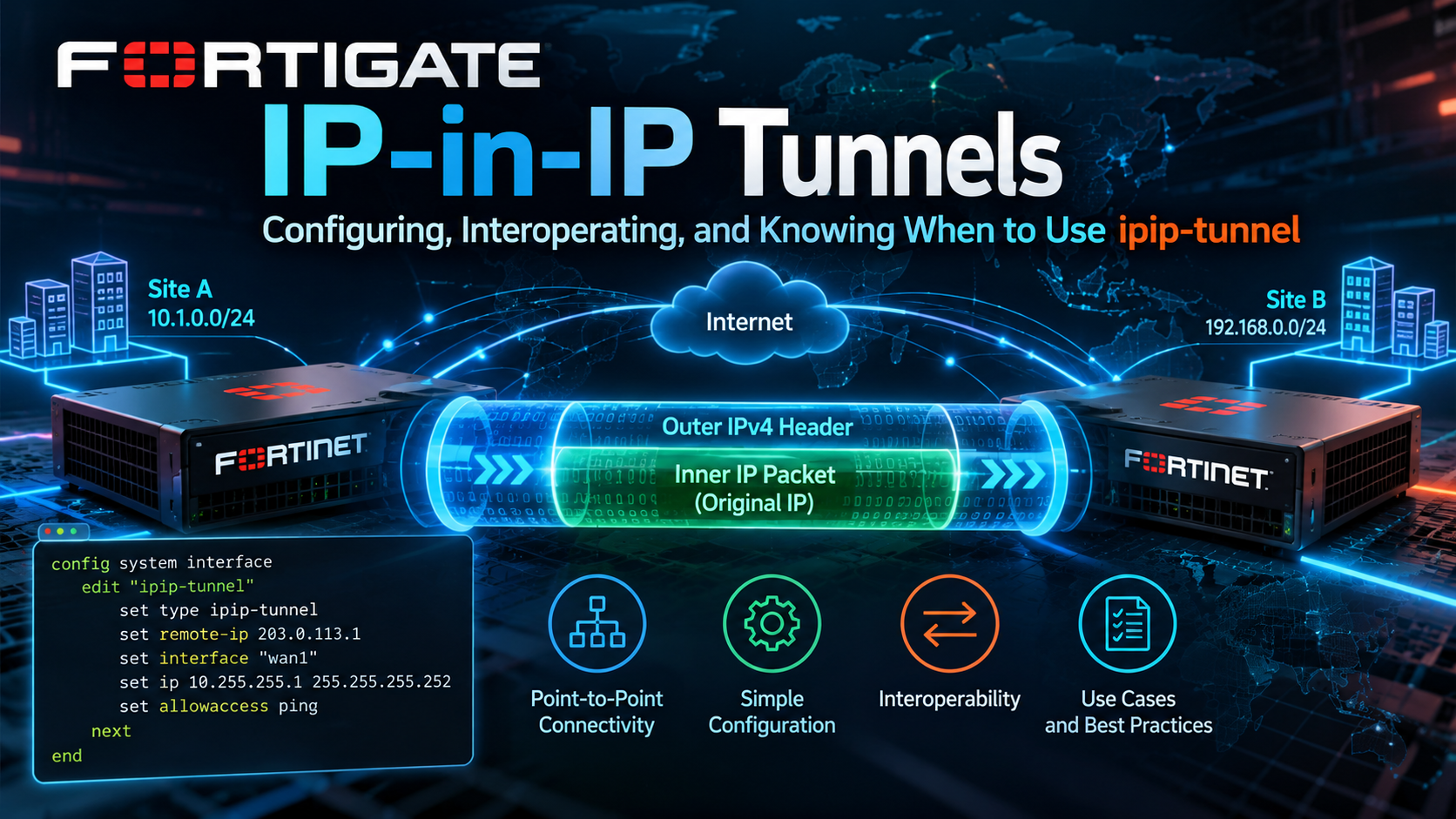
FortiGate IP-in-IP Tunnels: Configuring, Interoperating, and Knowing When to Use ipip-tunnel
The 20-byte tunnel nobody talks about: config system ipip-tunnel from RFC to working overlay
Executive Summary
Objective: Build, verify, and troubleshoot an IPv4-in-IPv4 (IPIP) tunnel on a FortiGate using config system ipip-tunnel, interoperate it with third-party routers, and understand exactly where it fits next to GRE, IPsec, and the other FortiOS tunnel types.
Target audience: Network and security engineers who already run FortiGates in production and need to stand up a lightweight routed overlay to a peer that speaks IPIP, or who inherited one and need to understand what it is doing.
IP-in-IP is the simplest tunnel the FortiGate can build. It wraps an IPv4 packet inside a second IPv4 header with IP protocol number 4, and that is it. No key field, no checksum, no sequence numbers, no keepalive, no encryption. That minimalism is exactly why it still exists: 20 bytes of overhead, near-universal support on routers and Linux, and a clean tunnel interface you can route over, write policy against, and drop into SD-WAN. I have been at Fortinet for almost 10 years and have worked with the product longer than that. I can tell you that everyday almost, I find a new feature I was not aware of. This is one of those features.
TL;DR
config system ipip-tunnel has five knobs: interface, local-gw, remote-gw, use-sdwan, and auto-asic-offload. The tunnel shows up as a normal tunnel interface. You address it, route to it, and write firewall policy for it exactly like a GRE tunnel. The peer must be configured for IPIP (protocol 4), not GRE (protocol 47).
What IP-in-IP Actually Is
An IPIP packet is an ordinary IPv4 packet whose payload is another complete IPv4 packet. The outer header carries the tunnel endpoints (your local-gw and remote-gw) with the Protocol field set to 4. The inner header is the original packet, untouched except for the TTL decrement it picked up on the way in. The receiving endpoint strips the outer header and routes the inner packet as if it had arrived on the tunnel interface.
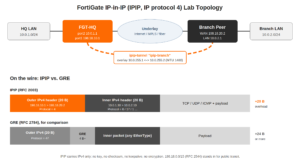
Because there is no shim header between the two IP headers, IPIP can only carry IPv4. It cannot carry IPv6, MPLS, Ethernet frames, or anything else GRE’s protocol-type field makes possible. It also has no demultiplexing field, which leads to one of the most important design constraints covered later: you get one IPIP tunnel per unique pair of endpoint addresses.
IPIP vs. the other FortiOS tunnel types
| Attribute | IPIP | GRE | IPsec (ESP) | VXLAN |
|---|---|---|---|---|
| FortiOS object | system ipip-tunnel |
system gre-tunnel |
vpn ipsec phase1-interface |
system vxlan |
| Outer protocol | IP proto 4 | IP proto 47 | ESP 50 / UDP 4500 | UDP 4789 |
| Overhead (IPv4) | 20 B | 24 B (+ key/seq) | ~50 to 73 B | 50 B |
| Inner payload | IPv4 only | Any (EtherType) | IPv4 / IPv6 | Ethernet (L2) |
| Encryption | None | None | Yes | None (unless over IPsec) |
| Native keepalive | No | Yes (keepalive-interval) | DPD | No |
| Multiple tunnels, same endpoints | No | Yes (GRE key) | Yes (SPI) | Yes (VNI) |
| Survives PAT/NAPT | No (no ports) | No (no ports) | Yes (NAT-T) | Yes (UDP) |
Standards and Nomenclature
IPIP is one of the oldest tunneling mechanisms on the Internet, and it has picked up a lot of names along the way. If you are reading another vendor’s docs or a packet capture, all of the following mean the same thing: IP-in-IP, IPIP, IPinIP, 4in4, IPv4-over-IPv4, and IP encapsulation within IP.
The RFCs that matter
| RFC | Title | Why it matters for IPIP |
|---|---|---|
| RFC 2003 | IP Encapsulation within IP (1996, Standards Track) | The defining spec. Outer header with Protocol 4, TTL handling, ICMP relay, fragmentation and DF behavior. This is what every modern ipip implementation targets. |
| RFC 1853 | IP in IP Tunneling (1995, Informational) | The earlier informational description. Fortinet’s own KB articles cite RFC 1853 when describing FortiOS IPIP support. On the wire the result is identical to RFC 2003. |
| RFC 2004 | Minimal Encapsulation within IP | A different, compressed format (IP protocol 55) from the Mobile IP world. Not what FortiOS builds. Do not confuse the two. |
| RFC 5944 | IP Mobility Support for IPv4, Revised | Mobile IPv4. IPIP was created largely to serve Mobile IP home-agent to foreign-agent tunnels, and it is still the mandatory default encapsulation there. |
| RFC 2983 | Differentiated Services and Tunnels | How DSCP should be treated between inner and outer headers. Relevant if you QoS the underlay. |
| RFC 6040 | Tunnelling of Explicit Congestion Notification | Updates ECN copy and combine rules at tunnel ingress and egress for IP-in-IP tunnels. |
| RFC 4459 | MTU and Fragmentation Issues with In-the-Network Tunneling | The canonical explanation of why tunnels break PMTUD and what to do about it. Applies directly to the 1480-byte IPIP MTU. |
| RFC 2784 / RFC 2890 | Generic Routing Encapsulation / Key and Sequence Number Extensions | The GRE comparison point. Useful when deciding between IPIP and GRE. |
| RFC 4213 | Basic Transition Mechanisms for IPv6 | IPv6-in-IPv4 (6in4, IP protocol 41). The IPv6 sibling of IPIP, built on FortiOS with config system sit-tunnel. |
| RFC 2473 | Generic Packet Tunneling in IPv6 | IPv4 or IPv6 inside IPv6 (4in6, 6in6). Built on FortiOS with config system ipv6-tunnel. |
Protocol 4 vs. protocol 94
In the IANA protocol registry, protocol 4 is “IPv4 encapsulation” and is what RFC 2003 IPIP uses. Protocol 94 is also labeled “IPIP” (IP-within-IP Encapsulation Protocol) and is a legacy KA9Q/NOS artifact. If a firewall rule, ACL, or cloud security group uses a keyword instead of a number, confirm it resolves to 4. Cisco’s ACL keyword ipinip is protocol 4; nos is protocol 94.
The FortiOS tunnel family
| Encapsulation | Common name | FortiOS command | IP protocol |
|---|---|---|---|
| IPv4 in IPv4 | IPIP, 4in4 | config system ipip-tunnel |
4 |
| IPv6 in IPv4 | 6in4, SIT | config system sit-tunnel |
41 |
| IPv4 or IPv6 in IPv6 | 4in6, 6in6 | config system ipv6-tunnel |
4 or 41 (IPv6 outer) |
| Anything in GRE | GRE | config system gre-tunnel |
47 |
Vendor nomenclature cheat sheet
| Platform | What they call it | Where you configure it |
|---|---|---|
| Fortinet FortiOS | IP in IP Tunneling | config system ipip-tunnel (CLI only) |
| Cisco IOS / IOS-XE | IP-in-IP tunnel | interface Tunnel<n> + tunnel mode ipip |
| Juniper Junos (SRX, MX) | IP-IP tunnel | ip-<fpc>/<pic>/<port> logical interface (e.g. ip-0/0/0) |
| Linux (iproute2) | ipip | ip link add <name> type ipip ... (kernel module ipip, fallback device tunl0) |
| FreeBSD / pfSense / OPNsense | GIF (generic tunnel interface) | gif(4); GUI: Interfaces > Assignments > GIFs |
| MikroTik RouterOS | IPIP | /interface ipip |
| VyOS | tunnel, encapsulation ipip | interfaces tunnel tunX encapsulation ipip |
| Huawei VRP | IPv4 over IPv4 tunnel | interface Tunnel + tunnel-protocol ipv4-ipv4 |
| F5 BIG-IP | ipip tunnel profile | net tunnels tunnel with profile ipip |
| Kubernetes Calico | IPIP mode | IPPool ipipMode: Always | CrossSubnet |
| Linux IPVS (LVS) | LVS-TUN | ipvsadm ... -i (tunneling forwarding method) |
| Wireshark / tcpdump | IPIP / ip-proto-4 | Display filter ip.proto == 4; BPF ip proto 4 |
When to Use It (and When Not To)
Good fits
- Interop with a peer that only speaks IPIP. Linux boxes, MikroTik, VyOS, lab routers, and some appliance-based services support IPIP where GRE is missing, awkward, or disabled. IPIP is often the lowest common denominator tunnel.
- Routed overlays across a trusted private underlay. MPLS L3VPN, dark fiber, carrier Ethernet, or an intra-datacenter path where encryption is not a requirement but you want a dedicated tunnel interface for routing, policy, and SD-WAN steering.
- Minimum overhead on constrained paths. At 20 bytes, IPIP leaves 4 more bytes of MTU than basic GRE and substantially more than IPsec. It matters on paths already squeezed by PPPoE, MPLS labels, or a provider overlay.
- Interface-based tunnel inside IPsec transport mode. Fortinet documents an IPIP over IPsec pattern for peers (typically legacy Cisco crypto maps) where IPsec protects protocol 4 in transport mode and IPIP provides the routable interface.
- Labs and training. It is the cleanest possible way to demonstrate encapsulation, recursive routing, and PMTUD failure modes.
Poor fits
- Anything across the public Internet without IPsec. IPIP is plaintext and trivially spoofable. Anyone who can send protocol 4 packets sourced from your peer’s address can inject traffic into your overlay.
- IPv6, multicast-dependent IGPs, or Layer 2 payloads. Use GRE,
sit-tunnel,ipv6-tunnel, or VXLAN instead. If you need OSPF over the tunnel, GRE is the safer, better-documented choice on FortiOS. - Either endpoint behind PAT/NAPT. IPIP has no ports, so there is nothing for a port-translating NAT to key on.
- Multiple tunnels between the same two addresses. IPIP has no key field. If you need two VRFs or two logical tunnels between the same public IPs, use GRE with keys or IPsec.
- Designs that need native liveness detection. There is no keepalive. You will be adding BFD or SD-WAN health checks to get fast failure detection.
What It Can Terminate With (Third-Party Support)
Because RFC 2003 IPIP has no negotiation and no options, interoperability is excellent: if a platform supports protocol 4 tunnels, it will talk to a FortiGate. The table below is the practitioner summary. Platform support can vary by model and release, so confirm on your exact software train.
| Peer | Terminates IPIP? | Notes |
|---|---|---|
| FortiGate | Yes | FortiOS 5.0.3 and later. use-sdwan added in 7.0. |
| Cisco IOS / IOS-XE (ISR, ASR 1000, Catalyst 8000, CSR/C8000V) | Yes | tunnel mode ipip. The default tunnel mode is GRE, so forgetting this line is the number one interop failure. |
| Juniper SRX / MX | Yes | ip- interfaces. MX needs tunnel services enabled on a PIC; SRX needs the ip- interface in a security zone. |
| Linux (any modern kernel) | Yes | ipip module, iproute2. Also underpins Calico and LVS-TUN. |
| pfSense / OPNsense / FreeBSD | Yes | GIF interfaces carry IPv4 in IPv4 (and IPv6 variants). |
| MikroTik RouterOS v6 / v7 | Yes | /interface ipip. |
| VyOS | Yes | encapsulation ipip. |
| Huawei VRP (AR, NE) | Yes | tunnel-protocol ipv4-ipv4. |
| F5 BIG-IP | Yes | ipip tunnel profile, common in load-balancer designs. |
| Cisco NX-OS, Arista EOS | Platform dependent | Often decapsulation-focused (Arista decap groups) or hardware-specific. Verify per platform. |
| Palo Alto PAN-OS | No native termination | PAN-OS terminates GRE (9.1+) and IPsec, not IPIP. Use GRE instead. |
| Cisco ASA / FTD | No | No IPIP tunnel interface. Use a route-based IPsec VTI. |
| Microsoft Azure VNet | Blocked | Azure drops IP-in-IP and GRE inside VNets. Build IPsec or VXLAN overlays there. |
| AWS VPC | Allowed | Security groups and NACLs must permit protocol 4 between endpoints. |
Prerequisites and Architecture
Assumed knowledge
- FortiOS CLI navigation, firewall policy, and static routing.
- Basic understanding of recursive routing and MTU/MSS.
- Admin access to the third-party peer.
Lab components
| Component | Role | Addressing |
|---|---|---|
| FGT-HQ (FortiOS 7.4 / 7.6) | Local tunnel endpoint | port1 WAN 198.18.10.1/24 (gw 198.18.10.254), port2 LAN 10.0.1.1/24 |
| Branch peer (Cisco, Linux, MikroTik, Juniper, or FortiGate) | Remote tunnel endpoint | WAN 198.18.20.2/24, LAN 10.0.2.1/24 |
| Tunnel overlay | Point-to-point transit | FGT 10.0.255.1, peer 10.0.255.2 (from 10.0.255.0/30) |
| Tunnel name | FortiOS object and interface | ipip-branch (15 character max) |
Addressing convention
198.18.0.0/15 (RFC 2544 benchmarking space) stands in for public and transit addresses. 10.0.0.0/16 covers internal LANs and the overlay. Substitute your real values.
Step-by-Step Implementation
Step 1: Pin underlay reachability to the remote gateway
Goal: Guarantee the FortiGate always reaches remote-gw via the underlay, never via the tunnel itself.
Action: Add a /32 static route to the peer’s WAN address via the physical WAN. A default route technically works, but the explicit /32 protects you the day someone redistributes a default or the peer’s WAN prefix into the overlay and creates recursive routing.
config router static
    edit 0
        set dst 198.18.20.2 255.255.255.255
        set gateway 198.18.10.254
        set device "port1"
        set comment "IPIP underlay pin to branch peer"
    next
end
GUI verification: Network > Static Routes shows the /32 via port1. Dashboard > Network > Routing (or get router info routing-table details 198.18.20.2) should resolve to port1.
Step 2: Create the ipip-tunnel object
Goal: Build the encapsulation endpoint and its tunnel interface.
Action: IPIP tunnels are created from the CLI only. The object name becomes the interface name, so keep it at 15 characters or fewer.
config system ipip-tunnel
    edit "ipip-branch"
        set interface "port1"
        set local-gw 198.18.10.1
        set remote-gw 198.18.20.2
        set auto-asic-offload enable
    next
end| Option | Default | What it does |
|---|---|---|
interface |
(none) | Parent interface that sources and receives the outer packets. Usually the WAN. |
local-gw |
0.0.0.0 | Outer source IP. Set it explicitly when the parent has secondary IPs or you are using a loopback-style design; the peer must see exactly this address. |
remote-gw |
0.0.0.0 | Outer destination IP (the peer’s tunnel source). |
use-sdwan |
disable | 7.0+. Resolve remote-gw through SD-WAN rules instead of the parent interface. Use when the underlay itself is an SD-WAN zone with multiple members. |
auto-asic-offload |
enable | Offload IPIP encapsulation and decapsulation to the NP where the model supports it. Present only on NP-equipped models. |
GUI verification: Network > Interfaces now lists ipip-branch as a tunnel interface (typically nested under port1). Its status should be up as soon as the object exists, because IPIP has no signaling to wait on.
Step 3: Address the tunnel interface
Goal: Give the overlay a routable next hop for static routes and BGP.
Action: The tunnel works unnumbered for static routes, but addressing it makes troubleshooting and dynamic routing far easier. FortiOS tunnel interfaces use a /32 local IP plus a remote-ip with the overlay mask.
config system interface
    edit "ipip-branch"
        set ip 10.0.255.1 255.255.255.255
        set remote-ip 10.0.255.2 255.255.255.252
        set allowaccess ping
        set role lan
        set description "IPIP overlay to branch"
    next
end
GUI verification: Network > Interfaces > ipip-branch shows IP 10.0.255.1/32 and Remote IP 10.0.255.2/30. The routing table should now show 10.0.255.0/30 as connected via ipip-branch.
Step 4: Write firewall policy in both directions
Goal: Permit the inner traffic. The tunnel interface is a full policy interface, so all inspection features (IPS, AV, app control, logging) apply to decapsulated traffic.
Action: Create address objects and two policies. Add TCP MSS clamping here to prevent PMTUD black holes (1480 MTU minus 40 bytes of IP and TCP headers).
config firewall address
    edit "HQ-LAN"
        set subnet 10.0.1.0 255.255.255.0
    next
    edit "BRANCH-LAN"
        set subnet 10.0.2.0 255.255.255.0
    next
end
config firewall policy
    edit 0
        set name "HQ-to-Branch-IPIP"
        set srcintf "port2"
        set dstintf "ipip-branch"
        set srcaddr "HQ-LAN"
        set dstaddr "BRANCH-LAN"
        set action accept
        set schedule "always"
        set service "ALL"
        set tcp-mss-sender 1440
        set tcp-mss-receiver 1440
        set logtraffic all
    next
    edit 0
        set name "Branch-to-HQ-IPIP"
        set srcintf "ipip-branch"
        set dstintf "port2"
        set srcaddr "BRANCH-LAN"
        set dstaddr "HQ-LAN"
        set action accept
        set schedule "always"
        set service "ALL"
        set tcp-mss-sender 1440
        set tcp-mss-receiver 1440
        set logtraffic all
    next
end
GUI verification: Policy & Objects > Firewall Policy shows both rules. Hit counts increment once traffic flows.
Step 5: Route across the tunnel
Goal: Steer branch-bound traffic into the overlay.
Action (static): Point the remote LAN at the tunnel interface.
config router static
    edit 0
        set dst 10.0.2.0 255.255.255.0
        set device "ipip-branch"
        set comment "Branch LAN via IPIP"
    next
end
Action (BGP): For anything beyond a couple of prefixes, peer eBGP across the overlay addresses and add BFD, since IPIP has no keepalive of its own.
config router bgp
    set as 65010
    set router-id 10.0.1.1
    config neighbor
        edit "10.0.255.2"
            set remote-as 65020
            set interface "ipip-branch"
            set bfd enable
            set soft-reconfiguration enable
        next
    end
    config network
        edit 0
            set prefix 10.0.1.0 255.255.255.0
        next
    end
end
config system interface
    edit "ipip-branch"
        set bfd enable
    next
end
Never learn the underlay through the overlay
If the peer advertises the prefix containing 198.18.20.2 over BGP, the FortiGate may try to reach remote-gw through the tunnel. The /32 static from Step 1 wins on prefix length and prevents the flap. Filter underlay prefixes out of the overlay with a prefix-list as a second layer.
GUI verification: Dashboard > Network > Routing (or Network > Routing Monitor on older builds) shows 10.0.2.0/24 via ipip-branch, as a static or BGP route.
Step 6 (optional): Put the tunnel into SD-WAN
Goal: Use performance SLAs as the liveness check IPIP lacks, and steer traffic between the IPIP overlay and other paths.
config system sdwan
    set status enable
    config zone
        edit "overlay"
        next
    end
    config members
        edit 10
            set interface "ipip-branch"
            set zone "overlay"
            set gateway 10.0.255.2
        next
    end
    config health-check
        edit "ipip-branch-sla"
            set server "10.0.255.2"
            set protocol ping
            set interval 500
            set failtime 3
            set recoverytime 5
            set members 10
        next
    end
end
Adding an interface to SD-WAN requires removing any existing references to it (policies and static routes) first, then referencing the zone instead. If the underlay is the SD-WAN, set use-sdwan enable on the ipip-tunnel object so the outer packets follow SD-WAN rules to reach remote-gw.
Step 7 (optional): Protect IPIP with IPsec transport mode
Goal: Encrypt the tunnel for peers that require an IPIP interface but can also run IPsec (classic Cisco crypto map designs).
Action: Build an IPsec phase 2 in transport mode restricted to protocol 4, then parent the ipip-tunnel to the IPsec interface and route remote-gw into it. Fortinet notes that IPIP inside IPsec and transport-mode IPsec are not NP offloaded on NP4/NP6, so size the CPU accordingly. For new builds, a plain route-based IPsec tunnel is almost always the better answer.
config vpn ipsec phase1-interface
    edit "ipsec-branch"
        set interface "port1"
        set ike-version 2
        set proposal aes256gcm-prfsha384
        set dhgrp 20
        set remote-gw 198.18.20.2
        set psksecret <PSK>
    next
end
config vpn ipsec phase2-interface
    edit "ipsec-branch"
        set phase1name "ipsec-branch"
        set proposal aes256gcm
        set dhgrp 20
        set protocol 4
        set encapsulation transport-mode
        set auto-negotiate enable
    next
end
config system ipip-tunnel
    edit "ipip-branch"
        set interface "ipsec-branch"
        set local-gw 198.18.10.1
        set remote-gw 198.18.20.2
    next
end
config router static
    edit 0
        set dst 198.18.20.2 255.255.255.255
        set device "ipsec-branch"
        set comment "IPIP endpoint via IPsec"
    next
end
Peer Configuration Examples
Every example below mirrors the FortiGate lab: peer WAN 198.18.20.2, FortiGate 198.18.10.1, overlay 10.0.255.0/30, branch LAN 10.0.2.0/24, HQ LAN 10.0.1.0/24.
Cisco IOS / IOS-XE
interface Tunnel10
 description IPIP to FGT-HQ
 ip address 10.0.255.2 255.255.255.252
 ip mtu 1480
 ip tcp adjust-mss 1440
 tunnel source GigabitEthernet1
 tunnel destination 198.18.10.1
 tunnel mode ipip
!
ip route 198.18.10.1 255.255.255.255 198.18.20.254
ip route 10.0.1.0 255.255.255.0 Tunnel10
Linux (iproute2)
sudo modprobe ipip
sudo ip link add ipip-fgt type ipip \
    local 198.18.20.2 remote 198.18.10.1 ttl 64
sudo ip addr add 10.0.255.2/30 dev ipip-fgt
sudo ip link set ipip-fgt mtu 1480 up
sudo ip route add 10.0.1.0/24 dev ipip-fgt
sudo sysctl -w net.ipv4.ip_forward=1
These commands are not persistent. Make them permanent with systemd-networkd (Kind=ipip in a .netdev file), NetworkManager (nmcli connection add type ip-tunnel mode ipip ...), or netplan tunnels: with mode: ipip. Allow protocol 4 in nftables or iptables on the WAN.
MikroTik RouterOS v7
/interface ipip
add name=ipip-fgt local-address=198.18.20.2 \
    remote-address=198.18.10.1 mtu=1480
/ip address
add address=10.0.255.2/30 interface=ipip-fgt
/ip route
add dst-address=10.0.1.0/24 gateway=ipip-fgt
Juniper Junos (SRX)
set interfaces ip-0/0/0 unit 0 tunnel source 198.18.20.2
set interfaces ip-0/0/0 unit 0 tunnel destination 198.18.10.1
set interfaces ip-0/0/0 unit 0 family inet mtu 1480
set interfaces ip-0/0/0 unit 0 family inet address 10.0.255.2/30
set security zones security-zone overlay interfaces ip-0/0/0.0
set routing-options static route 10.0.1.0/24 next-hop ip-0/0/0.0
On MX, enable tunnel services first (for example set chassis fpc 0 pic 0 tunnel-services bandwidth 1g) so the ip- interface exists. On SRX, the ip- interface must belong to a security zone, and security policy between that zone and the LAN zone governs the inner traffic.
VyOS (1.4 / 1.5)
set interfaces tunnel tun10 encapsulation ipip
set interfaces tunnel tun10 source-address 198.18.20.2
set interfaces tunnel tun10 remote 198.18.10.1
set interfaces tunnel tun10 address 10.0.255.2/30
set interfaces tunnel tun10 mtu 1480
set protocols static route 10.0.1.0/24 interface tun10
pfSense / OPNsense (GIF)
Go to Interfaces > Assignments > GIFs and add a GIF with parent interface WAN, GIF remote address 198.18.10.1, GIF tunnel local address 10.0.255.2, GIF tunnel remote address 10.0.255.1, and a /30 subnet. Assign the new GIF interface, enable it, add a static route for 10.0.1.0/24 via the GIF gateway, and create firewall rules on the GIF interface for the inner traffic. If your build does not already permit it, add a WAN rule allowing IP protocol 4 from 198.18.10.1.
FortiGate to FortiGate
Mirror Steps 1 through 5 on the branch FortiGate with local-gw and remote-gw swapped and the overlay IP set to 10.0.255.2 with remote-ip 10.0.255.1 255.255.255.252.
Verification and Validation
Tunnel interface state
diagnose netlink interface list ipip-branch
get system interface | grep -A2 ipip-branch
show system ipip-tunnel
Expected: the netlink output shows mtu=1480 and flags that include up, p2p, and run. An MTU of 1480 confirms the FortiGate has subtracted the 20-byte outer header from a 1500-byte parent.
Routing
get router info routing-table all
get router info routing-table details 198.18.20.2
get router info bgp summary
Expected: 10.0.2.0/24 points at ipip-branch, 198.18.20.2 resolves via port1 (never via the tunnel), and the BGP neighbor 10.0.255.2 is Established.
Overlay and underlay on the wire
execute ping-options source 10.0.255.1
execute ping 10.0.255.2
diagnose sniffer packet any 'ip proto 4' 4 10
diagnose sniffer packet any 'host 10.0.2.10 and icmp' 4 10
Expected: the protocol 4 capture shows port1 out 198.18.10.1 -> 198.18.20.2: ip-proto-4 paired with port1 in 198.18.20.2 -> 198.18.10.1: ip-proto-4. The inner capture shows the same ICMP echo on port2 in then ipip-branch out, and the reply on ipip-branch in then port2 out.
Policy path
diagnose debug reset
diagnose debug flow filter clear
diagnose debug flow filter addr 10.0.2.10
diagnose debug flow show function-name enable
diagnose debug flow trace start 20
diagnose debug enable
# generate traffic, then:
diagnose debug disable
Expected: find a route: ... via ipip-branch followed by Allowed by Policy-<id>. The return packet should arrive from ipip-branch and match the existing session.
Offload status
diagnose sys session filter clear
diagnose sys session filter dst 10.0.2.10
diagnose sys session list
Look for npu_state and offload flags on the session. Offload of IPIP depends on the NP generation and model; if sessions are not offloaded on hardware that should support it, confirm auto-asic-offload enable and check the Hardware Acceleration guide for your model and release.
Troubleshooting and Gotchas
1. Peer is in GRE mode, not IPIP
Symptom: Tunnel interface is up on both sides, nothing passes.
Diagnose: diagnose sniffer packet port1 'host 198.18.20.2' 4. If you see ip-proto-47 arriving, the peer is sending GRE. If you see your ip-proto-4 leaving and nothing returning, the peer is dropping or not configured.
Resolution: Set tunnel mode ipip on Cisco (default is GRE), encapsulation ipip on VyOS, and so on. Confirm any ACL in the path permits protocol 4, not 47 and not 94.
2. Recursive routing and a flapping tunnel
Symptom: Traffic works, then the tunnel black-holes every few seconds or minutes, often right after BGP comes up.
Diagnose: get router info routing-table details 198.18.20.2. If the best route to remote-gw points at ipip-branch, you have recursion.
Resolution: Keep the /32 underlay pin from Step 1, and filter the underlay prefix from BGP on both peers.
3. Small pings work, large transfers stall
Symptom: ICMP and SSH work, but HTTPS pages hang, SMB copies freeze, or VoIP signaling fails.
Diagnose: execute ping-options df-bit yes, execute ping-options data-size 1452, then execute ping 10.0.2.10. 1452 data bytes plus 28 bytes of IP and ICMP headers equals 1480. Step the size up and down to find the real path MTU. An underlay with its own overhead (PPPoE, a provider overlay) will be lower.
Resolution: Clamp MSS on the policies (tcp-mss-sender / tcp-mss-receiver) and on the peer (ip tcp adjust-mss). Make sure ICMP type 3 code 4 is not being filtered anywhere on the underlay.
4. Denied by forward policy check
Symptom: debug flow shows Denied by forward policy check (policy 0) for inner traffic.
Resolution: Policies must reference ipip-branch (or its SD-WAN zone) as source or destination interface in each direction. The underlay policy on port1 is not required for the outer protocol 4 packets the FortiGate itself terminates.
5. NAT between the endpoints
Symptom: Outer packets leave, peer never responds, or responds to the wrong address.
Resolution: IPIP cannot cross PAT. A 1:1 static NAT can work if the peer’s remote is the public address and both sides’ sources are consistent, but lab it first. If either end is behind consumer or carrier-grade NAT (RFC 6598 space in 100.64.0.0/10), use IPsec with NAT-T instead.
Security Considerations
- IPIP is plaintext. Everything inside is readable on the underlay. Treat an unprotected IPIP tunnel over the Internet the same way you would treat an unencrypted Telnet session.
- IPIP is spoofable. There is no authentication. An attacker who can forge the peer’s source address can inject packets that the FortiGate will decapsulate and hand to policy. Upstream anti-spoofing (BCP 38 / uRPF) and tight inner-traffic policies are your mitigations.
- Inspect the inner traffic. Because the tunnel is a normal policy interface, apply IPS, application control, and logging to overlay policies. Do not use
service ALLwith no profiles in production. - Prefer IPsec for anything untrusted. If both ends support route-based IPsec, it gives you encryption, authentication, NAT-T, and DPD for roughly 35 to 55 more bytes of overhead than IPIP.
Quick Reference
# Build
config system ipip-tunnel
    edit "ipip-branch"
        set interface "port1"
        set local-gw 198.18.10.1
        set remote-gw 198.18.20.2
    next
end
config system interface
    edit "ipip-branch"
        set ip 10.0.255.1 255.255.255.255
        set remote-ip 10.0.255.2 255.255.255.252
        set allowaccess ping
    next
end
# Verify
diagnose netlink interface list ipip-branch
diagnose sniffer packet any 'ip proto 4' 4 10
get router info routing-table details 198.18.20.2
IPIP is not glamorous, but it is honest: 20 bytes, IPv4 only, one tunnel per endpoint pair, zero security. Use it where the peer or the path demands it, wrap it in IPsec when the path is not yours, and reach for GRE or IPsec the moment you need anything more.
Recent posts
-

-

DNS is one of those technologies that quietly underpins... Full Story
-

BGP issues on FortiGate firewalls usually trace back to... Full Story
-

Every time your laptop talks to your router, a... Full Story
-

If you've spent any time configuring NAT on a... Full Story
-

If you have spent any time configuring firewall policies... Full Story
-

High availability on FortiGate is one of those features... Full Story
-

If you've configured SD-WAN on a FortiGate, you've almost... Full Story
-

FortiLink is the management protocol that turns a FortiSwitch... Full Story
-

FortiSwitches are pretty rock solid from Mean Time Between... Full Story
-

This is a quicky tip. Have you ever gone... Full Story
-

DNS is one of those quiet pieces of internet... Full Story
-

This article is an updated version of the previous... Full Story
-

You will add ns2 as a secondary (slave) BIND9... Full Story
-

In the process of deploying my lab, I needed... Full Story
-

RFC 8805, used to be known as Self-Correcting IP... Full Story
-

Years back, I wrote an article about certificate pinning. ... Full Story
-

FortiGates have the ability to send alerts to Microsoft... Full Story
-

In this post, I am going to walk through... Full Story
-

Troubleshooting VoIP on a FortiGate can feel like trying... Full Story
-

Prior to FortiOS 7.0, there were three commands to... Full Story
-

In this post, I am going to go over... Full Story
-

What we are going to do: We are going... Full Story
-

Choosing between FGCP (FortiGate Clustering Protocol) and FGSP (FortiGate... Full Story
-

Creating a VLAN on macOS (The "Pro" Move) A... Full Story
-

This blog post explores the logic behind how macOS... Full Story
-

Pretty Fly for a Wi-Fi Tell My Wi-Fi Love... Full Story
-

Part of my daily gig is creating BoMs (Bill-of-Materials)... Full Story
-

ICMP introduces several security risks, but careful filtering, rate... Full Story
-

The command diag debug application dhcps -1 enables full... Full Story
-

In the world of FortiOS, execute tac report is... Full Story
-

LLDP; What is it The Link Layer Discovery Protocol... Full Story
-

What it actually does When you run diagnose fdsm... Full Story
-

Monkey Bites are bite-sized, high-impact security insights designed for... Full Story
-

I have run macOS in macOS with Parallels but... Full Story
-

Don't be confused with my other FortiNAC posts where... Full Story
-

This is the third session in a multi-part article... Full Story
-

Today I was configuring key-based authentication on a FortiGate... Full Story
-

Netcat, often called the "Swiss Army knife" of networking,... Full Story
-

At its core, IEEE 802.1X is a network layer... Full Story
-

In case you did not see the previous FortiNAC... Full Story
-

This is our 5th session where we are going... Full Story
-

Now that we have Wireshark installed and somewhat configured,... Full Story
-

The Philosophy of Packet Analysis Troubleshooting isn't about looking... Full Story
-

The 20-byte tunnel nobody talks about: config system ipip-tunnel... Full Story
-

In this guide Executive Summary Prerequisites: Which vi Do... Full Story
-

Objective: Strip blank and whitespace-only lines out of config... Full Story