
If you've spent any time configuring user authentication on... Full Story
By Manny Fernandez
October 8, 2026
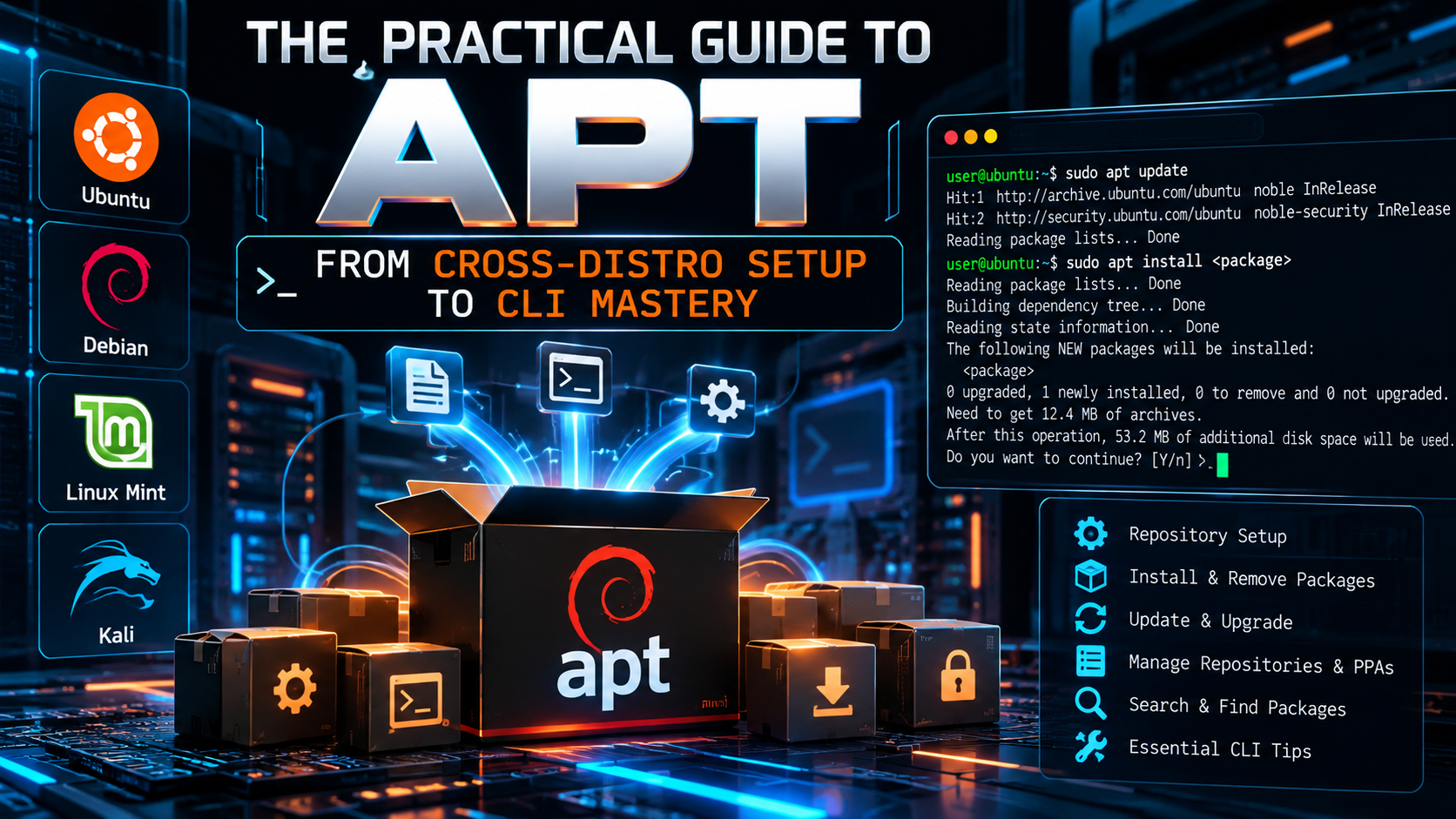
The Practical Guide to APT: From Cross-Distro Setup to CLI Mastery
Executive Summary
Objective: Give you a working command of APT (Advanced Package Tool): which distributions ship it by default, how to get a real APT environment when your host distro uses something else, and a full reference of the subcommands and CLI options you will actually reach for.
Target audience: Network and security practitioners who live in Linux VMs, jump boxes, containers, and lab builds, and who want the reference without the fluff.
APT is the dependency-resolving front end for dpkg, the low-level Debian package installer. dpkg installs a single .deb file. APT figures out what else that file needs, pulls it all from signed repositories, verifies it, and hands the ordered set to dpkg. That split matters later when we talk about running APT on a distro that was not built around it.
Prerequisites and Architecture
- A shell account with
sudorights. Read-only commands (search,show,list,policy) do not need root. - Outbound HTTP/HTTPS to your mirrors. Behind a proxy, set
Acquire::http::Proxyin/etc/apt/apt.conf.d/. - Basic comfort with the Linux CLI.
The moving parts
| Component | Location | What it does |
|---|---|---|
apt |
/usr/bin/apt |
Interactive front end. Progress bars, color, friendlier output. Its output format is not guaranteed stable. |
apt-get, apt-cache |
/usr/bin/ |
Script-stable tools. Use these in automation, Dockerfiles, and cloud-init. |
apt-mark |
/usr/bin/apt-mark |
Sets package state: hold, unhold, auto, manual. |
dpkg |
/usr/bin/dpkg |
Low-level installer and the package database under /var/lib/dpkg. |
| Sources | /etc/apt/sources.list, /etc/apt/sources.list.d/ |
Repository definitions. Legacy one-line .list files or the newer deb822 .sources files. |
| Keyrings | /etc/apt/keyrings/, /usr/share/keyrings/ |
Repository signing keys, referenced per repo with Signed-By. |
| Package lists | /var/lib/apt/lists/ |
Cached repository indexes written by apt update. |
| Package cache | /var/cache/apt/archives/ |
Downloaded .deb files. |
| Config | /etc/apt/apt.conf.d/ |
Drop-in configuration. Anything here can also be set per command with -o. |
| Pinning | /etc/apt/preferences.d/ |
Priority rules that decide which repo or version wins. |
| Logs | /var/log/apt/history.log, term.log |
What was installed, removed, and upgraded, and when. |
Which Distros Default to APT
If the distro descends from Debian, it uses APT. That covers a large share of what you will meet in the field.
| Family | Distributions |
|---|---|
| Debian | Debian, Devuan, MX Linux, antiX, PureOS |
| Ubuntu and flavors | Ubuntu Desktop/Server, Kubuntu, Xubuntu, Lubuntu, Ubuntu MATE |
| Ubuntu derivatives | Linux Mint, Pop!_OS, elementary OS, Zorin OS, KDE neon |
| Security focused | Kali Linux, Parrot OS, Tails |
| Appliance and embedded | Raspberry Pi OS, Armbian, Proxmox VE, Proxmox Backup Server |
| APT on RPM (APT-RPM) | ALT Linux, PCLinuxOS. Same command style, RPM packages underneath. |
| Other platforms | Termux on Android (APT with a pkg wrapper), WSL distros such as Ubuntu and Debian on Windows |
And the ones that do not use APT by default:
| Distribution | Default package manager | Package format |
|---|---|---|
| Fedora, RHEL, Rocky, AlmaLinux, CentOS Stream, Amazon Linux | dnf (older releases: yum) |
.rpm |
| openSUSE, SLES | zypper |
.rpm |
| Arch, Manjaro, EndeavourOS | pacman |
.pkg.tar.zst |
| Alpine | apk |
.apk |
| Gentoo | emerge (Portage) |
source ebuilds |
| Void | xbps |
.xbps |
| NixOS | nix |
Nix store paths |
| macOS | none built in (Homebrew or MacPorts by choice) | bottles, ports |
Running APT on a Distro That Does Not Use It
Read this first. APT is not a portable app you bolt onto any system. It manages
.deb packages against a dpkg database, and those packages are built against Debian or Ubuntu library versions. Installing the apt binary on Fedora or Arch does not let you safely install Debian packages onto that host. Two package managers writing to the same /usr will eventually wreck it. The right answer is a Debian or Ubuntu userland running next to your host, not on top of it.Option 1: Distrobox (recommended for daily use)
Goal: A Debian or Ubuntu environment with real APT that shares your home directory and can export apps to the host menu.
Action: Install Distrobox and a container engine with your native package manager, then create the box.
# Fedora / RHEL family
sudo dnf install distrobox podman

# Arch family
sudo pacman -S distrobox podman

# openSUSE
sudo zypper install distrobox podman

# Create and enter a Debian box
distrobox create --name deb --image debian:stable
distrobox enter deb

# Inside the box, APT works normally
sudo apt update
sudo apt install nmap dnsutils
To surface a tool from the box on the host, run distrobox-export --bin /usr/bin/nmap (CLI) or distrobox-export --app <name> (GUI) from inside the box.
Option 2: A throwaway container
Goal: APT for a quick test or a single tool, nothing persistent.
podman run -it --rm debian:stable bash
# or
docker run -it --rm ubuntu:24.04 bash

apt update && apt install -y curl
Option 3: debootstrap chroot
Goal: A full Debian root filesystem on disk, no container engine required. Useful on minimal servers and for building images.
# Install debootstrap with the host package manager
sudo dnf install debootstrap        # Fedora
sudo pacman -S debootstrap          # Arch
sudo zypper install debootstrap     # openSUSE

# Build a Debian stable root and enter it
sudo debootstrap stable /srv/debian http://deb.debian.org/debian
sudo systemd-nspawn -D /srv/debian
# or: sudo chroot /srv/debian /bin/bash

apt update
Option 4: Native APT packages (know the limits)
| Host | Command | What you actually get |
|---|---|---|
| Fedora | sudo dnf install apt dpkg |
The real Debian APT and dpkg binaries. Intended for building and inspecting Debian packages and for tools like debootstrap. It does not manage your RPM system. |
| openSUSE | sudo zypper install zypper-aptitude |
Wrapper scripts so apt and apt-get style commands translate to zypper. Muscle-memory help only. Packages are still RPMs. |
| Arch | AUR builds of apt (dpkg is packaged) |
Same story as Fedora. Fine for inspecting or building .deb files, not for installing them on the host. |
Option 5: Windows and macOS
- Windows:
wsl --install -d Ubuntufrom an elevated PowerShell gives you a full Ubuntu userland with APT. - macOS: There is no APT for macOS. Use Homebrew natively (
brew install), or run a Debian/Ubuntu container or VM (Docker Desktop, Podman, OrbStack, Lima, UTM) when you specifically need APT.
Command translation cheat sheet
If all you want is the equivalent command on your native manager, use this instead of installing anything.
| Task | apt | dnf | zypper | pacman | apk |
|---|---|---|---|---|---|
| Refresh indexes | apt update |
dnf check-update |
zypper refresh |
pacman -Sy |
apk update |
| Upgrade all | apt upgrade |
dnf upgrade |
zypper update |
pacman -Syu |
apk upgrade |
| Install | apt install X |
dnf install X |
zypper install X |
pacman -S X |
apk add X |
| Remove | apt remove X |
dnf remove X |
zypper remove X |
pacman -R X |
apk del X |
| Search | apt search X |
dnf search X |
zypper search X |
pacman -Ss X |
apk search X |
| Show info | apt show X |
dnf info X |
zypper info X |
pacman -Si X |
apk info X |
| List installed | apt list --installed |
dnf list --installed |
zypper search -i |
pacman -Q |
apk info |
| Remove orphans | apt autoremove |
dnf autoremove |
zypper rm --clean-deps |
pacman -Rns $(pacman -Qdtq) |
automatic |
| Clean cache | apt clean |
dnf clean all |
zypper clean |
pacman -Sc |
apk cache clean |
Step-by-Step: Using APT
Step 1: Refresh the package indexes
Goal: Sync the local list of available packages with the repositories. Nothing is installed or upgraded.
sudo apt update
Verification: The last line reads either All packages are up to date. or N packages can be upgraded. Run 'apt list --upgradable' to see them.
Step 2: Upgrade what is installed
Goal: Apply available updates.
# Safe: upgrades packages, installs new dependencies, never removes anything
sudo apt upgrade

# Full: also removes packages when that is required to complete the upgrade
sudo apt full-upgrade

# See what is pending first
apt list --upgradable
full-upgrade is the same operation as apt-get dist-upgrade. Use it for kernel transitions and release upgrades, and read the removal list before you say yes.
Step 3: Find and inspect packages
apt search wireshark              # search names and descriptions
apt show tshark                   # version, size, dependencies, description
apt policy tshark                 # installed vs candidate version, and which repo wins
apt list --installed              # everything installed
apt list 'python3-*'              # glob match
apt list -a tshark                # all available versions
apt depends tshark                # what it needs
apt rdepends libpcap0.8           # what needs it
Step 4: Install
sudo apt install nmap                         # one package
sudo apt install nmap tcpdump mtr-tiny        # several
sudo apt install ./fortinet-tool_1.0_amd64.deb   # a local .deb, with dependencies resolved
sudo apt install nginx=1.24.0-2ubuntu7        # a specific version
sudo apt install nginx/noble-backports        # from a specific suite
sudo apt install --no-install-recommends vim  # skip recommended extras
sudo apt install --only-upgrade openssl       # upgrade if present, do not install if absent
sudo apt reinstall openssh-server             # put the packaged files back
Always prefix a local file with
./ or a full path. Without it, APT treats the argument as a package name and searches the repos.Step 5: Remove and clean up
sudo apt remove nginx              # remove binaries, keep config in /etc
sudo apt purge nginx               # remove binaries and config
sudo apt autoremove                # remove orphaned dependencies
sudo apt autoremove --purge        # same, and purge their config (also: apt autopurge)
sudo apt clean                     # empty /var/cache/apt/archives
sudo apt autoclean                 # remove only cached .debs that can no longer be downloaded
Step 6: Hold a package at its current version
Goal: Stop an upgrade from touching something you have validated, such as a kernel, a database, or a VPN client.
sudo apt-mark hold linux-image-generic
apt-mark showhold
sudo apt-mark unhold linux-image-generic

# Mark a package as manually installed so autoremove leaves it alone
sudo apt-mark manual libpcap0.8
apt-mark showmanual
Step 7: Add a third-party repository the current way
Goal: Add a vendor repo with a scoped signing key. apt-key is deprecated and has been removed from current Debian releases, so do not follow guides that still use it.
# 1. Store the vendor key in its own keyring
sudo install -d -m 0755 /etc/apt/keyrings
curl -fsSL https://repo.example.com/key.gpg | \
  sudo gpg --dearmor -o /etc/apt/keyrings/example.gpg

# 2. Define the repo in deb822 format
sudo tee /etc/apt/sources.list.d/example.sources > /dev/null <<'EOF'
Types: deb
URIs: https://repo.example.com/apt
Suites: stable
Components: main
Architectures: amd64
Signed-By: /etc/apt/keyrings/example.gpg
EOF

# 3. Refresh
sudo apt update
The legacy one-line equivalent, which you will still see everywhere:
deb [arch=amd64 signed-by=/etc/apt/keyrings/example.gpg] https://repo.example.com/apt stable main
On APT 3.0 and later, sudo apt modernize-sources converts your existing .list files to deb822 .sources files and keeps backups.
Step 8: Unattended and scripted runs
Goal: No prompts, no hung pipelines. Use apt-get in scripts because its interface is stable.
export DEBIAN_FRONTEND=noninteractive
sudo -E apt-get update
sudo -E apt-get -y \
  -o Dpkg::Options::="--force-confdef" \
  -o Dpkg::Options::="--force-confold" \
  full-upgrade
sudo -E apt-get -y --no-install-recommends install nmap tcpdump
--force-confold keeps your existing config files when a package ships a new default, which is what you want on a box you have already hardened.
CLI Reference: Subcommands
| Subcommand | What it does |
|---|---|
update |
Download fresh package indexes from every configured source. |
upgrade |
Upgrade installed packages. May install new dependencies. Never removes. |
full-upgrade |
Upgrade and allow removals when needed. Same as apt-get dist-upgrade. |
install |
Install or upgrade named packages, a .deb file, pkg=version, or pkg/suite. Append - to a name to remove it in the same transaction (apt install foo bar-). |
reinstall |
Reinstall the currently installed version. |
remove |
Remove a package, keep its configuration files. |
purge |
Remove a package and its system configuration files. |
autoremove |
Remove automatically installed dependencies nothing needs anymore. |
autopurge |
autoremove plus purge. |
search |
Regex search across package names and descriptions. |
show |
Full package record: version, dependencies, size, description. |
list |
List packages. Filters: --installed, --upgradable, --all-versions (-a). |
policy |
Installed and candidate versions and the pin priority of each source. |
depends / rdepends |
Forward and reverse dependencies. |
download |
Fetch the .deb into the current directory without installing. |
source |
Fetch the source package. Needs deb-src entries. |
build-dep |
Install everything required to build a source package. |
showsrc |
Show the source package record. |
changelog |
Display the package changelog. |
satisfy |
Install whatever satisfies a dependency string, for example apt satisfy "python3 (>= 3.12)". |
edit-sources |
Open the sources file in your editor with a syntax check on save. |
modernize-sources |
Convert .list files to deb822 .sources (APT 3.0+). |
clean / autoclean |
Empty the .deb cache, or only the obsolete part of it. |
why / why-not |
Explain why a package is, or is not, installed (APT 3.1+). |
history-list, history-info, history-undo, history-redo, history-rollback |
Browse and reverse past transactions (APT 3.1+). Check apt --version before relying on these. |
apt versus apt-get versus apt-cache
apt |
Legacy equivalent |
|---|---|
apt update |
apt-get update |
apt upgrade |
apt-get upgrade --with-new-pkgs |
apt full-upgrade |
apt-get dist-upgrade |
apt install / remove / purge / autoremove |
apt-get with the same verb |
apt search |
apt-cache search |
apt show |
apt-cache show |
apt policy |
apt-cache policy |
apt list --installed |
dpkg -l (closest match) |
Rule of thumb: apt at the keyboard, apt-get and apt-cache in anything automated. APT itself prints a warning about its unstable CLI when you pipe its output.
CLI Reference: Options and Flags
Everyday flags
| Option | Effect |
|---|---|
-y, --yes, --assume-yes |
Answer yes to prompts. APT still stops on dangerous actions such as removing essential packages. |
-s, --simulate, --dry-run |
Show what would happen and change nothing. No root needed. |
-d, --download-only |
Download packages to the cache, do not install. |
-q, -qq |
Quiet and quieter. Good for logs. |
-V, --verbose-versions |
Show full old and new version numbers for every package in the transaction. |
--no-install-recommends |
Install hard dependencies only. Standard practice in containers. |
--install-suggests |
Also pull in suggested packages. |
--only-upgrade |
Upgrade named packages only if already installed. |
--no-upgrade |
Install named packages only if not already installed. |
--reinstall |
Reinstall packages that are already at the newest version. |
--purge |
Use purge instead of remove wherever a removal happens. |
--autoremove, --auto-remove |
Remove now-unneeded dependencies in the same transaction. |
-U, --update |
Run update first, then the requested action, in one command (recent APT releases). |
Repair and resolver control
| Option | Effect |
|---|---|
-f, --fix-broken |
Attempt to correct broken dependencies. Usually run as sudo apt --fix-broken install. |
-m, --fix-missing, --ignore-missing |
Continue if some archives cannot be fetched, holding those packages back. |
-t, --target-release |
Prefer a specific suite for this command, for example -t bookworm-backports. |
--with-new-pkgs |
Let apt-get upgrade install new dependencies (already the default for apt upgrade). |
--no-remove |
Abort if anything would be removed. |
--mark-auto |
Mark newly installed packages as automatically installed. |
-a, --host-architecture |
Target architecture for build-dep and cross builds. |
--print-uris |
Print the download URLs instead of fetching. Handy for air-gapped transfers. |
-b, --compile, --build |
Compile the source package after downloading it with source. |
Override flags (know what you are doing)
| Option | Effect |
|---|---|
--allow-downgrades |
Permit a downgrade in a -y run. |
--allow-change-held-packages |
Permit changes to packages on hold in a -y run. |
--allow-remove-essential |
Permit removing essential packages. Can leave the system unbootable. |
--allow-releaseinfo-change |
Accept a repository whose Release metadata changed (suite or codename rename). |
--allow-unauthenticated |
Install packages that cannot be verified. Avoid outside an isolated lab. |
--allow-insecure-repositories |
Let update use unsigned repositories. Same warning. |
Configuration on the command line
| Option | Effect |
|---|---|
-o Key=Value |
Set any configuration item for one run. |
-c file, --config-file |
Load an additional configuration file. |
-h, --help |
Short help. |
-v, --version |
APT version and supported architectures. |
Useful -o examples:
# Force IPv4 when a mirror has a broken AAAA record
sudo apt -o Acquire::ForceIPv4=true update

# One-off proxy
sudo apt -o Acquire::http::Proxy="http://10.0.10.5:3128" update

# Keep existing config files during an upgrade
sudo apt-get -y -o Dpkg::Options::="--force-confold" upgrade

# Dump the entire effective configuration
apt-config dump
Verification and Validation
apt --version                 # confirm the APT release you are on
sudo apt update               # should end with no errors or warnings
sudo apt-get check            # verifies the dependency tree is consistent
apt list --upgradable         # pending updates
apt policy openssl            # confirm where a package comes from
grep -A3 "Start-Date" /var/log/apt/history.log | tail -20   # recent transactions
A healthy apt policy looks like this. The *** marks the installed version and the number is the pin priority of each source:
openssl:
  Installed: 3.0.13-0ubuntu3.5
  Candidate: 3.0.13-0ubuntu3.5
  Version table:
 *** 3.0.13-0ubuntu3.5 500
        500 http://archive.ubuntu.com/ubuntu noble-updates/main amd64 Packages
        100 /var/lib/dpkg/status
     3.0.13-0ubuntu3 500
        500 http://archive.ubuntu.com/ubuntu noble/main amd64 Packages
Troubleshooting and Gotchas
Could not get lock /var/lib/dpkg/lock-frontend
Another APT or dpkg process is running, very often unattended-upgrades right after boot. Find it and wait for it. Do not delete lock files while the process is alive.
ps aux | grep -E 'apt|dpkg|unattended' | grep -v grep
sudo systemctl status unattended-upgrades
dpkg was interrupted, or unmet dependencies
A previous run died mid-transaction. Finish configuration first, then let APT repair the dependency tree.
sudo dpkg --configure -a
sudo apt --fix-broken install
NO_PUBKEY or repository is not signed
The repo key is missing, expired, or the Signed-By path is wrong. Re-download the vendor key into /etc/apt/keyrings/, confirm the path in the .sources or .list file matches, and confirm the key file is world readable (chmod 0644). Do not reach for --allow-unauthenticated.
Hash Sum mismatch
Stale or corrupted index files, commonly caused by a caching proxy or an inspection device in the path. Clear the lists and pull them again.
sudo rm -rf /var/lib/apt/lists/*
sudo apt update
Repository changed its Suite or Codename value
Happens when a release moves from testing to stable or a vendor renames a suite. Accept it once:
sudo apt update --allow-releaseinfo-change
The following packages have been kept back
A plain upgrade will not remove packages, and phased updates on Ubuntu can also hold things back for a few days. Check with apt list --upgradable, then use sudo apt full-upgrade if the removal list is acceptable, or install the named package directly.
apt: command not found on a non-Debian host
Expected. Go back to the section on running APT on a distro that does not use it and pick the container or chroot route.
Quick Reference
sudo apt update && sudo apt full-upgrade     # patch the box
apt search <term>                            # find
apt show <pkg>  /  apt policy <pkg>          # inspect
sudo apt install <pkg>                       # install
sudo apt install ./file.deb                  # install a local .deb
sudo apt purge <pkg> && sudo apt autopurge   # remove completely
sudo apt-mark hold <pkg>                     # freeze a version
sudo apt -s full-upgrade                     # dry run
sudo apt --fix-broken install                # repair
sudo apt clean                               # reclaim disk
Recent posts
-

-

DNS is one of those technologies that quietly underpins... Full Story
-

BGP issues on FortiGate firewalls usually trace back to... Full Story
-

Every time your laptop talks to your router, a... Full Story
-

If you've spent any time configuring NAT on a... Full Story
-

If you have spent any time configuring firewall policies... Full Story
-

High availability on FortiGate is one of those features... Full Story
-

If you've configured SD-WAN on a FortiGate, you've almost... Full Story
-

FortiLink is the management protocol that turns a FortiSwitch... Full Story
-

FortiSwitches are pretty rock solid from Mean Time Between... Full Story
-

This is a quicky tip. Have you ever gone... Full Story
-

DNS is one of those quiet pieces of internet... Full Story
-

This article is an updated version of the previous... Full Story
-

You will add ns2 as a secondary (slave) BIND9... Full Story
-

In the process of deploying my lab, I needed... Full Story
-

RFC 8805, used to be known as Self-Correcting IP... Full Story
-

Years back, I wrote an article about certificate pinning. ... Full Story
-

FortiGates have the ability to send alerts to Microsoft... Full Story
-

In this post, I am going to walk through... Full Story
-

Troubleshooting VoIP on a FortiGate can feel like trying... Full Story
-

Prior to FortiOS 7.0, there were three commands to... Full Story
-

In this post, I am going to go over... Full Story
-

What we are going to do: We are going... Full Story
-

Choosing between FGCP (FortiGate Clustering Protocol) and FGSP (FortiGate... Full Story
-

Creating a VLAN on macOS (The "Pro" Move) A... Full Story
-

This blog post explores the logic behind how macOS... Full Story
-

Pretty Fly for a Wi-Fi Tell My Wi-Fi Love... Full Story
-

Part of my daily gig is creating BoMs (Bill-of-Materials)... Full Story
-

ICMP introduces several security risks, but careful filtering, rate... Full Story
-

The command diag debug application dhcps -1 enables full... Full Story
-

In the world of FortiOS, execute tac report is... Full Story
-

LLDP; What is it The Link Layer Discovery Protocol... Full Story
-

What it actually does When you run diagnose fdsm... Full Story
-

Monkey Bites are bite-sized, high-impact security insights designed for... Full Story
-

I have run macOS in macOS with Parallels but... Full Story
-

Don't be confused with my other FortiNAC posts where... Full Story
-

This is the third session in a multi-part article... Full Story
-

Today I was configuring key-based authentication on a FortiGate... Full Story
-

Netcat, often called the "Swiss Army knife" of networking,... Full Story
-

At its core, IEEE 802.1X is a network layer... Full Story
-

In case you did not see the previous FortiNAC... Full Story
-

This is our 5th session where we are going... Full Story
-

Now that we have Wireshark installed and somewhat configured,... Full Story
-

The Philosophy of Packet Analysis Troubleshooting isn't about looking... Full Story
-

ICAP Configuration on FortiGate, Palo Alto and Cisco: How... Full Story
-

Blockchain Explained for Beginners: How It Works, Minus the... Full Story
-

No fluff. Just the config that works. The /31... Full Story