
If you've spent any time configuring user authentication on... Full Story
By Manny Fernandez
August 24, 2026
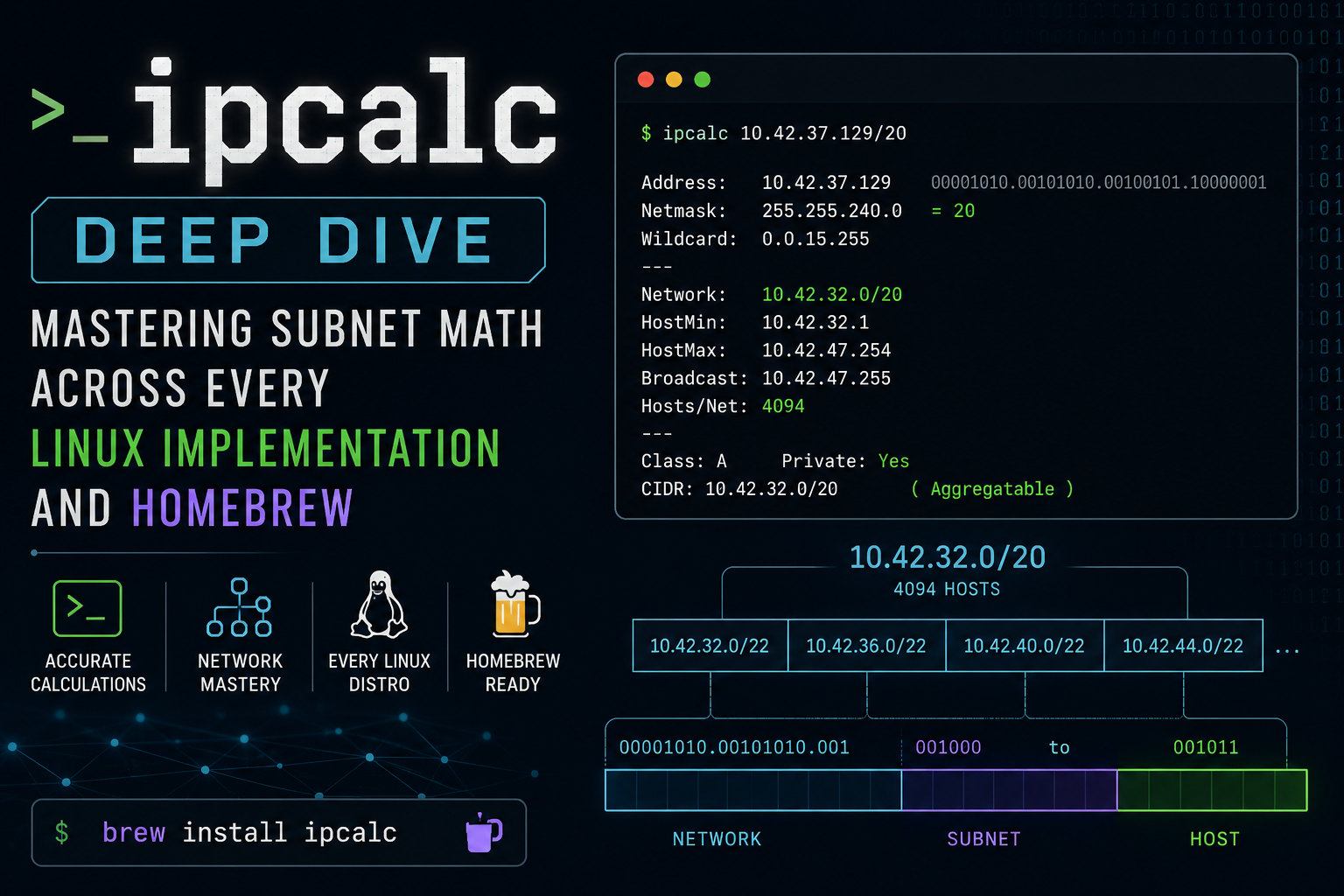
ipcalc Deep Dive: Mastering Subnet Math Across Every Linux Implementation and Homebrew
Executive Summary
ipcalc looks like a single, predictable command, but at least three functionally different programs answer to that name depending on which Linux distribution you are standing on. A script that works flawlessly on Ubuntu can silently misbehave on RHEL 7, and a container built on Alpine may not have the flags you expect at all. This guide breaks down every major ipcalc lineage, then walks through practical subnetting, VLSM splitting, range deaggregation, and IPv6 workflows using each one correctly, so you can identify which ipcalc you are talking to and avoid the parsing traps that break automation in production.
Target Audience: Network Engineers, Systems Engineers, DevOps/SRE practitioners, and Linux Systems Administrators who write provisioning scripts or need fast, reliable subnet math from a shell.
Prerequisites & Architecture
Assumed Knowledge
- Binary-to-decimal conversion and CIDR notation
- Core subnetting concepts: network address, broadcast address, host range, wildcard mask
- Comfortable reading and writing basic Bash
- Passing familiarity with how your distro manages packages (apt, dnf/yum, apk)
Environment / Lab Requirements
No special hardware or licensing is required. Every package used below is open source and ships in default distro repositories. A small multi-distro lab (VMs or containers) is strongly recommended so you can see the implementation divergence firsthand rather than take it on faith:
- Ubuntu 24.04 LTS or any recent Debian derivative
- Rocky Linux 9 or Fedora 40+ (modern unified ipcalc)
- Rocky Linux 8 / CentOS 7, optional, for contrast with the legacy behavior
- Alpine Linux 3.20 container image (BusyBox ipcalc applet)
- Optional: the
sipcalcpackage installed alongside for a second opinion
Component Table
| Component | Role | Example Value |
|---|---|---|
| Ubuntu / Debian host | Debian-lineage ipcalc (Jodies’ original, IPv4-focused, full auto-dump output) | ipcalc via apt |
| Rocky Linux 9 / Fedora host | Modern unified ipcalc (IPv4 + IPv6, –check, key=value output) | ipcalc via dnf |
| CentOS 7 / RHEL 7 host | Legacy initscripts ipcalc, flag-driven, script-safe, no default full dump | ipcalc via yum |
| Alpine container | BusyBox ipcalc applet, minimal flag set (-m -b -n -p -h -s) | built into busybox |
| Lab “public/transit” address space | Stand-in for internet-routable or WAN-facing blocks in examples | 198.18.0.0/15 |
| Lab “internal LAN” address space | Stand-in for private/internal blocks in examples | 10.0.0.0/16 |
| Documentation IPv6 prefix | RFC 3849 reserved-for-documentation block used for IPv6 examples | 2001:db8::/32 |
The 198.18.0.0/15 block is itself reserved (allocated by RFC 2544 for network device benchmarking), used here purely as a safe, non-production stand-in for “public-looking” addressing in examples, exactly the way 2001:db8::/32 is reserved for IPv6 documentation.
Step-by-Step Implementation Workflow
Phase 1: Identify Your ipcalc Implementation
The Goal: Determine which ipcalc lineage is installed before trusting any flag’s behavior. This is the single most important step in this guide, since everything downstream depends on knowing which program you are actually running.
The Action: Check the version banner, resolve the binary’s real path, and query the owning package.
ipcalc --version 2>&1 | head -n1
ipcalc --help 2>&1 | head -n3
readlink -f "$(command -v ipcalc)"

# Debian / Ubuntu
dpkg -S "$(command -v ipcalc)"

# RHEL / Rocky / Fedora
rpm -qf "$(command -v ipcalc)"

# Alpine (confirms whether ipcalc is the BusyBox applet)
busybox | head -n1
GUI Verification: Not applicable, ipcalc is a pure CLI utility.
Phase 2: Full Subnet Breakdown (Debian/Ubuntu, Jodies Lineage)
The Goal: Get a complete, human-readable breakdown of a subnet in both binary and dotted-decimal, useful for design review and for teaching subnetting to junior engineers.
The Action: Run ipcalc with an address and CIDR prefix. No flags are required; this implementation dumps everything by default.
ipcalc 10.20.4.10/22
Expected output (binary columns shown once here for reference; real terminal output wraps depending on terminal width):
Address:   10.20.4.10            00001010.00010100.00000100.00001010
Netmask:   255.255.252.0 = 22    11111111.11111111.11111100.00000000
Wildcard:  0.0.3.255             00000000.00000000.00000011.11111111
=>
Network:   10.20.4.0/22          00001010.00010100.00000100.00000000
HostMin:   10.20.4.1             00001010.00010100.00000100.00000001
HostMax:   10.20.7.254           00001010.00010100.00000111.11111110
Broadcast: 10.20.7.255           00001010.00010100.00000111.11111111
Hosts/Net: 1022                   Class A, Private Internet
GUI Verification: If you are provisioning a live interface, cross-check the computed netmask and address against NetworkManager’s connection editor (nmtui) or your platform’s network GUI before you apply it.
Phase 3: Script-Safe Extraction (Legacy RHEL/CentOS initscripts ipcalc)
The Goal: Pull individual fields for use in shell provisioning scripts. This mirrors how RHEL’s own network-scripts (ifup-aliases) consume ipcalc internally: they call it with explicit flags and eval the result rather than parsing a human-readable dump.
The Action: Request only the fields you need with explicit long flags; the legacy implementation prints eval-friendly KEY=value lines and nothing else.
# CentOS 7 / RHEL 7 (legacy initscripts ipcalc)
eval "$(ipcalc --netmask --broadcast --network --prefix 10.50.2.10/26)"
echo "Network=$NETWORK Netmask=$NETMASK Prefix=$PREFIX Broadcast=$BROADCAST"
Expected output:
Network=10.50.2.0 Netmask=255.255.255.192 Prefix=26 Broadcast=10.50.2.63
GUI Verification: Not applicable.
Phase 4: Modern Unified ipcalc (Fedora / RHEL 9 / Rocky 9)
The Goal: Use the actively maintained fork that ships as the default ipcalc on current Fedora and RHEL 9 family systems, which combines the key=value scripting style with IPv6 support and address validation.
The Action: Combine short flags for a compact key=value dump, then validate an address with –check and inspect the exit code.
ipcalc -pnmb 198.18.30.10/28
Expected output:
NETMASK=255.255.255.240
PREFIX=28
BROADCAST=198.18.30.15
NETWORK=198.18.30.0
ipcalc -c 198.18.30.10
echo "exit code: $?"
Expected output:
198.18.30.10 is valid
exit code: 0
GUI Verification: Not applicable.
Phase 5: VLSM Subnet Splitting
The Goal: Carve one internal /24 into right-sized subnets for multiple VLANs or departments without doing the bit math by hand.
The Action: Use the Debian/Jodies lineage’s split feature (-s / –split), listing the host counts you need. List sizes largest to smallest; ipcalc allocates in the order given, and starting with the largest block packs the parent network the tightest.
ipcalc -s 100 50 20 10 10.30.0.0/24
The real CLI repeats a full per-subnet breakdown block for each requested size; summarized here for readability:
| Requested Hosts | CIDR | Network | Usable Range | Broadcast | Usable Hosts |
|---|---|---|---|---|---|
| 100 | /25 | 10.30.0.0/25 | 10.30.0.1 – 10.30.0.126 | 10.30.0.127 | 126 |
| 50 | /26 | 10.30.0.128/26 | 10.30.0.129 – 10.30.0.190 | 10.30.0.191 | 62 |
| 20 | /27 | 10.30.0.192/27 | 10.30.0.193 – 10.30.0.222 | 10.30.0.223 | 30 |
| 10 | /28 | 10.30.0.224/28 | 10.30.0.225 – 10.30.0.238 | 10.30.0.239 | 14 |
That allocates 240 of the 256 addresses in the parent /24. The remaining 10.30.0.240/28 (16 addresses) is left over; ipcalc will not flag this as unused for you, you have to notice it yourself.
GUI Verification: Cross-check the final subnet list against your VLAN interface table or IPAM tool before you provision it.
Phase 6: Address-Range Deaggregation
The Goal: Convert an arbitrary start-to-end IP range, the kind you get from an allocation ticket, a VPN pool, or a firewall address-range object, into the minimal set of CIDR blocks for use in route-maps, ACLs, or firewall address objects.
The Action: Use the Debian/Jodies lineage’s deaggregation syntax: two addresses separated by a space-hyphen-space.
ipcalc 198.18.20.10 - 198.18.20.130
Expected output (the minimal covering set of CIDR blocks):
198.18.20.10/31
198.18.20.12/30
198.18.20.16/28
198.18.20.32/27
198.18.20.64/26
198.18.20.128/31
198.18.20.130/32
GUI Verification: Not applicable.
Phase 7: IPv6 Subnetting
The Goal: Apply the same workflow to IPv6 prefixes, which requires an IPv6-aware implementation (the legacy RHEL 7 initscripts version and older Debian packages do not support it).
The Action: Use the -6 flag on the modern unified ipcalc (Fedora/RHEL 9) or an IPv6-capable Debian/Ubuntu build.
ipcalc -6 2001:db8:10:20::/64
Expected output:
Address:  2001:db8:10:20::
Network:  2001:db8:10:20::/64
Netmask:  ffff:ffff:ffff:ffff:: = 64
HostMin:  2001:db8:10:20::
HostMax:  2001:db8:10:20:ffff:ffff:ffff:ffff
Hosts/Net: 2^64
GUI Verification: Not applicable.
Verification & Validation
Manual bit-math cross-check. The Phase 2 example above is independently verifiable: 10.20.4.10 falls inside the third-octet block 4-7 for a /22, so the network address must be 10.20.4.0 and the broadcast must be 10.20.7.255. If ipcalc ever disagrees with your own bit math, trust the math and re-check your input, not the tool.
Batch validation with exit codes. Use –check (modern unified ipcalc) in a loop to validate a batch of addresses before they hit a firewall object or IPAM record:
for ip in 10.40.5.5 10.40.5.999 198.18.1.1; do
  if ipcalc -c "$ip" >/dev/null 2>&1; then
    echo "$ip: valid"
  else
    echo "$ip: invalid"
  fi
done
Success looks like an exit code of 0 for every address that should be valid and 1 for every address that should not, with no output parsing required.
Tiling checks for split and deaggregate output. For a split, the requested block sizes plus any leftover must sum exactly to the size of the parent network: 128 + 64 + 32 + 16 + 16 = 256, which matches the /24 parent exactly. For a deaggregated range, the block sizes must sum to the size of the original range: 2 + 4 + 16 + 32 + 64 + 2 + 1 = 121, which matches 198.18.20.130 – 198.18.20.10 + 1 = 121 exactly. If the numbers do not add up, something in the input was mistyped.
Second-opinion cross-validation. Because ipcalc’s behavior varies by distro, it is worth confirming a result against a completely independent implementation. Python’s standard library is available almost everywhere and is a convenient second opinion:
python3 -c "
import ipaddress
n = ipaddress.ip_network('10.20.4.10/22', strict=False)
print(n.network_address, n.broadcast_address, n.num_addresses)
"
Expected output: 10.20.4.0 10.20.7.255 1024. Note that num_addresses here counts the entire block including the network and broadcast addresses (1024), while ipcalc’s Hosts/Net field counts only usable host addresses (1022). Both are correct; they are just answering slightly different questions, and conflating them is a common source of off-by-two errors in capacity planning.
Troubleshooting & Gotchas
1. Same Name, Different Program
The single biggest source of confusion with ipcalc is assuming it behaves identically everywhere. A script written against the Debian/Jodies lineage (full auto-dump, -s split, range deaggregation) will fail or produce unexpected output against the legacy RHEL 7 initscripts version, which requires explicit flags and never dumps everything by default.
Diagnostic commands:
ipcalc --version
readlink -f "$(command -v ipcalc)"
rpm -qf "$(command -v ipcalc)" 2>/dev/null || \
  dpkg -S "$(command -v ipcalc)" 2>/dev/null
Resolution: Before you ship an automation script that shells out to ipcalc, check which flavor is present on the target host, or better, vendor a known-good implementation (or a small Python ipaddress wrapper) into your automation image instead of trusting whatever ipcalc happens to resolve to at runtime.
2. BusyBox / Alpine Minimal ipcalc Inside Containers
Alpine-based container images ship the BusyBox ipcalc applet, which supports only a minimal flag set (-m, -b, -n, -p, plus -h and -s when the “fancy” BusyBox feature is compiled in). There is no default full-dump output, no -s/–split, and no range deaggregation. A CI/CD pipeline step that was developed and tested on an Ubuntu-based image can fail, or silently produce different output, the moment it runs inside an Alpine-based build stage.
Diagnostic commands:
ipcalc --help
busybox | head -n1
A terse BusyBox-style usage banner instead of a GNU-style multi-paragraph help output is the tell that you are on the BusyBox applet.
Resolution: Do not rely on split, range deaggregation, or IPv6 support from ipcalc inside a BusyBox-based image. If your automation needs those features, install Python (frequently already present) and use its stdlib ipaddress module instead, since it behaves identically regardless of which base image you are on.
3. IPv6 “Hosts/Net: 2^64” Breaks Naive Parsing
For any IPv6 prefix shorter than /64, the actual host count exceeds what fits in a 64-bit integer, so IPv6-aware ipcalc implementations print the Hosts/Net field symbolically, for example 2^64, rather than as a plain decimal number. A script that greps that field and feeds it into shell arithmetic or awk will either error out or silently truncate.
Diagnostic commands:
ipcalc -6 2001:db8::/64 | grep Hosts
Resolution: Do not parse that field for arithmetic. Compute the IPv6 host count yourself from the prefix length instead, using bc, python3, or awk, for example python3 -c "print(2**(128-64))", since ipcalc intentionally leaves the field symbolic rather than printing numbers that can run past 10^19.
Recent posts
-

-

DNS is one of those technologies that quietly underpins... Full Story
-

BGP issues on FortiGate firewalls usually trace back to... Full Story
-

Every time your laptop talks to your router, a... Full Story
-

If you've spent any time configuring NAT on a... Full Story
-

If you have spent any time configuring firewall policies... Full Story
-

High availability on FortiGate is one of those features... Full Story
-

If you've configured SD-WAN on a FortiGate, you've almost... Full Story
-

FortiLink is the management protocol that turns a FortiSwitch... Full Story
-

FortiSwitches are pretty rock solid from Mean Time Between... Full Story
-

This is a quicky tip. Have you ever gone... Full Story
-

DNS is one of those quiet pieces of internet... Full Story
-

This article is an updated version of the previous... Full Story
-

You will add ns2 as a secondary (slave) BIND9... Full Story
-

In the process of deploying my lab, I needed... Full Story
-

RFC 8805, used to be known as Self-Correcting IP... Full Story
-

Years back, I wrote an article about certificate pinning. ... Full Story
-

FortiGates have the ability to send alerts to Microsoft... Full Story
-

In this post, I am going to walk through... Full Story
-

Troubleshooting VoIP on a FortiGate can feel like trying... Full Story
-

Prior to FortiOS 7.0, there were three commands to... Full Story
-

In this post, I am going to go over... Full Story
-

What we are going to do: We are going... Full Story
-

Choosing between FGCP (FortiGate Clustering Protocol) and FGSP (FortiGate... Full Story
-

Creating a VLAN on macOS (The "Pro" Move) A... Full Story
-

This blog post explores the logic behind how macOS... Full Story
-

Pretty Fly for a Wi-Fi Tell My Wi-Fi Love... Full Story
-

Part of my daily gig is creating BoMs (Bill-of-Materials)... Full Story
-

ICMP introduces several security risks, but careful filtering, rate... Full Story
-

The command diag debug application dhcps -1 enables full... Full Story
-

In the world of FortiOS, execute tac report is... Full Story
-

LLDP; What is it The Link Layer Discovery Protocol... Full Story
-

What it actually does When you run diagnose fdsm... Full Story
-

Monkey Bites are bite-sized, high-impact security insights designed for... Full Story
-

I have run macOS in macOS with Parallels but... Full Story
-

Don't be confused with my other FortiNAC posts where... Full Story
-

This is the third session in a multi-part article... Full Story
-

Today I was configuring key-based authentication on a FortiGate... Full Story
-

Netcat, often called the "Swiss Army knife" of networking,... Full Story
-

At its core, IEEE 802.1X is a network layer... Full Story
-

In case you did not see the previous FortiNAC... Full Story
-

This is our 5th session where we are going... Full Story
-

Now that we have Wireshark installed and somewhat configured,... Full Story
-

The Philosophy of Packet Analysis Troubleshooting isn't about looking... Full Story
-

InfoSecMonkey Threat Response October 24, 2026 | No fluff.... Full Story
-

InfoSecMonkey Threat Response October 24, 2026 | No fluff.... Full Story
-

Plus what you actually get with FortiCare Essential, Premium... Full Story