
If you've spent any time configuring user authentication on... Full Story
By Manny Fernandez
September 28, 2016
Apple Mail on macOS Sierra
Last week I upgraded my Mac OS X El Capitan to macOS Sierra. Doing so, broke many of my mail plugins. I was using Cargo Lifter, Evermail, MailTags, Mail ActOn, & GPG When I launched Mail, it failed to load all plugins. I was re-directed to a website and I was a bit bummed. MailButler is a subscription based application but it is well worth the $8.00 a month.
Mac Mail.app has been known for limited features. It is a pretty solid application but features are slow to be adopted.

I am going to go over some of my favorite features. The company assures me they are working on new feature. I am not sure if the features will be provided as part of the current monthly fee or if it will move you into another bracket. I surely hope its the former and NOT the latter.
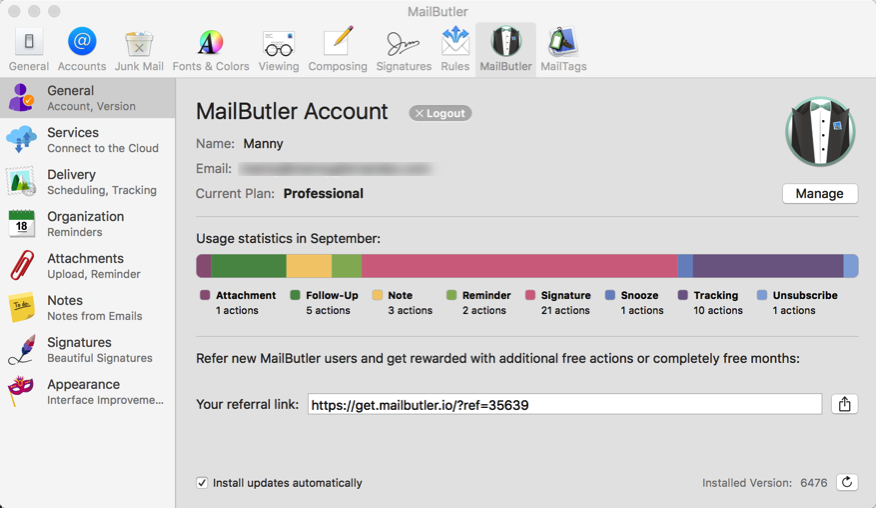
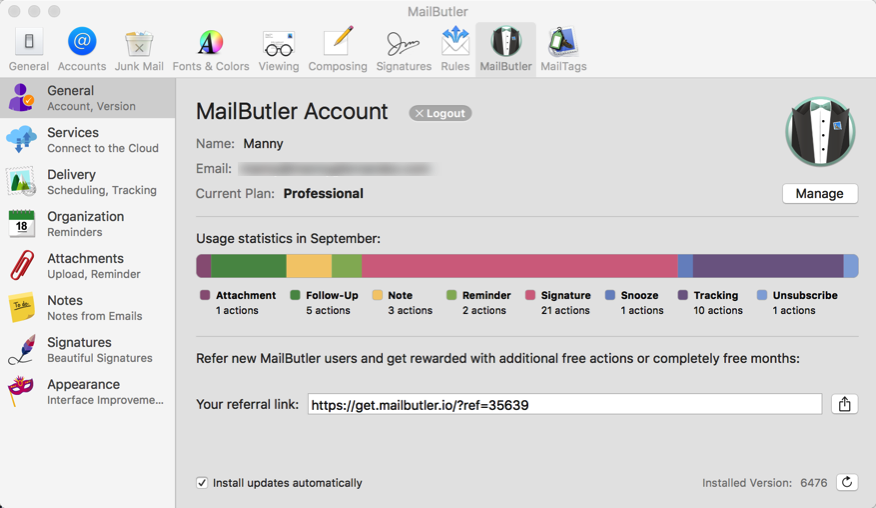
The main configuration page of MailButler is accessed by clicking on ‘preferences’ in the Mail app. This page give you a link to access your account on the Feingeist website. There is a link to share with your friends to sign up for the service. Please feel free to use mine by clicking here.
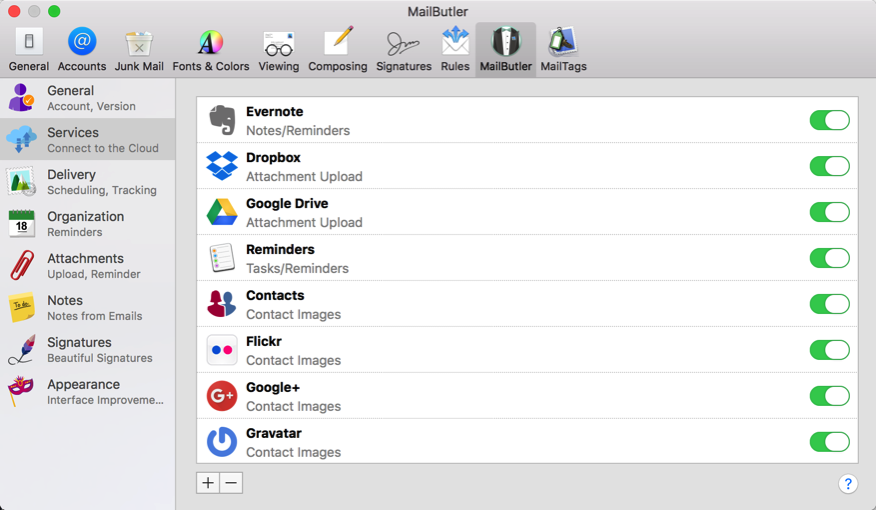
The next section covers the cloud services that you can tie into MailButler. As you can see in the picture, I have mine tied to my Evernote and Dropbox primarily.
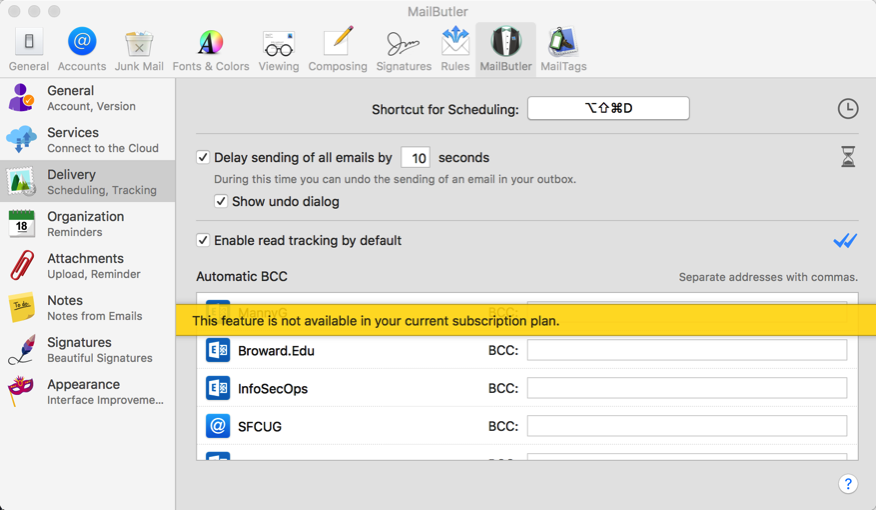
The next section has some tracking options that I am not subscribed to. It is here where you can enable the ‘Read Tracking by Default’ which I have enabled. This feature may not be what you think though. If you are used to using Outlook, you are used to getting a separate email with the read receipt. However this is different. MailButler keeps track of the read receipt in the ‘Sent’ folder. This means you need to go back and check on it. I hope they are going to enhance this feature and have it similar to Outlook.
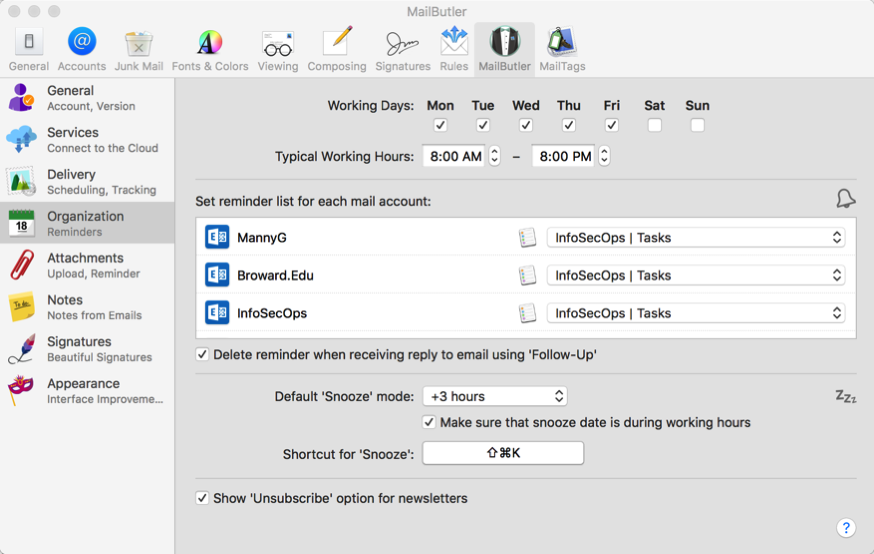
The next section allows you to choose what times you work or rather what times work for each of your mail profiles. Additionally, you can set the default location for notes.
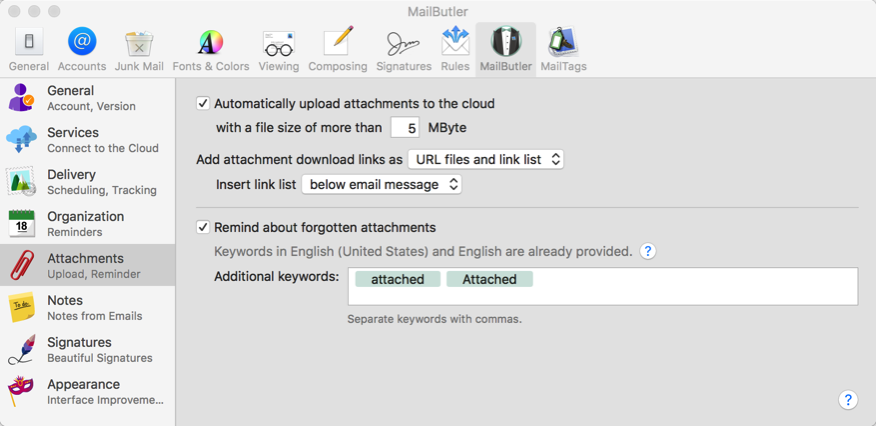
The next section is something I use all the time. It allows you to configure the attachments of your email. If it is larger than XYZ size, then attache it to a Dropbox/GoogleDrive etc. It also allows you to choose keywords to look for in an email to remind you to attach the actual file. In my case, I chose ‘attached’ and ‘attach’ more to follow I am sure.
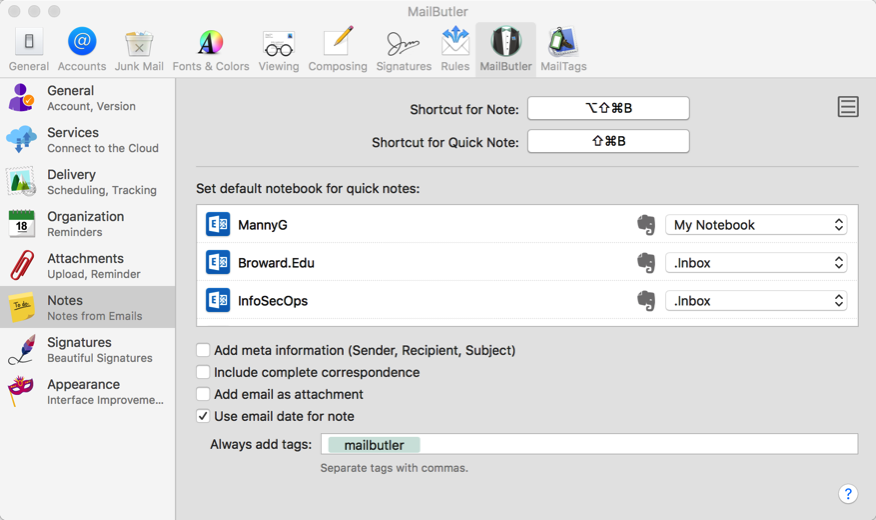
The next section allows you to set locations to your notes. I send them to Evernote although I am not sure if there is other destinations (e.g. Apple Notes) available. You can choose the particular ‘Notebook’ as well as a default tag to use when adding a note. This makes it easier to find if you know that it came from an email,
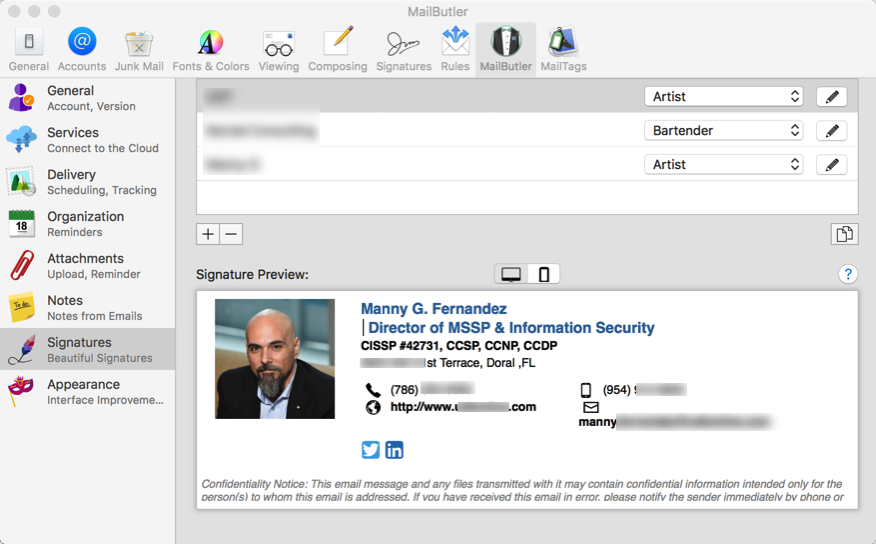
Signatures. What can I say about signatures in the past using Mac Mail? Well note much. This allows you to create stunning (except for my picture of course) signatures that are envied by even Outlook users.
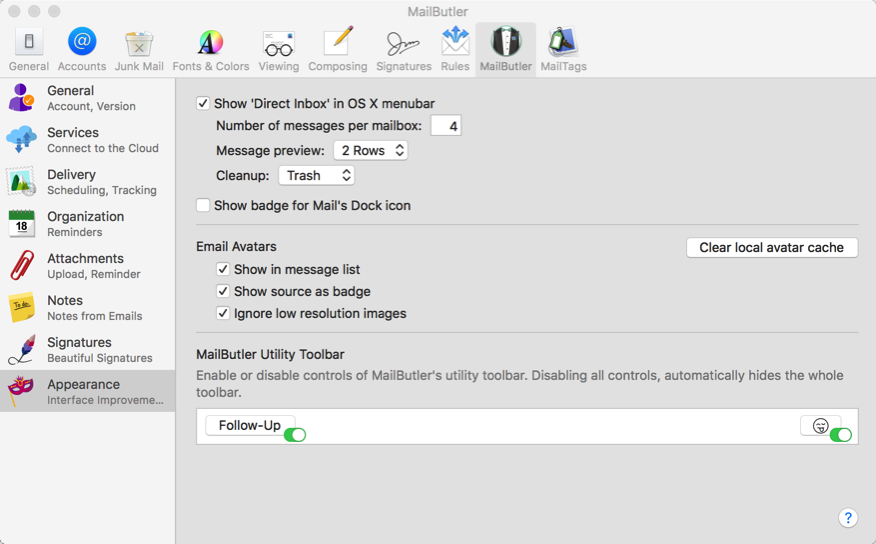
The next section covers the look and feel of the plugin.
Lastly, I want to show you the new features as they appear when creating an email.
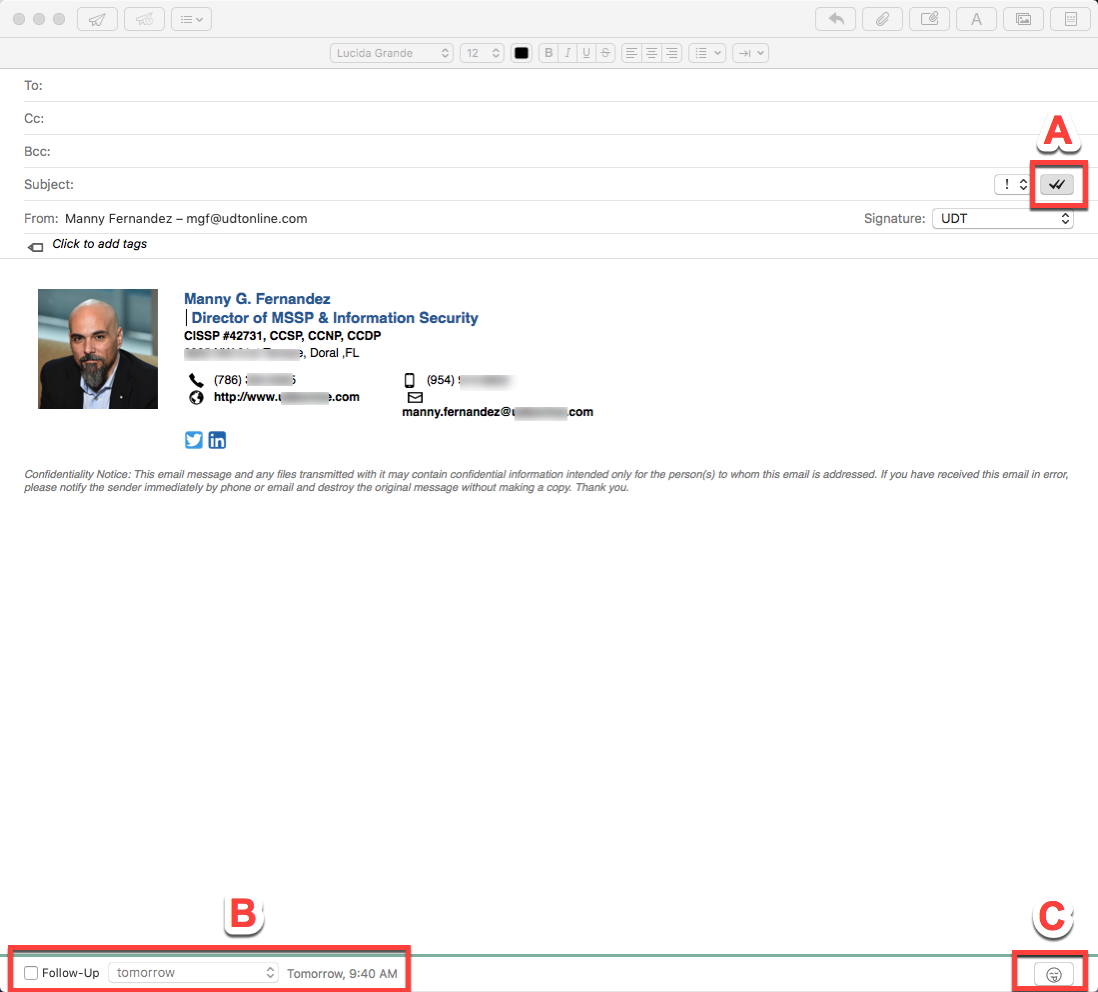
If you look at ‘A’, this is the read receipt feature. I have enabled it on all by default mostly because it does not generate a separate email which would fill my inbox and drive me mad. ‘B’ is an interesting feature in that it allows you to set a reminder for the email you sent. For instance, if you send an email to someone asking for them to provide something, you can set a reminder to follow up and make sure it does not fall through the cracks. ‘C’ is the ability to add emojis to your email.

Last but not least, if you have a message that you cannot deal with at the moment, you can ’Snooze’ it and it will re-appear when you snooze it to. Allowing you to respond without the email getting lost in the 100’s of emails you received after this one.
Recent posts
-

-

DNS is one of those technologies that quietly underpins... Full Story
-

BGP issues on FortiGate firewalls usually trace back to... Full Story
-

Every time your laptop talks to your router, a... Full Story
-

If you've spent any time configuring NAT on a... Full Story
-

If you have spent any time configuring firewall policies... Full Story
-

High availability on FortiGate is one of those features... Full Story
-

If you've configured SD-WAN on a FortiGate, you've almost... Full Story
-

FortiLink is the management protocol that turns a FortiSwitch... Full Story
-

FortiSwitches are pretty rock solid from Mean Time Between... Full Story
-

This is a quicky tip. Have you ever gone... Full Story
-

DNS is one of those quiet pieces of internet... Full Story
-

This article is an updated version of the previous... Full Story
-

You will add ns2 as a secondary (slave) BIND9... Full Story
-

In the process of deploying my lab, I needed... Full Story
-

RFC 8805, used to be known as Self-Correcting IP... Full Story
-

Years back, I wrote an article about certificate pinning. ... Full Story
-

FortiGates have the ability to send alerts to Microsoft... Full Story
-

In this post, I am going to walk through... Full Story
-

Troubleshooting VoIP on a FortiGate can feel like trying... Full Story
-

Prior to FortiOS 7.0, there were three commands to... Full Story
-

In this post, I am going to go over... Full Story
-

What we are going to do: We are going... Full Story
-

Choosing between FGCP (FortiGate Clustering Protocol) and FGSP (FortiGate... Full Story
-

Creating a VLAN on macOS (The "Pro" Move) A... Full Story
-

This blog post explores the logic behind how macOS... Full Story
-

Pretty Fly for a Wi-Fi Tell My Wi-Fi Love... Full Story
-

Part of my daily gig is creating BoMs (Bill-of-Materials)... Full Story
-

ICMP introduces several security risks, but careful filtering, rate... Full Story
-

The command diag debug application dhcps -1 enables full... Full Story
-

In the world of FortiOS, execute tac report is... Full Story
-

LLDP; What is it The Link Layer Discovery Protocol... Full Story
-

What it actually does When you run diagnose fdsm... Full Story
-

Monkey Bites are bite-sized, high-impact security insights designed for... Full Story
-

I have run macOS in macOS with Parallels but... Full Story
-

Don't be confused with my other FortiNAC posts where... Full Story
-

This is the third session in a multi-part article... Full Story
-

Today I was configuring key-based authentication on a FortiGate... Full Story
-

Netcat, often called the "Swiss Army knife" of networking,... Full Story
-

At its core, IEEE 802.1X is a network layer... Full Story
-

In case you did not see the previous FortiNAC... Full Story
-

This is our 5th session where we are going... Full Story
-

Now that we have Wireshark installed and somewhat configured,... Full Story
-

The Philosophy of Packet Analysis Troubleshooting isn't about looking... Full Story
-

Quick-Tip The default macOS zsh prompt prints your username,... Full Story
-

Executive summary. After Apple significantly upgraded Reminders, I finally... Full Story
-

The 20-byte tunnel nobody talks about: config system ipip-tunnel... Full Story