
If you've spent any time configuring user authentication on... Full Story
By Manny Fernandez
June 25, 2026
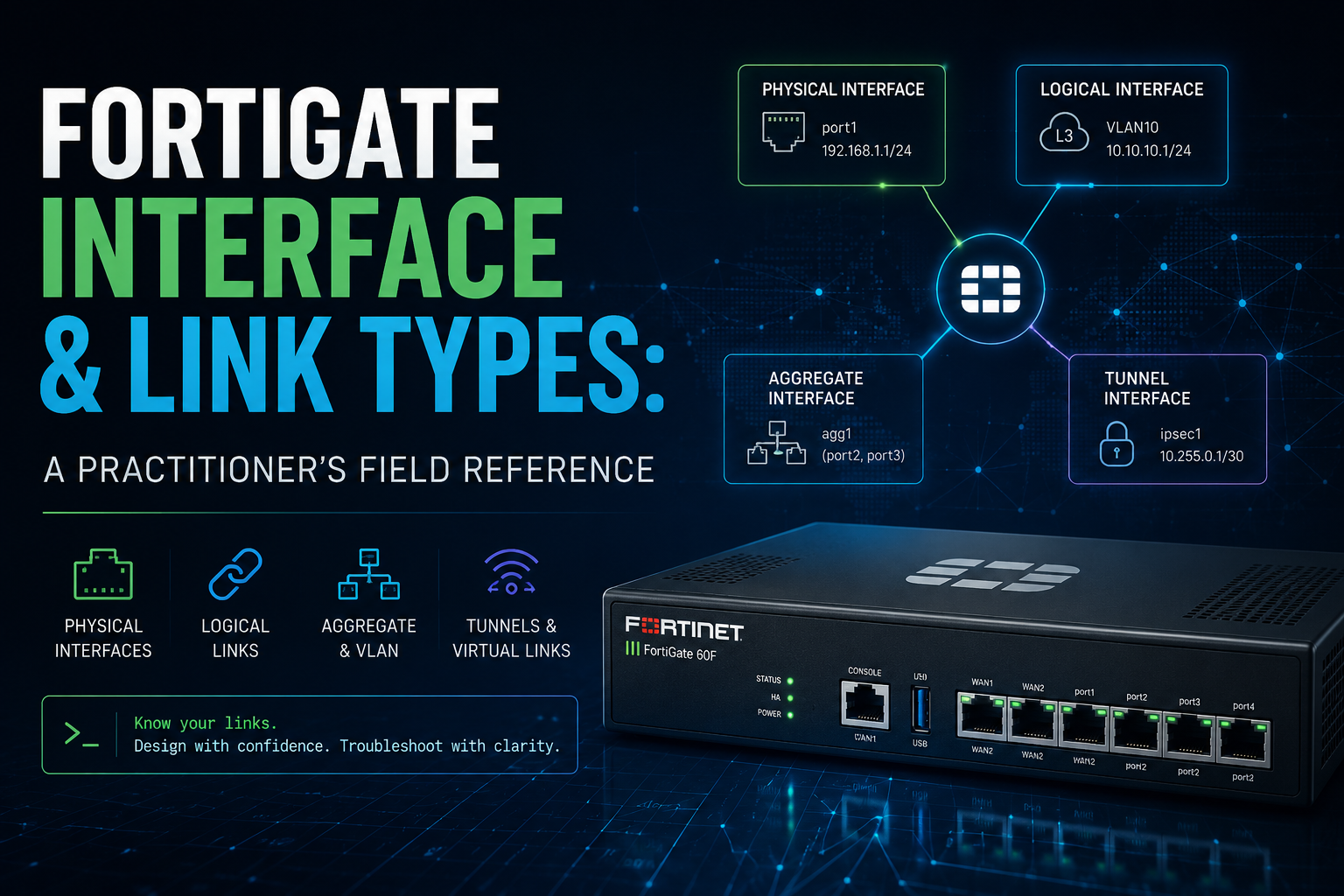
FortiGate Interface and Link Types: A Practitioner’s Field Reference
Executive Summary
A FortiGate is only as flexible as the interfaces you build on it. Open the Network > Interfaces page on any mid-range box and you are looking at far more than a row of copper ports. You are looking at a layered system where physical hardware, Layer 2 bridges, Layer 3 sub-interfaces, aggregation bundles, tunnels, and special operational modes all coexist on the same chassis. Pick the wrong type and you either burn CPU you did not need to burn, break hardware offload you were counting on, or paint yourself into a topology you cannot grow out of.
This guide walks the full FortiOS interface taxonomy the way an engineer actually encounters it: from the physical ports you can touch, up through logical and Layer 3 interfaces, then aggregation and redundancy, switching and bridging, wireless and extension interfaces, and finally the specialized operational roles that quietly rewrite how an interface behaves. No fluff. The goal is that after reading this you can look at any interface requirement and know exactly which type to reach for and what it will cost you.
A single rule worth holding onto before we start: the closer an interface stays to the hardware (ASIC/NP), the faster it runs; the more it depends on the CPU, the more flexible it is but the more it costs you under load. Almost every tradeoff below comes back to that line.
1. Physical Interfaces
These are the interfaces with a physical existence: the ports you cable up and the specialized port role that bootstraps your switch fabric.
Physical Interface
The actual hardware ports on the chassis, named by role or position such as port1, wan1, or internal. Depending on the hardware model, the physical medium behind that name varies widely: RJ-45 copper, SFP, SFP+, SFP28, QSFP+, and beyond. The interface name in FortiOS is an abstraction over whatever transceiver or copper PHY actually sits in the slot, which is why port5 on one model is a 1G copper port and on another is a 25G SFP28 cage.
Everything else in this guide is, ultimately, built on top of these. A VLAN rides a physical interface, a LAG bundles several of them, a software switch groups them. Get comfortable thinking of the physical port as the raw resource and the rest of the list as ways of slicing, combining, or repurposing that resource.
FortiLink Interface
A specialized physical or logical aggregate interface used specifically to auto-discover, provision, and manage downstream FortiSwitch units. FortiLink is what turns a stack of FortiSwitches into managed extensions of the FortiGate rather than independent boxes you SSH into one at a time.
The important nuance: FortiLink is frequently configured as an aggregate of two or more ports so the switch management and the data path it carries survive a single cable or port failure. Once an interface is dedicated to FortiLink, it stops being a general-purpose data port. Treat it as infrastructure, not as a port you can casually repurpose later.
2. Logical and Layer 3 Interfaces
These interfaces have no dedicated hardware of their own. They are constructs FortiOS creates on top of a physical or aggregate interface, or out of thin air, to give you routable endpoints and segmentation.
VLAN (Virtual Local Area Network)
Sub-interfaces bound to a physical or aggregate interface, used to segment traffic with 802.1Q tags. A VLAN interface is how you carve one physical link into many logical Layer 3 networks, each with its own subnet, security policies, and DHCP scope, all sharing the same physical wire to an upstream 802.1Q-capable switch.
This is the workhorse of nearly every FortiGate deployment. The pattern is almost always the same: trunk a physical port to a switch, then stack VLAN sub-interfaces on that port, one per segment. The physical interface itself usually carries no IP and exists only as the parent the tagged sub-interfaces hang off of.
Loopback Interface
A virtual, always-up Layer 3 interface. Because it is never tied to the up/down state of any physical port, it is the right tool whenever you need an address that stays reachable as long as the device itself is alive. Common uses include local management access, BGP peering, OSPF router IDs, and terminating VPN tunnels.
The always-up property is the whole point. A loopback used as a BGP source means the session does not flap just because one physical path went down, as long as any path to the loopback remains. Routing protocols converge around the failure instead of tearing down the peering.
IPsec Tunnel Interface
A virtual interface automatically generated when a route-based VPN tunnel is created, allowing you to treat a VPN tunnel as a routable interface. Once the tunnel interface exists you can run static or dynamic routing across it, apply firewall policies to it, and reference it in SD-WAN members exactly as if it were a physical link.
This is the foundation of modern FortiGate VPN design. Route-based (interface-mode) VPNs scale and integrate with dynamic routing and SD-WAN in ways that policy-based tunnels never could. If you are still building policy-based VPNs out of habit, the tunnel interface is the reason to switch.
VXLAN (Virtual Extensible LAN)
A logical tunneling interface used to stretch a Layer 2 network over a Layer 3 infrastructure. VXLAN encapsulates Ethernet frames inside UDP, letting you extend a broadcast domain across routed boundaries, between sites, or across a data center fabric, without flattening your underlay into one giant Layer 2 network.
In practice you see this for data center interconnect, for stretching segments between sites for workload mobility, and increasingly as the data plane underneath EVPN designs. The mental model is simple: VXLAN is the tunnel that makes two far-apart hosts believe they share a wire.
GRE Tunnel (Generic Routing Encapsulation)
A standard logical point-to-point tunnel interface used to encapsulate a wide variety of network layer protocols inside virtual point-to-point links. GRE is the lowest-common-denominator tunnel: simple, vendor-neutral, and willing to carry almost anything, including multicast and non-IP protocols that a plain IPsec tunnel will not.
The tradeoff is that GRE provides no encryption on its own. The classic pattern is GRE-over-IPsec: GRE for its flexibility in carrying routing protocols and multicast, wrapped in IPsec for confidentiality. When you need to run a routing protocol across a tunnel to a device that does not speak FortiOS interface-mode VPN, GRE is often the answer.
3. Aggregation and Redundancy Interfaces
These two interface types both bundle physical ports, but they solve different problems and people constantly confuse them. The distinction is bandwidth versus pure failover.
Aggregate Interface (LAG)
Combines multiple physical interfaces into a single logical link using 802.3ad Link Aggregation Control Protocol (LACP). This delivers both combined bandwidth and link redundancy. Four 10G ports in a LAG present as one logical interface with up to 40G of aggregate throughput, and the bundle stays up as long as at least one member link survives.
The bandwidth caveat that trips people up: a single flow does not spread across all members. LACP hashes each conversation onto one physical link based on the load-balance algorithm, so one TCP session is capped at the speed of a single member. Aggregation raises total capacity across many flows, not the ceiling of any one flow. Both ends, the FortiGate and the upstream switch, must agree on the LACP configuration.
Redundant Interface
Groups two or more physical ports together for failover. Unlike a LAG, only one port is active at a time; if the active link drops, the backup immediately takes over. There is no bandwidth aggregation here at all. The second port sits idle, waiting.
Reach for this when the upstream gear cannot do LACP, or when each member connects to a different upstream switch for path diversity and you care only about surviving a failure, not about adding capacity. If you want both more bandwidth and redundancy, use a LAG. If you only need a hot standby path, the redundant interface is simpler and has no LACP negotiation to misconfigure.
4. Switch and Bridging Interfaces
Here the FortiGate stops acting purely like a router and starts behaving like a switch, bridging traffic between ports at Layer 2. The three options differ enormously in where the switching work happens, and that determines their performance.
Hardware Switch
Combines physical interfaces at the hardware/ASIC level so they act like a traditional unmanaged Layer 2 switch. Traffic between member ports is switched directly by the internal switch chip without ever hitting the main CPU. This is why the lan or internal interface on smaller FortiGate models is so fast for local east-west traffic: the silicon does the work.
The strength is also the limitation. Because switching happens in dedicated hardware, a hardware switch only groups interfaces the switch chip natively supports, and you cannot mix in arbitrary interface types. When it fits your topology it is effectively free performance. When it does not, you fall back to software switching.
What platforms support Hardware Switches
Hardware switch support on FortiGate is tied to the platform’s physical port architecture rather than a software toggle. Entry-level and desktop models such as the FortiGate 40F, 60F, and 80F series ship with an integrated internal switch fabric, so their LAN-side ports are presented as a single hardware switch interface by default. This lets multiple physical ports share one logical interface and one IP subnet with traffic switched in silicon at line rate, which is ideal for small offices and branch sites that want plug-and-play LAN connectivity without consuming routing resources. On these units you can add, remove, or regroup member ports into custom hardware switch interfaces, and the dedicated WAN and DMZ ports typically sit outside the switch fabric so they remain independently routable.
Mid-range and higher-end models, including most of the FortiGate 100F, 200F, 400F, and 600F class chassis as well as the larger data center and chassis-based platforms, generally do not present ports as hardware switches because their interfaces are designed as discrete routed ports wired to the NP and switching ASICs for maximum throughput and flexibility. On these platforms you achieve port grouping through software switch interfaces, aggregate (LAG) interfaces, or VLAN switching, which trade some hardware offload for greater configuration control. The practical rule of thumb is that the smaller the model number, the more likely it ships with a default hardware switch, while the larger enterprise and data center units expect you to build your own logical groupings. Always confirm against the specific model’s QuickStart guide or the hardware switch entry in the FortiOS feature matrix, since port layouts and switch fabric behavior can vary between hardware revisions and major FortiOS releases.
Software Switch
A software-defined bridge that groups physical, wireless, or VLAN interfaces together. Because it handles switching in the CPU, it supports a mix of interface types that the hardware switch cannot, including wireless SSIDs alongside physical ports. The price is that it gets no hardware acceleration.
This is the right tool when you genuinely need to bridge dissimilar interfaces, the textbook case being putting wired LAN ports and a WiFi SSID into the same broadcast domain so wired and wireless clients share one subnet. Just budget for the CPU cost: a software switch carrying serious throughput will load the CPU in a way a hardware switch never would.
VWire (Virtual Wire)
Pairs two interfaces together at Layer 2 so that traffic entering one port exits the other transparently, with no IP or MAC address required on the firewall. This is purpose-built for dropping a FortiGate inline into an existing network without altering any routing, addressing, or topology. The firewall becomes a transparent bump in the wire that inspects and enforces policy without anyone upstream or downstream needing to know it is there.
The classic use case is inserting a FortiGate for inspection in front of an existing gateway you do not want to touch or cannot reconfigure. Because the firewall is invisible at Layer 3, there is no default gateway to change and no readdressing project. You get inspection and blocking inline, transparently.
5. Wireless and Extension Interfaces
These logical interfaces extend the FortiGate’s reach beyond its own chassis: onto the airwaves and out over cellular.
WiFi SSID
A logical interface associated with a wireless network broadcast by the FortiGate’s internal wireless chip on WiFi-capable models, or by managed FortiAPs. Each SSID behaves like any other Layer 3 interface in FortiOS: you assign it a subnet, attach DHCP, and write firewall policies governing what its clients can reach. The integrated wireless controller is one of the genuine conveniences of the platform, since the same box enforcing your policy is also managing the airspace.
The practical pattern is to treat each SSID as a security zone in its own right. A guest SSID becomes an interface with policies that allow internet access but block everything internal, while a corporate SSID gets broader reach, all managed from the same policy table as your wired segments.
FortiExtender Interface
A logical interface used to control and route traffic through an external FortiExtender appliance, typically handling 4G/5G cellular WAN links. From the FortiGate’s perspective the cellular uplink appears as a routable interface you can add as an SD-WAN member, write policy against, and fail over to, even though the actual radio lives in a separate appliance positioned for the best signal.
This is the standard answer for cellular failover and for primary connectivity at sites where wired WAN is unavailable or unreliable. Pairing a FortiExtender uplink with SD-WAN gives you automatic failover to LTE/5G when the primary circuit degrades, with the cellular link treated as just another path in your SD-WAN decision logic.
6. Specialized Operational Roles
These do not introduce new interface types so much as flip a behavioral switch on an existing one. Toggling these options significantly alters how the interface operates inside FortiOS, so they deserve their own section.
One-Arm Sniffer
Configures an interface to operate purely in passive, promiscuous mode. It receives mirrored traffic via SPAN or RSPAN from a switch and runs it through IDS/IPS analysis and logging, but it cannot transmit or block anything. The interface is a listening post, not an inline enforcement point.
This is how you get FortiGate threat detection visibility into a segment without inserting the firewall into the data path. You configure a SPAN port on the switch, feed the mirror into the sniffer interface, and the FortiGate reports on what it sees. The hard limitation to keep in mind: detection only. Because traffic is mirrored rather than passing through, the FortiGate can alert on a threat but cannot drop it. If you need to actually block, you need an inline design (VWire or a routed/transparent path), not a sniffer.
EMAC VLAN (Enhanced MAC VLAN)
Allows you to create multiple virtual interfaces on top of a single physical interface, each with its own unique, separate MAC address. This goes a step beyond a standard 802.1Q VLAN sub-interface, which shares the parent’s MAC; here each virtual interface presents a distinct hardware address to the network.
The distinct-MAC property is what makes EMAC VLAN valuable in advanced multi-VDOM architectures and ISP environments, where upstream systems, DHCP servers, or provider equipment key on MAC address and need to see each logical interface as a separate device. When a standard VLAN sub-interface is not enough because something upstream demands unique MACs, EMAC VLAN is the tool.
Choosing the Right Interface: A Quick Decision Guide
When you are staring at the interface creation dialog, work the problem in roughly this order:
– Need a routable Layer 2 segment on a trunk? VLAN sub-interface. This is your default for segmentation.
– Need an address that never goes down? Loopback, for management, BGP, OSPF router IDs, and tunnel termination.
– Need to route over a VPN? Route-based IPsec, which gives you the tunnel interface. Reach for GRE only when you need to carry multicast or non-IP protocols, and wrap it in IPsec for confidentiality.
– Need to stretch Layer 2 across Layer 3? VXLAN.
– Need more bandwidth and redundancy across many flows? Aggregate (LAG) with LACP.
– Need pure hot-standby failover, or the upstream cannot do LACP? Redundant interface.
– Need to bridge ports at Layer 2? Hardware switch if the silicon supports the grouping and you want speed; software switch if you must mix dissimilar interfaces like wired plus WiFi and can spend the CPU.
– Need to drop the firewall inline without touching routing? VWire.
– Need wireless or cellular reach? WiFi SSID or FortiExtender interface, each treated as its own zone.
– Need passive visibility for IDS/IPS? One-arm sniffer, remembering it can detect but never block.
– Need unique MACs per virtual interface? EMAC VLAN, for multi-VDOM and ISP-style designs.
Keep the hardware-versus-CPU tradeoff in the back of your mind through all of it. The fastest interface is the one the ASIC handles for you; the most flexible is the one the CPU handles for you; and the art of FortiGate interface design is knowing when each is worth it.
Recent posts
-

-

DNS is one of those technologies that quietly underpins... Full Story
-

BGP issues on FortiGate firewalls usually trace back to... Full Story
-

Every time your laptop talks to your router, a... Full Story
-

If you've spent any time configuring NAT on a... Full Story
-

If you have spent any time configuring firewall policies... Full Story
-

High availability on FortiGate is one of those features... Full Story
-

If you've configured SD-WAN on a FortiGate, you've almost... Full Story
-

FortiLink is the management protocol that turns a FortiSwitch... Full Story
-

FortiSwitches are pretty rock solid from Mean Time Between... Full Story
-

This is a quicky tip. Have you ever gone... Full Story
-

DNS is one of those quiet pieces of internet... Full Story
-

This article is an updated version of the previous... Full Story
-

You will add ns2 as a secondary (slave) BIND9... Full Story
-

In the process of deploying my lab, I needed... Full Story
-

RFC 8805, used to be known as Self-Correcting IP... Full Story
-

Years back, I wrote an article about certificate pinning. ... Full Story
-

FortiGates have the ability to send alerts to Microsoft... Full Story
-

In this post, I am going to walk through... Full Story
-

Troubleshooting VoIP on a FortiGate can feel like trying... Full Story
-

Prior to FortiOS 7.0, there were three commands to... Full Story
-

In this post, I am going to go over... Full Story
-

What we are going to do: We are going... Full Story
-

Choosing between FGCP (FortiGate Clustering Protocol) and FGSP (FortiGate... Full Story
-

Creating a VLAN on macOS (The "Pro" Move) A... Full Story
-

This blog post explores the logic behind how macOS... Full Story
-

Pretty Fly for a Wi-Fi Tell My Wi-Fi Love... Full Story
-

Part of my daily gig is creating BoMs (Bill-of-Materials)... Full Story
-

ICMP introduces several security risks, but careful filtering, rate... Full Story
-

The command diag debug application dhcps -1 enables full... Full Story
-

In the world of FortiOS, execute tac report is... Full Story
-

LLDP; What is it The Link Layer Discovery Protocol... Full Story
-

What it actually does When you run diagnose fdsm... Full Story
-

Monkey Bites are bite-sized, high-impact security insights designed for... Full Story
-

I have run macOS in macOS with Parallels but... Full Story
-

Don't be confused with my other FortiNAC posts where... Full Story
-

This is the third session in a multi-part article... Full Story
-

Today I was configuring key-based authentication on a FortiGate... Full Story
-

Netcat, often called the "Swiss Army knife" of networking,... Full Story
-

At its core, IEEE 802.1X is a network layer... Full Story
-

In case you did not see the previous FortiNAC... Full Story
-

This is our 5th session where we are going... Full Story
-

Now that we have Wireshark installed and somewhat configured,... Full Story
-

The Philosophy of Packet Analysis Troubleshooting isn't about looking... Full Story
-

Executive Summary Objective: Get you from zero to writing... Full Story
-

NAND cells, the flash translation layer, SLC caching, TRIM,... Full Story
-

Nmap Scripting Engine (NSE): From One-Liners to Your First... Full Story