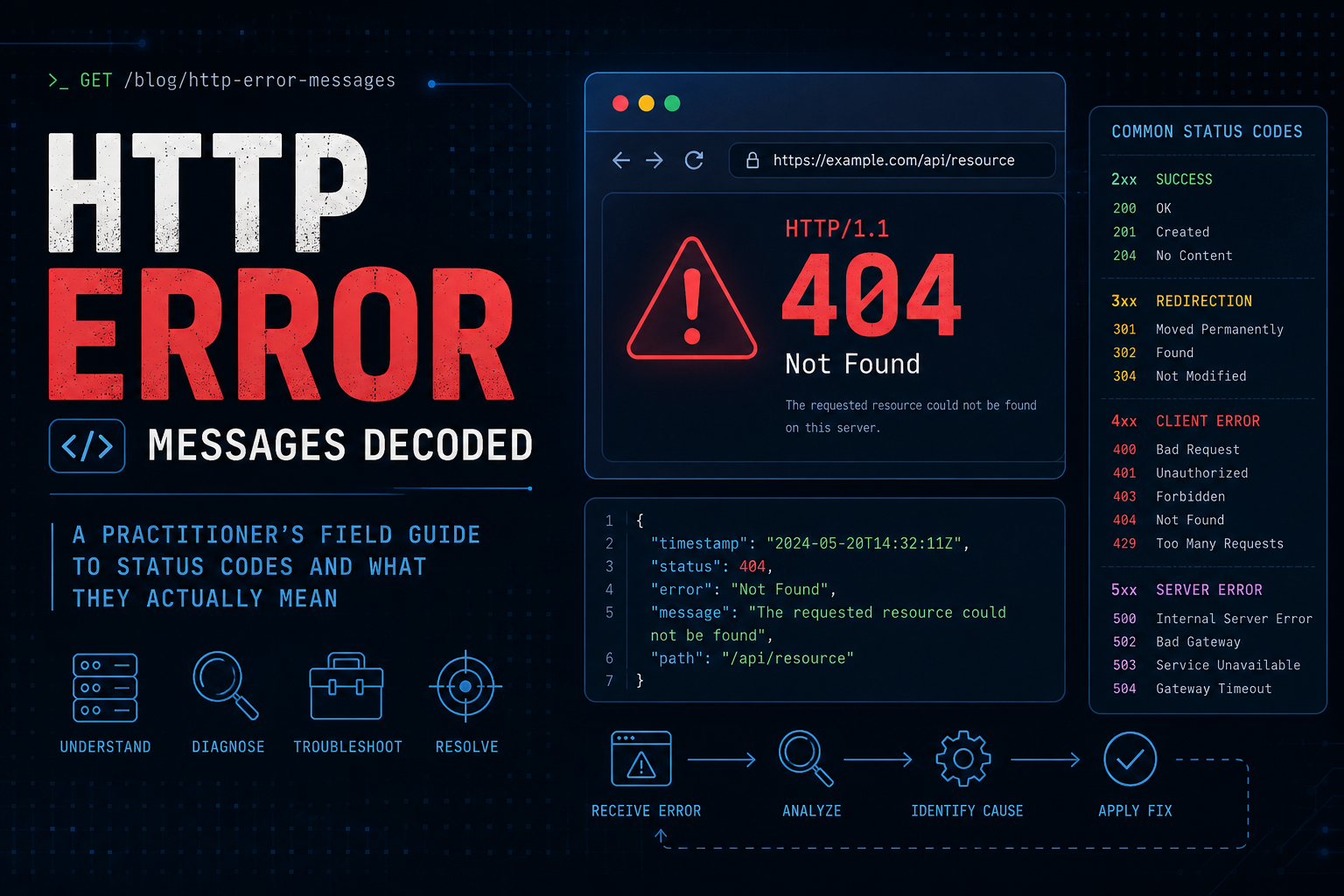
3. Step-by-Step Diagnostic Workflow
Work these phases in order. Phase 1 gets you the raw truth, Phase 2 classifies it, and Phases 3 through 6 decode the specific code and hand you the resolution.
Phase 1: Capture the Raw Response
Goal. Get the real status line and headers, not the friendly error page your browser paints over them.
Action. Probe the URL with verbose curl, then isolate just the status code and just the headers.
# Full verbose exchange: TLS, request headers, response headers, body
curl -v https://<your_domain>/path

# Just the response headers (HEAD request, silent)
curl -sI https://<your_domain>/path

# Just the numeric status code, nothing else
curl -s -o /dev/null -w "%{http_code}\n" https://<your_domain>/path

# Status code plus total response time (great for spotting timeouts)
curl -s -o /dev/null -w "%{http_code}  %{time_total}s\n" https://<your_domain>/path
GUI verification. In the browser, open Developer Tools, select the Network tab, reload, and click the failing request. The Status column shows the code and the Headers sub-tab shows the response headers that carry the real answer.
Phase 2: Classify by Status Class
Goal. Use the first digit to route the problem to the right owner before you read anything else.
| Class |
Meaning |
Who Owns It |
| 1xx Informational |
Request received, processing continues |
Rarely an issue, protocol-level |
| 2xx Success |
The request worked |
Nobody, unless the body is wrong |
| 3xx Redirection |
Go somewhere else to finish |
Config / routing owner |
| 4xx Client Error |
The request was wrong or not allowed |
Caller, or auth / policy owner |
| 5xx Server Error |
The server or an upstream failed |
Server / proxy / app owner |
Rule of thumb: 4xx means “fix the request,” 5xx means “fix the server.” The one liar in this scheme is a 200 that carries an error page, common with WAFs and application frameworks that return a friendly failure with a success code. Always read the body, not just the code.
Phase 3: Decode 4xx Client Errors
Goal. Identify why the request was rejected and whether the caller or the policy is at fault.
| Code |
Name |
What it Actually Means |
First Move |
| 400 |
Bad Request |
Malformed syntax, bad headers, or oversized cookies. The server could not parse it. |
Clear cookies, check header sizes |
| 401 |
Unauthorized |
Not authenticated. You have not proven who you are. |
Read the WWW-Authenticate header |
| 403 |
Forbidden |
Authenticated but not authorized, or blocked by a WAF or ACL. |
Check WAF logs and file permissions |
| 404 |
Not Found |
The resource does not exist at this path (or the route is wrong). |
Verify path, rewrite rules, doc root |
| 405 |
Method Not Allowed |
The verb (POST, PUT, DELETE) is not permitted on this resource. |
Read the Allow header |
| 407 |
Proxy Auth Required |
A forward proxy in the path wants credentials before it forwards you. |
Supply proxy credentials |
| 408 |
Request Timeout |
The client took too long to send the full request. |
Check slow client or upload size |
| 409 |
Conflict |
The request collides with the current state (edit conflict, duplicate). |
Refresh state and retry |
| 410 |
Gone |
Resource existed but is permanently removed. Stronger than 404. |
Update links, expect no return |
| 413 |
Content Too Large |
Body exceeds the server or proxy body-size limit. |
Raise client_max_body_size |
| 414 |
URI Too Long |
The URL is longer than the server accepts, often a runaway query string. |
Move params to the body |
| 415 |
Unsupported Media Type |
The Content-Type you sent is not accepted by the endpoint. |
Fix the Content-Type header |
| 429 |
Too Many Requests |
Rate limit tripped. You are being throttled. |
Honor the Retry-After header |
| 431 |
Request Header Fields Too Large |
Total header size (often a bloated cookie or JWT) is too big. |
Trim cookies and tokens |
Action for the two most confused codes (401 vs 403).
# 401 tells you HOW to authenticate via this header:
curl -sI https://<your_domain>/secure | grep -i www-authenticate
# e.g. WWW-Authenticate: Bearer realm="api"   -> you need a token

# Retry with credentials to confirm it is an auth problem, not a policy block:
curl -s -o /dev/null -w "%{http_code}\n" -u <user>:<pass> https://<your_domain>/secure
# 200 now  -> it was 401 (authentication). Still 403 -> authorization or WAF.

# 405 names the allowed verbs for you:
curl -sI -X POST https://<your_domain>/read-only | grep -i allow
# e.g. Allow: GET, HEAD   -> POST was never going to work here
GUI verification (FortiWeb / WAF 403). If a 403 arrives from a WAF rather than the app, the block is logged. In FortiWeb, open Log & Report and filter the Attack log for the source IP and URL. The matched signature or rule tells you exactly why the request was denied, and you can move that rule to alert-only to confirm before you tune it.
Phase 4: Decode 5xx Server Errors
Goal. Pin the failure to a specific hop: origin, proxy, or the link between them.
| Code |
Name |
What it Actually Means |
First Move |
| 500 |
Internal Server Error |
The app threw an unhandled exception. Generic catch-all. |
Read the application error log |
| 501 |
Not Implemented |
The server does not support the method or feature at all. |
Check the verb and server capability |
| 502 |
Bad Gateway |
The proxy reached upstream but got an invalid or refused response. |
Is the origin process running? |
| 503 |
Service Unavailable |
Server is overloaded, in maintenance, or has no healthy backend. |
Check health checks and Retry-After |
| 504 |
Gateway Timeout |
The proxy reached upstream but got no response in time. |
The origin is slow, not down |
| 505 |
HTTP Version Not Supported |
The requested HTTP protocol version is not supported. |
Check protocol negotiation |
| 511 |
Network Auth Required |
A captive portal wants you to log in to the network first. |
Complete the portal sign-in |
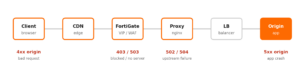
502 versus 504, the distinction that saves an hour: a 502 means the proxy got a broken or refused reply, so the origin is down, crashed, or listening on the wrong port. A 504 means the proxy got no reply in time, so the origin is up but slow (a hung query, an overwhelmed thread pool). One is “restart it,” the other is “profile it.”
Action. Test the proxy and the origin separately to find the broken link.
# 1. Hit the public edge (through proxy):
curl -s -o /dev/null -w "edge: %{http_code} in %{time_total}s\n" https://<your_domain>/

# 2. Bypass the proxy and hit the origin directly from the proxy host:
curl -s -o /dev/null -w "origin: %{http_code} in %{time_total}s\n" \
     -H "Host: <your_domain>" http://<origin_ip>:<origin_port>/

# If step 2 works but step 1 is 502/504, the proxy-to-origin link is the fault.

# nginx confirms the exact upstream failure in its error log:
sudo tail -n 50 /var/log/nginx/error.log
#   502 -> "connect() failed (111: Connection refused) while connecting to upstream"
#   504 -> "upstream timed out (110: Connection timed out) while reading response"
GUI verification (FortiGate load-balance VIP). A 503 from a FortiGate server-load-balance VIP usually means every real server failed its health check. Navigate to Policy & Objects and open the Virtual IP, then review the real server list and the health-check monitor status. A real server marked down is your 503. From the CLI you can trace how the box handled the session:
# On the FortiGate: trace the packet through policy, NAT, and the VIP
diagnose debug reset
diagnose debug flow filter addr <client_ip>
diagnose debug flow show function-name enable
diagnose debug flow trace start 20
diagnose debug enable
# Reproduce the request, then read whether it matched the VIP and reached a real server.
diagnose debug disable
Phase 5: Follow 3xx Redirects
Goal. Confirm the redirect chain terminates cleanly and does not loop or leak to the wrong host.
| Code |
Name |
Key Behavior |
| 301 |
Moved Permanently |
Cached aggressively by browsers. Hard to undo once served. |
| 302 |
Found |
Temporary. Some clients wrongly switch POST to GET. |
| 303 |
See Other |
Forces a GET on the target. Used after a POST. |
| 304 |
Not Modified |
Cache hit. Not an error, the client reuses its copy. |
| 307 |
Temporary Redirect |
Like 302 but preserves the method and body. |
| 308 |
Permanent Redirect |
Like 301 but preserves the method and body. |
# Print every hop in the chain with its code and Location target:
curl -sIL https://<your_domain>/ | grep -iE "^HTTP|^location"

# Follow the whole chain and show only the final landing code:
curl -s -o /dev/null -w "final: %{http_code}  url: %{url_effective}\n" -L https://<your_domain>/

# A chain that never terminates (curl error 47) is a redirect loop.
Phase 6: The Headers That Carry the Real Answer, and Vendor Codes
Goal. Know which response header pairs with which code, and recognize the non-standard codes proxies and CDNs invent.
| Code |
Pairs With Header |
What the Header Tells You |
| 401 |
WWW-Authenticate |
Which auth scheme and realm to use |
| 405 |
Allow |
The methods that ARE permitted here |
| 429 / 503 |
Retry-After |
Seconds (or a date) before you retry |
| 3xx |
Location |
Where to go next |
| Any |
Server / Via |
Which software or proxy answered |
Non-standard codes you will meet in the wild:
- nginx:
499 means the client closed the connection before nginx replied (usually an impatient client or an upstream that was too slow). 444 means nginx closed the connection with no response at all, typically a deliberate drop rule.
- Cloudflare: the
52x range is the edge telling you about your origin. 521 (origin refused the connection), 522 (connection timed out to origin), 523 (origin unreachable), 524 (origin took too long to respond), 525 and 526 (TLS handshake or certificate problem at the origin). These are origin-side problems dressed up as a CDN error.
- IIS: uses sub-status codes such as
403.14 (directory listing denied) or 500.19 (bad config file). The decimal after the code is where the real detail lives.
4. Verification and Validation
You have correctly diagnosed an HTTP error when you can do all three of the following:
- Reproduce it on demand with a single curl command that returns the same code every time. If it is intermittent, you have not found the root cause yet.
- Point to the exact hop that generated it, confirmed by a matching log line on that component (WAF attack log, nginx error log, or application stack trace).
- Read the paired header and have it agree with your theory (a Retry-After on the 429, an Allow list on the 405, a Location on the redirect).
What success looks like. After the fix, the same probe returns the expected code with a healthy response time:
# Loop the probe to prove the fix is stable, not lucky:
for i in $(seq 1 10); do
  curl -s -o /dev/null -w "%{http_code}  %{time_total}s\n" https://<your_domain>/health
done
# Success = ten lines of "200" with consistent, low timings.
5. Troubleshooting and Gotchas
Gotcha 1: Blaming the origin for a 502 that is really a health-check flap
Symptom. Intermittent 502 or 503 with no matching crash in the application log. The app is fine, yet the proxy keeps marking it down.
Cause. The proxy or VIP health check is too aggressive (interval too short, timeout too low), or it probes a path the app protects (returning 401/403 to the checker, which the proxy reads as “unhealthy”).
Diagnose and resolve.
# Probe the exact health-check path the proxy uses, as the proxy sees it:
curl -s -o /dev/null -w "%{http_code}\n" -H "Host: <your_domain>" \
     http://<origin_ip>:<origin_port>/healthz
# If this returns 401/403 or a slow time, the checker is failing, not the app.
# Fix: point the health check at an unauthenticated path and widen the timeout.
Gotcha 2: A 301 that you cannot take back
Symptom. You published a 301 by mistake (wrong host, http to https loop, or a bad rewrite). You revert the config, but users still land on the wrong page.
Cause. Browsers and intermediary caches treat 301 as permanent and cache it hard, sometimes for the life of the browser session or longer. Your revert never reaches those clients.
Diagnose and resolve. Confirm the code with a fresh, cache-busting probe, then prefer 302 or 307 for anything you are not certain is permanent.
# curl ignores the browser cache, so it shows the CURRENT server behavior:
curl -sI "https://<your_domain>/old-path?cachebust=$(date +%s)" | grep -iE "^HTTP|^location"

# Recovery for already-cached clients: serve the old path with a 302 back to the
# correct target and a short cache lifetime, so browsers stop pinning the old 301.
# Rule going forward: 301/308 only when the move is truly permanent.
Gotcha 3: The 200 that is actually a failure
Symptom. Your monitoring is green (all 200s) but users report errors, blank pages, or “access denied” screens.
Cause. A WAF block page, a single-page-app error state, or an API that wraps failures in a 200 body with an error field. The status line lies, so a code-only check passes.
Diagnose and resolve. Validate the body and the payload size, not just the code.
# Check code AND content length. A tiny body on a "200" is a red flag:
curl -s -o /tmp/body.html -w "code:%{http_code}  bytes:%{size_download}\n" https://<your_domain>/app
grep -iE "access denied|blocked|error|request id" /tmp/body.html

# For a WAF, confirm in the appliance log that the request was blocked and returned
# a block page with a 200. Tune the health check to assert on body content, not code.
The one-line takeaway. The status code names the class of problem and the hop that raised it, the paired header names the fix, and the body confirms the truth. Read all three and you never guess again.