
If you've spent any time configuring user authentication on... Full Story
By Manny Fernandez
July 20, 2026

A little TCP story…
Today I was on LinkedIn in the AM to monitor for friends moving companies etc. And I came across a post by Cecilia Lagnelöv that was a refreshing explanations of the differences between TCP and UDP. I asked her if I could repost here. Without you realizing, it is surprisingly technical without being technical. Her original LinkedIn post is here. Thank you Cecilia. Great Job.
A little TCP story…
(Yes, I wanted the picture to look like a Journey LP cover). TCP and UDP. Two protocols with two very different personalities. That most of us have studied. I want to say all of us actually.
One wants a proper introduction and confirmation that every packet arrived safely, and a reply if you got home okay. Just like my parent style.
The other throws the packet out the window and wishes it the best of luck, then immediately moves on.
Today, we’re getting to know both of them.
Chapter 1. Trust me.
TCP is the kind of person who won’t leave the house without checking three times that the front door is locked. Then checking that you didn’t forget your keys. Then making sure you’re wearing matching socks.
Every conversation starts with a proper introduction. Then it waits for confirmation. Only when both sides agrees they’re ready does the real conversation begin.
It may sound a little overprotective. And honestly, it is.
But that’s also why we trust TCP with things like web browsing, online banking, emails and file transfers. When the data absolutely has to arrive, TCP would rather be a little paranoid than take unnecessary risks.
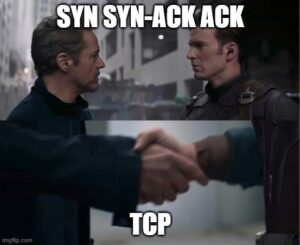
Let me break it down for you.
SYN = I’d like to start the conversation. (Yes, I have trust issues)
SYN-ACK = I hear you! I am ready if you are.
ACK = Perfect! Let’s do this!
Only after these three packets have been exchanged does TCP start sending application data.
It’s a surprisingly simple process but it’s one of the reasons TCP is considered a reliable transport protocol. But here’s the important part. The handshake isn’t just networking being polite, it’s TCP making sure both sides are ready before anything important happens.
It’s asking for consent.
A concept that’s useful both in networking and in real life.

TCP is basically saying: You can trust me. I know the secret handshake.
By now you’ve probably noticed a pattern. TCP doesn’t like assumptions. It wants introductions and acknowledgements. It wants to know that everyone’s on the same page before the real conversation begins.
Some might call it overthinking but TCP calls it reliability. I just call it Ol’ Reliable.
That’s exactly why we trust TCP with things like online banking, file transfers, emails and web browsing. When losing data isn’t an option, being a little overprotective suddenly feels less like a red flag and more like a green one.
Chapter 2. Did you get it?
So the handshake is complete and you feel: Great!, now TCP can finally relax.
Except it doesn’t. Because sending data isn’t enough. TCP also wants to know that the data actually arrived.
Imagine sending someone an important letter. Would you simply hope it got there? Not if you’re TCP.
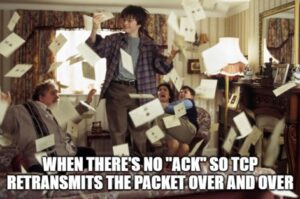
Every piece of data TCP sends has a sequence number. When the receiver gets it, it sends back an ACK, short for Acknowledgement.
It’s basically saying: Yep, I got it.
If that acknowledgement never arrives, TCP assumes something went wrong.
Maybe the packet got lost or it was dropped somewhere along the way. Maybe it simply never made it.
Whatever the reason, TCP doesn’t argue, it simply sends it again. And again. And again.
Yes, you’ve seen this before! It’s basically what happened in Harry Potter. One letter wasn’t enough.
Not received?
Send another.
Still not received?
Send another.
Eventually, the whole house disappeared under a mountain of letters. That’s TCP in a nutshell. It keeps sending until it finally gets an ACK.
So again, TCP doesn’t believe in “I’m sure it arrived!” TCP wants proof.
Chapter 3. YOLO!
So, now that TCP has spent the last two chapters making sure everything is perfect, UDP looked at all of that and said:
– Nah.
UDP doesn’t do introductions and it doesn’t ask if you’re ready. It also doesn’t wait for acknowledgements.
It simply sends the packet and moves on with its life.
Unlike TCP, UDP is connectionless. It doesn’t establish a connection before sending data. There is no handshake. Once a packet has been sent, UDP considers its job done.
No commitment. No follow up and no emotional attachment. UDP follows what’s often called a best effort approach. It delivers the packet and hopes for the best.
This is your red flag everyone! Don’t date UDP!
If you thought TCP was overprotective, UDP is the one who leaves you on read.

Does that mean UDP is bad? Not at all.
Sometimes speed matters more than perfection. If you’re watching a live football match and one packet disappears you probably won’t even notice.
Why? Because the next packet is already on its way. The same goes for voice calls and online gaming.
Waiting for missing packets would often be more annoying than simply moving on.
UDP doesn’t care if every packet arrives. It cares that you don’t notice when one doesn’t.
Final thoughts
If you’ve made it this far, you’ve probably noticed that TCP and UDP aren’t competing with each other. They’re just really different and designed to be solving different problems.
TCP asks this question:
Did it arrive?
While UDP asks:
Did it arrive in time?
Neither approach is better. It all depends on what you’re trying to achieve.
If you’re transferring a file or making an online payment then every packet matters.
On the other hand, If you’re watching a live football match or talking to someone over a video call then timing often matters more than perfection.
That’s why we still use both. Not because one protocol is old and the other is new. But because networking is rarely about finding the best protocol. It’s about finding the right one.
It’s just like dating. Do you like a partner who is overprotective and double checks everything, or a partner that just goes with the flow? The choice is yours. Just don’t expect UDP to check if you got home safe…
Over and out.

Network Consultant at Telia Cygate, CCNA
Cisco Champion 2023/2024/2025
Emirage on Twitter
OSPF advocate
Recent posts
-

-

DNS is one of those technologies that quietly underpins... Full Story
-

BGP issues on FortiGate firewalls usually trace back to... Full Story
-

Every time your laptop talks to your router, a... Full Story
-

If you've spent any time configuring NAT on a... Full Story
-

If you have spent any time configuring firewall policies... Full Story
-

High availability on FortiGate is one of those features... Full Story
-

If you've configured SD-WAN on a FortiGate, you've almost... Full Story
-

FortiLink is the management protocol that turns a FortiSwitch... Full Story
-

FortiSwitches are pretty rock solid from Mean Time Between... Full Story
-

This is a quicky tip. Have you ever gone... Full Story
-

DNS is one of those quiet pieces of internet... Full Story
-

This article is an updated version of the previous... Full Story
-

You will add ns2 as a secondary (slave) BIND9... Full Story
-

In the process of deploying my lab, I needed... Full Story
-

RFC 8805, used to be known as Self-Correcting IP... Full Story
-

Years back, I wrote an article about certificate pinning. ... Full Story
-

FortiGates have the ability to send alerts to Microsoft... Full Story
-

In this post, I am going to walk through... Full Story
-

Troubleshooting VoIP on a FortiGate can feel like trying... Full Story
-

Prior to FortiOS 7.0, there were three commands to... Full Story
-

In this post, I am going to go over... Full Story
-

What we are going to do: We are going... Full Story
-

Choosing between FGCP (FortiGate Clustering Protocol) and FGSP (FortiGate... Full Story
-

Creating a VLAN on macOS (The "Pro" Move) A... Full Story
-

This blog post explores the logic behind how macOS... Full Story
-

Pretty Fly for a Wi-Fi Tell My Wi-Fi Love... Full Story
-

Part of my daily gig is creating BoMs (Bill-of-Materials)... Full Story
-

ICMP introduces several security risks, but careful filtering, rate... Full Story
-

The command diag debug application dhcps -1 enables full... Full Story
-

In the world of FortiOS, execute tac report is... Full Story
-

LLDP; What is it The Link Layer Discovery Protocol... Full Story
-

What it actually does When you run diagnose fdsm... Full Story
-

Monkey Bites are bite-sized, high-impact security insights designed for... Full Story
-

I have run macOS in macOS with Parallels but... Full Story
-

Don't be confused with my other FortiNAC posts where... Full Story
-

This is the third session in a multi-part article... Full Story
-

Today I was configuring key-based authentication on a FortiGate... Full Story
-

Netcat, often called the "Swiss Army knife" of networking,... Full Story
-

At its core, IEEE 802.1X is a network layer... Full Story
-

In case you did not see the previous FortiNAC... Full Story
-

This is our 5th session where we are going... Full Story
-

Now that we have Wireshark installed and somewhat configured,... Full Story
-

The Philosophy of Packet Analysis Troubleshooting isn't about looking... Full Story
-

Here is a quick article on running lldp on... Full Story
-

If you have ever stared at a Terminal window... Full Story
-

The Problem This Solves FortiGate matches policies referencing a... Full Story