
If you've spent any time configuring user authentication on... Full Story
By Manny Fernandez
July 20, 2026
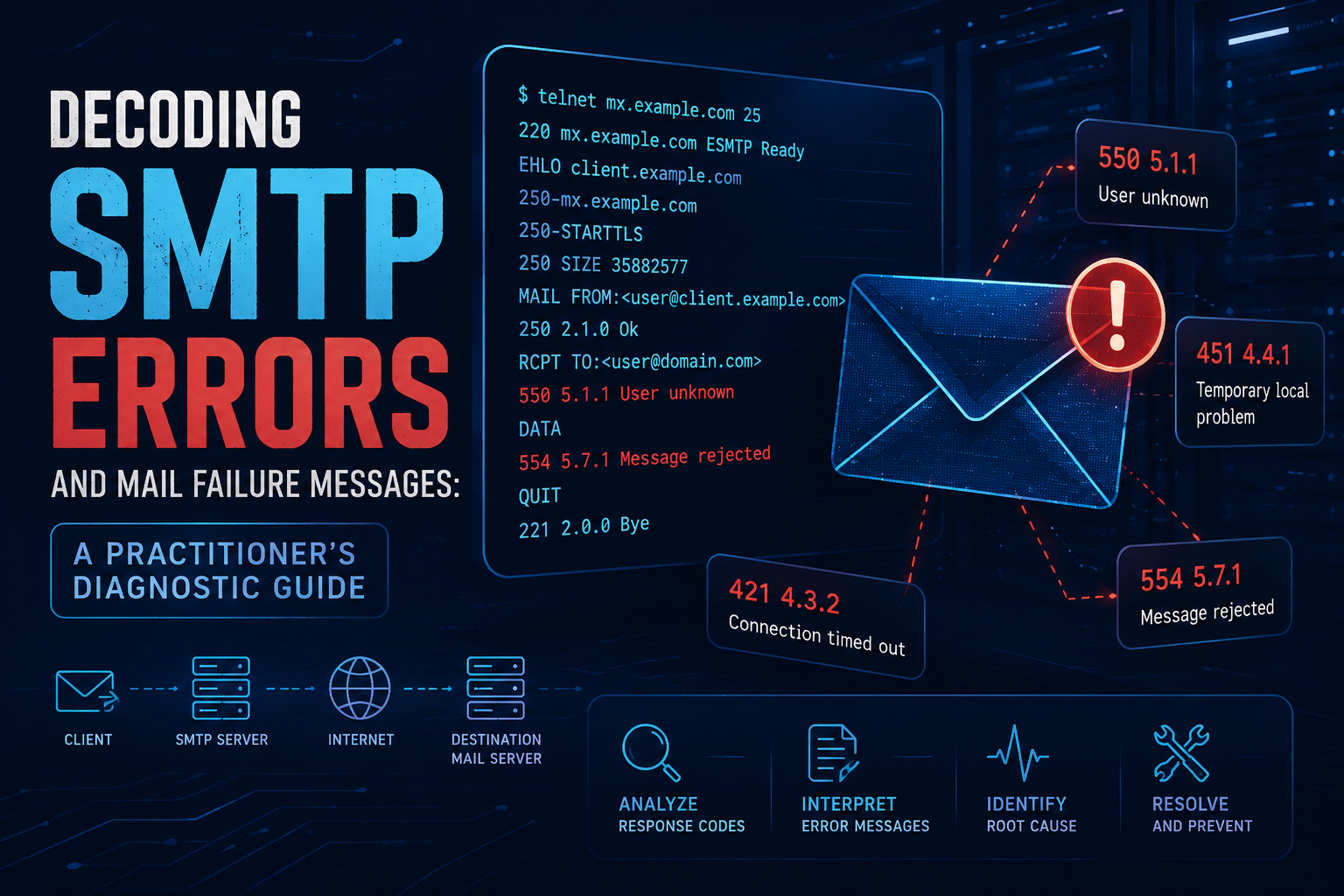
Decoding SMTP Errors and Mail Failure Messages: A Practitioner’s Diagnostic Guide
1. Executive Summary
Objective: This guide turns cryptic SMTP reply codes, enhanced status codes, and bounce (NDR/DSN) messages into a repeatable diagnostic workflow. By the end you will be able to read any mail failure, determine whether it is transient or permanent, reproduce it on demand, and pinpoint whether the fault is DNS, TLS, authentication, reputation, or content policy.
Why it matters: Mail rarely fails silently. It tells you exactly what went wrong in a three-digit code plus an enhanced status code, and most engineers still guess instead of reading it. Reading the code correctly is the difference between a five-minute fix and a two-hour ticket.
Target Audience: Network and messaging engineers, sysadmins, DevOps running transactional mail, and security practitioners investigating deliverability, spoofing, or blocklisting.
2. Prerequisites and Architecture
Assumed Knowledge
You should be comfortable with:
- Basic TCP/IP and DNS resolution (
A,MX,PTR,TXTrecords). - The SMTP transaction sequence:
HELO/EHLO->MAIL FROM->RCPT TO->DATA->.->QUIT. - The concept of SMTP ports:
25(MTA to MTA relay),587(submission, authenticated),465(implicit TLS submission). - SPF, DKIM, and DMARC at a conceptual level.
Environment / Lab Requirements
| Requirement | Purpose | Notes |
|---|---|---|
| Linux/macOS shell or WSL | Running diagnostic tools | Windows telnet client also works for raw sessions |
swaks |
Scripted SMTP transactions | The single most useful tool here. apt install swaks / brew install swaks |
openssl |
STARTTLS and implicit-TLS testing | Present on virtually every system |
dig or nslookup |
MX, SPF, DMARC, PTR lookups | From dnsutils / bind-tools |
| Outbound TCP/25 allowed | Direct MTA testing | Many ISPs and clouds block egress 25; test from a host that permits it |
| A test recipient you control | Safe bounce generation | Avoid probing third-party servers repeatedly, it looks like abuse |
Mail Flow Components
| Component | Role | Example |
|---|---|---|
| MUA (Mail User Agent) | The client that composes and submits | Outlook, Thunderbird, swaks |
| MSA (Message Submission Agent) | Accepts authenticated mail on 587/465 | Postfix submission, Exchange, FortiMail |
| MTA (Message Transfer Agent) | Relays server to server on 25 | Postfix, Exim, Sendmail, FortiMail, Exchange EOP |
| MDA (Message Delivery Agent) | Writes to the mailbox store | Dovecot LDA, Cyrus, Exchange store |
| MX host | Public inbound MTA named in DNS | mx.example.com, priority 10 |
| Resolver / DNS | Publishes MX, SPF, DKIM, DMARC, PTR | dig MX example.com |
3. Diagnostic Workflow
Phase 1: Read the SMTP Reply Code Structure
The Goal: Classify any failure in under five seconds from its first digit.
The Action: Every SMTP reply is a three-digit code. The first digit is the entire story: it tells you whether to retry or give up. The second and third digits refine the reason.
| First digit | Class | Meaning | Retry? |
|---|---|---|---|
2xx |
Success | Command accepted and completed | N/A |
3xx |
Intermediate | Server is waiting for more input (e.g. message body) | Continue |
4xx |
Transient failure | Temporary problem, try again later | Yes, sender queues and retries |
5xx |
Permanent failure | Hard rejection, do not retry | No, generates a bounce |
The critical distinction for troubleshooting is 4xx vs 5xx. A 4xx means the sending MTA will keep the message queued and retry for hours or days. A 5xx means it is rejected outright and the sender receives a Non-Delivery Report (NDR). If a user says “my mail is stuck,” you are looking at a 4xx. If they say “it bounced back immediately,” you are looking at a 5xx.
The Reference (RFC 5321 base reply codes):
| Code | Meaning |
|---|---|
220 |
Service ready (banner on connect) |
221 |
Service closing transmission channel (after QUIT) |
250 |
Requested action completed (the “everything is fine” code) |
251 |
User not local, will forward |
252 |
Cannot VRFY user, will accept and attempt delivery |
354 |
Start mail input, end with <CRLF>.<CRLF> |
421 |
Service not available, closing channel (overloaded or shutting down) |
450 |
Mailbox unavailable, temporarily (busy, locked, greylisted) |
451 |
Local error in processing (server-side transient fault) |
452 |
Insufficient system storage / too many recipients right now |
500 |
Syntax error, command unrecognized |
501 |
Syntax error in parameters or arguments |
502 |
Command not implemented |
503 |
Bad sequence of commands (e.g. RCPT before MAIL FROM) |
504 |
Command parameter not implemented |
550 |
Mailbox unavailable, permanently (user unknown, or policy rejection) |
551 |
User not local, try <forward-path> |
552 |
Exceeded storage allocation |
553 |
Mailbox name not allowed / invalid address syntax |
554 |
Transaction failed (generic catch-all rejection) |
556 |
Domain does not accept mail (RFC 7504) |
Gotcha to internalize now: 550 is overloaded. It is used both for “this recipient genuinely does not exist” and for “I am refusing your message on policy grounds.” You cannot tell which from the base code alone. That is why Phase 2 exists.
Phase 2: Decode the Enhanced Status Code
The Goal: Get the precise reason a base code alone hides, using the class.subject.detail triplet.
The Action: Modern MTAs attach an enhanced status code (RFC 3463) right after the base code. It looks like 5.7.1 and follows the pattern class.subject.detail.
Class (first number) mirrors the base code class:
| Class | Meaning |
|---|---|
2.x.x |
Success |
4.x.x |
Persistent transient failure |
5.x.x |
Permanent failure |
Subject (second number) is the category of the problem:
| Subject | Category | What it points at |
|---|---|---|
x.0.x |
Other / undefined | Generic, dig into the diagnostic text |
x.1.x |
Addressing | Bad sender or recipient address |
x.2.x |
Mailbox | Full, disabled, or not accepting mail |
x.3.x |
Mail system | Server capacity, disk, or config |
x.4.x |
Network / routing | DNS, MX, routing loops, connectivity |
x.5.x |
Mail delivery protocol | Protocol / command errors |
x.6.x |
Message content / media | Size, encoding, conversion |
x.7.x |
Security / policy | SPF, DKIM, DMARC, auth, reputation, TLS |
High-value enhanced codes you will see constantly:
| Enhanced | Typical base | Meaning and first move |
|---|---|---|
5.1.1 |
550 |
Recipient does not exist. Verify the address, do not retry |
5.1.2 |
550 |
Bad destination system, usually a bad MX or dead domain |
5.1.3 |
501/553 |
Malformed recipient address syntax |
5.1.6 |
550 |
Mailbox moved, no forwarding address |
5.1.7 |
550/553 |
Malformed sender address syntax |
5.2.1 |
550 |
Mailbox disabled, not accepting mail |
5.2.2 |
552 |
Mailbox full (over quota) |
5.2.3 |
552 |
Message exceeds a per-message size limit |
4.2.1 |
450 |
Mailbox temporarily disabled, retry later |
5.3.4 |
552 |
Message too big for the system |
4.3.2 |
451 |
System not accepting messages right now (overload) |
4.4.1 |
421 |
No answer from host / connection issue, transient |
5.4.4 |
550 |
Unable to route, bad or missing MX |
5.4.6 |
554 |
Routing loop detected (mail forwarding back on itself) |
4.7.0 |
450/421 |
Temporary policy / reputation / greylisting hold |
5.7.0 |
550/554 |
Generic security or policy rejection |
5.7.1 |
550/554 |
Delivery not authorized, message refused (relay denied, blocklist, policy) |
5.7.23 |
550 |
SPF validation failed |
5.7.24 |
550 |
SPF permerror (malformed SPF record) |
5.7.25 |
550 |
Reverse DNS (PTR) does not resolve or match |
5.7.26 |
550 |
Multi-auth failure, message not aligned for DMARC |
5.7.27 |
550 |
Sender address has a null MX (RFC 7505) |
GUI Verification: In Microsoft 365 / Exchange, the NDR surfaces the enhanced code as a “Status” field in the message trace (Exchange admin center -> Mail flow -> Message trace). In Google Workspace, the Email Log Search (Admin console -> Reporting -> Email Log Search) shows the rejecting code and enhanced status per recipient.
Phase 3: Read the Bounce (DSN / NDR) Like a Report, Not Prose
The Goal: Extract the machine-readable failure fields from a bounce instead of reading the human paragraph.
The Action: A proper bounce is a structured multipart/report; report-type=delivery-status message (RFC 3464). It has three parts: a human-readable explanation, a message/delivery-status block, and (optionally) the original message or its headers. Ignore the friendly paragraph. Go straight to the message/delivery-status block.
The structure to look for:
Content-Type: message/delivery-status

Reporting-MTA: dns; mx.example.com
Received-From-MTA: dns; sender.example.net
Arrival-Date: Mon, 20 Jul 2026 09:14:22 +0000

Final-Recipient: rfc822; bob@example.com
Action: failed
Status: 5.1.1
Diagnostic-Code: smtp; 550 5.1.1 <bob@example.com>: Recipient
 address rejected: User unknown in virtual mailbox table
How to read it in order:
Action:tells you the outcome.failed= permanent bounce,delayed= still trying (4xx),delivered/relayed= success,expanded= list expansion.Status:is the enhanced code. This is your ground truth.Diagnostic-Code:is the verbatim response from the far-end server, prefixed with the protocol (smtp;). This is the single most useful line in the entire bounce because it is the exact text the receiving MTA emitted. Provider-specific detail (blocklist URLs, ticket references, “see this help page”) lives here.Reporting-MTA:tells you which server generated the bounce, so you know whether the rejection came from your side, an intermediate relay, or the destination.
Gotcha: Some appliances and consumer providers send non-standard, prose-only bounces with no message/delivery-status part. When that happens, grep the raw source for the three-digit code and the enhanced triplet directly. They are almost always in there somewhere, just not fielded.
Phase 4: Reproduce the Failure Live
The Goal: Stop relying on user reports and generate the exact code yourself, on demand.
The Action: Talk to the MTA directly. Three tiers, from raw to scripted.
Tier 1, raw telnet (port 25, cleartext) to see the banner and a rejection:
telnet mx.example.com 25
220 mx.example.com ESMTP Postfix
EHLO test.yourdomain.com
250-mx.example.com
250-STARTTLS
250 8BITMIME
MAIL FROM:<you@yourdomain.com>
250 2.1.0 Ok
RCPT TO:<doesnotexist@example.com>
550 5.1.1 <doesnotexist@example.com>: Recipient address rejected: User unknown
QUIT
221 2.0.0 Bye
Read the EHLO response carefully. The 250- lines advertise what the server supports (STARTTLS, AUTH, SIZE, 8BITMIME). If STARTTLS is absent, that is your answer for a TLS-negotiation complaint.
Tier 2, STARTTLS and implicit TLS with openssl. For opportunistic TLS on 25 or 587:
openssl s_client -connect mx.example.com:25 -starttls smtp -crlf
For implicit TLS on 465:
openssl s_client -connect mx.example.com:465 -crlf
Watch the certificate chain in the output. Verify return code: 0 (ok) is success. Anything else (self signed certificate, unable to get local issuer certificate, certificate has expired) is your TLS failure, and it explains any 4.7.x/5.7.x TLS-related rejection from a strict sender.
Tier 3, swaks for a full scripted transaction. This is what you should reach for 90 percent of the time:
swaks --to bob@example.com \
      --from you@yourdomain.com \
      --server mx.example.com \
      --tls
Authenticated submission test against your own MSA:
swaks --to bob@example.com \
      --from you@yourdomain.com \
      --server msa.yourdomain.com:587 \
      --auth LOGIN \
      --auth-user you@yourdomain.com \
      --tls
swaks prints the entire conversation with <- (server) and -> (client) markers, so the exact failing command and its reply are unmissable. Add --body, --header, and --attach to reproduce content-related rejections (size limits, attachment filtering).
GUI Verification: After a live test, confirm the corresponding entry in your MTA log or admin UI so you can correlate the transaction ID: Postfix journalctl -u postfix or /var/log/mail.log; Exchange Online message trace; on a FortiMail, the History log under Log & Report -> Log shows the session, classifier, and final disposition per message.
Phase 5: Act on the Failure Category
The Goal: Map the decoded code to a root cause and a fix.
The Action: Match the enhanced code and diagnostic text to the categories below.
Addressing (5.1.x): The recipient or sender address is wrong or gone. Verify spelling, confirm the domain still has valid MX (dig MX example.com), and check for a null MX (5.7.27) which means the domain explicitly accepts no mail.
Mailbox (5.2.x): Recipient side is full or disabled. Nothing you can fix from the sending side except reduce message size for 5.2.3/5.3.4. For 4.2.x, let the queue retry.
Relay / authorization (5.7.1 “Relaying denied”): You tried to send through a server to a domain it does not host, without authenticating. Fix by using the submission port (587) with AUTH, or by ensuring your IP is in the server’s permitted relay list. This is the classic open-relay-protection rejection.
Reputation and content policy (5.7.1, 5.7.0, 4.7.0): The receiver thinks the mail is spam or your IP is blocklisted. The Diagnostic-Code usually carries a URL or reference. Check your sending IP against major blocklists, confirm PTR exists and matches (5.7.25), and warm the IP if it is new.
Authentication alignment (5.7.23 SPF, 5.7.26 DMARC): Your message failed SPF/DKIM/DMARC at the receiver. Validate your records:
dig +short TXT example.com | grep spf1
dig +short TXT default._domainkey.example.com
dig +short TXT _dmarc.example.com
For 5.7.26, the sending source is not in SPF and the message is not DKIM-signed with an aligned domain. Add the source to SPF or sign with DKIM for the header-From domain.
Greylisting (4.x.x, often 4.7.0 or 450 4.2.0): A deliberate temporary rejection. The correct behavior is to do nothing. A legitimate MTA retries and is accepted on the second attempt, typically within a few minutes. If your test with swaks fails once then succeeds on a repeat, that is greylisting, not a bug.
4. Verification and Validation
Confirm a healthy path end to end.
1. Confirm the MX and connectivity:
dig +short MX example.com
nc -vz mx.example.com 25
Success looks like a listed MX host and an open connection.
2. Confirm a clean SMTP handshake with TLS:
swaks --to postmaster@example.com --server mx.example.com --tls --quit-after RCPT
Success looks like 250 at EHLO, a completed STARTTLS, 250 2.1.0 Ok at MAIL FROM, and 250 2.1.5 Ok at RCPT TO. The --quit-after RCPT stops before actually sending a body, so it is safe to run against a real server as a probe.
3. Confirm authentication on the submission port:
Success looks like 235 2.7.0 Authentication successful after the AUTH exchange. A 535 5.7.8 means bad credentials.
4. Confirm alignment for your own domain: all three of SPF, DKIM, and DMARC records resolve, and a test message to a mailbox you control lands with Authentication-Results: showing spf=pass, dkim=pass, and dmarc=pass in the received headers.
What success looks like overall: a full swaks run that ends with 250 2.0.0 Ok: queued as <id> and a delivered message whose headers show passing authentication.
5. Troubleshooting and Gotchas
Gotcha 1: “Relay access denied” on your own outbound mail
Symptom: 554 5.7.1 <recipient>: Relay access denied when your application tries to send.
Diagnosis: You are connecting to port 25 and treating a receiving MTA as an outbound relay without authenticating. Confirm which port and whether auth is offered:
swaks --to external@gmail.com --server your-mail-server --quit-after RCPT
If the EHLO response advertises AUTH but you are not authenticating, that is the cause.
Resolution: Send through the submission port with credentials:
swaks --to external@gmail.com --server your-mail-server:587 \
      --auth LOGIN --auth-user app@yourdomain.com --tls
Reserve unauthenticated port 25 for server-to-server relay of mail your MTA is actually authoritative for.
Gotcha 2: A 4xx that never clears looks like a 5xx to users
Symptom: Users report mail “not arriving” but there is no bounce. It is silently stuck.
Diagnosis: A persistent 4xx (greylisting that never releases, a receiver in a prolonged deferral, or DNS that intermittently fails) keeps the message queued until the sender’s retry window expires, at which point it finally bounces with something like 4.4.7 (message expired in queue). Inspect the queue and the deferral reason directly:
# Postfix
mailq
postqueue -p
postcat -q <QUEUE_ID>     # shows the last deferral reason per recipient
Look at the (delivery temporarily suspended: ...) text. It carries the far-end 4xx verbatim.
Resolution: If it is greylisting, wait and confirm the retry succeeds. If it is a DNS or MX flap on your side, fix resolution. If the receiver is genuinely deferring your reputation, the underlying issue is Gotcha 3.
Gotcha 3: TLS or PTR mismatch triggers policy rejections that read like spam blocks
Symptom: Intermittent 5.7.25 (reverse DNS), 5.7.1, or TLS-negotiation failures from strict receivers, while lax receivers accept the same mail.
Diagnosis: Confirm forward-confirmed reverse DNS (the PTR of your sending IP must resolve to a hostname whose A record points back to that IP) and verify the TLS certificate:
dig +short -x <your_sending_ip>          # PTR must exist
dig +short <hostname_from_ptr>           # must return the same IP
openssl s_client -connect mx.receiver.com:25 -starttls smtp -crlf
A Verify return code other than 0, an expired certificate, or a hostname mismatch on your own MTA’s cert is enough for a strict receiver to refuse or downgrade.
Resolution: Set a matching PTR record with your IP provider, ensure the certificate presented on 25/587 is valid and not expired, and confirm the MTA advertises STARTTLS. On appliance-based MTAs such as FortiMail, verify the TLS profile bound to the outbound/inbound policy references a current certificate and the intended protocol versions.
Quick-Reference Card
| You see | It means | Do this |
|---|---|---|
4xx anything |
Transient, sender will retry | Wait, or fix the transient cause |
5xx anything |
Permanent, bounce generated | Fix the root cause, resend |
550 5.1.1 |
Recipient does not exist | Verify the address |
552 5.2.2 |
Mailbox full | Recipient side, nothing to do |
554 5.7.1 Relay denied |
Not authenticated / wrong port | Use 587 with AUTH |
550 5.7.1 policy/blocklist |
Reputation or content block | Check blocklists, PTR, content |
550 5.7.23/5.7.26 |
SPF / DMARC failure | Fix SPF, DKIM, alignment |
450 4.7.0 |
Likely greylisting | Do nothing, let it retry |
421 4.x.x |
Server overloaded / closing | Retry later, check receiver load |
Recent posts
-

-

DNS is one of those technologies that quietly underpins... Full Story
-

BGP issues on FortiGate firewalls usually trace back to... Full Story
-

Every time your laptop talks to your router, a... Full Story
-

If you've spent any time configuring NAT on a... Full Story
-

If you have spent any time configuring firewall policies... Full Story
-

High availability on FortiGate is one of those features... Full Story
-

If you've configured SD-WAN on a FortiGate, you've almost... Full Story
-

FortiLink is the management protocol that turns a FortiSwitch... Full Story
-

FortiSwitches are pretty rock solid from Mean Time Between... Full Story
-

This is a quicky tip. Have you ever gone... Full Story
-

DNS is one of those quiet pieces of internet... Full Story
-

This article is an updated version of the previous... Full Story
-

You will add ns2 as a secondary (slave) BIND9... Full Story
-

In the process of deploying my lab, I needed... Full Story
-

RFC 8805, used to be known as Self-Correcting IP... Full Story
-

Years back, I wrote an article about certificate pinning. ... Full Story
-

FortiGates have the ability to send alerts to Microsoft... Full Story
-

In this post, I am going to walk through... Full Story
-

Troubleshooting VoIP on a FortiGate can feel like trying... Full Story
-

Prior to FortiOS 7.0, there were three commands to... Full Story
-

In this post, I am going to go over... Full Story
-

What we are going to do: We are going... Full Story
-

Choosing between FGCP (FortiGate Clustering Protocol) and FGSP (FortiGate... Full Story
-

Creating a VLAN on macOS (The "Pro" Move) A... Full Story
-

This blog post explores the logic behind how macOS... Full Story
-

Pretty Fly for a Wi-Fi Tell My Wi-Fi Love... Full Story
-

Part of my daily gig is creating BoMs (Bill-of-Materials)... Full Story
-

ICMP introduces several security risks, but careful filtering, rate... Full Story
-

The command diag debug application dhcps -1 enables full... Full Story
-

In the world of FortiOS, execute tac report is... Full Story
-

LLDP; What is it The Link Layer Discovery Protocol... Full Story
-

What it actually does When you run diagnose fdsm... Full Story
-

Monkey Bites are bite-sized, high-impact security insights designed for... Full Story
-

I have run macOS in macOS with Parallels but... Full Story
-

Don't be confused with my other FortiNAC posts where... Full Story
-

This is the third session in a multi-part article... Full Story
-

Today I was configuring key-based authentication on a FortiGate... Full Story
-

Netcat, often called the "Swiss Army knife" of networking,... Full Story
-

At its core, IEEE 802.1X is a network layer... Full Story
-

In case you did not see the previous FortiNAC... Full Story
-

This is our 5th session where we are going... Full Story
-

Now that we have Wireshark installed and somewhat configured,... Full Story
-

The Philosophy of Packet Analysis Troubleshooting isn't about looking... Full Story
-

Here is a quick article on running lldp on... Full Story
-

If you have ever stared at a Terminal window... Full Story
-

The Problem This Solves FortiGate matches policies referencing a... Full Story