
If you've spent any time configuring user authentication on... Full Story
By Manny Fernandez
July 25, 2026
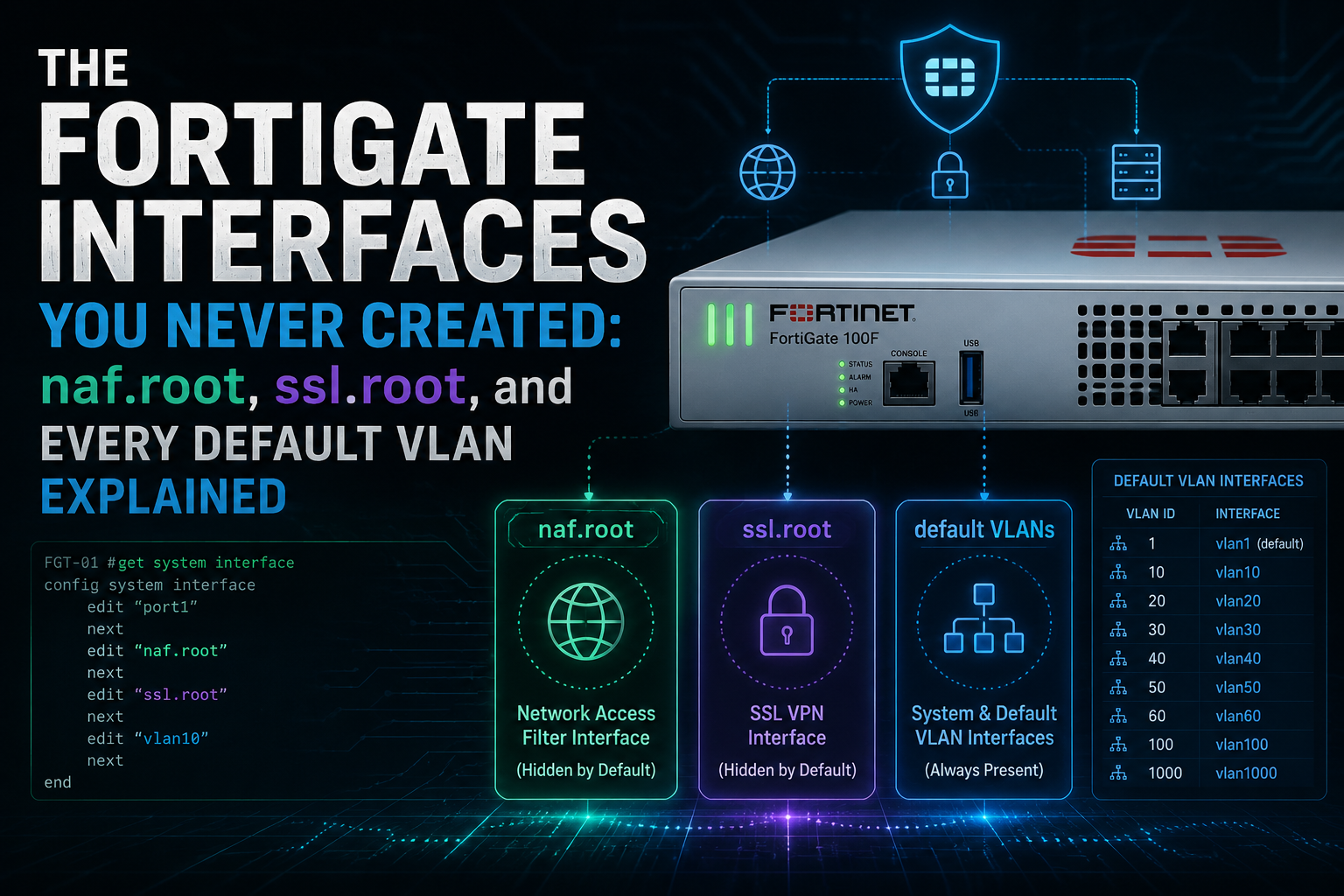
The FortiGate Interfaces You Never Created: naf.root, ssl.root, and Every Default VLAN Explained
Version target: FortiOS 7.6.x, with behavior flagged where 7.0 / 7.2 / 7.4 differ. Commands are shown from the CLI. Where a value must be supplied, placeholders like <vdom> or <fortilink_intf> are used.
1. Executive Summary
Objective
Log into a FortiGate you have never touched, run show system interface, and you will find objects nobody on your team created: naf.root, ssl.root, npu0_vlink0, and a stack of VLANs named quarantine, rspan, voice, video, onboarding, and nac_segment sitting on 4093 and below. This guide catalogs every one of them: what it does, when you actually reference it, and whether you can delete it or are stuck with it forever.
It matters for three reasons. Audit findings get written against interfaces nobody can explain. VLAN 4093 and the 169.254.0.0/16 or 10.255.0.0/16 reserved ranges collide with real production addressing more often than you would think. And half of these objects are load-bearing: deleting the wrong one breaks NAT46, SSL VPN, or your entire FortiSwitch estate.
Target Audience
Network and security engineers running FortiGate in production, SD-Branch and LAN Edge admins with managed FortiSwitch, auditors and compliance folks who need to justify every interface in a config export, and anyone inheriting a box from a predecessor who left no documentation.
2. Prerequisites and Architecture
Assumed Knowledge
- FortiGate CLI navigation:
config/edit/set/next/end, plus theconfig globalversusconfig vdomscoping model. - 802.1Q VLAN sub-interfaces and the difference between a physical port and a logical interface.
- Basic familiarity with FortiLink if you manage FortiSwitch, and with VDOMs if the box is carved up.
The Three Origins
Every interface you did not create falls into one of three buckets. Knowing which bucket an object is in tells you immediately whether it can be removed:
| Origin | Examples | Removable? |
|---|---|---|
| System pseudo-interfaces Instantiated per VDOM by the kernel |
naf.root, ssl.root, l2t.root |
No. They vanish only when the VDOM is deleted. |
| Platform / hardware Created by silicon or chassis layout |
npu0_vlink0/1, havdlink0/1, mgmt, internal |
Partly. Members can be freed, the container usually cannot. |
| Feature-instantiated Written into config by a subsystem |
quarantine, voice, nac_segment, fext-wan1 |
Yes, but they regenerate unless you also fix the template. |
Master Reference Table
If you only bookmark one thing from this post, make it this table. Every row is expanded in Section 3.
| Interface | Function | Appears when | Removable |
|---|---|---|---|
naf.<vdom> |
NAT46 / NAT64 protocol translation pivot | Always, per VDOM (7.0.1+) | No |
ssl.<vdom> |
SSL VPN tunnel-mode termination | Per VDOM, on platforms that still ship SSL VPN | No |
l2t.<vdom> |
L2TP-over-IPsec client termination | Per VDOM where L2TP is supported | No |
npu0_vlink0 / npu0_vlink1 |
Hardware-accelerated inter-VDOM link pair | Multi-VDOM enabled on NP4/NP6/NP7 | No (built-in pair) |
havdlink0 / havdlink1 |
Link into the hidden HA VDOM | HA-capable platforms | No |
fortilink |
FortiSwitch management channel (parent of all switch VLANs) | Pre-created on most models | Yes, if unused |
default, quarantine, rspan, voice, video, onboarding, nac_segment |
FortiLink default VLAN set | First FortiSwitch discovery | Yes, with template edit |
internal / lan |
Factory hardware switch grouping front ports | Desktop and small 1U models | Yes, decompose it |
modem |
Built-in or USB WWAN modem | Modem-capable models | No |
fext-wan1 / FortiExtender |
Managed FortiExtender WAN uplink | Extender controller enabled | Yes, disable the feature |
3. The Interfaces, One at a Time
Group A: Per-VDOM System Pseudo-Interfaces
naf.<vdom> (the one everybody asks about)
Function: naf.root is the virtual interface FortiOS uses to process NAT46 and NAT64 traffic. Fortinet added a per-VDOM naf.<vdom> interface in FortiOS 7.0.1 when the separate NAT46/NAT64 object model was folded into regular policies, VIPs, and IP pools. Multiple VDOMs means multiple interfaces: naf.root, naf.TENANT-A, and so on.
The mechanics are worth understanding because they explain the whole design. Protocol translation cannot be a single stateful session, because the two halves live in different address families. So FortiOS splits the flow into two sessions and pivots them through naf:
- Session 1: ingress physical interface to
naf.rootin the original address family. - Session 2:
naf.rootto the egress physical interface in the translated address family.
When to use it: you reference naf.root whenever you build NAT46 or NAT64 policies, and constantly when you troubleshoot them. A sniffer on any during a NAT64 test shows the handoff clearly:
diagnose sniffer packet any 'icmp or icmp6' 4

port24    in   2000:10:1:100::41 -> 2001:10:1:100::ac10:c89c   icmp6 echo request
naf.root  out  2000:10:1:100::41 -> 2001:10:1:100::ac10:c89c   icmp6 echo request
naf.root  in   172.16.101.2      -> 172.16.200.156             icmp  echo request
port17    out  172.16.101.2      -> 172.16.200.156             icmp  echo request
The IPv6 session runs between port24 and naf.root, and the IPv4 session runs between naf.root and port17. If you only see the first pair, your translation is not happening. A minimal NAT46 build looks like this:
config firewall vip
    edit "test-vip46-1"
        set extip 10.1.100.150
        set nat44 disable
        set nat46 enable
        set extintf "port24"
        set arp-reply enable
        set ipv6-mappedip 2000:172:16:200::156
    next
end

config firewall ippool6
    edit "test-ippool6-1"
        set startip 2000:172:16:101::1
        set endip 2000:172:16:101::1
        set nat46 enable
        set add-nat46-route enable
    next
end
Note: naf.<vdom> exists whether or not you use protocol translation. Seeing it in an interface list is not evidence that NAT46/NAT64 is configured. Do not raise a finding on it.
Can it be removed? No. It is instantiated by the system per VDOM and has no delete path. It disappears only when its parent VDOM is deleted. There is no knob to suppress it, and no reason to want one: it consumes nothing while idle.
ssl.<vdom>
Function: the SSL VPN tunnel-mode virtual interface. Every tunnel-mode client that lands on the FortiGate terminates on ssl.root (or ssl.<vdom> in a multi-VDOM box), and traffic from those clients enters the policy engine with ssl.root as the source interface.
When to use it: as srcintf on every SSL VPN firewall policy, as the device on return routes when the tunnel pool is not directly connected in the way you expect, and as a sniffer target when a client connects but nothing passes.
config firewall policy
    edit 0
        set name "SSLVPN-to-LAN"
        set srcintf "ssl.root"
        set dstintf "port2"
        set action accept
        set srcaddr "SSLVPN_TUNNEL_ADDR1"
        set dstaddr "LAN_SUBNET"
        set groups "SSLVPN_GROUP"
        set schedule "always"
        set service "ALL"
    next
end

diagnose sniffer packet ssl.root 'host 10.212.134.200' 4 0 l
Can it be removed? No, not directly. But it is the one system interface that can legitimately disappear on you: Fortinet has been retiring SSL VPN from low-memory platforms, so on some entry-level models running newer firmware the feature (and therefore ssl.root) is simply gone. If a post-upgrade config restore fails on SSL VPN policies, this is why. Check the release notes for your exact model and version before planning an upgrade around remote access.
l2t.<vdom>
Function: the L2TP counterpart to ssl.root. On platforms and versions where L2TP-over-IPsec is supported, l2t.root is the logical interface those native-client sessions land on, and the one you reference as srcintf in the corresponding policy.
When to use it: legacy remote access only. If you are building native-client remote access today, IKEv2/IPsec is the better path. It shows up in diagnose netlink interface list even when unconfigured, which is where most people first notice it.
Can it be removed? No. Same lifecycle as the other per-VDOM pseudo-interfaces.
Group B: Hidden VDOMs and Their Interfaces
This is the group that confuses people most, because it is not really about interfaces at all. FortiOS runs several internal VDOMs that exist even on a box where VDOMs were never enabled. You will see them in diagnose sys vd list and in session output, and interfaces can be pulled into them.
| Hidden VDOM | What it holds | How an interface ends up there |
|---|---|---|
vsys_ha |
HA control and heartbeat plumbing, plus havdlink0 / havdlink1 |
Automatic. You never place anything here. |
vsys_fgfm |
FortiManager (FGFM) management tunnel context | Automatic when FGFM is in play. |
vsys_hamgmt |
The HA reserved management interface, isolated with its own routing table | Configuring ha-mgmt-interface under config system ha |
dmgmt-vdom |
Any interface flagged dedicated-to management |
Setting set dedicated-to management on the interface |
This is the answer to the classic ticket: “VDOMs are not enabled, so why does my mgmt port say it belongs to a VDOM I have never heard of?” The interface is in dmgmt-vdom because someone set the dedicated-management flag on it.
Can they be removed? The VDOMs themselves, no. vsys_hamgmt and dmgmt-vdom exist permanently and cannot be deleted even after you enable multi-VDOM. What you can do is get an interface back out:
config system interface
    edit "mgmt"
        unset dedicated-to
    next
end
# The interface returns to the root VDOM
Group C: NPU VDOM Links
Function: on NP4, NP6, and NP7 hardware, enabling multi-VDOM causes a hardware-accelerated back-to-back interface pair to appear: npu0_vlink0 and npu0_vlink1, with a second pair (npu1_vlink0/1) on multi-NPU platforms. Both ends land in root by default and sit administratively down doing nothing.
When to use it: whenever you route between VDOMs and want the traffic offloaded rather than punted to CPU. Put one end in each VDOM, or layer matching 802.1Q sub-interfaces on the pair to serve several tenant pairs over one physical vlink.
config global
    config system interface
        edit "vlink-a-tenant"
            set vdom "TENANT-A"
            set interface "npu0_vlink0"
            set vlanid 4001
            set ip 10.255.1.2 255.255.255.252
        next
        edit "vlink-a-edge"
            set vdom "EDGE"
            set interface "npu0_vlink1"
            set vlanid 4001
            set ip 10.255.1.1 255.255.255.252
        next
    end
end
Note: both members of a pair must ride the same NPU, share the same subnet, and carry the same VLAN ID. Mismatch any of the three and the link blackholes silently. NP7 models such as the 400F/401F ship only one npu_vlink pair by default; additional pairs are created under config system npu-vlink.
Can it be removed? The built-in pair, no. It is a property of the silicon and reappears whenever multi-VDOM is on. Additional pairs you create under config system npu-vlink can be deleted, as can any VLAN sub-interface you layered on top. Software vdom-link objects are fully user-owned and deletable.
Group D: The FortiLink Default VLANs
This is the big one, and the source of most “what is VLAN 4093 doing in my config?” tickets. The moment a FortiGate discovers its first FortiSwitch, the switch controller reads a set of VLAN interface templates and writes a full set of VLAN interfaces onto the FortiLink parent, each with an IP, a DHCP server, and a switch-controller-feature tag that binds it to a function.
| VLAN name | Default ID | Function | When you actually use it |
|---|---|---|---|
default |
1 | Assigned to every switch port on first discovery | Never intentionally. Re-VLAN your access ports before production. |
quarantine |
4093 | Holds quarantined hosts. Ships with captive portal security mode and a replacement message override. | Any time you quarantine a host from a log entry, a compromised-host automation stitch, or EMS. |
rspan |
4092 | Carries RSPAN and ERSPAN mirrored traffic | Remote port mirroring to a packet broker, IDS, or the FortiOS one-arm sniffer. |
voice |
4091 | Dedicated voice VLAN, paired with LLDP-MED voice device detection | Phones auto-landing in a voice VLAN without per-port config. Most shops repoint this at their real voice VLAN ID. |
video |
4090 | Dedicated video VLAN for cameras and conferencing endpoints | Surveillance segmentation, same detection model as voice. |
onboarding |
4089 | Where unknown devices land before a NAC policy classifies them | Any FortiLink NAC deployment. Note there is no onboarding VLAN assigned by default: you must select it. |
nac_segment |
4088 | Primary interface for NAC LAN segments (7.0.1+). Sub-VLANs share its IP and DHCP scope. | When you want NAC isolation without bouncing ports and re-IPing hosts on every VLAN move. |
Note: those VLAN IDs are the shipped template defaults and have moved between releases. Confirm on your own unit with show switch-controller initial-config template before you design around them. The pattern to remember is that FortiOS carves down from the top of the 802.1Q range: 4094 for FortiLink management, then 4093 downward for each feature VLAN.
Two more reserved values that bite people
The FortiLink management VLAN defaults to 4094. It carries the control channel between FortiGate and FortiSwitch. Change it with set switch-controller-mgmt-vlan on the FortiLink interface if 4094 is already spoken for in your transit fabric.
The switch controller reserved network is the address block FortiOS hands out to managed switches and to the auto-IP feature VLANs. It defaulted to 169.254.0.0/16 in older releases and to 10.255.0.0/16 from 7.4 onward. If you already use 10.255.0.0/16 for loopbacks, inter-VDOM transit, or DC underlay (and plenty of shops do), change it before your first switch is discovered:
config system global
    set switch-controller-reserved-network <network> <mask>
end

config system interface
    edit "<fortilink_intf>"
        set fortilink enable
        set switch-controller-mgmt-vlan 4094
    next
end
Can the FortiLink VLANs be removed?
Yes, and this is where the group differs from everything above. These are ordinary config system interface VLAN objects. You can delete any of them once nothing references them. The catch is that deleting the interface does not delete the template, so the VLAN comes back the next time a switch is discovered or the initial config is re-applied.
The right sequence is: fix the template first, then remove the interface.
# 1. See what templates exist and which role each is bound to
show switch-controller initial-config template
show switch-controller initial-config vlans

# 2. Repoint a template at a VLAN ID that fits your numbering plan
config switch-controller initial-config template
    edit "voice"
        set vlanid <your_voice_vlan>
        set dhcp-server disable
        set auto-ip disable
    next
end

# 3. Find every object still referencing the interface you want gone
diagnose sys checkused system.interface.name <vlan_name>

# 4. Clear those references, then delete the interface
config system interface
    delete "<vlan_name>"
end
Practitioner’s take: do not delete these on a whim. Repointing the template VLAN IDs to fit your numbering plan and leaving the objects in place is almost always the better move. The one you genuinely should not delete is quarantine: the moment somebody quarantines a host from a log widget or an automation stitch and the VLAN is missing, the action fails and the host stays on the network.
Assign a role, or your Security Rating drops
Worth its own callout because it catches everyone: if you use the Security Rating feature, you must assign a role of lan, wan, or dmz to your FortiLink VLAN interfaces before referencing them in firewall policies. Leave them at undefined and the Interface Classification check fails, dragging your score down for no functional reason.
config system interface
    edit "voice"
        set role lan
    next
    edit "video"
        set role lan
    next
    edit "quarantine"
        set role lan
    next
end
Group E: Factory Hardware Groupings and Feature Uplinks
internal or lan: on desktop and small 1U models, several front ports are pre-bundled into a hardware switch so the unit works out of the box as a small-office firewall. It is real switching silicon, not a software bridge, so traffic between member ports never reaches the policy engine. That is exactly why you should break it up in any deployment where those ports serve different security zones. Members must be freed one at a time and cannot be in use:
show system virtual-switch

config system virtual-switch
    edit "lan"
        config port
            delete "port5"
        end
    next
end
# port5 is now an independent routed interface
fortilink: most models ship with a FortiLink interface pre-created, either bound to a dedicated port or built as a hardware switch or aggregate, carrying set fortilink enable and an address out of the reserved network. If you will never manage a FortiSwitch, you can delete it and reclaim the ports, but do it before anything references it. If you might manage switches later, leave it alone: it costs nothing.
modem: present on models with an integrated WWAN modem or USB modem support. It behaves as a dial-on-demand or always-on WAN interface and can be used as an SD-WAN member. Not removable, but harmless when unconfigured.
FortiExtender interfaces (fext-wan1 and friends): appear once the extender controller is enabled and an extender is authorized. They represent the extender’s cellular uplinks as first-class WAN interfaces you can put into SD-WAN. Removable in the sense that disabling extender management removes them.
Tunnel-mode SSID interfaces: creating a tunnel-mode SSID under the wireless controller writes a corresponding system interface with the SSID name, its own subnet, and usually a DHCP server. These look like mystery interfaces to anyone reading the config who does not manage the wireless side. They are removed by deleting the SSID, not the interface.
4. Verification and Validation
Work outward from the kernel. The GUI hides several of these objects entirely, so the CLI is the only complete inventory.
# Everything the kernel knows about, including hidden pseudo-interfaces
diagnose netlink interface list | grep "^if="

# Config-visible interfaces with the fields that reveal their origin
show full-configuration system interface | grep -E "edit |set type |set vlanid |set interface |set switch-controller-feature |set fortilink |set dedicated-to "

# Physical ports only, with link state and counters
get system interface physical

# Every VDOM including the hidden ones
diagnose sys vd list | grep name=

# The FortiLink VLAN templates and their role bindings
show switch-controller initial-config template
show switch-controller initial-config vlans

# The reserved network and management VLAN currently in force
show system global | grep switch-controller-reserved-network
show system interface | grep -A5 "set fortilink enable"
What success looks like. You should be able to point at every line of show system interface and say which of the three origin buckets it came from. Every FortiLink VLAN has a role set. The reserved network does not overlap anything you route. And no VLAN ID in the 4088 to 4094 band collides with a VLAN carried on your uplinks.
5. Troubleshooting and Gotchas
Gotcha 1: The interface will not delete
Symptom: delete "quarantine" returns an “entry is used” style error and rolls back.
Cause: something still references it. For the FortiLink VLANs the usual suspects are a DHCP server, the NAC settings under config switch-controller fortilink-settings, an allowed-vlans or untagged-vlans entry on a managed switch port, a MAC policy, or a firewall policy.
diagnose sys checkused system.interface.name <vlan_name>
# Returns every config path holding a reference. Clear them all, then retry.
Resolution: work the checkused list top to bottom. This single command is the fix for roughly every “cannot delete” ticket on FortiOS, not just interfaces.
Gotcha 2: You delete a FortiLink VLAN and it comes back
Symptom: video and rspan reappear after a switch is replaced or re-authorized.
Cause: you deleted the interface but left the initial-config template intact. The switch controller re-applies templates on discovery.
Resolution: edit the template first (Section 3, Group D). If you simply want them out of the way rather than gone, repoint the VLAN IDs into a range you control and disable auto-ip and dhcp-server on the templates you do not use.
Gotcha 3: Reserved network collision
Symptom: after adding FortiSwitch to an existing site, an unrelated subnet becomes unreachable, or routes appear that nobody added.
Cause: the switch controller reserved network (169.254.0.0/16 on older releases, 10.255.0.0/16 from 7.4) overlaps something you already route. 10.255.x.x in particular is a popular choice for inter-VDOM transit and loopbacks, which is exactly the collision the newer default creates.
Resolution: set switch-controller-reserved-network to a block you genuinely do not use, ideally before the first switch is discovered. Changing it afterward means re-IPing the auto-addressed VLANs.
Gotcha 4: NAT46 policy accepted, translation never happens
Symptom: the policy and VIP look right, but the sniffer only ever shows one address family.
Cause: either the policy is not pivoting through naf.<vdom>, or the return path for the translated family has no route. The set add-nat46-route enable option on the IP pool exists precisely to plant that route for you.
diagnose sniffer packet any 'icmp or icmp6' 4
# Expect four lines per direction. Two means no translation.

diagnose debug flow filter addr <client_ip>
diagnose debug flow show function-name enable
diagnose debug flow trace start 20
diagnose debug enable
# ...
diagnose debug disable
diagnose debug reset
Gotcha 5: An interface belongs to a VDOM you never created
Symptom: VDOMs are disabled, yet mgmt reports a VDOM named dmgmt-vdom or vsys_hamgmt, and routing on it behaves independently of the rest of the box.
Cause: that is the intended behavior of dedicated-to management and of the HA reserved management interface. Both isolate the port into a lightweight hidden VDOM with its own routing table so out-of-band access survives whatever the data plane is doing.
Resolution: if it was unintentional, unset dedicated-to returns the interface to root. If it was intentional, document it, because the isolated routing table is the number one reason a “working” management port cannot reach a syslog server.
Gotcha 6: npu_vlink config disappears after an upgrade
Symptom: inter-VDOM traffic dies after a firmware upgrade and the vlink sub-interfaces are missing.
Cause: there is a known upgrade path issue where NPU vlink configuration is lost when moving to 7.2.9 or 7.2.10 through 7.0.14. The parent interfaces regenerate, but your sub-interfaces, addressing, and routes do not.
Resolution: back up before every upgrade, and diff show system interface against the pre-upgrade config on any multi-VDOM box. Re-apply the vlink stanzas from backup rather than rebuilding by hand.
Closing
The short version: naf, ssl, l2t, the hidden VDOM links, and the NPU vlinks are system property and you live with them. The FortiLink VLAN set is yours to shape, and shaping it (rather than deleting it) is the move. Set roles on all of them, fix the reserved network before your first switch shows up, and leave quarantine alone unless you enjoy explaining why containment silently failed.
Recent posts
-

-

DNS is one of those technologies that quietly underpins... Full Story
-

BGP issues on FortiGate firewalls usually trace back to... Full Story
-

Every time your laptop talks to your router, a... Full Story
-

If you've spent any time configuring NAT on a... Full Story
-

If you have spent any time configuring firewall policies... Full Story
-

High availability on FortiGate is one of those features... Full Story
-

If you've configured SD-WAN on a FortiGate, you've almost... Full Story
-

FortiLink is the management protocol that turns a FortiSwitch... Full Story
-

FortiSwitches are pretty rock solid from Mean Time Between... Full Story
-

This is a quicky tip. Have you ever gone... Full Story
-

DNS is one of those quiet pieces of internet... Full Story
-

This article is an updated version of the previous... Full Story
-

You will add ns2 as a secondary (slave) BIND9... Full Story
-

In the process of deploying my lab, I needed... Full Story
-

RFC 8805, used to be known as Self-Correcting IP... Full Story
-

Years back, I wrote an article about certificate pinning. ... Full Story
-

FortiGates have the ability to send alerts to Microsoft... Full Story
-

In this post, I am going to walk through... Full Story
-

Troubleshooting VoIP on a FortiGate can feel like trying... Full Story
-

Prior to FortiOS 7.0, there were three commands to... Full Story
-

In this post, I am going to go over... Full Story
-

What we are going to do: We are going... Full Story
-

Choosing between FGCP (FortiGate Clustering Protocol) and FGSP (FortiGate... Full Story
-

Creating a VLAN on macOS (The "Pro" Move) A... Full Story
-

This blog post explores the logic behind how macOS... Full Story
-

Pretty Fly for a Wi-Fi Tell My Wi-Fi Love... Full Story
-

Part of my daily gig is creating BoMs (Bill-of-Materials)... Full Story
-

ICMP introduces several security risks, but careful filtering, rate... Full Story
-

The command diag debug application dhcps -1 enables full... Full Story
-

In the world of FortiOS, execute tac report is... Full Story
-

LLDP; What is it The Link Layer Discovery Protocol... Full Story
-

What it actually does When you run diagnose fdsm... Full Story
-

Monkey Bites are bite-sized, high-impact security insights designed for... Full Story
-

I have run macOS in macOS with Parallels but... Full Story
-

Don't be confused with my other FortiNAC posts where... Full Story
-

This is the third session in a multi-part article... Full Story
-

Today I was configuring key-based authentication on a FortiGate... Full Story
-

Netcat, often called the "Swiss Army knife" of networking,... Full Story
-

At its core, IEEE 802.1X is a network layer... Full Story
-

In case you did not see the previous FortiNAC... Full Story
-

This is our 5th session where we are going... Full Story
-

Now that we have Wireshark installed and somewhat configured,... Full Story
-

The Philosophy of Packet Analysis Troubleshooting isn't about looking... Full Story
-

Here is a quick article on running lldp on... Full Story
-

If you have ever stared at a Terminal window... Full Story
-

The Problem This Solves FortiGate matches policies referencing a... Full Story