
If you've spent any time configuring user authentication on... Full Story
By Manny Fernandez
July 26, 2026
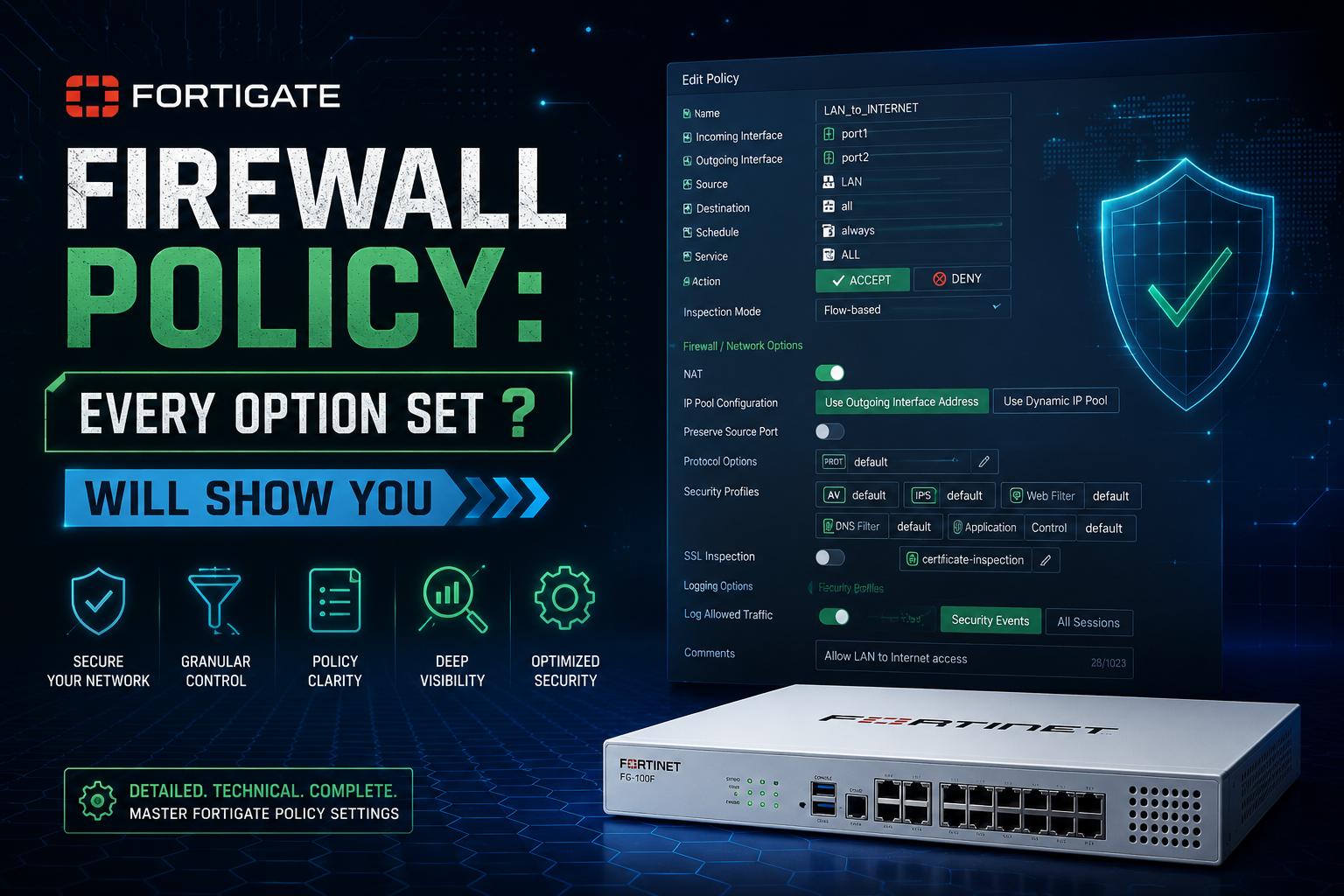
FortiGate Firewall Policy: Every Option set ? Will Show You
The FortiGate GUI shows you maybe forty percent of what a firewall policy can actually do. The rest lives in the CLI, and the fastest way to find it is to drop into a policy and type set ?. In this post, I wanted to make the readers aware that there is so much more a firewall policy can do if you shell out to the CLI.
config firewall policy
    edit 1
        set ?
That single command dumps the full option table for the policy you are sitting in. This post walks every option in that output, explains what it does, and for the ones that are not self evident, tells you when and why you would actually reach for it.
Before You Read the List
Three things will save you a support ticket.
1. set ? output is context sensitive. FortiOS only shows options that are valid right now, based on what you have already set. Set nat enable and ippool appears. Set utm-status enable and the security profile options appear. Set policy-expiry enable and policy-expiry-date appears. If an option you expected is missing from your output, it is almost always gated behind a dependency you have not enabled yet, not missing from your firmware.
2. Options also vary by platform and VDOM inspection mode. np-acceleration only appears on NP capable hardware. inspection-mode only appears when the VDOM allows per policy selection. A VM without an NPU will show a shorter list than a 400F.
3. Wrapped help text looks like an option. In a raw capture you will sometimes see orphan fragments such as used. or inactivity. on their own line. Those are the tail end of a wrapped description from the line above, not commands. Do not go hunting for set used.
Quick Reference
| Option | What it does |
|---|---|
status |
Enable or disable the policy without deleting it |
name |
Human readable policy name |
uuid |
Immutable identifier that survives renumbering |
srcintf / dstintf |
Ingress and egress interfaces, zones, or SD-WAN zones |
action |
accept, deny, or ipsec |
nat64 / nat46 |
Cross address family translation inside the policy |
ztna-status |
Turn the policy into a ZTNA access proxy rule |
srcaddr / dstaddr |
IPv4 address objects |
srcaddr6 / dstaddr6 |
IPv6 address objects |
internet-service |
Match destination by Internet Service Database entry |
internet-service-src |
Match source by Internet Service Database entry |
reputation-minimum |
Minimum IP reputation threshold for ISDB reputation entries |
src-vendor-mac |
Match source by MAC vendor OUI |
internet-service6 / internet-service6-src |
IPv6 ISDB matching |
reputation-minimum6 |
IPv6 reputation threshold |
rtp-nat |
Enable RTP media pinholing for VoIP |
schedule |
Recurring, one time, or always |
schedule-timeout |
Kill existing sessions when the schedule window closes |
policy-expiry |
Auto disable the policy at a date and time |
service |
Service objects and groups |
tos-mask |
Mask applied when matching the IP ToS byte |
anti-replay |
Per policy TCP sequence and anti replay checking |
dynamic-shaping |
Apply RADIUS supplied per user bandwidth attributes |
passive-wan-health-measurement |
Derive SLA metrics from live sessions instead of probes |
app-monitor |
Add application performance telemetry to session data |
utm-status |
Master switch for security profiles on the policy |
inspection-mode |
Proxy or flow based handling |
profile-protocol-options |
Ports inspected, oversize limits, comfort clienting |
ssl-ssh-profile |
Certificate or deep inspection profile |
logtraffic |
all, utm, or disable |
logtraffic-start |
Also log at session start |
capture-packet |
Store a packet capture with UTM log events |
auto-asic-offload |
Allow ASIC or SPU offload for this policy |
np-acceleration |
Allow NP processor offload for this policy |
traffic-shaper / traffic-shaper-reverse |
Shared shapers, forward and return direction |
per-ip-shaper |
Per source IP bandwidth and session limits |
pcp-outbound / pcp-inbound |
Port Control Protocol dynamic mappings |
permit-any-host |
Accept media from any host, not just the signaled one |
permit-stun-host |
Accept media from STUN discovered peers |
session-ttl |
Per policy session timeout override |
vlan-cos-fwd / vlan-cos-rev |
Rewrite 802.1p CoS bits |
fec |
Forward Error Correction over IPsec overlays |
wccp |
Redirect matched traffic to a WCCP cache |
groups / users / fsso-groups |
Identity based matching |
disclaimer |
Present an acceptable use page before allowing traffic |
email-collect |
Capture an email address before allowing traffic |
natip |
Source translation for policy based IPsec |
match-vip-only |
Match only traffic that a VIP already translated |
diffserv-copy |
Copy the inbound DSCP value to the outbound packet |
diffserv-forward / diffserv-reverse |
Rewrite DSCP in each direction |
tcp-mss-sender / tcp-mss-receiver |
Clamp TCP MSS per direction |
comments |
Free text field |
block-notification |
Tell the user why they were blocked |
custom-log-fields |
Attach custom key value pairs to this policy’s logs |
replacemsg-override-group |
Per policy block pages and portals |
srcaddr-negate and friends |
Invert an address or service match |
timeout-send-rst |
Send TCP RST when a session times out |
captive-portal-exempt |
Skip interface level captive portal |
dsri |
Disable Server Response Inspection |
radius-mac-auth-bypass |
Honor RADIUS MAC authentication bypass |
radius-ip-auth-bypass |
Honor RADIUS single sign on by IP |
delay-tcp-npu-session |
Delay NPU offload until the handshake completes |
vlan-filter |
Restrict a virtual wire pair policy to specific VLAN IDs |
1. Policy Identity and State
status
Enable or disable the policy. The policy stays in the table, keeps its ID and UUID, and stops matching traffic. Use it instead of deleting during a change window so rollback is one keystroke.
name
A descriptive label. If config system settings has gui-allow-unnamed-policy disable, a name is mandatory. Get in the habit anyway, because FortiAnalyzer reports and FortiManager policy packages are far easier to read when every rule has a name.
uuid
An auto generated 128 bit identifier assigned at creation. It never changes, even when you move the policy, renumber it, or push it through FortiManager.
When and why: Policy IDs shift over the life of a firewall, so log correlation built on policy ID quietly breaks. Log entries carry poluuid, and FortiAnalyzer, FortiManager, and the REST API all key on it. If you are writing automation, or building SIEM searches that need to survive a policy reorder, match on UUID, not ID.
comments
Free text, up to 1023 characters. Put the change ticket number, the requester, and the review date here. It shows in the GUI policy list and in FortiManager, and it is the cheapest audit trail you will ever build.
2. Interfaces, Addresses, and Negation
srcintf and dstintf
Ingress and egress. These accept physical ports, VLAN subinterfaces, aggregates, software switches, zones, SD-WAN zones, IPsec tunnel interfaces, and the literal any.
When and why: Prefer zones or SD-WAN zones over stacks of individual interfaces. It shrinks the policy table, and it means adding a new WAN link or VLAN does not require editing twenty rules. Avoid any on production rules. Beyond the obvious security problem, any prevents the policy from being pruned during interface based policy lookup, which is real work on a large table.
srcaddr, dstaddr, srcaddr6, dstaddr6
IPv4 and IPv6 address objects, groups, VIPs, wildcard FQDN objects, geography objects, and dynamic objects from SDN connectors. Since FortiOS 7.0 a single policy can carry both families at once, so you no longer maintain a mirrored IPv6 policy table.
srcaddr-negate, dstaddr-negate, srcaddr6-negate, dstaddr6-negate, service-negate
Invert the match. set dstaddr RFC1918_Group plus set dstaddr-negate enable means any destination except RFC1918.
When and why: The classic use is an internet egress rule that must exclude internal space, or an allow-all-services-except-these-three rule. Negation replaces a large exclusion object set that has to be maintained by hand. The cost is readability. These flags do not render in the GUI policy list, so an engineer reading the table sees RFC1918_Group as the destination and concludes the exact opposite of what the rule does. If you use negation, say so loudly in comments and in the policy name.
src-vendor-mac
Match the source by MAC address vendor OUI, using the FortiGuard maintained vendor MAC list.
When and why: Device class segmentation without an enumerated MAC inventory. A camera VLAN that should only ever carry Axis and Hanwha hardware, or a lab segment restricted to a single manufacturer, becomes a two line policy. Requirements: the FortiGate must be layer 2 adjacent to the client, since a MAC address does not survive a router hop, and the vendor definitions come from FortiGuard, so the device needs a valid contract. Treat it as hygiene, not security. MAC addresses are trivially spoofed.
tos-mask
Used together with tos and tos-negate to match on the Type of Service byte in the IPv4 header. The mask selects which bits are compared, so you can match only the precedence bits and ignore the rest.
When and why: You want to act on markings applied upstream rather than re-classify traffic yourself. A common pattern is a WAN edge policy that matches ToS values set by an IP phone system or an MPLS CE router, then applies a shaper or an SD-WAN rule based on that existing marking. It is also useful in OT networks where an application marks its own traffic and you are not permitted to touch the endpoints.
vlan-filter
Restricts a policy to specific VLAN IDs. This appears on policies attached to a virtual wire pair.
When and why: You have dropped a FortiGate inline on a trunk using a virtual wire pair, and the trunk carries several VLANs with different security requirements. Rather than breaking the trunk out into subinterfaces, set a VLAN ID list per policy: VLAN 10 gets full inspection, VLAN 20 is a heartbeat or storage VLAN that gets pass-through with logging only. Accepts single IDs and ranges.
3. Internet Service Database Matching
internet-service and internet-service6
Enable ISDB as the destination match. Once enabled, dstaddr is replaced by internet-service-name (or -id), and the FortiGate matches against the FortiGuard maintained IP and port set for that service.
When and why: Any rule whose destination is a SaaS platform. Microsoft 365, Salesforce, Zoom, AWS, Google, and Windows Update all publish IP ranges that change constantly. Maintaining those by hand as address groups is a losing game. This is also the foundation of most SD-WAN rules, since ISDB gives you an application aware destination without needing deep inspection. Two caveats: ISDB destination matching is mutually exclusive with dstaddr, and the database needs an active FortiGuard subscription to stay current.
internet-service-src and internet-service6-src
The same database applied to the source of the session.
When and why: Inbound and east-west rules. Two patterns dominate. First, allow only known good sources, such as permitting your monitoring SaaS or partner platform to reach a published service without hardcoding their ranges. Second, and more common, deny known bad sources: a top of table deny rule matching Tor exit nodes, known botnet command and control, spam sources, or anonymizing proxies, which kills a large slice of internet background noise before any other rule is evaluated.
reputation-minimum and reputation-minimum6
When the selected ISDB entries include the FortiGuard IP reputation groups, this sets the reputation threshold an address must meet for the policy to match.
When and why: Reputation is graded, not binary. A single deny rule that catches everything the database has ever flagged will generate false positives on shared cloud infrastructure. Setting a threshold lets you build a tiered stack: a hard deny for the worst rated addresses at the top of the table, and a permit-with-full-UTM-and-logging rule for the middle band, so you get inspection and visibility rather than an outage. Tune the threshold in a monitor-only policy first and read the logs for a week before you enforce.
4. Action, NAT, and Media Handling
action
accept, deny, or ipsec. ipsec is the legacy policy based VPN mode and is deprecated in favor of route based tunnels, which use accept with a tunnel interface as srcintf or dstintf. On a deny policy, remember that logtraffic still applies, and a logged deny is worth far more during an incident than a silent one.
nat64 and nat46
Cross address family translation performed inside the regular firewall policy rather than in a separate NAT64 or NAT46 policy table.
When and why:
- NAT64: an IPv6-only client segment that still needs to reach IPv4-only destinations. Pair it with DNS64 so the client synthesizes an IPv6 address out of the well known
64:ff9b::/96prefix, then the policy translates it back to IPv4 on egress. This is the standard pattern for IPv6-only mobile and guest networks. - NAT46: publishing an internal IPv4-only server to IPv6 clients on the internet, so you can advertise a AAAA record without touching the application. Common when a compliance requirement or a customer contract mandates IPv6 reachability for a legacy service.
Both require the matching IP pool type and address objects in the correct family. Getting the pool type wrong is the number one reason these silently fail.
natip
For policy based IPsec (action ipsec), the source address or subnet that traffic is translated to before it enters the tunnel.
When and why: Overlapping subnets between two sites. Both ends run 192.168.1.0/24, so you translate your side to a unique range agreed with the far end. If you are on route based VPN, which you should be, you achieve the same thing with an IP pool and standard source NAT on the tunnel policy.
match-vip-only
Restricts the policy so it matches only sessions that a VIP has already destination-NATed.
When and why: The classic case is a bottom-of-table deny-and-log rule on the WAN interface. By default that rule sees pre-VIP traffic as well, so your VIP hits and your internet noise land in the same bucket and inbound accounting becomes meaningless. match-vip-only enable scopes the policy to genuine VIP traffic, so the counters, the logs, and the which-published-service-is-being-hammered question all have clean answers. It is also useful when you want a dedicated policy stack for published services that must not accidentally catch anything else.
rtp-nat
Enables RTP media handling on the policy so the session helper or SIP ALG opens the correct pinholes for the negotiated media ports.
When and why: Any SIP or H.323 deployment where the FortiGate performs NAT. Without it, signaling completes and the call has no audio, which is the single most common VoIP-behind-a-firewall symptom.
permit-any-host
Allows return media from any host, not just the address that was signaled in the SDP.
When and why: Hosted PBX and SBC farms frequently signal from one address and stream media from a completely different pool, sometimes a different provider entirely. Strict pinholes drop that media and you get one way audio. permit-any-host enable fixes it. Understand the trade: you have widened the pinhole from one host to any host on that port. Scope the policy tightly by destination and service, and do not leave it enabled on a general purpose rule.
permit-stun-host
The same relaxation, but scoped to peers discovered through STUN.
When and why: WebRTC style media, which is Teams, Zoom, Meet, and most modern conferencing. These clients use STUN and ICE to discover the best media path, and the peer they land on is not predictable from signaling. This option lets that media through without the blunt instrument of permit-any-host. If you are chasing video-connects-then-freezes or audio-in-one-direction-only on a conferencing platform, this is on the short list.
pcp-outbound and pcp-inbound
Port Control Protocol (RFC 6887) support, which lets a client explicitly ask the NAT device to create or extend a mapping.
When and why: Carrier grade NAT and large scale NAT deployments where applications need inbound reachability through a shared address. PCP is the standardized replacement for UPnP and NAT-PMP, it is deployed in service provider and MDU environments, and it removes the need for hardcoded static port forwards. In a typical enterprise you leave this off.
5. Time and Session Lifetime
schedule
always, a recurring schedule, a one time schedule, or a schedule group.
schedule-timeout
By default, a schedule controls whether new sessions are allowed. Sessions established inside the window keep running after the window closes. Enabling schedule-timeout tears those sessions down when the schedule expires.
When and why: Contractor or vendor access that must genuinely end at 17:00, not end at 17:00 unless they opened an RDP session at 16:55 and left it up all weekend. Any time a schedule exists for a compliance reason rather than a convenience reason, enable this. Expect calls if the affected users have long lived sessions, so socialize it before you turn it on.
policy-expiry
Puts a hard expiry timestamp on the policy itself. Enabling it exposes policy-expiry-date and policy-expiry-date-utc. At the deadline the FortiGate disables the policy automatically.
When and why: Every firewall accumulates temporary rules that were never temporary. Migration cutovers, penetration test windows, vendor support access, a just-for-this-weekend rule from three years ago. Set an expiry on creation and the cleanup happens whether or not anyone remembers. Pair it with an automation stitch on the config change event so the rule owner gets a warning before it fires, otherwise your first notification is an outage. Note that the policy is disabled, not deleted, so it stays available for review and re-enablement.
session-ttl
Overrides the global and service level session timeout for sessions matching this policy.
When and why: The global TTL is 3600 seconds by default, and plenty of applications hold an idle TCP session longer than an hour. Database connection pools, SSH admin sessions, terminal emulators, SCADA and OT polling protocols, and mainframe front ends all get silently killed and then produce a confusing connection reset for the user. The wrong fix is raising the global TTL and bloating the session table. The right fix is a session-ttl on the one policy that needs it.
timeout-send-rst
When a session times out, send a TCP RST to both endpoints instead of dropping the state silently.
When and why: Silent teardown means the client believes the session is still alive and hangs until its own TCP keepalive expires, which can be minutes. An explicit RST makes the application fail immediately and reconnect, which is a far better user experience for thin clients, terminal sessions, and anything sitting behind a load balancer. The trade off is that a RST confirms to a scanner that something is there, so keep it on internal and application policies rather than internet facing ones.
6. Identity, Authentication, and ZTNA
groups, users, fsso-groups
Identity as a match criterion. groups takes local or remote user groups, users takes individual accounts, and fsso-groups takes groups learned through Fortinet Single Sign On.
When and why: The difference between the first two and the third is active versus passive. A policy with groups or users triggers an authentication challenge, meaning a captive portal or a browser prompt if the user is not already authenticated. A policy with fsso-groups matches passively, using identity the FortiGate already learned from a domain controller agent, FortiAuthenticator, or the polling collector, with no user interaction. Policy order matters enormously here. An unauthenticated user hitting a groups policy gets prompted, so put non-interactive traffic such as printers, service accounts, and IoT above the authenticated rules, or you will generate a lot of failed authentication logs and a lot of tickets.
disclaimer
Presents an acceptable use page that the user must accept before traffic is allowed. Depending on firmware you can scope acceptance per user, per domain, or per policy.
When and why: Guest Wi-Fi terms of service, legal banners on shared networks, and jurisdictions where monitoring notice is a requirement. The page itself is a replacement message, so combine it with replacemsg-override-group when different networks need different branding or different legal text.
email-collect
Requires the user to supply an email address before the session is permitted, and records it.
When and why: Guest and public Wi-Fi where you want a contact record without standing up a full guest management portal. Retail, hospitality, and event networks use it for lead capture, and it doubles as a minimal accountability record for who was on the network. Usually paired with disclaimer. Understand that the address is unverified unless you add a validation step, and check your local privacy obligations before you collect anything.
captive-portal-exempt
Exempts traffic matching this policy from the captive portal configured on the ingress interface.
When and why: The interface has captive portal enabled, but some devices on that segment cannot possibly authenticate. Printers, badge readers, cameras, digital signage, HVAC controllers, and vending kiosks have no browser. Create a policy scoped to those devices by address object or MAC based address group, set captive-portal-exempt enable, and place it above the portal enforced rules. It is much cleaner than punching holes in the portal’s own exempt list.
radius-mac-auth-bypass
Honors RADIUS MAC Authentication Bypass results, so a device that passed MAB is treated as authenticated by the policy rather than being challenged again.
When and why: You already run 802.1X with MAB fallback on the wired edge for headless devices. This keeps the firewall policy consistent with the switch’s decision instead of forcing a second, impossible authentication.
radius-ip-auth-bypass
The same idea keyed on the IP address in RADIUS accounting, which is the RADIUS Single Sign On (RSSO) model.
When and why: Service provider, carrier, campus, and large wireless environments where a RADIUS server already authenticates subscribers and emits accounting records with the assigned IP. The FortiGate learns the identity from accounting rather than challenging the user, so policy is identity aware with zero user interaction.
ztna-status
Converts the policy into a ZTNA rule, so the FortiGate acts as an access proxy and matches on ZTNA tags, device posture, and user identity rather than only network attributes.
When and why: Replacing implicit trust on the LAN or replacing VPN for application access. The endpoint runs FortiClient in EMS managed mode, EMS assigns tags based on posture such as AV running, disk encrypted, patch level, certificate present, and the policy matches on those tags. The practical outcome is that a laptop that falls out of compliance loses access to the application immediately, wherever it is, without any change to routing or addressing. Start with a single low risk internal application in IP/TCP forwarding mode before you attempt full access proxy.
7. Security Inspection
utm-status
The master switch. With it disabled, the policy performs no security inspection at all, and the profile options do not even appear in set ?. Enable it and av-profile, webfilter-profile, ips-sensor, application-list, dlp-profile, file-filter-profile, dnsfilter-profile, and the rest become settable.
inspection-mode
Chooses whether the policy is handled by the flow based engine or by the proxy daemon. On modern firmware inspection mode is largely a VDOM setting with per-profile flow or proxy selection, so this option only appears when your VDOM permits per policy control.
When and why: Proxy mode buffers the object, so it can do things flow mode cannot, including certain DLP operations, Inline CASB, web proxy features, and some content modification. Flow mode inspects on the wire, keeps sessions eligible for hardware offload, and delivers substantially higher throughput with lower memory pressure. The practical rule: use flow everywhere by default, and use proxy only on the specific policies that need a proxy-only feature. Mixing modes across policies is normal and supported.
profile-protocol-options
Defines how traffic is presented to the inspection engines: which protocols are inspected, which ports they are expected on, oversize file thresholds, whether oversized files are blocked or passed, comfort clienting, and client comforting intervals.
When and why: This profile is the answer to two very common complaints. First, large downloads fail or hang. The default oversize limit is conservative, and traffic above it is either blocked or passed uninspected depending on your setting. Raise the threshold, and be deliberate about block versus pass, because pass-oversize is a real inspection gap that an attacker can drive a truck through. Second, the application on a non-standard port is not being inspected, or the reverse, our custom app on port 8443 is being mangled. Protocol port mapping lives here. Build a couple of purpose-specific profiles rather than editing default in place, because default is referenced by policies you have forgotten about.
ssl-ssh-profile
Selects certificate inspection, deep inspection, or a custom profile, including the CA used for re-signing, exempt categories and addresses, and the per protocol behavior for HTTPS, SMTPS, POP3S, IMAPS, FTPS, and SSH.
When and why: Without deep inspection, AV, DLP, and most application control only see the TLS handshake, so your security profiles are inspecting metadata. Deep inspection is what makes them real. The operational cost is that every client must trust the FortiGate’s CA, which means a certificate deployment through group policy, Intune, JAMF, or equivalent, plus an exemption strategy for pinned applications and for privacy sensitive categories such as health and finance. The usual production build is deep inspection on managed corporate assets with a maintained exemption list, and certificate inspection on guest and BYOD where you cannot install a CA.
dsri
Disable Server Response Inspection. The FortiGate inspects the client to server direction and skips inspecting the server responses.
When and why: A performance lever for high volume flows where the response direction carries no meaningful risk, or where the response is already inspected somewhere else. Server-to-server replication, internal API traffic, and backup flows are typical candidates. Be honest with yourself about the trade: server responses are exactly where malicious payloads arrive on a web download, so this belongs nowhere near a general internet egress policy.
anti-replay
Per policy control of the TCP sequence and anti-replay checking that the FortiGate performs by default.
When and why: Asymmetric routing. If a session’s two directions traverse different paths and the FortiGate sees only part of the conversation, packets look out of window and get dropped, producing intermittent, application-specific failures that are miserable to diagnose. Look for sequence check or invalid-sequence drops in diagnose debug flow output. Disabling anti-replay on the one affected policy is a legitimate remediation while you fix the routing. Disabling it globally is not. Understand that you are turning off a real protection against session hijacking and injection, so scope it as tightly as you can and document why.
8. Logging and Visibility
logtraffic
all logs every session, utm logs only sessions that generate a security event, disable logs nothing.
When and why: all on deny rules is the single highest value logging change most people can make, because a silent deny is the reason so many the-firewall-is-not-blocking-anything investigations go nowhere. all on allow rules gives you complete flow visibility at the price of log volume, which matters if you are paying per gigabyte on a SIEM or writing to local disk on a small unit. A workable default is all on deny rules and on anything internet facing, utm on high volume internal rules.
logtraffic-start
Also generate a log at session establishment, not only at session close.
When and why: The close log is the complete record, with byte counts and duration, but it is only written when the session ends. A VPN tunnel, an SSH session, or a database connection open for eight hours produces nothing in your SIEM for eight hours. If your detection or your compliance requirement depends on knowing about connections as they happen, you need the start log. It roughly doubles log volume for the affected policies, so apply it selectively to administrative access, remote access, and crown-jewel destinations rather than everywhere.
capture-packet
Stores a packet capture alongside UTM log events generated by this policy, downloadable directly from the log entry.
When and why: An IPS signature fires at 03:00 and you need to know whether it was a genuine attack or a false positive on a badly behaved internal application. Without a capture you are guessing from a signature name. With it you have the packets. This is the fastest way to build the evidence for an IPS exemption, and it is invaluable for tuning a new sensor. Turn it on for the tuning period on the specific policy, then turn it off, because captures consume storage.
custom-log-fields
Attaches user defined key value pairs, created under config log custom-field, to every log this policy produces.
When and why: Log enrichment at the source. Tag rules with a business unit, an application owner, a change ticket, a cost center, or a compliance scope such as PCI or HIPAA. Your SIEM then filters and reports on those fields directly, so show-me-all-denied-traffic-in-PCI-scope-this-month becomes a one line query instead of a mapping exercise against a spreadsheet of policy IDs. Cheap to implement, disproportionately useful at audit time.
block-notification
Shows the user a notification when traffic is blocked by this policy instead of dropping it silently.
When and why: Helpdesk deflection. A user who sees blocked-by-corporate-policy, category Gambling, opens a different kind of ticket than a user who sees a browser timeout, and often opens none at all. Note it only works where a page can actually be rendered, so it is a web traffic feature, not a universal one.
replacemsg-override-group
Overrides the default replacement message group for this policy, so block pages, disclaimers, authentication pages, and quarantine notices can differ per rule.
When and why: Multi tenant deployments, MSSPs, and any environment where guest and corporate need different branding, different languages, or different legal wording. It also lets you put a support phone number and a ticket link on the corporate block page while the guest page stays generic.
app-monitor
Adds application level performance telemetry, such as TCP session metrics, to the data the policy produces.
When and why: The eternal the-network-is-slow argument. Session metrics let you distinguish a slow server from a slow path, because you can see connection setup time and retransmission behavior per application rather than averaged across the link. It feeds the FortiAnalyzer and FortiGate user experience dashboards. Enable it on the policies covering your business critical applications and you have data the next time the finger points at the firewall.
passive-wan-health-measurement
Derives WAN health metrics, latency, jitter, and packet loss, from real sessions traversing this policy, instead of from active SD-WAN health check probes.
When and why: Two situations. First, the destination blocks or deprioritizes your probes, which many SaaS platforms do with ICMP, so your active health check reports a problem that users are not experiencing, or reports health that does not reflect the real application path. Second, you have a large number of destinations and you do not want to generate probe traffic to all of them. Passive measurement uses production traffic, so the metric reflects exactly the path your users take. The limitation is inherent: no traffic means no measurement, so it complements active health checks rather than replacing them.
9. QoS, Shaping, and Path Quality
traffic-shaper and traffic-shaper-reverse
Apply a shared traffic shaper to the policy. traffic-shaper governs the direction of the session as defined by the policy, source to destination. traffic-shaper-reverse governs the return direction.
When and why: This is the most commonly misconfigured pair on the entire firewall. For an outbound policy from LAN to WAN, traffic-shaper limits uploads and traffic-shaper-reverse limits downloads. Anyone who sets only traffic-shaper on a guest policy and then reports that the limit does not work has capped the direction nobody was saturating. Set both. Remember that a shared shaper’s bandwidth is shared across every session matching the policy, which is what you want for a guest network aggregate and not what you want for per-user fairness.
per-ip-shaper
Applies bandwidth and concurrent session limits per source IP rather than as an aggregate.
When and why: Fairness. A shared shaper caps the group, so one user running a large sync consumes the whole allowance and everyone else suffers. A per-IP shaper gives each source its own ceiling. The session count limit in the same shaper is equally useful, because it is the practical defense against a single infected or misbehaving host exhausting the session table. Guest Wi-Fi, student networks, and shared tenant segments should have both a per-IP shaper and a reverse shared shaper.
dynamic-shaping
Applies bandwidth values supplied dynamically by RADIUS attributes rather than a statically configured shaper.
When and why: Subscriber environments where the entitlement lives in the AAA system, not the firewall. A service provider, a campus, or a managed apartment network where the RADIUS server returns the purchased tier per user. Change the plan in the billing system and the enforcement follows, with no firewall change at all. Requires RSSO or RADIUS accounting integration to be in place.
diffserv-copy
Copies the DSCP value from the incoming packet to the outgoing packet.
When and why: Preserving end to end QoS when the FortiGate would otherwise reset or fail to propagate markings, most importantly across IPsec. If the inner packet is marked EF but the outer tunnel header is not, every carrier and every intermediate queue treats your voice traffic as best effort, and the QoS design you built stops at your own edge. Copying the marking to the outer header is what makes an end to end QoS policy actually end to end.
diffserv-forward and diffserv-reverse
Enable DSCP rewriting in each direction, used together with diffservcode-forward and diffservcode-rev which carry the six bit value.
When and why: You are the trust boundary. Two standard patterns. Re-mark on egress, for example stamping EF on traffic to your voice platform at the WAN edge so the carrier honors it, when the endpoints do not mark correctly themselves. Or clear on ingress, resetting DSCP to zero on traffic arriving from guest, partner, or any untrusted segment, so a client cannot mark its own traffic as high priority and walk straight into your voice queue. That second one is a genuine and frequently overlooked abuse path.
vlan-cos-fwd and vlan-cos-rev
Rewrite the 802.1p Class of Service bits in the VLAN tag, per direction.
When and why: Layer 2 QoS handoff. DSCP is a layer 3 marking, and it does nothing for a switch making a queueing decision on a trunk. If your downstream switching, your wireless infrastructure, or your OT network makes priority decisions on 802.1p, the FortiGate needs to set those bits. This is the piece people miss when voice quality is fine across the routed core and falls apart on the last switch.
tcp-mss-sender and tcp-mss-receiver
Clamp the Maximum Segment Size advertised in the TCP SYN, per direction.
When and why: The definitive fix for path MTU problems. Symptoms are unmistakable once you have seen them: small requests work, SSH connects and then hangs on a large output, web pages load headers and stall, file transfers fail at a consistent point, ping works but ping with a large payload and DF set does not. The cause is encapsulation overhead from IPsec, GRE, VXLAN, or PPPoE combined with ICMP fragmentation-needed messages being filtered somewhere on the path, so path MTU discovery fails silently. Clamping MSS sidesteps the whole problem by making the endpoints negotiate a segment size that fits. Typical values are around 1350 to 1400 over IPsec and 1452 over PPPoE. Set both directions, since only clamping one side fixes only one direction of the failure.
fec
Forward Error Correction on IPsec overlays. The FortiGate transmits redundant parity packets so the far end can reconstruct losses without waiting for a retransmission.
When and why: Lossy WAN links. LTE, 5G, satellite, long haul DSL, and rural broadband can show one to three percent loss that is invisible on a ping test and devastating to real time traffic, because a retransmission arrives too late to be useful for voice or video. FEC trades bandwidth for resilience, and that trade is only worth making on the traffic that needs it, so apply it to a policy scoped to your voice, video, and critical application traffic rather than to everything. It requires matching configuration on the IPsec tunnel at both ends, and you should baseline the link loss first so you can size the redundancy sensibly instead of guessing.
10. Hardware Acceleration
auto-asic-offload
Allows sessions matching this policy to be offloaded to the FortiGate’s ASIC or security processor.
When and why: You almost always want this enabled, because it is where the platform’s throughput comes from. You disable it for troubleshooting. Once a session is offloaded, the CPU stops seeing the packets, which means diagnose sniffer packet shows only the first few, session counters stop incrementing, and it looks as though traffic has stopped when it is actually flowing at line rate. The classic report is the session table shows zero bytes but the application works fine. Disable offload on the one policy under investigation, reproduce, capture, then re-enable. Never leave it disabled.
np-acceleration
Specifically permits or denies offload to the NP network processor on hardware that has one. auto-asic-offload is the broad policy level switch, while this targets NPU handling.
When and why: The same troubleshooting logic, plus interoperability. A small number of traffic patterns, certain tunneling protocols, and some ALG dependent flows do not behave correctly when handled entirely in the NPU. If you have a specific application failing only at high rates or only on some flows, and it works when acceleration is off, this is where you scope the exception to one policy instead of crippling the whole box.
delay-tcp-npu-session
Delays handing the TCP session to the NPU until the three way handshake has completed in software.
When and why: A targeted workaround for cases where offloading too early breaks session setup, which shows up with certain asymmetric flows, some load balanced designs, and specific ALG interactions. The symptom is a TCP session that establishes inconsistently or fails only under load, while UDP and ICMP to the same host are fine. You keep the throughput benefit of NPU offload for the data transfer while ensuring the handshake is handled where the full state machine lives. Support will occasionally ask for this by name, and it is worth knowing it exists before that call.
11. Integration
wccp
Redirects traffic matching this policy to a WCCP cache engine or appliance.
When and why: Off-box content caching and out-of-path service insertion. WCCP is legacy in most greenfield designs, but it is still in service in education, service provider, and large distributed environments where a caching tier meaningfully reduces WAN cost. If you inherit a network with a cache appliance and cannot work out how traffic reaches it, this policy flag is frequently the answer.
Putting It Together
A few complete examples that use options you will not find in the GUI.
Contractor access that genuinely ends when the window closes, and cleans itself up:
config firewall policy
    edit 0
        set name "Vendor-Support-CHG0041872"
        set srcintf "port3"
        set dstintf "port10"
        set srcaddr "Vendor-Jump-Host"
        set dstaddr "APP-Cluster"
        set service "RDP" "SSH"
        set schedule "Vendor-Window"
        set schedule-timeout enable
        set policy-expiry enable
        set policy-expiry-date 2026-09-30 17:00:00
        set action accept
        set logtraffic all
        set logtraffic-start enable
        set comments "CHG0041872 - vendor support - owner: netops"
    next
end
Guest network that actually enforces its bandwidth limits in both directions:
config firewall policy
    edit 0
        set name "Guest-to-Internet"
        set srcintf "guest-vlan"
        set dstintf "wan-zone"
        set srcaddr "Guest-Subnet"
        set dstaddr "all"
        set service "ALL"
        set schedule "always"
        set action accept
        set nat enable
        set traffic-shaper "guest-shared-up"
        set traffic-shaper-reverse "guest-shared-down"
        set per-ip-shaper "guest-per-user"
        set disclaimer enable
        set email-collect enable
        set replacemsg-override-group "guest-branding"
        set diffserv-forward enable
        set diffservcode-forward 000000
        set utm-status enable
        set logtraffic all
    next
end
Note the DSCP reset on ingress from the guest segment, so a guest client cannot mark its own traffic into your priority queues.
Deny known bad sources before anything else is evaluated:
config firewall policy
    edit 0
        set name "DENY-Known-Bad-Sources"
        set srcintf "wan-zone"
        set dstintf "any"
        set internet-service-src enable
        set internet-service-src-name "Tor-Relay.Exit" "Botnet-C&C.Server"
        set dstaddr "all"
        set schedule "always"
        set action deny
        set logtraffic all
    next
end
Fixing an application that dies over the IPsec overlay:
config firewall policy
    edit 12
        set tcp-mss-sender 1350
        set tcp-mss-receiver 1350
        set session-ttl 28800
        set fec enable
    next
end
Verification and Troubleshooting
Read a policy exactly as the firewall stores it, including every default you did not set:
show full-configuration firewall policy 12Confirm which policy a live session actually matched:
diagnose sys session filter dst 203.0.113.10
diagnose sys session list
Trace a flow through policy lookup, NAT, and inspection:
diagnose debug reset
diagnose debug flow filter addr 10.10.20.55
diagnose debug flow show function-name enable
diagnose debug flow trace start 20
diagnose debug enable
Check whether a session is offloaded, which explains missing counters and missing sniffer output:
diagnose sys session list | grep -A2 npuConfirm hit counts before you delete a rule you think is unused:
diagnose firewall iprope show 100004 <policy-id>The Short Version
If you take four things away from this list:
policy-expiryandschedule-timeoutare the two options that stop a firewall policy table from rotting. Use them on every temporary rule you ever create.traffic-shaper-reverseis why your bandwidth limit is not working.tcp-mss-senderandtcp-mss-receiversolve the majority of it-works-for-small-things-and-hangs-for-big-things problems over any tunnel.auto-asic-offloadis why your sniffer shows nothing while traffic clearly flows. Disable it to troubleshoot, then put it back.
Run set ? inside a policy on your own firewall. The output changes with your firmware, your platform, and the options you have already set, and reading it is the fastest way to find out what your box can actually do.
InfoSecMonkey. No fluff. Just the config that works.
Recent posts
-

-

DNS is one of those technologies that quietly underpins... Full Story
-

BGP issues on FortiGate firewalls usually trace back to... Full Story
-

Every time your laptop talks to your router, a... Full Story
-

If you've spent any time configuring NAT on a... Full Story
-

If you have spent any time configuring firewall policies... Full Story
-

High availability on FortiGate is one of those features... Full Story
-

If you've configured SD-WAN on a FortiGate, you've almost... Full Story
-

FortiLink is the management protocol that turns a FortiSwitch... Full Story
-

FortiSwitches are pretty rock solid from Mean Time Between... Full Story
-

This is a quicky tip. Have you ever gone... Full Story
-

DNS is one of those quiet pieces of internet... Full Story
-

This article is an updated version of the previous... Full Story
-

You will add ns2 as a secondary (slave) BIND9... Full Story
-

In the process of deploying my lab, I needed... Full Story
-

RFC 8805, used to be known as Self-Correcting IP... Full Story
-

Years back, I wrote an article about certificate pinning. ... Full Story
-

FortiGates have the ability to send alerts to Microsoft... Full Story
-

In this post, I am going to walk through... Full Story
-

Troubleshooting VoIP on a FortiGate can feel like trying... Full Story
-

Prior to FortiOS 7.0, there were three commands to... Full Story
-

In this post, I am going to go over... Full Story
-

What we are going to do: We are going... Full Story
-

Choosing between FGCP (FortiGate Clustering Protocol) and FGSP (FortiGate... Full Story
-

Creating a VLAN on macOS (The "Pro" Move) A... Full Story
-

This blog post explores the logic behind how macOS... Full Story
-

Pretty Fly for a Wi-Fi Tell My Wi-Fi Love... Full Story
-

Part of my daily gig is creating BoMs (Bill-of-Materials)... Full Story
-

ICMP introduces several security risks, but careful filtering, rate... Full Story
-

The command diag debug application dhcps -1 enables full... Full Story
-

In the world of FortiOS, execute tac report is... Full Story
-

LLDP; What is it The Link Layer Discovery Protocol... Full Story
-

What it actually does When you run diagnose fdsm... Full Story
-

Monkey Bites are bite-sized, high-impact security insights designed for... Full Story
-

I have run macOS in macOS with Parallels but... Full Story
-

Don't be confused with my other FortiNAC posts where... Full Story
-

This is the third session in a multi-part article... Full Story
-

Today I was configuring key-based authentication on a FortiGate... Full Story
-

Netcat, often called the "Swiss Army knife" of networking,... Full Story
-

At its core, IEEE 802.1X is a network layer... Full Story
-

In case you did not see the previous FortiNAC... Full Story
-

This is our 5th session where we are going... Full Story
-

Now that we have Wireshark installed and somewhat configured,... Full Story
-

The Philosophy of Packet Analysis Troubleshooting isn't about looking... Full Story
-

Executive Summary Objective: Get you from zero to writing... Full Story
-

NAND cells, the flash translation layer, SLC caching, TRIM,... Full Story
-

Nmap Scripting Engine (NSE): From One-Liners to Your First... Full Story