
If you've spent any time configuring user authentication on... Full Story
By Manny Fernandez
September 3, 2026
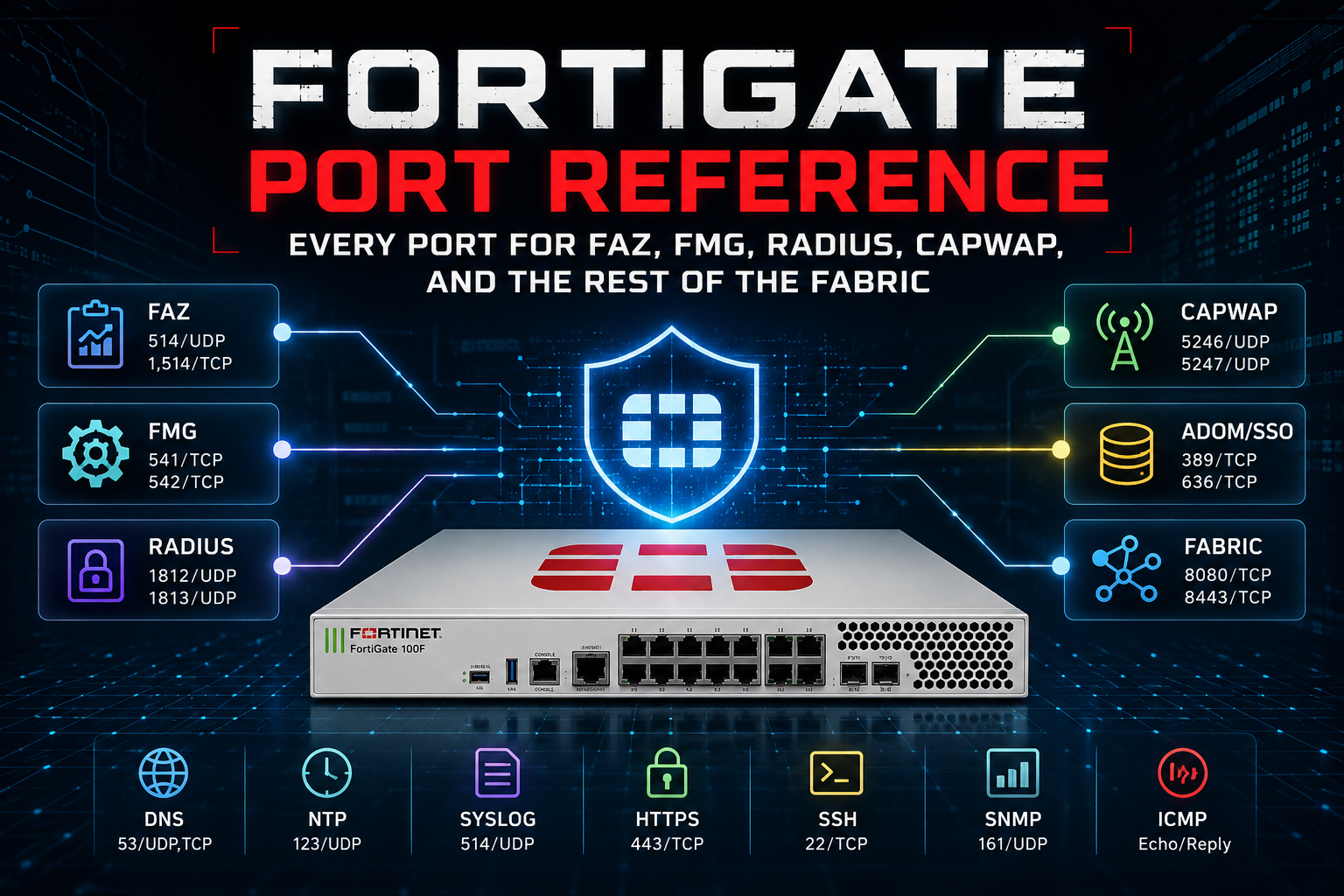
FortiGate Port Reference: Every Port for FAZ, FMG, RADIUS, CAPWAP, and the Rest of the Fabric
Every FortiGate deployment eventually runs into the same wall: a firewall change request, a cloud security group, or an MSSP’s out-of-band management network needs a specific port opened, and the answer is scattered across a dozen different Fortinet documents. This is the reference I wish existed as a single page. It’s organized by the peer device or service the FortiGate is talking to, with direction called out from the FortiGate’s point of view, so you can hand a single table to a network team and move on.
A note before you dive in: these are the default, documented ports as of the current FortiOS Ports and Protocols guide. Several of them (FSSO on TCP/8001, the Security Fabric port on TCP/8013, the RADIUS server port itself) are configurable per object, so treat the table as the factory default, not gospel, and confirm against your own config with show full-configuration before you finalize a change request.
How to Read This
Direction is always relative to the FortiGate. “Outgoing” means the FortiGate initiates the session toward the peer. “Incoming” means the peer initiates toward the FortiGate. A few protocols (FGFM being the classic example) can run in either direction depending on which side sits behind NAT, so those are called out explicitly.
Quick Reference
| Peer | Purpose | Direction | Protocol/Port |
|---|---|---|---|
| FortiAnalyzer | Syslog, OFTP, registration, quarantine, log & report | Outgoing | TCP/514 |
| FortiManager | FGFM management (IPv4) | Either | TCP/541 |
| FortiManager | FGFM management (IPv6) | Either | TCP/542 |
| FortiManager | AV/IPS push | Incoming | UDP/9443 |
| FortiManager | Log & report | Outgoing | TCP or UDP/514 |
| RADIUS server | Authentication (Access-Request) | Outgoing | UDP/1812 |
| RADIUS server | Accounting | Outgoing | UDP/1813 |
| RADIUS (RFC 5176 DAS/CoA) | Dynamic authorization, disconnect | Incoming | UDP/3799 |
| FortiAuthenticator | RADIUS disconnect | Incoming | TCP/1700 |
| FortiAuthenticator | LDAP / PKI authentication | Outgoing | TCP or UDP/389 |
| FortiAuthenticator | FSSO | Outgoing | TCP/8000 |
| FortiAuthenticator | SCEP | Outgoing | TCP/80, TCP/443 |
| FortiAuthenticator | CRL download | Outgoing | TCP/80 |
| FortiAuthenticator | Policy auth via captive portal | Incoming | TCP/1000 |
| FortiAP | CAPWAP control tunnel | Both | UDP/5246 |
| FortiAP | CAPWAP data tunnel | Both | UDP/5247 |
| FortiSwitch | FortiLink management channel | Both | TCP/443 |
| FortiGuard | AV/IPS update | Outgoing | TCP/443, TCP/8890 |
| FortiGuard | Queries (web/app rating) | Outgoing | UDP/53, UDP/8888, TCP/53, TCP/8888, TCP/443 |
| FortiGuard | DNS Filter SDNS queries | Outgoing | UDP/53, TCP/853 |
| FortiGuard | Registration | Outgoing | TCP/80 |
| FortiGuard | Alert email, virus sample submission | Outgoing | TCP/25 |
| FortiGuard | Management, firmware, FTM, licensing | Outgoing | TCP/443 |
| FortiClient | Remote IPsec VPN | Incoming | UDP/500 (IKE), IP 50 (ESP), UDP/4500 (NAT-T) |
| FortiClient | Remote SSL VPN | Incoming | TCP/443 |
| FortiClient / EMS | SSO Mobility Agent, FSSO | Incoming | TCP/8001 |
| FortiClient EMS | Compliance, Security Fabric | Incoming | TCP/8013 |
| HA peer | Heartbeat | Both | Ethertype 0x8890, 0x8891, 0x8893 |
| HA peer | Synchronization | Both | TCP/703, UDP/703 |
| FortiSandbox | OFTP (submission and verdict) | Outgoing | TCP/514 |
| FortiGate Cloud | Registration, log & report, syslog | Outgoing | TCP/443 |
| FortiGate Cloud | OFTP | Outgoing | TCP/514 |
| Admin / browser | Web Admin GUI | Incoming | TCP/80, TCP/443 |
| SSL VPN client | SSL VPN | Incoming | TCP/443 |
FortiAnalyzer (FAZ)
FortiGate ships logs to FortiAnalyzer, handles registration, and pushes quarantine and log-and-report data all over one port: TCP/514, outgoing. This is the single most common gotcha on this whole list, so it gets its own callout below.
| Purpose | Direction | Protocol/Port |
|---|---|---|
| Syslog, OFTP, registration, quarantine, log & report | Outgoing (FortiGate to FAZ) | TCP/514 |
Gotcha
TCP/514 here is not plaintext syslog. It’s Fortinet’s OFTP (Optimized Fabric Transfer Protocol) layered on top, and it’s encrypted by default once the device is registered. If a firewall rule was written by someone who assumed “syslog is UDP/514” and opened the UDP port instead, FAZ registration will fail and logs will never arrive, with no obvious error pointing at the port. Open TCP/514, not UDP/514, for FAZ.
TCP/514 here is not plaintext syslog. It’s Fortinet’s OFTP (Optimized Fabric Transfer Protocol) layered on top, and it’s encrypted by default once the device is registered. If a firewall rule was written by someone who assumed “syslog is UDP/514” and opened the UDP port instead, FAZ registration will fail and logs will never arrive, with no obvious error pointing at the port. Open TCP/514, not UDP/514, for FAZ.
FortiManager (FMG) and FGFM
The FortiGate-to-FortiManager protocol (FGFM) is what carries device registration, config push, revision history, and firmware/FortiGuard push. Port 541 is FGFM’s IPv4 default; 542 handles the IPv6 variant.
| Purpose | Direction | Protocol/Port |
|---|---|---|
| FGFM management (IPv4) | Either | TCP/541 |
| FGFM management (IPv6) | Either | TCP/542 |
| AV/IPS push | Incoming (FMG to FortiGate) | UDP/9443 |
| Log & report | Outgoing | TCP or UDP/514 |
| FortiGuard queries relayed through FMG | Outgoing | UDP/53, UDP/8888, TCP/80, TCP/8888 |
Gotcha
FGFM’s directionality depends on your topology, and this is the one clients get wrong most often on change requests. In a typical NOC/MSSP layout, FortiManager sits on a routable IP and initiates TCP/541 toward each managed FortiGate. If instead your FortiGate is on the public internet and FortiManager sits behind NAT (or vice versa), the FortiGate initiates outbound to FortiManager on 541 instead. Know which device is behind NAT before you write the rule, or you’ll open the port on the wrong side.
FGFM’s directionality depends on your topology, and this is the one clients get wrong most often on change requests. In a typical NOC/MSSP layout, FortiManager sits on a routable IP and initiates TCP/541 toward each managed FortiGate. If instead your FortiGate is on the public internet and FortiManager sits behind NAT (or vice versa), the FortiGate initiates outbound to FortiManager on 541 instead. Know which device is behind NAT before you write the rule, or you’ll open the port on the wrong side.
RADIUS, LDAP, and FortiAuthenticator
FortiGate as a RADIUS client uses the modern IANA-assigned ports, not the legacy Livingston ports many older NAS devices still default to.
| Purpose | Direction | Protocol/Port |
|---|---|---|
| RADIUS authentication (Access-Request) | Outgoing | UDP/1812 |
| RADIUS accounting | Outgoing | UDP/1813 |
| LDAP / PKI authentication | Outgoing | TCP or UDP/389 |
| FortiAuthenticator RADIUS disconnect | Incoming | TCP/1700 |
| RADIUS Dynamic Authorization / CoA (RFC 5176) | Incoming | UDP/3799 |
| FSSO | Outgoing | TCP/8000 |
| SCEP | Outgoing | TCP/80, TCP/443 |
| CRL download | Outgoing | TCP/80 |
| Policy authentication via captive portal | Incoming | TCP/1000 |
| External captive portal | Both | TCP/443 |
Gotcha: legacy ports
RFC 2865/2866 standardized RADIUS on UDP/1812 (auth) and UDP/1813 (accounting), but a huge number of NAS appliances in the field still default to the pre-standard UDP/1645 and UDP/1646. FortiGate’s RADIUS server object lets you set the port explicitly under
RFC 2865/2866 standardized RADIUS on UDP/1812 (auth) and UDP/1813 (accounting), but a huge number of NAS appliances in the field still default to the pre-standard UDP/1645 and UDP/1646. FortiGate’s RADIUS server object lets you set the port explicitly under
config user radius, so if authentication silently fails against an older RADIUS server, check the port on the server object before you assume it’s a firewall problem.Gotcha: two different “disconnect” mechanisms
Don’t conflate these. FortiAuthenticator’s own RADIUS disconnect feature listens on TCP/1700 into the FortiGate. The generic RFC 5176 Dynamic Authorization / Change of Authorization mechanism (used by plenty of non-Fortinet RADIUS servers to force a session disconnect or re-auth) is UDP/3799. If you’re integrating with a third-party RADIUS server that supports CoA, you almost certainly want 3799, not 1700.
Don’t conflate these. FortiAuthenticator’s own RADIUS disconnect feature listens on TCP/1700 into the FortiGate. The generic RFC 5176 Dynamic Authorization / Change of Authorization mechanism (used by plenty of non-Fortinet RADIUS servers to force a session disconnect or re-auth) is UDP/3799. If you’re integrating with a third-party RADIUS server that supports CoA, you almost certainly want 3799, not 1700.
CAPWAP (FortiAP)
The wireless controller function on a FortiGate manages FortiAP units over CAPWAP, split into a control channel and a data channel.
| Purpose | Direction | Protocol/Port |
|---|---|---|
| CAPWAP control tunnel | Both (FortiGate and FortiAP) | UDP/5246 |
| CAPWAP data tunnel | Both | UDP/5247 |
Gotcha
UDP/5247 only carries client traffic when the AP is running in tunnel mode, where wireless client packets get encapsulated back to the FortiGate for local switching. An AP in bridge mode switches client traffic locally at the AP and never uses 5247 for user data, so seeing control-channel traffic on 5246 but nothing on 5247 is expected behavior for a bridge-mode SSID, not a broken tunnel.
UDP/5247 only carries client traffic when the AP is running in tunnel mode, where wireless client packets get encapsulated back to the FortiGate for local switching. An AP in bridge mode switches client traffic locally at the AP and never uses 5247 for user data, so seeing control-channel traffic on 5246 but nothing on 5247 is expected behavior for a bridge-mode SSID, not a broken tunnel.
FortiLink (FortiSwitch)
FortiLink is the management protocol between a FortiGate and the FortiSwitches it manages. Unlike CAPWAP, it doesn’t get its own dedicated port; it rides the switch’s standard HTTPS administrative port.
| Purpose | Direction | Protocol/Port |
|---|---|---|
| FortiLink management channel | Both | TCP/443 |
Gotcha
This matters most when you’re extending FortiLink over a routed connection instead of a direct Layer 2 uplink (regional office to a FortiGate over MPLS, for example). Because it’s just TCP/443, it’s easy to assume it will pass through any standard HTTPS-permitting rule, but the FortiSwitch on the far end still needs a Layer 3 path back to the FortiGate’s FortiLink interface, and the switch must be explicitly set to
This matters most when you’re extending FortiLink over a routed connection instead of a direct Layer 2 uplink (regional office to a FortiGate over MPLS, for example). Because it’s just TCP/443, it’s easy to assume it will pass through any standard HTTPS-permitting rule, but the FortiSwitch on the far end still needs a Layer 3 path back to the FortiGate’s FortiLink interface, and the switch must be explicitly set to
fortilink management mode before it will originate the session.FortiGuard
FortiGuard covers AV/IPS signature updates, web and app rating lookups, DNS Filter queries, licensing, and firmware delivery. Most of this fans out across a handful of ports depending on which service is asking.
| Purpose | Protocol/Port |
|---|---|
| AV/IPS update | TCP/443, TCP/8890 |
| Cloud App DB | TCP/9582 |
| FortiGuard queries (web/app rating) | UDP/53, UDP/8888, TCP/53, TCP/8888, TCP/443 |
| DNS Filter SDNS queries | UDP/53, TCP/853 |
| Registration | TCP/80 |
| Alert email, virus sample submission | TCP/25 |
| Management, firmware, SMS, FTM, licensing, policy override | TCP/443 |
| Central management, analysis | TCP/541 |
Gotcha
FortiGuard queries default to UDP/8888, which trips up a lot of egress rules that only permit standard DNS (UDP/53) and web (TCP/443) outbound. If web filter or app control categorization is silently failing while everything else works, UDP/8888 outbound to the FortiGuard Distribution Network is the first thing to check. FortiGate reaches the FDN through
FortiGuard queries default to UDP/8888, which trips up a lot of egress rules that only permit standard DNS (UDP/53) and web (TCP/443) outbound. If web filter or app control categorization is silently failing while everything else works, UDP/8888 outbound to the FortiGuard Distribution Network is the first thing to check. FortiGate reaches the FDN through
update.fortiguard.net, service.fortiguard.net, and support.fortinet.com when a proxy is configured, so allow those FQDNs alongside the raw ports if your egress control is FQDN-based.FortiClient, FSSO, and EMS
| Purpose | Direction | Protocol/Port |
|---|---|---|
| Remote IPsec VPN access | Incoming | UDP/500 (IKE), IP protocol 50 (ESP), UDP/4500 (NAT-T) |
| Remote SSL VPN access | Incoming | TCP/443 |
| SSO Mobility Agent, FSSO | Incoming | TCP/8001 (default, customizable) |
| Compliance and Security Fabric (EMS) | Incoming | TCP/8013 (default, customizable) |
HA (Heartbeat and Synchronization)
| Purpose | Protocol/Port |
|---|---|
| HA heartbeat | Ethertype 0x8890, 0x8891, 0x8893 |
| HA synchronization | TCP/703, UDP/703 |
| Unicast heartbeat (Azure) | UDP/730 |
| DNS (Azure) | UDP/53 |
Gotcha
HA heartbeat traffic runs at Layer 2 over a proprietary ethertype, not a TCP/UDP port at all. If you’re trying to firewall or filter HA heartbeat traffic on a switch between cluster members (which you generally shouldn’t be doing on the dedicated HA link in the first place), you’re looking for ethertype ACLs, not an access list keyed on IP protocol and port.
HA heartbeat traffic runs at Layer 2 over a proprietary ethertype, not a TCP/UDP port at all. If you’re trying to firewall or filter HA heartbeat traffic on a switch between cluster members (which you generally shouldn’t be doing on the dedicated HA link in the first place), you’re looking for ethertype ACLs, not an access list keyed on IP protocol and port.
FortiSandbox
| Purpose | Direction | Protocol/Port |
|---|---|---|
| OFTP (file submission and verdict return) | Outgoing | TCP/514 |
FortiGate Cloud
| Purpose | Direction | Protocol/Port |
|---|---|---|
| Registration, quarantine, log & report, syslog | Outgoing | TCP/443 |
| OFTP | Outgoing | TCP/514 |
| Management | Outgoing | TCP/541 |
| Contract validation | Outgoing | TCP/443 |
Miscellaneous
| Purpose | Direction | Protocol/Port |
|---|---|---|
| Web Admin GUI | Incoming | TCP/80, TCP/443 |
| SSL VPN | Incoming | TCP/443 |
| Policy override authentication | Incoming | TCP/443, TCP/8008, TCP/8010 |
| Policy override keepalive | Incoming | TCP/1000, TCP/1003 |
| AeroScout vendor port | Incoming | UDP/1144 |
| External captive portal auth (FortiAP bridge mode) | Incoming | UDP/2000 |
| Security Fabric | Both | TCP/8013 (default, customizable), UDP/8014 |
Verifying and Restricting These Ports from the CLI
A few commands worth keeping handy once the rules are in place.
Check whether a RADIUS server is actually reachable and authenticating, independent of any policy that might be silently blocking it:
diagnose test authserver radius <server-name> pap <username> <password>Confirm FortiSwitch units are attached over FortiLink and see their negotiated state:
get switch-controller managed-switchCheck live sessions to FortiAnalyzer to confirm the OFTP channel is actually up, not just configured:
diagnose sys session filter dport 514
diagnose sys session listLock down FGFM to a specific FortiManager IP instead of leaving it open to any source, using a local-in policy:
config firewall local-in-policy
    edit 1
        set intf "wan1"
        set srcaddr "fmg-mgmt-ip"
        set dstaddr "all"
        set action accept
        set service "FGFM"
        set schedule "always"
    next
endThe Bottom Line
Most of these ports are stable across FortiOS versions and have been for years, but “stable” isn’t the same as “guaranteed,” and some of them (FSSO, Security Fabric, the RADIUS server port itself) are configurable per object rather than fixed. Before you submit a firewall change request built off this table, confirm against your own show full-configuration output and against the Ports and Protocols document for the specific FortiOS version you’re running. Treat this page as the fast path to the right answer, not the final word.
Recent posts
-

-

DNS is one of those technologies that quietly underpins... Full Story
-

BGP issues on FortiGate firewalls usually trace back to... Full Story
-

Every time your laptop talks to your router, a... Full Story
-

If you've spent any time configuring NAT on a... Full Story
-

If you have spent any time configuring firewall policies... Full Story
-

High availability on FortiGate is one of those features... Full Story
-

If you've configured SD-WAN on a FortiGate, you've almost... Full Story
-

FortiLink is the management protocol that turns a FortiSwitch... Full Story
-

FortiSwitches are pretty rock solid from Mean Time Between... Full Story
-

This is a quicky tip. Have you ever gone... Full Story
-

DNS is one of those quiet pieces of internet... Full Story
-

This article is an updated version of the previous... Full Story
-

You will add ns2 as a secondary (slave) BIND9... Full Story
-

In the process of deploying my lab, I needed... Full Story
-

RFC 8805, used to be known as Self-Correcting IP... Full Story
-

Years back, I wrote an article about certificate pinning. ... Full Story
-

FortiGates have the ability to send alerts to Microsoft... Full Story
-

In this post, I am going to walk through... Full Story
-

Troubleshooting VoIP on a FortiGate can feel like trying... Full Story
-

Prior to FortiOS 7.0, there were three commands to... Full Story
-

In this post, I am going to go over... Full Story
-

What we are going to do: We are going... Full Story
-

Choosing between FGCP (FortiGate Clustering Protocol) and FGSP (FortiGate... Full Story
-

Creating a VLAN on macOS (The "Pro" Move) A... Full Story
-

This blog post explores the logic behind how macOS... Full Story
-

Pretty Fly for a Wi-Fi Tell My Wi-Fi Love... Full Story
-

Part of my daily gig is creating BoMs (Bill-of-Materials)... Full Story
-

ICMP introduces several security risks, but careful filtering, rate... Full Story
-

The command diag debug application dhcps -1 enables full... Full Story
-

In the world of FortiOS, execute tac report is... Full Story
-

LLDP; What is it The Link Layer Discovery Protocol... Full Story
-

What it actually does When you run diagnose fdsm... Full Story
-

Monkey Bites are bite-sized, high-impact security insights designed for... Full Story
-

I have run macOS in macOS with Parallels but... Full Story
-

Don't be confused with my other FortiNAC posts where... Full Story
-

This is the third session in a multi-part article... Full Story
-

Today I was configuring key-based authentication on a FortiGate... Full Story
-

Netcat, often called the "Swiss Army knife" of networking,... Full Story
-

At its core, IEEE 802.1X is a network layer... Full Story
-

In case you did not see the previous FortiNAC... Full Story
-

This is our 5th session where we are going... Full Story
-

Now that we have Wireshark installed and somewhat configured,... Full Story
-

The Philosophy of Packet Analysis Troubleshooting isn't about looking... Full Story
-

Nmap Scripting Engine (NSE): From One-Liners to Your First... Full Story
-

Stand up TRex on Ubuntu, wire it through a... Full Story
-

1. Executive Summary Objective: Get a working, persistent nftables... Full Story