
If you've spent any time configuring user authentication on... Full Story
By Manny Fernandez
September 21, 2026
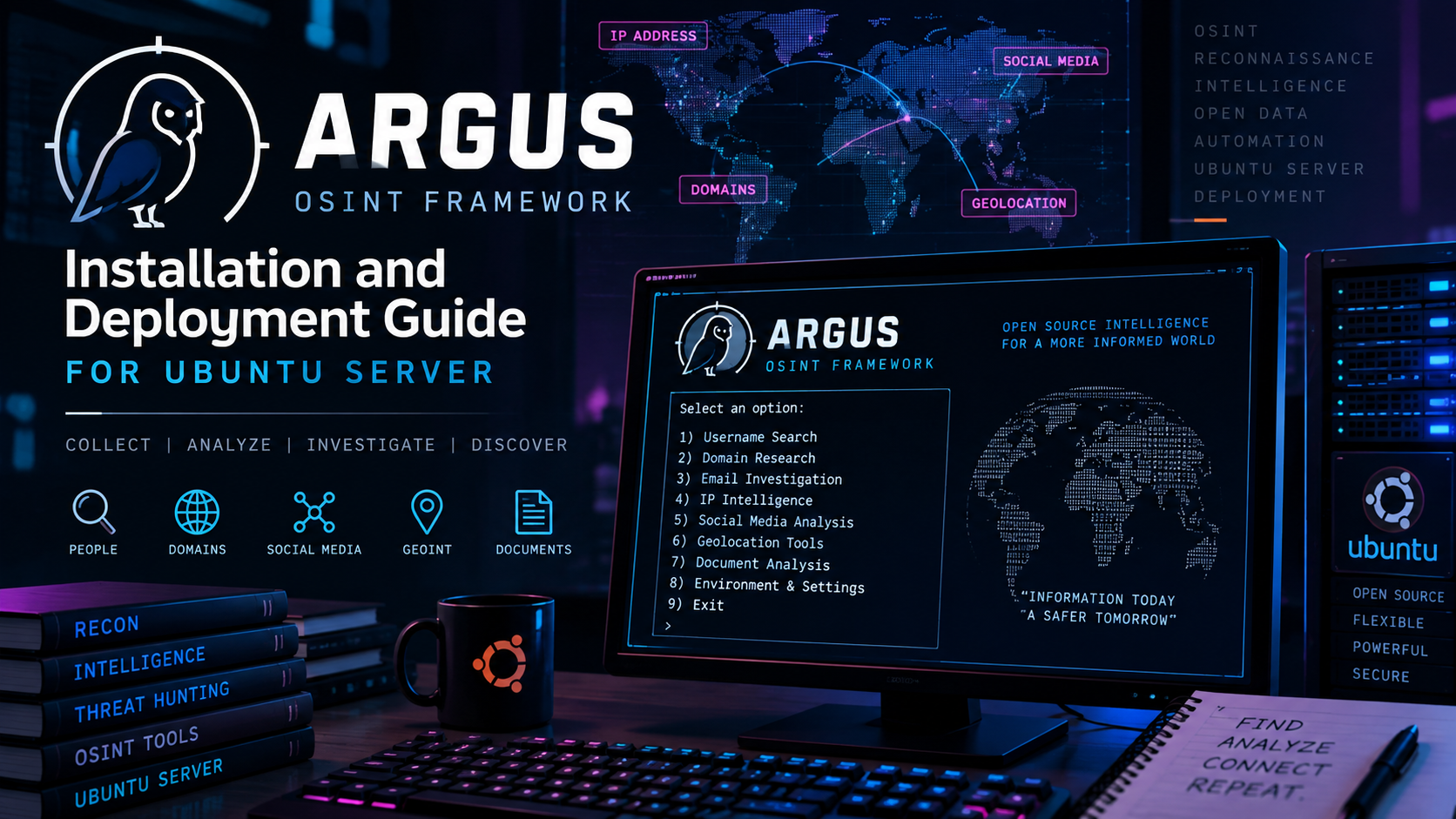
Argus OSINT Framework: Installation and Deployment Guide for Ubuntu Server
Executive Summary
Objective: stand up Argus, a Python-based open source information-gathering and reconnaissance toolkit, on Ubuntu Server so you have a dedicated, disposable OSINT workstation ready for authorized network, web application, and threat-intelligence recon work.
Target audience: SOC analysts, penetration testers, threat intel researchers, and red team operators who want a repeatable Ubuntu build for Argus rather than a one-off local install.
About Argus: Argus (jasonxtn/Argus on GitHub, 4,200+ stars) is a single Python package that ships an interactive CLI shell with 135 modules spanning DNS, network, and infrastructure recon; web application analysis; and security and threat intelligence lookups (Shodan, Censys, VirusTotal, and more once you supply API keys). Everything runs from one argus> prompt: browse modules, set a target, run, and export.
Before you point this at anything: Argus is built for educational and authorized use. Run it only against systems and domains you own or have explicit written permission to assess.
Key Features and What You Can Gather
Argus organizes its 135 modules into three functional categories. Here is a practitioner-level rundown of what each category actually surfaces once you start pointing it at a target.
Network and Infrastructure Reconnaissance (roughly 52 modules)
- DNS and domain intelligence: full DNS record enumeration (A, AAAA, MX, TXT, NS), DNS-over-HTTPS resolution, DNSSEC validation, zone transfer attempts, reverse DNS, and WHOIS/RDAP lookups.
- Network exposure: open port scanning, IP range scanning, traceroute path mapping, and reverse IP lookups that surface other domains hosted on the same address.
- Routing and ASN data: ASN lookups, BGP route analysis, RPKI route validity checks, IRR routing registry data, and autonomous system peering maps.
- TLS and certificate posture: SSL chain analysis, expiry alerts, cipher suite enumeration, TLS handshake simulation, and certificate authority reconnaissance.
- Geo and timing fingerprints: server location, network timezone detection, geo-DNS footprint, and TTL-based hop analysis.
Web Application Analysis (roughly 50 modules)
- Content discovery: crawling, directory and content discovery, sitemap parsing, robots.txt analysis, and historical archive lookups.
- Technology fingerprinting: CMS detection, technology stack detection, JavaScript file analysis, and third-party integration discovery.
- Exposure surfaces: email harvesting, hidden parameter discovery, exposed API endpoints, form grabbers, and login page identification.
- Security hygiene checks: HTTP security headers, cookie analysis, CORS misconfiguration scanning, clickjacking tests, and WAF/CAPTCHA presence detection.
- Social and brand footprint: social media presence discovery and favicon hashing for cross-asset correlation.
Security and Threat Intelligence (roughly 33 modules)
Pivots into third-party threat intel platforms and breach data; most of these need an API key (Step 5):
- Internet-wide scanning pivots: Shodan and Censys reconnaissance for exposed services tied to the target.
- Reputation and malware checks: VirusTotal scans, malware and phishing checks, and domain reputation scoring.
- Breach and leak exposure: data leak detection, breached credentials lookup (HIBP), pastebin monitoring, and exposed environment file discovery.
- Email authentication posture: SPF, DKIM, and DMARC validation.
- Cloud and supply-chain exposure: cloud bucket exposure, cloud service enumeration, and Git repository exposure checks.
- Certificate transparency: CT log queries and typosquat domain checking.
Every module writes to the same session, so a typical workflow chains several together: for example, runall infra sweeps every infrastructure module against a target, then use picks a specific web application or threat intel module to dig into whatever the sweep turned up. Results export to TXT, CSV, or JSON from config/settings.py, which makes Argus output easy to feed into a report or another tool downstream.
Prerequisites and Architecture
Assumed knowledge: comfort with the Ubuntu CLI, apt, and basic Python virtual environments. No prior Argus experience needed.
Environment: a clean, disposable VM is the right home for any OSINT toolkit. This guide targets Ubuntu Server 24.04 LTS (it also works on 22.04 LTS); 2 vCPU and 2 GB RAM is plenty, since Argus itself is lightweight and most of the work is outbound HTTP/DNS calls.
| Component | Why it’s needed |
|---|---|
| Python 3.10+ | Argus’ minimum supported interpreter (ships by default on 22.04 and 24.04) |
| pip3 / python3-venv | Installs Argus’ dependencies; a venv keeps them off the system interpreter |
| git | Clones the Argus source |
| build-essential, python3-dev, libssl-dev, libffi-dev | Fallback compile toolchain for dependencies (cryptography, mmh3, aioquic) that don’t ship a prebuilt wheel for your architecture |
| Outbound internet access | Nearly every module makes a live DNS, HTTP, or third-party API call |
| API keys (optional) | Unlocks the Shodan, VirusTotal, Censys, Google, and HIBP-backed modules |
Step-by-Step Implementation Workflow
Step 1: Update the system and install OS-level prerequisites
Goal: get a current base image with everything Argus and its dependencies need to build and run.
Action:
sudo apt update && sudo apt upgrade -y
sudo apt install -y git python3 python3-pip python3-venv python3-dev build-essential libssl-dev libffi-dev
Verification: python3 --version should report 3.10 or newer, and git --version should return cleanly.
Step 2: Clone the Argus repository
Goal: pull the source so you control exactly what version you’re running.
Action:
git clone https://github.com/jasonxtn/Argus.git
cd Argus
Verification: ls should show the argus/ package directory alongside install.sh, requirements.txt, and pyproject.toml.
Step 3: Install Argus
Argus supports four install paths. On Ubuntu 23.10 and newer, including 24.04 LTS, Debian’s PEP 668 policy blocks a bare pip3 install outside a virtual environment, so Option A is the path we recommend for a server build.
Option A: Isolated virtual environment (recommended)
python3 -m venv ~/argus-venv
source ~/argus-venv/bin/activate
pip install --upgrade pip
pip install -r requirements.txt
python -m argus
Add source ~/argus-venv/bin/activate to the top of any future session, or wrap it in a small shell alias, since the venv doesn’t activate itself on login.
Option B: Global installer script
This mirrors Argus’ own install.sh: it copies the package to /opt/argus, installs dependencies with a system-wide pip3, and drops a launcher at /usr/local/bin/argus.
sudo chmod +x install.sh
sudo ./install.sh
See Troubleshooting below before choosing this path on 24.04 LTS.
Option C: PyPI package
pip install argus-recon
argus
Same PEP 668 caveat as Option B if you run it outside a venv.
Option D: Docker
docker build -t argus-recon:latest .
docker run -it --rm -v $(pwd)/results:/app/results argus-recon:latest
Sidesteps Python entirely; results land in ./results on the host. Docker Engine needs to be installed first (sudo apt install docker.io for a quick lab setup, or Docker’s official apt repo for anything production-facing).
Step 4: First launch and module discovery
Goal: confirm the interactive shell boots and get familiar with the module catalog.
argus
argus> modules
argus> modules -d
argus> search ssl
Argus organizes its 135 modules into three broad categories: network and infrastructure recon (DNS records, WHOIS, port scans, ASN and BGP lookups), web application analysis (technology fingerprinting, crawling, header and cookie analysis), and security and threat intelligence (Shodan and Censys pivots, breach and leak checks, certificate and CT log queries). modules -d shows the full catalog with descriptions if you want to browse before committing to a workflow.
Step 5: Configure API keys (optional but recommended)
Goal: unlock the modules that depend on third-party threat intel platforms.
export VIRUSTOTAL_API_KEY="your_key_here"
export SHODAN_API_KEY="your_key_here"
export CENSYS_API_ID="your_id_here"
export CENSYS_API_SECRET="your_secret_here"
export GOOGLE_API_KEY="your_key_here"
export HIBP_API_KEY="your_key_here"
Add these to ~/.bashrc (or a dedicated file you source) so they persist across sessions, or set them permanently in config/settings.py inside the Argus package: ~/Argus/argus/config/settings.py for a source or venv install, /opt/argus/argus/config/settings.py for the global installer.
Verification: argus> show api_status lists each key and whether Argus sees it as configured.
Step 6: Run a first module against an authorized target
Goal: prove the whole stack works end to end.
argus> set target example.com
argus> use 5
argus> run
example.com is an IANA-reserved domain meant for documentation and testing, which makes it a safe first target. From here, runall infra executes every module in a category in one pass, viewout replays the cached output, and grepout "keyword" searches it. Export format (TXT, CSV, or JSON) is set in config/settings.py.
Verification and Validation
Confirm the deployment is healthy before you rely on it:
python3 --versionreports 3.10 or later.python -c "import argus"(venv or source install) orPYTHONPATH=/opt/argus python3 -c "import argus"(global installer) exits with no error. This is the same smoke test Argus’ own installer runs internally.argus> show api_statusreflects the keys configured in Step 5.argus> moduleslists all 135 entries; a shorter count usually points to a partially failed dependency install.- A run against
example.com(module 5, Domain Info, or module 18, WHOIS Lookup) returns populated output rather than a stack trace.
Troubleshooting and Gotchas
“error: externally-managed-environment” during pip install. Ubuntu 23.10 and newer enforce PEP 668, which blocks system-wide pip installs to protect the OS Python. Use a virtual environment (Step 3, Option A), or if a system-wide install is genuinely what you want, add --break-system-packages to the pip command. Worth knowing: Argus’ own install.sh swallows this failure behind a generic “dependencies may already exist” warning instead of failing loudly, so always confirm with python -c "import argus" after running it rather than trusting the installer’s own success message.
Build failures on mmh3, cryptography, or aioquic. These usually surface on ARM-based Ubuntu images or unusually new Python point releases where no prebuilt wheel exists yet, forcing pip to compile from source. Installing build-essential, python3-dev, libssl-dev, and libffi-dev before running pip install (Step 1) covers this in almost every case. If a package still fails, retry with pip install --no-cache-dir <package> to rule out a corrupted cached wheel.
“command not found: argus” after the global installer. install.sh places the launcher at /usr/local/bin/argus, which is on the default PATH for most Ubuntu shells but not always for non-interactive or minimal-profile sessions. Confirm with echo $PATH, and separately confirm the installer actually ran to completion. It exits immediately with an error if it wasn’t launched with sudo.
Every module returns empty or failed results. This is almost always outbound egress, not Argus. Check that the VM’s UFW rules or cloud security group allow outbound DNS (53), HTTP (80), and HTTPS (443), and confirm argus> show api_status for any module that depends on a third-party key that hasn’t been set yet.
Recent posts
-

-

DNS is one of those technologies that quietly underpins... Full Story
-

BGP issues on FortiGate firewalls usually trace back to... Full Story
-

Every time your laptop talks to your router, a... Full Story
-

If you've spent any time configuring NAT on a... Full Story
-

If you have spent any time configuring firewall policies... Full Story
-

High availability on FortiGate is one of those features... Full Story
-

If you've configured SD-WAN on a FortiGate, you've almost... Full Story
-

FortiLink is the management protocol that turns a FortiSwitch... Full Story
-

FortiSwitches are pretty rock solid from Mean Time Between... Full Story
-

This is a quicky tip. Have you ever gone... Full Story
-

DNS is one of those quiet pieces of internet... Full Story
-

This article is an updated version of the previous... Full Story
-

You will add ns2 as a secondary (slave) BIND9... Full Story
-

In the process of deploying my lab, I needed... Full Story
-

RFC 8805, used to be known as Self-Correcting IP... Full Story
-

Years back, I wrote an article about certificate pinning. ... Full Story
-

FortiGates have the ability to send alerts to Microsoft... Full Story
-

In this post, I am going to walk through... Full Story
-

Troubleshooting VoIP on a FortiGate can feel like trying... Full Story
-

Prior to FortiOS 7.0, there were three commands to... Full Story
-

In this post, I am going to go over... Full Story
-

What we are going to do: We are going... Full Story
-

Choosing between FGCP (FortiGate Clustering Protocol) and FGSP (FortiGate... Full Story
-

Creating a VLAN on macOS (The "Pro" Move) A... Full Story
-

This blog post explores the logic behind how macOS... Full Story
-

Pretty Fly for a Wi-Fi Tell My Wi-Fi Love... Full Story
-

Part of my daily gig is creating BoMs (Bill-of-Materials)... Full Story
-

ICMP introduces several security risks, but careful filtering, rate... Full Story
-

The command diag debug application dhcps -1 enables full... Full Story
-

In the world of FortiOS, execute tac report is... Full Story
-

LLDP; What is it The Link Layer Discovery Protocol... Full Story
-

What it actually does When you run diagnose fdsm... Full Story
-

Monkey Bites are bite-sized, high-impact security insights designed for... Full Story
-

I have run macOS in macOS with Parallels but... Full Story
-

Don't be confused with my other FortiNAC posts where... Full Story
-

This is the third session in a multi-part article... Full Story
-

Today I was configuring key-based authentication on a FortiGate... Full Story
-

Netcat, often called the "Swiss Army knife" of networking,... Full Story
-

At its core, IEEE 802.1X is a network layer... Full Story
-

In case you did not see the previous FortiNAC... Full Story
-

This is our 5th session where we are going... Full Story
-

Now that we have Wireshark installed and somewhat configured,... Full Story
-

The Philosophy of Packet Analysis Troubleshooting isn't about looking... Full Story
-

Speed Up the Dock via TerminalOpen the Terminal app... Full Story
-

For eight years, MacUpdater was the closest thing macOS... Full Story
-

Say you want to spot every line in a... Full Story