
If you've spent any time configuring user authentication on... Full Story
By Manny Fernandez
September 21, 2026
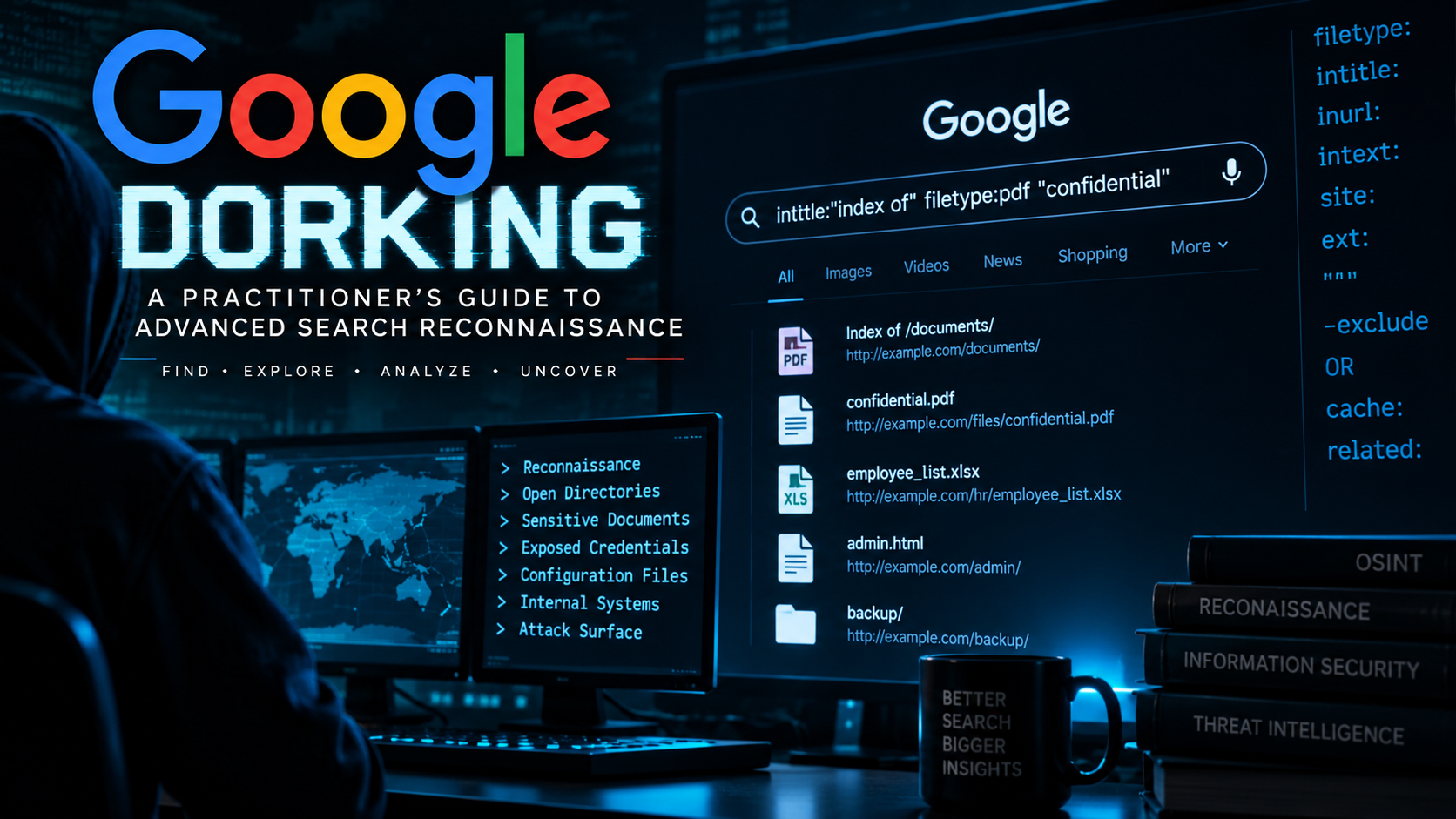
Google Dorking: A Practitioner’s Guide to Advanced Search Reconnaissance
Executive Summary
Objective: teach you how to use Google’s advanced search operators to run passive reconnaissance, surfacing exposed documents, misconfigured services, and forgotten assets without sending a single packet to the target.
Target audience: penetration testers building a passive recon phase, red teamers scoping an engagement, blue teamers auditing their own organization’s footprint, and OSINT practitioners who want a reference to operators that actually still work in 2026.
Google dorking (also called “Google hacking”) is not a vulnerability. It is a search technique. Google indexes billions of pages, and a meaningful fraction of what it indexes was never meant to be public: exposed configuration files, directory listings, login portals, credentials sitting in plaintext, forgotten backup archives. None of that is Google’s fault, and using its own search syntax to find it is not “hacking” Google. What you do with what you find is where the line lives, and that line gets its own section below, before a single operator.
1. What Google Dorking Actually Is
At its core, dorking is combining Google’s advanced search operators (site:, filetype:, intitle:, inurl:, intext:, and a handful of others) into queries precise enough to surface a narrow slice of the indexed web. The term traces back to security researcher Johnny Long, who in the early 2000s started cataloging queries that exposed sensitive material, work that became the Google Hacking Database (GHDB), later adopted and maintained by Offensive Security under Exploit-DB.
Two things make dorking worth a slot in a modern security practice:
- It is entirely passive. Every request goes to Google, not the target, so there is no scan traffic to trip an IDS and nothing to authorize beyond the engagement itself.
- It reflects what is actually exposed, not what a scanner guesses might be exposed. If Google indexed it, a crawler reached it over the open web with no authentication in the way.
2. Read This First: Legal and Ethical Boundaries
This is the most important section in the guide, so read it before the operator tables.
Searching Google is legal. Typing a query into a search box and reading the results Google hands back is not “unauthorized access” under the Computer Fraud and Abuse Act or comparable statutes elsewhere, because you never interacted with the target system at all. That is what makes dorking attractive for passive recon.
Where it turns into a problem is the next step:
- Finding a URL is not authorization to use it. If a dork surfaces a directory listing containing customer PII, downloading and using that data is a different act with a different legal exposure than the search itself, and “I found it on Google” does not cover it.
- Scope matters. Dork only against domains and assets explicitly in scope for a signed engagement, or that you own.
site:client-domain.comis fine under a signed SOW. A domain you merely noticed in passing is not, no matter how curious the result looks. - Found something outside scope? If a dork turns up an exposed system belonging to someone else, entirely outside your engagement, the responsible move is coordinated disclosure, not further probing. Most organizations of any size have a security.txt file or a bug bounty program for exactly this.
- Automated scraping carries its own risk, separate from the target. Google’s Terms of Service restrict automated querying of the search engine itself. Manual dorking in a browser is unambiguous. Scripted dorking at volume (Section 9) risks getting your IP rate-limited or blocked, a dispute with Google that has nothing to do with the target.
Treat this the same way you treat any other recon technique: it belongs inside a defined scope, with the same rules of engagement as active scanning, even though the traffic pattern looks nothing alike.
3. Prerequisites
Refreshingly short for once: no software required for the manual technique.
- A browser. Use a private/incognito window, or append
&pws=0to any Google results URL, both disable personalization. Google added a one-click “Try without personalization” link to the results-page footer in December 2024 that wraps the same parameter. - A Google account is not required, and staying signed out limits how aggressively results get personalized.
- If you plan to automate anything at scale (Section 9), you will additionally want Python 3.10+ and, ideally, proxy access, since Google will rate-limit or CAPTCHA a bare IP fast.
4. Core Search Operators
These are the operators that are still reliable in 2026. Combine them freely; Google treats multiple operators in one query as an AND.
| Operator | What it does | Example |
|---|---|---|
site: |
Restricts results to one domain or subdomain | site:example.com |
filetype: |
Restricts to a file extension | filetype:pdf |
intitle: |
Term must appear in the page title | intitle:"index of" |
allintitle: |
All following terms must appear in the title (stops parsing other operators once used) | allintitle:admin login |
inurl: |
Term must appear in the URL | inurl:wp-content |
allinurl: |
All following terms must appear in the URL | allinurl:admin backup |
intext: |
Term must appear in the visible body text | intext:"password" |
allintext: |
All following terms must appear in the body text | allintext:username password |
| “exact phrase” | Exact phrase match | "internal use only" |
- (minus) |
Excludes a term | jenkins -job |
OR / | |
Either term may match | login OR signin |
* |
Wildcard placeholder for one or more words | "* is the CEO of example.com" |
n1..n2 |
Matches a number in a range | camera 2019..2023 |
define: |
Dictionary definition | define:phishing |
5. Operators That Stopped Working (Check This Before You Build On Them)
Every dorking cheat sheet still circulating online lists operators Google has quietly killed or crippled. Building a workflow on these costs you time chasing dead ends:
| Operator | Status as of 2026 | Use instead |
|---|---|---|
cache: |
Fully removed. Google dropped the cache link from results in January 2024 and shut the operator itself off completely by September 2024. | The Wayback Machine (web.archive.org), or Search Console’s URL Inspection tool for your own properties. |
related: |
Still parses without an error, but results are inconsistent and often empty for smaller or less-linked sites. | Manual research, or a dedicated similarity tool. |
link: |
Heavily restricted since around 2017. Returns a small, non-representative sample, not a real backlink index. | Ahrefs, Semrush, or Search Console’s own Links report for your own domain. |
info: |
Effectively retired; typing it now just runs a plain search on the term. | site: with a blank query, or Search Console. |
6. Building a Dork Step by Step
Work from broad to narrow. Verify each step in the results before adding the next operator.
Step 1: Scope the target
Goal: confine every subsequent search to assets you are authorized to search.
Query: site:example.com
Verify: every result’s domain matches example.com.
Step 2: Narrow by file type
Goal: surface a specific document class, e.g. spreadsheets that sometimes carry data no one meant to publish.
Query: site:example.com filetype:xlsx
Verify: results are actual .xlsx files, not pages that merely mention the extension.
Step 3: Layer in a content signal
Goal: filter down to documents that are actually interesting, not just any spreadsheet.
Query: site:example.com filetype:xlsx intext:"confidential"
Verify: open a couple of hits and confirm the term appears in context, not in boilerplate.
Step 4: Pivot to structural exposure
Goal: find exposed directory listings, one of the highest-signal dorks that exists.
Query: site:example.com intitle:"index of"
Verify: the page genuinely renders as a raw Apache/Nginx directory listing, not a page whose title happens to contain that phrase.
Step 5: Pivot to authentication surfaces
Goal: enumerate exposed login portals for the asset inventory.
Query: site:example.com (inurl:login OR inurl:admin OR intitle:"sign in")
Verify: each hit resolves to a live, reachable login form.
Step 6: Check for leaked configuration and secrets
Goal: catch the exposure class that causes the most damage per finding.
Query: site:example.com (filetype:env OR filetype:log OR filetype:sql) intext:password
Verify: treat any hit here as a critical finding regardless of how the rest of the engagement is going, and follow your engagement’s disclosure timeline immediately.
Chain only as many operators as you need. Overloaded queries with six or seven operators tend to return zero results long before they return precision, because Google applies them as a strict AND.
7. Practical Dork Categories
Rather than reproduce a giant enumerated attack list here (that list already exists, dated and maintained, at the GHDB, covered next), it is more useful to know the categories a practitioner actually works through during recon:
- Exposed documents:
filetype:pdf,filetype:docx,filetype:xlsxcombined withintext:terms like “confidential,” “internal use only,” or a client’s own document-classification labels. - Directory listings:
intitle:"index of"is the single highest-value dork in the discipline. It surfaces raw filesystem browsing left open on misconfigured web servers. - Login and admin portals:
inurl:admin,intitle:"login",inurl:wp-admin, useful for building an authentication-surface inventory during a pentest scoping phase. - Configuration and credential leakage:
filetype:env,filetype:conf,filetype:sql,filetype:logcombined withintext:terms like “DB_PASSWORD,” “api_key,” or “BEGIN PRIVATE KEY.” - Version and technology fingerprinting:
intext:"powered by"combined with a product name and version string, useful for correlating exposed assets against a known-CVE list. - Cloud storage misconfigurations:
site:s3.amazonaws.com,site:blob.core.windows.net,inurl:storage.googleapis.com, useful for catching open buckets that belong to the target’s infrastructure.
Every one of these is a search technique, not an exploit. Nothing here grants access; it only shows you what a crawler already found and Google already published.
8. The Google Hacking Database (GHDB)
The GHDB, maintained by Offensive Security at exploit-db.com/google-hacking-database, is the canonical, dated, community-curated catalog of dorks, organized into fourteen categories running from “Footholds” to “Advisories and Vulnerabilities.” Two things make it worth building into a workflow instead of memorizing individual queries:
- It is dated. Every entry shows when it was added, letting you filter for recently discovered patterns rather than dorks that stopped returning anything years ago.
- It is categorized. You can pull just “Pages Containing Login Portals” or “Files Containing Passwords” rather than working through the entire database by hand.
9. Automating Dorking at Scale
Manual dorking does not scale past a handful of queries before it becomes tedious, and Google notices scripted querying fast. Two legitimate paths exist, and one of them is closing.
pagodo (recommended for GHDB-scale scanning)
pagodo (opsdisk/pagodo on GitHub) automates pulling the entire GHDB and running it against a scoped domain. It runs on the yagooglesearch library and supports native proxy rotation.
git clone https://github.com/opsdisk/pagodo.git
cd pagodo
python3 -m venv .venv
source .venv/bin/activate
pip install --upgrade pip setuptools
pip install -r requirements.txt

# Pull the current GHDB (saves txt, json, and per-category files)
python3 ghdb_scraper.py -s -j -i

# Run it against a scoped domain: 3-8s random delay, 50 results per dork
python3 pagodo.py -d example.com -g dorks/all_google_dorks.txt \
  -i 3 -x 8 -m 50 -s results.txt
Read the flags before you run anything: -i and -x set the minimum and maximum delay between queries (too fast and Google returns HTTP 429 quickly), -m caps results per dork, -s writes discovered URLs to a file. If you get blocked anyway, the -p switch takes a comma-separated proxy list and round-robins through it, which is the tool’s own recommended fix over wrapping it in proxychains.
pagodo’s own README is direct about this: scraping Google’s results this way runs against Google’s Terms of Service, and the tool ships as-is with that risk sitting on the operator, not the author. Scope it the same way you would scope any other automated recon tool: written authorization, a defined target, and a rate limit that does not look like an attack against Google itself.
Google Custom Search JSON API (fading option, plan accordingly)
Google’s Custom Search JSON API has been the only sanctioned scriptable path: 100 free queries a day, then $5 per 1,000 up to a 10,000-per-day cap. It is being retired. Google closed it to new customers during 2025 and announced in January 2026 that existing integrations must migrate off it by January 1, 2027. If you already depend on it, start planning a move to Vertex AI Search (branded Agent Search inside Google’s Gemini Enterprise Agent Platform) now. If you are starting a new automation project, do not build on this API; it is no longer accepting sign-ups.
10. Turning It Around: Auditing Your Own Exposure
Every technique above works just as well pointed at your own organization, and running it on a schedule is one of the highest-value, lowest-effort recurring tasks a blue team can add to its calendar.
- Self-dork on a schedule. Run the same
site:yourdomain.comqueries from Section 6 against your own domain quarterly, or wire pagodo into a scheduled job with a conservative rate limit. - Keep sensitive paths out of the index in the first place. A
Disallowentry in robots.txt only asks crawlers politely not to index a path; it does not prevent access. Use anoindexmeta tag orX-Robots-Tagheader on anything that must not appear in search results, and put anything genuinely sensitive behind authentication rather than relying on obscurity. - Use Search Console’s Removals tool for anything already indexed. It can expedite pulling a URL or an entire prefix from Google’s results while you fix the underlying exposure, though it does not remove the content from the server itself.
- Treat a self-dork hit like any other finding. Log it, remediate the root cause (a misconfigured web root, an accidentally committed .env, a forgotten backup left in a public bucket), and confirm removal by re-running the same query days later, since index updates are not instant.
11. Verification Checklist
Before a single finding goes in a report, confirm each of the following:
- The result is still live, not a stale index entry pointing at content already removed. Google’s cache is gone, so you cannot check a snapshot; you have to load the URL directly.
- The exposure is genuine, not a honeypot, a decoy, or a false positive from an operator matching page boilerplate rather than real content.
- You have not gone a step past searching: you have not downloaded, modified, or further accessed anything outside what the engagement’s rules of engagement permit.
- The finding is in scope. A tempting result on a domain you were not authorized to touch gets reported through responsible disclosure, not folded into your deliverable.
12. Troubleshooting and Gotchas
- CAPTCHA appears mid-session. You searched too fast or too much from one IP. Slow down, switch networks, or, for automation, add proxy rotation.
- A dork that used to work now returns nothing. Check Section 5 first; you may be relying on a deprecated operator. If not, Google’s index simply changed; results are not permanent.
allintitle:orallinurl:swallows the rest of your query. These operators are greedy: once used, everything after them is treated as part of the same all-terms match, and other operators in the same query stop being respected. Keep them as the last element of a query, or avoid combining them with other operators at all.- Results differ from a colleague’s for the identical query. Region (google.com vs. a country TLD), signed-in personalization, and even data-center-level index variance all shift results. Standardize on incognito plus google.com for repeatable engagement work.
- A directory-listing dork returns pages that only mention “index of” in prose. Add a second, structural signal, e.g.
inurl:"/uploads/"or a trailing-slash pattern, sinceintitle:alone matches the phrase anywhere in the title, not just the literal Apache-generated title string.
13. Quick Reference Cheat Sheet
| Goal | Query pattern |
|---|---|
| Scope to a domain | site:example.com |
| Find a file type | filetype:pdf |
| Directory listing | intitle:"index of" |
| Login portal | inurl:admin OR intitle:"login" |
| Leaked credentials | filetype:env intext:password |
| Exact phrase | "internal use only" |
| Exclude a term | jenkins -job |
| Either term | login OR signin |
| Number range | camera 2019..2023 |
Closing
Google dorking has not gotten less useful as the operator list has shrunk, it has gotten more disciplined. The operators that survive (site:, filetype:, intitle:, inurl:, intext:, and their all-variants) cover the overwhelming majority of real findings, and pairing them with a dated source like the GHDB keeps the technique current without you tracking every Google changelog yourself. Scope it, log it, and treat every finding with the same rules of engagement you would apply to a port scan. No fluff, just the queries that still work.
Recent posts
-

-

DNS is one of those technologies that quietly underpins... Full Story
-

BGP issues on FortiGate firewalls usually trace back to... Full Story
-

Every time your laptop talks to your router, a... Full Story
-

If you've spent any time configuring NAT on a... Full Story
-

If you have spent any time configuring firewall policies... Full Story
-

High availability on FortiGate is one of those features... Full Story
-

If you've configured SD-WAN on a FortiGate, you've almost... Full Story
-

FortiLink is the management protocol that turns a FortiSwitch... Full Story
-

FortiSwitches are pretty rock solid from Mean Time Between... Full Story
-

This is a quicky tip. Have you ever gone... Full Story
-

DNS is one of those quiet pieces of internet... Full Story
-

This article is an updated version of the previous... Full Story
-

You will add ns2 as a secondary (slave) BIND9... Full Story
-

In the process of deploying my lab, I needed... Full Story
-

RFC 8805, used to be known as Self-Correcting IP... Full Story
-

Years back, I wrote an article about certificate pinning. ... Full Story
-

FortiGates have the ability to send alerts to Microsoft... Full Story
-

In this post, I am going to walk through... Full Story
-

Troubleshooting VoIP on a FortiGate can feel like trying... Full Story
-

Prior to FortiOS 7.0, there were three commands to... Full Story
-

In this post, I am going to go over... Full Story
-

What we are going to do: We are going... Full Story
-

Choosing between FGCP (FortiGate Clustering Protocol) and FGSP (FortiGate... Full Story
-

Creating a VLAN on macOS (The "Pro" Move) A... Full Story
-

This blog post explores the logic behind how macOS... Full Story
-

Pretty Fly for a Wi-Fi Tell My Wi-Fi Love... Full Story
-

Part of my daily gig is creating BoMs (Bill-of-Materials)... Full Story
-

ICMP introduces several security risks, but careful filtering, rate... Full Story
-

The command diag debug application dhcps -1 enables full... Full Story
-

In the world of FortiOS, execute tac report is... Full Story
-

LLDP; What is it The Link Layer Discovery Protocol... Full Story
-

What it actually does When you run diagnose fdsm... Full Story
-

Monkey Bites are bite-sized, high-impact security insights designed for... Full Story
-

I have run macOS in macOS with Parallels but... Full Story
-

Don't be confused with my other FortiNAC posts where... Full Story
-

This is the third session in a multi-part article... Full Story
-

Today I was configuring key-based authentication on a FortiGate... Full Story
-

Netcat, often called the "Swiss Army knife" of networking,... Full Story
-

At its core, IEEE 802.1X is a network layer... Full Story
-

In case you did not see the previous FortiNAC... Full Story
-

This is our 5th session where we are going... Full Story
-

Now that we have Wireshark installed and somewhat configured,... Full Story
-

The Philosophy of Packet Analysis Troubleshooting isn't about looking... Full Story
-

INFOSECMONKEY | CVE BRIEF | NO FLUFF. JUST THE... Full Story
-

APT CVE-2026-109518: How a Download Retry Lets an Attacker... Full Story
-

Managing Windows Firewall from the Command Line: netsh, PowerShell... Full Story