
If you've spent any time configuring user authentication on... Full Story
By Manny Fernandez
September 21, 2026
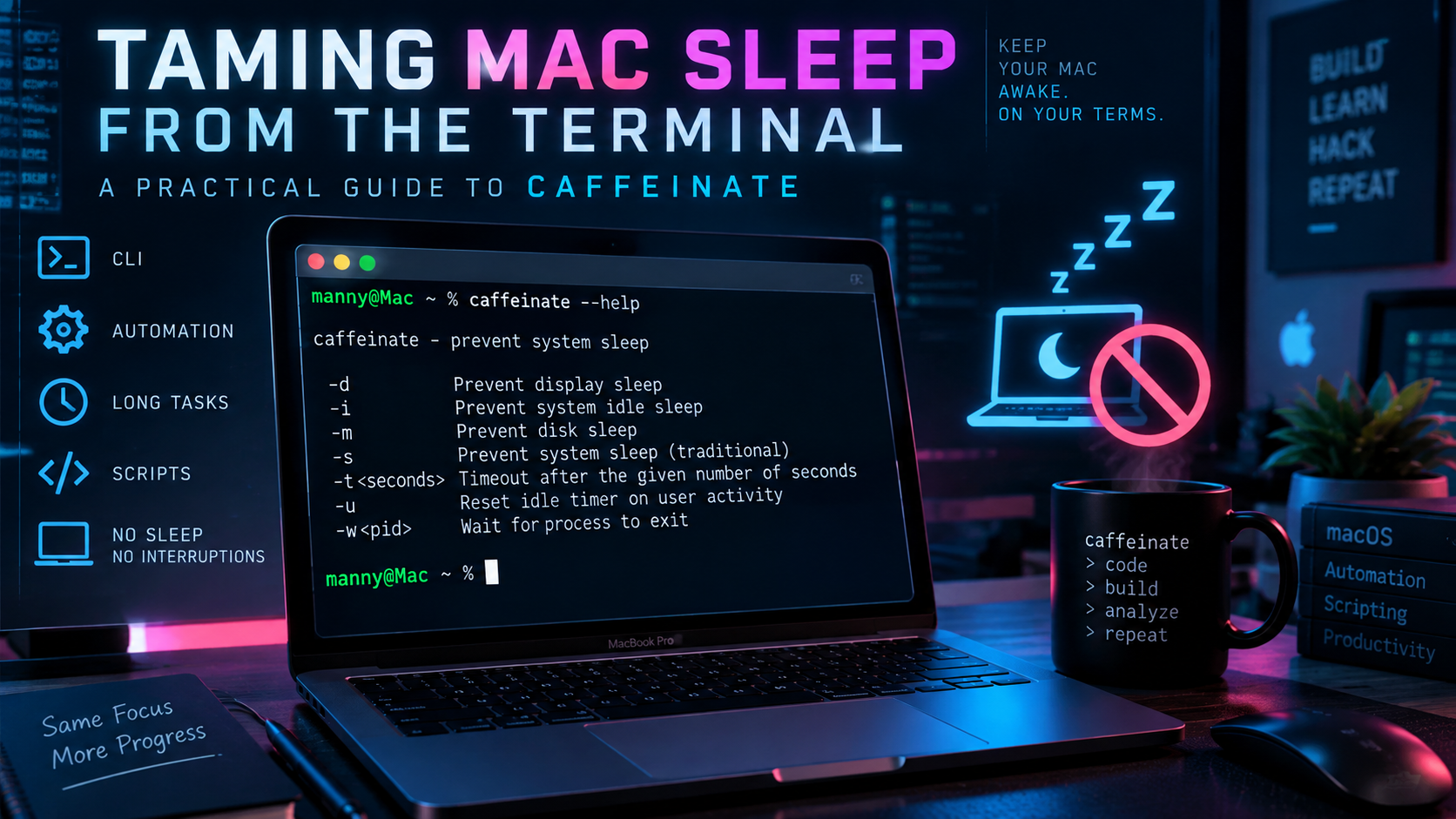
Taming Mac Sleep from the Terminal: A Practical Guide to caffeinate
Objective: Show exactly what caffeinate does, which flag to reach for in which situation, and how to verify it is actually working, so you stop guessing and start scripting.
Target audience: macOS sysadmins, security practitioners, and anyone who has watched a long job die because the lid closed.
caffeinate is the built in macOS utility for temporarily overriding sleep behavior from the command line. No daemon to install, no System Settings toggle to remember to flip back. You run it, it holds a power assertion for as long as you need, and it releases that assertion automatically when it exits.
Prerequisites
- macOS 10.8 (Mountain Lion) or later. It ships with every modern Mac.
- Terminal (or SSH) access.
- For the
-wflag: the target process’s PID, obtained withpgrep <name>orps aux | grep <name>.
No installation, no dependencies, no root required for the common cases.
How It Actually Works
caffeinate does not change any system setting. It creates one or more temporary power management assertions through the same IOKit power management framework that apps like Zoom and Keynote use to keep your screen awake during a call or presentation. Each assertion says “don’t do X while I’m running,” and the moment the process exits (naturally, via timeout, or via Ctrl+C), every assertion it was holding disappears with it.
That is the detail that matters operationally: the effect is scoped to the life of the process, not to your session or your machine. Kill the process, and normal sleep behavior returns immediately.
Command Reference
caffeinate [-disu] [-t timeout] [-w pid] [utility [args...]]
| Flag | Assertion Created | Notes |
|---|---|---|
-d |
Prevent display sleep | Screen stays on; system can still idle sleep unless paired with -i |
-i |
Prevent system idle sleep | Default behavior if no flag is given |
-m |
Prevent disk idle sleep | Rarely needed on SSD Macs, still valid on external spinning disks |
-s |
Prevent system sleep | AC power only. Silently has no effect on battery |
-u |
Declare user active | Wakes the display if off; defaults to a 5 second assertion unless -t is set |
-t seconds |
Sets a timeout | Ignored if a utility is also specified |
-w pid |
Ties the assertion to another process | Assertion ends when that PID exits |
If you give caffeinate no flags at all, it behaves as -i. If you give it no flags, no timeout, and no utility, it runs (and holds the assertion) until you Ctrl+C it, so don’t walk away from a bare caffeinate in a terminal you are about to close.
Common Workflows
1. Keep the system awake for a long running job
caffeinate -i ./run_backup.sh
caffeinate wraps the command, holds the -i assertion for exactly as long as run_backup.sh is running, and exits (releasing the assertion) the instant the script finishes. This is the pattern to default to for backups, large file transfers, batch encodes, or any unattended script you kick off and walk away from.
2. Keep the display on for a demo or screen recording
caffeinate -d
Run this in its own terminal tab before a screen share or a recorded walkthrough. Ctrl+C it when you’re done, or pair it with -t so it expires on its own:
caffeinate -d -t 1800
3. Tie the assertion to a process you didn’t start with caffeinate
Useful when the job is already running and you don’t want to kill and restart it:
caffeinate -s -w $(pgrep -x "VPN Client")
This is the flag most guides skip, and it’s the one that matters most in practice: you rarely get to wrap every long job in caffeinate from the start, but you can almost always find its PID after the fact.
4. Prevent full system sleep, not just idle sleep
caffeinate -s
-s is a stronger assertion than -i. It’s the difference between “don’t dim and idle sleep” and “don’t sleep at all, period,” which matters if you have an aggressive pmset sleep timer or Power Nap enabled. Check the AC only caveat below before relying on it for anything unattended.
5. Stack every assertion for a “leave it alone” run
caffeinate -dimsu ./long_scan.sh
Common on a Mac running an overnight vulnerability scan, packet capture, or lab build, where you don’t want the disk, display, idle timer, or system sleep interfering at all.
Verifying It’s Working
Don’t just trust that the flag did something. Confirm the assertion actually exists:
pmset -g assertions
Look for your caffeinate process by PID in the assertion list, next to the assertion type it’s holding (PreventUserIdleSystemSleep, PreventSystemSleep, PreventUserIdleDisplaySleep, and so on). If it’s not listed, the flag you used isn’t doing what you think, or the process already exited.
Activity Monitor’s Energy tab also shows caffeinate under “Preventing Sleep” while it’s active, which is a faster visual check if you’re not living in the terminal.
Troubleshooting and Gotchas
-s silently does nothing on battery. This is the gotcha that catches people. -s only prevents sleep while on AC power; on battery, macOS ignores that specific assertion. If a laptop keeps sleeping despite caffeinate -s, check pmset -g batt first. Pair -s with -i if you need coverage on battery too.
Orphaned background processes. If you background caffeinate with & and forget about it (or close the terminal without nohup), it can keep running and keep your Mac awake indefinitely with nothing obvious pointing back to why. Run pgrep caffeinate periodically on shared or lab Macs, and prefer -t or -w over a bare, untimed caffeinate & in anything scripted.
caffeinate is not pmset. pmset changes persistent, system wide power configuration (pmset -a disablesleep 1) that survives reboots and applies until you explicitly change it back. caffeinate only ever asserts a temporary, process scoped condition that vanishes when the process exits. Reach for caffeinate for anything task scoped; reach for pmset only when you actually want a standing policy change, and remember to revert it.
SSH sessions and disconnects. If you SSH into a Mac and run caffeinate in the foreground, closing the SSH session can take the process with it depending on your shell’s job control. For anything that needs to survive a disconnect, use nohup caffeinate -s -t 7200 & or run it inside tmux or screen.
Root, launchd, and login state contexts. A user space caffeinate process dies when that user logs out. If the assertion needs to survive logout (a LaunchDaemon triggered overnight job, for example), run caffeinate from the daemon context itself, or reconsider whether a pmset schedule is actually the right tool for that specific case.
Quick Reference
| Task | Command |
|---|---|
| Prevent idle sleep for a script | caffeinate -i ./script.sh |
| Keep display on for 30 minutes | caffeinate -d -t 1800 |
| Tie to an already running PID | caffeinate -w <pid> |
| Prevent full sleep (AC only) | caffeinate -s |
| Maximum coverage for unattended runs | caffeinate -dimsu <command> |
| Check what’s currently asserted | pmset -g assertions |
Recent posts
-

-

DNS is one of those technologies that quietly underpins... Full Story
-

BGP issues on FortiGate firewalls usually trace back to... Full Story
-

Every time your laptop talks to your router, a... Full Story
-

If you've spent any time configuring NAT on a... Full Story
-

If you have spent any time configuring firewall policies... Full Story
-

High availability on FortiGate is one of those features... Full Story
-

If you've configured SD-WAN on a FortiGate, you've almost... Full Story
-

FortiLink is the management protocol that turns a FortiSwitch... Full Story
-

FortiSwitches are pretty rock solid from Mean Time Between... Full Story
-

This is a quicky tip. Have you ever gone... Full Story
-

DNS is one of those quiet pieces of internet... Full Story
-

This article is an updated version of the previous... Full Story
-

You will add ns2 as a secondary (slave) BIND9... Full Story
-

In the process of deploying my lab, I needed... Full Story
-

RFC 8805, used to be known as Self-Correcting IP... Full Story
-

Years back, I wrote an article about certificate pinning. ... Full Story
-

FortiGates have the ability to send alerts to Microsoft... Full Story
-

In this post, I am going to walk through... Full Story
-

Troubleshooting VoIP on a FortiGate can feel like trying... Full Story
-

Prior to FortiOS 7.0, there were three commands to... Full Story
-

In this post, I am going to go over... Full Story
-

What we are going to do: We are going... Full Story
-

Choosing between FGCP (FortiGate Clustering Protocol) and FGSP (FortiGate... Full Story
-

Creating a VLAN on macOS (The "Pro" Move) A... Full Story
-

This blog post explores the logic behind how macOS... Full Story
-

Pretty Fly for a Wi-Fi Tell My Wi-Fi Love... Full Story
-

Part of my daily gig is creating BoMs (Bill-of-Materials)... Full Story
-

ICMP introduces several security risks, but careful filtering, rate... Full Story
-

The command diag debug application dhcps -1 enables full... Full Story
-

In the world of FortiOS, execute tac report is... Full Story
-

LLDP; What is it The Link Layer Discovery Protocol... Full Story
-

What it actually does When you run diagnose fdsm... Full Story
-

Monkey Bites are bite-sized, high-impact security insights designed for... Full Story
-

I have run macOS in macOS with Parallels but... Full Story
-

Don't be confused with my other FortiNAC posts where... Full Story
-

This is the third session in a multi-part article... Full Story
-

Today I was configuring key-based authentication on a FortiGate... Full Story
-

Netcat, often called the "Swiss Army knife" of networking,... Full Story
-

At its core, IEEE 802.1X is a network layer... Full Story
-

In case you did not see the previous FortiNAC... Full Story
-

This is our 5th session where we are going... Full Story
-

Now that we have Wireshark installed and somewhat configured,... Full Story
-

The Philosophy of Packet Analysis Troubleshooting isn't about looking... Full Story
-

INFOSECMONKEY | CVE BRIEF | NO FLUFF. JUST THE... Full Story
-

APT CVE-2026-109518: How a Download Retry Lets an Attacker... Full Story
-

Managing Windows Firewall from the Command Line: netsh, PowerShell... Full Story