
If you've spent any time configuring user authentication on... Full Story
By Manny Fernandez
September 28, 2026
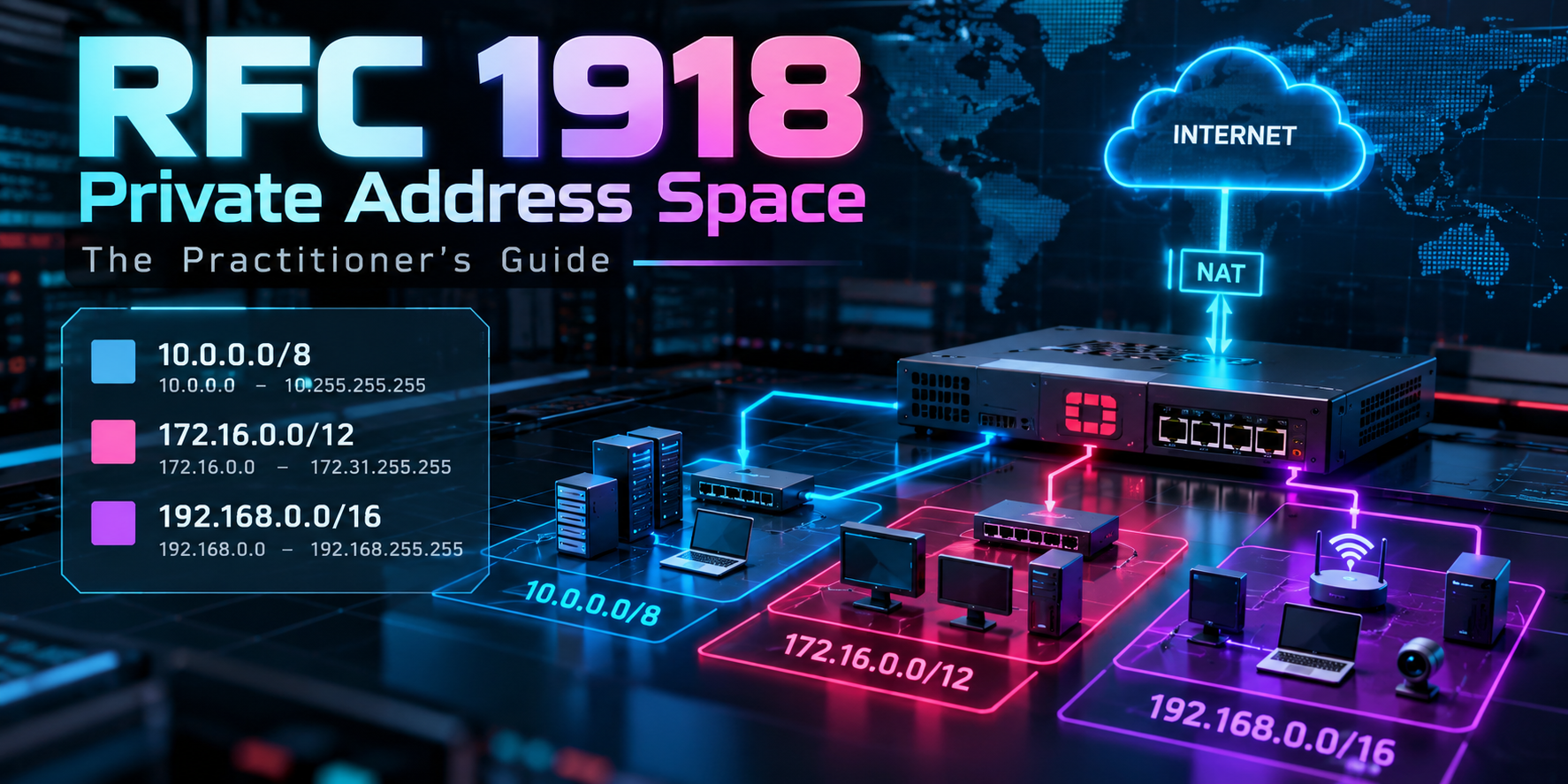
RFC 1918 Private Address Space: The Practitioner’s Guide
Every network engineer has typed 192.168.1.1 into a browser, and almost nobody has read the short document that makes that address legal to use. RFC 1918 is the reason your LAN, your cloud VPC, your Docker bridge, and your customer’s 400-site WAN can all reuse the same numbers without the internet falling over. It is also the reason your remote access VPN breaks every time a user sits down at a coffee shop running 192.168.1.0/24.
Objective: understand exactly what RFC 1918 defines (and what it does not), plan private addressing that survives mergers, VPNs, and containers, and enforce the RFC’s routing rules at the edge on a FortiGate.
Target audience: network and security engineers, SEs, and anyone who owns an IP plan. Beginners get the fundamentals; experienced readers should skip to the pitfalls and the enforcement workflow.
What RFC 1918 Actually Is
RFC 1918, titled “Address Allocation for Private Internets,” was published in February 1996 as Best Current Practice 5 (BCP 5). It replaced two earlier documents, RFC 1597 and RFC 1627, and was later updated by RFC 6761 for DNS special-use names. The problem it solved was simple: IPv4 space was running out, and many hosts inside an enterprise never needed to talk directly to the outside world. Giving those hosts globally unique addresses was wasteful.
The RFC asked IANA to set aside three blocks that anyone may use internally without asking a registry for permission. The trade-off is that these addresses are ambiguous by design. Thousands of organizations use 10.1.1.1 at the same moment, so the address only means something inside the routing domain that owns it.
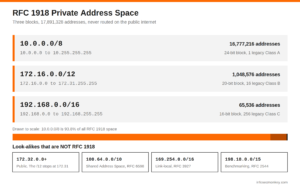
| Block | Range | Addresses | RFC name | Classful equivalent |
|---|---|---|---|---|
10.0.0.0/8 |
10.0.0.0 to 10.255.255.255 | 16,777,216 | 24-bit block | 1 Class A network |
172.16.0.0/12 |
172.16.0.0 to 172.31.255.255 | 1,048,576 | 20-bit block | 16 contiguous Class B networks |
192.168.0.0/16 |
192.168.0.0 to 192.168.255.255 | 65,536 | 16-bit block | 256 contiguous Class C networks |
The “24-bit / 20-bit / 16-bit” names refer to the number of host bits left over after the fixed prefix. That naming trips people up, because 10.0.0.0/8 is called the 24-bit block even though its mask is /8.
The three categories of hosts
RFC 1918 frames its reasoning around three kinds of hosts, and the framing still holds up well as a design exercise:
- Category 1: hosts that never need access to anything outside the enterprise. Private addresses are a perfect fit.
- Category 2: hosts that need only a limited set of outside services (web, mail, DNS, file transfer) that can be brokered by application gateways or NAT. Private addresses work, with a translation or proxy layer.
- Category 3: hosts that need unrestricted network-layer access to the outside. These are the ones the RFC says should use globally unique addresses.
In 1996, Category 3 was common. In 2026, NAT and proxies have pushed almost everything into Category 2, which is why RFC 1918 space now sits behind virtually every enterprise and home network on the planet.
The rules the RFC imposes
RFC 1918 is short, but it sets out a few operational rules that are routinely ignored:
- Routing information about private networks must not be propagated on inter-enterprise links. Your
10.0.0.0/8routes stay inside your routing domain. - Packets with private source or destination addresses should not be forwarded across inter-enterprise links. Routers in networks that do not use private space are expected to filter it.
- Indirect references to private addresses (DNS records, for example) should not leak outside the enterprise that uses them.
- Enterprises using private space should be prepared to renumber if they later need global connectivity for those hosts, and the RFC openly lists renumbering and merger collisions as the main drawbacks.
Private is a routing property, not a security control. RFC 1918 says nothing about confidentiality or trust. A host on 10.20.30.40 is exactly as exposed as its firewall policy, NAT rules, and VPN reachability make it. Treating “internal IP” as “trusted” is how lateral movement happens.
Look-Alikes That Are Not RFC 1918
A surprising number of production ACLs, SIEM correlation rules, and scripts get the boundaries wrong. These are the ranges most often confused with private space:
| Range | What it really is | Why it matters |
|---|---|---|
172.32.0.0 and up |
Public, globally routed space | The /12 ends at 172.31.255.255. An ACL written as 172.0.0.0/8 “to cover the private range” also matches real internet hosts. |
100.64.0.0/10 |
Shared Address Space (RFC 6598) | Used for Carrier-Grade NAT. Not private, not public. Your WAN IP may land here behind a cellular or CGN provider. |
169.254.0.0/16 |
IPv4 link-local (RFC 3927) | Self-assigned when DHCP fails, and home of cloud metadata at 169.254.169.254. Never routed. |
198.18.0.0/15 |
Benchmarking (RFC 2544) | Reserved for device testing. Popular in labs precisely because it will not collide with real private or public space. |
192.0.0.0/24, 192.0.2.0/24 |
IETF protocol assignments and TEST-NET-1 | Close to 192.168 visually, completely unrelated. |
The authoritative list of every special-purpose IPv4 block lives in the IANA IPv4 Special-Purpose Address Registry, defined by RFC 6890. When you build bogon filters, build them from that registry, not from memory.
Why RFC 1918 Still Causes Outages in 2026
The RFC itself warned about collisions, and the modern stack has made the problem worse because so many products ship with hard-coded private defaults.
| Where | Default private range | Typical collision |
|---|---|---|
| Consumer routers | 192.168.0.0/24, 192.168.1.0/24, 10.0.0.0/24 |
Remote access VPN users cannot reach corporate subnets that use the same /24. |
| Docker | 172.17.0.0/16 bridge, user networks carved from 172.17.0.0/16 through 172.31.0.0/16, then 192.168.0.0/16 |
A dev laptop or build server silently routes a corporate 172.18.x.x subnet into a container bridge. |
| AWS default VPC | 172.31.0.0/16 |
Peering or Transit Gateway attachments refuse overlapping CIDRs. |
| Kubernetes | kubeadm services 10.96.0.0/12, Flannel pods 10.244.0.0/16, k3s 10.42.0.0/16 and 10.43.0.0/16 |
Cluster-internal ranges shadow real data center subnets. |
| Mergers and acquisitions | Whatever both companies picked in 2004 | Two 10.0.0.0/16 networks must be joined, so someone builds NAT on both sides of a tunnel and lives with it for a decade. |
Designing a private address plan that survives
The cheapest fix for every row in that table is picking addresses nobody else picks. A few practitioner rules:
- Stay out of the “popular” subnets. Avoid
10.0.0.0/16,10.1.0.0/16,10.10.0.0/16,192.168.0.0/24,192.168.1.0/24, and172.17.0.0/16through172.20.0.0/16for anything a remote user or container might need to reach. - Summarize by region or function. Hand out large aligned blocks so one route (or one firewall address object) covers a whole site or cloud.
- Reserve space for things that are not sites. VPN pools, cloud, containers, labs, and future acquisitions each deserve their own summary.
- Write it down. An IPAM (even a FortiGate’s built-in IPAM or a spreadsheet) beats tribal knowledge.
A sample plan built from the 24-bit block:
| Purpose | Summary | Notes |
|---|---|---|
| Data centers | 10.112.0.0/14 |
Four /16s, one per DC |
| Branch offices | 10.116.0.0/14 |
A /24 per branch gives 1,024 branches |
| Cloud (AWS, Azure, GCP) | 10.120.0.0/13 |
Per-VPC /20 or /19 allocations |
| Remote access VPN pools | 10.128.0.0/16 |
Obscure enough to avoid home-router overlap |
| Containers and Kubernetes | 10.129.0.0/16 |
Explicitly assign it so tools stop picking their own defaults |
| Reserved for M&A / growth | 10.130.0.0/15 |
Keep it unallocated on purpose |
Lab guides on this site use 10.0.0.0/16 for internal LANs because it reads cleanly in a tutorial. Production networks should not copy that habit.
DNS and the Reverse Lookup Leak
Every internal host eventually triggers a PTR lookup for its own private address, and if your resolvers do not answer those queries locally, they leak to the public DNS. That is exactly the kind of indirect reference RFC 1918 asks you to contain.
The matching reverse zones are:
10.in-addr.arpa16.172.in-addr.arpathrough31.172.in-addr.arpa(sixteen zones)168.192.in-addr.arpa
RFC 6303 (Locally Served DNS Zones) tells recursive resolvers to answer these locally, and current BIND and Unbound builds do so by default. Queries that still escape land on the AS112 Project (RFC 7534), a volunteer anycast network that exists solely to absorb leaked private-space PTR queries. If you run internal reverse DNS, host these zones authoritatively on your internal servers so clients get real answers instead of an empty-zone NXDOMAIN.
DNS rebinding: attackers can publish a public hostname that resolves to an RFC 1918 address, tricking a browser into attacking devices on your LAN. Resolvers such as dnsmasq and Unbound can strip private answers for public names (stop-dns-rebind, private-address), and it is worth enabling on branch and home resolvers.
The IPv6 Counterpart
IPv6 has no RFC 1918 equivalent in the NAT sense, because every host can have a globally unique address. The closest match is Unique Local Addresses (ULA, RFC 4193) in fc00::/7. In practice only fd00::/8 is used, and the RFC requires a randomly generated 40-bit Global ID, which gives you a /48 like fd3c:9a1e:44b2::/48.
That randomness is the lesson IPv6 learned from RFC 1918. Two organizations that follow the rules have a vanishingly small chance of colliding, which fixes the merger problem at the design stage. Do not use fd00::/48 literally; it is the IPv6 version of 192.168.1.0/24.
Prerequisites and Architecture
The implementation workflow below enforces RFC 1918’s routing rules on an internet edge FortiGate. It assumes you are comfortable with FortiOS CLI, firewall policies, and basic BGP.
| Component | Role | Placeholder |
|---|---|---|
| FortiGate (FortiOS 7.2 or later) | Internet edge firewall | n/a |
| Internet-facing interface | Receives untrusted traffic | <WAN_INTERFACE> |
| Internal interface | Protected LAN | <LAN_INTERFACE> |
| eBGP internet peer (optional) | Upstream provider session | <ISP_PEER_IP> |
| Test host outside the FortiGate (optional) | Sends spoofed-source probes | <TEST_SRC_IP> |
Step-by-Step: Enforcing RFC 1918 at the Edge
Step 1: Build the RFC 1918 address objects
Goal: one reusable address group that matches exactly the three private blocks and nothing else.
Action: create three subnet objects with the correct masks and group them. Note the /12 mask for the 172 block is 255.240.0.0, not 255.255.0.0.
config firewall address
    edit "RFC1918-10"
        set comment "RFC 1918 24-bit block"
        set subnet 10.0.0.0 255.0.0.0
    next
    edit "RFC1918-172"
        set comment "RFC 1918 20-bit block"
        set subnet 172.16.0.0 255.240.0.0
    next
    edit "RFC1918-192"
        set comment "RFC 1918 16-bit block"
        set subnet 192.168.0.0 255.255.0.0
    next
end
config firewall addrgrp
    edit "GRP-RFC1918"
        set member "RFC1918-10" "RFC1918-172" "RFC1918-192"
    next
end
GUI verification: Policy & Objects > Addresses. Search for RFC1918 and confirm the group shows three members with /8, /12, and /16 subnets.
Step 2: Drop private sources arriving from the internet
Goal: discard spoofed packets that claim an RFC 1918 source on the WAN, which is the ingress filtering described in BCP 38 (RFC 2827) and BCP 84 (RFC 3704).
Action: FortiOS reverse-path checks default to loose mode, and the default route out the WAN makes almost any spoofed source look “feasible.” An explicit deny policy closes that gap. Place it above your inbound VIP and allow policies.
config firewall policy
    edit 0
        set name "DENY-WAN-SRC-RFC1918"
        set srcintf "<WAN_INTERFACE>"
        set dstintf "<LAN_INTERFACE>"
        set srcaddr "GRP-RFC1918"
        set dstaddr "all"
        set action deny
        set schedule "always"
        set service "ALL"
        set logtraffic all
    next
end
If you want stricter reverse-path enforcement globally, strict mode checks that the ingress interface is the best route back to the source:
config system settings
    set strict-src-check enable
end
Before you enable this: if the FortiGate sits behind an ISP modem that hands out an RFC 1918 WAN address, or you manage the modem from inside, confirm that legitimate traffic from that upstream subnet is local-in or explicitly allowed above the deny. Strict RPF can also break asymmetric designs and some SD-WAN setups, so test it in a maintenance window.
GUI verification: Policy & Objects > Firewall Policy. The deny policy should sit above any policy that accepts traffic from <WAN_INTERFACE>, with logging enabled.
Step 3: Stop private destinations from leaking out
Goal: make sure traffic to an RFC 1918 destination that does not exist internally is dropped at the edge instead of sprayed at your ISP by the default route.
Action: add an outbound deny above your general internet access policy.
config firewall policy
    edit 0
        set name "DENY-EGRESS-DST-RFC1918"
        set srcintf "<LAN_INTERFACE>"
        set dstintf "<WAN_INTERFACE>"
        set srcaddr "all"
        set dstaddr "GRP-RFC1918"
        set action deny
        set schedule "always"
        set service "ALL"
        set logtraffic all
    next
end
This policy doubles as a discovery tool. Every hit is a host trying to reach a private network you do not route, which usually means a stale static route, a misconfigured VPN client, or a container default nobody changed.
GUI verification: Log & Report > Forward Traffic. Filter on the policy name and review the destinations over a few days.
Step 4: Filter RFC 1918 prefixes on internet BGP sessions
Goal: never accept private routes from the internet and never advertise yours, which is the routing rule at the heart of RFC 1918.
Action: create a prefix list that denies the three blocks and anything more specific, then permits everything else. Apply it only to eBGP internet peers, never to internal iBGP or SD-WAN overlay neighbors that legitimately carry private routes.
config router prefix-list
    edit "PL-DENY-RFC1918"
        config rule
            edit 1
                set action deny
                set prefix 10.0.0.0 255.0.0.0
                set le 32
            next
            edit 2
                set action deny
                set prefix 172.16.0.0 255.240.0.0
                set le 32
            next
            edit 3
                set action deny
                set prefix 192.168.0.0 255.255.0.0
                set le 32
            next
            edit 4
                set action permit
                set prefix any
            next
        end
    next
end
config router bgp
    config neighbor
        edit "<ISP_PEER_IP>"
            set prefix-list-in "PL-DENY-RFC1918"
            set prefix-list-out "PL-DENY-RFC1918"
        next
    end
end
In production, this list should grow into a full bogon filter built from the IANA special-purpose registry (add 100.64.0.0/10, 169.254.0.0/16, 198.18.0.0/15, and the rest).
GUI verification: Network > Routing Objects > Prefix List, then Network > BGP > Neighbors to confirm both directions reference the list.
Verification and Validation
Watch for private-sourced packets on the WAN. Any output here is either spoofing or an upstream device you forgot about:
diagnose sniffer packet <WAN_INTERFACE> 'src net 10.0.0.0/8 or src net 172.16.0.0/12 or src net 192.168.0.0/16' 4 20 lTrace a spoofed probe from <TEST_SRC_IP> through the policy engine:
diagnose debug reset
diagnose debug flow filter addr <TEST_SRC_IP>
diagnose debug flow show function-name enable
diagnose debug flow trace start 10
diagnose debug enable
Expected success output: a line similar to Denied by forward policy check (policy <ID>) where <ID> is the DENY-WAN-SRC-RFC1918 policy. Stop the trace with diagnose debug disable.
Confirm no private prefixes were learned from the internet peer:
get router info routing-table bgp
get router info bgp neighbors <ISP_PEER_IP> advertised-routes
Expected success output: no 10.x, 172.16.x through 172.31.x, or 192.168.x prefixes in either the BGP-learned table or the advertised list toward the ISP.
Outside the firewall, check addresses programmatically. Python’s is_private is broader than RFC 1918 (it also flags link-local, loopback, benchmarking, and other reserved ranges), so test the three blocks explicitly when you need an exact answer:
python3 - <<'PY'
import ipaddress
RFC1918 = [ipaddress.ip_network(n) for n in ("10.0.0.0/8", "172.16.0.0/12", "192.168.0.0/16")]
for ip in ("172.31.255.254", "172.32.0.1", "169.254.1.1", "100.64.5.5", "192.168.50.10"):
    a = ipaddress.ip_address(ip)
    print(f"{ip:16} rfc1918={any(a in n for n in RFC1918)!s:5} is_private={a.is_private}")
PY
Expected success output: 172.31.255.254 and 192.168.50.10 report rfc1918=True. 172.32.0.1, 169.254.1.1, and 100.64.5.5 report rfc1918=False, even though 169.254.1.1 shows is_private=True.
Troubleshooting and Gotchas
1. Remote access VPN users cannot reach one subnet
Symptom: everything works from the office, but from home a user cannot reach 192.168.1.0/24 or 10.0.0.0/24 resources over the tunnel. The home router’s connected route wins over the VPN route because it is more specific or has a lower metric.
Diagnose: on the client, check which interface owns the destination.
# macOS
route -n get 192.168.1.50
# Linux
ip route get 192.168.1.50
# Windows
Find-NetRoute -RemoteIPAddress 192.168.1.50
Resolution: the permanent fix is renumbering the corporate subnet into something obscure. The short-term workaround is NAT on the FortiGate for that subnet (a VIP or Central NAT mapping into an unused range) so VPN users reach it via non-overlapping addresses.
2. Docker or Kubernetes swallows a corporate subnet
Symptom: a Linux server or developer laptop cannot reach 172.18.x.x or 172.20.x.x hosts, but other machines can. A container bridge owns a connected route for that range.
Diagnose:
ip route | grep -E 'docker|br-|cni|flannel'
docker network inspect $(docker network ls -q) --format '{{.Name}} {{range .IPAM.Config}}{{.Subnet}}{{end}}'
Resolution: pin Docker to space from your plan in /etc/docker/daemon.json, then restart Docker and recreate affected networks. For Kubernetes, set pod and service CIDRs at cluster build time, because changing them later is disruptive.
{
  "bip": "10.129.0.1/24",
  "default-address-pools": [
    { "base": "10.129.64.0/18", "size": 24 }
  ]
}
3. The 172 block is written with the wrong mask
Symptom: either some private traffic is not matched (someone wrote 172.16.0.0/16, covering only 1/16 of the block) or public traffic is wrongly treated as internal (someone wrote 172.0.0.0/8 or 172.16.0.0/8).
Diagnose: search the config for 172 objects and routes and confirm the mask.
show firewall address | grep -f 172.
get router info routing-table all | grep 172.
Resolution: replace ad hoc objects with the GRP-RFC1918 group from Step 1. The correct boundary is 172.16.0.0 255.240.0.0, which ends at 172.31.255.255. Anything from 172.32.0.0 upward is public internet.
Key Takeaways
- RFC 1918 defines three blocks:
10.0.0.0/8,172.16.0.0/12, and192.168.0.0/16. Nothing else is RFC 1918 private space. - Private means “not globally routed,” not “trusted.” Security still comes from policy.
- The RFC’s rules are about containment: do not leak private routes, packets, or DNS references across enterprise boundaries.
- Most real-world pain is overlap. Pick uncommon subnets, summarize aggressively, and assign container and cloud ranges on purpose.
- Enforce it at the edge with an address group, ingress and egress deny policies, and BGP prefix filtering.
Recent posts
-

-

DNS is one of those technologies that quietly underpins... Full Story
-

BGP issues on FortiGate firewalls usually trace back to... Full Story
-

Every time your laptop talks to your router, a... Full Story
-

If you've spent any time configuring NAT on a... Full Story
-

If you have spent any time configuring firewall policies... Full Story
-

High availability on FortiGate is one of those features... Full Story
-

If you've configured SD-WAN on a FortiGate, you've almost... Full Story
-

FortiLink is the management protocol that turns a FortiSwitch... Full Story
-

FortiSwitches are pretty rock solid from Mean Time Between... Full Story
-

This is a quicky tip. Have you ever gone... Full Story
-

DNS is one of those quiet pieces of internet... Full Story
-

This article is an updated version of the previous... Full Story
-

You will add ns2 as a secondary (slave) BIND9... Full Story
-

In the process of deploying my lab, I needed... Full Story
-

RFC 8805, used to be known as Self-Correcting IP... Full Story
-

Years back, I wrote an article about certificate pinning. ... Full Story
-

FortiGates have the ability to send alerts to Microsoft... Full Story
-

In this post, I am going to walk through... Full Story
-

Troubleshooting VoIP on a FortiGate can feel like trying... Full Story
-

Prior to FortiOS 7.0, there were three commands to... Full Story
-

In this post, I am going to go over... Full Story
-

What we are going to do: We are going... Full Story
-

Choosing between FGCP (FortiGate Clustering Protocol) and FGSP (FortiGate... Full Story
-

Creating a VLAN on macOS (The "Pro" Move) A... Full Story
-

This blog post explores the logic behind how macOS... Full Story
-

Pretty Fly for a Wi-Fi Tell My Wi-Fi Love... Full Story
-

Part of my daily gig is creating BoMs (Bill-of-Materials)... Full Story
-

ICMP introduces several security risks, but careful filtering, rate... Full Story
-

The command diag debug application dhcps -1 enables full... Full Story
-

In the world of FortiOS, execute tac report is... Full Story
-

LLDP; What is it The Link Layer Discovery Protocol... Full Story
-

What it actually does When you run diagnose fdsm... Full Story
-

Monkey Bites are bite-sized, high-impact security insights designed for... Full Story
-

I have run macOS in macOS with Parallels but... Full Story
-

Don't be confused with my other FortiNAC posts where... Full Story
-

This is the third session in a multi-part article... Full Story
-

Today I was configuring key-based authentication on a FortiGate... Full Story
-

Netcat, often called the "Swiss Army knife" of networking,... Full Story
-

At its core, IEEE 802.1X is a network layer... Full Story
-

In case you did not see the previous FortiNAC... Full Story
-

This is our 5th session where we are going... Full Story
-

Now that we have Wireshark installed and somewhat configured,... Full Story
-

The Philosophy of Packet Analysis Troubleshooting isn't about looking... Full Story
-

I have been playing with all forms of grep... Full Story
-

Three engines, two bundle locations, two update pipelines, and... Full Story
-

2026 refresh of the original IPTable Firewall GUI post... Full Story