
If you've spent any time configuring user authentication on... Full Story
By Manny Fernandez
October 8, 2026
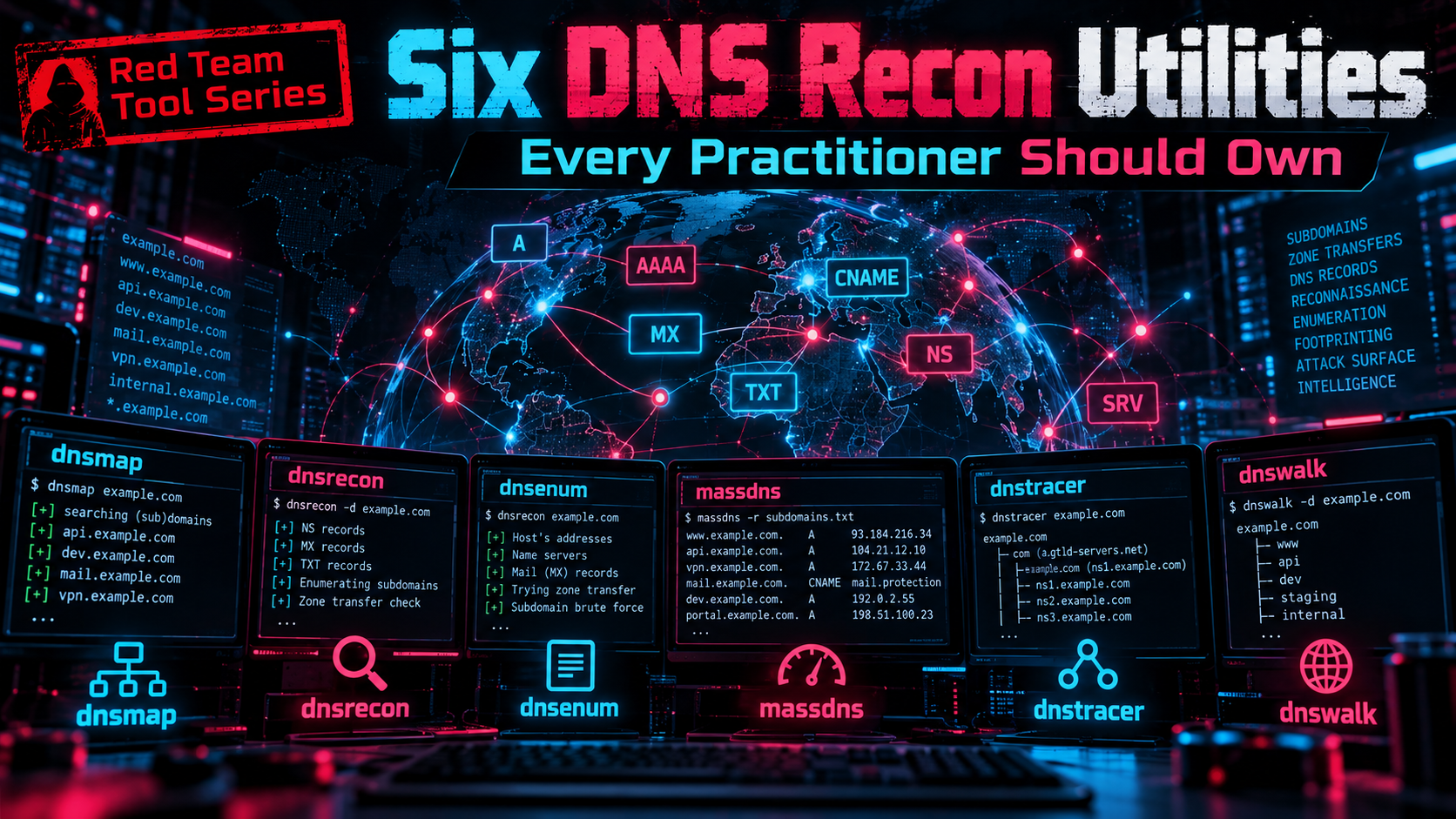
Red Team Tool Series: Six DNS Recon Utilities Every Practitioner Should Own
Executive Summary
Objective: Give you a working reference for six classic DNS reconnaissance and auditing utilities. For each tool you get what it does, how to deploy it on both Linux and macOS, and exactly how and when to use it during an engagement.
Target audience: Penetration testers, red teamers, blue-team hunters, and network engineers doing external attack-surface mapping, zone auditing, or DNS troubleshooting.
The short version: These tools split into three jobs. Some brute-force subdomains to expand attack surface (dnsmap, dnsenum, dnsrecon, massdns). One audits the correctness of a zone you can transfer (dnswalk). One traces the delegation chain to show where an answer actually comes from (dnstracer). Pick by job, not by habit.
Authorization first. DNS enumeration is reconnaissance against infrastructure. Only run these tools against domains you own or have explicit written permission to test. Bulk resolution and subdomain brute-forcing generate real query volume against authoritative name servers. Scope it, rate-limit it, and keep your authorization letter handy.
The Toolkit at a Glance
| Tool | Language | Primary Job | Zone Transfer | Subdomain Brute | Bulk Resolve | Best For |
|---|---|---|---|---|---|---|
| dnsmap | C | Subdomain brute-force | No | Yes | No | Quick, dependency-free sweep |
| dnsrecon | Python | All-in-one enumeration | Yes | Yes | No | The Swiss-army default; structured output |
| dnsenum | Perl | Enumeration + netblock discovery | Yes | Yes | No | Domain-to-netblock pivot, WHOIS ranges |
| massdns | C | Mass resolution | No | Yes (w/ list) | Yes | Resolving millions of names fast |
| dnstracer | C | Delegation-chain tracing | No | No | No | “Where does this answer come from?” |
| dnswalk | Perl | Zone consistency auditing | Yes (required) | No | No | Auditing a zone you can AXFR |
Lab and Legal Conventions
Throughout this guide, example.com and example.org stand in for your authorized target. Where a resolvers list or wordlist is needed, paths are shown relative to your working directory. Turn threads and rate limits down for production targets: the defaults in several of these tools are aggressive.
1. dnsmap: The Dependency-Free Subdomain Brute-Forcer
What It Is
dnsmap is a small, fast subdomain brute-forcer written in C, released in 2006 and intentionally minimal. It takes a domain and a wordlist and resolves word.domain for every entry using standard DNS. With no dependencies beyond a C compiler and libc, it is a reliable fallback when a heavier Python or Perl tool will not install cleanly.
How It Works
For each label in its wordlist, dnsmap issues A and AAAA lookups against your system resolver. It runs built-in wildcard detection first (resolving a random, unlikely label) so a wildcard record does not flood you with false positives. Results write to CSV or plain text for later parsing.
Deploy on Linux
On Kali or Debian it is packaged:
sudo apt update
sudo apt install dnsmap
Build from source anywhere else:
git clone https://github.com/makefu/dnsmap.git
cd dnsmap
make
sudo make install
# or: sudo cp ./dnsmap /usr/local/bin/dnsmap
Deploy on macOS
dnsmap is not in current Homebrew core, so build it from source. You need the Xcode Command Line Tools:
xcode-select --install
git clone https://github.com/makefu/dnsmap.git
cd dnsmap
make
sudo cp ./dnsmap /usr/local/bin/dnsmap    # Intel
sudo cp ./dnsmap /opt/homebrew/bin/dnsmap # Apple Silicon
If the compile throws warnings-as-errors on modern Clang, relax the flags:
gcc -Wall -Wno-error dnsmap.c -o dnsmap
How and When to Use It
Reach for dnsmap when you want a fast, no-setup subdomain sweep and do not need structured JSON or zone-transfer logic.
# Built-in wordlist
dnsmap example.com

# External wordlist, CSV output
dnsmap example.com -w /usr/share/wordlists/subdomains.txt -c results.csv

# Bulk multiple domains
dnsmap-bulk.sh domains.txt results-dir/
Expected output is a running list of discovered subdomains with A and AAAA records, a summary count, and a note if a wildcard was detected.
Gotchas
- Wildcard domains: dnsmap flags them, but read the banner. With a wildcard present, A-record brute-forcing is nearly useless; pivot to a tool that validates content or uses other record types.
- Resolver dependency: dnsmap uses your system resolver. Point it at a fast recursive resolver so you are not throttled upstream.
- Wordlist quality is everything. The built-in list is tiny. Bring a real one (SecLists
dns-Jhaddix.txtor similar).
2. dnsrecon: The Swiss-Army Enumeration Default
What It Is
dnsrecon is a Python DNS enumeration tool by Carlos Perez (darkoperator) and the most feature-complete of the six. It does standard record enumeration, zone-transfer testing, subdomain brute-forcing, reverse PTR sweeps over CIDR ranges, SRV enumeration, TLD expansion, wildcard detection, cache snooping, Google-based host discovery, and DNSSEC zone walking (NSEC/NSEC3).
How It Works
dnsrecon drives the dnspython library to issue typed queries. Behavior is selected with -t: std for standard records, axfr for zone transfer, brt for brute force, rvl for reverse lookup, srv for service records, and more. Output can be JSON, CSV, or SQLite for pipeline consumption.
Deploy on Linux
Packaged on Kali and Debian:
sudo apt update
sudo apt install dnsrecon
Current upstream requires Python 3.12+. The cleanest cross-distro install is pipx (isolated, no system-package conflicts):
sudo apt install pipx
pipx ensurepath
pipx install dnsrecon
Deploy on macOS
The old Homebrew formula was Python 2 and is gone. Use pipx or the upstream uv workflow instead.
pipx path (recommended for most people):
brew install pipx
pipx ensurepath
pipx install dnsrecon
Upstream uv path (tracks the latest code directly):
brew install uv git
git clone https://github.com/darkoperator/dnsrecon.git
cd dnsrecon
uv sync
uv run dnsrecon -h
How and When to Use It
Use dnsrecon when you want one tool to cover most of the enumeration phase and you want machine-readable output.
# Standard records (A, AAAA, NS, SOA, MX, SPF, TXT)
dnsrecon -d example.com

# Test every NS for a zone transfer
dnsrecon -d example.com -t axfr

# Brute-force subdomains with a wordlist, save JSON
dnsrecon -d example.com -t brt -D /usr/share/wordlists/subdomains.txt -j out.json

# Reverse PTR sweep over a netblock
dnsrecon -r 198.18.0.0/24

# DNSSEC NSEC/NSEC3 zone walk
dnsrecon -d example.com -t zonewalk
Standard output is a color-coded, per-record listing. The -j, -c, and --db flags give you JSON, CSV, and SQLite for feeding the rest of your workflow.
Gotchas
- Python version drift. If a distro package is old, prefer pipx or uv so you are not stuck on a stale release with fewer record types.
- Zone-transfer noise.
-t axfrtries every NS. One misconfigured secondary that allows AXFR is the whole prize; grep for[+] Zone Transfer was successful. - Rate. Brute mode is fast. Use
--threadsdeliberately and respect the target’s authoritative capacity.
3. dnsenum: Enumeration That Pivots to Netblocks
What It Is
dnsenum is a Perl enumeration script whose distinguishing feature is that it does not stop at names: it pivots from DNS into network ranges. It gathers A/NS/MX records, attempts zone transfers, brute-forces subdomains, performs reverse lookups, scrapes Google for extra hostnames, then runs WHOIS on discovered addresses to identify netblocks (optionally deaggregating those ranges for reverse sweeps).
How It Works
dnsenum walks a fixed sequence: host address, name servers, MX, zone-transfer attempts on each NS, optional dictionary brute force, Google scraping, then WHOIS netrange resolution and reverse lookups across those ranges. It depends on several Perl modules, chiefly Net::DNS, String::Random, Net::IP, and Net::Netmask.
Deploy on Linux
Packaged on Kali and Debian:
sudo apt update
sudo apt install dnsenum
From source with its Perl dependencies:
sudo apt install cpanminus
sudo cpanm Net::DNS String::Random Net::IP Net::Netmask XML::Writer
git clone https://github.com/SparrowOps/dnsenum.git
cd dnsenum
perl dnsenum.pl --help
Deploy on macOS
Not in Homebrew core. macOS ships Perl, so install the CPAN modules and run the script directly:
xcode-select --install
brew install cpanminus
sudo cpanm Net::DNS String::Random Net::IP Net::Netmask XML::Writer
git clone https://github.com/SparrowOps/dnsenum.git
cd dnsenum
chmod +x dnsenum.pl
./dnsenum.pl --enum example.com
If cpanm fails to build a module against system Perl, install a self-contained Perl with brew install perl and run everything under that interpreter to avoid touching the macOS system Perl.
How and When to Use It
Use dnsenum when the deliverable is not just hostnames but the IP ranges behind them, for example when scoping an external assessment and justifying which netblocks are in play.
# Full enumeration with sensible defaults
dnsenum --enum example.com

# Brute-force with a wordlist and scrape Google, threaded
dnsenum -f /usr/share/wordlists/subdomains.txt -p 5 -s 20 --threads 10 example.com

# Write structured XML for reporting
dnsenum --enum -o example-dns.xml example.com
--enum is shorthand for a reasonable default profile (threads, Google scraping, reverse lookups). The XML output feeds cleanly into report tooling.
Gotchas
- Google scraping breaks. The
-s/-pGoogle options depend on scraping behavior Google actively fights. Treat Google-sourced results as a bonus, not a guarantee. - CPAN pain on macOS. The usual failure is a missing or half-built
Net::DNS. Build it under a Homebrew Perl if system Perl fights you. - WHOIS rate limits. The netblock-discovery phase hits WHOIS servers, which throttle. Large sweeps slow or stall there.
4. massdns: Resolving at Scale
What It Is
massdns is a high-performance DNS stub resolver built for volume. Where the other tools resolve hundreds or thousands of names, massdns is designed for millions to billions. It does not do its own recursion; it fires queries at a list of public recursive resolvers and collects answers, reaching hundreds of thousands of resolutions per second on capable hardware and links.
How It Works
You give massdns a list of fully-qualified names (stdin or a file) and a list of resolver IPs. It sprays queries across those resolvers, tracks outstanding queries in a malloc-free custom DNS implementation, and writes answers in your chosen format. It is the resolution engine, not the name generator: pair it with a wordlist tool or permutation generator to produce candidates.
Deploy on Linux
Build from source; it is not packaged in most distros:
sudo apt install git make gcc
git clone https://github.com/blechschmidt/massdns.git
cd massdns
make
sudo cp bin/massdns /usr/local/bin/
Deploy on macOS
Build with the non-Linux target, which drops Linux-specific epoll usage:
xcode-select --install
git clone https://github.com/blechschmidt/massdns.git
cd massdns
make nolinux
sudo cp bin/massdns /usr/local/bin/    # Intel
sudo cp bin/massdns /opt/homebrew/bin/ # Apple Silicon
How and When to Use It
Reach for massdns when you already have a large candidate list (from a permutation tool, a wordlist crossed with a domain, or a certificate-transparency dump) and need to resolve all of it quickly.
# Resolve a list of names with a curated resolver list
massdns -r lists/resolvers.txt -t A -o S names.txt > resolved.txt

# Subdomain brute force: build names, pipe into massdns
sed 's/$/.example.com/' subdomains.txt | \
  massdns -r lists/resolvers.txt -t A -o S -w results.txt

# Resolve PTR records for a range using the bundled script
./scripts/ptr.py | massdns -r lists/resolvers.txt -t PTR -w ptr.txt
The -o S flag gives simple, greppable output (one answer per line). Post-process with the scripts in scripts/ to filter valid answers and strip wildcard noise.
Gotchas
- The bundled resolver list rots. massdns ships
lists/resolvers.txt, but the project itself notes many entries go dead. Curate a validated resolver list or you get inconsistent, incomplete results. - You are hammering public resolvers. Tune
-s(concurrency) down from the default so you do not overwhelm resolvers or your own link, and to avoid source-IP rate-limiting. - Wildcards produce garbage at scale. Always run wildcard filtering on the output; a wildcard zone returns millions of “valid” answers.
- It only resolves; it does not generate. Pair it with a name generator. massdns is deliberately not a wordlist tool.
5. dnstracer: Following the Delegation Chain
What It Is
dnstracer answers a different question from the enumeration tools: not “what names exist” but “where does this answer actually come from.” It traces the chain of DNS servers from the root down to the authoritative source for a name, showing the delegation path and which servers agree.
How It Works
Starting from a root (or a server you specify), dnstracer asks each level of the hierarchy for the name and follows referrals downward, querying each name server it is pointed to. It reports which servers gave authoritative answers, which gave lame or non-authoritative responses, and where the chain diverges, making delegation errors, lame delegations, and inconsistent secondaries visible.
Deploy on Linux
Packaged on Kali and Debian:
sudo apt update
sudo apt install dnstracer
From source:
git clone https://github.com/Cirvladimir/dnstracer.git
cd dnstracer
./configure && make
sudo make install
Deploy on macOS
dnstracer is in Homebrew core, so this one is a single command:
brew install dnstracer
How and When to Use It
Use dnstracer when diagnosing delegation or trust problems, or when you want to understand a target’s authoritative topology rather than enumerate hostnames.
# Trace the delegation chain for a name
dnstracer example.com

# Trace a specific record type, overriding the local resolver
dnstracer -s . -q mx example.com

# Verbose, show every server queried and its response
dnstracer -v -o example.com
Output is a tree: each name server is listed with a status marker showing whether it returned an authoritative answer, a referral, or a failure. Divergence in the tree is your finding.
Gotchas
- It is a diagnostic, not an enumerator. Do not expect subdomain lists. Its value is the delegation picture.
-s .starts from the root. Omit it and dnstracer starts from your local resolver, hiding upstream delegation detail. Start from the root for the full chain.- Lame delegations look like errors. A server listed as authoritative that does not answer authoritatively is a real misconfiguration worth reporting, not a tool bug.
6. dnswalk: Auditing a Zone for Correctness
What It Is
dnswalk is a Perl DNS debugger and auditor. Unlike the brute-forcers, it does not guess names: it transfers an entire zone (via AXFR) and then checks the contents for consistency and correctness problems, missing PTR records, A records without matching reverse entries, CNAME chains that point nowhere, and other RFC-compliance issues.
How It Works
dnswalk performs a zone transfer for the domain you specify, then walks every record and applies a battery of consistency checks, reporting findings as WARN, FAIL, or informational messages. Because it requires a zone transfer, it is most useful against zones you control, zones a client authorized you to audit, or the occasional misconfigured server that allows public AXFR.
Deploy on Linux
Packaged on Debian and Kali:
sudo apt update
sudo apt install dnswalk
From source, it needs Net::DNS:
sudo apt install cpanminus
sudo cpanm Net::DNS
git clone https://github.com/rc0r/dnswalk.git
cd dnswalk
perl dnswalk --help
Deploy on macOS
Not in Homebrew core. Install the Perl dependency and run the script:
xcode-select --install
brew install cpanminus
sudo cpanm Net::DNS
git clone https://github.com/rc0r/dnswalk.git
cd dnswalk
chmod +x dnswalk
./dnswalk example.com.
As with dnsenum, if system Perl resists the CPAN build, install brew install perl and run dnswalk under that interpreter.
How and When to Use It
Use dnswalk when you have zone-transfer access (authorized or accidental) and want to audit the zone’s health, or when a target’s secondary is misconfigured and you want to inventory and validate everything it hands over.
# Audit a zone (note the trailing dot)
dnswalk example.com.

# Recursive, force checks even on lame servers, be verbose
dnswalk -r -F -l example.com.

# Check for records that fail reverse-lookup consistency
dnswalk -a example.com.
Findings are prefixed with severity. FAIL items are hard errors (broken delegation, missing glue); WARN items are best-practice or consistency issues (mismatched PTR, suspect TTLs).
Gotchas
- AXFR is required. If the zone does not allow a transfer, dnswalk has nothing to walk. Its entire model assumes you can pull the zone.
- The trailing dot matters. dnswalk expects a fully-qualified domain with the trailing dot (
example.com.). Omitting it causes confusing failures. - Noise on large zones. Big zones generate long reports. Filter for
FAILfirst, then triageWARN.
Choosing the Right Tool
| If your goal is… | Use | Why |
|---|---|---|
| Fast subdomain sweep, minimal setup | dnsmap | No dependencies, compiles anywhere |
| One tool for the whole enumeration phase | dnsrecon | Most record types, JSON/CSV/SQLite output |
| Discovering the netblocks behind a domain | dnsenum | WHOIS netrange pivot built in |
| Resolving a huge candidate list | massdns | Hundreds of thousands of resolutions/sec |
| Diagnosing delegation or lame servers | dnstracer | Traces the authoritative chain |
| Auditing a zone you can transfer | dnswalk | Consistency and RFC checks on full zone |
A Practical Chained Workflow
These tools compose. A realistic external-recon sequence against an authorized target:
# 1. Understand the authoritative topology and catch delegation issues
dnstracer -s . example.com

# 2. Standard enumeration and zone-transfer test in one pass
dnsrecon -d example.com -t std,axfr -j recon-std.json

# 3. If any NS allowed AXFR, audit what you pulled
dnswalk example.com.

# 4. Build a large candidate list and resolve it at scale
sed 's/$/.example.com/' seclists-dns.txt | \
  massdns -r resolvers-validated.txt -t A -o S -w massdns-out.txt

# 5. Pivot discovered IPs to netblocks for scoping
dnsenum --enum -o netblocks.xml example.com
Step 1 tells you the shape of the target’s DNS. Steps 2 and 3 catch the jackpot finding (an open zone transfer). Step 4 does the heavy resolution. Step 5 turns names and IPs into the ranges you actually put in scope.
Wrap-Up
Six tools, three jobs. dnsmap, dnsrecon, dnsenum, and massdns expand attack surface by discovering and resolving names, with massdns being the one you bring when volume is the problem. dnstracer answers where an answer comes from. dnswalk audits a zone you can pull. On Linux, most of these are one apt install away on Kali or Debian. On macOS, dnstracer is a clean brew install, massdns and dnsmap compile from source with make/make nolinux, and the Perl and Python tools install through CPAN, pipx, or uv. Match the tool to the question, keep your rate limits honest, and never point any of them at infrastructure you are not authorized to test.
Recent posts
-

-

DNS is one of those technologies that quietly underpins... Full Story
-

BGP issues on FortiGate firewalls usually trace back to... Full Story
-

Every time your laptop talks to your router, a... Full Story
-

If you've spent any time configuring NAT on a... Full Story
-

If you have spent any time configuring firewall policies... Full Story
-

High availability on FortiGate is one of those features... Full Story
-

If you've configured SD-WAN on a FortiGate, you've almost... Full Story
-

FortiLink is the management protocol that turns a FortiSwitch... Full Story
-

FortiSwitches are pretty rock solid from Mean Time Between... Full Story
-

This is a quicky tip. Have you ever gone... Full Story
-

DNS is one of those quiet pieces of internet... Full Story
-

This article is an updated version of the previous... Full Story
-

You will add ns2 as a secondary (slave) BIND9... Full Story
-

In the process of deploying my lab, I needed... Full Story
-

RFC 8805, used to be known as Self-Correcting IP... Full Story
-

Years back, I wrote an article about certificate pinning. ... Full Story
-

FortiGates have the ability to send alerts to Microsoft... Full Story
-

In this post, I am going to walk through... Full Story
-

Troubleshooting VoIP on a FortiGate can feel like trying... Full Story
-

Prior to FortiOS 7.0, there were three commands to... Full Story
-

In this post, I am going to go over... Full Story
-

What we are going to do: We are going... Full Story
-

Choosing between FGCP (FortiGate Clustering Protocol) and FGSP (FortiGate... Full Story
-

Creating a VLAN on macOS (The "Pro" Move) A... Full Story
-

This blog post explores the logic behind how macOS... Full Story
-

Pretty Fly for a Wi-Fi Tell My Wi-Fi Love... Full Story
-

Part of my daily gig is creating BoMs (Bill-of-Materials)... Full Story
-

ICMP introduces several security risks, but careful filtering, rate... Full Story
-

The command diag debug application dhcps -1 enables full... Full Story
-

In the world of FortiOS, execute tac report is... Full Story
-

LLDP; What is it The Link Layer Discovery Protocol... Full Story
-

What it actually does When you run diagnose fdsm... Full Story
-

Monkey Bites are bite-sized, high-impact security insights designed for... Full Story
-

I have run macOS in macOS with Parallels but... Full Story
-

Don't be confused with my other FortiNAC posts where... Full Story
-

This is the third session in a multi-part article... Full Story
-

Today I was configuring key-based authentication on a FortiGate... Full Story
-

Netcat, often called the "Swiss Army knife" of networking,... Full Story
-

At its core, IEEE 802.1X is a network layer... Full Story
-

In case you did not see the previous FortiNAC... Full Story
-

This is our 5th session where we are going... Full Story
-

Now that we have Wireshark installed and somewhat configured,... Full Story
-

The Philosophy of Packet Analysis Troubleshooting isn't about looking... Full Story
-

Executive Summary Objective: Give you a working command of... Full Story
-

You have configured it a dozen times. Server IP,... Full Story
-

Executive Summary Objective: Walk through every message a FortiGate... Full Story