
If you've spent any time configuring user authentication on... Full Story
By Manny Fernandez
September 29, 2026
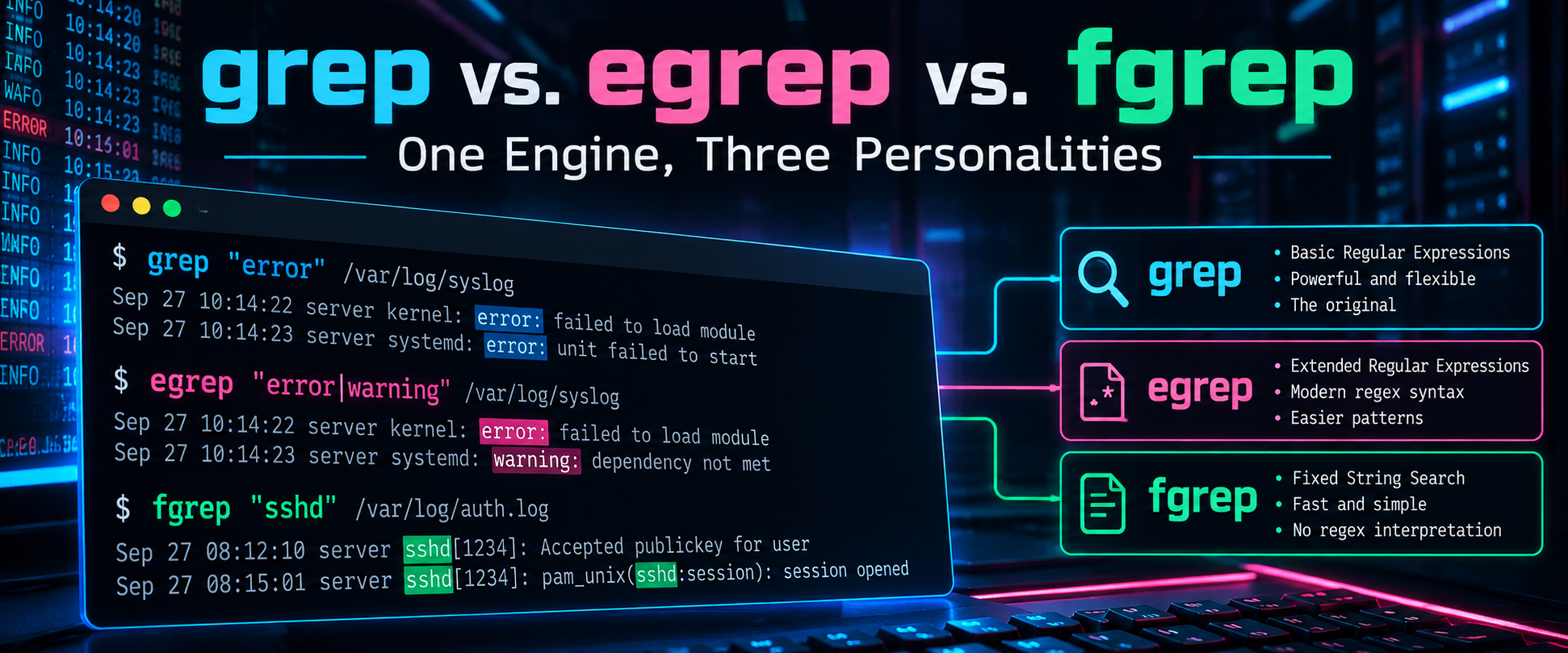
grep vs. egrep vs. fgrep: One Engine, Three Personalities
Executive Summary
If you typed egrep out of muscle memory and got a warning back, this post is for you. grep, egrep, and fgrep are not three different tools anymore. They are one matching engine with three ways to interpret your pattern: basic regular expressions, extended regular expressions, and fixed strings. egrep and fgrep are legacy shorthands for grep -E and grep -F, and modern GNU grep now tells you so every time you call them.
Objective: understand exactly how the three pattern modes differ, know which one to reach for during log hunting and IOC sweeps, and clean up scripts that still call the old names.
Target audience: SOC analysts, network and security engineers, and anyone who spends their day reading logs in a shell.
The Short Answer
| Command | Modern equivalent | Pattern type | Reach for it when |
|---|---|---|---|
| grep | grep or grep -G |
Basic Regular Expressions (BRE) | Simple patterns, anchors, character classes |
| egrep | grep -E |
Extended Regular Expressions (ERE) | Alternation, grouping, and repetition without backslash soup |
| fgrep | grep -F |
Fixed strings, no regex at all | IPs, hashes, domains, IOC lists, anything full of dots and brackets |
A Quick History Lesson
Ken Thompson wrote the original grep for early Unix in 1973. The name comes from the ed editor command g/re/p: global, regular expression, print. A few years later Alfred Aho added two specialized siblings that shipped with Version 7 Unix. egrep supported a richer regex syntax and used a DFA-based matcher. fgrep skipped regex entirely and used the Aho-Corasick algorithm to search for many literal strings in a single pass.
For years these were genuinely separate programs. POSIX eventually standardized the behavior as options on a single grep (-E and -F) and dropped the separate command names. GNU grep kept egrep and fgrep around as tiny wrapper scripts for compatibility, and starting with GNU grep 3.8 (2022) those wrappers print an obsolescence warning.
The Real Difference: BRE vs. ERE
The only thing separating grep from egrep is how a handful of characters are treated. In BRE, several metacharacters are literal unless you backslash them. In ERE, they are special by default and you backslash them to make them literal. Same power, opposite escaping rules.
| Construct | BRE (grep) |
ERE (grep -E) |
Meaning |
|---|---|---|---|
| Alternation | a\|b (GNU extension) |
a|b |
Match a or b |
| Grouping | \(abc\) |
(abc) |
Group for repetition or backreference |
| One or more | a\+ (GNU extension) |
a+ |
One or more of the previous item |
| Zero or one | a\? (GNU extension) |
a? |
Previous item is optional |
| Interval | a\{2,4\} |
a{2,4} |
Between 2 and 4 repeats |
| Dot, anchors, classes | . ^ $ [ ] |
. ^ $ [ ] |
Identical in both modes |
| Backreference | \(ab\)\1 |
(ab)\1 (GNU extension) |
Repeat a captured group |
Portability: The \|, \+, and \? BRE forms are GNU extensions. They are not guaranteed on macOS (BSD grep) or BusyBox. If a script has to run everywhere, use grep -E and write the ERE form.
Hands-On: One Log, Three Modes
Every example below runs against this sample auth.log, trimmed to the sshd portion of each line to keep things readable. Lab addressing follows the usual convention: 198.18.0.0/15 stands in for public addresses and 10.0.0.0/16 for the internal LAN.
sshd[2211]: Failed password for root from 198.18.4.20 port 51122 ssh2
sshd[2211]: Failed password for invalid user admin from 198.18.4.20 port 51130 ssh2
sshd[2290]: Accepted publickey for manny from 10.0.10.25 port 60211 ssh2
sshd[2301]: Failed password for invalid user oracle from 198.18.77.3 port 40022 ssh2
sshd[2330]: Accepted password for backup from 198.18.4.200 port 50110 ssh2
BRE: plain grep
grep 'Failed password for \(root\|invalid user\)' auth.logERE: grep -E (formerly egrep)
grep -E 'Failed password for (root|invalid user)' auth.logBoth return the same three failed-login lines. The ERE version is the one you actually want to read at 2 a.m. in the middle of an incident, and it is the one that works unchanged on macOS and BusyBox.
ERE also makes extraction one-liners readable. Pull every IPv4 address out of the log and rank them by frequency:
grep -oE '([0-9]{1,3}\.){3}[0-9]{1,3}' auth.log | sort | uniq -c | sort -rnOutput
      2 198.18.4.20
      1 198.18.77.3
      1 198.18.4.200
      1 10.0.10.25
Fixed strings: grep -F (formerly fgrep)
Now sweep the log against a threat intel list. Create iocs.txt with one indicator per line:
198.18.4.20
198.18.77.3
grep -F -f iocs.txt auth.logThis returns four lines, not three. The fourth is the successful login from 198.18.4.200, which contains 198.18.4.20 as a substring. Fixed-string matching is literal, not smart. Add -w so each indicator must stand on its own as a whole word:
grep -Fw -f iocs.txt auth.logNow you get the three lines you expected. Why not just use a regex? Because in grep '198.18.4.20' every dot means “any character,” and with a feed of several hundred IPs, domains, URLs, and hashes you do not want to hand-escape every dot, question mark, and bracket. -F makes every pattern literal, full stop.
The Deprecation Warning
egrep 'root|admin' auth.logOutput (GNU grep 3.8 and later)
egrep: warning: egrep is obsolescent; using grep -E
sshd[2211]: Failed password for root from 198.18.4.20 port 51122 ssh2
sshd[2211]: Failed password for invalid user admin from 198.18.4.20 port 51130 ssh2
The command still works. The warning goes to stderr, so it will not corrupt piped output, but it will clutter cron mail, CI logs, SIEM collectors, and anything else that captures stderr. The wrappers can be removed in a future release, so treat this as technical debt with a due date.
Find and fix legacy calls
grep -rnwE 'egrep|fgrep' ./scriptssed -i -E 's/\begrep\b/grep -E/g; s/\bfgrep\b/grep -F/g' ./scripts/*.sh- The
sedline is GNU syntax. BSD sed on macOS needssed -i ''and does not understand\b, so either install GNU sed with Homebrew (gsed) or edit by hand. - Review the diff before you commit. A blind replace also rewrites comments, log messages, and string literals.
- ShellCheck flags these for you: SC2196 for egrep and SC2197 for fgrep. Add it to CI and the problem never comes back.
- A shell alias does not help. Scripts run in non-interactive shells that do not load your aliases.
Performance: Does fgrep Still Win?
Historically, yes, by a wide margin. Today the gap is mostly gone for single patterns: GNU grep inspects your pattern, and if it contains no regex metacharacters it switches to a fast literal search on its own. Where -F still earns its keep:
- Large pattern lists. With
-fand hundreds or thousands of indicators, treating every entry as a literal string is both faster and safer than compiling them all as regexes. - Correctness. You never accidentally match on a dot, bracket, or plus sign sitting inside an indicator.
For big ASCII logs, forcing the C locale skips multibyte character handling and is often the single biggest speedup available:
LC_ALL=C grep -Fw -f iocs.txt /var/log/syslogIf you need regex features that neither BRE nor ERE offer, such as lookarounds or \d, GNU grep has -P for Perl-compatible regex. It is not available in macOS BSD grep or BusyBox.
Platform Differences
Before you trust a one-liner from somewhere else, check what you are running:
grep --version| Platform | grep implementation | egrep / fgrep | Notes |
|---|---|---|---|
| Current Linux (for example Ubuntu 24.04) | GNU grep 3.8 or later | Wrapper scripts that warn | -P available when built with PCRE2 |
| Older Linux (for example Ubuntu 22.04, RHEL 8 and 9) | GNU grep before 3.8 | Silent wrappers | Same syntax, no warning yet |
| macOS | BSD grep (GNU compatible) | Same binary called by name, no warning | No -P. Install GNU grep with Homebrew and call it as ggrep |
| BusyBox (Alpine, embedded, appliances) | BusyBox applet | Usually present as applets | Reduced option set. Check grep --help |
Practitioner Cheat Sheet
| Flag | What it does | Security use case |
|---|---|---|
-E |
Extended regex syntax | Alternation across event types in one pass |
-F |
Fixed strings, no regex | IOC and hash sweeps |
-f FILE |
Read patterns from a file | Bulk threat intel indicator lists |
-w |
Whole-word match | Stop 10.0.1.1 from matching 10.0.1.10 |
-x |
Whole-line match | Exact allowlist comparisons |
-i |
Case-insensitive | Usernames and hostnames with mixed case |
-v |
Invert match | Strip noise such as health checks and known scanners |
-o |
Print only the matched text | Extract IPs, emails, and URLs |
-c |
Count matching lines | Quick volume checks |
-r / -R |
Recursive search (-R follows symlinks) |
Hunting through config trees and webroots |
-l / -L |
List files with / without a match | Which configs contain (or lack) a setting |
-A / -B / -C |
Context lines after, before, around | See the events surrounding a hit |
-P |
Perl-compatible regex (GNU only) | Lookarounds and \d shortcuts |
-a |
Treat binary as text | Logs with stray binary bytes |
Troubleshooting and Gotchas
1. Unescaped dots in IP searches
grep '10.0.1.1' matches 10.0.1.10, 10.0.1.100, and even 10x0y1z1, because each dot is “any character.” Use a fixed-string, whole-word search instead:
grep -Fw '10.0.1.1' firewall.log2. “stray \ before” warnings
GNU grep 3.8 also started warning about backslashes that have no defined meaning, such as \- or \/, which are common in patterns copied from forums and old scripts. The fix is to drop the unnecessary backslash, or put the character in a bracket expression like [-].
Output
grep: warning: stray \ before -3. A pattern that starts with a dash
grep -F '-v' file treats -v as an option, not a pattern. Tell grep where options end, or pass the pattern explicitly with -e:
grep -F -e '-v' file
grep -F -- '-v' file
4. BRE alternation is not portable
grep 'root\|admin' works with GNU grep, but \| is a GNU extension to BRE. Behavior on BSD grep and BusyBox varies by version: some builds accept it, others treat it as a literal pipe and quietly return nothing, which is the worst kind of failure during a hunt. Switch to grep -E 'root|admin' and it behaves the same everywhere.
Bottom Line
Use grep for simple patterns, grep -E whenever you need alternation or grouping, and grep -F (usually paired with -w) for anything literal, especially indicators. Retire egrep and fgrep from your scripts now, while it is a warning instead of a broken pipeline.
Recent posts
-

-

DNS is one of those technologies that quietly underpins... Full Story
-

BGP issues on FortiGate firewalls usually trace back to... Full Story
-

Every time your laptop talks to your router, a... Full Story
-

If you've spent any time configuring NAT on a... Full Story
-

If you have spent any time configuring firewall policies... Full Story
-

High availability on FortiGate is one of those features... Full Story
-

If you've configured SD-WAN on a FortiGate, you've almost... Full Story
-

FortiLink is the management protocol that turns a FortiSwitch... Full Story
-

FortiSwitches are pretty rock solid from Mean Time Between... Full Story
-

This is a quicky tip. Have you ever gone... Full Story
-

DNS is one of those quiet pieces of internet... Full Story
-

This article is an updated version of the previous... Full Story
-

You will add ns2 as a secondary (slave) BIND9... Full Story
-

In the process of deploying my lab, I needed... Full Story
-

RFC 8805, used to be known as Self-Correcting IP... Full Story
-

Years back, I wrote an article about certificate pinning. ... Full Story
-

FortiGates have the ability to send alerts to Microsoft... Full Story
-

In this post, I am going to walk through... Full Story
-

Troubleshooting VoIP on a FortiGate can feel like trying... Full Story
-

Prior to FortiOS 7.0, there were three commands to... Full Story
-

In this post, I am going to go over... Full Story
-

What we are going to do: We are going... Full Story
-

Choosing between FGCP (FortiGate Clustering Protocol) and FGSP (FortiGate... Full Story
-

Creating a VLAN on macOS (The "Pro" Move) A... Full Story
-

This blog post explores the logic behind how macOS... Full Story
-

Pretty Fly for a Wi-Fi Tell My Wi-Fi Love... Full Story
-

Part of my daily gig is creating BoMs (Bill-of-Materials)... Full Story
-

ICMP introduces several security risks, but careful filtering, rate... Full Story
-

The command diag debug application dhcps -1 enables full... Full Story
-

In the world of FortiOS, execute tac report is... Full Story
-

LLDP; What is it The Link Layer Discovery Protocol... Full Story
-

What it actually does When you run diagnose fdsm... Full Story
-

Monkey Bites are bite-sized, high-impact security insights designed for... Full Story
-

I have run macOS in macOS with Parallels but... Full Story
-

Don't be confused with my other FortiNAC posts where... Full Story
-

This is the third session in a multi-part article... Full Story
-

Today I was configuring key-based authentication on a FortiGate... Full Story
-

Netcat, often called the "Swiss Army knife" of networking,... Full Story
-

At its core, IEEE 802.1X is a network layer... Full Story
-

In case you did not see the previous FortiNAC... Full Story
-

This is our 5th session where we are going... Full Story
-

Now that we have Wireshark installed and somewhat configured,... Full Story
-

The Philosophy of Packet Analysis Troubleshooting isn't about looking... Full Story
-

In this guide Executive Summary Prerequisites and Architecture How... Full Story
-

Objective: Build, manage, and audit Linux identities and file... Full Story
-

Objective: Pick the right Sysinternals tool in the first... Full Story