
If you've spent any time configuring user authentication on... Full Story
By Manny Fernandez
September 29, 2026
FortiGate l2forward: Bridging Non-IP Frames in Transparent Mode (and Why It Does Nothing in NAT Mode)
Executive Summary
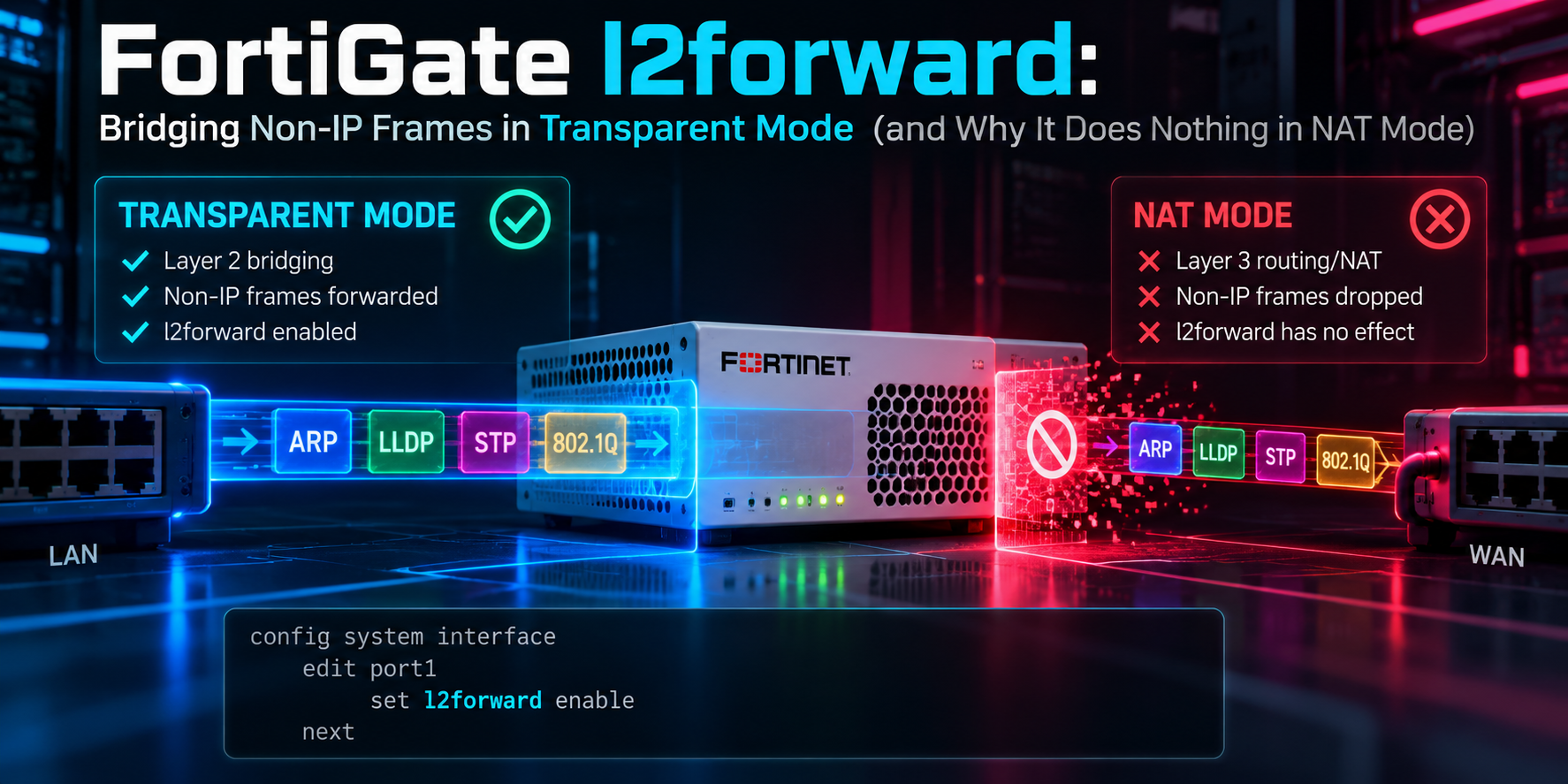
set l2forward is one of those FortiGate interface options that looks harmless, rarely shows up in the GUI, and quietly decides whether a transparent-mode insertion breaks a customer network. It tells a FortiGate that is bridging traffic to pass Layer 2 frames that are not IPv4, IPv6, or ARP. Leave it disabled and those frames are silently dropped. Enable it and they cross the FortiGate like it is a dumb bridge, with no policy lookup and no inspection.
The second half of this post answers the question that always follows: does the option do anything on a FortiGate running in NAT/route mode? Short answer: no, and the reason is architectural, not a config quirk.
| Item | Detail |
|---|---|
| Objective | Explain what l2forward does, when you need it, how it interacts with policy and inspection, and how it behaves (or does not) outside transparent mode. |
| Target audience | FortiGate administrators, SEs, and consultants inserting FortiGates transparently into existing networks, especially OT, legacy, and ISP handoff segments. |
| Applies to | FortiOS transparent-mode VDOMs. Notes on NAT-mode VDOMs, virtual wire pairs, and software switches included. |
Prerequisites and Architecture
You should be comfortable with FortiGate VDOMs, the difference between NAT/route and transparent operation modes, and basic Ethernet framing (EtherType values in particular). A lab needs one FortiGate with a transparent VDOM and two hosts or switches on either side of it.
| Component | Role in this post |
|---|---|
| Transparent-mode VDOM | Bridges traffic between member interfaces. This is where l2forward matters. |
| Forwarding domain | The Layer 2 broadcast domain inside a transparent VDOM, set per interface with set forward-domain. Non-IP frames are only forwarded within the same domain. |
| NAT/route-mode VDOM | Terminates Layer 2 on every interface and routes. Used here to explain why l2forward is a no-op. |
| Sniffer | diagnose sniffer packet is the primary tool for proving whether non-IP frames are crossing the unit. |
What l2forward Actually Does
set l2forward is a per-interface setting under config system interface. On a transparent-mode FortiGate, the default behavior is to forward only IP traffic (subject to firewall policy) plus ARP (flooded within the forwarding domain so the bridge table can populate). Any frame carrying a different EtherType is dropped at ingress.
Enabling l2forward changes that. Frames with other EtherTypes are accepted and bridged to the other ports in the same forwarding domain.
| Frame type | Default (l2forward disable) | l2forward enable |
|---|---|---|
| IPv4 / IPv6 | Forwarded if a policy matches | No change: still policy controlled |
| ARP (0x0806) | Flooded in forwarding domain | No change |
| PPPoE (0x8863 / 0x8864) | Dropped | Bridged, uninspected |
| IPX, AppleTalk, NetBEUI, DECnet | Dropped | Bridged, uninspected |
| Vendor / OT raw Ethernet EtherTypes | Dropped | Bridged, uninspected |
| STP BPDUs | Dropped | Not covered: needs stpforward |
Step-by-Step Implementation
Step 1: Confirm the VDOM operation mode
Goal: make sure you are working in a transparent VDOM before touching the interface.
config vdom
    edit <vdom-name>
        get system settings | grep opmode
    next
end
Expected: opmode : transparent. If it returns nat, read the NAT-mode section below before going further.
Step 2: Enable l2forward on ingress and egress interfaces
Goal: allow non-IP frames to cross the bridge. Enable it on both interfaces in the forwarding path. Enabling it on one side only is the most common reason it “doesn’t work.”
config system interface
    edit "port1"
        set l2forward enable
    next
    edit "port2"
        set l2forward enable
    next
end
In a multi-VDOM system, interface settings live in the global context:
config global
    config system interface
        edit "port1"
            set l2forward enable
        next
        edit "port2"
            set l2forward enable
        next
    end
end
Step 3: Verify the setting
Goal: confirm the option is applied. Default values are hidden from show, so use show full-configuration and filter on “forward” to see the whole family of related knobs at once.
show full-configuration system interface port1 | grep forwardGUI verification: there is no GUI toggle for l2forward. The CLI is the only place to set and verify it.
How It Behaves Once Enabled
No policy, no inspection, no logs
Firewall policies match on IP headers. A non-IP frame has no IP header, so there is nothing for policy lookup, NGFW, or any security profile to act on. Frames forwarded by l2forward bypass all of it. There is no policy you write to permit them, no deny you can write to stop them selectively, and no traffic log entry when they pass.
Warning: Once
l2forward is on, everything non-IP on that segment crosses the FortiGate uninspected. Treat it as an intentional Layer 2 hole in the bridge and enable it only on the interfaces that need it. Say this out loud to the customer.Bridge logic still applies
Forwarding still follows transparent-mode bridge behavior: the MAC table and forwarding domains. If you have split a transparent VDOM into multiple broadcast domains with set forward-domain, non-IP frames only cross between interfaces in the same domain. You can inspect the bridge table with:
diagnose netlink brctl name host <vdom-name>.bCommon Use Cases
- PPPoE passthrough. The one you will hit most. A FortiGate placed transparently between a customer router and an ISP handoff drops PPPoE discovery and session frames (EtherType 0x8863 and 0x8864) until
l2forwardis enabled, and the WAN never comes up. - Legacy non-IP protocols. IPX/SPX, NetBEUI, AppleTalk, DECnet, and similar in older industrial, manufacturing, or legacy LAN environments.
- OT and vendor Layer 2 protocols. Some OT/ICS gear, clustering heartbeats, and storage or appliance protocols use raw Ethernet frames with custom EtherTypes. Transparent segmentation of an OT network frequently breaks these until
l2forwardis on. - Other Layer 2 encapsulations. MPLS-labeled frames, some discovery protocols, and similar traffic where the FortiGate is not meant to be a Layer 2 boundary.
Related Transparent-Mode Knobs
These get confused with l2forward constantly and are often enabled alongside it. They are separate options that control separate traffic.
| Option | What it controls |
|---|---|
stpforward |
Forwards STP BPDUs so switches on either side see one spanning tree. l2forward does not cover BPDUs. stpforward-mode tunes how the BPDUs are rewritten. |
broadcast-forward |
Forwards broadcast traffic that would otherwise be dropped, such as some NetBIOS and legacy discovery broadcasts. |
vlanforward |
Forwards VLAN-tagged frames that do not match a configured VLAN subinterface. Default and availability vary by FortiOS release, so check the CLI reference for your build. |
arpforward |
Controls ARP flooding within the forwarding domain. Enabled by default and rarely touched. |
On segments that carry both non-IP traffic and spanning tree, you will usually enable the pair together:
config system interface
    edit "port1"
        set l2forward enable
        set stpforward enable
    next
end
Does l2forward Do Anything on a NAT-Mode FortiGate?
In a pure NAT/route-mode VDOM, l2forward has no practical effect. l2forward controls whether non-IP frames get bridged to other ports in the same forwarding domain. A NAT-mode interface is not part of a bridge. A NAT-mode FortiGate terminates Layer 2 at each interface and makes a Layer 3 routing decision. A PPPoE PADI, an IPX frame, or an AppleTalk frame has no IP header to route on and no forwarding domain to be flooded into, so it is dropped regardless of how the flag is set.
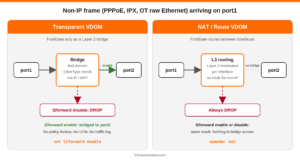
CLI visibility is not evidence of use
The FortiOS CLI reference lists set l2forward alongside vlanforward and stpforward in the general config system interface syntax without a mode qualifier. Depending on firmware and the VDOM opmode, you may be able to see or set it on a NAT-mode interface. If you can, it is a leftover or a no-op there, not a hidden feature. Do not read its presence in a NAT-mode config backup as proof that someone was bridging non-IP traffic.
Mixed-mode VDOM designs
This is where l2forward most often matters on a box people call “a NAT-mode FortiGate.” A common best practice is to keep the root VDOM in NAT mode for out-of-band management and build separate transparent VDOMs for user traffic. In that design, l2forward is very relevant, but only on the interfaces and VLAN subinterfaces assigned to the transparent VDOMs. Setting it on root’s NAT interfaces does nothing.
config vdom
    edit "TP-USER"
        config system settings
            set opmode transparent
            set manageip 10.0.10.5/24
        end
    next
end
config global
    config system interface
        edit "port3"
            set vdom "TP-USER"
            set l2forward enable
        next
        edit "port4"
            set vdom "TP-USER"
            set l2forward enable
        next
    end
end
Gray areas: virtual wire pairs and software switches
Both constructs can bridge traffic inside a NAT-mode VDOM, so the “no bridge, no effect” logic does not automatically hold for them. How each treats non-IP EtherTypes can vary across FortiOS releases, so do not promise it to a customer without testing on their build. Lab it with a sniffer on both member ports (see the next section) and let the capture answer the question.
Verification and Validation
Sniff for non-IP traffic on all interfaces. Anything that matches this filter is exactly what l2forward governs:
diagnose sniffer packet any 'not ip and not arp and not ip6' 4Narrow it to a specific EtherType when you know what you are chasing. PPPoE discovery is a good example:
diagnose sniffer packet any 'ether proto 0x8863 or ether proto 0x8864' 4Expected success output: at verbosity 4 the sniffer prints the interface name and direction for each frame. A working bridge shows each frame arriving in on the ingress port and leaving out on the egress port. Frames that appear only on the ingress side are being dropped.
Troubleshooting and Gotchas
1. Frames arrive on ingress but never leave
Cause: l2forward is enabled on only one interface, or the two interfaces sit in different forwarding domains. Resolution: enable it on both ports and compare forward-domain values. The grep forward filter catches forward-domain too.
show full-configuration system interface port1 | grep forward
show full-configuration system interface port2 | grep forward
2. Something broke after insertion and the logs show nothing
Cause: non-IP traffic does not generate policy denies, so an empty deny log is the expected symptom, not a clean bill of health. Resolution: run the not ip and not arp and not ip6 sniffer above. If you see traffic in and not out, you have found your problem. If the traffic is BPDUs, the fix is stpforward, not l2forward.
3. Enabled on a NAT-mode interface and nothing changed
Cause: there is no bridge for the frame to be forwarded across. Resolution: confirm the opmode. If the customer genuinely needs non-IP protocols across the FortiGate, that is a design signal for a transparent VDOM (or a tested virtual wire pair), not a setting you can toggle in a routed deployment.
get system settings | grep opmodeQuick Reference
| Question | Answer |
|---|---|
| Where is it set? | config system interface (global context on multi-VDOM units) |
| Default | Disabled |
| Which mode? | Transparent-mode VDOMs. No practical effect in NAT/route mode. |
| Where to enable | Both ingress and egress interfaces, same forwarding domain |
| Inspected? | No. No policy lookup, no security profiles, no traffic logs. |
| Covers BPDUs? | No. Use stpforward. |
| Typical triggers | PPPoE passthrough, legacy protocols, OT raw Ethernet, L2 encapsulations |
| Best proof tool | diagnose sniffer packet any 'not ip and not arp and not ip6' 4 |
Always validate option names and defaults against the CLI reference for the exact FortiOS release you are running. Transparent-mode knobs, especially vlanforward, have shifted across 6.x and 7.x.
Recent posts
-

-

DNS is one of those technologies that quietly underpins... Full Story
-

BGP issues on FortiGate firewalls usually trace back to... Full Story
-

Every time your laptop talks to your router, a... Full Story
-

If you've spent any time configuring NAT on a... Full Story
-

If you have spent any time configuring firewall policies... Full Story
-

High availability on FortiGate is one of those features... Full Story
-

If you've configured SD-WAN on a FortiGate, you've almost... Full Story
-

FortiLink is the management protocol that turns a FortiSwitch... Full Story
-

FortiSwitches are pretty rock solid from Mean Time Between... Full Story
-

This is a quicky tip. Have you ever gone... Full Story
-

DNS is one of those quiet pieces of internet... Full Story
-

This article is an updated version of the previous... Full Story
-

You will add ns2 as a secondary (slave) BIND9... Full Story
-

In the process of deploying my lab, I needed... Full Story
-

RFC 8805, used to be known as Self-Correcting IP... Full Story
-

Years back, I wrote an article about certificate pinning. ... Full Story
-

FortiGates have the ability to send alerts to Microsoft... Full Story
-

In this post, I am going to walk through... Full Story
-

Troubleshooting VoIP on a FortiGate can feel like trying... Full Story
-

Prior to FortiOS 7.0, there were three commands to... Full Story
-

In this post, I am going to go over... Full Story
-

What we are going to do: We are going... Full Story
-

Choosing between FGCP (FortiGate Clustering Protocol) and FGSP (FortiGate... Full Story
-

Creating a VLAN on macOS (The "Pro" Move) A... Full Story
-

This blog post explores the logic behind how macOS... Full Story
-

Pretty Fly for a Wi-Fi Tell My Wi-Fi Love... Full Story
-

Part of my daily gig is creating BoMs (Bill-of-Materials)... Full Story
-

ICMP introduces several security risks, but careful filtering, rate... Full Story
-

The command diag debug application dhcps -1 enables full... Full Story
-

In the world of FortiOS, execute tac report is... Full Story
-

LLDP; What is it The Link Layer Discovery Protocol... Full Story
-

What it actually does When you run diagnose fdsm... Full Story
-

Monkey Bites are bite-sized, high-impact security insights designed for... Full Story
-

I have run macOS in macOS with Parallels but... Full Story
-

Don't be confused with my other FortiNAC posts where... Full Story
-

This is the third session in a multi-part article... Full Story
-

Today I was configuring key-based authentication on a FortiGate... Full Story
-

Netcat, often called the "Swiss Army knife" of networking,... Full Story
-

At its core, IEEE 802.1X is a network layer... Full Story
-

In case you did not see the previous FortiNAC... Full Story
-

This is our 5th session where we are going... Full Story
-

Now that we have Wireshark installed and somewhat configured,... Full Story
-

The Philosophy of Packet Analysis Troubleshooting isn't about looking... Full Story
-

Executive Summary Objective: Get you from zero to writing... Full Story
-

NAND cells, the flash translation layer, SLC caching, TRIM,... Full Story
-

Nmap Scripting Engine (NSE): From One-Liners to Your First... Full Story