
If you've spent any time configuring user authentication on... Full Story
By Manny Fernandez
September 29, 2026
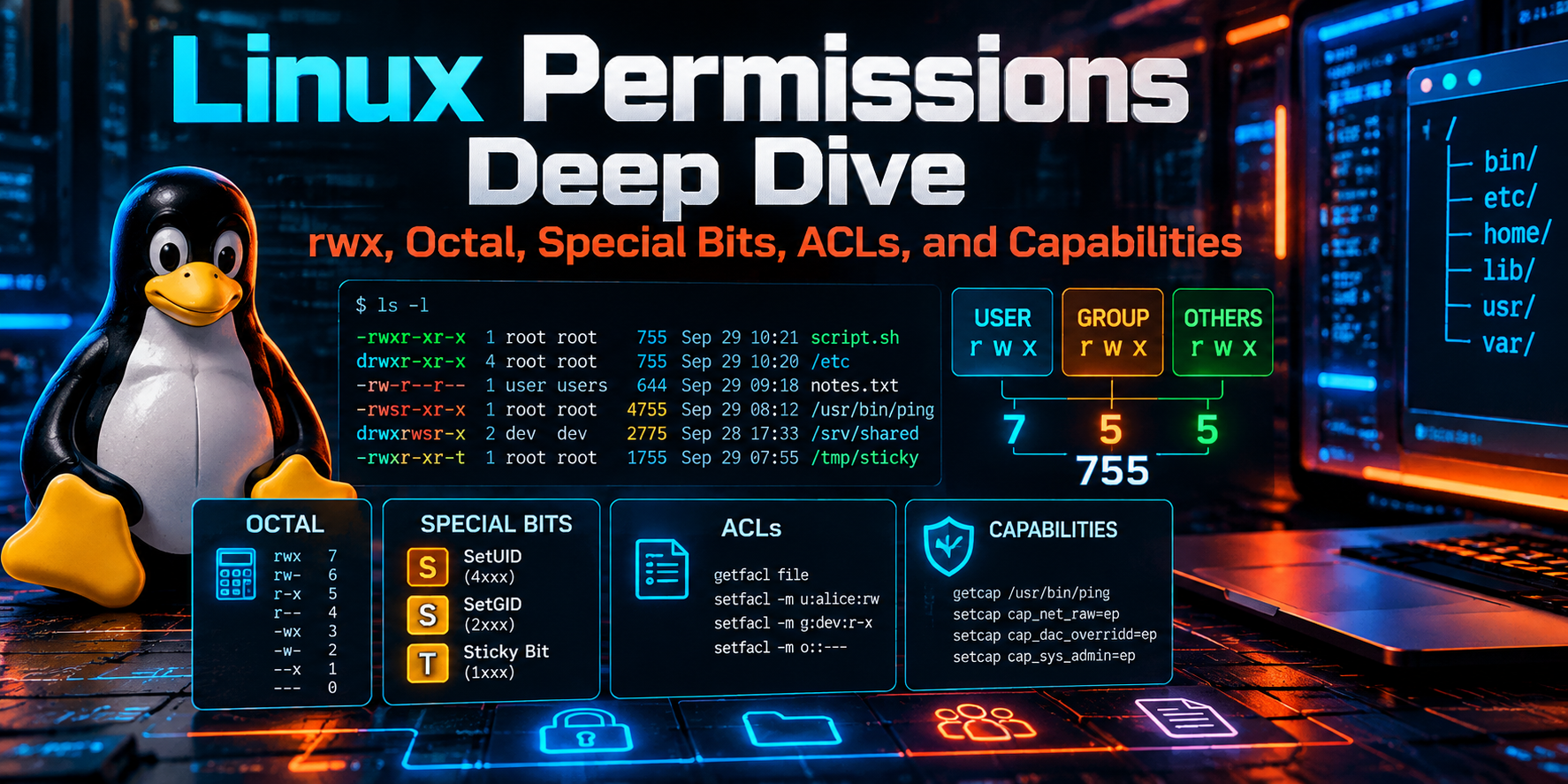
Linux Permissions Deep Dive: rwx, Octal, Special Bits, ACLs, and Capabilities
In this guide
- Executive Summary
- Prerequisites and Architecture
- How the Kernel Decides: The Access Check
- Reading ls -l Like a Pro
- rwx on Files vs. Directories
- Octal and Symbolic Notation
- Ownership: Users, Groups, chown, and chgrp
- umask: Where Default Permissions Come From
- Special Bits: setuid, setgid, and Sticky
- POSIX ACLs: Beyond One Owner and One Group
- File Attributes: Immutable and Append-Only
- Capabilities: Root Privilege in Slices
- sudo, Mount Options, and MAC in Brief
- Step-by-Step Lab: Building a Hardened Shared Directory
- Verification and Validation
- Auditing Permissions Across a System
- Troubleshooting and Gotchas
- Quick Reference Cheat Sheet
Executive Summary
Linux does not have one permission system. It has a stack of them, and a request only succeeds when every layer says yes. Most “Permission denied” tickets come from engineers looking at one layer (usually the nine rwx bits) while a different layer (a parent directory, an ACL mask, a mount option, or SELinux) is the one actually saying no.
This guide walks the full stack in the order the kernel evaluates it, gives you the notation and commands for each layer, and then puts it all together in a hands-on lab: a shared team directory where members can collaborate, cannot delete each other’s work, an auditor gets read-only access, and a golden config file cannot be touched even by root without a deliberate unlock.
| Item | Detail |
|---|---|
| Objective | Understand exactly how the Linux kernel decides whether a process can read, write, or execute a file, then build a hardened shared directory that uses every layer of the Linux rights system: ownership, mode bits, umask, setgid and sticky bits, POSIX ACLs, file attributes, and capabilities. |
| Target audience | Network and security engineers, sysadmins, and blue-teamers who run Linux jump hosts, log collectors, lab servers, and tool boxes, and who want to stop fixing permission problems with chmod 777. |
| Tested on | Ubuntu Server 24.04 LTS and RHEL 9 / Rocky 9. Commands are identical on both unless noted. |
Prerequisites and Architecture
Assumed knowledge
- Comfortable in a Linux shell and with
sudo. - Basic understanding of users and groups (
/etc/passwd,/etc/group). - Familiarity with binary to decimal conversion helps for octal notation, but the tables below cover it.
Lab requirements
- One Linux VM or container host (Ubuntu 24.04 LTS or RHEL 9 family) with sudo access.
- An ext4 or XFS filesystem for the lab path (both support ACLs and
chattrattributes out of the box). - The
aclpackage forgetfacl/setfacland the capability tools (libcap2-binon Ubuntu,libcapon RHEL).
Install the tooling
# Ubuntu / Debian
sudo apt update && sudo apt install -y acl libcap2-bin

# RHEL / Rocky / Alma
sudo dnf install -y acl libcap
The Linux rights stack
Think of access control as layers. The classic mode bits are the layer everyone knows, but the others can override or restrict them.
| Layer | What it controls | Key commands |
|---|---|---|
| Ownership | Which user and group own the inode | chown, chgrp, id |
| Mode bits (DAC) | rwx for owner, group, other |
chmod, ls -l, stat |
| umask | Default mode bits for newly created files | umask, /etc/login.defs |
| Special bits | setuid, setgid, sticky behavior | chmod u+s, g+s, +t |
| POSIX ACLs | Per-user and per-group grants beyond one owner and one group | getfacl, setfacl |
| File attributes | Immutable, append-only, and similar filesystem flags | lsattr, chattr |
| Capabilities | Slices of root privilege attached to binaries or processes | getcap, setcap, capsh |
| sudo | Delegated command execution as another user | visudo, sudo -l |
| Mount options | noexec, nosuid, nodev, read-only |
findmnt, /etc/fstab |
| MAC (SELinux / AppArmor) | Mandatory policy that applies even to root | ls -Z, ausearch, aa-status |
How the Kernel Decides: The Access Check
When a process opens a file, the kernel compares the process credentials (effective UID, effective GID, supplementary groups, and capabilities) against the inode. The discretionary (DAC) part of the check works like this:
- Is the process privileged? A process with
CAP_DAC_OVERRIDE(normally root) bypasses read and write checks. For execute, at least onexbit must be set somewhere on a regular file, even for root. - Is the process the owner? If the effective UID matches the file owner, the owner bits are used and evaluation stops.
- Is there a matching named-user ACL entry? If so, that entry (limited by the ACL mask) is used.
- Is the process in the group class? If the effective GID or any supplementary group matches the owning group or a named-group ACL entry, the group permissions (limited by the mask) are used.
- Otherwise the other bits are used.
- Then mandatory layers apply: mount options, SELinux or AppArmor policy, and file attributes such as immutable.
Gotcha: First match wins, not most permissive
The check picks one class and stops. A file with mode 0077 (----rwxrwx) denies its own owner everything, even though group and other have full access. Owners are never “promoted” to group or other permissions.
Demonstrating first-match-wins
$ touch trap.txt && chmod 077 trap.txt
$ cat trap.txt
cat: trap.txt: Permission denied
Reading ls -l Like a Pro
Everything starts with the long listing. The first column packs the file type, nine permission bits, the three special bits (overlaid on the execute slots), and a trailing indicator for ACLs or security contexts.
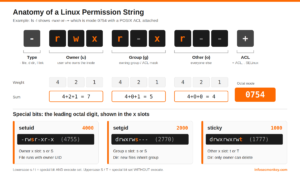
Figure 1. Anatomy of a Linux permission string, octal weights, and where the special bits appear.
Four listings, four lessons
$ ls -ld /usr/bin/passwd /tmp /srv/netops /etc/shadow
-rwsr-xr-x  1 root root   64152 Apr  9 12:01 /usr/bin/passwd
drwxrwxrwt 18 root root    4096 Sep 29 08:14 /tmp
drwxrws--T+ 2 root netops  4096 Sep 29 08:20 /srv/netops
-rw-r----- 1 root shadow 1402 Sep 12 10:33 /etc/shadow| Position | Meaning | Common values |
|---|---|---|
| 1 | File type | - file, d directory, l symlink, c char device, b block device, s socket, p named pipe |
| 2 to 4 | Owner (user) permissions | r, w, x, or s/S when setuid is set |
| 5 to 7 | Group permissions | r, w, x, or s/S when setgid is set |
| 8 to 10 | Other permissions | r, w, x, or t/T when sticky is set |
| 11 | Alternate access indicator | + POSIX ACL present, . SELinux context only, blank for none |
For scripting and audits, stat is more precise than parsing ls:
stat with a custom format
$ stat -c '%A  %a  %U:%G  %n' /usr/bin/passwd /etc/shadow
-rwsr-xr-x  4755  root:root  /usr/bin/passwd
-rw-r-----  640  root:shadow  /etc/shadow
rwx on Files vs. Directories
The same three letters mean very different things depending on the inode type. Misunderstanding directory permissions is the number one source of “but the file is 644, why can’t I read it?” tickets.
| Bit | On a file | On a directory |
|---|---|---|
r (4) |
Read the contents | List the names of entries (ls). Without x, you see names but not metadata. |
w (2) |
Modify or truncate the contents | Create, delete, and rename entries. Requires x as well to be useful. |
x (1) |
Execute as a program or script | Traverse: cd into it and access entries by name. Required on every parent in a path. |
Gotcha: Deleting a file is a directory operation
Removing or renaming a file needs w and x on the directory, not any permission on the file itself. A user with write access to a directory can delete a read-only file owned by someone else, unless the sticky bit is set on that directory.
A directory with x but not r is a classic “drop box” pattern: users can reach a file if they already know its exact name, but cannot list what is there.
Octal and Symbolic Notation
Each permission triad is three bits, which maps cleanly onto one octal digit: r = 4, w = 2, x = 1. Add them up per class. An optional leading fourth digit carries the special bits: setuid = 4, setgid = 2, sticky = 1.
| Octal | Binary | Symbolic | Typical use |
|---|---|---|---|
| 0 | 000 | --- |
No access (other on sensitive files) |
| 1 | 001 | --x |
Traverse-only directory |
| 2 | 010 | -w- |
Rare; write-only drop target |
| 3 | 011 | -wx |
Rare; drop box directory |
| 4 | 100 | r-- |
Read-only |
| 5 | 101 | r-x |
Read and execute (programs, public dirs) |
| 6 | 110 | rw- |
Read and write (data files) |
| 7 | 111 | rwx |
Full access |
| Mode | Symbolic | Where you see it |
|---|---|---|
644 |
rw-r--r-- |
Regular config and web files |
640 |
rw-r----- |
Configs with secrets readable by a service group |
600 |
rw------- |
SSH private keys, credential files |
755 |
rwxr-xr-x |
Programs and public directories |
750 |
rwxr-x--- |
Team or service directories |
700 |
rwx------ |
~/.ssh, private home directories |
1777 |
rwxrwxrwt |
/tmp and /var/tmp |
2770 |
rwxrws--- |
Shared group project directories |
4755 |
rwsr-xr-x |
setuid-root programs such as passwd |
chmod in practice
chmod patterns worth memorizing
# Absolute (octal): set every bit explicitly
chmod 640 app.conf
chmod 2770 /srv/netops

# Symbolic: change only what you name
chmod u+x deploy.sh            # add execute for owner
chmod g-w,o= report.csv        # remove group write, clear other
chmod a+r README.md            # everyone can read
chmod u=rwx,g=rx,o= tool/      # set classes exactly

# Capital X: execute only on directories (or files already executable)
chmod -R u=rwX,g=rX,o= /srv/share

# Copy the mode from a reference file
chmod --reference=good.conf bad.conf
Pro Tip: Use capital X for recursive changes
chmod -R 755 marks every file executable. chmod -R u=rwX,g=rX,o=rX keeps directories traversable while leaving data files non-executable. This one habit prevents a lot of accidental exec bits.
Ownership: Users, Groups, chown, and chgrp
Every inode has exactly one owning user and one owning group. Group membership is how you scale access without handing out ownership.
Ownership and group commands
id alice                              # uid, primary gid, supplementary groups
sudo chown alice report.csv           # change owner
sudo chown alice:netops report.csv    # change owner and group
sudo chgrp netops report.csv          # change group only
sudo chown -R svc-syslog:adm /var/log/remote
sudo chown --reference=good.conf bad.conf

# Group management
sudo groupadd netops
sudo usermod -aG netops alice         # -a is critical: append, do not replace
getent group netops
Gotcha: usermod -G without -a wipes groups
usermod -G netops alice replaces every supplementary group alice had (including sudo or wheel). Always use -aG. Also remember that new group membership only applies to new login sessions; use newgrp netops or log out and back in.
- Only root (or a process with
CAP_CHOWN) can give a file away to another user. - A regular user may
chgrptheir own file to any group they belong to. - The kernel clears setuid and setgid on an executable when its owner changes. Set special bits after
chown, never before.
umask: Where Default Permissions Come From
Programs request a base mode when they create things (normally 666 for files and 777 for directories). The kernel then removes any bits set in the process umask. The formula is a bitwise AND with the inverted mask, not subtraction.
| umask | New files | New directories | When to use |
|---|---|---|---|
022 |
644 (rw-r--r--) |
755 (rwxr-xr-x) |
Common distro default |
002 |
664 (rw-rw-r--) |
775 (rwxrwxr-x) |
User private group setups and team workflows |
027 |
640 (rw-r-----) |
750 (rwxr-x---) |
Hardened servers (CIS-style) |
077 |
600 (rw-------) |
700 (rwx------) |
Secrets handling, root shells |
Viewing and setting umask
umask            # show current mask (octal)
umask -S         # show as symbolic: u=rwx,g=rx,o=rx
umask 027        # set for this shell only

# Persistent, system-wide (applied at login via pam_umask)
grep -E '^UMASK' /etc/login.defs

# Per-service in systemd
sudo systemctl edit myservice
#   [Service]
#   UMask=0027
Note: Default ACLs override umask
If a directory has a default ACL, new files inside it take their permissions from that ACL and the umask is ignored. That is exactly why the lab below uses default ACLs for shared directories: you stop depending on every user having the right umask.
Special Bits: setuid, setgid, and Sticky
The fourth octal digit changes behavior rather than granting access. It displays in the execute slot of each triad: lowercase when execute is also set, uppercase when it is not (which is usually a mistake).
| Bit | Octal | On files | On directories | Display |
|---|---|---|---|---|
| setuid | 4000 |
Program runs with the file owner’s UID (for example passwd runs as root) |
Ignored on Linux | s / S in owner x slot |
| setgid | 2000 |
Program runs with the file’s group GID | New entries inherit the directory’s group; new subdirs inherit setgid | s / S in group x slot |
| sticky | 1000 |
Ignored on modern Linux | Only the entry owner, the directory owner, or root can delete or rename entries | t / T in other x slot |
Setting and clearing special bits
chmod u+s /usr/local/bin/tool     # setuid     (4xxx)
chmod g+s /srv/netops             # setgid     (2xxx)
chmod +t  /srv/dropbox            # sticky     (1xxx)
chmod 3770 /srv/netops            # setgid + sticky in one shot

chmod u-s,g-s /usr/local/bin/tool # remove- setuid is ignored on interpreted scripts. The kernel honors it only on native binaries. Never try to make a shell script setuid; use
sudowith a tight rule instead. - setuid binaries are prime privilege-escalation targets. Every one of them should be inventoried and justified (see the audit section).
- GNU
chmodpreserves setuid and setgid on directories when you use a 3-digit numeric mode.chmod 755 dirdoes not clear an existing setgid bit. Usechmod g-s diror a 5-digit mode such aschmod 00755 dir. - Mount with
nosuid(/tmp,/home, removable media, NFS) so setuid bits on those filesystems are ignored entirely.
POSIX ACLs: Beyond One Owner and One Group
Mode bits give you exactly three principals. When an auditor, a second team, or a service account needs access without joining the owning group, use POSIX Access Control Lists. They are supported by default on ext4, XFS, and Btrfs.
ACL entry types
| Entry | Example | Meaning |
|---|---|---|
| Owner | user::rwx |
Maps to the owner mode bits |
| Named user | user:carol:r-x |
Specific user grant (limited by mask) |
| Owning group | group::r-x |
Maps to the group mode bits (limited by mask) |
| Named group | group:auditors:r-- |
Specific group grant (limited by mask) |
| Mask | mask::rwx |
Upper limit for named users, all groups. Shown as the group bits in ls -l |
| Other | other::--- |
Maps to the other mode bits |
| Default | default:user:carol:r-x |
Directories only: inherited by new entries created inside |
Everyday setfacl and getfacl
# Grant, inspect, remove
setfacl -m u:carol:rX /srv/netops          # add or modify a named user entry
setfacl -m g:auditors:rX /srv/netops       # named group entry
getfacl /srv/netops                        # view (note the #effective column)
setfacl -x u:carol /srv/netops             # remove one entry
setfacl -b /srv/netops                     # remove all extended entries

# Inheritance for new files and dirs
setfacl -d -m g:auditors:rX /srv/netops    # default ACL entry
setfacl -k /srv/netops                     # remove the default ACL

# Recursive apply to existing content
setfacl -R -m g:auditors:rX /srv/netops

# Backup and restore (run from /)
getfacl -R /srv/netops > /root/netops.acl
setfacl --restore=/root/netops.acl
Gotcha: The mask is the silent killer
Once a file has an ACL, the group bits shown by ls -l are the mask, not the owning group. Running chmod g-w or chmod 750 lowers the mask and quietly cuts every named user and group entry. getfacl shows the damage in its #effective: comments. Restore with setfacl -m m::rwx file.
cp -a,rsync -A, andtar --aclspreserve ACLs. Plaincpand many backup tools do not.- An ACL grants access by adding entries; it cannot grant anything to the owner that the owner bits deny, because owner matching stops evaluation first.
File Attributes: Immutable and Append-Only
Filesystem attributes sit below the permission model. The two that matter most for security are immutable (i) and append-only (a). Setting or clearing them requires CAP_LINUX_IMMUTABLE, which only root has by default.
| Attribute | Effect | Good for |
|---|---|---|
+i immutable |
No writes, deletes, renames, links, or metadata changes, even by root | Golden configs, resolv.conf pinning, tamper resistance |
+a append-only |
Data can only be appended; no truncation or deletion | Local audit and log files |
chattr and lsattr
sudo chattr +i /etc/ssh/sshd_config
lsattr /etc/ssh/sshd_config
# ----i---------e------- /etc/ssh/sshd_config

sudo rm /etc/ssh/sshd_config
# rm: cannot remove '/etc/ssh/sshd_config': Operation not permitted

sudo chattr -i /etc/ssh/sshd_config      # deliberate unlock before changes
sudo chattr +a /var/log/app/audit.log    # append-only log
Pro Tip: Immutable files confuse package managers
An apt upgrade or dnf update that tries to replace an immutable file will fail. Document every +i file in your runbook and unlock it during change windows.
Capabilities: Root Privilege in Slices
Linux splits root’s power into roughly forty capabilities. Instead of making a binary setuid-root, grant only the capability it needs. A classic example: letting a non-root web or syslog service bind to a port below 1024.
| Capability | Grants | Typical use |
|---|---|---|
CAP_NET_BIND_SERVICE |
Bind to ports below 1024 | Web servers, syslog on 514, DNS |
CAP_NET_RAW |
Raw and packet sockets | ping, tcpdump, scanners |
CAP_NET_ADMIN |
Interface, routing, and firewall changes | Routing daemons, VPN clients |
CAP_DAC_OVERRIDE |
Bypass file read, write, and execute checks | Backup agents (use carefully) |
CAP_DAC_READ_SEARCH |
Bypass read and directory search checks | Read-only backup and indexing |
CAP_SYS_ADMIN |
A huge grab bag (mounts, namespaces, and more) | Avoid; it is nearly root |
setcap, getcap, and process inspection
# Grant a binary the right to bind low ports
sudo setcap 'cap_net_bind_service=+ep' /opt/collector/bin/collector
getcap /opt/collector/bin/collector
# /opt/collector/bin/collector cap_net_bind_service=ep

# Remove file capabilities
sudo setcap -r /opt/collector/bin/collector

# Inspect a running process
grep Cap /proc/$(pidof collector)/status
capsh --decode=0000000000000400
Note: Prefer systemd for services
For daemons, AmbientCapabilities=CAP_NET_BIND_SERVICE plus CapabilityBoundingSet=CAP_NET_BIND_SERVICE in the unit file is cleaner than file capabilities, because it survives binary upgrades. File capabilities are wiped whenever the binary is replaced.
sudo, Mount Options, and MAC in Brief
sudo: delegate commands, not shells
A least-privilege sudo rule
sudo visudo -f /etc/sudoers.d/netops
#   Cmnd_Alias NETOPS_CMDS = /usr/bin/systemctl restart frr, \
#                            /usr/bin/journalctl -u frr
#   %netops ALL=(root) NETOPS_CMDS

sudo -l -U alice # what can alice run?- Grant specific commands to groups, never
ALLto individuals. - Avoid rules that allow editors, pagers, or interpreters (
vi,less,python) as root; they all have shell escapes. - Always edit with
visudoso a syntax error cannot lock you out.
Mount options
Check how a path is mounted
findmnt -no OPTIONS /tmp
# rw,nosuid,nodev,noexec,relatime
noexec blocks execution regardless of x bits, nosuid ignores setuid and setgid, and nodev ignores device files. A script that is 755 but lives on a noexec mount will fail with “Permission denied”.
Mandatory Access Control
SELinux (RHEL family) and AppArmor (Ubuntu) enforce policy after DAC passes, and they apply to root. A 777 file can still be denied.
Checking the MAC layer
# SELinux
getenforce
ls -Z /var/www/html/index.html
sudo ausearch -m avc -ts recent
sudo restorecon -Rv /var/www/html

# AppArmor
sudo aa-status
sudo journalctl -k | grep -i 'apparmor="DENIED"'
Step-by-Step Lab: Building a Hardened Shared Directory
Scenario: the NetOps team needs /srv/netops for configs and captures. Requirements:
- Members
aliceandbobcan create and edit each other’s files. - Nobody can delete a file they did not create.
- New files always land in the
netopsgroup with group read/write, regardless of each user’s umask. - Auditor
carolgets read-only access without joining the group. - A golden baseline config cannot be modified or deleted, even by root, without a deliberate unlock.
- Everyone else gets nothing.
Step 1: Create the group and users
Goal: Establish the principals.
Action: Create the netops group, two members, and an auditor who is not a member.
sudo groupadd netops
sudo useradd -m -s /bin/bash -G netops alice
sudo useradd -m -s /bin/bash -G netops bob
sudo useradd -m -s /bin/bash carol
Verification: id alice should list netops in its groups, and id carol should not.
Step 2: Create the directory with ownership and base mode
Goal: Only root and the netops group can enter the directory; other has no access.
Action: Create the path, set ownership to root:netops, and apply mode 0770.
sudo mkdir -p /srv/netops
sudo chown root:netops /srv/netops
sudo chmod 0770 /srv/netops
Verification: ls -ld /srv/netops shows drwxrwx--- root netops.
Step 3: Add setgid and sticky
Goal: Force group inheritance and prevent cross-user deletion.
Action: Add setgid (2) and sticky (1) for a final mode of 3770.
sudo chmod 3770 /srv/netops
ls -ld /srv/netops
# drwxrws--T 2 root netops 4096 Sep 29 08:20 /srv/netops
Verification: The group slot shows lowercase s (setgid with execute). The other slot shows uppercase T because sticky is set while other has no execute. That uppercase T is expected and correct here.
Step 4: Apply a default ACL so umask cannot break collaboration
Goal: Guarantee group read/write on every new file, no matter whose umask created it.
Action: Set default ACL entries for owner, group, and other on the directory.
sudo setfacl -d -m u::rwx,g::rwx,o::--- /srv/netopsVerification: getfacl /srv/netops now shows default: lines. A user with umask 077 will still create group-writable files here.
Step 5: Grant the auditor read-only access
Goal: carol can traverse and read, but cannot create or change anything.
Action: Add a named-user access entry and a matching default entry so future files are readable too.
sudo setfacl -m u:carol:rx /srv/netops
sudo setfacl -d -m u:carol:rx /srv/netops
Verification: ls -ld /srv/netops now ends with +, signaling an ACL is present.
Step 6: Lock the golden baseline
Goal: Make the baseline config tamper-resistant.
Action: Create the file, set ownership and mode, then set the immutable attribute.
echo "hostname edge-fw-01" | sudo tee /srv/netops/baseline.conf > /dev/null
sudo chown root:netops /srv/netops/baseline.conf
sudo chmod 0640 /srv/netops/baseline.conf
sudo chattr +i /srv/netops/baseline.conf
lsattr /srv/netops/baseline.conf
Verification: lsattr shows the i flag in the attribute string.
Verification and Validation
Test as each user with sudo -u, which initializes the target user’s groups, so results match a real login.
Inspect the directory ACL
# 1. Directory state
getfacl /srv/netops
Expected success output
# file: srv/netops
# owner: root
# group: netops
# flags: -st
user::rwx
user:carol:r-x
group::rwx
mask::rwx
other::---
default:user::rwx
default:user:carol:r-x
default:group::rwx
default:mask::rwx
default:other::---
Functional tests with expected results
# 2. alice creates a file with a hostile umask; group still gets rw
sudo -u alice bash -c 'umask 077; touch /srv/netops/alice.txt'
ls -l /srv/netops/alice.txt
# -rw-rw----+ 1 alice netops 0 Sep 29 08:31 /srv/netops/alice.txt

# 3. bob can edit alice's file (group rw) ...
sudo -u bob bash -c 'echo "edit by bob" >> /srv/netops/alice.txt' && echo OK
# OK

# 4. ... but cannot delete it (sticky bit)
sudo -u bob rm /srv/netops/alice.txt
# rm: cannot remove '/srv/netops/alice.txt': Operation not permitted

# 5. carol can read ...
sudo -u carol cat /srv/netops/alice.txt
# edit by bob

# 6. ... but cannot write or create
sudo -u carol touch /srv/netops/carol.txt
# touch: cannot touch '/srv/netops/carol.txt': Permission denied

# 7. Even root cannot delete the baseline while it is immutable
sudo rm /srv/netops/baseline.conf
# rm: cannot remove '/srv/netops/baseline.conf': Operation not permitted
Pro Tip: Why carol shows #effective:r– on new files
Run getfacl /srv/netops/alice.txt and you will see user:carol:r-x #effective:r--. touch requests mode 666, so the inherited mask becomes rw- and strips carol’s execute bit on the file. That is the mask doing its job, and it is exactly what you want for data files.
Auditing Permissions Across a System
These one-liners belong in every hardening checklist and baseline script. -xdev keeps find on one filesystem so it does not wander into /proc or network mounts.
Permission audit toolkit
# setuid and setgid binaries (compare against a known-good baseline)
sudo find / -xdev -type f \( -perm -4000 -o -perm -2000 \) \
  -exec stat -c '%a %U:%G %n' {} + 2>/dev/null

# World-writable files
sudo find / -xdev -type f -perm -0002 2>/dev/null

# World-writable directories missing the sticky bit
sudo find / -xdev -type d -perm -0002 ! -perm -1000 2>/dev/null

# Orphaned files (owner or group no longer exists)
sudo find / -xdev \( -nouser -o -nogroup \) 2>/dev/null

# Files carrying capabilities
sudo getcap -r / 2>/dev/null

# Files carrying ACLs under a path
sudo getfacl -R -s -p /srv 2>/dev/null | grep '^# file:'

# Immutable or append-only files under /etc
sudo lsattr -R /etc 2>/dev/null | awk '$1 ~ /^[-a-zA-Z]+$/ && $1 ~ /[ia]/'
Critical files and their expected CIS-style modes:
| Path | Expected | Why |
|---|---|---|
/etc/passwd |
644 root:root |
World-readable by design; no hashes inside |
/etc/shadow |
640 root:shadow or 000 root:root (RHEL) |
Password hashes |
/etc/sudoers |
440 root:root |
Privilege policy |
/etc/ssh/sshd_config |
600 root:root |
SSH daemon config |
/etc/ssh/ssh_host_*_key |
600 root:root |
Host private keys |
~/.ssh |
700 owned by the user |
sshd refuses keys with loose perms |
~/.ssh/authorized_keys |
600 owned by the user |
Same StrictModes check |
/tmp, /var/tmp |
1777 root:root |
Shared scratch with sticky protection |
Troubleshooting and Gotchas
1. Permission denied, but the file is 644
Symptom: cat /srv/app/conf/app.conf fails even though the file is world-readable.
Cause: A parent directory is missing x for your class. Traversal is checked on every component of the path.
Diagnose with namei
namei -l /srv/app/conf/app.conf
# f: /srv/app/conf/app.conf
# drwxr-xr-x root root   /
# drwxr-xr-x root root   srv
# drwxr-x--- root appsvc app      <-- no x for other: stop here
# drwxr-xr-x root appsvc conf
# -rw-r--r-- root appsvc app.conf
Resolution: Grant traverse on the blocking directory (chmod o+x, or better, add the user to the group or a setfacl -m u:user:x entry).
2. The ACL is set, but the user still cannot write
Symptom: setfacl -m u:bob:rw file succeeded, yet bob gets “Permission denied”.
Cause: The mask was lowered, usually by a later chmod or by a tool that rewrote group bits.
Diagnose and fix the mask
getfacl file
# user:bob:rw-      #effective:r--
# mask::r--
setfacl -m m::rw file     # restore the mask
Resolution: Restore the mask and stop using chmod on the group class of ACL-managed files. Adjust entries with setfacl instead.
3. Mode bits and ACLs are correct, still denied
Symptom: Everything in DAC looks right, including for root.
Cause: A layer below or beside DAC: immutable attribute, noexec mount, or SELinux / AppArmor.
Check the non-DAC layers
lsattr /path/to/file                        # i or a flags?
findmnt -T /path/to/file -no OPTIONS        # noexec, nosuid, ro?
sudo ausearch -m avc -ts recent             # SELinux denials
ls -Z /path/to/file                         # SELinux context
sudo journalctl -k | grep -i denied         # AppArmor denials
Resolution: chattr -i for attribute locks, move executables off noexec mounts, and fix SELinux labels with restorecon (or semanage fcontext for custom paths) rather than disabling enforcement.
4. Files in a setgid directory have the wrong group
Symptom: Some files in /srv/netops are owned by a user’s private group instead of netops.
Cause: Group inheritance happens at creation. mv within the same filesystem keeps the file’s original group, and tar -p or cp -a restore the original group.
Normalize group ownership
sudo find /srv/netops ! -group netops -exec chgrp netops {} +Resolution: Normalize with chgrp, and teach users to cp into shared directories instead of mv.
5. A service lost its low-port binding after an upgrade
Cause: File capabilities live in an extended attribute on the binary. Replacing the binary wipes them.
Resolution: Re-apply with setcap, or move the grant into the systemd unit using AmbientCapabilities= so upgrades cannot remove it.
Quick Reference Cheat Sheet
| Task | Command |
|---|---|
| Show mode, octal, owner | stat -c '%A %a %U:%G %n' file |
| Show permissions along a path | namei -l /full/path |
| Owner and group | chown user:group file |
| Set exact mode | chmod 640 file |
| Safe recursive mode | chmod -R u=rwX,g=rX,o= dir |
| Shared group dir | chmod 2770 dir |
| Shared dir, no cross-delete | chmod 3770 dir |
| Clear setgid on a dir | chmod g-s dir |
| Show umask | umask -S |
| Grant a user via ACL | setfacl -m u:name:rX path |
| Inheritable ACL | setfacl -d -m g:name:rX dir |
| Fix the ACL mask | setfacl -m m::rwx path |
| Strip all ACLs | setfacl -b path |
| Make immutable | chattr +i file |
| Grant low-port bind | setcap cap_net_bind_service=+ep bin |
| Find setuid/setgid | find / -xdev -perm /6000 -type f |
| Check sudo rights | sudo -l -U user |
| SELinux denials | ausearch -m avc -ts recent |
Linux permissions are not hard, they are layered. When access fails, walk the stack in order: path traversal, owner or group or other, ACL mask, attributes, mount options, then MAC. The layer that says no is always one of those, and now you have a command for each.
Recent posts
-

-

DNS is one of those technologies that quietly underpins... Full Story
-

BGP issues on FortiGate firewalls usually trace back to... Full Story
-

Every time your laptop talks to your router, a... Full Story
-

If you've spent any time configuring NAT on a... Full Story
-

If you have spent any time configuring firewall policies... Full Story
-

High availability on FortiGate is one of those features... Full Story
-

If you've configured SD-WAN on a FortiGate, you've almost... Full Story
-

FortiLink is the management protocol that turns a FortiSwitch... Full Story
-

FortiSwitches are pretty rock solid from Mean Time Between... Full Story
-

This is a quicky tip. Have you ever gone... Full Story
-

DNS is one of those quiet pieces of internet... Full Story
-

This article is an updated version of the previous... Full Story
-

You will add ns2 as a secondary (slave) BIND9... Full Story
-

In the process of deploying my lab, I needed... Full Story
-

RFC 8805, used to be known as Self-Correcting IP... Full Story
-

Years back, I wrote an article about certificate pinning. ... Full Story
-

FortiGates have the ability to send alerts to Microsoft... Full Story
-

In this post, I am going to walk through... Full Story
-

Troubleshooting VoIP on a FortiGate can feel like trying... Full Story
-

Prior to FortiOS 7.0, there were three commands to... Full Story
-

In this post, I am going to go over... Full Story
-

What we are going to do: We are going... Full Story
-

Choosing between FGCP (FortiGate Clustering Protocol) and FGSP (FortiGate... Full Story
-

Creating a VLAN on macOS (The "Pro" Move) A... Full Story
-

This blog post explores the logic behind how macOS... Full Story
-

Pretty Fly for a Wi-Fi Tell My Wi-Fi Love... Full Story
-

Part of my daily gig is creating BoMs (Bill-of-Materials)... Full Story
-

ICMP introduces several security risks, but careful filtering, rate... Full Story
-

The command diag debug application dhcps -1 enables full... Full Story
-

In the world of FortiOS, execute tac report is... Full Story
-

LLDP; What is it The Link Layer Discovery Protocol... Full Story
-

What it actually does When you run diagnose fdsm... Full Story
-

Monkey Bites are bite-sized, high-impact security insights designed for... Full Story
-

I have run macOS in macOS with Parallels but... Full Story
-

Don't be confused with my other FortiNAC posts where... Full Story
-

This is the third session in a multi-part article... Full Story
-

Today I was configuring key-based authentication on a FortiGate... Full Story
-

Netcat, often called the "Swiss Army knife" of networking,... Full Story
-

At its core, IEEE 802.1X is a network layer... Full Story
-

In case you did not see the previous FortiNAC... Full Story
-

This is our 5th session where we are going... Full Story
-

Now that we have Wireshark installed and somewhat configured,... Full Story
-

The Philosophy of Packet Analysis Troubleshooting isn't about looking... Full Story
-

In this guide Executive Summary Prerequisites: Which vi Do... Full Story
-

Objective: Strip blank and whitespace-only lines out of config... Full Story
-

In this guide Executive Summary Prerequisites and Architecture How... Full Story