
If you've spent any time configuring user authentication on... Full Story
By Manny Fernandez
April 2, 2018
Command Line Password Generator
I run macOS High Sierra. When I need to generate a random password, I use an opensource package named pwgen. I used to use this back in my Linux days. Depending on the size and complexity I need for my password, you can modify it via the command line. In this example, I am creating a bunch of random password based on 23 characters.
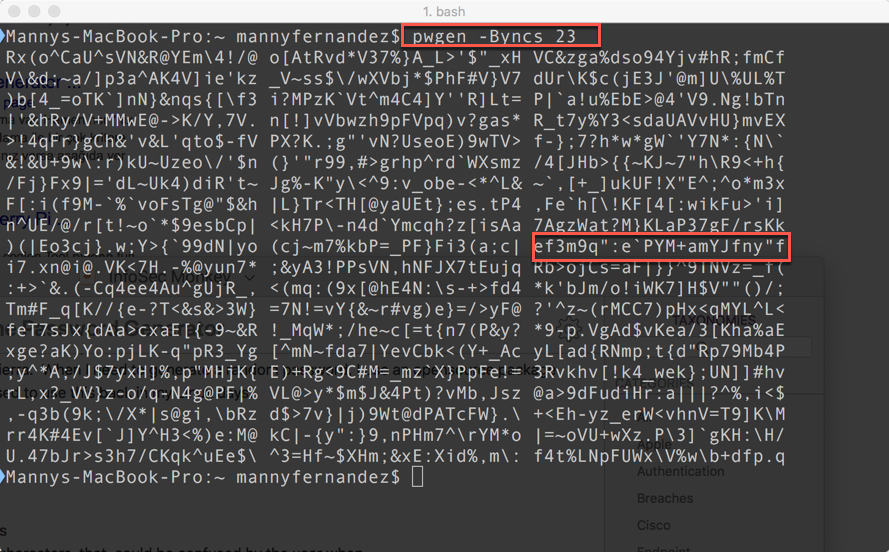
As you can see in the results, I have created random passwords. I can choose any of them or even multiple ones and concatonate them.
In my example, I am saying to run ‘pwgen’ without ambiguous letters (not to be comnfused with other letters like ‘0’ (zero) and ‘O’ (the letter)), include symbols, include numbers, include capital letters, and use the option for ‘hard to guess’ password.
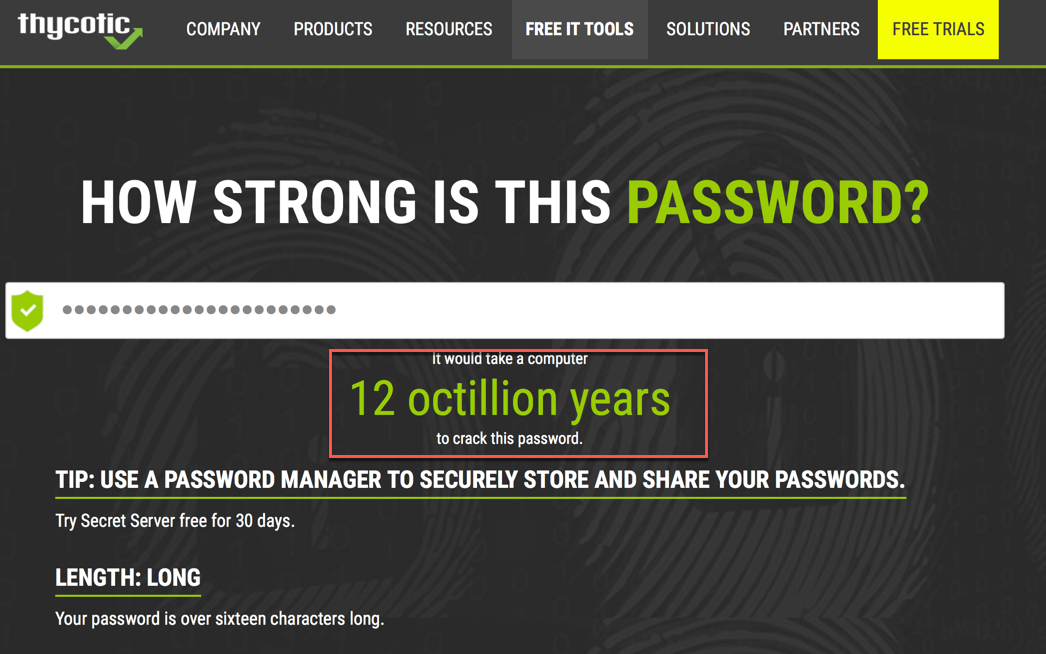
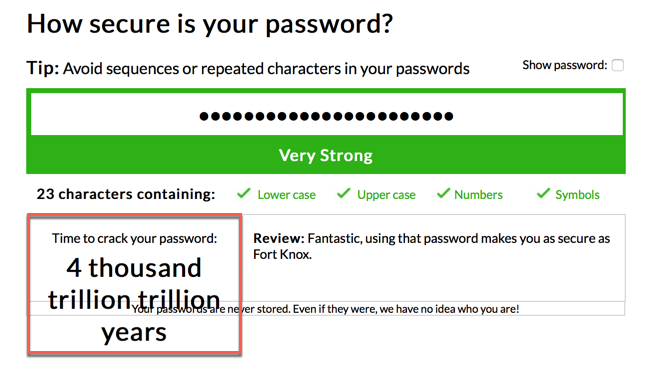
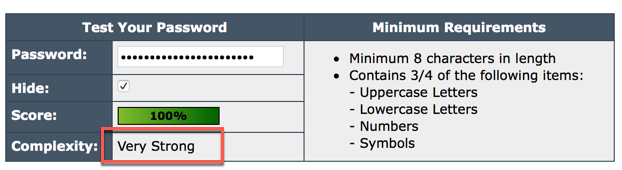
I ran the selected password through multiple password strength testing sites and although I got different responses, the password is generally safe with my normal 60 day password reset policy.
To run this in Linux, you can use your package installer of choice:
apt-get install pwgen
yum install pwgen
On macOS, you will need either Homebrew or Mac Ports. I use Mac Ports only because it was the one I ran since I moved to macOS over 6 years ago.
Update: I have since moved to Homebrew since Mac Ports did not upgrade in time for one of the macOS updates.
MacPorts
sudo port install pwgen
Homebrew
brew install pwgen
Excerpt from man page
NAME
pwgen – generate pronounceable passwords
SYNOPSIS
pwgen [ OPTION ] [ pw_length ] [ num_pw ]
DESCRIPTION
The pwgen program generates passwords which are designed to be easily memorized by humans, while being as secure as possible. Human-memorable passwords are never going to be as secure as completely completely random passwords. In particular, passwords generated by pwgen
without the -s option should not be used in places where the password could be attacked via an off-line brute-force attack. On the other hand, completely randomly generated passwords have a tendency to be written down, and are subject to being compromised in that fashion.
The pwgen program is designed to be used both interactively, and in shell scripts. Hence, its default behavior differs depending on whether the standard output is a tty device or a pipe to another program. Used interactively, pwgen will display a screenful of passwords, allowing the user to pick a single password, and then quickly erase the screen. This prevents someone from being able to “shoulder surf” the user’s chosen password.
When standard output (stdout) is not a tty, pwgen will only generate one password, as this tends to be much more convenient for shell scripts, and in order to be compatible with previous versions of this program.
OPTIONS
-0, –no-numerals
Don’t include numbers in the generated passwords.
-1 Print the generated passwords one per line.
-A, –no-capitalize
Don’t bother to include any capital letters in the generated
passwords.
-a, –alt-phonics
This option doesn’t do anything special; it is present only for
backwards compatibility.
-B, –ambiguous
Don’t use characters that could be confused by the user when
printed, such as ‘l’ and ‘1’, or ‘0’ or ‘O’. This reduces the
number of possible passwords significantly, and as such reduces
the quality of the passwords. It may be useful for users who
have bad vision, but in general use of this option is not recom-
mended.
-c, –capitalize
Include at least one capital letter in the password. This is
the default if the standard output is a tty device.
-C Print the generated passwords in columns. This is the default
if the standard output is a tty device.
-N, –num-passwords=num
Generate num passwords. This defaults to a screenful if pass-
words are printed by columns, and one password otherwise.
-n, –numerals
Include at least one number in the password. This is the
default if the standard output is a tty device.
-H, –sha1=/path/to/file[#seed]
Will use the sha1’s hash of given file and the optional seed to
create password. It will allow you to compute the same password
later, if you remember the file, seed, and pwgen’s options used.
ie: pwgen -H ~/your_favorite.mp3#your@email.com gives a list of
possibles passwords for your pop3 account, and you can ask this
list again and again.
WARNING: The passwords generated using this option are not very
random. If you use this option, make sure the attacker can not
obtain a copy of the file. Also, note that the name of the file
may be easily available from the ~/.history or ~/.bash_history
file.
-h, –help
Print a help message.
-r chars, –remove-chars=chars
Don’t use the specified characters in password. This option
will disable the phomeme-based generator and uses the random
password generator.
-s, –secure
Generate completely random, hard-to-memorize passwords. These
should only be used for machine passwords, since otherwise it’s
almost guaranteed that users will simply write the password on a
piece of paper taped to the monitor…
-v, –no-vowels
Generate random passwords that do not contain vowels or numbers
that might be mistaken for vowels. It provides less secure
passwords to allow system administrators to not have to worry
with random passwords accidentally contain offensive substrings.
-y, –symbols
Include at least one special character in the password.
Recent posts
-

-

DNS is one of those technologies that quietly underpins... Full Story
-

BGP issues on FortiGate firewalls usually trace back to... Full Story
-

Every time your laptop talks to your router, a... Full Story
-

If you've spent any time configuring NAT on a... Full Story
-

If you have spent any time configuring firewall policies... Full Story
-

High availability on FortiGate is one of those features... Full Story
-

If you've configured SD-WAN on a FortiGate, you've almost... Full Story
-

FortiLink is the management protocol that turns a FortiSwitch... Full Story
-

FortiSwitches are pretty rock solid from Mean Time Between... Full Story
-

This is a quicky tip. Have you ever gone... Full Story
-

DNS is one of those quiet pieces of internet... Full Story
-

This article is an updated version of the previous... Full Story
-

You will add ns2 as a secondary (slave) BIND9... Full Story
-

In the process of deploying my lab, I needed... Full Story
-

RFC 8805, used to be known as Self-Correcting IP... Full Story
-

Years back, I wrote an article about certificate pinning. ... Full Story
-

FortiGates have the ability to send alerts to Microsoft... Full Story
-

In this post, I am going to walk through... Full Story
-

Troubleshooting VoIP on a FortiGate can feel like trying... Full Story
-

Prior to FortiOS 7.0, there were three commands to... Full Story
-

In this post, I am going to go over... Full Story
-

What we are going to do: We are going... Full Story
-

Choosing between FGCP (FortiGate Clustering Protocol) and FGSP (FortiGate... Full Story
-

Creating a VLAN on macOS (The "Pro" Move) A... Full Story
-

This blog post explores the logic behind how macOS... Full Story
-

Pretty Fly for a Wi-Fi Tell My Wi-Fi Love... Full Story
-

Part of my daily gig is creating BoMs (Bill-of-Materials)... Full Story
-

ICMP introduces several security risks, but careful filtering, rate... Full Story
-

The command diag debug application dhcps -1 enables full... Full Story
-

In the world of FortiOS, execute tac report is... Full Story
-

LLDP; What is it The Link Layer Discovery Protocol... Full Story
-

What it actually does When you run diagnose fdsm... Full Story
-

Monkey Bites are bite-sized, high-impact security insights designed for... Full Story
-

I have run macOS in macOS with Parallels but... Full Story
-

Don't be confused with my other FortiNAC posts where... Full Story
-

This is the third session in a multi-part article... Full Story
-

Today I was configuring key-based authentication on a FortiGate... Full Story
-

Netcat, often called the "Swiss Army knife" of networking,... Full Story
-

At its core, IEEE 802.1X is a network layer... Full Story
-

In case you did not see the previous FortiNAC... Full Story
-

This is our 5th session where we are going... Full Story
-

Now that we have Wireshark installed and somewhat configured,... Full Story
-

The Philosophy of Packet Analysis Troubleshooting isn't about looking... Full Story
-

Executive Summary Objective: Understand every path that activates a... Full Story
-

Objective: Understand Bidirectional Forwarding Detection on FortiOS, decide where... Full Story
-

Field Detail Objective Explain exactly what DHCP snooping inspects,... Full Story