
If you've spent any time configuring user authentication on... Full Story
By Manny Fernandez
August 24, 2026
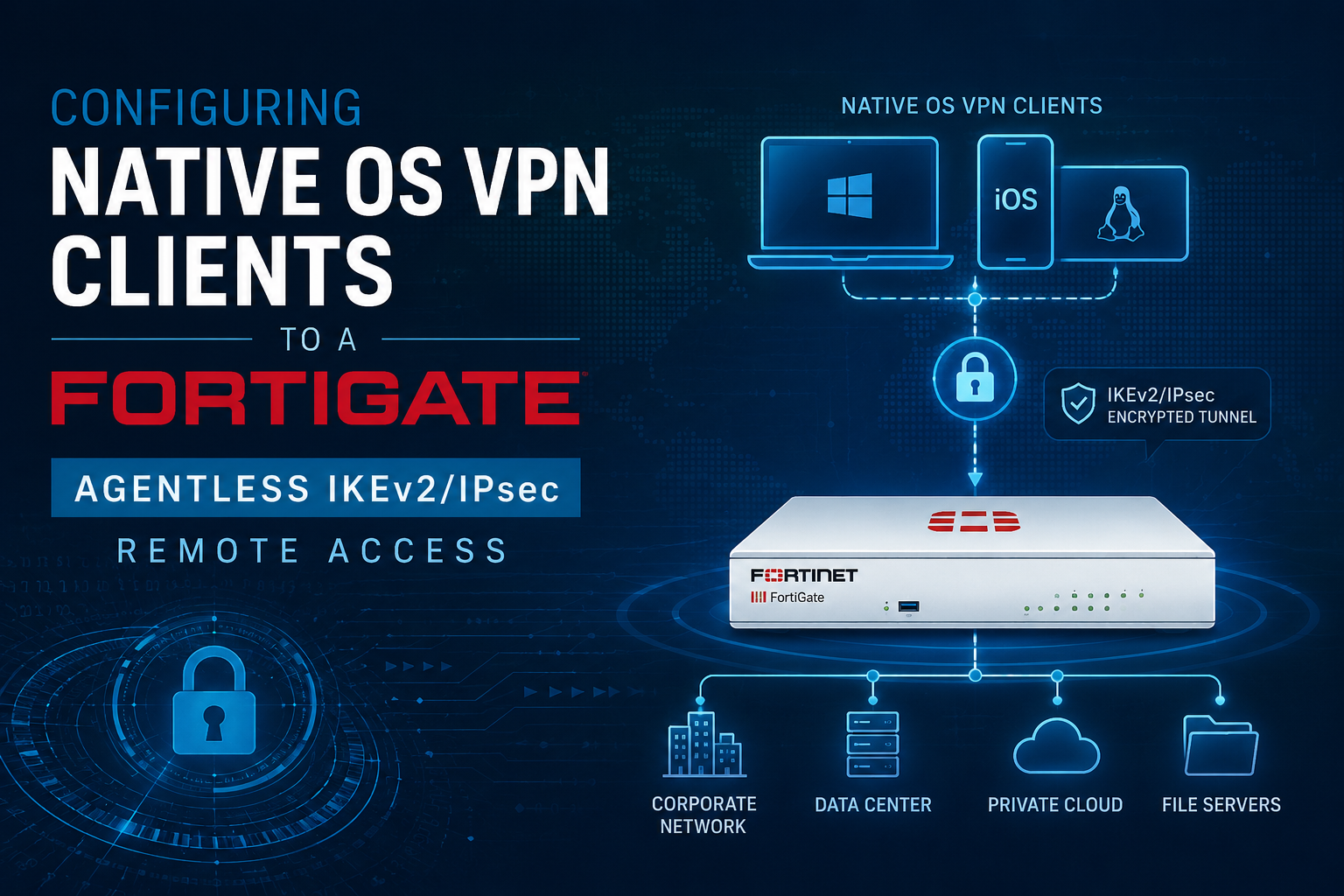
Configuring Native OS VPN Clients to a FortiGate: Agentless IKEv2/IPsec Remote Access
1. Executive Summary
Objective. Stand up a FortiGate remote-access VPN that the VPN client built into Windows, macOS, and Ubuntu connects to directly, with no FortiClient anywhere. Fortinet replaced proprietary SSL VPN tunnel mode with standards-based IPsec starting in FortiOS 7.6.3, which makes native IKEv2 the supported, agentless way to give remote users a full tunnel.
What you get. A dial-up IKEv2 gateway using a real server certificate, matching client configurations for each operating system that negotiate on the first attempt, and a clear read on the encryption each native stack will and will not offer so your proposals line up. Authentication is user-based (RADIUS or LDAP); multi-factor is possible, and its native-client limits are noted where they matter.
Target audience. Network and security engineers, system administrators, and teams migrating a FortiGate estate off SSL VPN who want a supported, agentless remote-access design.
2. Prerequisites and Architecture
Assumed knowledge
You should be comfortable on the FortiOS CLI, understand IKE phase 1 versus phase 2 and what a proposal is, and know the basics of PKI (CSR, signing CA, trust chain). Familiarity with the difference between IKEv1 XAuth and IKEv2 EAP helps, because that difference drives the gateway design.
Environment and lab requirements
- FortiGate on FortiOS 7.6.3 or later (8.0.x recommended). IKEv2 dial-up exists on older builds too, but 7.6.3+ is the post-SSL-VPN baseline.
- A gateway certificate. Native IKEv2 with EAP requires the FortiGate to authenticate itself with a server certificate, not a pre-shared key. Use a public CA (for example Let’s Encrypt) or an enterprise CA whose root the clients already trust.
- A user authentication source that works over EAP: RADIUS (which native clients drive with EAP-MSCHAPv2) or LDAP (which requires EAP-TTLS).
- A public FQDN that resolves to the FortiGate WAN IP and matches the certificate SAN.
- Reachable UDP 500 and UDP 4500 end to end. Native clients do not do IKE over TCP/443.
- Test endpoints: Windows 11 (x64 and ARM64), macOS 13+, and Ubuntu 24.04 LTS.
Component table
| Component | Role | Example |
|---|---|---|
| FortiGate (VPN gateway) | IKEv2 dial-up concentrator, policy and split-tunnel enforcement | vpn.example.com / 203.0.113.10 |
| Gateway certificate | Server-side identity for the IKE_AUTH exchange | CN/SAN = vpn.example.com |
| RADIUS or LDAP | User authentication source behind EAP | 10.10.10.20 |
| Assigned client pool | mode-cfg address range handed to clients | 10.212.134.200 to .210 |
| Corporate subnet | Split-tunnel destination behind the gateway | 10.10.0.0/16 |
| Endpoints | Native IKEv2 clients (no FortiClient) | Win 11 x64/ARM, macOS, Ubuntu 24.04 |
Two rules that separate native from FortiClient
1. The gateway authenticates with a certificate. FortiClient will do PSK plus EAP, but native OS clients will not. IKEv2 EAP means the FortiGate proves its identity with a server certificate and the user authenticates with EAP. Reuse a pre-shared-key dial-up config and native Windows and macOS clients fail before they ever reach the username prompt. Set authmethod signature and bind a real certificate.
2. Native clients are UDP 500/4500 only. FortiGate can encapsulate IKE over TCP/443 to survive networks that block UDP, but that is a FortiClient (and partial strongSwan) feature. Native Windows and macOS clients cannot use it. Confirm UDP reachability before you migrate anyone off port-443 SSL VPN.
Encryption limitations per client
The tunnel only comes up if one FortiGate proposal matches one client proposal. Each native stack differs in what it will offer and how much control you have. This table is the difference between a five-minute rollout and a two-hour packet capture.
| Trait | Windows (x64 and ARM64) | macOS | Ubuntu (strongSwan) |
|---|---|---|---|
| Config surface | PowerShell or Intune/XML. GUI exposes no cipher controls. | GUI is minimal. Pin ciphers with a .mobileconfig profile. |
Full control via swanctl.conf. |
| Default weakness | Defaults to DH group 2 (MODP-1024) and AES-CBC. You must harden it. | Reasonable defaults, but pin them for consistency. | No weak default. You define the whole proposal. |
| AES-GCM | Yes (GCMAES128/256) for IKE and ESP. | Yes. | Yes. |
| Strongest DH group | ECP384 (group 20). No group 21, no Curve25519. | Up to group 21 depending on OS version. Commonly 14/19/20. | Groups 19/20/21 and Curve25519 (31). Full range. |
| ChaCha20-Poly1305 | No | No | Yes |
| Custom suites per profile | Only ONE exact suite when a custom policy is pinned. It must match the FortiGate exactly. | A limited set chosen by the OS or pinned via profile. | Multiple, comma-separated, freely ordered. |
| IKE over TCP/443 | No (UDP 500/4500 only) | No (UDP only) | Newer builds only; treat as UDP in practice. |
Design target for a mixed fleet: advertise a strong GCM suite (AES-256-GCM / PRF-SHA-384 / DH20) that macOS and Ubuntu take natively, plus a CBC fallback (AES-256 / SHA-256 / DH14) so an unhardened Windows box still connects. Harden Windows with the PowerShell one-liner in Phase 5 and drop the CBC fallback once every client is pinned.
A note on MFA with native clients
MFA is possible without FortiClient, but the native client authenticates the user in a single EAP-MSCHAPv2 exchange, so the second factor has to live at the RADIUS layer rather than in a client prompt. What works: a client certificate plus password, a RADIUS push (FortiToken, Duo) the user approves on their phone, or appending a one-time code to the password. What does not work natively: SAML or IdP browser flows (Entra ID conditional access) and interactive “type your code now” challenge prompts, because there is no client agent to render them. If either is mandatory, keep FortiClient for those users. Configuring MFA is beyond the scope of this post; the point here is simply that the native client constrains which methods are available.
3. Step-by-Step Implementation Workflow
Phase 1: Provision the gateway certificate
Goal: give the FortiGate a server identity native clients will trust during IKE_AUTH.
Action: generate a CSR on the FortiGate, get it signed by your CA, then import the signed certificate and the issuing CA chain. Public CA certificates chain to roots the clients already trust; an internal CA root must be pushed to every endpoint.
# Generate a CSR (System > Certificates in the GUI is easier for the SAN fields)
execute vpn certificate local generate rsa VPN-GW-Cert 2048 vpn.<your_domain>

# After your CA signs it, import the signed cert (GUI: System > Certificates > Import),
# then import the issuing CA so the FortiGate can present a full chain:
config vpn certificate ca
    edit "Enterprise-Root-CA"
        set ca "-----BEGIN CERTIFICATE-----
...paste issuing CA cert...
-----END CERTIFICATE-----"
    next
end
GUI verification: System > Certificates. The gateway cert should show status OK with the correct SAN, and the CA should appear under the CA certificate list.
Phase 2: Set the user authentication source
Goal: give the tunnel a user store to authenticate against. IKEv2 uses EAP, so this is required even if you only want username and password.
Action: point the FortiGate at RADIUS (native clients send EAP-MSCHAPv2, so the RADIUS server must support it) and put it in a user group. If you must authenticate against LDAP instead, note that IKEv2 requires EAP-TTLS for LDAP rather than plain EAP-MSCHAPv2.
config user radius
    edit "VPN-RADIUS"
        set server "10.10.10.20"
        set secret <radius_shared_secret>
        set auth-type auto
    next
end

config user group
    edit "VPN-Users"
        set member "VPN-RADIUS"
    next
end
GUI verification: User & Authentication > RADIUS Servers, then click Test Connectivity. It should return success once EAP-MSCHAPv2 is enabled on the RADIUS side.
Layering MFA (RADIUS push or certificate plus password) hooks in at this step. See the native-client MFA note in section 2 for what is and is not possible without FortiClient.
Phase 3: Build the IKEv2 dial-up tunnel
Goal: a dynamic phase 1 that authenticates the gateway by certificate, authenticates users by EAP, hands out addresses, and offers proposals every target client can match.
Action: create the phase1-interface and phase2-interface. Note authmethod signature, the bound certificate, and no psksecret.
config vpn ipsec phase1-interface
    edit "RA-Native-IKEv2"
        set type dynamic
        set interface "wan1"
        set ike-version 2
        set authmethod signature            # gateway auth = certificate, NOT psk
        set certificate "VPN-GW-Cert"
        set peertype any
        set net-device disable
        set mode-cfg enable                 # assign client IP + DNS + routes
        set eap enable
        set eap-identity send-request
        set authusrgrp "VPN-Users"
        set ipv4-start-ip 10.212.134.200
        set ipv4-end-ip 10.212.134.210
        set ipv4-netmask 255.255.255.0
        set dns-mode manual
        set ipv4-dns-server1 10.10.10.53
        set ipv4-split-include "Corp-Subnets"   # split tunnel target
        set proposal aes256gcm-prfsha384 aes256-sha256
        set dhgrp 20 14
    next
end

config vpn ipsec phase2-interface
    edit "RA-Native-IKEv2-p2"
        set phase1name "RA-Native-IKEv2"
        set proposal aes256gcm aes256-sha256
        set dhgrp 20 14
        set keepalive enable
    next
end
Phase 4: Address objects, split-include, and firewall policy
Goal: define what “inside” means, then permit the tunnel to reach it.
config firewall address
    edit "Corp-LAN"
        set subnet 10.10.0.0 255.255.0.0
    next
end
config firewall addrgrp
    edit "Corp-Subnets"
        set member "Corp-LAN"
    next
end

config firewall policy
    edit 0
        set name "RA-VPN-to-LAN"
        set srcintf "RA-Native-IKEv2"
        set dstintf "internal"
        set srcaddr "all"
        set dstaddr "Corp-LAN"
        set action accept
        set schedule "always"
        set service "ALL"
        set groups "VPN-Users"          # identity-based policy
        set nat disable
    next
end
GUI verification: VPN > IPsec Tunnels shows RA-Native-IKEv2 as a dial-up tunnel; Policy & Objects > Firewall Policy shows the new rule with the tunnel as source interface.
Phase 5: Configure the native clients
Windows 11 (x64 and ARM64)
The ARM64 client is byte-for-byte the same built-in VPN as x64, with identical capability and identical limits, which is exactly why native is attractive on ARM hardware where FortiClient support has lagged. Create the connection, then pin a strong suite so Windows stops offering DH group 2.
# Run in an elevated PowerShell
$Conn = "Corp-IKEv2"

Add-VpnConnection -Name $Conn -ServerAddress "vpn.<your_domain>" `
  -TunnelType Ikev2 -AuthenticationMethod Eap `
  -EncryptionLevel Maximum -SplitTunneling -RememberCredential -Force

# Pin AES-256-GCM / SHA-384 / DH20 to match the FortiGate GCM proposal
Set-VpnConnectionIPsecConfiguration -ConnectionName $Conn `
  -AuthenticationTransformConstants GCMAES256 `
  -CipherTransformConstants GCMAES256 `
  -EncryptionMethod GCMAES256 `
  -IntegrityCheckMethod SHA384 `
  -PfsGroup ECP384 -DHGroup ECP384 -Force

# Split-tunnel route(s) for corporate subnets
Add-VpnConnectionRoute -ConnectionName $Conn -DestinationPrefix 10.10.0.0/16
GUI verification: Settings > Network & Internet > VPN. The connection appears and connects with the user’s directory credentials (EAP-MSCHAPv2 is negotiated by default).
macOS
You can add an IKEv2 connection by hand in System Settings, but the GUI barely exposes crypto. For anything you plan to deploy at scale, push a signed .mobileconfig so the cipher choice is deterministic. The IKEv2 payload below uses EAP username/password (AuthenticationMethod None plus ExtendedAuthEnabled 1).
<key>IKEv2</key>
<dict>
    <key>RemoteAddress</key>
    <string>vpn.<your_domain></string>
    <key>RemoteIdentifier</key>
    <string>vpn.<your_domain></string>
    <key>AuthenticationMethod</key>
    <string>None</string>
    <key>ExtendedAuthEnabled</key>
    <integer>1</integer>
    <key>AuthName</key>
    <string><username></string>
    <key>IKESecurityAssociationParameters</key>
    <dict>
        <key>EncryptionAlgorithm</key><string>AES-256-GCM</string>
        <key>IntegrityAlgorithm</key><string>SHA2-384</string>
        <key>DiffieHellmanGroup</key><integer>20</integer>
    </dict>
    <key>ChildSecurityAssociationParameters</key>
    <dict>
        <key>EncryptionAlgorithm</key><string>AES-256-GCM</string>
        <key>IntegrityAlgorithm</key><string>SHA2-384</string>
        <key>DiffieHellmanGroup</key><integer>20</integer>
    </dict>
</dict>
GUI path (manual): System Settings > VPN > Add VPN Configuration > IKEv2. Set Server and Remote ID to the FQDN, choose Username authentication, and enter directory credentials.
Ubuntu 24.04 LTS (strongSwan)
Do not use the NetworkManager IKEv2 applet for this. On 24.04, the GUI plugin (charon-nm) does not negotiate EAP-MSCHAPv2 the way a FortiGate expects, so it sends EAP-Identity and then dies with EAP-NAK. Configure strongSwan directly with swanctl.
# Install strongSwan with the swanctl frontend and the EAP-MSCHAPv2 plugin
sudo apt update
sudo apt install -y strongswan strongswan-swanctl \
  strongswan-plugin-eap-mschapv2 libcharon-extra-plugins

# Trust the CA that signed the FortiGate gateway certificate
sudo cp enterprise-root-ca.pem /etc/swanctl/x509ca/
Create /etc/swanctl/conf.d/corp.conf:
connections {
    corp-ikev2 {
        version = 2
        remote_addrs = vpn.<your_domain>
        vips = 0.0.0.0                     # request a mode-cfg address
        local {
            auth = eap-mschapv2
            eap_id = <username>
        }
        remote {
            auth = pubkey                  # FortiGate presents its certificate
            id = vpn.<your_domain>
        }
        children {
            corp {
                remote_ts = 10.10.0.0/16   # split tunnel
                esp_proposals = aes256gcm16-ecp384
                start_action = none
            }
        }
        proposals = aes256gcm16-prfsha384-ecp384
    }
}
secrets {
    eap-corp {
        id = <username>
        secret = "<password>"
    }
}sudo swanctl --load-all
sudo swanctl --initiate --child corp4. Verification and Validation
Connect one client, then confirm from both ends. On the FortiGate, watch the gateway and tunnel state and, if needed, a live IKE trace.
# Is the phase 1 gateway up, and for which user?
diagnose vpn ike gateway list

# Is there an active SA carrying traffic?
diagnose vpn tunnel list
get vpn ipsec tunnel summary

# Live IKE trace scoped to one client (turn OFF when done)
diagnose vpn ike log-filter dst-addr4 <client_public_ip>
diagnose debug application ike -1
diagnose debug enable
# ...reproduce the connection...
diagnose debug disable
diagnose debug reset
What success looks like:
diagnose vpn ike gateway listshows the gateway as established with the connecting username under the EAP identity.diagnose vpn tunnel listshows a selector for the assigned client IP with incrementing bytes.- The client holds an address from the mode-cfg pool and can reach the corporate subnet.
Client-side checks:
- Windows:
Get-VpnConnection -Name "Corp-IKEv2"reports Connected;ipconfigshows the tunnel adapter with the pool address. - macOS: System Settings shows Connected;
ifconfig utun0shows the assigned IP. - Ubuntu:
sudo swanctl --list-sasshows ESTABLISHED with an INSTALLED child SA.
5. Troubleshooting and Gotchas
Gotcha 1: Windows connects to nothing (no proposal chosen)
Symptom: the IKE debug shows the Windows client offering AES-CBC with DH group 2 (MODP-1024), and the FortiGate logs no proposal chosen. This happens whenever you skipped the Set-VpnConnectionIPsecConfiguration step, because Windows never offers DH14 by default.
Diagnose: diagnose debug application ike -1 and read the client’s offered ENCR / INTEGR / DH values.
Resolve: pin the strong suite on the client (Phase 5 PowerShell) so both sides agree on AES-256-GCM / SHA-384 / DH20. If you must support unmanaged Windows boxes temporarily, add dhgrp 20 14 and an aes256-sha256 proposal on the FortiGate as a bridge, then remove the fallback once every client is pinned.
Gotcha 2: Ubuntu fails at EAP with NetworkManager
Symptom: the GNOME VPN applet connects, negotiates IKE, then drops at authentication. The FortiGate sees an EAP-Identity and then an EAP failure.
Cause: the NetworkManager strongSwan plugin (charon-nm) on 24.04 does not carry EAP-MSCHAPv2 for this flow. It handles certificate/EAP-TLS and PSK, not password EAP against a FortiGate.
Resolve: delete the NetworkManager profile and drive strongSwan directly with swanctl and the eap-mschapv2 plugin (Phase 5). Check journalctl -u strongswan or raise charondebug to see the EAP method actually being sent.
Gotcha 3: Certificate trust and FQDN mismatch
Symptom: IKE_SA_INIT succeeds but IKE_AUTH fails, or the client warns that the server identity cannot be verified.
Cause: native clients validate the gateway certificate and require the connected server identity to match. Connecting by IP, a SAN that does not include the FQDN, or clients that do not trust the issuing CA all break here.
Resolve: always connect by FQDN, ensure the certificate SAN equals that FQDN, and confirm the issuing CA root is installed on every endpoint (public CA roots are pre-trusted; an internal root must be deployed). On Windows the Remote ID and Server address should both be the FQDN; on macOS set Remote ID to the FQDN; on Ubuntu set remote.id to the FQDN.
Recent posts
-

-

DNS is one of those technologies that quietly underpins... Full Story
-

BGP issues on FortiGate firewalls usually trace back to... Full Story
-

Every time your laptop talks to your router, a... Full Story
-

If you've spent any time configuring NAT on a... Full Story
-

If you have spent any time configuring firewall policies... Full Story
-

High availability on FortiGate is one of those features... Full Story
-

If you've configured SD-WAN on a FortiGate, you've almost... Full Story
-

FortiLink is the management protocol that turns a FortiSwitch... Full Story
-

FortiSwitches are pretty rock solid from Mean Time Between... Full Story
-

This is a quicky tip. Have you ever gone... Full Story
-

DNS is one of those quiet pieces of internet... Full Story
-

This article is an updated version of the previous... Full Story
-

You will add ns2 as a secondary (slave) BIND9... Full Story
-

In the process of deploying my lab, I needed... Full Story
-

RFC 8805, used to be known as Self-Correcting IP... Full Story
-

Years back, I wrote an article about certificate pinning. ... Full Story
-

FortiGates have the ability to send alerts to Microsoft... Full Story
-

In this post, I am going to walk through... Full Story
-

Troubleshooting VoIP on a FortiGate can feel like trying... Full Story
-

Prior to FortiOS 7.0, there were three commands to... Full Story
-

In this post, I am going to go over... Full Story
-

What we are going to do: We are going... Full Story
-

Choosing between FGCP (FortiGate Clustering Protocol) and FGSP (FortiGate... Full Story
-

Creating a VLAN on macOS (The "Pro" Move) A... Full Story
-

This blog post explores the logic behind how macOS... Full Story
-

Pretty Fly for a Wi-Fi Tell My Wi-Fi Love... Full Story
-

Part of my daily gig is creating BoMs (Bill-of-Materials)... Full Story
-

ICMP introduces several security risks, but careful filtering, rate... Full Story
-

The command diag debug application dhcps -1 enables full... Full Story
-

In the world of FortiOS, execute tac report is... Full Story
-

LLDP; What is it The Link Layer Discovery Protocol... Full Story
-

What it actually does When you run diagnose fdsm... Full Story
-

Monkey Bites are bite-sized, high-impact security insights designed for... Full Story
-

I have run macOS in macOS with Parallels but... Full Story
-

Don't be confused with my other FortiNAC posts where... Full Story
-

This is the third session in a multi-part article... Full Story
-

Today I was configuring key-based authentication on a FortiGate... Full Story
-

Netcat, often called the "Swiss Army knife" of networking,... Full Story
-

At its core, IEEE 802.1X is a network layer... Full Story
-

In case you did not see the previous FortiNAC... Full Story
-

This is our 5th session where we are going... Full Story
-

Now that we have Wireshark installed and somewhat configured,... Full Story
-

The Philosophy of Packet Analysis Troubleshooting isn't about looking... Full Story
-

InfoSecMonkey Threat Response October 24, 2026 | No fluff.... Full Story
-

InfoSecMonkey Threat Response October 24, 2026 | No fluff.... Full Story
-

Plus what you actually get with FortiCare Essential, Premium... Full Story