
If you've spent any time configuring user authentication on... Full Story
By Manny Fernandez
July 17, 2026
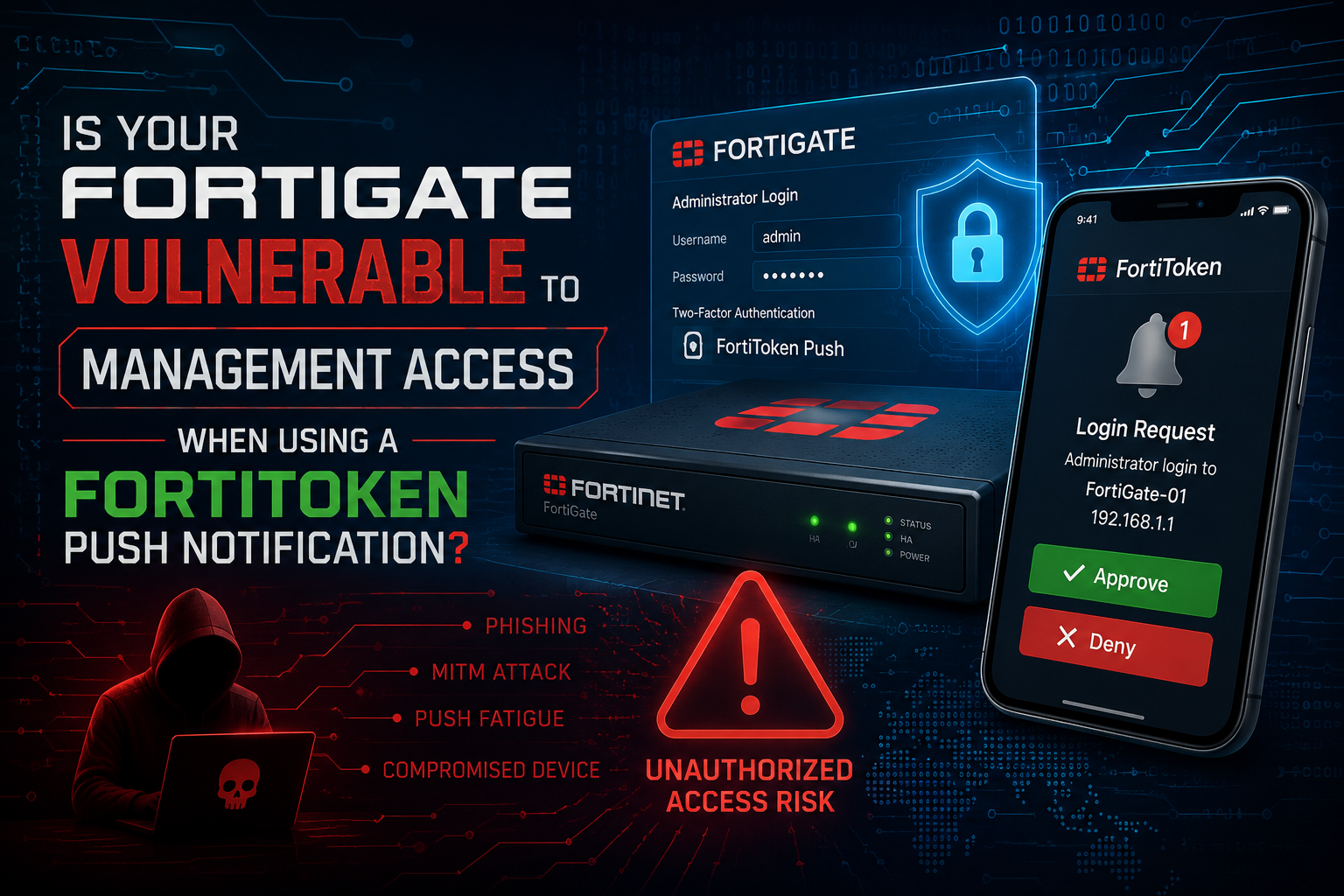
Is your FortiGate vulnerable to Management Access when using a FortiToken Push Notification
Every few months the same question lands in my inbox. A scanner report flags TCP/4433 open on a customer’s WAN interface, someone Googles the port, and the ticket comes to me worded like this:
“Is our FortiGate vulnerable because we have FortiToken push turned on?”
No. Enabling FTM push is not a vulnerability. There is no PSIRT advisory that says ftm-push enabled equals exposed.
But the question is not stupid, and I have stopped rolling my eyes at it, because three completely separate things get blended together every single time it comes up. One of them is a dead CVE from 2020. One of them is a threat report that has nothing to do with FortiToken. And one of them is a real config trap that you should go check on your boxes right now.
Let me pull them apart.
How FTM Push Actually Works
You cannot reason about the exposure until you know the flow. FTM push is bidirectional, and that surprises people who assume it works like every other push notification service.
- A user authenticates against SSL VPN, IKEv2 dial-up, or the admin GUI and reaches the second factor.
- The FortiGate resolves
push.fortinet.comand opens an encrypted connection outbound over TCP/443 to the push proxy. - The proxy relays the notification to APNS for iOS or FCM for Android. The payload carries the recipient, the session, and the FortiGate callback IP and port.
- FortiToken Mobile wakes up on the phone and shows Approve or Deny.
- The user taps. That tap comes back to the FortiGate directly, inbound, to the callback IP on TCP/4433 by default.
Step 5 is the one that matters. The approval does not ride back through Fortinet’s cloud. The phone calls your firewall. That is why the config makes you do this:
config system interface
    edit "wan1"
        set allowaccess ping https ssh ftm
    next
end
You are opening a listener on the internet-facing side of the firewall. That is a legitimate attack surface conversation. It is not a CVE.
| Direction | Source | Destination | Port | Purpose |
|---|---|---|---|---|
| Outbound | FortiGate | push.fortinet.com | TCP/443 | Hand the notification to the push proxy |
| Outbound | Push proxy | APNS / FCM | TCP/443 | Fortinet’s cloud to Apple or Google |
| Inbound | User’s phone | FortiGate callback IP | TCP/4433 | The Approve or Deny tap |
If you have not built this out before, I walked through the full deployment without FortiAuthenticator in a previous post. This one is strictly about whether it is dangerous.
The Port 4433 Red Herring
Here is where the folklore starts. In January 2025 Arctic Wolf published the “Console Chaos” report on a campaign against exposed FortiGate management interfaces. Threat actors were creating rogue admin accounts and standing up their own SSL VPN portals, and they assigned those portals ports including 4433, 59449, and 59450.
That report circulated widely. Now every threat feed and every junior analyst has 4433 tagged as a suspicious port, and FTM push happens to listen on it by default.
Read the report carefully. The initial access was an authentication bypass against a publicly exposed management interface. The attackers picked 4433 because it is a common alternate HTTPS port that blends in, not because FortiToken let them in. FTM push was never the vector.
So the correct read on a scanner finding is this:
- 4433 is open and you configured FTM push. That is your FTM listener doing exactly what you told it to do. Move on.
- 4433 is open and you did not configure FTM push. Stop reading this post. Go audit your admin accounts, your local-in policy, and your config revision history, because something else put that port there.
That distinction is the entire value of understanding the flow. Correlation is not causation, but on a firewall it is worth ten minutes of verification either way.
The One Real Config Trap
This is the part worth your time.
Fortinet documented a behavior where enabling FTM on an interface can expose the admin Web GUI when FTM push and the admin GUI are configured on the same listening port. The two services collide, and you end up publishing something you did not intend to publish.
This bites people because 4433 is also a popular place to move the admin GUI when someone wants HTTPS off 443. Two reasonable decisions, made months apart by different admins, quietly stack into an exposure.
Two commands. Go run them:
show system ftm-push
show system global | grep admin-sport
You are looking for server-port under ftm-push and admin-sport under system global. If they are the same number, fix it before you finish your coffee:
config system ftm-push
    set server-port 4433
end

config system global
    set admin-sport 8443
end
Pick whichever side is easier to move in your environment. The point is that they must not match. This is the only finding in this entire post that is a genuine self-inflicted exposure, and it is not theoretical.
The Historical CVEs
Both real, both fixed, both years behind us. Know them anyway, because this is where the “push is dangerous” myth was born.
| Advisory | What it was | Impact | Fixed in |
|---|---|---|---|
| FG-IR-20-014 | Clear text storage of sensitive information (CWE-312). The Fortinet private keys used to secure communication with APNS and GCM were retrievable from the filesystem. | Local unauthorized party could pull the keys. Keys were subsequently revoked. | FortiOS 6.4.2, 6.2.10, 6.0.14. FortiAuthenticator 6.2.0, 6.1.1, 6.0.5. |
| CVE-2021-44166 | Improper access control (CWE-284) in FortiToken Mobile for Android, external push notification, 5.1.0 and below. | An attacker who already had the user’s password could get through the 2FA step even after the legitimate user pressed Deny. | FortiToken Mobile Android above 5.1.0. Client-side fix. |
FG-IR-20-014 is the origin story. Look at the published workaround:
config system ftm-push
    set status disable
end
Fortinet’s own advisory told people to turn FTM push off. That sentence got screenshotted, pasted into runbooks, and repeated in hardening guides for the next six years with no version context attached. The fix moved everyone to the push proxy architecture and revoked the exposed keys. If you are on a supported FortiOS build, this does not apply to you and has not for a long time.
CVE-2021-44166 is the more interesting one conceptually, because it is the only case where “push was on” genuinely weakened the authentication decision. A Deny that does not deny is a broken security control. It was patched in the app, not the firewall.
The Real Risk Is Push Bombing
Here is what I actually tell customers when they ask if FTM push is safe. The exploitable risk on a current FortiOS build is not a CVE. It is your users.
Push bombing, also called MFA fatigue, is a social engineering attack that starts where password theft ends. The attacker already has valid credentials from a phish, an infostealer log, or credential stuffing, and the only thing between them and your VPN is an Approve button on someone’s phone. So they just keep authenticating. Every attempt fires another push. The user gets ten, thirty, a hundred notifications, often timed for 2 a.m. or during a busy workday when the buzzing is impossible to ignore, and eventually someone taps Approve to make it stop, or taps it reflexively because they assume it is a stuck VPN client, or gets a follow-up call from “IT” explaining that the alerts are a known glitch and they should just accept the next one. That last variant is how Lapsus$ got into Uber in 2022. It has been standard tradecraft ever since.
Now the honest part, and this is the bit that never makes it into vendor decks.
The standard mitigation for push bombing is number matching. CISA recommends it explicitly as the interim control when you cannot deploy phishing-resistant MFA. It works by making approval require reading a number off the login screen and typing it into the app, which turns a reflexive tap into a deliberate act.
FortiToken Mobile push does not do number matching. It is a single-tap Approve or Deny. Fortinet’s own documentation describes it as verifying the login with a single tap, and that is exactly what it is.
That is not a bug and it is not a CVE. It is a design characteristic you need to account for, because it means the mitigation everyone reaches for first is not available to you. You compensate elsewhere.
Compensating Controls That Actually Exist
No fluff. Here is what you can genuinely do on a FortiGate today.
Patch, obviously. Every advisory above is closed on current code. Staying current is doing most of the work for free.
Do not put ftm on interfaces that do not need it. The callback listener belongs on the interface your remote users actually hit. Not on every WAN, not on your OT-facing link, not on the interface you forgot about.
Verify the port collision. Covered above. Two commands.
Use a real certificate. The callback is a TLS listener on the public internet. Give it a legitimate cert rather than the built-in self-signed one:
config system ftm-push
    set status enable
    set server "vpn.example.com"
    set server-cert "wildcard-example-com"
    set server-port 4433
end
Point server at a name that resolves to the FortiGate’s public IP. Using an FQDN instead of a hardcoded IP saves you a config change the next time the ISP renumbers you.
Consider a local-in policy, and be realistic about it. You can put a local-in policy in front of the FTM listener, but understand the tradeoff before you do. The callback source is your user’s phone, which may be on cellular, on hotel Wi-Fi, or in an airport in another country. Source restriction is fragile here in a way it is not for management access.
config firewall service custom
    edit "FTM-PUSH-4433"
        set tcp-portrange 4433
    next
end

config firewall local-in-policy
    edit 1
        set intf "wan1"
        set srcaddr "GEO-US" "GEO-CA"
        set dstaddr "wan1-public-ip"
        set service "FTM-PUSH-4433"
        set schedule "always"
        set action accept
    next
    edit 2
        set intf "wan1"
        set srcaddr "all"
        set dstaddr "wan1-public-ip"
        set service "FTM-PUSH-4433"
        set schedule "always"
        set action deny
    next
end
Remember that local-in policy is default-allow, so the explicit deny in policy 2 is doing the actual work. If your user population genuinely never leaves the country, this is a reasonable narrowing. If you have travelers, you have just built yourself a help desk ticket generator. Make that call deliberately rather than pasting it in because a hardening guide said so.
Alert on repeated denies. This is the highest-value control on the list and almost nobody does it. A user pressing Deny is not noise. It is a user telling you that someone else has their password. One deny is a fat finger. Five denies in ten minutes is an incident. Get FortiAnalyzer or your SIEM watching the two-factor failure events on your VPN authentication logs and page someone.
Go phishing-resistant where you can. FIDO2 and certificate-based auth remove the push entirely. There is nothing to bomb when there is no Approve button. This is not always practical for a whole user base, but it should absolutely be the answer for your admins and your Tier 0 accounts.
Verification
When you want to prove the flow is working rather than guess, the auth daemon is where you look:
diagnose debug reset
diagnose debug application fnbamd -1
diagnose debug enable
Trigger a login, watch the token handling, then turn it off:
diagnose debug disable
diagnose debug reset
Two gotchas worth knowing while you are in here, because they generate support tickets that look like security problems and are not:
- IKEv1 does not support FTM push at all. If push is enabled globally, FortiToken users cannot log into an IKEv1 dial-up VPN. Push support for IPsec arrived with IKEv2 in FortiOS 7.2.8, 7.4.4, and 7.6.0.
- iOS IPsec dial-up will not receive the push. The workaround is concatenating the token onto the password field, so
p@ssw0rdplus token345678gets typed asp@ssw0rd345678.
Bottom Line
FTM push is not a vulnerability. It is a listener, and listeners deserve scrutiny, but scrutiny is not the same thing as a finding.
The 2020 advisory that told you to disable it was closed in FortiOS 6.4.2. The 4433 threat reports are about a management interface bypass that had nothing to do with FortiToken. The only real exposure in the whole conversation is a port collision with your admin GUI, and it takes two commands to rule out.
What should actually keep you up is that your MFA prompt is a single tap with no number matching, and there is a well-documented playbook for getting users to press it. Patch the box, then go build the alerting on repeated denies. That is where the risk lives.
Recent posts
-

-

DNS is one of those technologies that quietly underpins... Full Story
-

BGP issues on FortiGate firewalls usually trace back to... Full Story
-

Every time your laptop talks to your router, a... Full Story
-

If you've spent any time configuring NAT on a... Full Story
-

If you have spent any time configuring firewall policies... Full Story
-

High availability on FortiGate is one of those features... Full Story
-

If you've configured SD-WAN on a FortiGate, you've almost... Full Story
-

FortiLink is the management protocol that turns a FortiSwitch... Full Story
-

FortiSwitches are pretty rock solid from Mean Time Between... Full Story
-

This is a quicky tip. Have you ever gone... Full Story
-

DNS is one of those quiet pieces of internet... Full Story
-

This article is an updated version of the previous... Full Story
-

You will add ns2 as a secondary (slave) BIND9... Full Story
-

In the process of deploying my lab, I needed... Full Story
-

RFC 8805, used to be known as Self-Correcting IP... Full Story
-

Years back, I wrote an article about certificate pinning. ... Full Story
-

FortiGates have the ability to send alerts to Microsoft... Full Story
-

In this post, I am going to walk through... Full Story
-

Troubleshooting VoIP on a FortiGate can feel like trying... Full Story
-

Prior to FortiOS 7.0, there were three commands to... Full Story
-

In this post, I am going to go over... Full Story
-

What we are going to do: We are going... Full Story
-

Choosing between FGCP (FortiGate Clustering Protocol) and FGSP (FortiGate... Full Story
-

Creating a VLAN on macOS (The "Pro" Move) A... Full Story
-

This blog post explores the logic behind how macOS... Full Story
-

Pretty Fly for a Wi-Fi Tell My Wi-Fi Love... Full Story
-

Part of my daily gig is creating BoMs (Bill-of-Materials)... Full Story
-

ICMP introduces several security risks, but careful filtering, rate... Full Story
-

The command diag debug application dhcps -1 enables full... Full Story
-

In the world of FortiOS, execute tac report is... Full Story
-

LLDP; What is it The Link Layer Discovery Protocol... Full Story
-

What it actually does When you run diagnose fdsm... Full Story
-

Monkey Bites are bite-sized, high-impact security insights designed for... Full Story
-

I have run macOS in macOS with Parallels but... Full Story
-

Don't be confused with my other FortiNAC posts where... Full Story
-

This is the third session in a multi-part article... Full Story
-

Today I was configuring key-based authentication on a FortiGate... Full Story
-

Netcat, often called the "Swiss Army knife" of networking,... Full Story
-

At its core, IEEE 802.1X is a network layer... Full Story
-

In case you did not see the previous FortiNAC... Full Story
-

This is our 5th session where we are going... Full Story
-

Now that we have Wireshark installed and somewhat configured,... Full Story
-

The Philosophy of Packet Analysis Troubleshooting isn't about looking... Full Story
-

Executive Summary Objective: Get you from zero to writing... Full Story
-

NAND cells, the flash translation layer, SLC caching, TRIM,... Full Story
-

Nmap Scripting Engine (NSE): From One-Liners to Your First... Full Story