
If you've spent any time configuring user authentication on... Full Story
By Manny Fernandez
July 27, 2026
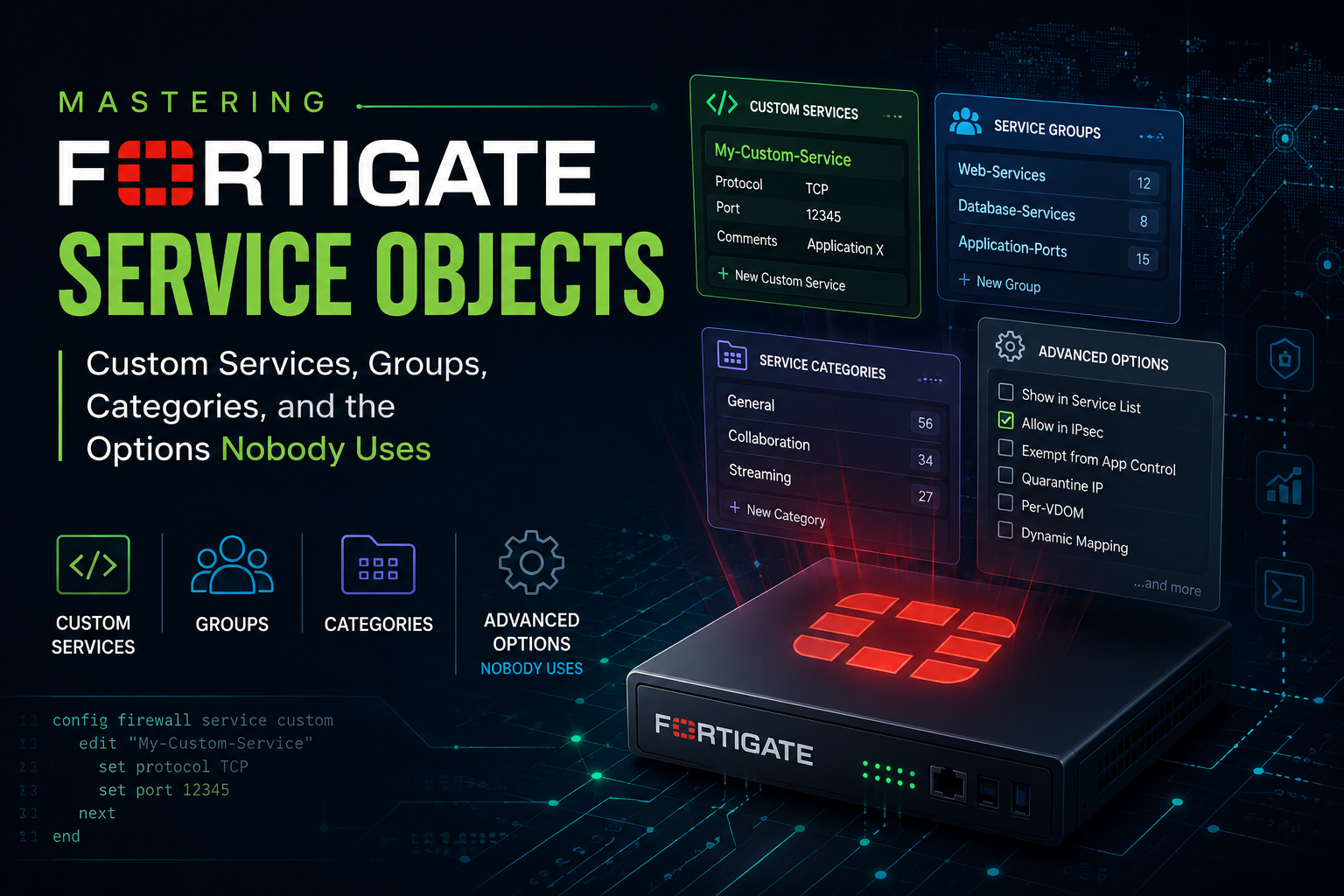
Mastering FortiGate Service Objects: Custom Services, Groups, Categories, and the Options Nobody Uses
1. Executive Summary
Objective
This guide takes the FortiGate service object from the five fields everyone knows to the full option set that FortiOS actually exposes, including source port constraints, destination scoping by IP range or FQDN, per service session TTL and TCP/UDP timers, RST range validation, session helper overrides, application aware services, and explicit proxy services. By the end you will be able to build service objects that enforce far more than a destination port, and you will know exactly which of those options quietly break traffic when misapplied.
Target Audience
Network Security Engineers, Firewall Administrators, NOC and SOC engineers who own FortiGate policy, and Solutions Architects who write firewall standards. Also relevant to anyone migrating from a legacy vendor where port objects and address objects were separate concepts and now need to map that model cleanly onto FortiOS.
2. Prerequisites and Architecture
Assumed Knowledge
- Comfort with the FortiOS CLI:
config,edit,set,next,end, and the difference betweenshowandshow full-configuration. - Understanding of the FortiGate policy model: interface pair, source address, destination address, schedule, service, action, and the implicit deny at the bottom of the list.
- Working knowledge of the FortiGate packet flow, specifically that destination NAT is applied before policy lookup, and that the session table is the source of truth for what the firewall actually decided.
- TCP and UDP fundamentals: three way handshake, FIN and RST semantics, ephemeral source port behavior, and ICMP type and code pairs.
- Basic familiarity with
diagnose sys session listanddiagnose debug flow.
Environment and Lab Requirements
| Requirement | Detail |
|---|---|
| Platform | FortiGate hardware or FortiGate-VM |
| FortiOS version | 7.4.x or 7.6.x. Options noted as version sensitive are called out inline. Most of this applies back to 6.4. |
| Licensing | Base FortiOS for everything except application aware services, which require an active FortiGuard Application Control subscription |
| Access | Super admin, or an admin profile with read and write on Firewall Objects and Firewall Policy |
| Lab environment | EVE-NG, GNS3, Proxmox, VMware ESXi, or a physical unit. Two client endpoints and two server endpoints are enough to exercise every option here. |
| Backup | Take a config backup before you begin. Several options in this guide can blackhole production traffic instantly. |
| Optional | A second FortiGate joined to the same Security Fabric, to demonstrate fabric object synchronization |
Component Table
| Component | Role | Interface | Address or FQDN |
|---|---|---|---|
| FGT-EDGE-01 | FortiGate NGFW under configuration, Security Fabric root | mgmt | 10.0.255.10 |
| FGT-BRANCH-01 | Downstream Security Fabric member | mgmt | 10.0.255.20 |
| WAN uplink | Internet edge | port1 | 198.18.10.1/24 |
| DMZ segment | Published applications | port2 | 10.0.20.1/24 |
| Core server segment | Internal server VLAN | port3 | 10.0.40.1/24 |
| User segment | Corporate clients and admin jump host | port4 | 10.0.30.1/24 |
| WEB-01 | Published web application, listener on TCP 8443 | port2 | 10.0.20.50 |
| VIP-WEB-01 | Public entry point for WEB-01, external TCP 443 to mapped TCP 8443 | port1 | 198.18.10.50 |
| SYSLOG-01 / SYSLOG-02 | Syslog collectors, UDP 514 | port3 | 10.0.40.10 and 10.0.40.11 |
| ORA-DB-01 | Oracle TNS listener, TCP 1521 | port3 | 10.0.40.60 |
| SIP-PBX-01 | IP PBX, SIP signaling on UDP and TCP 5060 | port3 | 10.0.40.70 |
| JUMP-01 | Administrative jump host | port4 | 10.0.30.25 |
| Partner SaaS endpoint | External API consumed by internal apps | n/a | api.<your_domain> |
3. Step by Step Implementation Workflow
Phase 0: The Object Model
Goal: Understand what a FortiOS service object actually is before you start building them.
FortiOS has exactly three tables in the service world, and they are not peers:
| Table | CLI path | What it holds |
|---|---|---|
| Service Category | config firewall service category |
A label used to group services in the GUI. Purely organizational. No matching logic. |
| Custom Service | config firewall service custom |
The actual match object. Every predefined service such as HTTP, DNS, and PING is an entry in this table, not a separate read only table. |
| Service Group | config firewall service group |
An ordered list of custom service members evaluated as a logical OR. |
Two facts that surprise people:
- The roughly ninety predefined services shipped with FortiOS live in
config firewall service custom. They are editable. You can changeHTTPSto include TCP 8443 and every policy referencingHTTPSinherits it immediately. This is powerful and dangerous in equal measure. - A service object is not limited to protocol and port. It can carry a destination IP constraint, a source port constraint, timer overrides, a session helper binding, and an application identity. Most of the FortiOS service surface area is invisible in the GUI.
Action: Confirm your starting state and get a feel for the table size.
# List every service object name currently defined
show firewall service custom | grep "edit "

# Inspect a single predefined service with every field exposed
show full-configuration firewall service custom HTTPS

# List categories
show firewall service category

# List groups
show firewall service group
GUI Verification: Navigate to Policy & Objects > Services. The list is grouped by category. Use the By Category and By Sequence toggles at the top right to change the view. The Ref. column shows how many policies reference each object.
Phase 1: Service Categories
Goal: Create a category so that operational service objects are visually separated from the predefined FortiOS catalog.
Categories carry no matching logic whatsoever. Their entire job is to make a table with two hundred entries navigable, and to give an auditor an obvious grouping. FortiOS ships with a default set that typically includes General, Web Access, File Access, Email, Network Services, Authentication, Remote Access, Tunneling, VoIP, Messaging and Other Applications, Web Proxy, and Uncategorized. Verify the exact list on your build, because it has shifted between major versions.
Action: Create two categories that reflect ownership rather than protocol family.
config firewall service category
    edit "CORP-Standard"
        set comment "Approved service objects, change controlled"
        set fabric-object enable
    next
    edit "CORP-Exception"
        set comment "Time bound exceptions, reviewed quarterly"
    next
end
The non-common part
set fabric-object enable on a category promotes it to a Security Fabric object. On the fabric root, that means the category is pushed down to member FortiGates and appears there as a read only object with a fabric badge. This is how you keep object taxonomy consistent across a fabric without FortiManager.
GUI Verification: Policy & Objects > Services, then Create New > Service Category. Once created, categories become selectable in the Category dropdown of every service object.
Phase 2: Standard Layer 4 Services and Multi Range Ports
Goal: Build a TCP/UDP/SCTP service correctly, including the multi range syntax that removes the need for three separate objects.
Action: Create a service covering a non contiguous set of ports.
config firewall service custom
    edit "SVC-WEBAPP-ALT-PORTS"
        set category "CORP-Standard"
        set protocol TCP/UDP/SCTP
        set tcp-portrange 8080 8443 9000-9100
        set comment "Alternate HTTP and HTTPS listeners plus app node range"
        set color 6
    next
end
Key syntax points:
TCP/UDP/SCTPis a single protocol keyword, not three. You then populatetcp-portrange,udp-portrange, andsctp-portrangeindependently within the same object. An object can carry all three at once.- Port entries are space separated. Ranges use a hyphen. A single port is written bare.
- Setting
udp-portrangeon the same object is entirely valid and creates one object matching both transports. set color <1-32>sets the GUI icon color. Cosmetic, but a color coded policy list is genuinely faster to audit at 2am.
config firewall service custom
    edit "SVC-CUSTOM-DNS"
        set protocol TCP/UDP/SCTP
        set tcp-portrange 5353
        set udp-portrange 5353
    next
end
GUI Verification: Policy & Objects > Services > Create New > Service. Set Type to TCP/UDP/SCTP, then add Destination Port rows. The GUI exposes a Source Port column only after you expand a port row on recent builds. That column is the subject of the next phase.
Phase 3: Source Port Constraints
Goal: Constrain the source port as well as the destination port, and understand why this is the single most common way to break a policy.
FortiOS port range syntax is:
set tcp-portrange <dst-low>-<dst-high>:<src-low>-<src-high>Everything to the left of the colon is destination. Everything to the right is source. Omit the colon and the source is unconstrained, which is what you want in almost every case.
Action: Build a service that only matches syslog originating from a privileged source port.
config firewall service custom
    edit "SVC-SYSLOG-PRIVSRC"
        set category "CORP-Standard"
        set protocol TCP/UDP/SCTP
        set udp-portrange 514:1-1023
        set comment "Syslog from privileged source ports only"
    next
end
Legitimate uses for source port constraints are narrow but real:
- Protocols where the source port is genuinely fixed by specification or by a hardened appliance, for example some OT and SCADA implementations, or a NetFlow exporter pinned to a static source port.
- NTP client to server on UDP 123 to 123 where you want to exclude clients using ephemeral source ports.
- Legacy DNS zone transfers or rsh style protocols with reserved source port behavior.
To constrain source while leaving the destination wide open, you still must supply the destination side:
config firewall service custom
    edit "SVC-ANYDST-SRC5000"
        set protocol TCP/UDP/SCTP
        set tcp-portrange 1-65535:5000-5000
    next
end
Critical warning
Ordinary client traffic uses a random ephemeral source port, typically 32768 to 60999 on Linux and 49152 to 65535 on Windows. Any service object carrying a source port constraint will silently fail to match normal client sessions, the policy will be skipped, and the traffic will fall through to the implicit deny. This is covered again in Section 5 because it accounts for a disproportionate share of real world tickets.
GUI Verification: Policy & Objects > Services, edit the object, and confirm the Source Port column shows the range you configured. If the column is not visible, the object has no source constraint.
Phase 4: ICMP, ICMPv6, and Raw IP Protocol Services
Goal: Build services for traffic that has no concept of a port.
Action: Create granular ICMP services rather than allowing the blanket ALL_ICMP.
config firewall service custom
    edit "SVC-ICMP-ECHO-REQ"
        set category "CORP-Standard"
        set protocol ICMP
        set icmptype 8
        set icmpcode 0
        set comment "Echo request only, no other ICMP types"
    next
    edit "SVC-ICMP-UNREACH-FRAGNEEDED"
        set protocol ICMP
        set icmptype 3
        set icmpcode 4
        set comment "Fragmentation needed, required for PMTUD"
    next
    edit "SVC-ICMP6-NDP-NS"
        set protocol ICMP6
        set icmptype 135
        set comment "IPv6 Neighbor Solicitation"
    next
end- If
icmptypeis left unset, the service matches every ICMP type. Ificmptypeis set buticmpcodeis not, it matches every code within that type. - Blocking ICMP type 3 code 4 is a classic cause of Path MTU Discovery blackholes. If you are locking ICMP down, permit this one explicitly.
For protocols identified only by IP protocol number, use protocol IP:
config firewall service custom
    edit "SVC-GRE"
        set protocol IP
        set protocol-number 47
    next
    edit "SVC-ESP"
        set protocol IP
        set protocol-number 50
    next
    edit "SVC-OSPF"
        set protocol IP
        set protocol-number 89
    next
    edit "SVC-VRRP"
        set protocol IP
        set protocol-number 112
    next
end
The built in ALL service is simply protocol IP with protocol-number 0, which FortiOS interprets as any protocol. Inspect it to confirm:
show full-configuration firewall service custom ALLGUI Verification: Policy & Objects > Services > Create New > Service, set Type to ICMP, ICMPv6, or IP. The Type dropdown swaps the visible fields to Type and Code, or to Protocol Number.
Phase 5: Scoping a Service to a Destination IP Range or FQDN
Goal: Embed a destination address constraint inside the service object itself.
This is one of the least used capabilities in FortiOS. The iprange and fqdn fields add a destination IP condition to the service, which is ANDed with the policy destination address. The practical value is that you can define a single reusable object meaning “syslog, but only to the sanctioned collectors” and reuse it across dozens of policies without maintaining a parallel address group in every one.
Action: Create an IP scoped service.
config firewall service custom
    edit "SVC-SYSLOG-TO-COLLECTORS"
        set category "CORP-Standard"
        set protocol TCP/UDP/SCTP
        set iprange 10.0.40.10-10.0.40.11
        set udp-portrange 514
        set comment "UDP 514 permitted only toward sanctioned collectors"
    next
end
Action: Create an FQDN scoped service for a partner API whose address changes.
config firewall service custom
    edit "SVC-PARTNER-API"
        set category "CORP-Standard"
        set protocol TCP/UDP/SCTP
        set fqdn "api.<your_domain>"
        set tcp-portrange 443
        set comment "TLS to the partner API endpoint only"
    next
end
Behavior and constraints:
iprangeaccepts a single address, a hyphenated range, or a subnet in the forms FortiOS accepts for that field. It does not accept a firewall address object name.iprangeandfqdnare mutually exclusive. Setting one clears the other.- The constraint applies to the destination only. There is no source equivalent in the service object.
- FQDN resolution uses the FortiGate’s own DNS configuration under
config system dns. If resolution fails, the service matches nothing and the policy is skipped. Treat FortiGate DNS as a hard dependency for any policy using an FQDN scoped service. - For inbound flows traversing a VIP, the destination address the service sees is the post DNAT address, because destination NAT precedes policy lookup. Scope to the mapped internal address, not the public one.
GUI Verification: Policy & Objects > Services, edit a TCP/UDP/SCTP service. The IP/FQDN field sits directly under the Type selector. Entering a value there writes iprange or fqdn depending on whether the input parses as an address.
Phase 6: Per Service Session TTL and Protocol Timers
Goal: Override how long the FortiGate holds a session for a specific service, without touching global timers.
This is the correct place to solve the classic “my database connection drops after an hour of idle” complaint. The alternative, raising the global session TTL, inflates the session table for every flow on the box and is a memory and conserve mode risk.
Action: Give the Oracle listener a long idle timeout while leaving everything else alone.
config firewall service custom
    edit "SVC-ORACLE-TNS-LONGLIVED"
        set category "CORP-Standard"
        set protocol TCP/UDP/SCTP
        set tcp-portrange 1521
        set session-ttl 43200
        set comment "12 hour idle tolerance for Oracle TNS sessions"
    next
end
set session-ttl 0 means inherit rather than override. The platform enforces a minimum, typically 300 seconds, so values below that are rejected.
The order of precedence for session TTL, most specific first:
set session-ttlon the matchingconfig firewall policyentryset session-ttlon the matching service object- A matching port entry under
config system session-ttl - The global default under
config system session-ttl(set default)
Action: Tune the TCP and UDP state timers for a single service.
config firewall service custom
    edit "SVC-CHATTY-UDP-APP"
        set protocol TCP/UDP/SCTP
        set udp-portrange 9999
        set udp-idle-timer 30
    next
    edit "SVC-TCP-FASTCLEANUP"
        set protocol TCP/UDP/SCTP
        set tcp-portrange 7777
        set tcp-halfopen-timer 5
        set tcp-halfclose-timer 15
        set tcp-timewait-timer 1
        set tcp-rst-timer 3
    next
end| Field | What it governs | Global equivalent |
|---|---|---|
tcp-halfopen-timer |
How long a session survives after SYN with no SYN-ACK | config system global > set tcp-halfopen-timer |
tcp-halfclose-timer |
How long a session survives after the first FIN | config system global > set tcp-halfclose-timer |
tcp-timewait-timer |
How long the session lingers after the close completes | config system global > set tcp-timewait-timer |
tcp-rst-timer |
How long the session lingers after a RST | config system global > set tcp-rst-timer |
udp-idle-timer |
Idle timeout for UDP pseudo sessions | config system global > set udp-idle-timer |
session-ttl |
Overall idle timeout for the session | config system session-ttl |
In every case, a value of 0 on the service means do not override, use the global value. Lowering tcp-halfopen-timer on an exposed service is a cheap and effective SYN flood mitigation that costs nothing and does not require a DoS policy.
GUI Verification: Session TTL is exposed in the GUI service editor as Session TTL under the advanced area on recent builds. The four TCP timers and udp-idle-timer are CLI only.
Phase 7: RST and ICMP Error Validation with check-reset-range
Goal: Harden a specific service against blind TCP reset injection and forged ICMP error messages.
Fortinet documents check-reset-range as ICMP error message verification with strict RST range checking. Operationally, strict makes the FortiGate validate that the sequence number carried in a TCP RST falls inside the expected window before it tears down the session, and validate the embedded headers inside ICMP error messages against the existing session before acting on them. Without it, an attacker who can guess or observe the four tuple can knock down long lived sessions with a forged RST.
Action: Apply strict checking to a long lived BGP or database service.
config firewall service custom
    edit "SVC-BGP-HARDENED"
        set category "CORP-Standard"
        set protocol TCP/UDP/SCTP
        set tcp-portrange 179
        set check-reset-range strict
        set session-ttl 86400
        set comment "Strict RST validation for eBGP peering sessions"
    next
end| Value | Behavior |
|---|---|
default |
Inherit the global setting from config system global > set check-reset-range |
strict |
Validate RST sequence numbers and ICMP error payloads against the session table |
disable |
No validation for this service, regardless of the global setting |
Trade offs to weigh before you roll this out broadly:
- Strict checking costs CPU cycles per packet on the affected sessions.
- Asymmetric routing, where the FortiGate only sees one direction of a flow, will produce sequence numbers the firewall considers out of window. Strict mode plus asymmetry equals dropped legitimate resets and lingering dead sessions.
- Some poorly behaved embedded TCP stacks emit resets with sequence numbers that fail validation. Test before deploying to OT segments.
GUI Verification: CLI only. There is no GUI representation of check-reset-range at the service level.
Phase 8: Overriding the Session Helper Per Service
Goal: Turn a session helper on or off for one specific flow without altering the global session helper table.
FortiOS maintains a global port to helper map in config system session-helper. Helpers such as ftp, sip, tftp, pptp, rsh, dns-udp, dcerpc, and rtsp perform application layer fixups and open pinholes for dynamically negotiated ports. When a helper misbehaves, the instinctive fix is to delete the global entry, which affects every flow on the appliance. The surgical fix is to override the helper on a service object.
Action: Inspect the global helper table first.
show system session-helperAction: Disable the SIP helper for one segment’s signaling traffic, typically because a VoIP profile is doing the work and the helper is double processing the messages.
config firewall service custom
    edit "SVC-SIP-NOHELPER"
        set category "CORP-Exception"
        set protocol TCP/UDP/SCTP
        set udp-portrange 5060
        set tcp-portrange 5060
        set helper disable
        set comment "SIP ALG handled by VoIP profile, kernel helper suppressed"
    next
end
Action: Force a helper onto a non standard port.
config firewall service custom
    edit "SVC-FTP-ALTPORT"
        set protocol TCP/UDP/SCTP
        set tcp-portrange 2121
        set helper ftp
        set comment "FTP control channel on 2121, helper forced for data channel pinholing"
    next
end
Available helper values include auto, disable, ftp, tftp, ras, h323, tns, mms, sip, pptp, rtsp, dns-udp, dns-tcp, pmap, rsh, dcerpc, mgcp, and the GTP variants gtp-c, gtp-u, and gtp-b on carrier capable builds. auto is the default and means consult the global session-helper table by port.
GUI Verification: CLI only. Neither the helper override nor the global session helper table is exposed in the GUI.
Phase 9: Application Aware Services
Goal: Build a service object that matches on application identity rather than on a port number.
app-service-type converts a service object from a Layer 4 matcher into a Layer 7 matcher backed by the FortiGuard Application Control database. This is the mechanism behind NGFW policy based mode, where you write policies that say “allow SSH” and mean the protocol, not TCP 22.
Action: Look up the application ID you need.
config application name
    edit "SSH"
        get
    next
end
The id field in the output is the value you feed to set application.
Action: Build an application ID service, then an application category service.
config firewall service custom
    edit "SVC-APP-SSH-ANYPORT"
        set category "CORP-Standard"
        set app-service-type app-id
        set application <app_id>
        set comment "Matches SSH by signature regardless of destination port"
    next
    edit "SVC-APP-CAT-P2P"
        set app-service-type app-category
        set app-category <category_id>
        set comment "Matches an entire application category"
    next
end
Behavior notes that matter in production:
- Once
app-service-typeis set toapp-idorapp-category, the Layer 4 port fields on the object are not used for matching. The object matches purely on application identity. - Application identification requires the flow to progress far enough for the IPS engine to fingerprint it. The first packets of a session cannot be identified, so FortiOS performs the initial policy lookup without an application verdict and re-evaluates once identification completes. Expect a short window where the session is treated as unknown.
- This requires an active FortiGuard Application Control subscription. Without a current database, the object will not match anything useful. Verify with
diagnose autoupdate versions. - Encrypted traffic without deep inspection limits what can be identified. An application aware service behind an SSL inspection profile set to certificate inspection only will identify considerably less than one behind deep inspection.
GUI Verification: In Policy & Objects > Services, set the service Type to Application and select applications or categories from the picker. If the Type dropdown does not offer Application, check that Application Control is enabled under System > Feature Visibility.
Phase 10: Proxy Services for Explicit Proxy Policies
Goal: Create services usable in explicit proxy policies, and understand why they are invisible everywhere else.
Action: Create a proxy service.
config firewall service custom
    edit "SVC-PROXY-HTTP-ALT"
        set proxy enable
        set protocol HTTP
        set tcp-portrange 8080
        set comment "Explicit proxy HTTP on an alternate listener"
    next
    edit "SVC-PROXY-CONNECT-ALL"
        set proxy enable
        set protocol CONNECT
        set tcp-portrange 1-65535
        set comment "CONNECT tunneling, any destination port"
    next
end
When proxy is enabled, the protocol field switches to a completely different value set: ALL, CONNECT, FTP, HTTP, SOCKS-TCP, and SOCKS-UDP. These reflect the explicit proxy’s protocol handlers rather than IP transports.
The gotcha to internalize
Proxy services and non proxy services occupy the same table but are filtered by policy type. A service with set proxy enable appears in config firewall proxy-policy and nowhere else. A service with set proxy disable, the default, appears in config firewall policy, config firewall security-policy, config firewall shaping-policy, and config firewall local-in-policy, but never in a proxy policy. Flipping proxy on an object already referenced by the wrong policy type is rejected with a reference error.
GUI Verification: The GUI service list only shows proxy services when explicit proxy is enabled under System > Feature Visibility > Explicit Proxy. In the service editor the setting appears as a Proxy toggle at the top of the form. If a service you know exists is missing from a policy’s service picker, this toggle is the first thing to check.
Phase 11: Service Groups
Goal: Bundle services into a single policy reference.
Action: Build an operational group.
config firewall service group
    edit "SG-DC-MANAGEMENT"
        set member "SSH" "HTTPS" "SVC-WEBAPP-ALT-PORTS" "SVC-ICMP-ECHO-REQ"
        set comment "Jump host to data centre management plane"
        set color 7
        set fabric-object enable
    next
    edit "SG-MONITORING-EGRESS"
        set member "SNMP" "SVC-SYSLOG-TO-COLLECTORS" "NTP"
        set comment "Monitoring and telemetry egress"
    next
end
Rules and constraints, several of which are not documented in an obvious place:
- Groups cannot be nested. A service group may not contain another service group. Address groups permit nesting. Service groups do not. Attempting it is rejected at commit time.
- Proxy and non proxy members cannot be mixed. A group is either a proxy group or a standard group, determined by its members. The group’s own
proxyflag follows. - A group cannot be empty. At least one member is required.
- Members are evaluated as a logical OR. A packet matching any single member matches the group.
- The group inherits nothing from its members. Timers, helpers, and destination scoping remain properties of each individual member and apply only when that member is the one that matched.
- A service that is a member of a group cannot be deleted until it is removed from the group.
GUI Verification: Policy & Objects > Services > Create New > Service Group. The member picker will not offer service groups, which is the visual confirmation that nesting is unsupported.
Phase 12: Visibility, Color, and Fabric Object Flags
Goal: Control which objects clutter the GUI and which propagate across the Security Fabric.
Action: Hide a rarely used predefined service from GUI pickers while keeping it functional.
config firewall service custom
    edit "GOPHER"
        set visibility disable
    next
end
The object still exists, still matches, and any policy already referencing it continues to work. It simply stops appearing in GUI dropdowns. This is the cleanest way to trim the predefined catalog down to what your organization actually uses without deleting objects and losing the ability to restore them.
Action: Promote objects to the Security Fabric.
config firewall service custom
    edit "SVC-SYSLOG-TO-COLLECTORS"
        set fabric-object enable
    next
end

config firewall service group
    edit "SG-MONITORING-EGRESS"
        set fabric-object enable
    next
end
On the fabric root, fabric-object enable synchronizes the object to downstream fabric members, where it appears as read only with a fabric badge. This requires the Security Fabric to be established and object synchronization to be permitted under config system csf. Verify the fabric state before relying on it:
get system csf status
diagnose sys csf global
GUI Verification: Fabric objects display a small fabric icon next to the object name in Policy & Objects > Services. On downstream members the Edit button is replaced with a read only view.
Phase 13: Binding Services to Policy
Goal: Apply the objects and confirm they are actually referenced.
Action: Reference the group in a standard firewall policy.
config firewall policy
    edit 0
        set name "JUMPHOST-TO-DC-MGMT"
        set srcintf "port4"
        set dstintf "port3"
        set srcaddr "H-JUMP-01"
        set dstaddr "N-DC-CORE"
        set action accept
        set schedule "always"
        set service "SG-DC-MANAGEMENT"
        set logtraffic all
    next
end
Action: Reference the proxy service in a proxy policy.
config firewall proxy-policy
    edit 0
        set name "EXPLICIT-PROXY-ALT-PORT"
        set proxy explicit-web
        set dstintf "port1"
        set srcaddr "N-CORP-USERS"
        set dstaddr "all"
        set service "SVC-PROXY-HTTP-ALT"
        set action accept
        set schedule "always"
    next
end
Action: Reference an IP scoped service in a policy that would otherwise be too broad.
config firewall policy
    edit 0
        set name "SERVERS-TO-SYSLOG"
        set srcintf "port3"
        set dstintf "port3"
        set srcaddr "N-DC-CORE"
        set dstaddr "all"
        set action accept
        set schedule "always"
        set service "SVC-SYSLOG-TO-COLLECTORS"
        set logtraffic all
        set comments "Destination scoping is enforced by the service object"
    next
end
Why this pattern matters
The policy destination is all, but the service object restricts the effective destination to 10.0.40.10 and 10.0.40.11. This lets you maintain the sanctioned collector list in exactly one place instead of in every policy that touches logging.
4. Verification and Validation
4.1 Confirm the Object Was Written As Intended
show suppresses default values. show full-configuration does not. Always verify with the latter when working with the options in this guide, because a rejected or silently normalized value is invisible under plain show.
show full-configuration firewall service custom SVC-SYSLOG-TO-COLLECTORS
show full-configuration firewall service custom SVC-ORACLE-TNS-LONGLIVED
show firewall service group SG-DC-MANAGEMENT
Success looks like: every field you set appears with your value, and iprange, session-ttl, helper, and check-reset-range are not sitting at their defaults.
4.2 Confirm Policy Reference and Match
Find every policy referencing an object:
diagnose sys checkused firewall.service.custom.name SVC-SYSLOG-TO-COLLECTORS
diagnose sys checkused firewall.service.group.name SG-DC-MANAGEMENT
Success looks like: a list of entry used by table firewall.policy:policyid lines. An empty result means the object is orphaned.
Run a synthetic policy lookup without generating traffic:
diagnose firewall iprope lookup 10.0.40.60 33000 10.0.40.10 514 17 port3The argument order is source address, source port, destination address, destination port, IP protocol number, and ingress interface. Protocol 6 is TCP and 17 is UDP.
Success looks like: the output names the policy ID you expect. If it names a different policy, or reports the implicit deny, your service object is not matching.
4.3 Validate Timers, Helpers, and State in the Session Table
diagnose sys session filter clear
diagnose sys session filter dport 1521
diagnose sys session filter proto 6
diagnose sys session list| Field | What to check |
|---|---|
timeout= |
Should reflect the service session-ttl, counting down from your configured value |
proto_state= |
The TCP state machine position, useful when validating half open and half close timers |
helper= |
Present only when a session helper is attached. Absent after set helper disable. |
policy_id= |
Confirms which policy actually matched |
npu_state= and no_ofld_reason= |
Reveals whether the session was pushed off hardware offload |
Success looks like: for the Oracle service, timeout=43200 on a freshly established session rather than the global default of 3600.
4.4 Validate FQDN Resolution for FQDN Scoped Services
get system dns
execute ping api.<your_domain>
diagnose firewall fqdn list
Success looks like: the FortiGate resolving the name to one or more addresses. If resolution fails, an FQDN scoped service matches nothing and the policy is skipped without any obvious error.
4.5 Live Trace with Debug Flow
diagnose debug reset
diagnose debug flow filter clear
diagnose debug flow filter addr 10.0.40.10
diagnose debug flow filter port 514
diagnose debug flow filter proto 17
diagnose debug flow show function-name enable
diagnose debug flow show iprope enable
diagnose debug console timestamp enable
diagnose debug flow trace start 20
diagnose debug enable
Stop cleanly when you are finished:
diagnose debug flow trace stop
diagnose debug disable
diagnose debug flow filter clear
diagnose debug reset
Success looks like: a trace containing Allowed by Policy-<id>. A trace containing Denied by forward policy check (policy 0) means nothing matched and the implicit deny fired.
4.6 Validate Fabric Object Propagation
On the downstream member:
show firewall service custom SVC-SYSLOG-TO-COLLECTORS
get system csf status
Success looks like: the object present on the member, and the GUI showing it as read only with a fabric badge.
5. Troubleshooting and Gotchas
Gotcha 1: A Source Port Constraint Silently Kills the Policy
Symptom
A newly built policy never matches. Traffic falls through to the implicit deny. The service object looks correct at a glance because the destination port is right.
Cause
The object carries a source port range. Client operating systems select a random ephemeral source port for every outbound connection, so the source condition almost never satisfies. This is especially common when a service was cloned from a template, or when a config was migrated from another vendor where the source port field meant something different.
Diagnosis
show full-configuration firewall service custom <service_name> | grep portrangeAnything containing a colon has a source constraint. Then confirm the match failure:
diagnose debug flow filter clear
diagnose debug flow filter addr <client_ip>
diagnose debug flow show function-name enable
diagnose debug flow trace start 10
diagnose debug enable
A trace showing the packet arriving and then Denied by forward policy check (policy 0) while the policy visibly exists confirms a match failure rather than a missing policy.
Resolution
config firewall service custom
    edit "<service_name>"
        set tcp-portrange 8443
    next
end
If you genuinely need a source constraint, widen it to the full ephemeral range rather than a narrow band, and document why the constraint exists.
Gotcha 2: VIP Port Forwarding Requires the Mapped Port, Not the External Port
Symptom
A port forwarding VIP is configured, the external port is open at the edge, and inbound traffic is still denied.
Cause
FortiOS performs destination NAT before the firewall policy lookup. By the time policy matching runs, the destination port has already been rewritten to the mapped port. A policy whose service references the external port will therefore never match. Given a VIP translating external TCP 443 on 198.18.10.50 to mapped TCP 8443 on 10.0.20.50, the policy service must reference 8443, not 443.
Diagnosis
diagnose debug flow filter clear
diagnose debug flow filter addr 198.18.10.50
diagnose debug flow show function-name enable
diagnose debug flow trace start 10
diagnose debug enable
The trace will show the packet arriving with the original destination, then a DNAT line rewriting it, then the policy lookup against the rewritten values. Compare the port in the DNAT line to the port in your service object.
Resolution
config firewall service custom
    edit "SVC-WEB-MAPPED"
        set protocol TCP/UDP/SCTP
        set tcp-portrange 8443
    next
end

config firewall policy
    edit <policy_id>
        set service "SVC-WEB-MAPPED"
    next
end
Compounding factor
If the service on a VIP policy also carries a source port constraint, the policy will check the source port as well and deny on mismatch. For VIP policies specifically, use destination only services. This combination of the two gotchas produces a failure that looks unexplainable until you inspect the full configuration.
Gotcha 3: Service Groups Cannot Be Nested, and Proxy Members Cannot Be Mixed
Symptom
A group edit is rejected at end, or a service you expect to see is absent from the group member picker.
Cause
Two independent constraints. FortiOS rejects a service group as a member of another service group. It also rejects mixing services where proxy is enabled with services where it is disabled, because the two match in fundamentally different engines.
Diagnosis
show full-configuration firewall service custom <member_name> | grep proxy
show firewall service group <group_name>
Resolution
For nesting, flatten the hierarchy by listing the leaf services directly. For the proxy conflict, maintain two parallel groups, one for standard firewall policy and one for proxy policy:
config firewall service group
    edit "SG-WEB-STANDARD"
        set member "HTTP" "HTTPS"
    next
    edit "SG-WEB-PROXY"
        set member "SVC-PROXY-HTTP-ALT" "SVC-PROXY-CONNECT-ALL"
    next
end
Gotcha 4: Changing session-ttl Does Not Affect Existing Sessions
Symptom
You raise session-ttl on a service to fix idle disconnects, and connections continue to drop at the old interval.
Cause
The TTL is stamped onto the session when it is created. Existing entries in the session table retain the value they were built with. This also cuts the other way: lowering a TTL does not immediately reclaim memory.
Diagnosis
diagnose sys session filter clear
diagnose sys session filter dport 1521
diagnose sys session list
Compare timeout= on an old session against a newly established one.
Resolution
diagnose sys session filter clear
diagnose sys session filter dport 1521
diagnose sys session filter proto 6
diagnose sys session filter dst 10.0.40.60
diagnose sys session clear
Do not skip the filter
An unfiltered diagnose sys session clear flushes every session on the appliance, which is a service impacting event. Always run diagnose sys session list first to confirm the filter selects exactly what you intend before issuing clear.
Gotcha 5: Session Helper Conflicts and Double Processing
Symptom
SIP calls establish but audio is one way, or FTP data channels fail on a non standard control port. VoIP behavior changes unpredictably after enabling a VoIP profile.
Cause
The kernel session helper and a security profile ALG are both processing the same traffic, or a helper is bound to the wrong port. The global config system session-helper table maps ports to helpers appliance wide, so a non standard port gets no helper and a standard port gets one whether you want it or not.
Diagnosis
show system session-helper

diagnose sys session filter clear
diagnose sys session filter dport 5060
diagnose sys session list
Look for the helper= field in the session output. Its presence or absence tells you which path the traffic took.
Resolution
config firewall service custom
    edit "SVC-SIP-NOHELPER"
        set protocol TCP/UDP/SCTP
        set udp-portrange 5060
        set helper disable
    next
end
Then clear the affected sessions so they rebuild without the helper, using a tight filter as shown in Gotcha 4.
Gotcha 6: FQDN Scoped Services Fail Silently When DNS Breaks
Symptom
A policy using an FQDN scoped service stops matching. No error is logged against the policy. The object looks fine in the GUI.
Cause
The FortiGate could not resolve the FQDN. An unresolved FQDN produces an empty address set, so the service matches nothing and the policy is skipped as if it did not exist.
Diagnosis
get system dns
execute ping api.<your_domain>
diagnose firewall fqdn list
diagnose test application dnsproxy 1
Resolution
Fix name resolution at the FortiGate itself, not just at the clients. Confirm that config system dns points at reachable resolvers, that any policy governing the FortiGate’s own DNS egress permits it, and that the DNS server responds to the FortiGate’s source address. For services with a hard availability requirement, prefer an iprange scoped service or a standard address object over an FQDN dependency.
Gotcha 7: Application Aware Services Do Not Match the First Packets
Symptom
A policy using an app-service-type service behaves inconsistently. Some sessions match, some do not. Short lived connections in particular seem to bypass it.
Cause
Application identification is a Layer 7 verdict that requires several packets of the flow. The initial policy lookup happens before any verdict exists, so FortiOS matches on what it knows and re-evaluates once identification completes. Sessions that finish before identification never get the verdict.
Diagnosis
diagnose autoupdate versions
diagnose sys session filter clear
diagnose sys session filter dport <port>
diagnose sys session list
Check that the Application Control database in the diagnose autoupdate versions output is current. An expired or missing database is the most common root cause.
Resolution
Confirm the FortiGuard Application Control subscription is active. Pair the application aware service with an appropriate SSL inspection profile, since certificate inspection alone limits identification on encrypted flows. For traffic that must be controlled deterministically, keep a Layer 4 service as the enforcement point and use application awareness for visibility rather than as the sole control.
Gotcha 8: Editing a Predefined Service Has Blast Radius
Symptom
An unrelated policy changes behavior after someone adds a port to HTTPS for a single application.
Cause
Predefined services are ordinary entries in config firewall service custom. Editing one instantly changes every policy that references it, across every VDOM that shares the object scope.
Diagnosis
diagnose sys checkused firewall.service.custom.name HTTPSResolution
Never edit predefined services. Clone to a new object in your own category and edit that instead. Make it a written standard: predefined objects are read only by policy even though FortiOS permits writes.
config firewall service custom
    edit "SVC-HTTPS-PLUS-8443"
        set category "CORP-Standard"
        set protocol TCP/UDP/SCTP
        set tcp-portrange 443 8443
        set comment "Clone of HTTPS with the application alternate port"
    next
end
6. Quick Reference: The Full Custom Service Option Set
| Option | Type | Purpose | GUI exposed |
|---|---|---|---|
category |
string | Assigns the object to a service category | Yes |
protocol |
enum | TCP/UDP/SCTP, ICMP, ICMP6, IP. Switches to proxy handlers when proxy is enabled |
Yes |
tcp-portrange |
port spec | Destination and optional source TCP ports | Partial |
udp-portrange |
port spec | Destination and optional source UDP ports | Partial |
sctp-portrange |
port spec | Destination and optional source SCTP ports | Partial |
protocol-number |
integer | IP protocol number when protocol IP is set |
Yes |
icmptype / icmpcode |
integer | ICMP and ICMPv6 type and code | Yes |
iprange |
address range | Destination IP constraint embedded in the service | Yes |
fqdn |
string | Destination FQDN constraint, mutually exclusive with iprange |
Yes |
session-ttl |
seconds | Per service session idle timeout override | Yes |
tcp-halfopen-timer |
seconds | SYN with no SYN-ACK timeout override | No |
tcp-halfclose-timer |
seconds | Post first FIN timeout override | No |
tcp-timewait-timer |
seconds | Post close lingering timeout override | No |
tcp-rst-timer |
seconds | Post RST lingering timeout override | No |
udp-idle-timer |
seconds | UDP pseudo session idle timeout override | No |
check-reset-range |
enum | RST sequence and ICMP error validation: default, strict, disable | No |
helper |
enum | Session helper binding or suppression for this service | No |
app-service-type |
enum | disable, app-id, or app-category. Converts the object to a Layer 7 matcher | Yes |
application |
id list | Application IDs when app-service-type app-id |
Yes |
app-category |
id list | Application category IDs when app-service-type app-category |
Yes |
proxy |
enable/disable | Restricts the object to explicit proxy policies | Yes, when explicit proxy is visible |
fabric-object |
enable/disable | Synchronizes the object across the Security Fabric | Yes |
visibility |
enable/disable | Shows or hides the object in GUI pickers | No |
color |
1 to 32 | GUI icon color | Yes |
comment |
string | Free text. Use it. | Yes |
7. Operational Standards Worth Adopting
- Never edit a predefined service. Clone it.
- Prefix every custom object with a consistent tag such as
SVC-and every group withSG-. It makesgrepand audit exports trivial. - Put a comment on every object explaining why it exists and who owns it. The comment field is free and the alternative is archaeology in eighteen months.
- Reserve source port constraints for cases you can justify in writing, and note the justification in the comment.
- Solve idle timeout complaints with per service
session-ttl, never by raising the global default. - Prefer
iprangescoping over duplicating address groups when a service is only ever valid toward a fixed set of destinations. - Use
visibility disableto prune the predefined catalog instead of deleting objects. - Run
diagnose sys checkusedbefore deleting or modifying anything. - Review
CORP-Exceptioncategory members quarterly and remove what is no longer justified.
Recent posts
-

-

DNS is one of those technologies that quietly underpins... Full Story
-

BGP issues on FortiGate firewalls usually trace back to... Full Story
-

Every time your laptop talks to your router, a... Full Story
-

If you've spent any time configuring NAT on a... Full Story
-

If you have spent any time configuring firewall policies... Full Story
-

High availability on FortiGate is one of those features... Full Story
-

If you've configured SD-WAN on a FortiGate, you've almost... Full Story
-

FortiLink is the management protocol that turns a FortiSwitch... Full Story
-

FortiSwitches are pretty rock solid from Mean Time Between... Full Story
-

This is a quicky tip. Have you ever gone... Full Story
-

DNS is one of those quiet pieces of internet... Full Story
-

This article is an updated version of the previous... Full Story
-

You will add ns2 as a secondary (slave) BIND9... Full Story
-

In the process of deploying my lab, I needed... Full Story
-

RFC 8805, used to be known as Self-Correcting IP... Full Story
-

Years back, I wrote an article about certificate pinning. ... Full Story
-

FortiGates have the ability to send alerts to Microsoft... Full Story
-

In this post, I am going to walk through... Full Story
-

Troubleshooting VoIP on a FortiGate can feel like trying... Full Story
-

Prior to FortiOS 7.0, there were three commands to... Full Story
-

In this post, I am going to go over... Full Story
-

What we are going to do: We are going... Full Story
-

Choosing between FGCP (FortiGate Clustering Protocol) and FGSP (FortiGate... Full Story
-

Creating a VLAN on macOS (The "Pro" Move) A... Full Story
-

This blog post explores the logic behind how macOS... Full Story
-

Pretty Fly for a Wi-Fi Tell My Wi-Fi Love... Full Story
-

Part of my daily gig is creating BoMs (Bill-of-Materials)... Full Story
-

ICMP introduces several security risks, but careful filtering, rate... Full Story
-

The command diag debug application dhcps -1 enables full... Full Story
-

In the world of FortiOS, execute tac report is... Full Story
-

LLDP; What is it The Link Layer Discovery Protocol... Full Story
-

What it actually does When you run diagnose fdsm... Full Story
-

Monkey Bites are bite-sized, high-impact security insights designed for... Full Story
-

I have run macOS in macOS with Parallels but... Full Story
-

Don't be confused with my other FortiNAC posts where... Full Story
-

This is the third session in a multi-part article... Full Story
-

Today I was configuring key-based authentication on a FortiGate... Full Story
-

Netcat, often called the "Swiss Army knife" of networking,... Full Story
-

At its core, IEEE 802.1X is a network layer... Full Story
-

In case you did not see the previous FortiNAC... Full Story
-

This is our 5th session where we are going... Full Story
-

Now that we have Wireshark installed and somewhat configured,... Full Story
-

The Philosophy of Packet Analysis Troubleshooting isn't about looking... Full Story
-

Executive Summary Objective: Get you from zero to writing... Full Story
-

NAND cells, the flash translation layer, SLC caching, TRIM,... Full Story
-

Nmap Scripting Engine (NSE): From One-Liners to Your First... Full Story