
If you've spent any time configuring user authentication on... Full Story
By Manny Fernandez
July 3, 2026
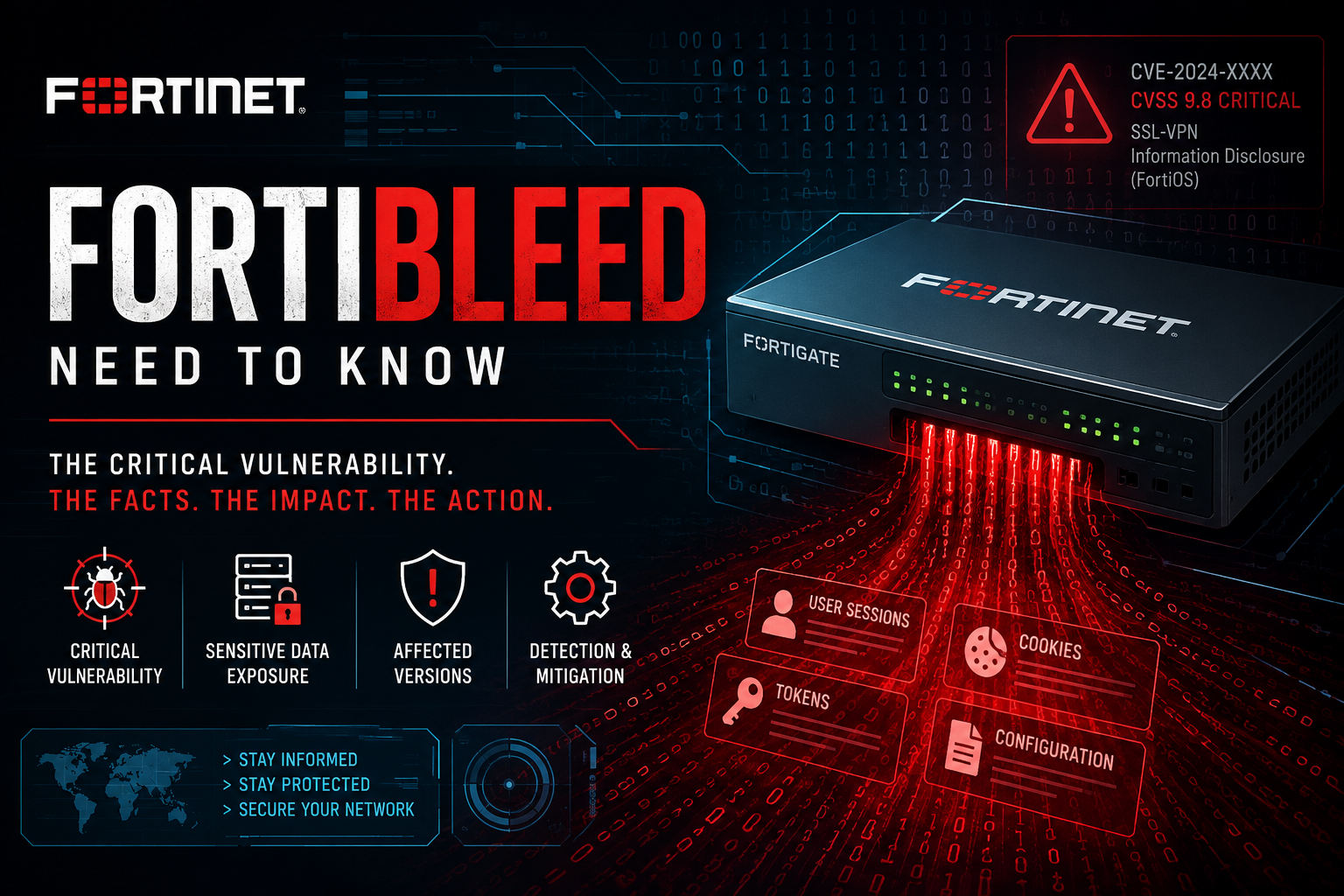
Need to know information about FortiBleed
DISCLAIMER: Please see link above for the official Fortinet response on “FortiBleed” as of this writing 20260703
FortiBleed, in short: it’s a large-scale credential-compromise campaign affecting internet-facing FortiGate firewalls, first publicly reported June 13, 2026 by researcher Volodymyr “Bob” Diachenko, with the name and initial write-up coming from SOCRadar. There’s no CVE and no single patch, since it’s not one software vulnerability but a combination of stolen configs, credential reuse, and offline hash-cracking. Estimates of scope vary by source (roughly 74,000 to 86,644 devices across 194 countries), with SOCRadar attributing the activity to the Lynx/INC ransomware group and Recorded Future’s Insikt Group attributing it to a Russian-speaking threat group.
There’s a real gap between how researchers and Fortinet are framing root cause:
– Researchers (SOCRadar, Picus, Bitsight): attackers pulled configuration backup files off exposed devices, then cracked the stored credential hashes offline. The deeper issue is legacy SHA-256 password hashing on many devices, which Fortinet has since strengthened to PBKDF2 in FortiOS 7.2.11, 7.4.8, and 7.6.1, but PBKDF2 only takes effect after each admin re-authenticates, so plenty of upgraded devices are still storing weak hashes. Compromised devices were also allegedly used as passive sniffers against SSL VPN traffic to harvest more credentials.
Note: You should NOT be running SSL VPNs at this point. That goes for Fortinet, Cisco, Palo, Checkpoint, etc.
– Fortinet’s own PSIRT post (June 19, from Carl Windsor) pushes back on the “vulnerability” framing: Fortinet says this is not a new vulnerability, and believes the activity involves threat actors reusing credentials from prior incidents combined with brute-force attempts against devices with weak passwords and no MFA.
Fortinet’s official remediation steps (from the PSIRT blog):
1. Terminate all active admin/VPN sessions and reset all credentials, especially on internet-facing systems.
2. Enable MFA on all administrator and VPN user accounts.
3. Upgrade to the latest 7.4, 7.6, or 8.0 build, and apply the set login-lockout-upon-weaker-encryption guidance to force PBKDF2 and strip legacy password settings.
4. Audit config for unauthorized changes, especially unrecognized accounts like forticloud, fortiuser, fortinet-support, or fortinet-tech-support.
5. Review logs for admin access from unfamiliar IPs and check domain controller logs for lateral movement.
6. Lock down management access: trusted hosts at minimum, local-in policy preferred, no internet-facing admin/GUI access ideally.
If you find evidence of unauthorized config changes, Fortinet’s guidance is to treat the device as compromised and follow their incident recovery process, and to treat any AD/LDAP-integrated account as compromised too.
Want me to turn this into an InfoSecMonkey-branded guide, or a QBR-ready talk track for customers?
To check if you have old SHA256 password hashes, run the following:
show system admin
or for the full config including defaults:
show full-configuration system admin
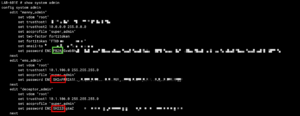
Look at the set password ENC line for each account:
– PB2... prefix = PBKDF2 (current, good)
– No PB2 prefix = still SHA256
The more important thing to check is whether an old-password ENC SH2... line is present under that admin. That’s a lingering SHA256 hash kept for downgrade compatibility, and it’s the one that matters for FortiBleed exposure, since it’s what ends up in a config export even after the live password has been converted to PBKDF2.
Fast way to spot it across all accounts on a box:
show system admin | grep -E "edit|password ENC|old-password"
Two gotchas worth flagging to customers during the QBR:
1. Conversion to PBKDF2 only happens the next time that specific admin logs in. An account that hasn’t authenticated since the FortiOS upgrade is still sitting on SHA256 even on a build that supports PBKDF2.
2. Even after conversion, the old SHA256 hash stays in the config by default unless you explicitly purge it.
To force the purge and stop new SHA256 hashes from being retained:
config system password-policy
set login-lockout-upon-weaker-encryption enable
end
(On 7.6.1 or 7.6.2 the setting is named login-lockout-upon-downgrade instead, same effect.) Enabling this removes the old-password field once every admin has re-authenticated under PBKDF2, and it will lock out any account that hasn’t logged in yet to generate a PBKDF2 hash, so pair it with a forced password reset across the board rather than just flipping the setting and walking away.
Recent posts
-

-

DNS is one of those technologies that quietly underpins... Full Story
-

BGP issues on FortiGate firewalls usually trace back to... Full Story
-

Every time your laptop talks to your router, a... Full Story
-

If you've spent any time configuring NAT on a... Full Story
-

If you have spent any time configuring firewall policies... Full Story
-

High availability on FortiGate is one of those features... Full Story
-

If you've configured SD-WAN on a FortiGate, you've almost... Full Story
-

FortiLink is the management protocol that turns a FortiSwitch... Full Story
-

FortiSwitches are pretty rock solid from Mean Time Between... Full Story
-

This is a quicky tip. Have you ever gone... Full Story
-

DNS is one of those quiet pieces of internet... Full Story
-

This article is an updated version of the previous... Full Story
-

You will add ns2 as a secondary (slave) BIND9... Full Story
-

In the process of deploying my lab, I needed... Full Story
-

RFC 8805, used to be known as Self-Correcting IP... Full Story
-

Years back, I wrote an article about certificate pinning. ... Full Story
-

FortiGates have the ability to send alerts to Microsoft... Full Story
-

In this post, I am going to walk through... Full Story
-

Troubleshooting VoIP on a FortiGate can feel like trying... Full Story
-

Prior to FortiOS 7.0, there were three commands to... Full Story
-

In this post, I am going to go over... Full Story
-

What we are going to do: We are going... Full Story
-

Choosing between FGCP (FortiGate Clustering Protocol) and FGSP (FortiGate... Full Story
-

Creating a VLAN on macOS (The "Pro" Move) A... Full Story
-

This blog post explores the logic behind how macOS... Full Story
-

Pretty Fly for a Wi-Fi Tell My Wi-Fi Love... Full Story
-

Part of my daily gig is creating BoMs (Bill-of-Materials)... Full Story
-

ICMP introduces several security risks, but careful filtering, rate... Full Story
-

The command diag debug application dhcps -1 enables full... Full Story
-

In the world of FortiOS, execute tac report is... Full Story
-

LLDP; What is it The Link Layer Discovery Protocol... Full Story
-

What it actually does When you run diagnose fdsm... Full Story
-

Monkey Bites are bite-sized, high-impact security insights designed for... Full Story
-

I have run macOS in macOS with Parallels but... Full Story
-

Don't be confused with my other FortiNAC posts where... Full Story
-

This is the third session in a multi-part article... Full Story
-

Today I was configuring key-based authentication on a FortiGate... Full Story
-

Netcat, often called the "Swiss Army knife" of networking,... Full Story
-

At its core, IEEE 802.1X is a network layer... Full Story
-

In case you did not see the previous FortiNAC... Full Story
-

This is our 5th session where we are going... Full Story
-

Now that we have Wireshark installed and somewhat configured,... Full Story
-

The Philosophy of Packet Analysis Troubleshooting isn't about looking... Full Story
-

Executive Summary Objective: Get you from zero to writing... Full Story
-

NAND cells, the flash translation layer, SLC caching, TRIM,... Full Story
-

Nmap Scripting Engine (NSE): From One-Liners to Your First... Full Story