
If you've spent any time configuring user authentication on... Full Story
By Manny Fernandez
October 1, 2026
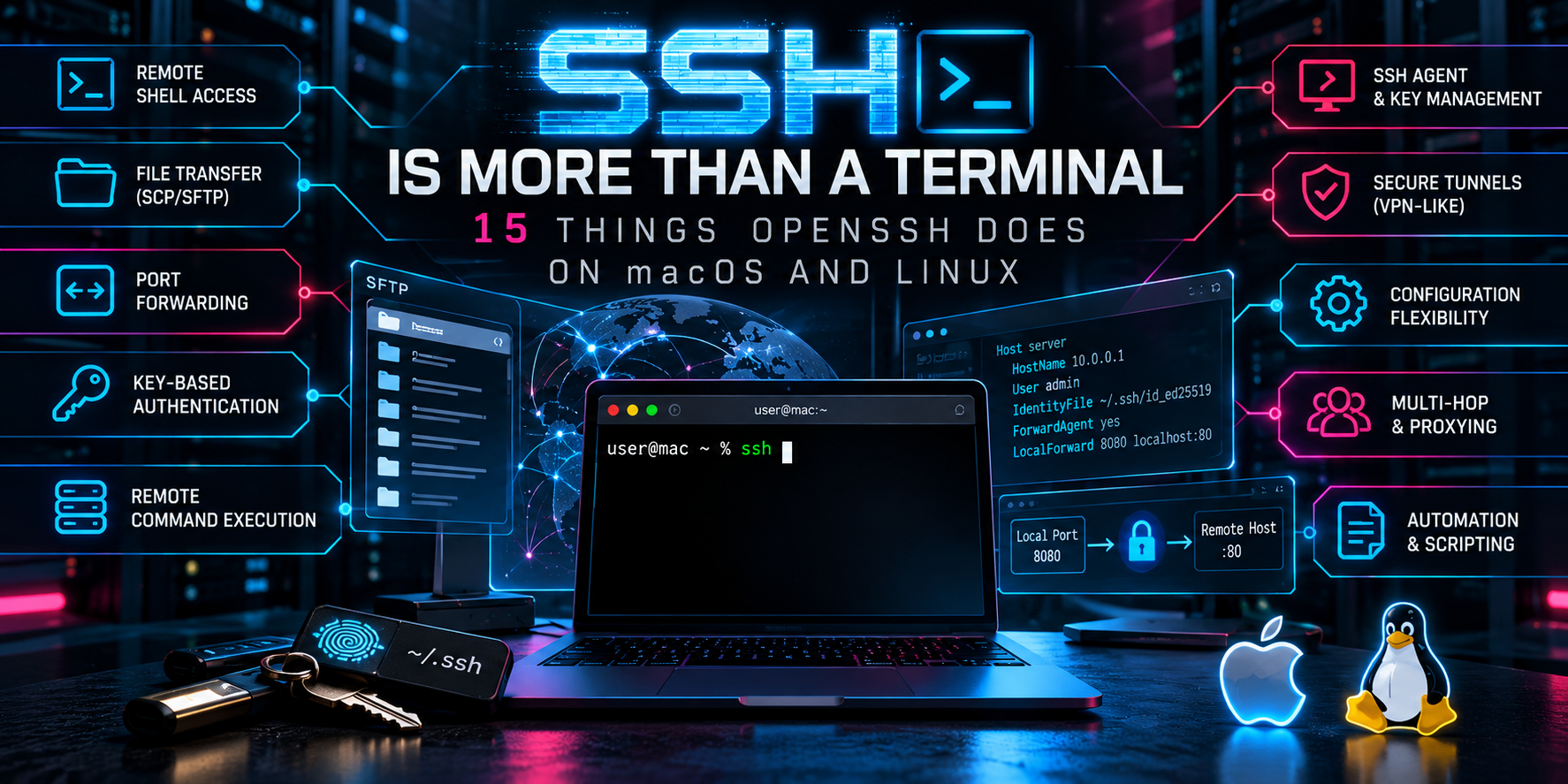
SSH Is More Than a Terminal: 15 Things OpenSSH Does on macOS and Linux
Executive Summary
Objective: Show practitioners how much more OpenSSH does than open a remote shell. File transfer, port forwarding, SOCKS proxying, jump hosts, multiplexing, remote packet capture, file signing, and a poor man’s VPN all ride on the same client you already have installed.
Target audience: Network and security engineers, sysadmins, and anyone who types ssh user@host every day and wants to get more out of it.
Platform scope: Every command here uses the stock OpenSSH client on macOS (Sonoma, Sequoia, Tahoe) and modern Linux (Ubuntu 22.04/24.04, Debian 12, RHEL 9). Where macOS and Linux behave differently, it is called out.
Prerequisites and Lab Layout
Assumed knowledge: basic SSH usage, key-based authentication, and comfort in a terminal.
Check your client version first. Several features below depend on it.
ssh -VLab addressing used throughout:
| Component | Address | Role |
|---|---|---|
| Your workstation | local | macOS or Linux client |
| bastion.lab | 198.18.0.10 | Internet-facing jump host |
| app01.lab | 10.0.10.21 | Internal Linux server |
| fgt01.lab | 10.0.10.1 | Internal FortiGate (HTTPS GUI on 443) |
| db01.lab | 10.0.20.5 | Internal PostgreSQL on 5432 |
1. Build an Inventory with ~/.ssh/config
Goal: Stop typing usernames, ports, and IPs. Every other trick in this post gets easier once hosts have names.
Action: Create or edit ~/.ssh/config.
Host *
    ServerAliveInterval 30
    ServerAliveCountMax 3
    AddKeysToAgent yes
    IgnoreUnknown UseKeychain
    UseKeychain yes

Host bastion
    HostName 198.18.0.10
    User manny
    IdentityFile ~/.ssh/id_ed25519

Host app01
    HostName 10.0.10.21
    User manny
    ProxyJump bastion
UseKeychain is macOS only. The IgnoreUnknown UseKeychain line lets the same file work unmodified on Linux.
Verification: Print the fully resolved config for a host without connecting.
ssh -G app01 | grep -Ei '^(hostname|user|proxyjump|identityfile)'2. Move Files: scp, sftp, and rsync
Goal: Copy files securely without standing up another service.
Action:
# Single file up, directory down
scp ./backup.conf app01:/tmp/
scp -r app01:/var/log/nginx ./nginx-logs

# Interactive session with ls, get, put, and tab completion
sftp app01

# Incremental sync that only sends changed blocks
rsync -avz --progress ./site/ app01:/var/www/site/
Since OpenSSH 9.0, scp uses the SFTP protocol under the hood. If you hit an old appliance that only speaks the legacy protocol, add -O.
scp -O ./firmware.bin admin@10.0.10.50:/tmp/For anything larger than a handful of files, prefer rsync. It resumes, compares, and can delete stale files on the destination with --delete.
3. Local Port Forwarding (-L)
Goal: Reach a service on a remote network as if it were running on your laptop.
Action: Forward local port 8443 to the FortiGate GUI behind the bastion.
ssh -N -L 8443:10.0.10.1:443 bastionBrowse to https://localhost:8443. The traffic rides the SSH session to the bastion, which opens the TCP connection to 10.0.10.1:443 on your behalf.
Stack multiple forwards in one command:
ssh -N -L 8443:10.0.10.1:443 -L 5432:10.0.20.5:5432 bastionFlags worth knowing: -N means no remote command (forward only), and -f backgrounds the process after authentication.
Verification:
lsof -nP -iTCP:8443 -sTCP:LISTEN4. Remote Port Forwarding (-R)
Goal: Expose something on your side to the remote host. Classic uses are letting a lab box reach a service on your laptop, or giving yourself a way back into a machine that sits behind NAT.
Action: Make your local web app on port 3000 reachable from the bastion on port 9000.
ssh -N -R 9000:localhost:3000 bastionOn the bastion, curl http://localhost:9000 now hits your laptop.
A reverse shell path into a NATed Linux box works the same way. Run this from the NATed box:
ssh -N -R 2222:localhost:22 manny@198.18.0.10Then from the bastion:
ssh -p 2222 localuser@localhostBy default the remote listener binds to loopback only. Binding it to other interfaces requires GatewayPorts yes or GatewayPorts clientspecified in the server’s sshd_config. Think carefully before doing that.
5. Dynamic Forwarding: an On-Demand SOCKS Proxy (-D)
Goal: Browse or run tools as if you were sitting on the remote network, without defining individual forwards.
Action:
ssh -N -f -D 1080 bastionPoint any SOCKS5-aware tool at localhost:1080:
curl --socks5-hostname localhost:1080 https://ifconfig.meUse --socks5-hostname rather than --socks5 so DNS resolves on the far side too.
On macOS you can push the proxy system-wide for a given network service:
networksetup -setsocksfirewallproxy "Wi-Fi" localhost 1080
networksetup -setsocksfirewallproxystate "Wi-Fi" on
# When finished
networksetup -setsocksfirewallproxystate "Wi-Fi" off
On Linux, Firefox’s manual proxy settings or proxychains4 do the same job for individual apps.
6. Jump Hosts with ProxyJump (-J)
Goal: Reach internal hosts through a bastion in a single hop, with end-to-end encryption to the target.
Action:
ssh -J bastion manny@10.0.10.21
# Chain multiple hops
ssh -J bastion,admin@10.0.5.1 manny@10.0.99.10
With the ProxyJump line in ~/.ssh/config from section 1, ssh app01 does the same thing. So does scp, rsync, and sftp, because they all read the same config.
Prefer this over agent forwarding (-A). With ProxyJump your private key never touches the bastion’s agent socket, so a compromised bastion cannot borrow your identity.
7. Connection Multiplexing (ControlMaster)
Goal: Authenticate once, then open additional sessions, file copies, and forwards instantly over the same TCP connection. Huge win when MFA is in the path.
Action:
mkdir -p ~/.ssh/cm && chmod 700 ~/.ssh/cmAdd to ~/.ssh/config:
Host *
    ControlMaster auto
    ControlPath ~/.ssh/cm/%C
    ControlPersist 10m
%C is a hash of the connection details, which keeps the socket path short and unique.
Verification and control:
ssh -O check app01
# Add a forward to an already-open master without reconnecting
ssh -O forward -L 8443:10.0.10.1:443 app01
# Tear down the master
ssh -O exit app01
8. Run Remote Commands and Pipe Data
Goal: Treat a remote host as part of a local pipeline.
Action:
# One-off command
ssh app01 'uptime; df -h /'

# Run a local script remotely without copying it first
ssh app01 'bash -s' < ./audit.sh

# Same command across a list of hosts
for h in app01 app02 app03; do echo "== $h"; ssh "$h" 'uname -r'; done

# Tar a directory straight across the wire
tar czf - ./configs | ssh app01 'tar xzf - -C /opt/backup'

# Pull a remote file into a local tool
ssh app01 'cat /var/log/auth.log' | grep -i 'failed password' | wc -l
Use -t only when the remote command needs an interactive TTY (for example ssh -t app01 htop). Leave it off when piping binary data, or the TTY layer will mangle the stream.
9. Remote Packet Capture into Local Wireshark
Goal: Capture on a remote Linux box and watch it live in Wireshark on your laptop.
Action: On Linux:
ssh app01 'sudo -n tcpdump -U -s0 -w - -i eth0 not port 22' | wireshark -k -i -On macOS, call the Wireshark binary inside the app bundle:
ssh app01 'sudo -n tcpdump -U -s0 -w - -i eth0 not port 22' \
  | /Applications/Wireshark.app/Contents/MacOS/Wireshark -k -i -
-U flushes each packet immediately and not port 22 keeps your own SSH session out of the capture. sudo -n fails fast instead of hanging on a password prompt, so the remote account needs a NOPASSWD sudoers rule for tcpdump, or run as a user in the capture group.
10. Mount a Remote Filesystem with SSHFS
Goal: Browse and edit remote files with local editors and Finder or your file manager.
Linux:
sudo apt install sshfs          # Debian/Ubuntu
mkdir -p ~/mnt/app01
sshfs app01:/var/www ~/mnt/app01 -o reconnect,ServerAliveInterval=15
fusermount3 -u ~/mnt/app01      # unmount (fusermount -u on older distros)
macOS: SSHFS needs macFUSE, which is a kernel extension on older releases and requires approval under System Settings, Privacy and Security. Install macFUSE (brew install --cask macfuse), then install SSHFS from the macFUSE project downloads or a community Homebrew tap, because Homebrew core no longer ships it.
mkdir -p ~/mnt/app01
sshfs app01:/var/www ~/mnt/app01 -o reconnect,volname=app01
umount ~/mnt/app01
11. X11 Forwarding for Remote GUI Apps
Goal: Run a graphical tool on a remote Linux box and display it locally.
Action:
ssh -X app01 wireshark
# Trusted forwarding if an app misbehaves under -X
ssh -Y app01 virt-manager
On macOS, install XQuartz first. On Linux desktops running Wayland, XWayland normally handles this transparently. The server needs X11Forwarding yes and the xauth package installed.
12. A Lightweight VPN: sshuttle and Native tun Devices
Goal: Route whole subnets through SSH instead of forwarding ports one at a time.
sshuttle (easiest, works on macOS and Linux):
brew install sshuttle           # macOS
sudo apt install sshuttle       # Debian/Ubuntu
sshuttle -r bastion 10.0.0.0/16 --dns
sshuttle needs only Python on the remote side and no root there. Locally it uses pf on macOS and nftables or iptables on Linux to redirect traffic for the listed subnets.
Native layer 3 tunnel (ssh -w): OpenSSH can build a real tun interface pair, but it needs root on both ends and PermitTunnel yes in the server’s sshd_config. Linux to Linux is the practical case.
sudo ssh -w 0:0 root@198.18.0.10
# Then on each side, assign addresses to tun0 and add routes
For most day-to-day needs, sshuttle is the better tool.
13. Escape Sequences Inside a Live Session
Goal: Control a session that is frozen or needs changes, without closing your terminal.
Press Enter first, then type the sequence:
| Sequence | Action |
|---|---|
~. |
Kill a hung session immediately |
~^Z |
Suspend ssh (resume with fg) |
~# |
List forwarded connections |
~? |
Show all escape sequences |
~C |
Open the ssh command line to add or remove forwards |
~C is disabled by default starting with OpenSSH 9.2. Turn it back on per host with EnableEscapeCommandline yes. In nested sessions, add one extra tilde per level (~~. kills the inner session only).
14. Sign and Verify Files with SSH Keys
Goal: Use the Ed25519 key you already have to sign files or Git commits, no GPG required.
Sign and verify a file:
ssh-keygen -Y sign -f ~/.ssh/id_ed25519 -n file release.tar.gz
# Produces release.tar.gz.sig

echo "manny@infosecmonkey.com $(cat ~/.ssh/id_ed25519.pub)" > allowed_signers
ssh-keygen -Y verify -f allowed_signers -I manny@infosecmonkey.com \
  -n file -s release.tar.gz.sig < release.tar.gz
Sign Git commits:
git config --global gpg.format ssh
git config --global user.signingkey ~/.ssh/id_ed25519.pub
git config --global commit.gpgsign true
GitHub and GitLab both display SSH-signed commits as verified once you upload the key as a signing key.
15. Keep Tunnels Alive with autossh
Goal: Make a forward or reverse tunnel survive network drops and reboots.
Action:
brew install autossh            # macOS
sudo apt install autossh        # Debian/Ubuntu

autossh -M 0 -N \
  -o ServerAliveInterval=30 -o ServerAliveCountMax=3 \
  -o ExitOnForwardFailure=yes \
  -R 2222:localhost:22 bastion
-M 0 disables autossh’s legacy monitor port and relies on SSH keepalives instead. ExitOnForwardFailure=yes makes ssh exit (and autossh restart it) if the forward cannot bind. On Linux, wrap this in a systemd service. On macOS, use a launchd plist.
Verification and Validation
Quick checks that the pieces above are working:
# Effective client config for a host
ssh -G app01

# Verbose handshake: which key, which jump, which algorithms
ssh -v app01 exit

# Supported algorithms on this client
ssh -Q kex
ssh -Q cipher

# Listening forwards on your machine
lsof -nP -iTCP -sTCP:LISTEN | grep ssh      # macOS and Linux
ss -ltnp | grep ssh                         # Linux
Expected success: ssh -v ends with Authenticated to followed by the target, and lsof or ss shows ssh listening on each local forward port.
Troubleshooting and Gotchas
Forwarding silently refused. The client logs administratively prohibited: open failed. The server has AllowTcpForwarding no or a PermitOpen restriction. Check the effective server config on the host:
sudo sshd -T | grep -Ei 'allowtcpforwarding|gatewayports|permittunnel|x11forwarding|permitopen'Port already in use. bind [127.0.0.1]:8443: Address already in use means an old tunnel or ControlMaster still owns the port. Find it with lsof -nP -iTCP:8443 and either kill it or run ssh -O exit <host>.
Stale ControlMaster socket. Sessions hang or fail instantly after a network change. Remove the socket and reconnect:
ssh -O exit app01 2>/dev/null; rm -f ~/.ssh/cm/*Host key changed warning after a rebuild. Remove the old entry, then confirm the new fingerprint out of band before reconnecting:
ssh-keygen -R 10.0.10.21
ssh-keyscan -t ed25519 10.0.10.21 | ssh-keygen -lf -
Quick Reference
| Task | Command |
|---|---|
| Copy a file | scp file host:/path/ |
| Sync a directory | rsync -avz ./dir/ host:/path/ |
| Local forward | ssh -N -L 8443:10.0.10.1:443 bastion |
| Remote forward | ssh -N -R 9000:localhost:3000 bastion |
| SOCKS proxy | ssh -N -D 1080 bastion |
| Jump host | ssh -J bastion user@10.0.10.21 |
| Run a local script remotely | ssh host 'bash -s' < script.sh |
| Remote capture to Wireshark | ssh host 'sudo -n tcpdump -U -w - not port 22' | wireshark -k -i - |
| Mount remote dir | sshfs host:/path ~/mnt/x |
| Subnet VPN | sshuttle -r bastion 10.0.0.0/16 |
| Sign a file | ssh-keygen -Y sign -f key -n file f |
| Kill a hung session | Enter, then ~. |
Recent posts
-

-

DNS is one of those technologies that quietly underpins... Full Story
-

BGP issues on FortiGate firewalls usually trace back to... Full Story
-

Every time your laptop talks to your router, a... Full Story
-

If you've spent any time configuring NAT on a... Full Story
-

If you have spent any time configuring firewall policies... Full Story
-

High availability on FortiGate is one of those features... Full Story
-

If you've configured SD-WAN on a FortiGate, you've almost... Full Story
-

FortiLink is the management protocol that turns a FortiSwitch... Full Story
-

FortiSwitches are pretty rock solid from Mean Time Between... Full Story
-

This is a quicky tip. Have you ever gone... Full Story
-

DNS is one of those quiet pieces of internet... Full Story
-

This article is an updated version of the previous... Full Story
-

You will add ns2 as a secondary (slave) BIND9... Full Story
-

In the process of deploying my lab, I needed... Full Story
-

RFC 8805, used to be known as Self-Correcting IP... Full Story
-

Years back, I wrote an article about certificate pinning. ... Full Story
-

FortiGates have the ability to send alerts to Microsoft... Full Story
-

In this post, I am going to walk through... Full Story
-

Troubleshooting VoIP on a FortiGate can feel like trying... Full Story
-

Prior to FortiOS 7.0, there were three commands to... Full Story
-

In this post, I am going to go over... Full Story
-

What we are going to do: We are going... Full Story
-

Choosing between FGCP (FortiGate Clustering Protocol) and FGSP (FortiGate... Full Story
-

Creating a VLAN on macOS (The "Pro" Move) A... Full Story
-

This blog post explores the logic behind how macOS... Full Story
-

Pretty Fly for a Wi-Fi Tell My Wi-Fi Love... Full Story
-

Part of my daily gig is creating BoMs (Bill-of-Materials)... Full Story
-

ICMP introduces several security risks, but careful filtering, rate... Full Story
-

The command diag debug application dhcps -1 enables full... Full Story
-

In the world of FortiOS, execute tac report is... Full Story
-

LLDP; What is it The Link Layer Discovery Protocol... Full Story
-

What it actually does When you run diagnose fdsm... Full Story
-

Monkey Bites are bite-sized, high-impact security insights designed for... Full Story
-

I have run macOS in macOS with Parallels but... Full Story
-

Don't be confused with my other FortiNAC posts where... Full Story
-

This is the third session in a multi-part article... Full Story
-

Today I was configuring key-based authentication on a FortiGate... Full Story
-

Netcat, often called the "Swiss Army knife" of networking,... Full Story
-

At its core, IEEE 802.1X is a network layer... Full Story
-

In case you did not see the previous FortiNAC... Full Story
-

This is our 5th session where we are going... Full Story
-

Now that we have Wireshark installed and somewhat configured,... Full Story
-

The Philosophy of Packet Analysis Troubleshooting isn't about looking... Full Story
-

InfoSecMonkey Threat Response October 24, 2026 | No fluff.... Full Story
-

InfoSecMonkey Threat Response October 24, 2026 | No fluff.... Full Story
-

Plus what you actually get with FortiCare Essential, Premium... Full Story