
If you've spent any time configuring user authentication on... Full Story
By Manny Fernandez
July 23, 2026
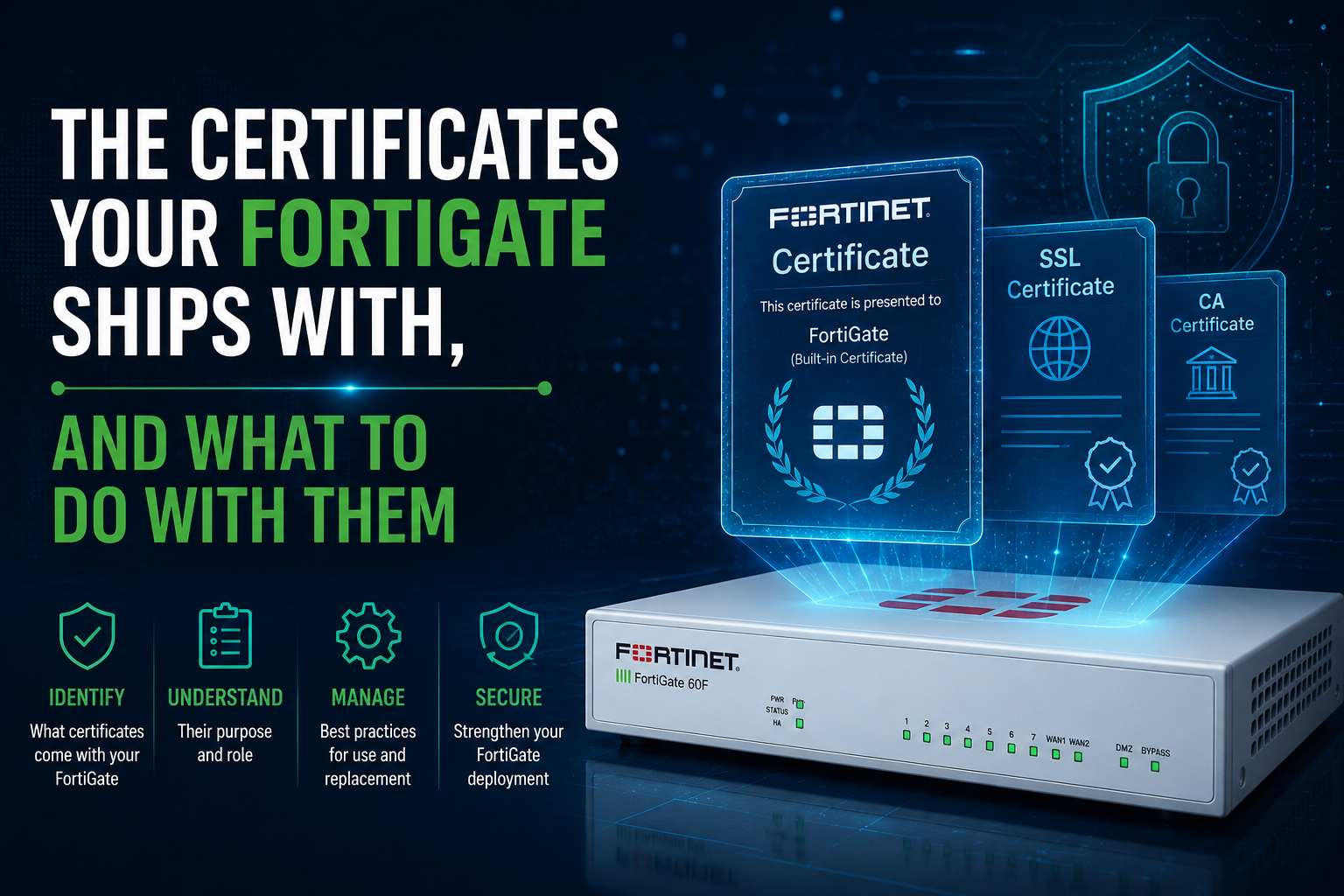
The Certificates Your FortiGate Ships With, and What to Do With Them
Every FortiGate arrives with a populated certificate store. Nobody put them there for decoration. Some are load-bearing device identity you must never touch. Some are functional placeholders you should replace before the box carries production traffic. And one of them is deliberately broken, and needs to stay that way.
The problem is that all of them look identical in the GUI. Same list, same icons, no indication of which one is your chassis identity to FortiCare and which one is a warning label. So the usual outcome is that nobody touches any of them, the admin GUI throws a certificate interstitial for three years, and the SSL VPN presents a certificate whose common name is a serial number.
This post covers what each factory certificate actually does, which ones to replace, and the exact OpenSSL and FortiOS CLI to do it.
The 30 second version
Leave alone: Fortinet_Factory, Fortinet_Factory_Backup. This is how your firewall proves it is your firewall.
Replace: the admin GUI certificate, the VPN server certificate, the deep inspection CA, and the Wi-Fi EAP certificate.
Leave broken: Fortinet_CA_Untrusted. It exists to make browsers complain, and that is the feature.
What is actually in the box
Exact contents vary by FortiOS version and platform, but a modern unit looks roughly like this.
| Certificate | Unique per unit? | What it is used for |
|---|---|---|
Fortinet_Factory |
Yes | Device identity. Client certificate toward FortiGuard, FortiCloud, FortiCare, FortiManager, FortiAnalyzer, FortiSandbox. Server certificate toward FortiAP, FortiSwitch, FortiExtender. |
Fortinet_Factory_Backup |
Yes | Fallback identity. FortiOS switches to it mid-handshake when the issuer or the SNI does not line up with Fortinet_CA. |
Fortinet_CA_SSL |
Yes (same name, different key) | The on-box self-signed CA that re-signs server certificates during full SSL/TLS inspection. Also signs Fortinet_GUI_Server. |
Fortinet_CA_Untrusted |
Yes | Used to re-sign when FortiOS cannot validate the origin server certificate, so the browser warning reaches the user. Intentionally untrusted. |
Fortinet_GUI_Server |
Yes | Default HTTPS certificate for the admin GUI as of FortiOS 7.2.1. Signed by Fortinet_CA_SSL. Its SAN list auto-populates with the IPs of interfaces that have HTTPS admin access. |
Fortinet_SSL_RSA2048, _RSA4096, _ECDSA256 and friends |
Yes | Per key-type re-signing certificates, so an ECDSA origin server does not get handed back an RSA impersonation. Bound in config vpn certificate setting. |
Fortinet_Wifi / Fortinet_Wifi_CA |
No. Identical everywhere. | Default server certificate for WPA2/WPA3-Enterprise EAP and captive portal. Publicly signed, shipped in the FortiGuard certificate bundle, issued to Fortinet with CN auth-cert.fortinet.com. |
Fortinet_Default_SSL |
Yes | General purpose placeholder on TPM-backed platforms (200G/201G and later) where Fortinet_Factory is locked to system functions only. |
| Trusted CA bundle (CRDB) | No | The several hundred public roots FortiOS uses to validate origin server certificates during inspection. Updated by FortiGuard. |
Check your own unit rather than trusting any table, including this one. The inventory commands are in Step 1.
Bucket 1: load-bearing, hands off
Fortinet_Factory and Fortinet_Factory_Backup are hardware-unique. They are generated when the unit is manufactured and cannot be regenerated. The private key never appears in the configuration file, and neither certificate is present in a config backup, so restoring a backup onto a different chassis does not carry them across.
Functionally, this is your chassis identity. Outbound to FortiGuard, FortiCloud, FortiManager, FortiAnalyzer, or FortiSandbox, FortiOS presents Fortinet_Factory as the client certificate, inspects the issuer of the server certificate that comes back, and may switch to Fortinet_Factory_Backup inside the same handshake. Toward FortiCare it uses Fortinet_Factory only, with SNI set, and there is no switchover. Inbound from a FortiAP, FortiSwitch, or FortiExtender, Fortinet_Factory is the default server certificate with the same SNI-driven fallback.
HA note: the secondary unit syncs these certificates using the serial number of the primary. TPM note: starting with the 200G/201G, the Factory private keys live in the Trusted Platform Module and are restricted to hardcoded system functions. On those platforms you cannot bind Fortinet_Factory to an admin-facing service at all, which is why Fortinet added Fortinet_Default_SSL. That one is still a placeholder, and you should still replace it.
Bucket 2: placeholders that need replacing
The admin GUI certificate
Fortinet_GUI_Server is signed by an on-box self-signed CA, which means no browser on earth trusts it. That is not a cosmetic issue. Once your admins have been clicking through the interstitial for six months, an actual interception attempt against your management plane looks exactly like a normal Tuesday. You have trained the only humans who could have caught it to ignore the alarm.
The VPN server certificate
This is the one with actual research behind it. Every unit ships with a Fortinet-issued certificate whose common name is the chassis serial number. In 2020, SAM Seamless Network published work showing the SSL VPN client validated only that the certificate had been issued by Fortinet or another trusted CA, and did not verify that the name matched the device being connected to. A certificate lifted from any other FortiGate would be accepted. They put the exposed population at more than 200,000 organizations still running the default configuration, and noted that Fortinet documents the risk of using the built-in certificate.
Client behavior has tightened since, but the underlying shape of the problem has not changed: a serial number is not a hostname, and a certificate that cannot be name-matched cannot authenticate the endpoint your users are typing credentials into.
The deep inspection CA
Here is the trap that catches multi-site deployments. Fortinet_CA_SSL has the same name on every FortiGate, and a different key pair on every FortiGate. Two sites means two distinct roots. Twenty sites means twenty roots you have to push into every endpoint trust store, twenty signing keys sitting on internet-facing appliances, and no revocation story for any of them. Miss one during a hardware refresh and a site quietly starts throwing certificate errors on every inspected session.
The Wi-Fi certificate
Fortinet_Wifi fails in the opposite direction, and it is the one people get wrong most often. It is publicly signed, so it does not throw a warning, so it feels fine. It is also identical on every FortiGate running the same certificate bundle version. A supplicant configured to trust it trusts every other FortiGate on the planet presenting the same certificate. For a WPA2-Enterprise SSID, that is an evil-twin gift: an attacker with any FortiGate, or a copy of the public certificate paired with a stolen key, is presenting a server certificate your clients have been told to accept.
There is a second, less dramatic problem. Fortinet_Wifi expires, and it is renewed through the FortiGuard certificate bundle. Your 802.1X trust anchor therefore rotates on Fortinet’s schedule and depends on your FortiGuard entitlement being current. That is not a thing you want in the critical path of every corporate laptop associating in the morning.
Bucket 3: broken on purpose, keep it broken
During full inspection, when FortiOS can validate the origin server certificate, it re-signs with the CA in caname. When it cannot (expired cert, self-signed cert, unknown root), it re-signs with the CA in untrusted-caname, which defaults to Fortinet_CA_Untrusted. Your endpoint does not trust that CA, the browser throws a warning, and the trust failure at the far end propagates to the human who is about to type a password.
That is the entire design. Point untrusted-caname at a CA your endpoints trust and you have built a machine that launders every broken certificate on the internet into a clean padlock. People do this to stop helpdesk tickets. It is the single worst change you can make to an inspection profile.
If you want a stronger stance than a warning, do not change the CA. Change the action: set untrusted-server-cert to block in the profile, and handle the legitimate exceptions with an SSL exemption list.
Step 1: Inventory what you actually have
Before changing anything, find out what is installed and what is bound to what.
# List every local certificate with subject, issuer, and validity
get vpn certificate local details

# List CA certificates (factory and imported)
get vpn certificate ca details

# What is bound to the admin GUI
show full-configuration system global | grep -i "admin-server-cert"

# What is bound to SSL VPN (where SSL VPN is still present)
show vpn ssl settings | grep -i servercert

# What is bound to Wi-Fi EAP and captive portal
show full-configuration system global | grep -i "wifi-"

# Which CA each inspection profile re-signs with
show firewall ssl-ssh-profile

# Per key-type re-signing certificates
show full-configuration vpn certificate setting
Write down the expiry dates you get back. On a fleet, do this with a FortiManager script or the REST API and dump it into a spreadsheet. You cannot manage certificates you have not inventoried, and the discovery gap is where outages come from.
Step 2: Build the CA with OpenSSL
If you already have an internal PKI (AD Certificate Services, FortiAuthenticator, Vault, EJBCA), use it and skip to Step 3. Issue the inspection certificate as a subordinate CA from your existing root. What follows is for shops with no PKI, or for a lab.
The design: one offline root, one subordinate CA dedicated to TLS inspection, and leaf certificates for the services on each FortiGate. The root signs almost nothing and lives offline. The inspection sub-CA is the only thing that goes onto a firewall, so a compromised appliance costs you one revocable intermediate instead of your entire trust anchor.
2a. Create the directory layout
mkdir -p ~/pki/{root,inspect,certs,csr}
cd ~/pki
chmod 700 ~/pki
2b. Generate the offline root CA
RSA 4096 with SHA-384, ten year life, passphrase-protected key. This key should end up on removable media in a safe, not on the machine you browse from.
openssl genrsa -aes256 -out root/ca.key.pem 4096
chmod 400 root/ca.key.pem

openssl req -x509 -new -sha384 -days 3650 \
  -key root/ca.key.pem \
  -out root/ca.cert.pem \
  -subj "/C=US/O=Example Corp/OU=IT Security/CN=Example Corp Root CA R1" \
  -addext "basicConstraints=critical,CA:TRUE" \
  -addext "keyUsage=critical,keyCertSign,cRLSign" \
  -addext "subjectKeyIdentifier=hash"

openssl x509 -in root/ca.cert.pem -noout -subject -issuer -dates
-addext needs OpenSSL 1.1.1 or later. On 1.0.2 you have to use a config file with a v3_ca section instead. Check with openssl version first. Everything here was validated on OpenSSL 3.0.
2c. Generate the TLS inspection subordinate CA
This is the certificate that goes on the FortiGate. Note the constraints: pathlen:0 stops it from issuing further CAs, and extendedKeyUsage=serverAuth limits what the certificates it signs can be used for.
# Key. No passphrase: the FortiGate has to load it unattended.
openssl genrsa -out inspect/tls-inspect.key.pem 3072
chmod 400 inspect/tls-inspect.key.pem

# CSR
openssl req -new -sha384 \
  -key inspect/tls-inspect.key.pem \
  -out csr/tls-inspect.csr.pem \
  -subj "/C=US/O=Example Corp/OU=IT Security/CN=Example Corp TLS Inspection CA"

# Extensions for a constrained issuing CA
cat > inspect/subca.ext <<'EOF'
basicConstraints       = critical,CA:TRUE,pathlen:0
keyUsage               = critical,digitalSignature,keyCertSign,cRLSign
extendedKeyUsage       = serverAuth
subjectKeyIdentifier   = hash
authorityKeyIdentifier = keyid:always,issuer
EOF

# Sign it with the root
openssl x509 -req -in csr/tls-inspect.csr.pem \
  -CA root/ca.cert.pem -CAkey root/ca.key.pem -CAcreateserial \
  -out inspect/tls-inspect.cert.pem \
  -days 1825 -sha384 -extfile inspect/subca.ext
Verify before you go near the firewall. If CA:TRUE is missing, FortiOS will accept the import and then silently fail to re-sign anything.
openssl verify -CAfile root/ca.cert.pem inspect/tls-inspect.cert.pem
openssl x509 -in inspect/tls-inspect.cert.pem -noout -text | grep -A2 "Basic Constraints"
openssl x509 -in inspect/tls-inspect.cert.pem -noout -text | grep -A1 "Key Usage"
You want to see exactly this:
inspect/tls-inspect.cert.pem: OK
        X509v3 Basic Constraints: critical
            CA:TRUE, pathlen:0
        X509v3 Key Usage: critical
            Digital Signature, Certificate Sign, CRL Sign
2d. Bundle it for import
FortiOS will take the PEM certificate and PEM key as two separate files, or a single PKCS#12. The PKCS#12 route is fewer clicks and carries the chain with it.
openssl pkcs12 -export \
  -out inspect/tls-inspect.p12 \
  -inkey inspect/tls-inspect.key.pem \
  -in inspect/tls-inspect.cert.pem \
  -certfile root/ca.cert.pem
No public CA will ever issue you a subordinate CA certificate that can sign for arbitrary domains. They are contractually prohibited from doing it. If a vendor offers you one, you are talking to a vendor you should not be talking to. TLS inspection is always a private PKI exercise.
Step 3: Replace the deep inspection CA
Import the sub-CA on each FortiGate: System > Certificates > Create/Import > Certificate > Import, then choose PKCS #12 or Certificate depending on what you built. Name it something you will recognize six months from now, for example Corp-TLS-Inspect-CA. Import the root separately under CA Certificate so the FortiGate can serve the full chain.
The built-in deep-inspection profile is read only. Clone it, then bind your CA:
config firewall ssl-ssh-profile
    edit "corp-deep-inspection"
        set caname "Corp-TLS-Inspect-CA"
        set untrusted-caname "Fortinet_CA_Untrusted"
        config https
            set ports 443
            set status deep-inspection
            set untrusted-server-cert block
        end
    next
end
Note what stayed the same. untrusted-caname is still Fortinet_CA_Untrusted, on purpose. All that changed is that trusted sites now get re-signed by a CA your endpoints know, and untrusted origins get blocked outright instead of merely warned about.
If you also want the per key-type re-signing certificates to chain to your PKI rather than the factory ones, they are set under config vpn certificate setting (certname-rsa2048, certname-ecdsa256 and so on). Most deployments leave these alone; the profile CA is what determines the chain the client sees.
Step 4: Replace the admin GUI certificate
Prefer generating the CSR on the FortiGate. The private key never leaves the appliance, which is one fewer copy of a key to lose. Go to System > Certificates > Create/Import > Certificate > Generate CSR, set the common name to the management FQDN, and add every name and IP administrators actually use in the SAN field. The CLI equivalent is execute vpn certificate local generate rsa; argument order shifts between builds, so run it with ? on your version rather than copying a syntax string from a blog post.
Download the CSR and sign it with your root:
# Inspect what the FortiGate actually asked for
openssl req -in csr/fgt-hq-01.csr.pem -noout -subject -verify

# Extensions for a TLS server certificate.
# SAN is mandatory. Browsers ignore CN entirely.
cat > certs/server.ext <<'EOF'
basicConstraints       = critical,CA:FALSE
keyUsage               = critical,digitalSignature,keyEncipherment
extendedKeyUsage       = serverAuth
subjectKeyIdentifier   = hash
authorityKeyIdentifier = keyid,issuer
subjectAltName         = DNS:fgt-hq-01.corp.example.com,IP:10.10.10.1
EOF

openssl x509 -req -in csr/fgt-hq-01.csr.pem \
  -CA root/ca.cert.pem -CAkey root/ca.key.pem -CAcreateserial \
  -out certs/fgt-hq-01.cert.pem \
  -days 180 -sha256 -extfile certs/server.ext

openssl verify -CAfile root/ca.cert.pem certs/fgt-hq-01.cert.pem
openssl x509 -in certs/fgt-hq-01.cert.pem -noout -text | grep -A1 "Alternative Name"
Upload the signed certificate back into the pending CSR entry (Import > Local Certificate, matched by name), then bind it:
config system global
    set admin-server-cert "fgt-hq-01"
end
The ACME option for internet-facing management
FortiOS has a built-in ACME client. If the box has a public IP, a resolvable FQDN, and a publicly reachable interface with TCP/80 or TCP/443 free, go to System > Certificates > Create/Import > Certificate > Use Let’s Encrypt, set the domain and email, pick the ACME interface, and bind the result the same way. Renewal is then automatic, which matters more every year (see Step 8). Note that 7.6.3 added External Account Binding, which is what commercial ACME CAs require; earlier 7.6 builds only work with CAs that do not need EAB.
Step 5: Replace the VPN server certificate
Remote access is the one place to strongly prefer a publicly trusted certificate over your internal PKI. Users connect from machines that may not have your root installed, and a certificate warning on a VPN login page is a phishing lesson you are teaching for free.
# SSL VPN, where the feature is still present on your model and build
config vpn ssl settings
    set servercert "vpn-corp-example-com"
end

# IPsec dial-up using certificate authentication
config vpn ipsec phase1-interface
    edit "RA-IKEv2"
        set certificate "vpn-corp-example-com"
    next
end
Two things to get right on the client side, because the server certificate alone does not close the gap the 2020 research described:
- Configure the client to connect by FQDN, not IP. Name validation cannot happen against an IP the certificate does not cover.
- Turn on server certificate validation in the client profile and push it centrally through EMS. Leaving it to the user means it is off.
Renewal gotcha: the SSL VPN daemon caches the certificate in memory. After a renewal, some builds keep serving the old one until you swap servercert to something else and back. If you are scripting renewals, build that swap into the script and verify externally afterward.
Step 6: Replace the Wi-Fi EAP certificate
Issue a server certificate from your own CA for the EAP endpoint, import both it and the issuing CA, then repoint the global Wi-Fi settings. The client-side half is what actually delivers the security benefit: configure supplicants to validate against your CA and to pin the expected server name.
# Factory default
# set wifi-ca-certificate "Fortinet_Wifi_CA"
# set wifi-certificate    "Fortinet_Wifi"

config system global
    set wifi-ca-certificate "Corp-Root-CA"
    set wifi-certificate "wifi-eap-corp"
end
Sequence this carefully. Push the new root and the supplicant profile to endpoints before you cut the FortiGate over, or you will spend the afternoon walking people through certificate prompts. Give the EAP certificate a longer life than a web certificate, since supplicant profile updates are expensive; two to three years is typical.
Step 7: Distribute the root, and account for the stores you forgot
Push the root (and, for older client stacks, the intermediate) into every endpoint trust store: Group Policy for domain-joined Windows, Intune for everything else, a configuration profile for macOS and iOS, Jamf, or a package in your Linux build.
Then handle the trust stores that do not read the OS one. This is where TLS inspection rollouts actually fail:
- Firefox ships its own store. Set
security.enterprise_roots.enabledto true via policy so it reads the OS store. - Java uses its own cacerts keystore. Add the root with
keytool -importcert, per JDK. - Python, Node, Go, and curl each have their own bundles. Expect
certifi,NODE_EXTRA_CA_CERTS, andSSL_CERT_FILEtickets from your developers on day one. - Anything doing certificate pinning will simply break, and cannot be fixed by adding a root. Banking apps, some updaters, and most mobile SDKs fall here. Exempt them by FQDN in the inspection profile.
One more thing that is policy, not config: tell your users the network inspects TLS. The default profiles already exempt Finance and Banking, Health and Wellness, and Personal Privacy categories, and those exemptions exist for a reason. Leave them in place unless you have a documented reason and a legal sign-off.
Step 8: Verify from outside the box
The GUI showing green means the config took. It does not mean the right chain is on the wire.
# Admin GUI: confirm subject, issuer, dates, and the full chain
openssl s_client -connect fgt-hq-01.corp.example.com:443 \
  -servername fgt-hq-01.corp.example.com -showcerts </dev/null

# VPN portal: quick subject/issuer/validity check
openssl s_client -connect vpn.corp.example.com:10443 \
  -servername vpn.corp.example.com </dev/null 2>/dev/null \
  | openssl x509 -noout -subject -issuer -dates

# Deep inspection: run this from a client BEHIND the FortiGate.
# The issuer should be your sub-CA, not Fortinet_CA_SSL.
echo | openssl s_client -connect example.com:443 -servername example.com 2>/dev/null \
  | openssl x509 -noout -issuer -subject

# Confirm the untrusted path still warns. badssl.com is built for this.
echo | openssl s_client -connect expired.badssl.com:443 \
  -servername expired.badssl.com 2>/dev/null | openssl x509 -noout -issuer
That last one is the test people skip. If expired.badssl.com comes back issued by a CA your endpoints trust, someone changed untrusted-caname and you are laundering broken certificates. Fix it before you do anything else.
Step 9: Lifecycle, and the clock you are now on
Replacing the certificates is the easy half. Keeping them alive is the half that pages you at 3am.
The CA/Browser Forum passed Ballot SC-081v3 in April 2025, phasing maximum public TLS certificate validity down from 398 days to 200 days as of March 15 2026, 100 days as of March 15 2027, and 47 days as of March 15 2029. Domain validation reuse shrinks alongside it, to 10 days by 2029. Several CAs are already issuing at 199 days rather than 200 to stay clear of the boundary.
This applies to publicly trusted certificates, so your internal PKI is technically exempt. Practically, it means your public-facing FortiGate certificates (VPN portal, internet-facing management, reverse proxy VIPs) cannot be renewed by a human with a calendar reminder for much longer. Plan for:
- Automated issuance as the default path. On FortiOS that means the native ACME client, SCEP or CMPv2 against an internal CA, or a certificate lifecycle manager pushing over the REST API.
- An inventory that includes appliances. Network gear is the classic discovery gap in a certificate audit, because it is not in the web server inventory and not in the CMDB.
- Expiry monitoring that runs from outside the FortiGate. Poll the endpoints with
openssl s_clientor a monitoring plugin. On-box warnings only help if someone is reading the logs. - A revocation plan for the inspection sub-CA. If a firewall is compromised or decommissioned, you need to be able to revoke and reissue without touching the root.
The checklist
| Service | Factory default | Do this |
|---|---|---|
| Admin GUI (HTTPS) | Fortinet_GUI_Server | Internal CA cert with correct SAN, or ACME if internet-facing. Bind with admin-server-cert. |
| Remote access VPN | Serial-number certificate | Publicly trusted certificate on the real FQDN. Enforce client-side validation via EMS. |
| Deep inspection re-signing | Fortinet_CA_SSL | One private sub-CA, shared across the fleet, distributed to every endpoint trust store. |
| Untrusted origin handling | Fortinet_CA_Untrusted | Leave it. Tighten with untrusted-server-cert block instead. |
| Wi-Fi EAP / captive portal | Fortinet_Wifi (shared globally) | Own EAP certificate plus supplicant-side CA validation and server name pinning. |
| Device identity / Fabric | Fortinet_Factory (+ Backup) | Leave it. Cannot be regenerated, does not survive a config restore to new hardware. |
The takeaway
The factory certificates on a FortiGate are not one category of thing. They are device identity, functional placeholders, and a deliberate warning label, all rendered in the same list with the same icon. Treating them as a single bucket produces two failure modes: people who touch nothing and run a serial number as their VPN identity for five years, and people who “fix all the certificate warnings” and end up trusting every broken certificate on the internet.
Inventory first. Replace the four that are placeholders. Leave the three that are not. Verify from the wire, not the GUI.
Recent posts
-

-

DNS is one of those technologies that quietly underpins... Full Story
-

BGP issues on FortiGate firewalls usually trace back to... Full Story
-

Every time your laptop talks to your router, a... Full Story
-

If you've spent any time configuring NAT on a... Full Story
-

If you have spent any time configuring firewall policies... Full Story
-

High availability on FortiGate is one of those features... Full Story
-

If you've configured SD-WAN on a FortiGate, you've almost... Full Story
-

FortiLink is the management protocol that turns a FortiSwitch... Full Story
-

FortiSwitches are pretty rock solid from Mean Time Between... Full Story
-

This is a quicky tip. Have you ever gone... Full Story
-

DNS is one of those quiet pieces of internet... Full Story
-

This article is an updated version of the previous... Full Story
-

You will add ns2 as a secondary (slave) BIND9... Full Story
-

In the process of deploying my lab, I needed... Full Story
-

RFC 8805, used to be known as Self-Correcting IP... Full Story
-

Years back, I wrote an article about certificate pinning. ... Full Story
-

FortiGates have the ability to send alerts to Microsoft... Full Story
-

In this post, I am going to walk through... Full Story
-

Troubleshooting VoIP on a FortiGate can feel like trying... Full Story
-

Prior to FortiOS 7.0, there were three commands to... Full Story
-

In this post, I am going to go over... Full Story
-

What we are going to do: We are going... Full Story
-

Choosing between FGCP (FortiGate Clustering Protocol) and FGSP (FortiGate... Full Story
-

Creating a VLAN on macOS (The "Pro" Move) A... Full Story
-

This blog post explores the logic behind how macOS... Full Story
-

Pretty Fly for a Wi-Fi Tell My Wi-Fi Love... Full Story
-

Part of my daily gig is creating BoMs (Bill-of-Materials)... Full Story
-

ICMP introduces several security risks, but careful filtering, rate... Full Story
-

The command diag debug application dhcps -1 enables full... Full Story
-

In the world of FortiOS, execute tac report is... Full Story
-

LLDP; What is it The Link Layer Discovery Protocol... Full Story
-

What it actually does When you run diagnose fdsm... Full Story
-

Monkey Bites are bite-sized, high-impact security insights designed for... Full Story
-

I have run macOS in macOS with Parallels but... Full Story
-

Don't be confused with my other FortiNAC posts where... Full Story
-

This is the third session in a multi-part article... Full Story
-

Today I was configuring key-based authentication on a FortiGate... Full Story
-

Netcat, often called the "Swiss Army knife" of networking,... Full Story
-

At its core, IEEE 802.1X is a network layer... Full Story
-

In case you did not see the previous FortiNAC... Full Story
-

This is our 5th session where we are going... Full Story
-

Now that we have Wireshark installed and somewhat configured,... Full Story
-

The Philosophy of Packet Analysis Troubleshooting isn't about looking... Full Story
-

Executive Summary Objective: Get you from zero to writing... Full Story
-

NAND cells, the flash translation layer, SLC caching, TRIM,... Full Story
-

Nmap Scripting Engine (NSE): From One-Liners to Your First... Full Story