
If you've spent any time configuring user authentication on... Full Story
By Manny Fernandez
December 9, 2019

Killing a Process in macOS
Sometimes in the course of your day, you may run into an app or a process that wants to behave like a 13 year old boy. As I am writing this, my 13 year old is pushing his luck with my wife and is about to get a lesson in what a Cuban woman is capable of. When this happens, you need to kill the process (not the child). In this example, I am looking to kill a Snagit process.
Quitting the App
One of the quick and easy ways to quit a process that is misbehaving is by pressing the following keys
⌘ ⌥ ⎋
That is COMMAND OPTION and ESC
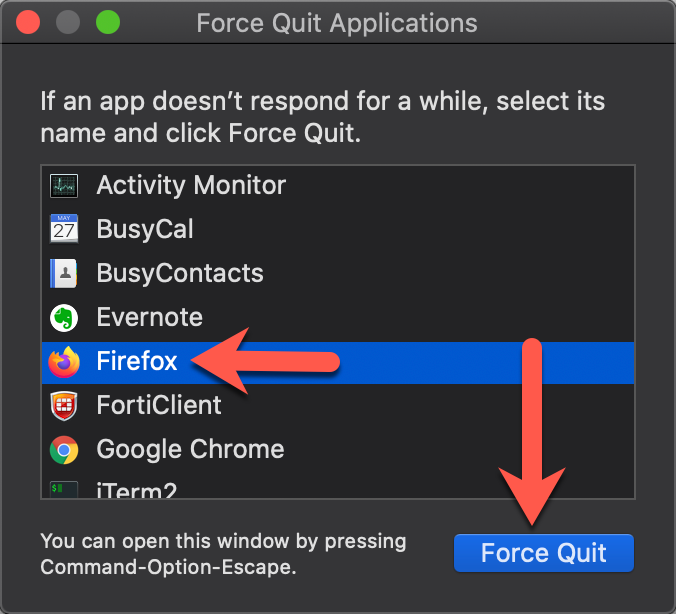
Normally, you would see one of these showing not responding . You would select it as I did with the Firefox and then choose Force Quit
Using Activity Monitor
Some applications do not show up in the previous step. Usually these are helper applications and other processes that are running in the background. To kill these apps and processes you need to launch the Activity Monitor. To launch Activity Monitor you can hit the ⌘ and the Space bar
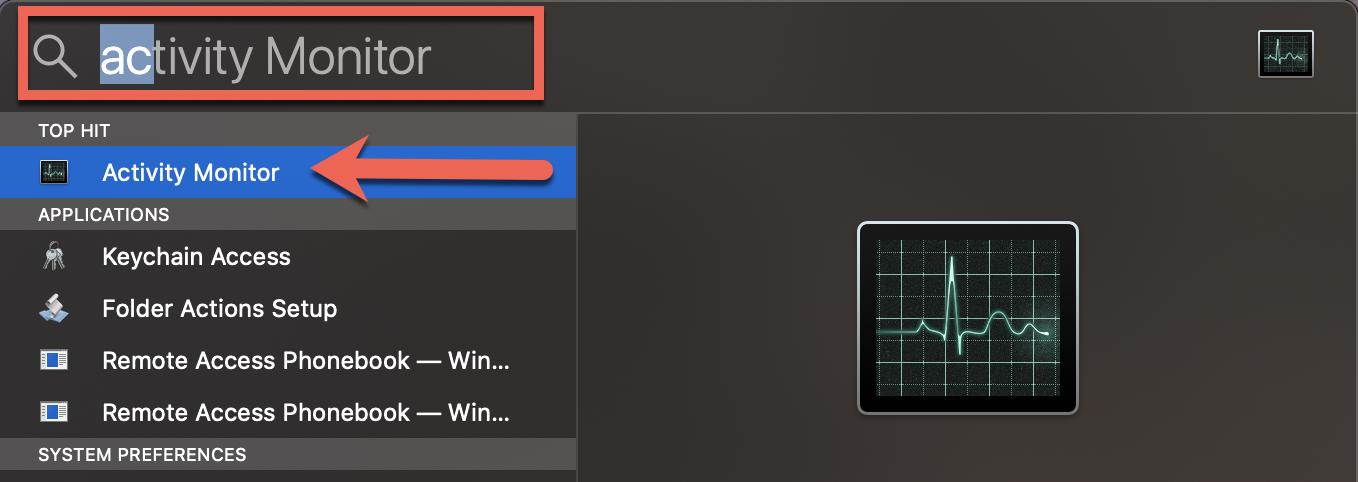
Once you have the Spotlight search bar, start typing activity monitor and then hit enter.
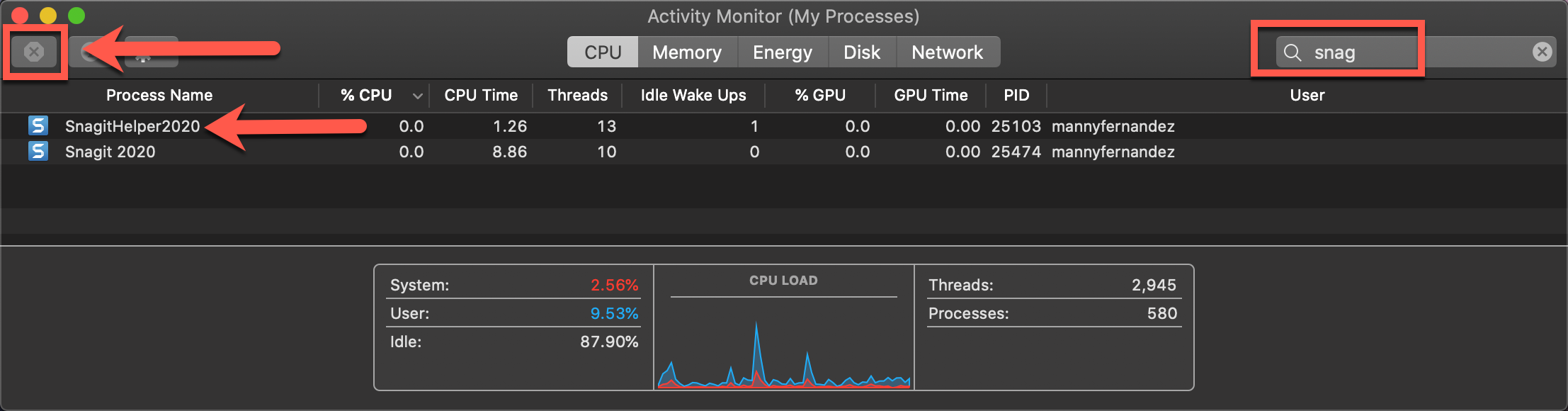
On the right hand side, you have a search window. I typed snag and enter to search the processes. As you can see, I found two. You can click on any of the processes you want to kill, then choose the X on the top left.
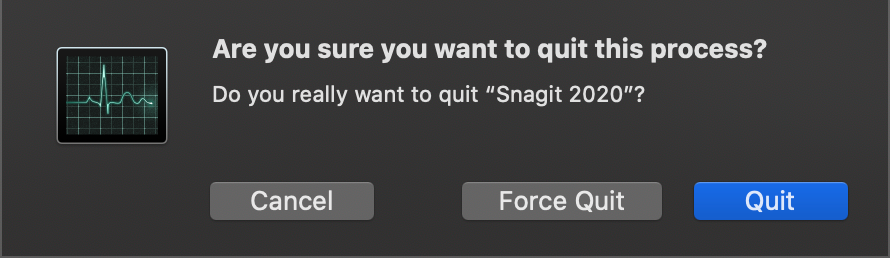
Now you can choose to Quit , Force Quit or Cancel (see below section for the difference between quit and force quit)
Command Line Killing
If you are like me and you enjoy the CLI, you can do the same process as above but via the command line. First you will want to identify the process you are trying to kill. For that you can use the ps command which stands for Process Status. You can use it in conjunction with the grep command. By the way, this also works for Linux.
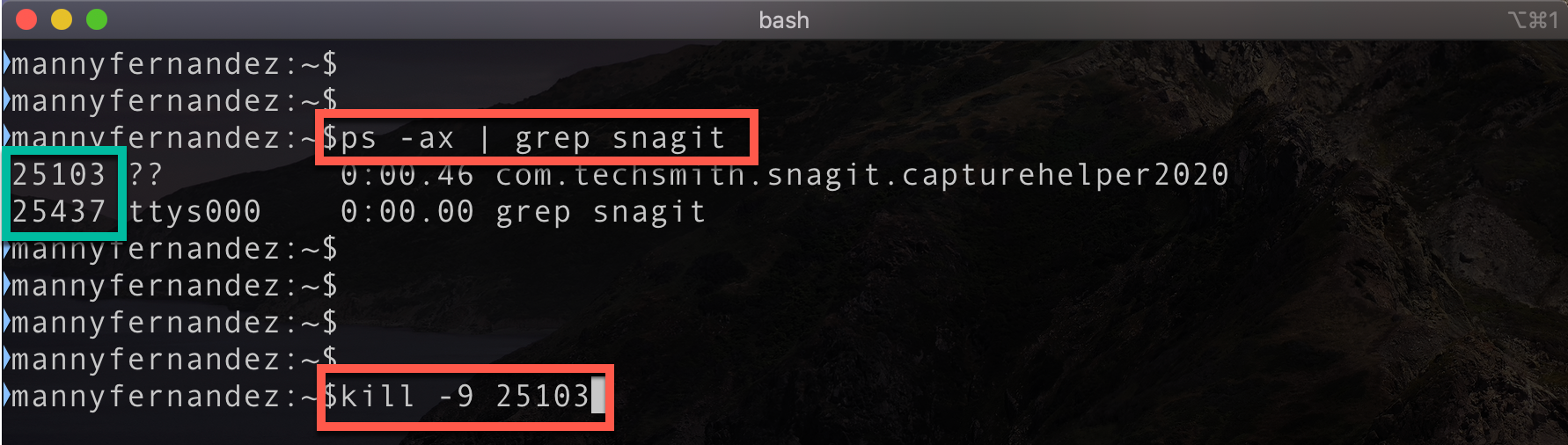
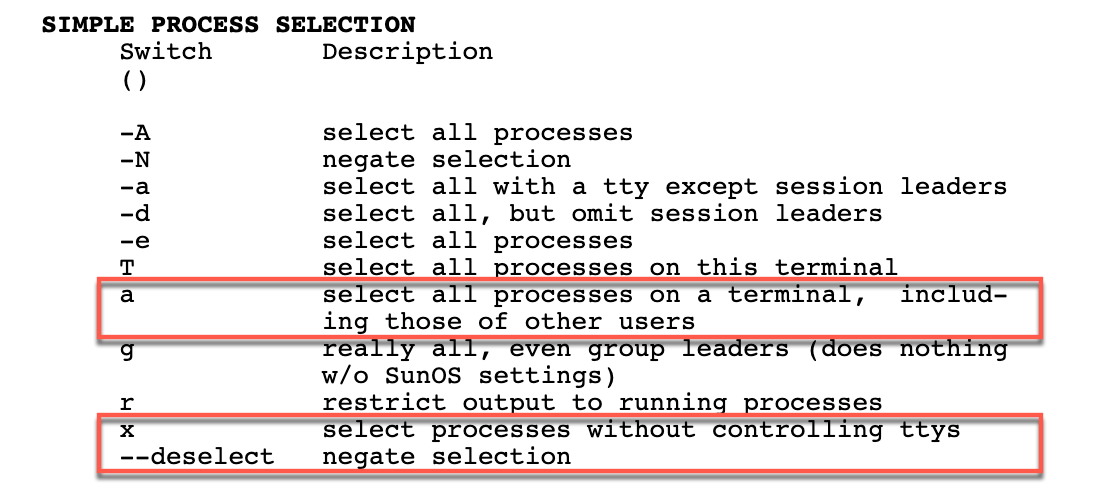
Above, you can see that I typed ps -ax | grep snagit . This filters out all the other processes and shows me the ones that contain snagit in their names. You can see the PID on the left hand side.
To see the options you can use with ps you can run the following command man ps.
Also above, you see that I issues the kill -9 25103 which is the pid (process id) number for the process. Below is the options to use with the kill command. You can get this info by using the man kill command.
Some of the more commonly used signals:

1 HUP (hang up)
2 INT (interrupt)
3 QUIT (quit)
6 ABRT (abort)
9 KILL (non-catchable, non-ignorable kill)
14 ALRM (alarm clock)
15 TERM (software termination signal)
The -9 is equal to Force Quit where -3 is equal to Quit
Another way to find the pid is by using the top utility. This should come standard with most Linux distros as well as the macOS. You can run this by simply typing top on the cli and enter.
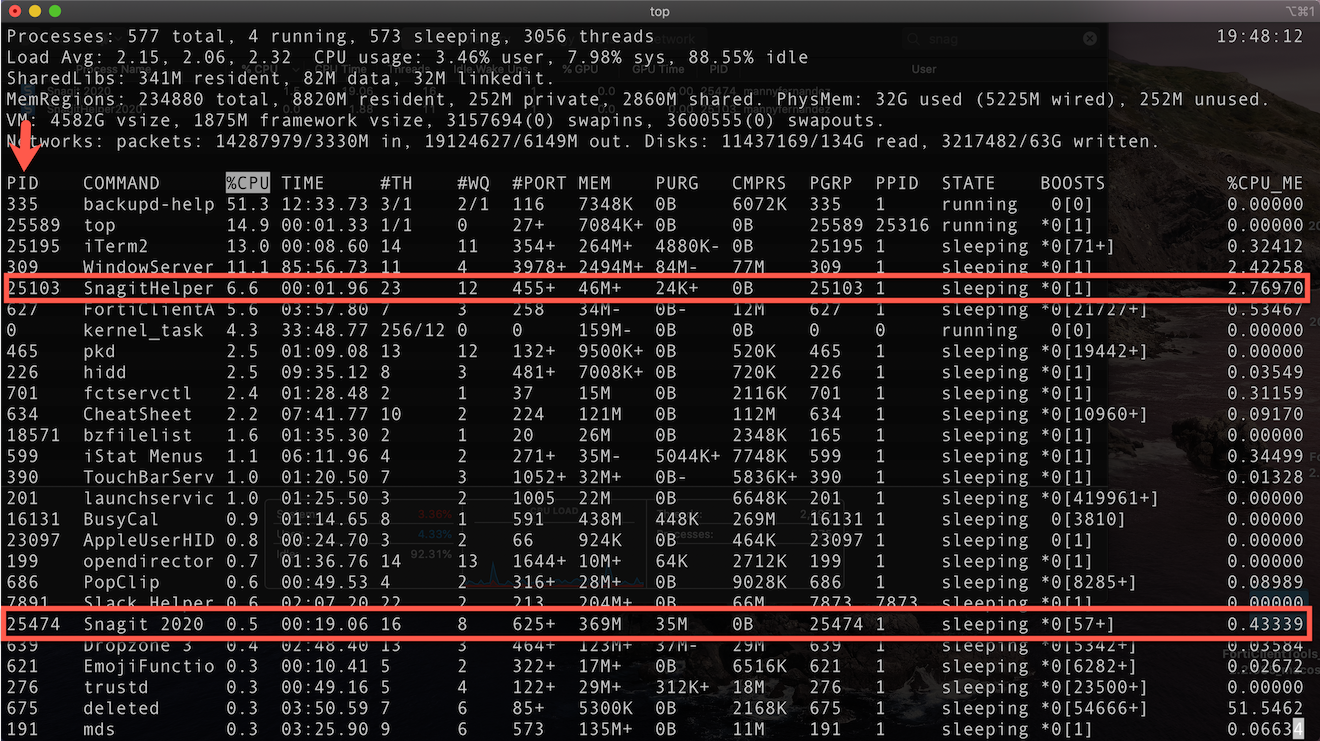
Top will update itself and show different processes. You can see the highlighted processes and their corresponding PIDs on the left side. To see more options with top use the man top from the cli or you can visit this site.
To Quit or Force Quit, that is the question
There is a difference in ‘Quit’ and ‘Force Quit’
Quit: This is the same as choosing File > Quit within an app. The process quits when it’s safe to do so. If quitting the process could cause data loss or interfere with another app, the process doesn’t quit. Also, if you are not the Administrator it will ask you for the Admin password.
Force Quit: The process quits immediately. If the process has files open, you may lose data. If the process is used by other apps or processes, those apps or processes could experience problems.
Hope this helps
Recent posts
-

-

DNS is one of those technologies that quietly underpins... Full Story
-

BGP issues on FortiGate firewalls usually trace back to... Full Story
-

Every time your laptop talks to your router, a... Full Story
-

If you've spent any time configuring NAT on a... Full Story
-

If you have spent any time configuring firewall policies... Full Story
-

High availability on FortiGate is one of those features... Full Story
-

If you've configured SD-WAN on a FortiGate, you've almost... Full Story
-

FortiLink is the management protocol that turns a FortiSwitch... Full Story
-

FortiSwitches are pretty rock solid from Mean Time Between... Full Story
-

This is a quicky tip. Have you ever gone... Full Story
-

DNS is one of those quiet pieces of internet... Full Story
-

This article is an updated version of the previous... Full Story
-

You will add ns2 as a secondary (slave) BIND9... Full Story
-

In the process of deploying my lab, I needed... Full Story
-

RFC 8805, used to be known as Self-Correcting IP... Full Story
-

Years back, I wrote an article about certificate pinning. ... Full Story
-

FortiGates have the ability to send alerts to Microsoft... Full Story
-

In this post, I am going to walk through... Full Story
-

Troubleshooting VoIP on a FortiGate can feel like trying... Full Story
-

Prior to FortiOS 7.0, there were three commands to... Full Story
-

In this post, I am going to go over... Full Story
-

What we are going to do: We are going... Full Story
-

Choosing between FGCP (FortiGate Clustering Protocol) and FGSP (FortiGate... Full Story
-

Creating a VLAN on macOS (The "Pro" Move) A... Full Story
-

This blog post explores the logic behind how macOS... Full Story
-

Pretty Fly for a Wi-Fi Tell My Wi-Fi Love... Full Story
-

Part of my daily gig is creating BoMs (Bill-of-Materials)... Full Story
-

ICMP introduces several security risks, but careful filtering, rate... Full Story
-

The command diag debug application dhcps -1 enables full... Full Story
-

In the world of FortiOS, execute tac report is... Full Story
-

LLDP; What is it The Link Layer Discovery Protocol... Full Story
-

What it actually does When you run diagnose fdsm... Full Story
-

Monkey Bites are bite-sized, high-impact security insights designed for... Full Story
-

I have run macOS in macOS with Parallels but... Full Story
-

Don't be confused with my other FortiNAC posts where... Full Story
-

This is the third session in a multi-part article... Full Story
-

Today I was configuring key-based authentication on a FortiGate... Full Story
-

Netcat, often called the "Swiss Army knife" of networking,... Full Story
-

At its core, IEEE 802.1X is a network layer... Full Story
-

In case you did not see the previous FortiNAC... Full Story
-

This is our 5th session where we are going... Full Story
-

Now that we have Wireshark installed and somewhat configured,... Full Story
-

The Philosophy of Packet Analysis Troubleshooting isn't about looking... Full Story
-

Quick-Tip The default macOS zsh prompt prints your username,... Full Story
-

Executive summary. After Apple significantly upgraded Reminders, I finally... Full Story
-

The 20-byte tunnel nobody talks about: config system ipip-tunnel... Full Story