
If you've spent any time configuring user authentication on... Full Story
By Manny Fernandez
June 19, 2026
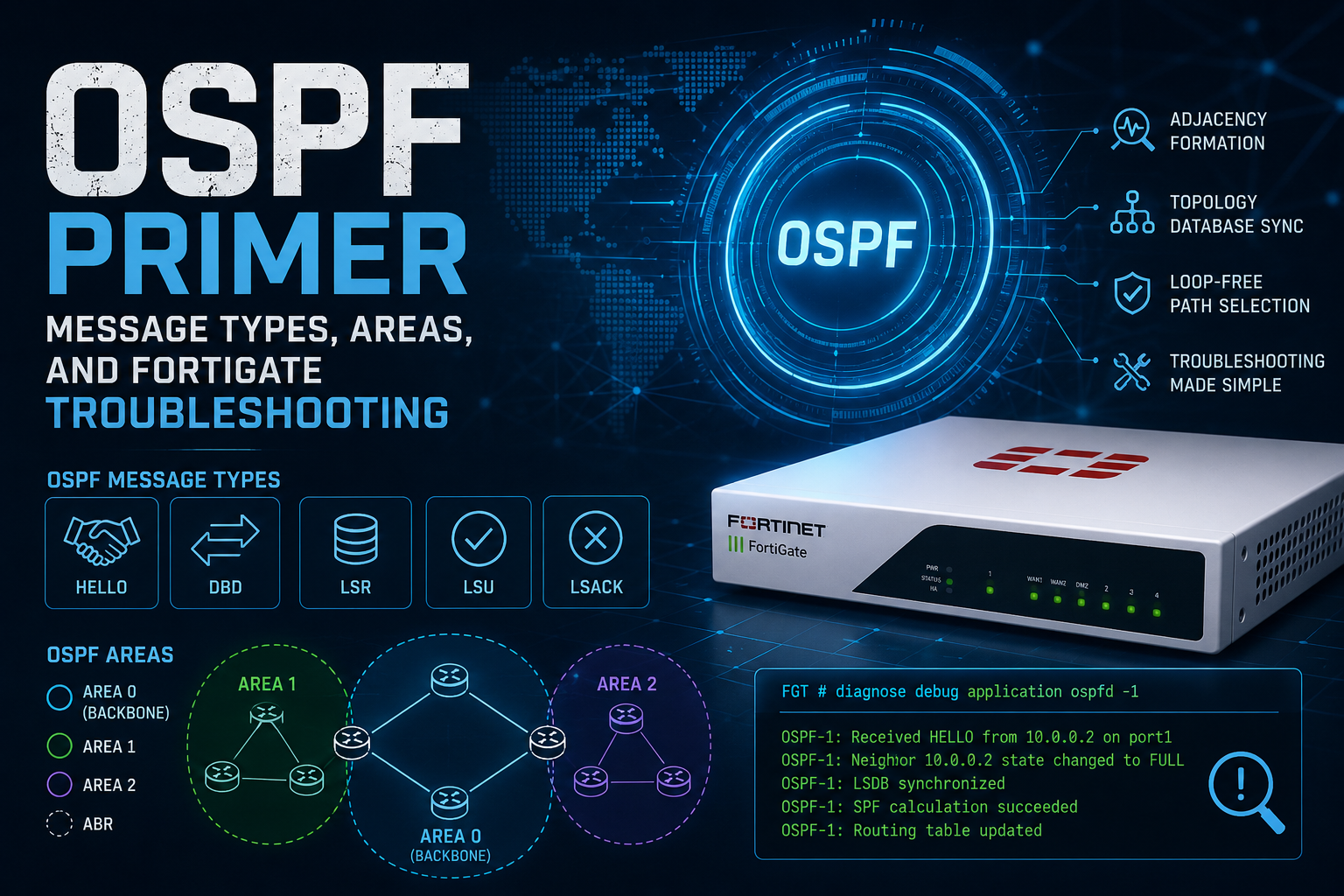
OSPF Primer: Message Types, Areas, and FortiGate Troubleshooting
OSPF (Open Shortest Path First) is a link-state IGP that every network engineer eventually has to actually understand rather than just configure. This guide walks through the protocol mechanics, the area types people constantly mix up, and the specific gotchas you hit running OSPF on FortiGate, including the headaches of pushing it across a VPN. No fluff, just the parts that bite you in production.
Why Link-State (and Why It Matters)
OSPF is link-state, not distance-vector. Every router builds an identical map (the Link-State Database, or LSDB) of the area it sits in, then runs Dijkstra’s Shortest Path First algorithm against that map to compute its own routing table. This is the key mental model: routers do not advertise routes to each other the way RIP or EIGRP do. They advertise the state of their links, flood that state to everyone in the area, and each router independently calculates the tree.
Consequences that matter in the field:
– Every router in an area must have a synchronized LSDB. If two routers in the same area disagree on the database, you have a problem (usually MTU, authentication, or a flapping link).
– OSPF converges fast because flooding is event-driven, not periodic. But large flat areas mean large SPF runs and more flooding churn.
– That is the entire reason areas exist: to bound the size of the LSDB and the scope of flooding.
OSPF Message Types (The Five Packets)
All OSPF packets ride directly on IP protocol 89. There is no TCP or UDP underneath. Five packet types do all the work:
1. Hello (Type 1) – Discovers neighbors and maintains adjacencies. Sent to multicast 224.0.0.5 (AllSPFRouters). Hellos carry the parameters that MUST match for an adjacency to form: Area ID, Hello interval, Dead interval, authentication, network mask (on broadcast networks), and the stub flag. A mismatch here is the single most common reason neighbors never come up.
2. Database Description (DBD / Type 2) – Once neighbors agree to form an adjacency, they exchange DBD packets summarizing their LSDB contents. This is where the master/slave relationship is negotiated and where MTU mismatches kill the adjacency (the session hangs in EXSTART/EXCHANGE).
3. Link-State Request (LSR / Type 3) – After comparing DBDs, a router requests the specific LSAs it is missing or that are more recent on the neighbor.
4. Link-State Update (LSU / Type 4) – Carries the actual LSAs in response to an LSR, or floods new/changed LSAs as topology events occur. One LSU can carry multiple LSAs.
5. Link-State Acknowledgment (LSAck / Type 5) – Explicitly acknowledges received LSAs. OSPF flooding is reliable, so every LSA must be acked or it gets retransmitted.
**Field note:** Do not confuse OSPF packet types (1 to 5 above) with OSPF LSA types (also numbered 1 to 11). They are different numbering schemes. When someone says “Type 5” they could mean an LSAck packet or an External LSA. Context matters, and it trips people up constantly.
The Adjacency State Machine
Neighbors walk through these states. Knowing where a stuck adjacency sits tells you almost exactly what is wrong:
– Down – No Hellos seen yet.
– Init – Received a Hello, but the router does not yet see itself listed in the neighbor’s Hello. One-way communication.
– 2-Way – Bidirectional Hellos confirmed. On broadcast/NBMA networks, the DR and BDR are elected here. Routers that are not DR/BDR stay at 2-Way with each other on purpose (DROther to DROther). This is normal, not a bug.
– ExStart – Master/slave negotiation begins via DBD. This is where MTU mismatches stall.
– Exchange – DBD packets describing the LSDB are traded.
– Loading – LSRs sent for missing LSAs, LSUs received.
– Full LSDBs are synchronized. The adjacency is complete.
The two states you will spend your life debugging are ExStart/Exchange (almost always MTU or a unicast/duplex issue) and adjacencies stuck at 2-Way (usually fine if both are DROther, a problem if one should be DR).
LSA Types (The Pieces of the Map)
LSAs are the building blocks of the LSDB. The ones you will actually encounter:
– Type 1 Router LSA – Generated by every router, flooded within its area only. Describes the router’s own links and costs.
– Type 2 Network LSA – Generated by the DR on a multi-access segment. Lists the routers attached to that segment.
– Type 3 Summary LSA – Generated by an ABR (Area Border Router). Advertises inter-area routes between areas. This is how one area learns about networks in another.
– Type 4 ASBR Summary LSA – Generated by an ABR to tell an area how to reach an ASBR (Autonomous System Boundary Router) in another area.
– Type 5 External LSA – Generated by an ASBR. Advertises routes redistributed into OSPF from outside (static, BGP, connected, another OSPF process). Flooded throughout the entire OSPF domain except into stub-type areas.
– Type 7 NSSA External LSA – The special-case external LSA used inside a Not-So-Stubby Area, because Type 5 is not allowed there. The ABR translates Type 7 into Type 5 as it leaves the NSSA.
Types 6, 8, 9, 10, 11 exist (multicast OSPF, opaque LSAs for things like MPLS-TE and Graceful Restart). You rarely touch them by hand, but opaque LSAs (Type 9/10/11) show up if you enable OSPF graceful restart or segment routing.
Areas: The Whole Point
An OSPF domain is divided into areas to limit LSDB size and flooding scope. Rules:
– Area 0 is the backbone. Every other area must connect to Area 0, either directly or through a virtual link. All inter-area traffic transits the backbone. This is non-negotiable and the source of a lot of design pain.
– ABRs – sit between Area 0 and other areas. They hold a separate LSDB per area and generate Type 3 summaries between them.
– ASBRs – sit at the edge of the OSPF domain and inject external routes (Type 5 / Type 7).
Routers within an area share an identical LSDB. Across areas, they share only summarized reachability, not full topology. That summarization is the lever you pull to scale OSPF.
Stub, Totally Stubby, NSSA, Totally NSSA
This is the section everyone half-remembers. The area types control which LSAs are allowed in, and the whole point is to shrink the LSDB on routers that do not need full external visibility. Here is the clean breakdown:
| Area Type | Type 3 (Inter-Area)? | Type 5 (External)? | Type 7 (NSSA)? | Default Injected? |
| Standard | Yes | Yes | No | No |
| Stub | Yes | No | No | Yes (by ABR) |
| Totally Stubby | No | No | No | Yes (by ABR) |
| NSSA | Yes | No | Yes | Optional |
| Totally NSSA | No | No | Yes | Yes (by ABR) |
The logic to keep in your head:
– Stub area blocks Type 5 externals. The ABR injects a default route so the area can still reach the outside world. You use this when an area has no ASBR and does not need to see every external prefix.
– Totally Stubby blocks Type 5 AND Type 3. The area sees only intra-area routes plus a single default. Cisco-ism originally, but FortiGate supports the equivalent (an ABR with no-summary). Great for stub branch sites that just need “everything else goes to the hub.”
– NSSA (Not-So-Stubby Area) is for the awkward case where a stub-like area DOES have an ASBR that must inject external routes. Type 5 is still banned, so those externals ride in as Type 7 and the ABR translates them to Type 5 on the way into the backbone. Classic example: a branch with a local internet breakout or a redistributed static.
– Totally NSSA is NSSA plus the totally-stubby behavior: block Type 3 too, inject a default, but still allow local Type 7 origination.
Rule of thumb: Stub = no externals coming in. Totally = no inter-area summaries either, just a default. Not-so-stubby = stub, but I still need to originate externals locally. Every router in a given area must agree on the stub flag or no adjacency forms.
Things to Look For (The Checklist)
When OSPF misbehaves, these are the usual suspects, roughly in order of how often they bite:
1. MTU mismatch Stuck in ExStart/Exchange. The two sides disagree on interface MTU and the DBD exchange fails. Either fix the MTU on both ends or (last resort) disable MTU checking.
2. Mismatched Hello/Dead timers Adjacency never leaves Init or flaps. Both must match exactly.
3. Area ID mismatch Same physical link, different configured area. No adjacency.
4. Subnet/mask mismatch On broadcast networks, neighbors must be on the same subnet with the same mask.
5. Authentication mismatch Wrong key, wrong type (none vs text vs MD5), or wrong key ID. Silent failure.
6. Network type mismatch Broadcast vs point-to-point vs NBMA. Mismatched types cause DR election weirdness or no adjacency. This is huge over VPN (see below).
7. Duplicate Router IDs Two routers with the same RID corrupt the LSDB and cause routes to flap. Set RIDs explicitly.
8. Stub flag mismatch One side thinks the area is stub, the other does not. No adjacency.
9. Passive interface where you needed an adjacency Easy to fool yourself. A passive interface advertises the subnet but forms no neighbor.
10. ACL / firewall policy dropping protocol 89 or the multicast Especially across security zones or VPN.
FortiGate OSPF Troubleshooting Steps
FortiGate runs OSPF inside the routing daemon, and the CLI gives you everything you need. Here is a practical sequence.
Step 1: Confirm neighbors and their state
get router info ospf neighbor
Look at the state column. Full or 2-Way (for DROther pairs) is healthy. Anything stuck at ExStart, Exchange, Init, or Down points you straight at the cause per the state machine above.
Step 2: Check the interface configuration OSPF sees
get router info ospf interface <interface>
This shows the area, network type, Hello/Dead timers, cost, DR/BDR, and MTU as OSPF understands them. Compare both ends. Timer or area mismatches jump out here.
Step 3: Inspect the database
get router info ospf database brief
get router info ospf database router
get router info ospf database external
Confirm the LSAs you expect are present. Missing Type 5s in an area you thought was standard? Maybe it is configured stub. Missing Type 3s? Check ABR summarization or a totally-stubby config.
Step 4: Verify the route actually made it to the FIB
get router info routing-table ospf
get router info routing-table details <prefix>
An OSPF route in the LSDB that is not in the routing table usually means a better administrative-distance source won, a next-hop is unreachable, or there is a forwarding-address problem on an external LSA.
Step 5: Turn on real-time debugging
diagnose ip router ospf all enable
diagnose ip router ospf level info (or 'debug' for verbose)
diagnose debug enable
Watch the adjacency form (or fail) live. To stop:
diagnose ip router ospf all disable
diagnose debug disable
diagnose debug reset
Step 6: Sniff the actual packets
diagnose sniffer packet <interface> 'ip proto 89' 4
If you do not see Hellos leaving or arriving, the problem is below OSPF: interface down, wrong zone, a policy dropping protocol 89, or the multicast not being delivered (common on tunnels).
FortiGate-specific gotchas
– MTU and mtu-ignore FortiGate is strict about MTU in the DBD exchange. If one side is a tunnel with a smaller MTU you will hang in ExStart. Under config router ospf then config ospf-interface, set set mtu-ignore enable on the interface, or better, align the MTU. Treat `mtu-ignore` as the workaround, not the fix.
– Network type. FortiGate defaults can surprise you. Set it explicitly: set network-type point-to-point on tunnel interfaces avoids DR election entirely (more on this below).
– Passive interfaces. Configured under config router ospf with set passive-interface. Remember this advertises the network without forming a neighbor.
– Router ID. Set it: config router ospf then set router-id x.x.x.x. Do not let it auto-pick and then wonder why it changed after a reboot.
– Reference bandwidth. If you have interfaces faster than the default reference (100 Mbps baseline), cost calculations flatten out and pick bad paths. Set `set auto-cost reference-bandwidth` consistently across the domain or your costs will not mean what you think.
OSPF Across a VPN (The Part That Actually Hurts)
Running OSPF over a site-to-site VPN is where most of the field pain lives, because tunnels break two assumptions OSPF makes: multicast delivery and consistent MTU.
Use point-to-point network type on the tunnel
A route-based IPsec tunnel (FortiGate IPsec interface / ipsecXXX) is logically point-to-point. Treat it that way:
config router ospf
config ospf-interface
edit "tunnel-ospf"
set interface "to-hub-vpn"
set network-type point-to-point
next
end
end
Point-to-point network type skips DR/BDR election (which makes no sense over a tunnel anyway), uses multicast cleanly between the two endpoints, and forms adjacencies faster. This single setting solves a surprising number of “neighbor stuck at 2-Way / ExStart over VPN” tickets.
MTU is the silent killer over tunnels
IPsec adds overhead, so the tunnel MTU is smaller than the physical interface. OSPF’s DBD exchange compares MTU and stalls in ExStart if the two ends disagree. Two options:
– Preferred: set a consistent, correct MTU on the tunnel interfaces on both ends so they match and account for IPsec overhead.
– Pragmatic: enable `set mtu-ignore enable` on the tunnel OSPF interface so OSPF stops policing MTU. Adjacency comes up, but be aware you are masking a real MTU truth that can still fragment large LSUs.
Multicast over the tunnel
OSPF Hellos use multicast 224.0.0.5. Route-based IPsec on FortiGate carries this fine once the OSPF interface is bound to the tunnel and network type is point-to-point. Policy-based VPNs and some third-party peers do not pass OSPF multicast cleanly, which is one more reason to standardize on route-based tunnels when you intend to run a dynamic IGP across them. If multicast genuinely will not pass, you are looking at OSPF unicast neighbor configuration or a different design (BGP over the tunnel is often the better answer for many sites).
Area design across the VPN
– The tunnel link itself lives in an area. If your hub is the backbone and spokes are remote, a common pattern is putting each spoke tunnel in its own non-backbone area, or running the spokes as stub / totally-stubby / NSSA so they receive only a default route instead of the full table. This dramatically cuts LSDB size and flooding over slow or metered links.
– If a remote site has its own internet breakout or local redistribution, that area needs to be **NSSA**, since it has a local ASBR but you still want stub-like behavior toward the hub.
– Backbone continuity still applies. If a spoke area is not physically adjacent to Area 0, you need a **virtual link** across a transit area, or you redesign so the tunnel terminates in the backbone. Virtual links over VPN work but add fragility. Avoid them if the design allows.
Cost and path selection over redundant tunnels
With dual VPNs (primary/backup), tune OSPF cost so the primary tunnel wins and the backup only takes over on failure. Set `set cost` on the OSPF interface, and remember the reference-bandwidth caveat. Pair this with dead-interval tuning if you need faster failover, but do not set timers so aggressively that normal tunnel jitter triggers a flap. BFD is the cleaner mechanism for fast failure detection if both ends support it.
Quick VPN troubleshooting flow
1. diagnose sniffer packet <tunnel-if> , ip proto 89 4 Are Hellos crossing the tunnel at all?
2. get router info ospf neighbor Stuck at ExStart? Suspect MTU. Stuck at Init? One-way Hellos, check the return path and the policy.
3. Confirm network-type point-to-point on both ends.
4. Confirm tunnel is up and routes to the OSPF neighbor’s tunnel IP exist.
5. Check firewall policy allows the tunnel interface traffic and is not dropping protocol 89.
6. If ExStart persists, test with set mtu-ignore enable to confirm MTU is the culprit, then go fix the real MTU.
Quick Reference Summary
– OSPF is link-state, runs on IP protocol 89, builds an LSDB and runs SPF.
– Five packets: Hello, DBD, LSR, LSU, LSAck. Hellos build adjacency, DBD/LSR/LSU/LSAck synchronize the database.
– Adjacency states: Down, Init, 2-Way, ExStart, Exchange, Loading, Full. ExStart stall = MTU.
– LSA types 1 to 5 plus 7 for NSSA are what you actually handle.
– Areas bound flooding; Area 0 is the backbone and everything must touch it.
– Stub blocks externals; Totally Stubby also blocks inter-area summaries; NSSA allows local externals as Type 7; Totally NSSA does both.
– On FortiGate, drive everything from get router info ospf …and diagnose ip router ospf ..., and sniff ip proto 89 when in doubt.
– Over VPN: point-to-point network type, watch MTU like a hawk, use route-based tunnels, and shrink remote areas to stub/NSSA so spokes get a default instead of the full table.
Recent posts
-

-

DNS is one of those technologies that quietly underpins... Full Story
-

BGP issues on FortiGate firewalls usually trace back to... Full Story
-

Every time your laptop talks to your router, a... Full Story
-

If you've spent any time configuring NAT on a... Full Story
-

If you have spent any time configuring firewall policies... Full Story
-

High availability on FortiGate is one of those features... Full Story
-

If you've configured SD-WAN on a FortiGate, you've almost... Full Story
-

FortiLink is the management protocol that turns a FortiSwitch... Full Story
-

FortiSwitches are pretty rock solid from Mean Time Between... Full Story
-

This is a quicky tip. Have you ever gone... Full Story
-

DNS is one of those quiet pieces of internet... Full Story
-

This article is an updated version of the previous... Full Story
-

You will add ns2 as a secondary (slave) BIND9... Full Story
-

In the process of deploying my lab, I needed... Full Story
-

RFC 8805, used to be known as Self-Correcting IP... Full Story
-

Years back, I wrote an article about certificate pinning. ... Full Story
-

FortiGates have the ability to send alerts to Microsoft... Full Story
-

In this post, I am going to walk through... Full Story
-

Troubleshooting VoIP on a FortiGate can feel like trying... Full Story
-

Prior to FortiOS 7.0, there were three commands to... Full Story
-

In this post, I am going to go over... Full Story
-

What we are going to do: We are going... Full Story
-

Choosing between FGCP (FortiGate Clustering Protocol) and FGSP (FortiGate... Full Story
-

Creating a VLAN on macOS (The "Pro" Move) A... Full Story
-

This blog post explores the logic behind how macOS... Full Story
-

Pretty Fly for a Wi-Fi Tell My Wi-Fi Love... Full Story
-

Part of my daily gig is creating BoMs (Bill-of-Materials)... Full Story
-

ICMP introduces several security risks, but careful filtering, rate... Full Story
-

The command diag debug application dhcps -1 enables full... Full Story
-

In the world of FortiOS, execute tac report is... Full Story
-

LLDP; What is it The Link Layer Discovery Protocol... Full Story
-

What it actually does When you run diagnose fdsm... Full Story
-

Monkey Bites are bite-sized, high-impact security insights designed for... Full Story
-

I have run macOS in macOS with Parallels but... Full Story
-

Don't be confused with my other FortiNAC posts where... Full Story
-

This is the third session in a multi-part article... Full Story
-

Today I was configuring key-based authentication on a FortiGate... Full Story
-

Netcat, often called the "Swiss Army knife" of networking,... Full Story
-

At its core, IEEE 802.1X is a network layer... Full Story
-

In case you did not see the previous FortiNAC... Full Story
-

This is our 5th session where we are going... Full Story
-

Now that we have Wireshark installed and somewhat configured,... Full Story
-

The Philosophy of Packet Analysis Troubleshooting isn't about looking... Full Story
-

Executive Summary Objective: Get you from zero to writing... Full Story
-

NAND cells, the flash translation layer, SLC caching, TRIM,... Full Story
-

Nmap Scripting Engine (NSE): From One-Liners to Your First... Full Story