
If you've spent any time configuring user authentication on... Full Story
By Manny Fernandez
August 25, 2026
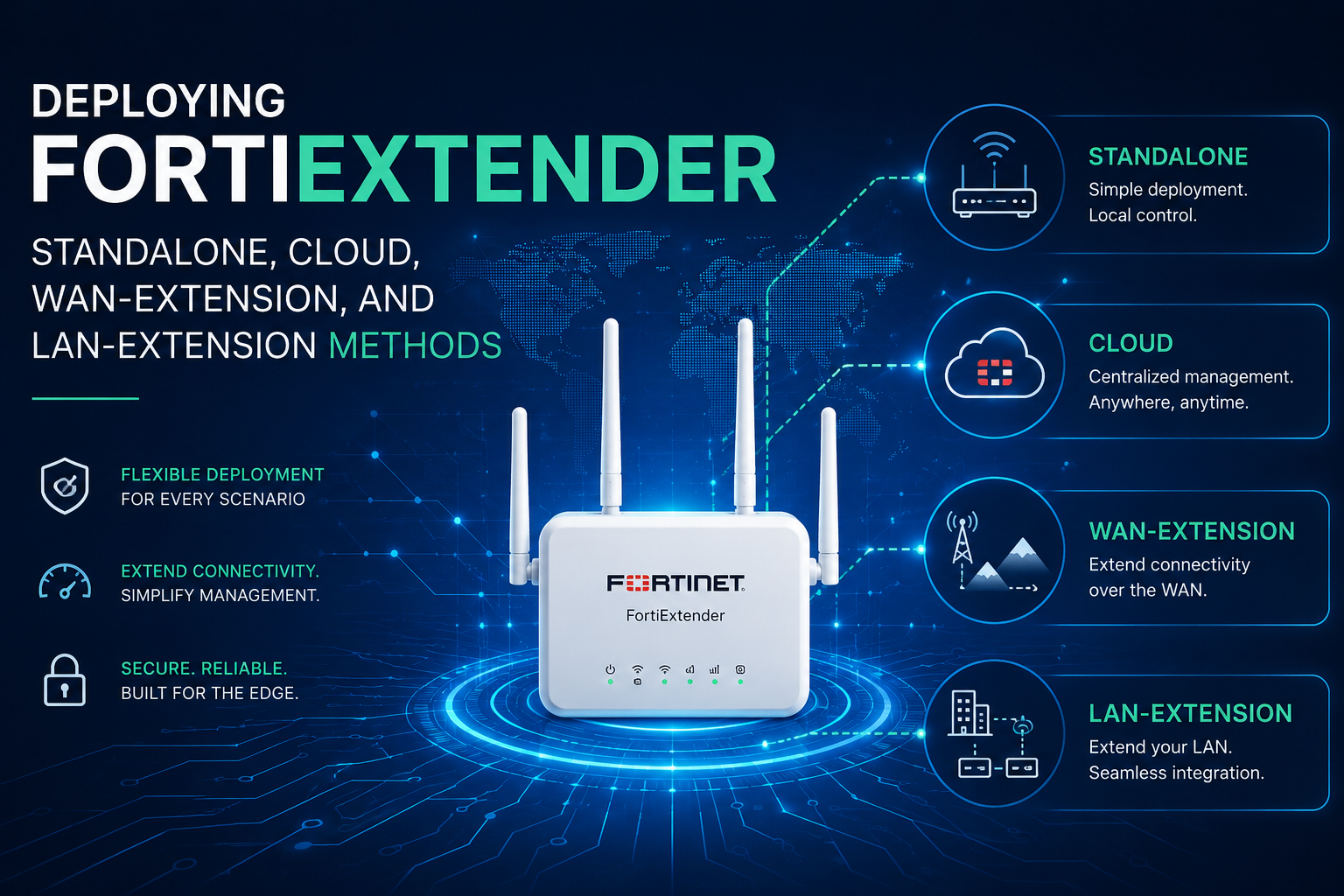
Deploying FortiExtender: Standalone, Cloud, WAN-Extension, and LAN-Extension Methods
1. Executive Summary
Objective
This guide walks through every supported way to deploy a FortiExtender and shows exactly which one to pick for a given site. It covers standalone local management, FortiExtender Cloud with zero-touch provisioning, FortiGate-managed WAN extension for cellular WAN and SD-WAN failover, and FortiGate-managed LAN extension for thin-edge sites that need security without a local firewall. Getting the management mode wrong is the single most common reason a FortiExtender deployment stalls on site, so the decision comes first and the config follows.
Target Audience
Network engineers, SD-WAN architects, field/deployment engineers, and MSP operations staff who own FortiGate edge estates and are adding cellular WAN or remote thin-edge sites. Assumes you are the person who will be on the CLI when the truck roll happens.
2. Prerequisites & Architecture
Assumed Knowledge
- FortiOS CLI structure (config / edit / set / next / end) and comfort in both GUI and CLI.
- FortiGate interface roles, firewall policy, and static or SD-WAN routing.
- Basic IPsec IKEv2 concepts. LAN extension builds tunnels for you, but you need to read them when they break.
- Cellular fundamentals: APN, PDN, RSRP/RSRQ/SINR, carrier aggregation, and why a private APN changes your inbound story.
- CAPWAP as a control-plane protocol. FortiExtender uses the same discovery model as FortiAP.
Environment and Lab Requirements
| Requirement | Detail |
|---|---|
| FortiGate (AC) | FortiOS 7.2.x or later. LAN extension requires 7.0.2+; treat 7.4.x or 7.6.x as the practical baseline for new builds. |
| FortiExtender | FXxxx hardware on a FortiExtender OS release matched to the FortiOS version. Check the compatibility matrix in the FortiExtender Admin Guide before you flash anything. |
| Licensing / entitlement | Unit registered to FortiCare. FortiExtender Cloud management requires an active FortiExtender Cloud entitlement. FortiGate-managed modes do not. |
| Carrier | Activated SIM(s) with a known APN and auth type. Confirm whether the plan is public IP, CGNAT, or private APN before you design inbound access. |
| Physical | Correct antennas seated on the right connectors, PoE budget or DC brick per model, and console/serial access as a fallback. |
| Network path | UDP 5246 (CAPWAP control) and UDP 25246 (CAPWAP data) reachable from the extender to the AC. UDP 500/4500 for LAN-extension IPsec. |
Method Decision Matrix
Pick the row that matches the business outcome, not the row that matches the hardware you happen to have on the bench.
| Method | Use When | Managed From | Data Path |
|---|---|---|---|
| A. Standalone | Lab, PoC, kiosk, or a site with no FortiGate. Also the fallback when cloud/AC reachability fails. | Local GUI/CLI on the extender | Extender routes/NATs locally |
| B. FortiExtender Cloud | Fleet of standalone extenders across many sites. Zero-touch shipping direct to site. | FortiExtender Cloud portal | Extender routes/NATs locally |
| C. WAN extension | Cellular becomes a WAN interface on an existing FortiGate. Backup circuit, SD-WAN member, or primary LTE/5G WAN. | FortiGate (CAPWAP) | IP pass-through to the FortiGate |
| D. LAN extension | Small remote site that needs full inspection but cannot justify a firewall. Retail closet, clinic, remote worker desk. | FortiGate (CAPWAP) | VXLAN over IPsec back to the AC |
Component Table
| Component | Role | Address / Identifier |
|---|---|---|
| HUB-FGT-01 | FortiExtender access controller (AC), security enforcement | port3 = 10.10.10.1/24 (LAN discovery) port1 = <public_ac_ip> (backhaul) |
| BR-FGT-01 | Branch FortiGate consuming cellular as a WAN member | port5 = 10.255.1.1/24 (extender segment) |
| FEXT-WAN-01 | FortiExtender in WAN-extension mode (Method C) | Serial <fext_wan_serial>Default local mgmt 192.168.200.99 |
| FEXT-LAN-01 | FortiExtender thin edge in LAN-extension mode (Method D) | Serial <fext_lan_serial> |
| LAN extension interface | Virtual L3 gateway on the AC for the remote L2 segment | 172.20.50.1/24 |
| Carrier dataplan | APN, auth, quota, and billing definition pushed to the modem | APN <carrier_apn> |
Version note. The CLI tree was renamed in FortiOS 7.2. Anything 7.2 and later uses
config extension-controller .... FortiOS 7.0 and earlier uses config extender-controller .... Every snippet below uses the modern tree. If a command rejects, that rename is the first thing to check.3. Step-by-Step Implementation Workflow
Phase 0 — Register the Unit and Choose the Management Mode
Goal: Get the serial into FortiCare and lock in one management mode before the unit ever ships. A FortiExtender speaks to exactly one manager at a time.
Action: Register the serial and contract at support.fortinet.com. If you plan to use FortiExtender Cloud or zero-touch, assign the device in FortiZTP to the target cloud account or FortiGate. Then verify the mode the unit currently believes it is in.
### On the FortiExtender (FEXT OS) - what am I talking to?
get system status
get system management
GUI verification: FortiExtender local GUI at https://192.168.200.99 → System > Management. In FortiZTP, the device row shows the assigned management service.
Phase 1 — Physical Staging and First Access
Goal: Confirm the modem sees the carrier before any of the management plumbing is in play. Radio problems masquerade as management problems.
Action: Seat the SIM in slot 1, attach the main and diversity antennas to the labeled cellular connectors, power the unit, and let it boot fully. Then confirm the modem attaches and read the signal quality.
### On the FortiExtender
get system status
get system interface
diagnose ?          # enumerate the diag tree on your build
Field rule. Do not proceed past this phase until RSRP is better than roughly -100 dBm and SINR is positive. Anything worse and you will spend the rest of the deployment blaming CAPWAP for a coverage problem. Move the antennas, add a low-loss extension, or relocate the unit.
Phase 2 — Method A: Standalone Deployment
Goal: Bring the extender up as a self-contained cellular router with no external manager. This is the fastest path to proving the SIM, the APN, and the RF, and it is the mode you fall back to when everything else is broken.
Action: Set discovery to standalone so the unit stops hunting for an AC, then define the APN locally.
### On the FortiExtender
config system management
    set discovery-type disable
end

### Change the default credentials before anything else
config system admin
    edit admin
        set password <strong_password>
    next
end
GUI verification: Local GUI → Status dashboard shows the modem as Connected with an assigned WAN IP, band, and signal widget. Clients on the LAN port should pull DHCP and reach the internet.
Phase 3 — Method B: FortiExtender Cloud with Zero-Touch
Goal: Ship the box to site in the carton and have it configure itself. Best fit for a fleet of standalone extenders where no local FortiGate exists.
Action: In FortiZTP, assign the serial to your FortiExtender Cloud account. Build the target configuration template in the FortiExtender Cloud portal before the unit checks in, so the first call-home lands on a finished profile. If the unit was previously bound elsewhere, point it explicitly at the cloud.
### On the FortiExtender - force cloud management
config system management
    set discovery-type fortiextender-cloud
end

### Reboot so the discovery daemon restarts cleanly
execute reboot
GUI verification: FortiExtender Cloud portal → Devices. The unit appears with a green online state, live signal telemetry, and the applied template name. If it never appears, the unit either has no data path yet or is still bound to a different manager.
Phase 4 — Method C: FortiGate-Managed WAN Extension
This is the workhorse deployment. The FortiExtender runs in IP pass-through and hands the cellular IP to the FortiGate, which then treats cellular as a real WAN interface subject to policy, UTM, and SD-WAN SLA. The FortiGate manages the extender over CAPWAP.
4.1 Enable the FortiExtender controller on the FortiGate
Goal: Turn on the controller feature and expose the FortiExtender menus.
### On the FortiGate
config system global
    set fortiextender enable
end
GUI verification: System > Feature Visibility → enable FortiExtender. A new Network > FortiExtenders node appears in the left menu with Managed FortiExtenders, Profiles, and Data Plans tabs.
4.2 Prepare the discovery interface
Goal: Let the CAPWAP discovery packet reach the FortiGate. This is the step people skip.
### On the FortiGate - the port the extender plugs into
config system interface
    edit "port5"
        set vdom "root"
        set mode static
        set ip 10.255.1.1 255.255.255.0
        set allowaccess ping fabric
        set role lan
        set description "FortiExtender CAPWAP segment"
    next
end
Why
fabric matters. The Security Fabric Connection admin-access flag is what opens the CAPWAP listener on that interface. Without it the extender broadcasts into the void and never shows up as discovered. In the GUI it is Network > Interfaces > port5 > Administrative Access > Security Fabric Connection.4.3 Point the extender at the access controller
Goal: Give the extender a deterministic AC address. Broadcast discovery works on a flat L2 segment, but static is what you want in production and what you must have across any L3 hop.
### On the FortiExtender
config system management
    set discovery-type fortigate
    config fortigate
        set ac-discovery-type static
        config static-ac-addr
            edit 1
                set server 10.255.1.1
            next
        end
        set ac-ctl-port 5246
        set ac-data-port 25246
        set discovery-intf port1
        set ingress-intf
    end
end
4.4 Define the carrier data plan
Goal: Centralize APN, authentication, and quota so the FortiGate can push it to any extender and track usage against the plan.
### On the FortiGate
config extension-controller dataplan
    edit "dp-primary"
        set modem-id all
        set type carrier
        set carrier "<carrier_name>"
        set APN "<carrier_apn>"
        set auth-type none
        set signal-threshold 20
        set signal-period 3600
        set capacity 51200
        set billing-date 1
        set overage disable
        set preferred-subnet 32
        set private-network disable
    next
end
GUI verification: Network > FortiExtenders > Data Plans. If your carrier uses PAP or CHAP, set auth-type accordingly and supply the username and password, or the PDN will never activate.
4.5 Build the extender profile
Goal: Define the reusable behaviour set: which data plans apply, SIM selection, auto-switch logic, telemetry interval, and local admin access.
### On the FortiGate
config extension-controller extender-profile
    edit "prof-wanext-standard"
        set model <FEXT_MODEL>
        set extension wan-extension
        set allowaccess ping https ssh
        config cellular
            set dataplan "dp-primary" "dp-backup"
            config controller-report
                set status enable
                set interval 300
                set signal-threshold 10
            end
            config modem1
                set default-sim sim1
                set gps enable
                set redundant-mode disable
                config auto-switch
                    set dataplan enable
                    set disconnect enable
                    set disconnect-threshold 3
                    set disconnect-period 600
                    set signal enable
                    set switch-back time
                    set switch-back-time 03:00
                end
            end
        end
    next
end
The auto-switch block is the dual-SIM story: fail over to SIM 2 on data-cap exhaustion, on repeated disconnects, or on sustained poor signal, then switch back on a schedule rather than flapping.
4.6 Authorize the extender and bind the modem to an interface
Goal: Accept the discovered unit and map its modem to a FortiGate WAN-extension interface that routing and policy can reference.
Action: First confirm the WAN-extension interfaces FortiOS created for you, then reference one by its actual name.
### On the FortiGate - find the real interface names first
get system interface | grep -i fext

### Then authorize and bind
config extension-controller extender
    edit "<fext_wan_serial>"
        set authorized enable
        set extension-type wan-extension
        set profile "prof-wanext-standard"
        set ext-name "FEXT-WAN-01"
        config wan-extension
            set modem1-extension "fext-wan1"
        end
    next
end
GUI verification: Network > FortiExtenders > Managed FortiExtenders. Edit the discovered serial, toggle Authorized, select the profile, and choose the WAN-extension interface for modem 1. Status should move from Discovered to Connected within a minute or two, and Network > Interfaces will show the cellular IP landing on the extension interface.
4.7 Consume the cellular interface in SD-WAN
Goal: Make cellular a real, measured member rather than a static backup route with no health awareness.
### On the FortiGate
config system sdwan
    set status enable
    config members
        edit 10
            set interface "fext-wan1"
            set zone "virtual-wan-link"
            set priority 20
            set comment "Cellular via FortiExtender"
        next
    end
    config health-check
        edit "hc-cellular"
            set server "<probe_target_ip>"
            set protocol ping
            set interval 2000
            set failtime 5
            set recoverytime 10
            set members 10
            config sla
                edit 1
                    set latency-threshold 400
                    set jitter-threshold 100
                    set packetloss-threshold 5
                next
            end
        next
    end
end
Metered-link discipline. Set the health-check interval higher on cellular than on fiber. A 500 ms probe on a metered LTE plan is a measurable monthly line item. Two seconds with a failtime of five is a reasonable starting point. Also consider setting an estimated upstream/downstream bandwidth on the interface so SD-WAN rules that use bandwidth-based selection behave sanely.
4.8 Move the extender local services off the default ports
Goal: In WAN-extension mode the FortiExtender and the FortiGate share the same cellular IP. Unless you relocate the extender’s own management services, inbound 443 and 22 terminate on the extender instead of reaching the FortiGate.
### On the FortiExtender
config system management
    config local-access
        set https 22443
        set ssh 2222
    end
end
Phase 5 — Method D: FortiGate-Managed LAN Extension (Thin Edge)
LAN extension puts the remote site’s L2 segment directly onto the FortiGate. The extender builds one IPsec tunnel per uplink back to the AC, runs a VXLAN inside each tunnel, aggregates the VXLANs, and softswitches that aggregate with its local LAN ports. The result is a virtual LAN-extension interface on the FortiGate that behaves like a locally attached segment, with full UTM applied centrally. Almost all of it is auto-generated. Your job is discovery, authorization, and the L3 plus policy on the AC.
5.1 Prepare the AC and point the thin edge at it
### On the FortiGate AC - the backhaul-facing interface
config system interface
    edit "port3"
        set vdom "root"
        set allowaccess ping fabric
    next
end

### On the FortiExtender thin edge - both uplinks discover the AC
config system management
    set discovery-type fortigate
    config fortigate
        set ac-discovery-type static
        config static-ac-addr
            edit 1
                set server <public_ac_ip>
            next
        end
        set ac-ctl-port 5246
        set ac-data-port 25246
        set discovery-intf port1 port2
        set ingress-intf
    end
end
5.2 Authorize and let FortiOS build the overlay
On discovery, FortiOS pre-creates an extender entry, a dynamic IKEv2 phase1/phase2 pair, and a model-specific LAN-extension profile. Authorizing the unit is what triggers the push.
### On the FortiGate - auto-created on discovery
config extension-controller extender
    edit "<fext_lan_serial>"
        set id "<fext_lan_serial>"
        set device-id 0
        set extension-type lan-extension
        set profile "<MODEL>-lanext-default"
    next
end

### Auto-created LAN-extension profile - review, do not hand-edit the tunnel
config extension-controller extender-profile
    edit "<MODEL>-lanext-default"
        set model <FEXT_MODEL>
        set extension lan-extension
        config lan-extension
            set link-loadbalance loadbalance
            set ipsec-tunnel "<auto_generated_tunnel>"
            set backhaul-interface "port3"
            config backhaul
                edit "1"
                    set port port1
                next
                edit "2"
                    set port port2
                next
            end
        end
    next
end

### Authorize - this is what pushes config down to the extender
config extension-controller extender
    edit "<fext_lan_serial>"
        set authorized enable
    next
end
Hands off the auto-generated objects. The IPsec phase1 and phase2 entries carry a comment that literally says not to edit them. They are regenerated by the extender controller. If you need different crypto or a different backhaul port, change the profile, not the tunnel.
Underneath, the extender builds one phase1 per uplink, a VXLAN per tunnel, an aggregate across the VXLANs with per-member health checks, and a softswitch that bridges the aggregate to the local LAN ports. You do not configure any of it, but you will read all of it during a troubleshoot:
### On the FortiExtender - what got pushed down
show vpn ipsec phase1-interface     # le-uplink-port1, le-uplink-port2
show system vxlan                   # le-vxlan-port1, le-vxlan-port2 (dstport 9999)
show system aggregate-interface     # le-agg-link, mode loadbalance
show system switch-interface        # le-switch: le-agg-link + lan
5.3 Address the LAN-extension interface and write policy
Goal: The remote segment now terminates on a virtual interface named after the extender serial. Give it a gateway address, optionally a DHCP scope, and a policy out to the internet.
### On the FortiGate AC
config system interface
    edit "<fext_lan_serial>"
        set ip 172.20.50.1 255.255.255.0
        set allowaccess ping
        set description "LAN extension - remote thin edge site"
    next
end

config system dhcp server
    edit 0
        set interface "<fext_lan_serial>"
        set default-gateway 172.20.50.1
        set netmask 255.255.255.0
        set dns-service default
        config ip-range
            edit 1
                set start-ip 172.20.50.100
                set end-ip 172.20.50.200
            next
        end
    next
end

config firewall policy
    edit 0
        set name "ThinEdge-to-Internet"
        set srcintf "<fext_lan_serial>"
        set dstintf "port1"
        set srcaddr "all"
        set dstaddr "all"
        set action accept
        set schedule "always"
        set service "ALL"
        set utm-status enable
        set ssl-ssh-profile "certificate-inspection"
        set av-profile "default"
        set ips-sensor "default"
        set webfilter-profile "default"
        set application-list "default"
        set logtraffic all
        set nat enable
    next
end
GUI verification: Network > Interfaces now lists the LAN-extension interface under the FortiExtender entry. VPN > IPsec Tunnels shows the auto-generated tunnel with one child SA per uplink in an up state.
4. Verification & Validation
Work top-down: management plane first, then data plane, then user experience. Do not test a client until the extender reports connected.
| Layer | Check | What “Success” Looks Like |
|---|---|---|
| Radio | Modem status on the extender, or the signal widget on Network > FortiExtenders | SIM detected, PDN activated, IP assigned, RSRP better than -100 dBm, positive SINR |
| CAPWAP | diagnose sniffer packet port5 'udp port 5246' 4 0 l |
Bidirectional discovery request and response. One-way traffic means the fabric flag is missing. |
| Controller | diagnose extender ? then the list/status subcommand for your build |
Serial present, state Connected and Authorized, profile name populated |
| Interface (Method C) | get system interface physical | grep -A5 fext |
Status up with the carrier-assigned IP bound to the extension interface |
| Tunnel (Method D) | get vpn ipsec tunnel summarydiagnose vpn ike gateway list |
One established IKE SA per uplink, non-zero selectors, RX and TX counters incrementing |
| Routing | get router info routing-table alldiagnose sys sdwan health-check |
Cellular member alive, SLA in-profile, default route present via the extension interface |
| Data path | execute ping-options source <iface_ip> then execute ping <probe_target_ip> |
Replies with LTE-typical latency. 40-120 ms is normal; 400 ms+ suggests poor RF or carrier congestion. |
| Client | Endpoint on the remote LAN: DHCP lease, DNS, HTTPS fetch | Lease from the AC’s scope, gateway is the LAN-extension interface, traffic visible in Log & Report > Forward Traffic |
Command availability drifts. The
diagnose extender and execute extender subtrees have gained and lost subcommands across 7.0 through 8.0. Type ? at each level on the box you are actually on rather than pasting a command from a five-year-old forum post.5. Troubleshooting & Gotchas
Gotcha 1: The extender never appears as Discovered
Symptom: Network > FortiExtenders is empty. The extender is powered, cabled, and has a cellular IP.
Root causes, in the order they actually occur: the fabric admin-access flag is missing on the discovery interface; the extender is still bound to a different manager (cloud or a previous FortiGate); or discovery is set to broadcast across an L3 boundary.
### FortiGate - is the CAPWAP listener even open?
show system interface port5 | grep allowaccess

### FortiGate - are discovery packets arriving?
diagnose sniffer packet port5 'udp port 5246 or udp port 25246' 4 0 l

### FortiExtender - who do I think my manager is?
get system management

### FortiExtender - repoint and restart discovery
config system management
    set discovery-type fortigate
    config fortigate
        set ac-discovery-type static
        config static-ac-addr
            edit 1
                set server <ac_ip>
            next
        end
    end
end
execute reboot
Resolution: Add fabric to allowaccess on the discovery interface, set the extender to static AC discovery pointing at the correct address, and reboot. If the unit was previously in FortiExtender Cloud, also release it in FortiZTP or it will keep drifting back.
Gotcha 2: Modem attaches but no data passes (PDN never activates)
Symptom: Signal is strong, the SIM is detected, but the extension interface stays at 0.0.0.0 or the modem cycles between connecting and disconnected.
Root causes: wrong APN string, missing PAP/CHAP credentials on a private APN, an unactivated SIM, or a SIM PIN that the profile does not supply. Carriers are unforgiving about APN case and exact spelling.
### FortiGate - confirm what the plan actually says
show extension-controller dataplan

### Fix auth for a private APN
config extension-controller dataplan
    edit "dp-primary"
        set APN "<exact_carrier_apn>"
        set auth-type chap
        set username "<apn_user>"
        set password "<apn_password>"
    next
end

### If the SIM is PIN-locked, supply it in the profile
config extension-controller extender-profile
    edit "prof-wanext-standard"
        config cellular
            config modem1
                set sim1-pin enable
                set sim1-pin-code <pin>
            end
        end
    next
end
Resolution: Prove the SIM in a phone or in Method A standalone mode first. If it works there and not under FortiGate management, the fault is in the dataplan object, not the radio. Watch out for a carrier that silently issues a CGNAT address on a plan you assumed was public.
Gotcha 3: You lose management access to the FortiGate over cellular
Symptom: WAN-extension mode is working for outbound traffic, but browsing to the cellular IP on 443 lands on the FortiExtender login page instead of the FortiGate.
Root cause: In WAN-extension mode both devices share the cellular IP. The extender’s own local services claim the default ports before the FortiGate ever sees the session. This is documented behaviour, not a bug.
### FortiExtender - move local services out of the way
config system management
    config local-access
        set https 22443
        set ssh 2222
    end
end

### FortiGate - verify the extension interface actually allows admin access
show system interface fext-wan1 | grep allowaccess
Resolution: Relocate the extender’s HTTPS and SSH to non-default ports, then reach the FortiGate normally. Better still, do not expose management on a cellular address at all. Use an SD-WAN overlay or FortiManager and keep allowaccess on the cellular interface empty.
Gotcha 4: LAN extension tunnel is up but clients see broken applications
Symptom: IKE SAs are established, ping works, small pages load, but large downloads stall and TLS handshakes to some sites hang.
Root cause: MTU. You are stacking Ethernet inside VXLAN inside ESP inside a cellular or DSL uplink that may already be running PPPoE. That is a lot of encapsulation overhead, and any path that drops ICMP fragmentation-needed turns it into a silent black hole.
### Prove it - find the largest payload that survives
execute ping-options df-bit yes
execute ping-options data-size 1400
execute ping <probe_target_ip>
# step data-size down until replies return

### Clamp TCP MSS on the LAN-extension policy
config firewall policy
    edit <policy_id>
        set tcp-mss-sender 1300
        set tcp-mss-receiver 1300
    next
end
Resolution: Clamp MSS on the policy that carries thin-edge traffic. Start at 1300 and only raise it after you have measured the real path MTU. While you are there, check the second gotcha of LAN extension: if the AC sits behind a NAT device, you must use the backhaul-IP option so the extender is told the correct public address to build tunnels toward, rather than the private address it sees in the CAPWAP payload.
6. Operational Hardening Checklist
- Set
login-password-changeand a strong device password in the extender profile so every authorized unit is provisioned away from defaults automatically. - Restrict
allowaccessin the profile to the minimum. Ping plus HTTPS is usually enough; drop SSH once the site is stable. - Use firmware provisioning on authorization so a replacement unit out of the box lands on your approved FortiExtender OS build before it joins.
- Enable controller reporting with a sane interval so signal, band, and data usage land in FortiAnalyzer for trending. Cellular degrades gradually and you want the graph.
- Set a bandwidth limit on thin-edge sites so a single runaway host cannot consume the whole backhaul.
- Document the serial-to-site mapping and the
ext-namevalue. In a LAN-extension estate, interface names are serial numbers, and unlabeled serials are how a change window turns into an outage. - Verify the FortiOS to FortiExtender OS compatibility matrix before any upgrade of either side. Mismatches show up as an extender that authorizes, connects, and then quietly refuses to accept its profile.
Recent posts
-

-

DNS is one of those technologies that quietly underpins... Full Story
-

BGP issues on FortiGate firewalls usually trace back to... Full Story
-

Every time your laptop talks to your router, a... Full Story
-

If you've spent any time configuring NAT on a... Full Story
-

If you have spent any time configuring firewall policies... Full Story
-

High availability on FortiGate is one of those features... Full Story
-

If you've configured SD-WAN on a FortiGate, you've almost... Full Story
-

FortiLink is the management protocol that turns a FortiSwitch... Full Story
-

FortiSwitches are pretty rock solid from Mean Time Between... Full Story
-

This is a quicky tip. Have you ever gone... Full Story
-

DNS is one of those quiet pieces of internet... Full Story
-

This article is an updated version of the previous... Full Story
-

You will add ns2 as a secondary (slave) BIND9... Full Story
-

In the process of deploying my lab, I needed... Full Story
-

RFC 8805, used to be known as Self-Correcting IP... Full Story
-

Years back, I wrote an article about certificate pinning. ... Full Story
-

FortiGates have the ability to send alerts to Microsoft... Full Story
-

In this post, I am going to walk through... Full Story
-

Troubleshooting VoIP on a FortiGate can feel like trying... Full Story
-

Prior to FortiOS 7.0, there were three commands to... Full Story
-

In this post, I am going to go over... Full Story
-

What we are going to do: We are going... Full Story
-

Choosing between FGCP (FortiGate Clustering Protocol) and FGSP (FortiGate... Full Story
-

Creating a VLAN on macOS (The "Pro" Move) A... Full Story
-

This blog post explores the logic behind how macOS... Full Story
-

Pretty Fly for a Wi-Fi Tell My Wi-Fi Love... Full Story
-

Part of my daily gig is creating BoMs (Bill-of-Materials)... Full Story
-

ICMP introduces several security risks, but careful filtering, rate... Full Story
-

The command diag debug application dhcps -1 enables full... Full Story
-

In the world of FortiOS, execute tac report is... Full Story
-

LLDP; What is it The Link Layer Discovery Protocol... Full Story
-

What it actually does When you run diagnose fdsm... Full Story
-

Monkey Bites are bite-sized, high-impact security insights designed for... Full Story
-

I have run macOS in macOS with Parallels but... Full Story
-

Don't be confused with my other FortiNAC posts where... Full Story
-

This is the third session in a multi-part article... Full Story
-

Today I was configuring key-based authentication on a FortiGate... Full Story
-

Netcat, often called the "Swiss Army knife" of networking,... Full Story
-

At its core, IEEE 802.1X is a network layer... Full Story
-

In case you did not see the previous FortiNAC... Full Story
-

This is our 5th session where we are going... Full Story
-

Now that we have Wireshark installed and somewhat configured,... Full Story
-

The Philosophy of Packet Analysis Troubleshooting isn't about looking... Full Story
-

InfoSecMonkey Threat Response October 24, 2026 | No fluff.... Full Story
-

InfoSecMonkey Threat Response October 24, 2026 | No fluff.... Full Story
-

Plus what you actually get with FortiCare Essential, Premium... Full Story