
If you've spent any time configuring user authentication on... Full Story
By Manny Fernandez
June 22, 2026
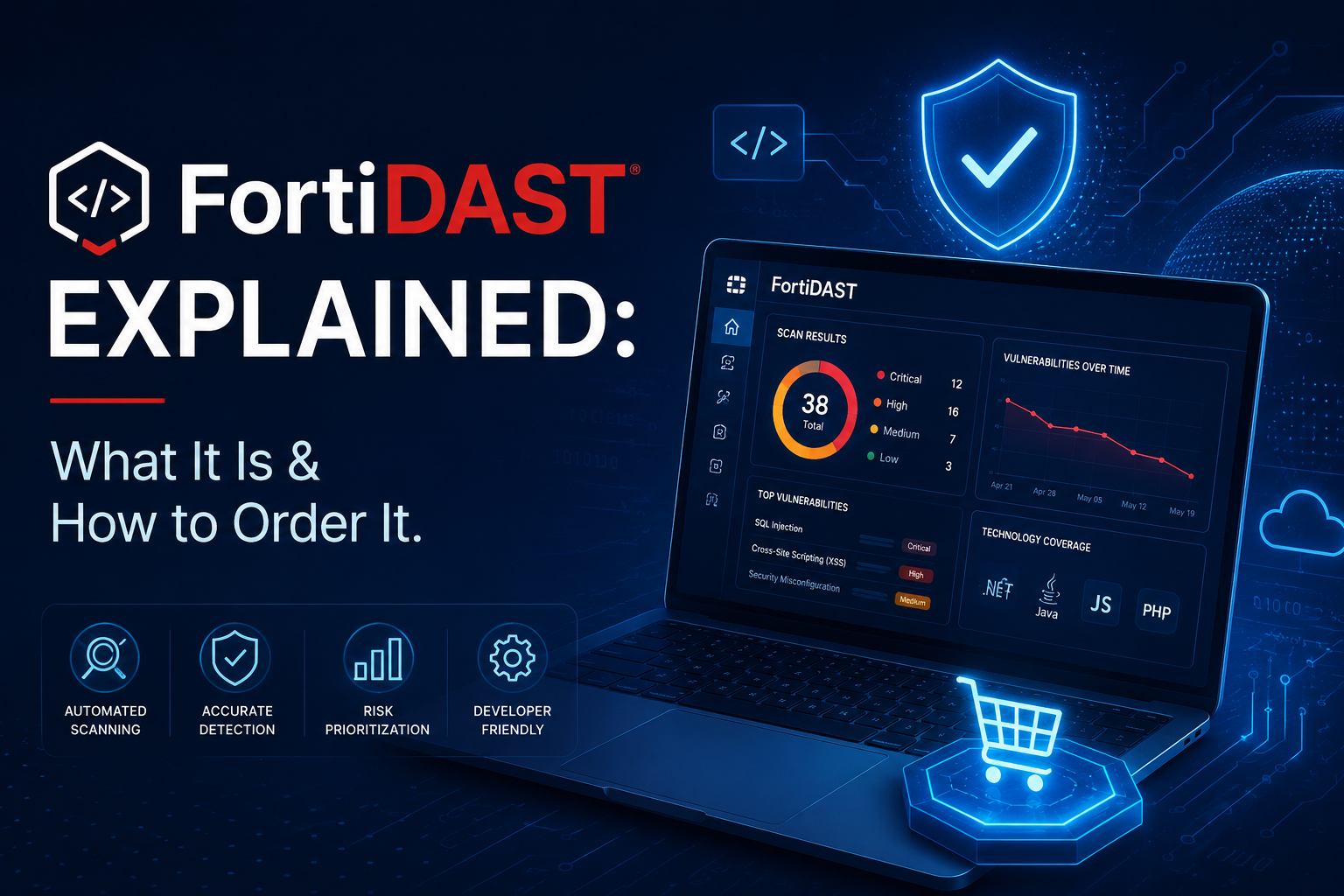
FortiDAST Explained: What It Is & How to Order It.
Web applications remain one of the most targeted parts of any organization’s attack surface. They are exposed to the public internet by design, they change constantly, and a single overlooked input field can become a route to data theft or system compromise. Dynamic Application Security Testing (DAST) exists to find those weaknesses before an attacker does, by probing a running application from the outside the same way a real adversary would.
This post takes a close look at Fortinet’s entry in that space, FortiDAST. We will cover what the product actually does, what your choices are when ordering it, the use cases it fits best, and how it stacks up against the better-known DAST tools on the market in 2026.
What Is FortiDAST?
FortiDAST is Fortinet’s automated dynamic application security testing service. It performs black-box testing of web applications, meaning it has no access to source code and instead interacts with the live application over HTTP and HTTPS to discover vulnerabilities that a threat actor could exploit. It is delivered primarily as a cloud-enabled service and is aimed at development, DevOps, and security teams.
The core promise is straightforward: point FortiDAST at a target, and it will crawl the application, fuzz it with attack payloads, analyze the responses, and hand back a prioritized report of what it found along with guidance on how to fix each issue. The output is designed to be non-intrusive and easy to understand, so that a developer or security analyst can act on it without needing a penetration tester to interpret the results.
How It Works Under the Hood
FortiDAST runs in two main phases, supported by a few specialized engines.
The first phase is crawling. A web crawler systematically walks the target application to map out every reachable path. It supports two modes. A quick scan does fast, limited testing of static pages by extracting URLs from HTML tags and attributes. A full scan covers both static and dynamic pages and performs browser interaction simulation, clicking buttons, links, and images to exercise the application the way a human user would. This matters because modern JavaScript-heavy applications and single-page applications hide much of their functionality behind interactions that a naive crawler would never trigger.
The second phase is fuzzing. The discovered paths feed into a set of fuzzer modules, each written by Fortinet experts to probe for a specific class of vulnerability. A reconnaissance engine runs alongside this, identifying the server technologies, ports, and services in use so the fuzzers can tailor their attacks rather than blindly throwing payloads at everything.
Two additional engines deepen the analysis. A proprietary Exploit Engine checks the exploitability of known n-day vulnerabilities using built-in exploit signatures, with coverage for widely deployed software such as Apache HTTP Server, Apache Struts, Log4J, Microsoft Exchange, Nginx, OpenSSL, SharePoint, and WordPress. An Attack Chaining Module performs deeper scans by combining a series of exploits that build on the vulnerabilities discovered earlier, which mirrors how a real attacker escalates from an initial foothold.
What It Looks For
FortiDAST is built around the OWASP Top 10 (2021 edition) and supplements it with non-OWASP vulnerability research. Its fuzzer modules cover a broad set of issue types, including:
- Injection flaws:
SQL, command, code,LDAP, NoSQL,XPATH,ORM, and Expression Language injection - Remote code execution and server-side template injection
- Cross-site scripting (
XSS) - Path traversal and file inclusion
- Broken access control, forced browsing, and indirect object referencing (
IDOR) - Server-side request forgery (
SSRF) - XML external entity (
XXE) injection - Cryptographic failures, weak ciphers, and SSL/TLS misconfigurations
- Security misconfiguration and information disclosure
- Insecure file upload and manipulation via WebDAV
It can also use a third-party command and control server to carry out blind, out-of-band attacks, which is how it detects vulnerabilities that produce no visible response in the application itself.
Scoring and Reporting
Findings are scored using three industry frameworks: the Common Vulnerability Scoring System (CVSS), the Exploit Prediction Scoring System (EPSS), and the OWASP Top 10. Individual results are categorized by CVSS severity, and from those an overall Threat Score is computed for the target so teams can see their security posture at a glance.
Reporting comes in summary and detailed forms. Summary reports are aimed at leadership and auditors, while detailed reports let you drill into each vulnerability for technical specifics and suggested remediation steps. There is also a dashboard with interactive charts and list-based statistics, customizable email notifications, and the ability to map detected CVE‘s to FortiGuard outbreak alerts.
Authentication and Modern Application Support
A DAST tool is only as good as its ability to reach authenticated functionality, since most of an application’s risk sits behind a login. FortiDAST handles HTTP authentication in Basic, Digest, and NTLM forms, and includes a Web Auth module for form-based login. It can scan single-page applications and authenticated applications, and it supports API crawling from JSON, YAML, and WADL definition files, along with WebSocket endpoint detection.
For complex login flows, Fortinet provides a FortiDAST Web Application Scanning extension for Chrome. It records user activity, including multi-form and multi-factor authentication sequences such as one-time passwords or tokens, and exports that recording as a JSON file that FortiDAST replays during scanning. This is the practical answer to the perennial DAST problem of getting a scanner past a modern login screen.
Ordering Options: What You Choose When You Buy
FortiDAST keeps its commercial model relatively simple, but there are a few decisions to make.
Deployment Mode
FortiDAST is available in two deployment modes, and your choice depends on what you need to scan.
Cloud-based deployment is the default. Scans run from Fortinet’s cloud against your public-facing assets, with nothing to install or maintain on your side.
Proxy deployment is the option for internal applications. If you need to scan non-public assets that sit behind your firewall, such as staging environments or internal tools, the proxy mode routes the scan through your network so FortiDAST can reach assets that are not exposed to the internet. The data sheet specifically notes that scanning of non-public internal assets is supported through the proxy deployment mode.
Licensing by Target Blocks
FortiDAST is licensed in blocks of 10 IP addresses or fully qualified domain names (FQDNs). One target equals one IP or one FQDN that you want to scan.
The stackable license SKU, FC-10-FPENT-236-02-DD, adds 10 additional IP/FQDN targets to a single FortiDAST cloud account. Because it is stackable, an organization that needs to scan 40 targets simply adds four blocks. This block-based model is worth keeping in mind when you compare FortiDAST to competitors, since several rivals price per application, per user, or as part of an opaque platform bundle.
Fortinet does not publish per-block pricing publicly. Actual cost comes through a Fortinet partner or a direct quote, and it will depend on the number of target blocks and your subscription term.
Trial Access
A trial subscription is available to FortiCloud Premium subscribers. The trial is deliberately limited: it covers a single IP address or FQDN and tests against only a subset of the OWASP Top 10. It is enough to evaluate the workflow and the reporting, but not a substitute for a full scan.
Integrations to Plan For
Integrations are part of the product rather than a separate purchase, but they are worth factoring into your decision because they shape how FortiDAST fits your workflow:
- CI/CD pipelines: native plugins for GitLab CI and Jenkins, so scans can be triggered automatically on build or deployment
- FortiDevSec: pairs with FortiDAST to extend coverage across the full continuous integration and delivery lifecycle, with FortiDevSec handling earlier-stage testing and FortiDAST handling runtime black-box testing
- Issue tracking: a Jira integration so findings flow into the tools developers already use
- FortiWeb Cloud: native integration that supports virtual patching, including the ability to generate XML reports that create web application firewall rules directly from scan findings
- REST API: for both basic and privileged automated scanning, so FortiDAST can be wired into custom security automation
What Is FortiDAST For? Key Use Cases
FortiDAST is a good fit for several distinct situations.
Continuous web application security testing is the primary use case. Teams that ship frequently can schedule scans to run at a specific time or recur daily, weekly, or monthly, so that every meaningful change to an application gets retested without anyone remembering to kick off a scan.
DevSecOps and pipeline integration is the second. By wiring FortiDAST into GitLab CI or Jenkins, security testing becomes a gate in the build process rather than an afterthought. Combined with FortiDevSec, it gives a team coverage from early development through to production.
Production and pre-production assurance is another. Because scanning is non-intrusive, FortiDAST can be run against production systems as well as staging environments, which lets teams verify that what is actually live is secure, not just what was tested before release.
Compliance and audit evidence is a practical driver. Many regulatory frameworks expect regular security testing of web applications. Scheduled scans plus summary reports give an organization repeatable, documented evidence that testing is happening.
Virtual patching for Fortinet customers is a use case unique to the ecosystem. When FortiDAST finds a vulnerability, its FortiWeb integration can turn that finding into a WAF rule, giving the security team a way to block exploitation while developers work on a permanent fix. For an organization already running FortiWeb, this closes the loop between detection and mitigation.
Internal application scanning rounds out the list. The proxy deployment mode means FortiDAST is not limited to internet-facing apps, so it can also cover the internal tools and staging environments that often receive less security attention.
The natural limit to keep in mind is the one shared by every automated DAST tool: it is excellent at finding known, pattern-based vulnerability classes at scale, but it does not replace manual penetration testing for business logic flaws, authorization design problems, or complex chained attacks that require human judgment. The mature approach treats DAST as continuous automated coverage and uses periodic manual pen testing for depth.
Where FortiDAST Genuinely Wins
FortiDAST’s clearest advantages are not about raw scanning prowess. They are:
- Security Fabric integration: native FortiWeb integration for virtual patching, FortiDevSec for lifecycle coverage, and FortiGuard Labs threat intelligence feeding the fuzzers
- Threat intelligence pedigree: the fuzzers and exploit signatures draw on Fortinet’s large global threat research operation
- Transparent, stackable licensing: blocks of 10 targets are easy to reason about and scale, compared with the opaque custom pricing common among enterprise DAST vendors
- Internal asset scanning via proxy: a first-class option for non-public applications
- Lower operational burden: aimed at development and DevOps teams rather than requiring dedicated AppSec specialists
Recent posts
-

-

DNS is one of those technologies that quietly underpins... Full Story
-

BGP issues on FortiGate firewalls usually trace back to... Full Story
-

Every time your laptop talks to your router, a... Full Story
-

If you've spent any time configuring NAT on a... Full Story
-

If you have spent any time configuring firewall policies... Full Story
-

High availability on FortiGate is one of those features... Full Story
-

If you've configured SD-WAN on a FortiGate, you've almost... Full Story
-

FortiLink is the management protocol that turns a FortiSwitch... Full Story
-

FortiSwitches are pretty rock solid from Mean Time Between... Full Story
-

This is a quicky tip. Have you ever gone... Full Story
-

DNS is one of those quiet pieces of internet... Full Story
-

This article is an updated version of the previous... Full Story
-

You will add ns2 as a secondary (slave) BIND9... Full Story
-

In the process of deploying my lab, I needed... Full Story
-

RFC 8805, used to be known as Self-Correcting IP... Full Story
-

Years back, I wrote an article about certificate pinning. ... Full Story
-

FortiGates have the ability to send alerts to Microsoft... Full Story
-

In this post, I am going to walk through... Full Story
-

Troubleshooting VoIP on a FortiGate can feel like trying... Full Story
-

Prior to FortiOS 7.0, there were three commands to... Full Story
-

In this post, I am going to go over... Full Story
-

What we are going to do: We are going... Full Story
-

Choosing between FGCP (FortiGate Clustering Protocol) and FGSP (FortiGate... Full Story
-

Creating a VLAN on macOS (The "Pro" Move) A... Full Story
-

This blog post explores the logic behind how macOS... Full Story
-

Pretty Fly for a Wi-Fi Tell My Wi-Fi Love... Full Story
-

Part of my daily gig is creating BoMs (Bill-of-Materials)... Full Story
-

ICMP introduces several security risks, but careful filtering, rate... Full Story
-

The command diag debug application dhcps -1 enables full... Full Story
-

In the world of FortiOS, execute tac report is... Full Story
-

LLDP; What is it The Link Layer Discovery Protocol... Full Story
-

What it actually does When you run diagnose fdsm... Full Story
-

Monkey Bites are bite-sized, high-impact security insights designed for... Full Story
-

I have run macOS in macOS with Parallels but... Full Story
-

Don't be confused with my other FortiNAC posts where... Full Story
-

This is the third session in a multi-part article... Full Story
-

Today I was configuring key-based authentication on a FortiGate... Full Story
-

Netcat, often called the "Swiss Army knife" of networking,... Full Story
-

At its core, IEEE 802.1X is a network layer... Full Story
-

In case you did not see the previous FortiNAC... Full Story
-

This is our 5th session where we are going... Full Story
-

Now that we have Wireshark installed and somewhat configured,... Full Story
-

The Philosophy of Packet Analysis Troubleshooting isn't about looking... Full Story
-

InfoSecMonkey Threat Response October 24, 2026 | No fluff.... Full Story
-

InfoSecMonkey Threat Response October 24, 2026 | No fluff.... Full Story
-

Plus what you actually get with FortiCare Essential, Premium... Full Story