
If you've spent any time configuring user authentication on... Full Story
By Manny Fernandez
August 24, 2026
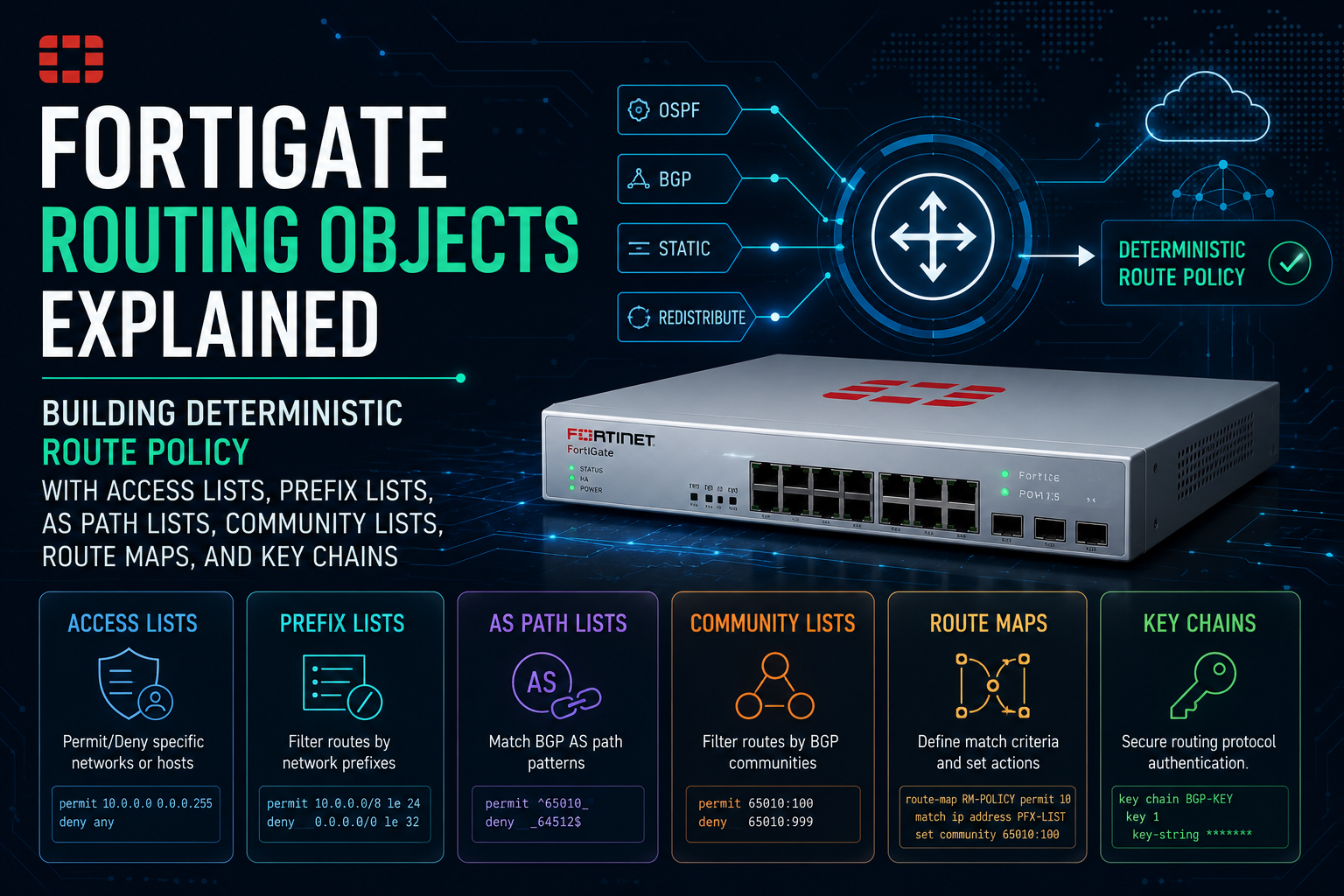
FortiGate Routing Objects Explained: Building Deterministic Route Policy with Access Lists, Prefix Lists, AS Path Lists, Community Lists, Route Maps, and Key Chains
Objective
Routing objects are the vocabulary FortiOS uses to describe route policy. This guide walks through every routing object type on a FortiGate, shows the exact CLI that creates them, and then shows every place a routing protocol can consume them, so that you stop guessing why a prefix is or is not in the table. By the end you will have a working two-edge BGP and OSPF lab with inbound filtering, outbound advertisement control, AS path prepending, community tagging, and cryptographic adjacency authentication.
Target Audience
Network engineers, network security engineers, and systems engineers running dynamic routing on FortiOS. Also useful for anyone migrating BGP or OSPF policy from IOS, NX-OS, or Junos onto a FortiGate and wondering where the familiar knobs went.
On this page
- Prerequisites and architecture
- The routing object catalog
- Phase 0: expose Advanced Routing in the GUI
- Phase 1: access lists
- Phase 2: prefix lists
- Phase 3: AS path lists
- Phase 4: community lists
- Phase 5: route maps
- Phase 6: key chains
- Phase 7: attaching objects to protocols
- Verification and validation
- Troubleshooting and gotchas
- Naming and design standards
1. Prerequisites and Architecture
Assumed knowledge
- CIDR arithmetic and the difference between a prefix and a prefix length.
- BGP fundamentals: eBGP versus iBGP, the AS path attribute, local preference, MED, communities, and the best path algorithm.
- OSPF fundamentals: areas, LSA types, external type 1 versus type 2 metrics.
- FortiOS CLI navigation:
config,edit,next,end, and how VDOM context changes what you are editing.
Environment and lab requirements
- FortiOS version: 7.4.x or 7.6.x recommended. Everything here also works on 7.2.x, with two exceptions called out inline (the key chain
algorithmfield, which arrived in 7.0.1, and VRF leak route maps). - Licensing: none. Routing objects are part of base FortiOS on every model, including FortiGate VM evaluation licenses.
- Platform: two FortiGate VMs plus two upstream routers. EVE-NG, GNS3, Proxmox, or KVM all work. Upstream peers can be FRRouting on Ubuntu, VyOS, or a vendor image.
- Access: a super_admin account with CLI access. Several objects in this guide have no GUI representation at all.
- Memory: if you plan to enable inbound soft reconfiguration for troubleshooting, budget extra RAM on small desktop models. It stores an unmodified copy of every received update.
Reference topology

Component table
| Component | Role | Addressing | ASN |
|---|---|---|---|
| FGT-EDGE-01 | Primary internet edge, eBGP to ISP-A, OSPF to core | port1 198.18.10.2/30 port2 10.0.10.1/24 loopback0 10.0.255.1/32 |
65001 |
| FGT-EDGE-02 | Backup internet edge, eBGP to ISP-B with AS prepend | port1 198.18.20.2/30 port2 10.0.20.1/24 loopback0 10.0.255.2/32 |
65001 |
| ISP-A-RTR | Upstream transit provider, primary | 198.18.10.1/30 | 64512 |
| ISP-B-RTR | Upstream transit provider, backup | 198.18.20.1/30 | 64513 |
| CORE-RTR | Internal OSPF core, originates campus prefixes | 10.0.30.0/24 and 10.0.100.0/24 | n/a |
Design intent for the lab: we advertise the aggregate 10.0.0.0/16 to both providers, prefer ISP-A inbound and outbound, never leak 10.0.100.0/24, never accept RFC 1918 or a default route from either provider, and never become transit between AS 64512 and AS 64513.
2. The Routing Object Catalog
FortiOS inherits its routing daemon lineage from Quagga and FRRouting, which is why the object model will look familiar if you have written IOS route policy. There are six object families. Five of them are matchers, and only one of them can change an attribute.
| Object | CLI path | What it inspects | Can it modify? | GUI? |
|---|---|---|---|---|
| Access list | router access-list router access-list6 |
Network plus mask or wildcard, with an optional exact length test | No | Yes |
| Prefix list | router prefix-list router prefix-list6 |
Network plus mask, with a prefix length range via ge and le | No | Yes |
| AS path list | router aspath-list | The AS_PATH attribute, via POSIX regular expression | No | No, CLI only |
| Community list | router community-list | The COMMUNITIES attribute, either literal or regex | No | Yes |
| Route map | router route-map | Anything, by referencing the objects above plus interface, metric, tag, origin, VRF | Yes | Yes |
| Key chain | router key-chain | Nothing. It carries keyed authentication material with lifetimes | No | No, CLI only |
The one rule that governs all of them: every list is an ordered sequence of permit and deny rules, evaluated lowest rule ID first, and every list ends in an implicit deny. If nothing matches, the route is dropped. This single behavior accounts for the large majority of “my routes disappeared” tickets.
3. Phase 0: Expose Advanced Routing in the GUI
Goal: make the Routing Objects menu visible so you can cross-check CLI work in the GUI.
Action: enable the Advanced Routing feature flag. Without it, Network > Routing Objects does not exist even though the objects themselves work fine from the CLI.
config system settings
    set gui-advanced-routing enable
    set gui-dynamic-routing enable
end
GUI verification: navigate to System > Feature Visibility and confirm Advanced Routing is on. Then reload the browser and confirm Network > Routing Objects now shows tabs for Access List, Prefix List, Community List, and Route Map. AS path lists and key chains never appear here, which is exactly why the CLI remains the source of truth.
4. Phase 1: Access Lists
Goal: build a reusable matcher that drops RFC 1918 space and a default route arriving from a transit provider.
Action: an access list rule matches on a network and mask. The behavior hinges entirely on exact-match. Left at its default of disable, the rule matches the stated prefix and every more specific prefix inside it. Set to enable, only that exact prefix length matches.
config router access-list
    edit "AL-MARTIAN-DENY"
        set comments "Drop RFC1918 and default learned from transit"
        config rule
            edit 10
                set action deny
                set prefix 0.0.0.0 0.0.0.0
                set exact-match enable
            next
            edit 20
                set action deny
                set prefix 10.0.0.0 255.0.0.0
                set exact-match disable
            next
            edit 30
                set action deny
                set prefix 172.16.0.0 255.240.0.0
                set exact-match disable
            next
            edit 40
                set action deny
                set prefix 192.168.0.0 255.255.0.0
                set exact-match disable
            next
            edit 100
                set action permit
                set prefix any
            next
        end
    next
end
Rule 10 uses exact-match enable deliberately. Without it, 0.0.0.0/0 with exact matching disabled would swallow the entire internet table. Rule 100 is the terminal permit that keeps the implicit deny from eating everything else.
Wildcard form
An access list rule can use a wildcard mask instead of a contiguous netmask, which is useful for matching discontiguous patterns such as all odd third octets. Set either prefix or wildcard, never both in the same rule.
config router access-list
    edit "AL-BRANCH-ODD-VLANS"
        config rule
            edit 10
                set action permit
                set wildcard 10.0.1.0 0.0.254.255
            next
        end
    next
end
GUI verification: Network > Routing Objects > Access List. Select the list and confirm the rule order and the Exact Match column. The GUI orders rules by ID, the same order the daemon evaluates them.
5. Phase 2: Prefix Lists
Goal: define exactly which prefixes we originate to transit, and separately define an acceptable prefix length range for what we will receive.
Action: a prefix list rule adds two length operators on top of the network and mask. ge is the minimum acceptable prefix length and le is the maximum. With neither set, only the exact stated length matches. This is the object you should reach for in almost every new design.
| Rule | Matches | Does not match |
|---|---|---|
| prefix 10.0.0.0 255.255.0.0 no ge, no le |
10.0.0.0/16 only | 10.0.10.0/24, 10.0.0.0/17 |
| prefix 10.0.0.0 255.255.0.0 set le 24 |
10.0.0.0/16 through any /24 inside it | 10.0.10.128/25 |
| prefix 10.0.0.0 255.255.0.0 set ge 24 set le 24 |
Every /24 inside 10.0.0.0/16 | 10.0.0.0/16 itself |
| prefix 0.0.0.0 0.0.0.0 set le 32 |
Everything, the true permit any | Nothing |
config router prefix-list
    edit "PL-ORIGINATE-TO-TRANSIT"
        set comments "Only the corporate aggregate leaves this AS"
        config rule
            edit 10
                set action permit
                set prefix 10.0.0.0 255.255.0.0
                unset ge
                unset le
            next
        end
    next
    edit "PL-ACCEPT-FROM-TRANSIT"
        set comments "Sane prefix length window for received routes"
        config rule
            edit 10
                set action deny
                set prefix 0.0.0.0 0.0.0.0
                set ge 25
                set le 32
            next
            edit 20
                set action permit
                set prefix 0.0.0.0 0.0.0.0
                set le 24
            next
        end
    next
end
Length operator constraint: FortiOS enforces mask length ≤ ge ≤ le ≤ 32. Configuring set ge 24 together with set le 16 is rejected at commit. Use unset ge and unset le to clear a leftover value rather than setting it to zero.
IPv6 form
config router prefix-list6
    edit "PL6-ACCEPT-FROM-TRANSIT"
        config rule
            edit 10
                set action permit
                set prefix ::/0
                set le 48
            next
        end
    next
end
6. Phase 3: AS Path Lists
Goal: guarantee this AS never becomes transit, by only advertising prefixes we originate ourselves.
Action: an AS path list holds POSIX regular expressions evaluated against the AS_PATH string. This is CLI only, and it is the cleanest possible expression of “originated locally”.
config router aspath-list
    edit "ASP-LOCAL-ORIGIN-ONLY"
        set comments "Outbound anti-transit filter"
        config rule
            edit 10
                set action permit
                set regexp "^$"
            next
        end
    next
    edit "ASP-DENY-PEER-B"
        set comments "Never accept anything transiting AS 64513"
        config rule
            edit 10
                set action deny
                set regexp "_64513_"
            next
            edit 20
                set action permit
                set regexp ".*"
            next
        end
    next
end
Regex reference
| Expression | Meaning |
|---|---|
| ^$ | Empty AS path. The route originated in this AS. The single most useful anti-transit filter. |
| ^64512$ | Originated by directly adjacent AS 64512 and nobody else. |
| ^64512_ | Learned via AS 64512, regardless of who originated it. |
| _64513$ | Originated by AS 64513, any number of hops away. |
| _64513_ | AS 64513 appears anywhere in the path. |
| ^[0-9]+$ | Exactly one AS in the path. Directly connected neighbors only. |
| .* | Everything. Use as the terminal permit. |
The underscore is the important one. It is a metacharacter that matches an AS number delimiter, meaning a space, a comma, a brace, or the start or end of the string. Writing 65001 without underscores would also match 650012 and 165001.
7. Phase 4: Community Lists
Goal: classify inbound routes with a tag at the edge so that iBGP peers can act on that tag without repeating the prefix logic.
Action: community lists come in two flavors. A standard list uses set match with literal community values or well known names. An expanded list uses set regexp. Reach for standard first, since it is faster and far easier to audit.
config router community-list
    edit "CL-FROM-ISPA"
        set type standard
        config rule
            edit 10
                set action permit
                set match "65001:100"
            next
        end
    next
    edit "CL-ANY-LOCAL-TAG"
        set type expanded
        config rule
            edit 10
                set action permit
                set regexp "65001:[0-9]+"
            next
        end
    next
    edit "CL-NO-EXPORT"
        set type standard
        config rule
            edit 10
                set action permit
                set match "no-export"
            next
        end
    next
end
| Well known community | Effect on the receiving speaker |
|---|---|
| no-export | Do not advertise beyond the local AS or confederation. |
| no-advertise | Do not advertise to any peer at all. |
| local-AS | Do not advertise outside the local sub-AS in a confederation. |
| internet | Matches all routes, effectively a wildcard in a match statement. |
Standard list AND semantics: a single rule containing two community values matches only routes carrying both. To express OR, write two separate rules with two separate rule IDs.
8. Phase 5: Route Maps
Goal: combine the matchers above into ordered policy and, critically, mutate attributes.
Action: a route map is a list of rules. Each rule has an action of permit or deny, zero or more match-* conditions, and zero or more set-* actions.
Evaluation logic you must internalize
- Rules are evaluated in ascending rule ID order.
- Within a rule, all
match-*conditions are ANDed. A rule with no match conditions matches everything. - First matching rule wins and evaluation stops. A deny does not fall through to later rules.
- On a match with action permit, all
set-*actions are applied and the route is accepted. - If no rule matches, the route is dropped by the implicit deny.
Match conditions
| Field | Consumes | Typical use |
|---|---|---|
| match-ip-address match-ip6-address |
Access list or prefix list name | The workhorse. Match the destination prefix. |
| match-ip-nexthop match-ip6-nexthop |
Access list or prefix list name | Policy keyed on who handed us the route. |
| match-as-path | AS path list name | Anti-transit and origin-based policy. |
| match-community match-community-exact |
Community list name, plus a boolean | Act on tags applied elsewhere in the AS. |
| match-interface | Interface name | Selective redistribution of connected routes. |
| match-metric | Integer | Match on MED or OSPF cost. |
| match-origin | igp, egp, incomplete, none | Separate network statements from redistributed routes. |
| match-route-type | 1 or 2 | Distinguish OSPF external type 1 from type 2. |
| match-tag | Integer | Loop prevention on mutual redistribution. |
| match-vrf | VRF ID | Controlled inter-VRF route leaking. |
Set actions
| Field | Notes |
|---|---|
| set-local-preference | Inbound only. Higher wins. Not carried to eBGP peers. |
| set-weight | Locally significant to this FortiGate only. Highest priority tiebreaker. |
| set-metric set-metric-type |
MED in BGP, cost in OSPF. Metric type selects OSPF external 1 or 2. |
| set-aspath-action set-aspath |
Both are required. Action is prepend or replace. The path is a space separated list of ASNs. |
| set-community set-community-additive set-community-delete |
Without additive enabled, a set replaces existing communities. Delete takes a community list name. |
| set-extcommunity-rt set-extcommunity-soo |
Route target and site of origin, used in L3VPN and VRF designs. |
| set-ip-nexthop set-ip6-nexthop |
Rewrite the next hop, common on route servers and ADVPN hubs. |
| set-origin | Normalize incomplete redistributed routes to igp. |
| set-route-tag set-tag |
Stamp a numeric tag for downstream loop prevention. |
| set-priority | FortiOS specific. Sets the FIB priority used to break ties between equal routes. |
| set-dampening-* | Per-prefix route flap dampening parameters. |
The lab route maps
config router route-map
    edit "RM-ISPA-IN"
        set comments "Drop martians, mark as primary, tag for iBGP"
        config rule
            edit 10
                set action deny
                set match-ip-address "AL-MARTIAN-DENY-INVERTED"
            next
            edit 20
                set action permit
                set match-ip-address "PL-ACCEPT-FROM-TRANSIT"
                set set-local-preference 200
                set set-community "65001:100"
                set set-community-additive enable
            next
        end
    next

    edit "RM-ISPA-OUT"
        set comments "Advertise only the corporate aggregate"
        config rule
            edit 10
                set action permit
                set match-ip-address "PL-ORIGINATE-TO-TRANSIT"
                set match-as-path "ASP-LOCAL-ORIGIN-ONLY"
            next
        end
    next
end
Now the backup edge. The only difference is a three times prepend so that ISP-B is less attractive as an inbound path for the internet at large.
config router route-map
    edit "RM-ISPB-IN"
        config rule
            edit 10
                set action permit
                set match-ip-address "PL-ACCEPT-FROM-TRANSIT"
                set set-local-preference 100
                set set-community "65001:200"
                set set-community-additive enable
            next
        end
    next

    edit "RM-ISPB-OUT"
        set comments "Same aggregate, prepended three times"
        config rule
            edit 10
                set action permit
                set match-ip-address "PL-ORIGINATE-TO-TRANSIT"
                set match-as-path "ASP-LOCAL-ORIGIN-ONLY"
                set set-aspath-action prepend
                set set-aspath "65001" "65001" "65001"
            next
        end
    next
end
And a redistribution map that pulls only the campus interfaces into BGP, stamping a tag we can use later for loop prevention.
config router prefix-list
    edit "PL-NEVER-LEAK"
        config rule
            edit 10
                set action permit
                set prefix 10.0.100.0 255.255.255.0
                set le 32
            next
        end
    next
end

config router route-map
    edit "RM-OSPF-TO-BGP"
        set comments "Redistribute OSPF into BGP, block the restricted subnet"
        config rule
            edit 10
                set action deny
                set match-ip-address "PL-NEVER-LEAK"
            next
            edit 20
                set action permit
                set set-origin igp
                set set-route-tag 65001
            next
        end
    next
end
GUI verification: Network > Routing Objects > Route Map. The GUI exposes only a subset of the match and set fields. If you build a map in the CLI using a field the GUI does not render, editing that map in the GUI and saving can silently discard the unsupported field. Treat the CLI as authoritative and use the GUI to read, not to write.
9. Phase 6: Key Chains
Goal: authenticate OSPF adjacencies with a rotatable key rather than a static password, using HMAC-SHA rather than MD5.
Action: a key chain holds numbered keys with independent accept and send lifetimes, which is what makes hitless key rotation possible. FortiOS 7.0.1 and later supports RFC 5709 HMAC-SHA algorithms in addition to MD5.
config router key-chain
    edit "KC-OSPF-AREA0"
        config key
            edit 1
                set accept-lifetime 00:00:00 1 january 2026 23:59:59 30 june 2026
                set send-lifetime   00:00:00 1 january 2026 23:59:59 31 march 2026
                set key-string <current_key_material>
                set algorithm hmac-sha256
            next
            edit 2
                set accept-lifetime 00:00:00 1 march 2026 23:59:59 31 december 2026
                set send-lifetime   00:00:00 1 april 2026 23:59:59 31 december 2026
                set key-string <next_key_material>
                set algorithm hmac-sha256
            next
        end
    next
end

config router ospf
    config area
        edit 0.0.0.0
            set authentication message-digest
        next
    end
    config ospf-interface
        edit "CORE-UPLINK"
            set interface "port2"
            set authentication message-digest
            set md5-keychain "KC-OSPF-AREA0"
        next
    end
end
Rotation pattern: notice the overlap. Key 2 becomes acceptable a month before it is ever sent. That overlap window is what lets you roll a key across a large OSPF domain without dropping adjacencies. If both keys expire, the interface silently stops forming adjacencies and the FortiGate gives you no obvious alarm beyond a missing neighbor.
10. Phase 7: Attaching Objects to Protocols
Objects do nothing until a protocol references them. This is where most of the operational surprises live.
BGP filter order of operations
On both the inbound and outbound path, FortiOS applies neighbor filters in a fixed order. A route dropped by an earlier stage never reaches the route map, which is why a route map that “looks correct” can appear to do nothing.
| Order | Neighbor field | Object type |
|---|---|---|
| 1 | distribute-list-in / distribute-list-out | Access list |
| 2 | prefix-list-in / prefix-list-out | Prefix list |
| 3 | filter-list-in / filter-list-out | AS path list |
| 4 | route-map-in / route-map-out | Route map, the only stage that can modify |
BGP configuration on FGT-EDGE-01
config router bgp
    set as 65001
    set router-id 10.0.255.1
    set ibgp-multipath enable
    set graceful-restart enable

    config neighbor
        edit "198.18.10.1"
            set description "ISP-A transit"
            set remote-as 64512
            set soft-reconfiguration enable
            set send-community both
            set route-map-in "RM-ISPA-IN"
            set route-map-out "RM-ISPA-OUT"
            set filter-list-in "ASP-DENY-PEER-B"
            set connect-timer 10
        next
        edit "10.0.255.2"
            set description "iBGP to FGT-EDGE-02"
            set remote-as 65001
            set update-source "loopback0"
            set next-hop-self enable
            set send-community both
            set soft-reconfiguration enable
        next
    end

    config network
        edit 1
            set prefix 10.0.0.0 255.255.0.0
        next
    end

    config redistribute "ospf"
        set status enable
        set route-map "RM-OSPF-TO-BGP"
    end

    config aggregate-address
        edit 1
            set prefix 10.0.0.0 255.255.0.0
            set summary-only enable
            set as-set enable
        next
    end
end
Address family variants: every filter field has IPv6 and VPNv4 siblings, for example route-map-in6, prefix-list-out6, and route-map-in-vpnv4. Configuring the IPv4 field alone leaves the IPv6 address family completely unfiltered, which is a very common audit finding on dual stack edges.
OSPF attachment points
config router ospf
    set router-id 10.0.255.1

    # Filter what enters the local RIB from OSPF. Takes a prefix list.
    set distribute-list-in "PL-ACCEPT-FROM-CORE"

    # Conditional default origination, gated by a route map.
    set default-information-originate enable
    set default-information-metric 20
    set default-information-metric-type 2
    set default-information-route-map "RM-DEFAULT-IF-TRANSIT-UP"

    # NOTE the field name here is routemap, not route-map.
    config redistribute "bgp"
        set status enable
        set metric 100
        set metric-type 2
        set routemap "RM-BGP-TO-OSPF"
    end

    # Per protocol outbound filtering. Takes an ACCESS list.
    config distribute-list
        edit 1
            set access-list "AL-BLOCK-MGMT"
            set protocol connected
        next
    end

    config area
        edit 0.0.0.0
            # ABR inter-area filtering. Takes a PREFIX list.
            config filter-list
                edit 1
                    set list "PL-ABR-SUMMARY-OUT"
                    set direction out
                next
            end
        next
    end
end
Full attachment matrix
| Where | Field | Accepts |
|---|---|---|
| BGP neighbor | route-map-in, route-map-out, unsuppress-map, default-originate-routemap | Route map |
| BGP neighbor | prefix-list-in, prefix-list-out | Prefix list |
| BGP neighbor | distribute-list-in, distribute-list-out | Access list |
| BGP neighbor | filter-list-in, filter-list-out | AS path list |
| BGP global | redistribute > route-map, network > route-map, vrf-leak target > route-map | Route map |
| OSPF global | distribute-list-in | Prefix list |
| OSPF global | redistribute > routemap, default-information-route-map | Route map |
| OSPF distribute-list | access-list plus protocol | Access list |
| OSPF area | filter-list > list plus direction | Prefix list |
| OSPF interface | md5-keychain | Key chain |
| RIP | distribute-list > listname, offset-list > access-list, interface > keychain | Access or prefix list, key chain |
11. Verification and Validation
Step 1: confirm the objects exist as written
show router access-list
show router prefix-list
show router aspath-list
show router community-list
show router route-map
show router key-chain
Success looks like: every list ends with a deliberate terminal rule, and every name referenced by a route map or a neighbor actually appears in one of these outputs. A typo in a reference does not raise an error, it silently means “no filter” or, worse, matches an unintended object of the other type.
Step 2: apply policy and force re-evaluation
# Re-run inbound policy against stored updates. Non-disruptive.
execute router clear bgp ip 198.18.10.1 soft in

# Re-run outbound policy and resend. Non-disruptive.
execute router clear bgp ip 198.18.10.1 soft out

# All peers, both directions.
execute router clear bgp all soft
Step 3: compare before and after policy
# Session health and prefix counters
get router info bgp summary

# What the peer actually sent, BEFORE route-map-in.
# Requires "set soft-reconfiguration enable" on the neighbor.
get router info bgp neighbors 198.18.10.1 received-routes

# What survived and was modified, AFTER route-map-in.
get router info bgp neighbors 198.18.10.1 routes

# What we are sending, AFTER route-map-out.
get router info bgp neighbors 198.18.10.1 advertised-routes

# Full attribute detail for one prefix.
get router info bgp network 10.0.0.0/16

# Which candidate won and made it to the FIB.
get router info routing-table bgp
get router info routing-table database
Success looks like:
- In
bgp summary, State/PfxRcd shows a numeric prefix count rather than Idle, Active, or Connect. A number means Established. - The
received-routescount is higher than theroutescount. That delta is your inbound filter doing its job. Identical counts mean the filter matched nothing. advertised-routesto each transit peer contains exactly one prefix, 10.0.0.0/16, and nothing else.- On FGT-EDGE-02, the ISP-B peer sees an AS path of 65001 65001 65001 65001 for the aggregate.
get router info bgp network 10.0.0.0/16on the iBGP peer shows local preference 200 for paths tagged 65001:100 and 100 for paths tagged 65001:200.
Step 4: OSPF side
get router info ospf neighbor
get router info ospf interface port2
get router info ospf database brief
get router info ospf database external
Success looks like: neighbor state Full/DR or Full/BDR, the interface output reporting cryptographic authentication with the expected algorithm and key ID, and the external LSA database containing your redistributed BGP prefixes but not 10.0.100.0/24.
12. Troubleshooting and Gotchas
Gotcha 1: the implicit deny ate everything
Symptom: you added a route map to set local preference on one prefix. Now the neighbor advertises or receives only that prefix, or nothing at all.
Cause: the route map matched one prefix and the implicit deny discarded everything else. The same trap applies to prefix lists, access lists, AS path lists, and community lists.
Diagnose:
get router info bgp neighbors 198.18.10.1 received-routes | grep -c .
get router info bgp neighbors 198.18.10.1 routes | grep -c .
Resolution: add a high-numbered terminal rule with action permit and no match conditions.
config router route-map
    edit "RM-ISPA-IN"
        config rule
            edit 9999
                set action permit
            next
        end
    next
end
Gotcha 2: the policy is correct but nothing changed
Symptom: you edited a prefix list, the object shows the new rule, and the BGP table is unchanged.
Cause: BGP policy is applied at update time. Editing an object does not retroactively re-evaluate the Adj-RIB. Additionally, received-routes returns nothing at all unless inbound soft reconfiguration is enabled on that neighbor, which leads people to believe the peer sent nothing.
Resolution:
config router bgp
    config neighbor
        edit "198.18.10.1"
            set soft-reconfiguration enable
        next
    end
end

execute router clear bgp ip 198.18.10.1 soft in
Soft reconfiguration stores an unmodified copy of every received update, so enable it deliberately and consider disabling it on full-table peers on memory-constrained models.
Gotcha 3: distribute-list and prefix-list fighting each other
Symptom: a route map appears to be ignored, or the CLI rejects a neighbor filter you are trying to add.
Cause: a distribute list and a prefix list on the same neighbor in the same direction are mutually exclusive, since they solve the same problem with different object types. Separately, a route dropped by the distribute list, prefix list, or filter list never reaches the route map, because the route map runs last.
Diagnose:
show router bgp | grep -A 25 "edit \"198.18.10.1\""

diagnose ip router bgp level info
diagnose ip router bgp all enable
diagnose debug enable
execute router clear bgp ip 198.18.10.1 soft in
diagnose debug disable
diagnose ip router bgp level none
Resolution: standardize on prefix lists for prefix filtering and route maps for anything that needs modification. Remove the legacy distribute list rather than layering on top of it.
Gotcha 4: prepends and communities that never leave the box
Symptom: the outbound route map has set-aspath and set-community, but the peer sees an unprepended path and no communities.
Cause: two separate omissions. First, set-aspath requires an accompanying set-aspath-action. Configurations migrated from older FortiOS releases frequently lack it. Second, a FortiGate does not transmit the community attribute to a neighbor unless that neighbor has send-community set.
Resolution:
config router route-map
    edit "RM-ISPB-OUT"
        config rule
            edit 10
                set set-aspath-action prepend
                set set-aspath "65001" "65001" "65001"
            next
        end
    next
end

config router bgp
    config neighbor
        edit "198.18.20.1"
            set send-community both
        next
    end
end
Also remember that set-community without set-community-additive enable replaces every existing community on the route, silently wiping a tag another device applied.
Gotcha 5: exact-match and ge/le are not interchangeable
Symptom: a filter intended to block a /24 also blocks the covering /16, or a filter intended to block a whole block only blocks one specific length.
Cause: the two object types default in opposite directions. An access list rule defaults to exact-match disable, meaning it matches more specific prefixes too. A prefix list rule with no ge or le matches only the exact length.
Resolution: always state the intent explicitly. Write set le 32 when you mean “this block and everything inside it”, and write unset ge plus unset le when you mean “this prefix only”. Never rely on the default.
Gotcha 6: the field is called routemap here and route-map there
Symptom: a config push script works against BGP and fails against OSPF with an unknown attribute error, or a copy-pasted block is silently rejected.
Cause: FortiOS is inconsistent across routing processes. Under config router bgp the redistribution field is route-map. Under config router ospf the same concept is routemap. Similarly, OSPF’s global distribute-list-in expects a prefix list while its config distribute-list block expects an access list.
Resolution: never assume. Use set ? in the exact context before scripting it, and validate against the CLI reference for the specific FortiOS build you are deploying.
13. Naming and Design Standards
Route policy is read far more often than it is written, usually at two in the morning by someone who did not write it. Two conventions pay for themselves immediately.
| Object type | Prefix | Example |
|---|---|---|
| Access list | AL- | AL-MARTIAN-DENY |
| Prefix list | PL- | PL-ORIGINATE-TO-TRANSIT |
| AS path list | ASP- | ASP-LOCAL-ORIGIN-ONLY |
| Community list | CL- | CL-FROM-ISPA |
| Route map | RM- | RM-ISPA-IN |
| Key chain | KC- | KC-OSPF-AREA0 |
- Type prefixes are not cosmetic. The
match-ip-addressfield accepts either an access list or a prefix list name and resolves by name. If you happen to have an access list and a prefix list sharing a name, you inherit a coin flip. - Number rules in tens. Rule IDs 10, 20, 30 leave room to insert without renumbering. Reserve 9999 for terminal permits.
- Always populate
set comments. It is the only in-band documentation that survives a config restore. - Name by intent, not by mechanism.
PL-ORIGINATE-TO-TRANSITtells the next engineer what breaks if they change it.PL1does not.
Routing objects are not six unrelated features. They are one matcher grammar plus a single mutator, wired into every routing process on the box. Once you internalize the ordered list with an implicit deny, the fixed filter order on a BGP neighbor, and the fact that the route map always runs last, FortiOS route policy stops being mysterious and starts being a config file you can review in a pull request.
Recent posts
-

-

DNS is one of those technologies that quietly underpins... Full Story
-

BGP issues on FortiGate firewalls usually trace back to... Full Story
-

Every time your laptop talks to your router, a... Full Story
-

If you've spent any time configuring NAT on a... Full Story
-

If you have spent any time configuring firewall policies... Full Story
-

High availability on FortiGate is one of those features... Full Story
-

If you've configured SD-WAN on a FortiGate, you've almost... Full Story
-

FortiLink is the management protocol that turns a FortiSwitch... Full Story
-

FortiSwitches are pretty rock solid from Mean Time Between... Full Story
-

This is a quicky tip. Have you ever gone... Full Story
-

DNS is one of those quiet pieces of internet... Full Story
-

This article is an updated version of the previous... Full Story
-

You will add ns2 as a secondary (slave) BIND9... Full Story
-

In the process of deploying my lab, I needed... Full Story
-

RFC 8805, used to be known as Self-Correcting IP... Full Story
-

Years back, I wrote an article about certificate pinning. ... Full Story
-

FortiGates have the ability to send alerts to Microsoft... Full Story
-

In this post, I am going to walk through... Full Story
-

Troubleshooting VoIP on a FortiGate can feel like trying... Full Story
-

Prior to FortiOS 7.0, there were three commands to... Full Story
-

In this post, I am going to go over... Full Story
-

What we are going to do: We are going... Full Story
-

Choosing between FGCP (FortiGate Clustering Protocol) and FGSP (FortiGate... Full Story
-

Creating a VLAN on macOS (The "Pro" Move) A... Full Story
-

This blog post explores the logic behind how macOS... Full Story
-

Pretty Fly for a Wi-Fi Tell My Wi-Fi Love... Full Story
-

Part of my daily gig is creating BoMs (Bill-of-Materials)... Full Story
-

ICMP introduces several security risks, but careful filtering, rate... Full Story
-

The command diag debug application dhcps -1 enables full... Full Story
-

In the world of FortiOS, execute tac report is... Full Story
-

LLDP; What is it The Link Layer Discovery Protocol... Full Story
-

What it actually does When you run diagnose fdsm... Full Story
-

Monkey Bites are bite-sized, high-impact security insights designed for... Full Story
-

I have run macOS in macOS with Parallels but... Full Story
-

Don't be confused with my other FortiNAC posts where... Full Story
-

This is the third session in a multi-part article... Full Story
-

Today I was configuring key-based authentication on a FortiGate... Full Story
-

Netcat, often called the "Swiss Army knife" of networking,... Full Story
-

At its core, IEEE 802.1X is a network layer... Full Story
-

In case you did not see the previous FortiNAC... Full Story
-

This is our 5th session where we are going... Full Story
-

Now that we have Wireshark installed and somewhat configured,... Full Story
-

The Philosophy of Packet Analysis Troubleshooting isn't about looking... Full Story
-

InfoSecMonkey Threat Response October 24, 2026 | No fluff.... Full Story
-

InfoSecMonkey Threat Response October 24, 2026 | No fluff.... Full Story
-

Plus what you actually get with FortiCare Essential, Premium... Full Story