
If you've spent any time configuring user authentication on... Full Story
By Manny Fernandez
June 19, 2026
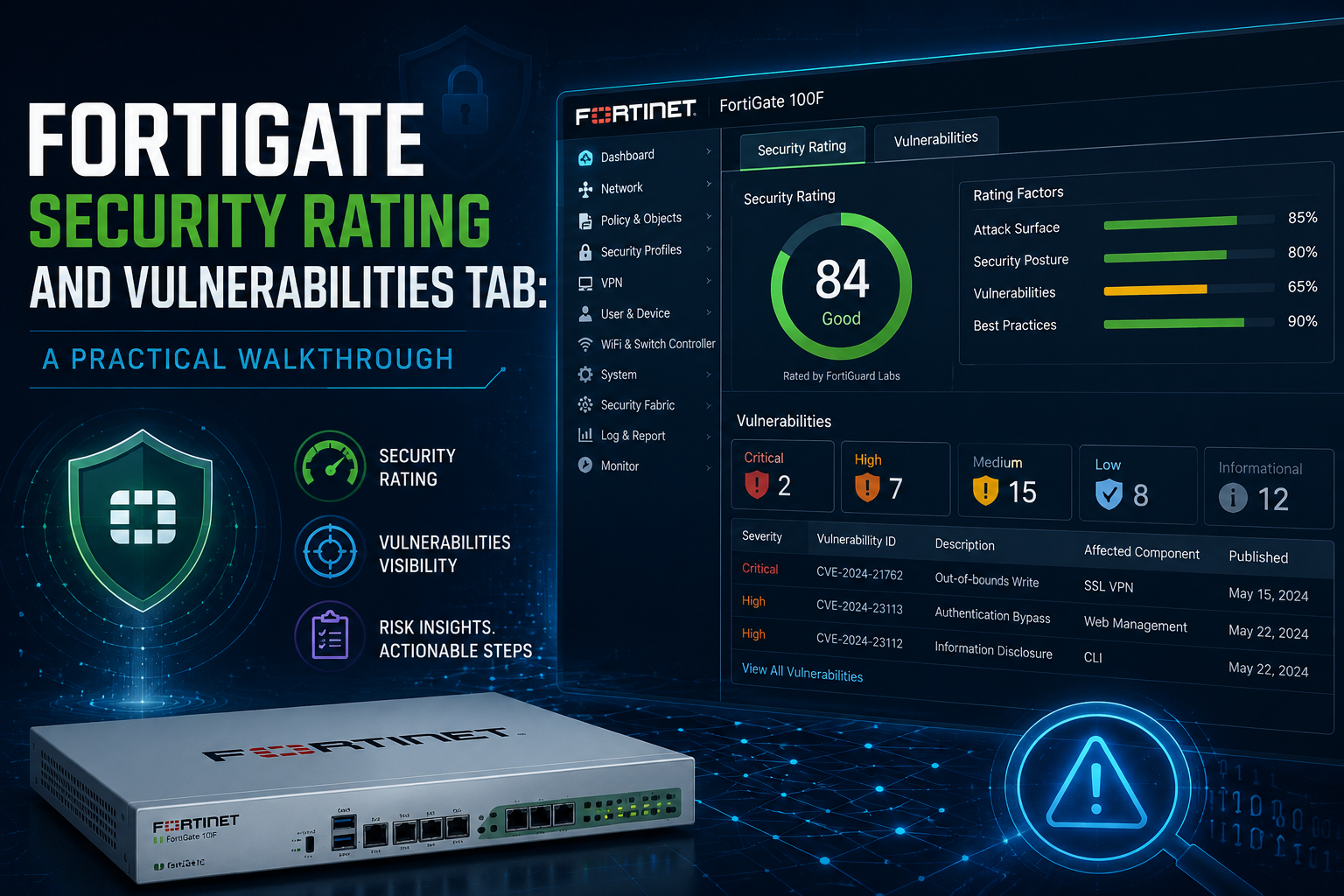
FortiGate Security Rating and Vulnerabilities Tab: A Practical Walkthrough
1. What Security Rating Actually Does
Security Rating is a built-in posture assessment engine that runs on the root FortiGate of a Security Fabric. It audits the configuration of the FortiGate and downstream Fabric devices against Fortinet Security Best Practices (FSBP), then maps results to compliance frameworks such as PCI DSS and CIS.
Three things make it more than a checkbox report:
* It is Fabric-wide. Checks run against the root FortiGate plus downstream FortiGates, FortiSwitches, FortiAPs, and other Fabric members.
* It is continuous. Checks run automatically on a schedule (every four hours by default), so the score reflects current state, not a point-in-time audit.
* It includes PSIRT firmware vulnerability matching. The Security Rating package downloaded from FortiGuard contains PSIRT definitions, so the FortiGate flags its own known firmware vulnerabilities (FG-IR advisories) without an external scanner.
2. Licensing Prerequisites
Before anything renders in the GUI, confirm the license and definition package:
* The feature requires the FortiGuard Attack Surface Security Rating license (included in most bundles such as UTP, ATP, and Enterprise Protection). For a full Fabric-wide score, the root FortiGate and all FortiGates in the Fabric should be licensed.
* PSIRT vulnerability detection rides on the **Security Rating Data Package** delivered through FortiGuard updates.
GUI check: System > FortiGuard > License Information. Expand Firmware & General Updates and confirm the PSIRT check definitions entry is valid.
CLI check:
diagnose autoupdate versions
Look for the Security Rating Data Package section and verify the version, contract expiry, and last update result.
3. Where to Find It
* Security Fabric > Security Rating: the main page with the three scorecards and the Vulnerabilities tab.
* Dashboard widget: the Security Rating widget gives the headline score and trend at a glance.
* System > Firmware & Registration: critical PSIRT findings surface here as labels with tooltips that link back to the Security Rating page.
* GUI header / bell icon: critical severity vulnerabilities trigger a warning banner and a notification, with a View Vulnerability link for global administrators.
4. The Three Scorecards
The Security Rating page is split into three scorecards. Each shows a letter grade, a point score, and sub-category breakdowns.
| Scorecard | What it measures | Typical findings |
| Security Posture | Configuration hardening and best practice compliance | Admin password policy, trusted hosts, insecure protocols, unused policies, exposed services |
| Fabric Coverage | How completely the Fabric covers the environment | Missing FortiAnalyzer logging, unauthorized devices, segments without inspection, endpoints without FortiClient |
| Optimization | Performance and efficiency of the deployment | Unused objects, policy consolidation opportunities, hardware acceleration usage |
How the grading works:
* The letter grade is based on the percentage of tests passed in that category. Eight of ten passing yields 80 percent, which maps to a B.
* The point score is the net of all passed and failed checks, weighted by severity. Hover over a score in the drill-down to see the calculation breakdown.
* Each failed check links to FSBP, PCI, or CIS control references, and the Recommendations column links directly to the page where the issue can be fixed.
* Checks that support Easy Apply can be remediated in one click from the report itself.
5. Running and Scheduling Ratings
Ratings run automatically every four hours by default. You can also trigger them on demand from the Security Rating page.
To control the schedule from the CLI:
config system global
set security-rating-run-on-schedule enable
end
Set to disable if you only want on-demand runs.
To generate event logs summarizing each rating run on the root FortiGate:
config log eventfilter
set security-rating enable
end
Notes for multi-VDOM environments:
* Reports are generated from the Global VDOM and cover all VDOMs.
* Read/write administrators can run the report; read-only administrators can view it.
* The Scope column on each check shows which VDOMs it was evaluated against, and Easy Apply remediations can be pushed to all associated VDOMs.
The report table can be customized (add a Category column, filter, sort) and exported as CSV or JSON for offline analysis or QBR decks.
6. The Vulnerabilities Tab (PSIRT)
This is the part most admins overlook, and it is arguably the highest-value tab on the page. Introduced in FortiOS 7.2.1, the Security Rating package includes PSIRT vulnerability definitions, so the FortiGate continuously compares its own firmware version (and that of Fabric devices) against published Fortinet advisories.
What you see
* Each finding maps to an FG-IR advisory ID (for example FG-IR-23-001) with the affected product, severity, and a description.
* PSIRT findings are highlighted within the security rating results. Use PSIRT as a keyword in the search bar to filter the report down to firmware vulnerabilities only.
* Severity follows the standard PSIRT scale: Critical, High, Medium, Low.
How critical findings surface
When a rating run detects a critical severity vulnerability:
1. A warning banner appears in the FortiOS GUI header, plus a notification under the bell icon. Global administrators see a View Vulnerability link.
2. Clicking the warning redirects to System > Firmware & Registration, where affected Fabric devices are labeled and administrators are prompted to upgrade to fixed firmware.
3. The tooltip on the critical vulnerability label lists the specific advisory and links back to Security Fabric > Security Rating for full details.
This closes the loop: detection, identification of affected devices, and a direct path to the remediation action (firmware upgrade).
CLI verification
Read the current vulnerability findings directly:
diagnose report-runner vuln-read
Example output:
Index: 0
Name: FG-IR-23-001: FortiOS / FortiManager / FortiAnalyzer / FortiWeb /
FortiProxy / FortiSwitchManager - Heap buffer underflow in administrative
interface
FortiGate Serial: FGVM02TM23000000
Clear the temporary critical vulnerability file after remediation:
diagnose report-runner vuln-clean
7. Recommended Operational Workflow
1. Verify licensing at deployment: confirm the Security Rating Data Package and PSIRT definitions are current via diagnose autoupdate versions.
2. Baseline the score after initial configuration and export the report to CSV. This becomes your reference point.
3. Work the Security Posture scorecard first. These are usually quick wins: trusted hosts, admin lockout settings, disabling insecure access protocols.
4. Use Easy Apply selectively. It is convenient, but review each change in a maintenance window for production Fabrics.
5. Treat the Vulnerabilities tab as a standing agenda item. Filter by PSIRT after every FortiGuard update cycle and after every Fortinet advisory release.
6. Track the trend, not just the grade. Export monthly and chart the point score over time. This is exactly the kind of artifact that lands well in QBRs and audit evidence packages.
8. Quick Reference
| Task | Location / Command |
| View scorecards and Vulnerabilities tab | Security Fabric > Security Rating |
| Confirm PSIRT definitions license | System > FortiGuard > License Information |
| Check definition package version | diagnose autoupdate versions |
| Read PSIRT findings via CLI | diagnose report-runner vuln-read |
| Clear vulnerability cache | diagnose report-runner vuln-clean |
| Toggle scheduled runs | set security-rating-run-on-schedule (config system global) |
| Enable rating event logs | set security-rating enable (config log eventfilter) |
| Filter report to firmware vulns | Search bar keyword: PSIRT |
| Export results | Export dropdown: CSV or JSON |
Recent posts
-

-

DNS is one of those technologies that quietly underpins... Full Story
-

BGP issues on FortiGate firewalls usually trace back to... Full Story
-

Every time your laptop talks to your router, a... Full Story
-

If you've spent any time configuring NAT on a... Full Story
-

If you have spent any time configuring firewall policies... Full Story
-

High availability on FortiGate is one of those features... Full Story
-

If you've configured SD-WAN on a FortiGate, you've almost... Full Story
-

FortiLink is the management protocol that turns a FortiSwitch... Full Story
-

FortiSwitches are pretty rock solid from Mean Time Between... Full Story
-

This is a quicky tip. Have you ever gone... Full Story
-

DNS is one of those quiet pieces of internet... Full Story
-

This article is an updated version of the previous... Full Story
-

You will add ns2 as a secondary (slave) BIND9... Full Story
-

In the process of deploying my lab, I needed... Full Story
-

RFC 8805, used to be known as Self-Correcting IP... Full Story
-

Years back, I wrote an article about certificate pinning. ... Full Story
-

FortiGates have the ability to send alerts to Microsoft... Full Story
-

In this post, I am going to walk through... Full Story
-

Troubleshooting VoIP on a FortiGate can feel like trying... Full Story
-

Prior to FortiOS 7.0, there were three commands to... Full Story
-

In this post, I am going to go over... Full Story
-

What we are going to do: We are going... Full Story
-

Choosing between FGCP (FortiGate Clustering Protocol) and FGSP (FortiGate... Full Story
-

Creating a VLAN on macOS (The "Pro" Move) A... Full Story
-

This blog post explores the logic behind how macOS... Full Story
-

Pretty Fly for a Wi-Fi Tell My Wi-Fi Love... Full Story
-

Part of my daily gig is creating BoMs (Bill-of-Materials)... Full Story
-

ICMP introduces several security risks, but careful filtering, rate... Full Story
-

The command diag debug application dhcps -1 enables full... Full Story
-

In the world of FortiOS, execute tac report is... Full Story
-

LLDP; What is it The Link Layer Discovery Protocol... Full Story
-

What it actually does When you run diagnose fdsm... Full Story
-

Monkey Bites are bite-sized, high-impact security insights designed for... Full Story
-

I have run macOS in macOS with Parallels but... Full Story
-

Don't be confused with my other FortiNAC posts where... Full Story
-

This is the third session in a multi-part article... Full Story
-

Today I was configuring key-based authentication on a FortiGate... Full Story
-

Netcat, often called the "Swiss Army knife" of networking,... Full Story
-

At its core, IEEE 802.1X is a network layer... Full Story
-

In case you did not see the previous FortiNAC... Full Story
-

This is our 5th session where we are going... Full Story
-

Now that we have Wireshark installed and somewhat configured,... Full Story
-

The Philosophy of Packet Analysis Troubleshooting isn't about looking... Full Story
-

InfoSecMonkey Threat Response October 24, 2026 | No fluff.... Full Story
-

InfoSecMonkey Threat Response October 24, 2026 | No fluff.... Full Story
-

Plus what you actually get with FortiCare Essential, Premium... Full Story