
If you've spent any time configuring user authentication on... Full Story
By Manny Fernandez
June 22, 2026
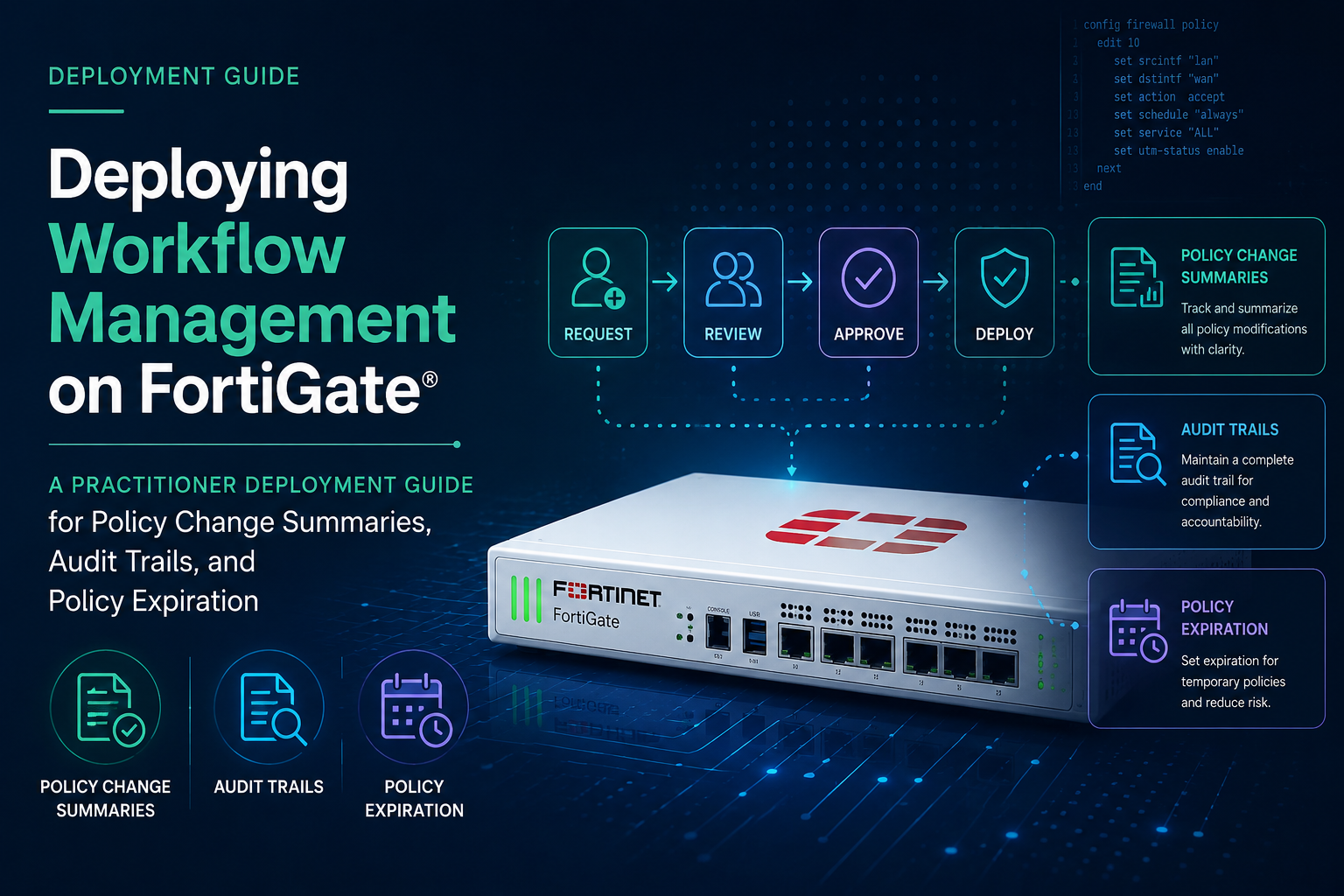
Deploying Workflow Management on FortiGate: A practitioner deployment guide for policy change summaries, audit trails, and policy expiration
What Workflow Management Actually Is
On the FortiGate, “Workflow Management” is not an approval-routing engine. It is a System Settings feature group that adds two governance controls to firewall policy editing:
1. Policy change summary plus an audit trail. Every time a policy is created or modified, the administrator is prompted (or required) to write a short summary of what changed and why. Those summaries, with timestamp and the admin who made the change, are retained per policy and viewable from the policy edit pane.
2. Policy expiration. A policy can be assigned an expiration date and time, after which FortiOS automatically disables it. A default expiration window can also be applied to newly created policies.
This is a common point of confusion, so call it out clearly in customer conversations: FortiGate Workflow Management is local change documentation and policy lifecycle control. It is not the approval-gated change workflow. That approval workflow (sessions, approval groups, email notifications, lock-and-submit) lives in FortiManager Workspace mode set to Workflow, which is a separate product capability. If a customer wants enforced peer approval before a change is committed, they need FortiManager, not this feature.
The feature is available in FortiOS 7.2 and later.
Prerequisites and Planning
Before you enable anything, confirm the following:
– FortiOS version: 7.2 or newer. The CLI knobs and GUI panes referenced here assume 7.2+ and were validated against current 7.6 behavior.
– Admin profile permissions: Administrators need read-write on System and on Firewall policy to enable the feature and to write change summaries.
– Time accuracy: Policy expiration is only as trustworthy as the system clock. Confirm NTP is configured and the FortiGate has the correct timezone before relying on expiration. A drifting or wrong clock will disable policies early or late.
– VDOM topology: Decide whether this is a global enablement or per-VDOM. The GUI flow assumes a non-VDOM unit. On a VDOM-enabled box, several settings must be driven from the CLI per VDOM (see Gotchas).
– Change process alignment: Workflow Management produces an audit record, but only if your team agrees on what a good change summary looks like. Define that standard before you set the summary mode to Required, or you will collect a pile of summaries that say “fix.”
Deployment: GUI Method (Non-VDOM)
Step 1. Make the feature visible
1. Go to System > Feature Visibility.
2. Enable Workflow Management.
3. Click Apply.
Feature Visibility is a per-VDOM (or global, on a non-VDOM unit) toggle. If you do not see Workflow Management options under Settings later, this is the first thing to recheck.
Step 2. Configure the Workflow Management settings
1. Go to System > Settings.
2. Scroll to the Workflow Management section.
3. Set Policy change summary to one of:
– Disable: no prompt. The feature is effectively off for summaries.
– Optional: the admin is prompted to write a summary but may leave it blank.
– Required: the admin cannot save the policy without entering a summary.
4. Configure Policies expire by default. It is enabled by default with an Expire after value of 30 days. Set this to your desired default window (valid range is 0 to 365 days). Setting it to 0 disables default expiration so new policies are created without an expiry unless one is explicitly set.
5. Click Apply.
Step 3. Create or edit a policy and observe the workflow
1. Go to Policy & Objects > Firewall Policy and click Create New (or edit an existing policy).
2. Configure the policy as normal.
3. To set an explicit expiration, set Policy expiration to Specify. The expiration date and time fields appear, defaulted to the current date and time. Choose the date and time at which FortiOS should automatically disable the policy.
4. Click OK.
5. The Workflow Management - Summarize Changes pane opens. In the Change summary field, describe what you changed and why. With the mode set to Required, this is mandatory.
6. Save.
Step 4. Review the audit trail
1. Go to Policy & Objects > Firewall Policy.
2. Select the policy and click Edit.
3. In the right-side banner, click Audit Trail.
4. The Audit trail for Firewall Policy pane lists each change summary with date, time, and the admin who made it. Select an entry to see its detail.
Deployment: CLI Method
The CLI is the authoritative method, and it is required on VDOM-enabled units.
Enable and configure the feature
config system settings
set gui-workflow-management enable
set policy-expiry{enable|disable}
set policy-expiry-days <0-365>
end
– gui-workflow-management enable exposes the feature, equivalent to the Feature Visibility toggle.
– policy-expiry enable turns on the default-expiration behavior for newly created policies.
– policy-expiry-days sets the default window. A value of 0 disables the default expiry while leaving the feature available for per-policy use.
Set the change summary enforcement mode
config system settings
set gui-policy-disclaimer enable
end
Note: the exact summary-enforcement keyword has varied across builds and GUI labels (Disable, Optional, Required). Always confirm the available options on your specific firmware with set ? inside config system settings rather than assuming a keyword, because Fortinet has relabeled these between minor releases.
Set expiration on a specific policy
config firewall policy
edit <policy-id>
set policy-expiry enable
set policy-expiry-date <YYYY-MM-DD HH:MM:SS>
next
end
To remove an expiration from a policy, set policy-expiry disable on that policy.
Verify
show system settings
Confirm the workflow-management and policy-expiry values are set as intended. Then edit a policy in the GUI and confirm the summary prompt appears, since the CLI does not prompt interactively.
Gotchas
The VDOM trap The published GUI walkthrough assumes a firewall without VDOMs. When VDOMs are enabled, the Workflow Management options may not appear in the GUI the way the documentation shows, and you must drive the configuration from the CLI within the correct VDOM context. If a customer says “I followed the doc and the option is not there,” the first question is whether VDOMs are enabled. This is the single most common support thread on this feature.
Default expiration is silent and destructive. With policy-expiry enabled and a non-zero default, every new policy quietly inherits an expiry date. Thirty or sixty days later, policies start disabling themselves. Administrators who did not know the default was active will experience this as an outage with no obvious cause. If you turn on default expiration, document it loudly and make sure your monitoring catches policies that flip to disabled.
Clock dependency. Expiration is wall-clock driven. Wrong timezone, missing NTP, or a clock that reset after a power event will disable policies at the wrong time. Validate time before trusting expiration in production.
Expiration disables, it does not delete. An expired policy is set to disabled, not removed. That is good for recovery (you can re-enable it) but it means expired policies accumulate in the policy table. Build a periodic cleanup step into your process so the table does not fill with dead, disabled rules.
Required mode changes admin behavior. Once summaries are Required, every quick edit now demands a sentence. Admins under pressure will type update or x to get past the prompt. Required enforces that a summary exists, not that it is useful. Pair the technical control with a written standard and spot-check the audit trail.
Summaries are per policy, not a global changelog. The audit trail lives on each individual policy. There is no single consolidated “everything that changed this week” view inside this feature. For consolidated change reporting across the estate, you are looking at FortiManager revision history or FortiAnalyzer, not FortiGate Workflow Management.
Keyword drift between builds. Fortinet has renamed and relabeled the summary and expiry settings across 7.2.x, 7.4.x, and 7.6.x point releases. Do not hardcode CLI keywords from an old runbook. Confirm with set ? on the actual firmware in front of you.
This is not change approval. Repeating it because it matters in sales and audit conversations: nothing here blocks a change from being committed. Any admin with write access commits immediately and documents after the fact. If the requirement is enforced four-eyes approval before commit, that is FortiManager Workspace Workflow mode.
Best Practices
– Start with Optional, then move to Required. Turn on Optional summaries first so admins build the habit and you can see what good summaries look like in your environment. Switch to Required once the team is acclimated and you have a written standard.
– Define a summary format. Agree on a minimal template, for example: ticket or change number, what changed, and why. A summary tied to a change-ticket ID is far more valuable at audit time than free text.
– Disable default expiration unless you have a clear lifecycle use case. Set policy-expiry-days to 0 as the safe default, and apply expiration deliberately per policy. This avoids the silent self-disable outage.
– Reserve expiration for temporary rules. Expiration shines for vendor access, break-fix allow rules, event-driven exceptions, and proof-of-concept policies. Set the expiry when you create the temporary rule so cleanup is automatic.
– Monitor for auto-disabled policies. Add a check (FortiAnalyzer report, automation stitch on the policy-disabled event, or a scheduled config review) so an expired policy never becomes a silent service outage.
– Pair with NTP hardening. Treat accurate time as a prerequisite control for this feature, not an afterthought.
– For multi-firewall estates, govern from FortiManager. Use FortiManager revision history and, where approval is required, Workspace Workflow mode. Use FortiGate Workflow Management as the local, on-box record of intent.
– Document the policy at handoff. When you hand a managed firewall to a customer or to another team, tell them whether default expiration is on. This one sentence prevents a future 2 a.m. incident.
Use Cases
Audit and compliance evidence. Frameworks that require documented change control (PCI DSS, SOC 2, internal audit) benefit from a per-policy record of who changed what and why. Required summaries plus the audit trail give an auditor a defensible answer on the firewall itself.
Temporary and time-boxed access. A vendor needs access for a two-week project. A break-fix rule is opened during an incident. A penetration test needs a temporary allow. Set the expiration when you create the rule and the firewall cleans up after itself, eliminating the forgotten-permanent-temporary-rule problem that plagues every long-lived firewall.
Change accountability in shared admin environments. When several administrators manage the same FortiGate, the audit trail answers “who touched this policy and what were they trying to do” without reconstructing it from raw config diffs.
Proof of concept and lab hygiene. In a POC or lab, default expiration ensures test policies do not silently persist into a longer-lived configuration.
Bridging to a formal change process. For teams not yet ready to deploy FortiManager Workspace Workflow approval, on-box Required summaries are a lightweight first step toward disciplined change management, with a clear upgrade path to enforced approval later.
Recent posts
-

-

DNS is one of those technologies that quietly underpins... Full Story
-

BGP issues on FortiGate firewalls usually trace back to... Full Story
-

Every time your laptop talks to your router, a... Full Story
-

If you've spent any time configuring NAT on a... Full Story
-

If you have spent any time configuring firewall policies... Full Story
-

High availability on FortiGate is one of those features... Full Story
-

If you've configured SD-WAN on a FortiGate, you've almost... Full Story
-

FortiLink is the management protocol that turns a FortiSwitch... Full Story
-

FortiSwitches are pretty rock solid from Mean Time Between... Full Story
-

This is a quicky tip. Have you ever gone... Full Story
-

DNS is one of those quiet pieces of internet... Full Story
-

This article is an updated version of the previous... Full Story
-

You will add ns2 as a secondary (slave) BIND9... Full Story
-

In the process of deploying my lab, I needed... Full Story
-

RFC 8805, used to be known as Self-Correcting IP... Full Story
-

Years back, I wrote an article about certificate pinning. ... Full Story
-

FortiGates have the ability to send alerts to Microsoft... Full Story
-

In this post, I am going to walk through... Full Story
-

Troubleshooting VoIP on a FortiGate can feel like trying... Full Story
-

Prior to FortiOS 7.0, there were three commands to... Full Story
-

In this post, I am going to go over... Full Story
-

What we are going to do: We are going... Full Story
-

Choosing between FGCP (FortiGate Clustering Protocol) and FGSP (FortiGate... Full Story
-

Creating a VLAN on macOS (The "Pro" Move) A... Full Story
-

This blog post explores the logic behind how macOS... Full Story
-

Pretty Fly for a Wi-Fi Tell My Wi-Fi Love... Full Story
-

Part of my daily gig is creating BoMs (Bill-of-Materials)... Full Story
-

ICMP introduces several security risks, but careful filtering, rate... Full Story
-

The command diag debug application dhcps -1 enables full... Full Story
-

In the world of FortiOS, execute tac report is... Full Story
-

LLDP; What is it The Link Layer Discovery Protocol... Full Story
-

What it actually does When you run diagnose fdsm... Full Story
-

Monkey Bites are bite-sized, high-impact security insights designed for... Full Story
-

I have run macOS in macOS with Parallels but... Full Story
-

Don't be confused with my other FortiNAC posts where... Full Story
-

This is the third session in a multi-part article... Full Story
-

Today I was configuring key-based authentication on a FortiGate... Full Story
-

Netcat, often called the "Swiss Army knife" of networking,... Full Story
-

At its core, IEEE 802.1X is a network layer... Full Story
-

In case you did not see the previous FortiNAC... Full Story
-

This is our 5th session where we are going... Full Story
-

Now that we have Wireshark installed and somewhat configured,... Full Story
-

The Philosophy of Packet Analysis Troubleshooting isn't about looking... Full Story
-

InfoSecMonkey Threat Response October 24, 2026 | No fluff.... Full Story
-

InfoSecMonkey Threat Response October 24, 2026 | No fluff.... Full Story
-

Plus what you actually get with FortiCare Essential, Premium... Full Story